
Community listing page, reviews here may not be monitored by the author.
AnchorPoint


No reviews yet
Saves your coordinates on logout so you can share your location or return safely.
Community voices
Reviews
No reviews yet. Be the first to review this project!
Get it on
Available Platforms
Compatibility
Supported Environments
Runs entirely on the client. Works on vanilla servers.
About
Project Details
For authors
Embed Badge
If you're the author of this project, you can embed a live badge anywhere that supports HTML or Markdown. It updates automatically whenever ratings change.
Use HTML for any page that supports it, or Markdown for README files and Markdown-based descriptions.
Identifiers
Platform IDs
Resources
External Links
About
Description
AnchorPoint - Save your location on logout

AnchorPoint lets you organise, browse, and manage your folders and entries directly in-game with a clean, Minecraft-native interface.
It’s built for fast navigation, clear selection, and minimal friction, whether you’re opening details, filtering content, or managing favourites.
AnchorPoint focuses on interaction quality rather than feature bloat, aiming to feel like it belongs in vanilla Minecraft while still offering powerful control.
Features
- Search with include / exclude keywords
- Multi-select using Shift and Ctrl
- Double-click to open detail screens
- Favourite entries for quick access
- Folder filtering and sorting
- Lightweight, consistent UI
- Built-in settings screen
Design Goals
- Fast and predictable interactions
- No unnecessary clutter
- UI that matches Minecraft’s visual language
- Easy to extend and configure
Supported Platforms
AnchorPoint is currently only available for Fabric on Minecraft: Java Edition version 1.21.11, 1.21.10, 1.21.9.
License
AnchorPoint is licensed under Creative Commons Attribution–NoDerivatives 4.0 (CC BY-ND 4.0) with additional distribution terms.
Allowed:
- Use the mod freely
- Include the unaltered .jar in modpacks
- Record and monetize videos or streams featuring the mod (with a link to the official project page)
Not allowed:
- Modify, remix, or fork the mod
- Redistribute modified versions
- Re-upload or mirror the .jar file on other sites
Distribution is permitted only via official project pages (e.g. Modrinth, CurseForge).
AnchorPoint - Save your location on logout
AnchorPoint lets you organise, browse, and manage your folders and entries directly in-game with a clean, Minecraft-native interface.
It’s built for fast navigation, clear selection, and minimal friction, whether you’re opening details, filtering content, or managing favourites.
AnchorPoint focuses on interaction quality rather than feature bloat, aiming to feel like it belongs in vanilla Minecraft while still offering powerful control.
Features
- Search with include / exclude keywords
- Multi-select using Shift and Ctrl
- Double-click to open detail screens
- Favourite entries for quick access
- Folder filtering and sorting
- Lightweight, consistent UI
- Built-in settings screen
Design Goals
- Fast and predictable interactions
- No unnecessary clutter
- UI that matches Minecraft’s visual language
- Easy to extend and configure
Supported Platforms
AnchorPoint is currently only available for Fabric on Minecraft: Java Edition version 1.21.11, 1.21.10, 1.21.9.
License
AnchorPoint is licensed under Creative Commons Attribution–NoDerivatives 4.0 (CC BY-ND 4.0) with additional distribution terms.
Allowed:
- Use the mod freely
- Include the unaltered .jar in modpacks
- Record and monetize videos or streams featuring the mod (with a link to the official project page)
Not allowed:
- Modify, remix, or fork the mod
- Redistribute modified versions
- Re-upload or mirror the .jar file on other sites
Distribution is permitted only via official project pages (e.g. Modrinth, CurseForge).
Screenshots
Gallery
-
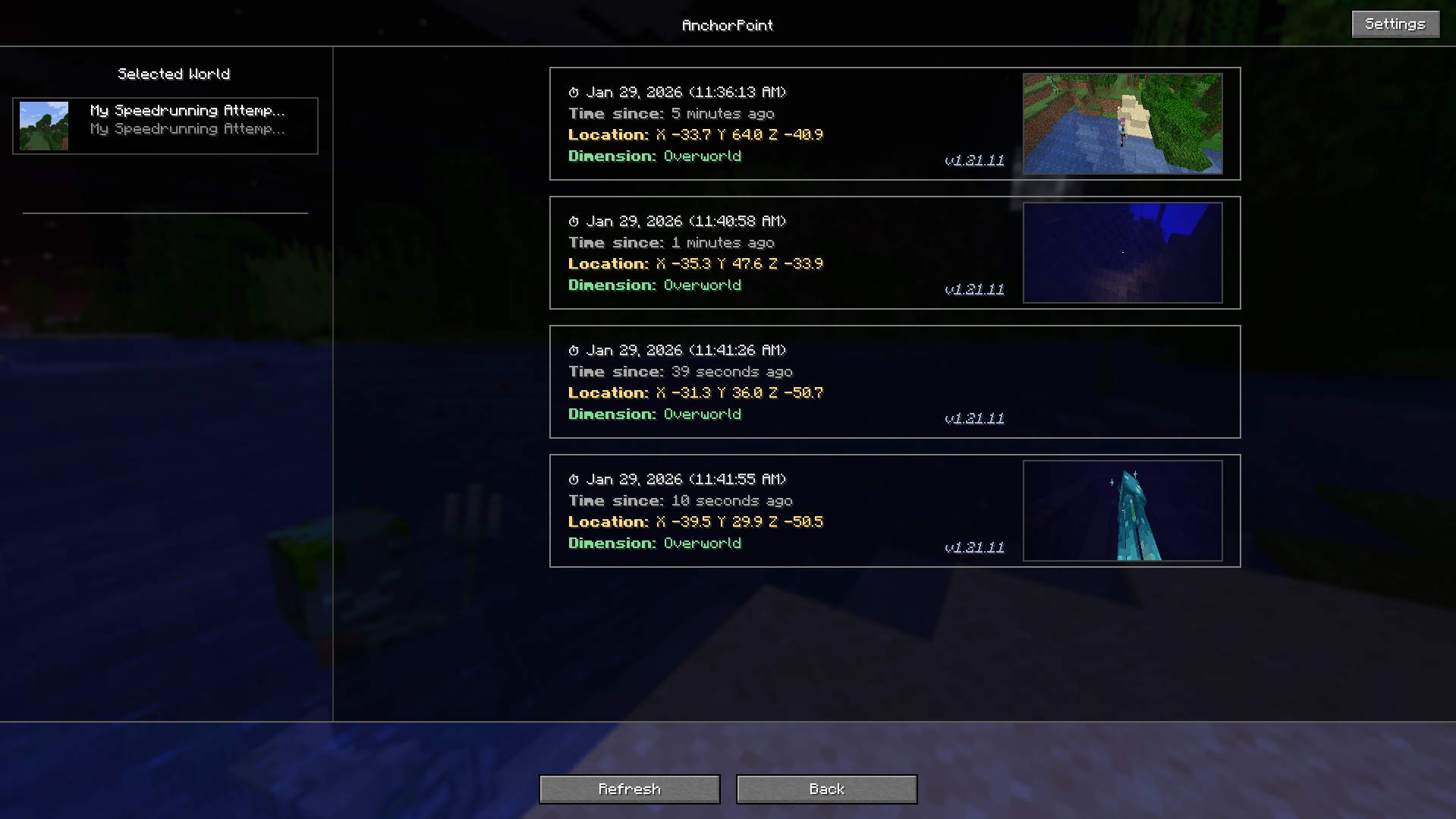 Details Screen
 -
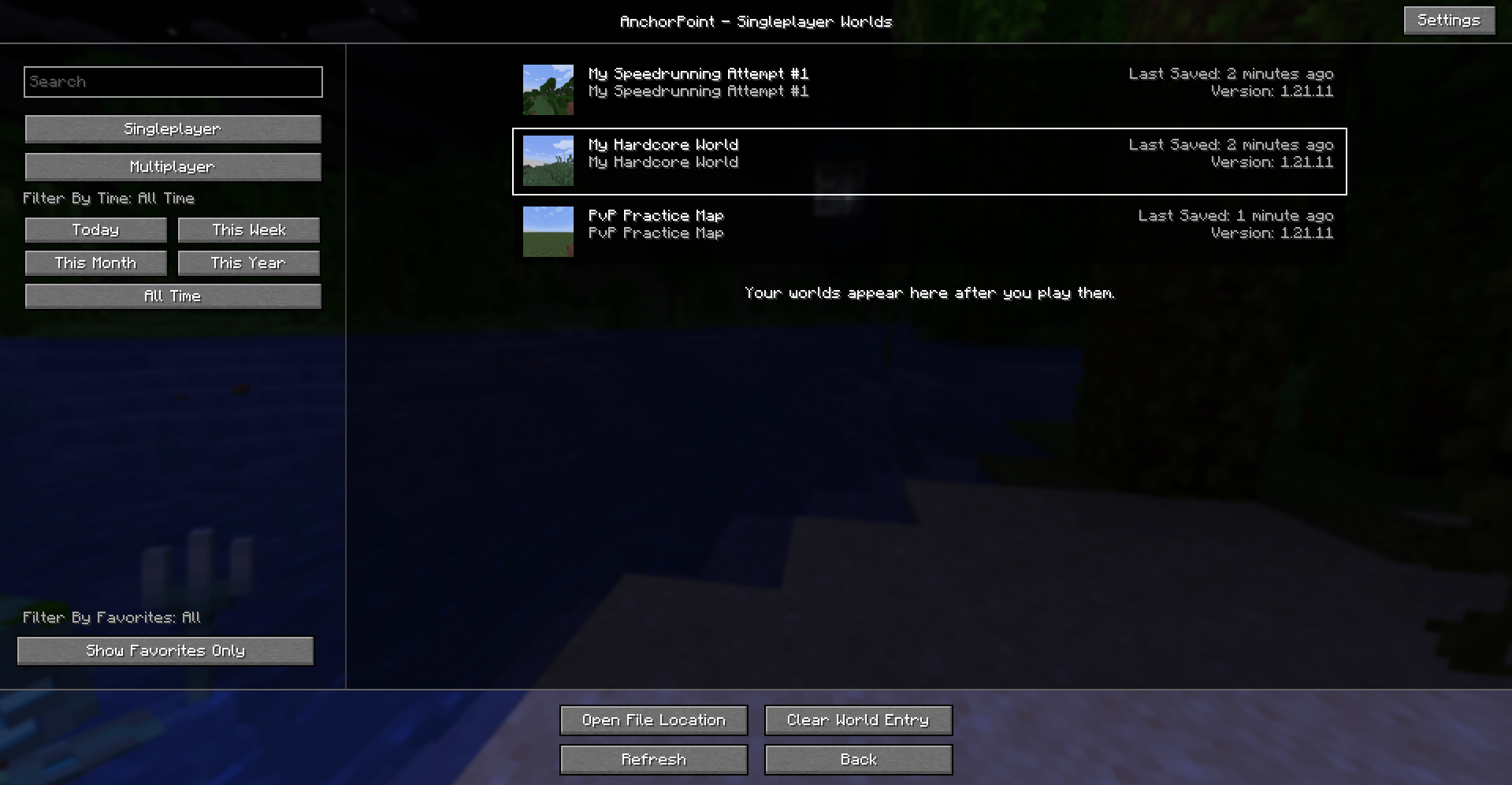 List Screen
-
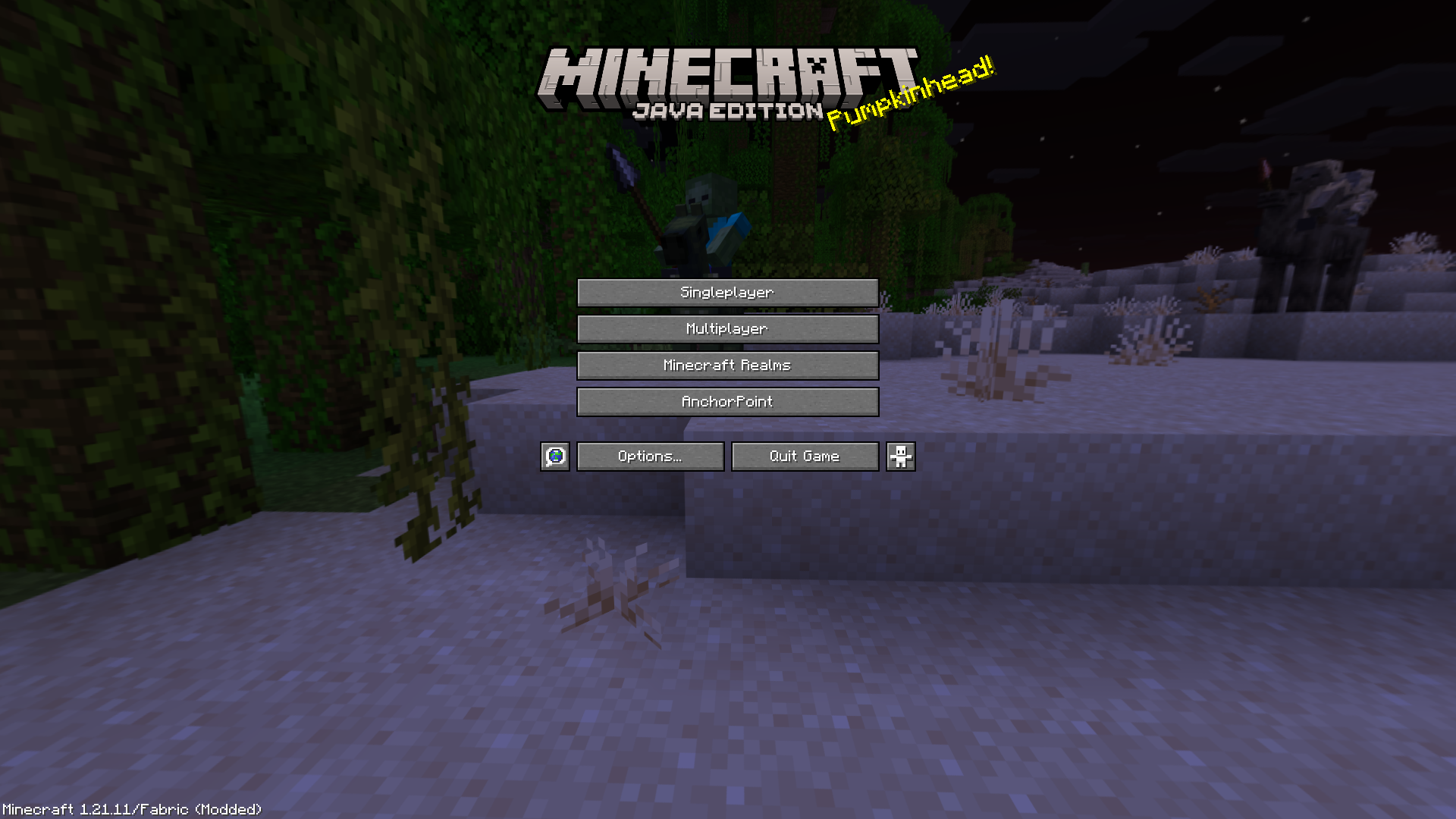 Main Menu AnchorPoint Button Adds a convenient shortcut on the main menu, allowing you to open AnchorPoint instantly when you launch the game.
 -
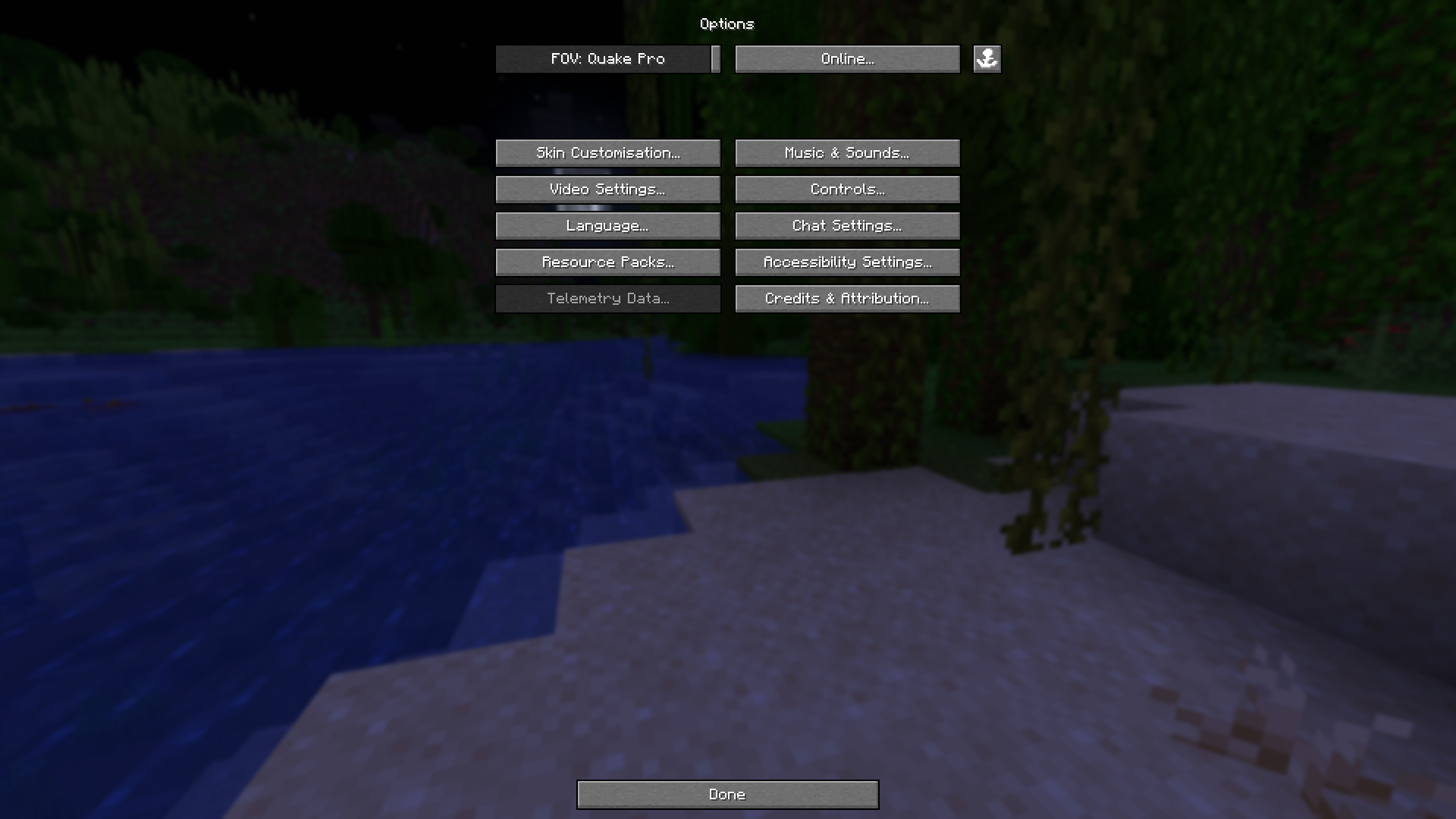 Alternative AnchorPoint Button (Found in options menu) Adds a quick-access shortcut in the Options Menu, letting you open AnchorPoint without needing to return to the title screen. Useful for clients that obstruct the default Main Menu screen.
 -
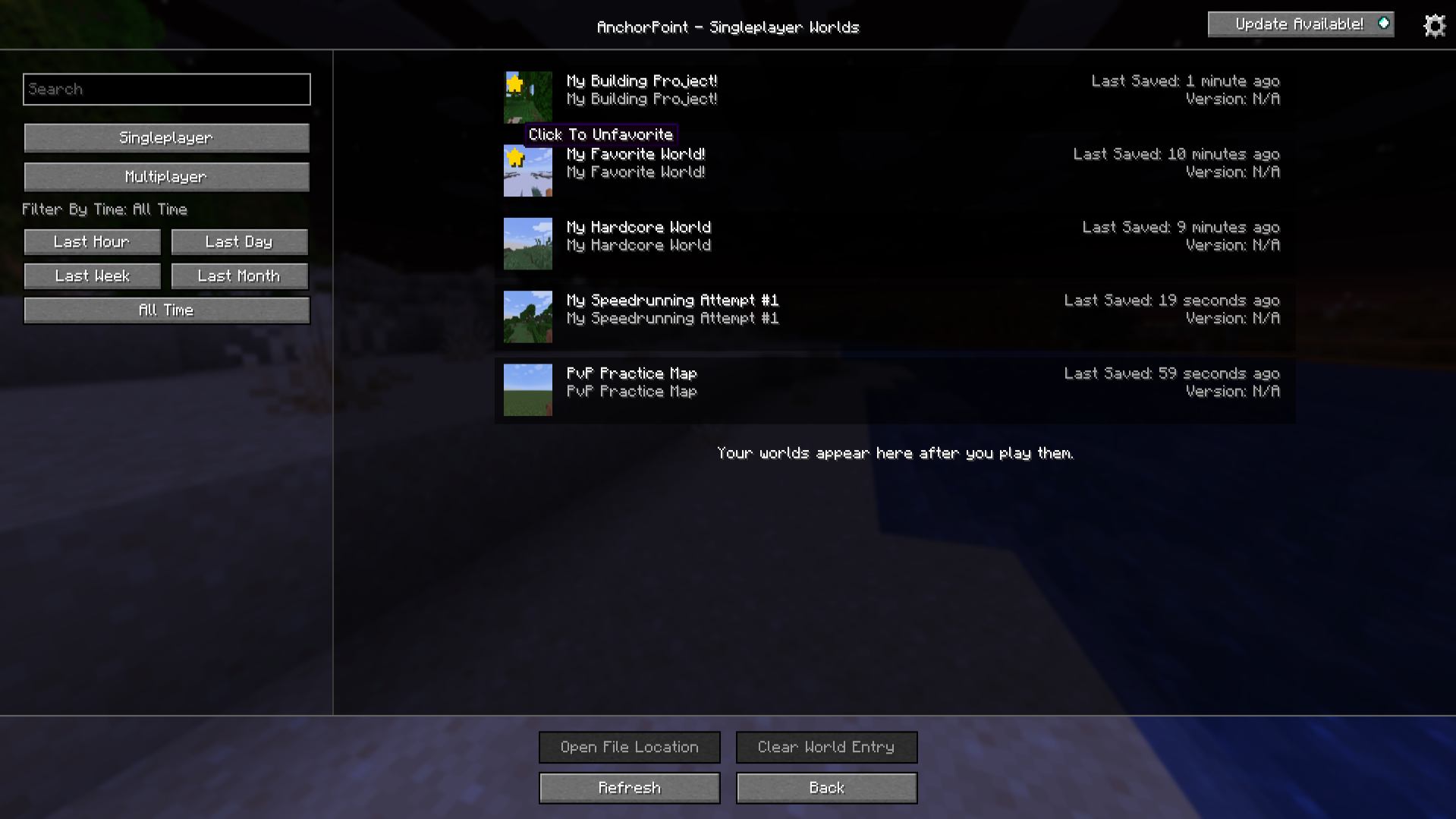 Display saved coordinates for worlds & servers Sort worlds by recency, or move your most valuable ones to the top by favoriting them.
 -
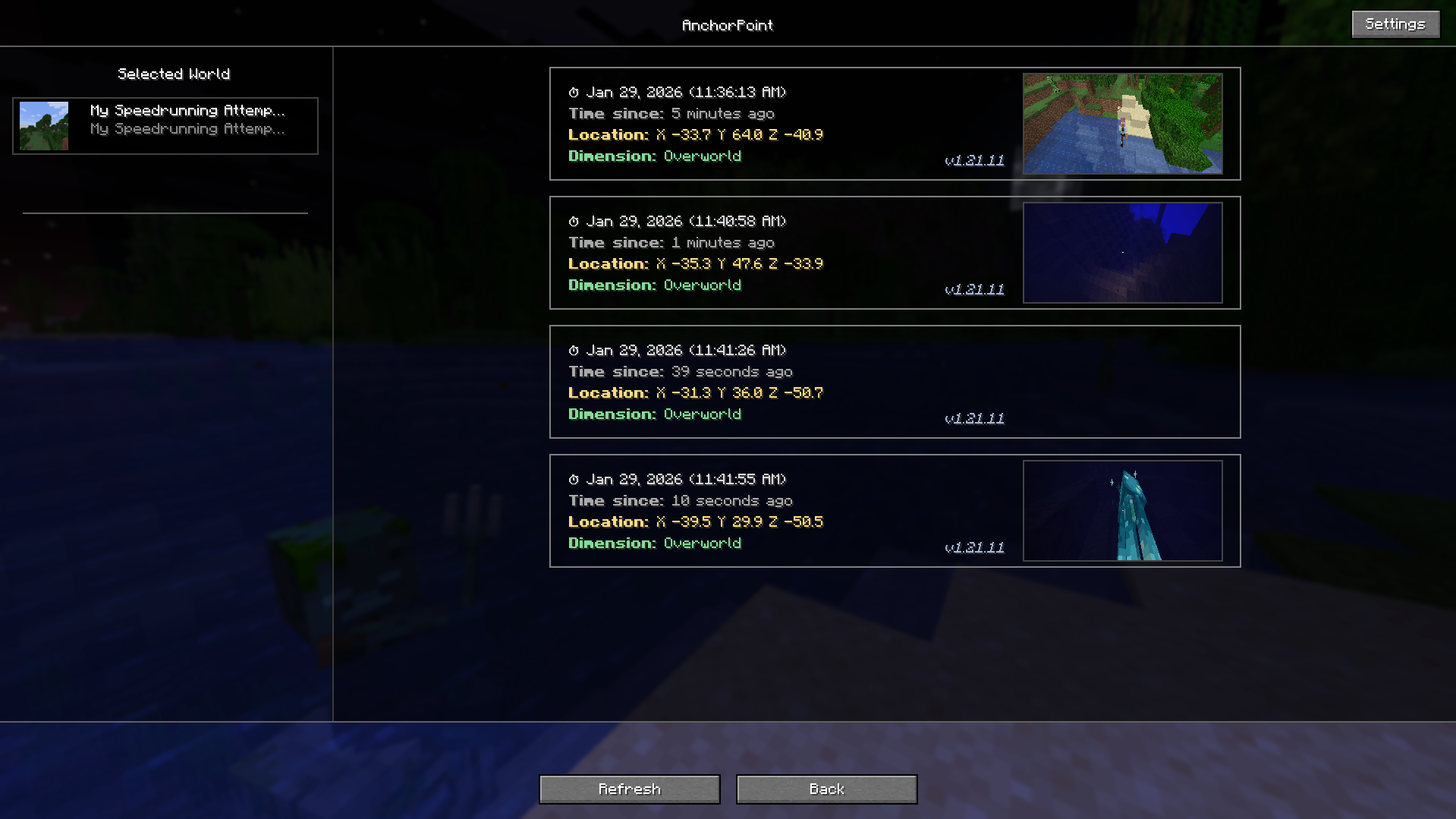 Coordinates Detail Screen View your saved coordinates with timestamps, dimensions, and screenshots, and easily remove or manage the entries you no longer need.
 -
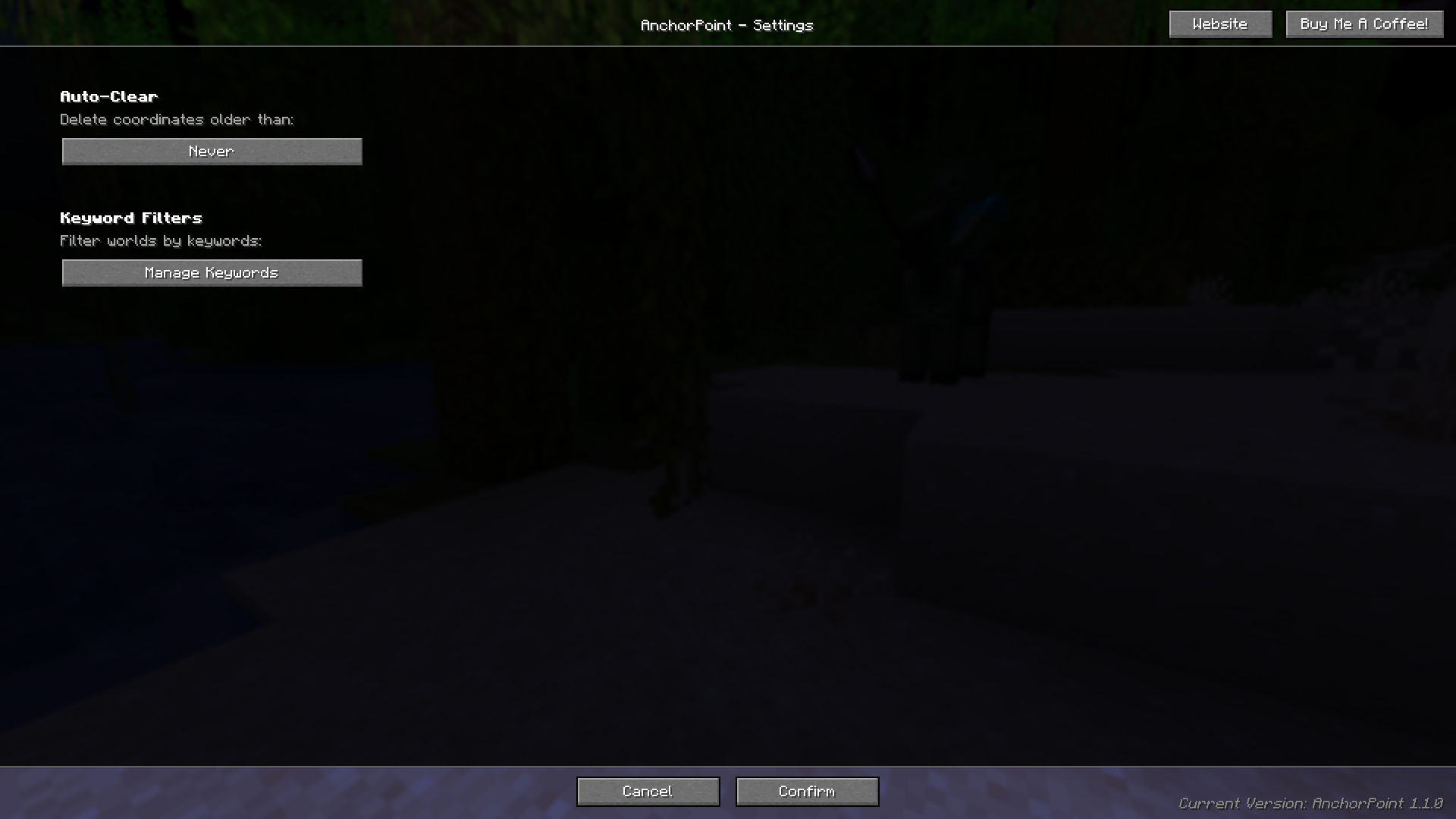 AnchorPoint Settings Menu Let's you customize how AnchorPoint saves, displays, and manages your coordinates and screenshots.
Versions
Files
Relations
Project Relations
More like this
Similar Mods
Suggestions use data such as tags, dependencies, dependents, descriptions, titles, and more to rank how much they overlap with this mod.
On ModDex
Community snapshot
By the numbers
Statistics
Want to reach Minecraft players?
We're looking for a server hosting partner to feature here and other parts of the site. Interested? Send us a message!
Get in touchGet it on
Available Platforms
On ModDex
Community snapshot
By the numbers
Statistics
Resources