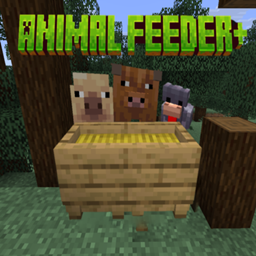
Community listing page, reviews here may not be monitored by the author.
Animal Feeder+

No reviews yet
Animal Feeder+ adds a simple feeding trough that automatically feeds nearby farm animals, making livestock care easier and reducing the need to feed each animal individually.
Community voices
Reviews
No reviews yet. Be the first to review this project!
Get it on
Available Platforms
About
Project Details
For authors
Embed Badge
If you're the author of this project, you can embed a live badge anywhere that supports HTML or Markdown. It updates automatically whenever ratings change.
Use HTML for any page that supports it, or Markdown for README files and Markdown-based descriptions.
Identifiers
Platform IDs
Resources
External Links
About
Description
Animal Feeder+
Animal Feeder+ is a lightweight Fabric & Forge mod that adds a practical feeding trough for your farm animals.
Simply place the appropriate breeding food into the feeder, and nearby compatible animals will automatically use it only when they are ready to breed. This eliminates the need to manually feed every animal while preventing unnecessary food waste.
The feeder stands 1.5 blocks tall, visually connects to fences, and can serve multiple connected animal pens at once. Its height also helps prevent animals from jumping over it, making it a natural part of your farm’s fencing.
Designed to stay true to vanilla Minecraft, Animal Feeder+ provides a simple quality-of-life improvement without adding complicated automation or unnecessary mechanics.
How It Works
- Craft and place the Animal Feeder.
Plank Empty Plank Plank Slab Plank Fence Plank Fence - Fill it with the correct breeding food for your animals.
- Any compatible animals within range that are ready to breed will automatically consume food from the feeder.
- Once an animal has bred, it will no longer use the feeder until its breeding cooldown has expired.
This keeps food consumption efficient and prevents animals from continuously eating your stored food.
Animal Feeder+ Full Feature List
- Automatic Feeding & Breeding
Nearby animals can walk to the trough and eat their normal food automatically when they are ready to breed. - Animal Qeue System
Instead of Animals clumping around the feeder, causing traffic jams and slow feeding, animals now partivipate in a qeue system. The feeder picks 4 eligable animals that can feed, and each has a spot reserved. After they've eaten, the spot opens up for a new animal, and the one that just ate will walk away. For babies, instead of holding up the line, they will eat, walk away, and then be eligable for a spot again more quickly, so that they can grow faster. - Baby Growth Feeding
Baby animals can eat from troughs to grow faster. Each trough can use Vanilla (1×), Efficient (2×), or Fast (4×) growth efficiency. - Per-Trough Enable / Disable
Each trough can be turned on or off individually without removing its food or changing its settings. - Custom Feeding Range
Each trough can use the normal feeding range or its own custom range. - Reachability-Aware Feeding
Animals only try to use a trough if they can actually reach it, preventing them from getting stuck behind fences, walls, or other obstacles. - Per-Trough Animal Selection
Each trough can feed all compatible animals or only the species you choose. - Modded Animal Support
Modded animals can be added using their entity ID and removed individually. Compatible modded animals can also use foods added by their own mod. - Breeding Quotas
Troughs can limit how many breeding events they cause. Limits can be unlimited, reset each Minecraft day, or continue until manually reset. - Custom Trough Names
Individual troughs can be renamed directly from the feeder screen, with names such as Cow Feeder, Sheep Breeder, or Horse Nursery. - 9-Slot Food Storage
Each trough has 9 slots for storing animal food. - Visible Food Levels
Food appears inside the trough and changes through several fill levels depending on how much food is stored. - Trough Information Screen
The feeder screen shows its active state, stored food, feeding range, baby-growth status, selected animals, and breeding quota. - Feeding Effects
Animals show food particles around their mouth and play a subtle eating sound when they eat from a trough. Baby animals also get a small visual effect when their growth is increased. - Show Feeding Range
A Show Range button displays the trough’s feeding area with a particle cloud that follows the ground and uneven terrain for around 10 seconds. - Persistent Per-Trough Settings
Each trough remembers its name, range, enabled state, animal selection, baby-growth settings, and breeding limits after leaving or restarting the world. - Hopper Support
Hoppers can automatically move food into troughs, allowing food to be supplied from nearby chests or other storage. - Comparator Support
Comparators can read how full a trough is, allowing its food level to be used in redstone builds. - Wood Variants
Troughs are available in different wood styles so they can match different farms, fences, and builds. - Fence Connections
Fences can visually connect to troughs so they fit naturally into animal pens. - Side-by-Side Trough Placement
Troughs placed directly beside one another keep a clear divider so separate feeders and their inventories are easy to distinguish.
Supported Animals
Supports all vanilla breedable animals.
Compatible modded animals that use Minecraft’s standard breeding mechanics should also work when added in manually to the eligable animals list.
Supported Versions
Animal Feeder+ is currently available for:
Fabric
- Minecraft Fabric 1.20.1
- Minecraft Fabric 1.21.1
- Minecraft Fabric 26.2
Forge
- Minecraft Forge 1.20.1
- Minecraft Forge 1.21.1
- Minecraft Forge 26.2
Each version is built separately. Be sure to download the version that matches your Minecraft installation.
Requirements
Required:
Fabric
- Fabric API
Forge
- No dependencies are required.
Animal Feeder+ does not currently support NeoForge, Quilt, or other mod loaders.
Screenshots
Gallery
-
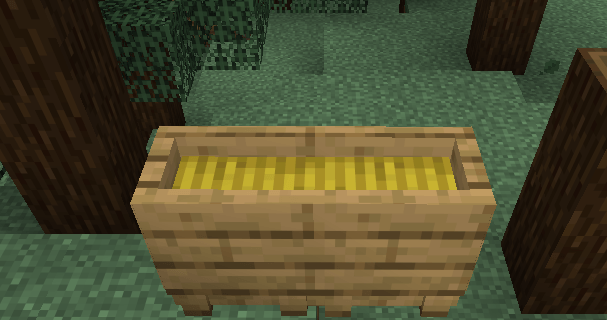 Oak Feeder Preview a preview of what the feeders look like in game
 -
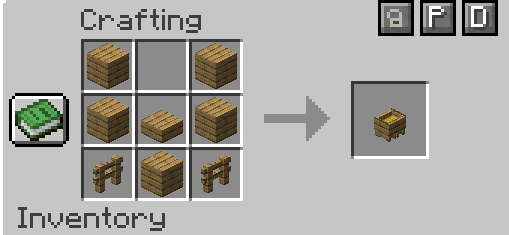 Crafting recipe for feeders Each different wood type makes its own feeder- Oak=Oak feeder, Cherry Blossom=Cherry feeder, etc
 -
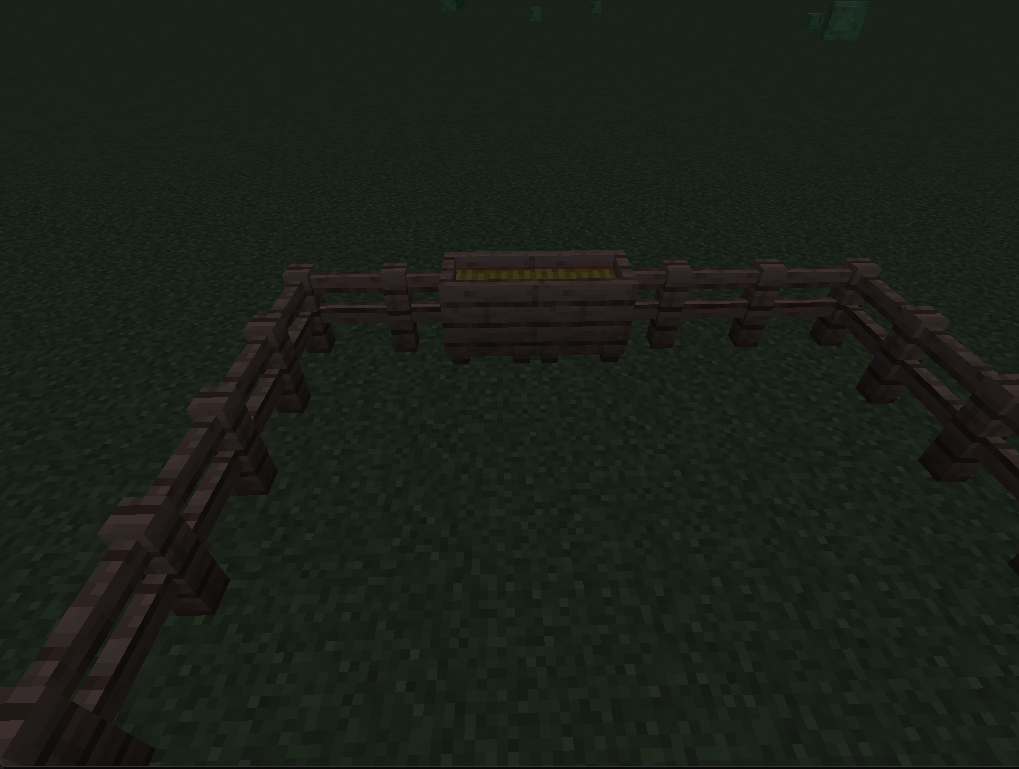 Feeder-Gate compatibility Showcasing the feeder's ability to naturally form with gates
 -
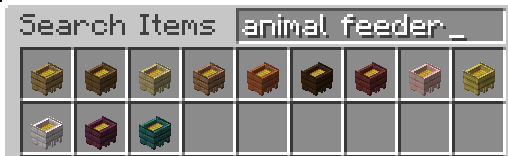 All feeder types Each wood type allows it's own variation of feeder
 -
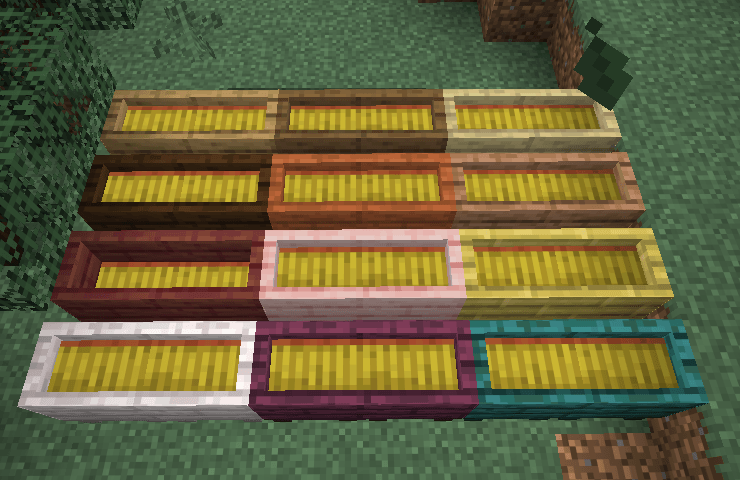 All variants in game A showcase of all of the variants
 -
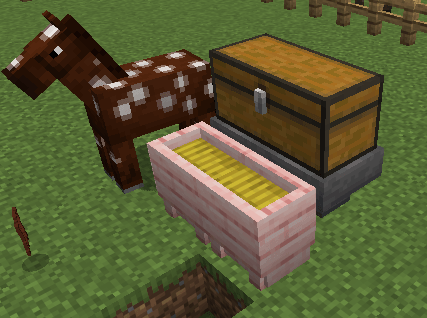 Hopper Compatibility! Never manually fill the feeder again!
 -
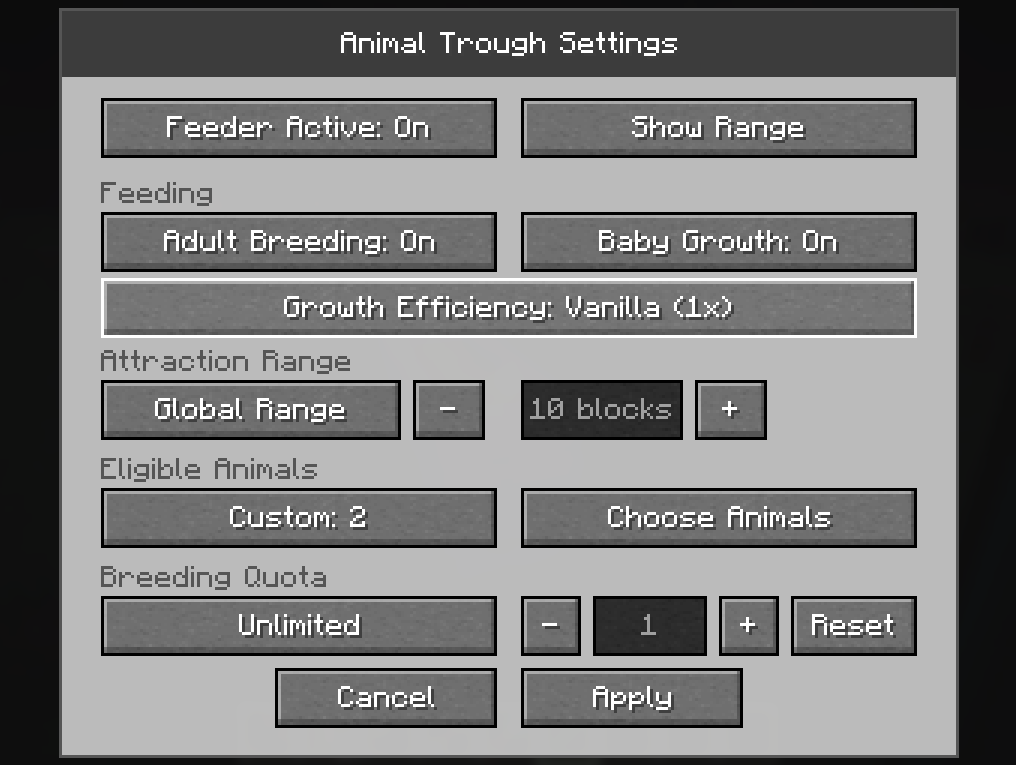 Each feeder has independant settings to configure Each feeder uses it's own settings, so you don't have to worry about one feeder dictating all of the others behaviors
 -
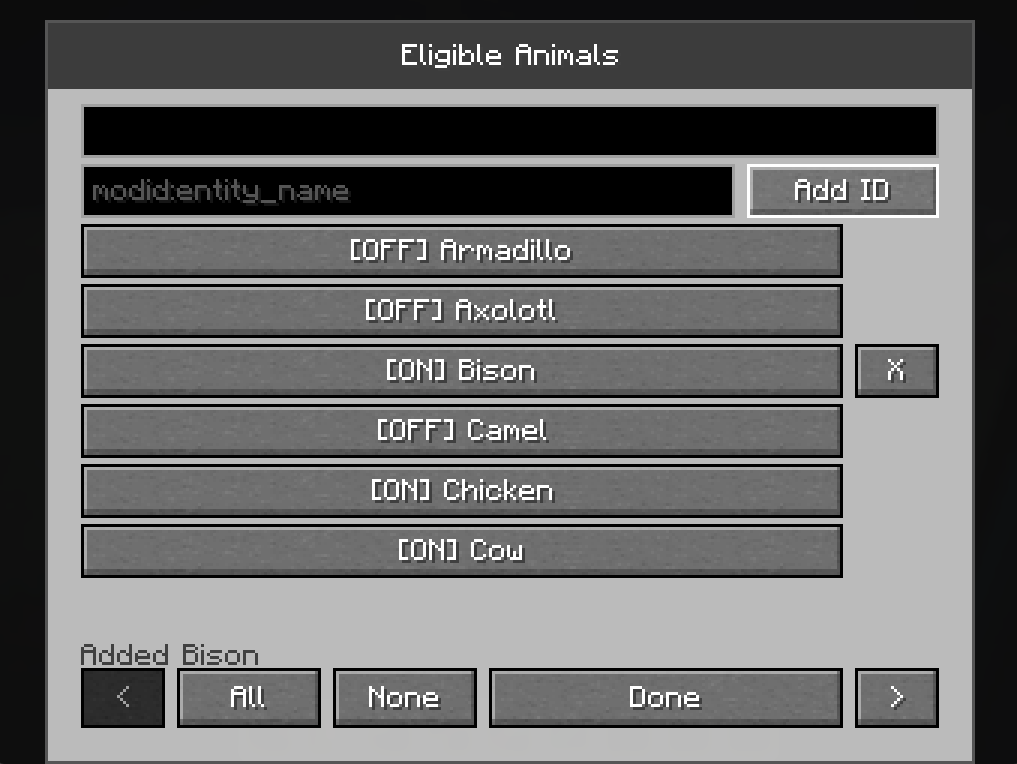 Modded mob compatibility screen Add IDs of other breedable entities from mods that bring in new animals!
 -
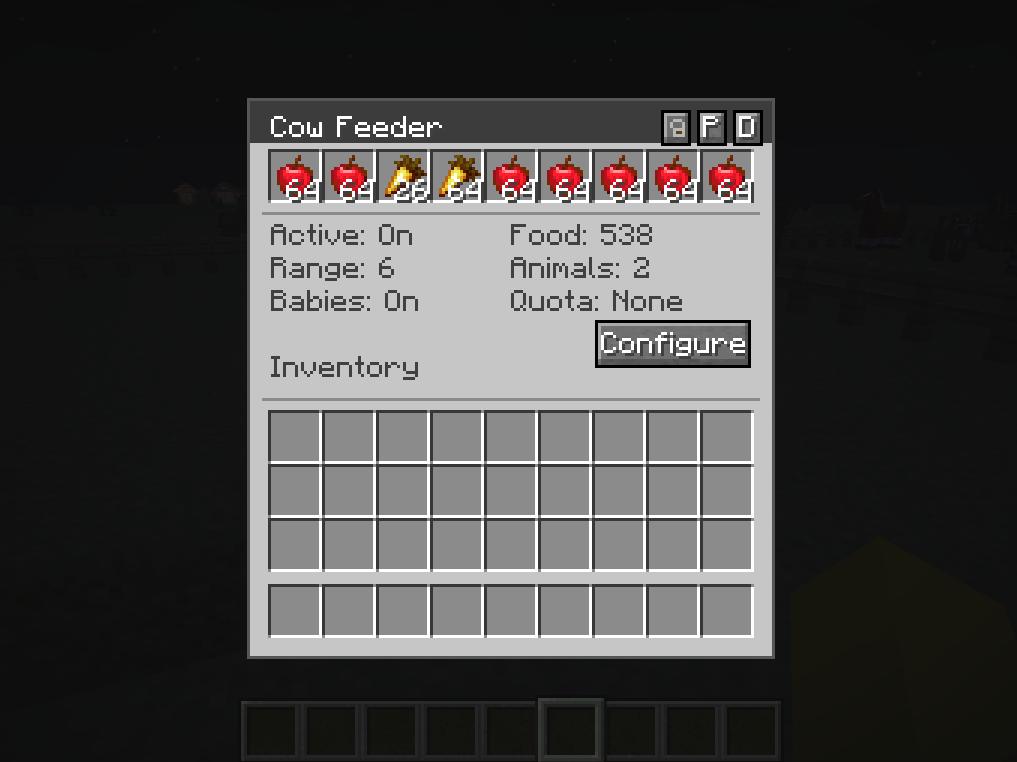 Feeder GUI - Click the name to rename it!
Versions
Files
Relations
Project Relations
More like this
Similar Mods
Suggestions use data such as tags, dependencies, dependents, descriptions, titles, and more to rank how much they overlap with this mod.
On ModDex
Community snapshot
By the numbers
Statistics
Want to reach Minecraft players?
We're looking for a server hosting partner to feature here and other parts of the site. Interested? Send us a message!
Get in touchGet it on
Available Platforms
On ModDex
Community snapshot
By the numbers
Statistics
Resources