Community listing page, reviews here may not be monitored by the author.
Animorph


No reviews yet
Morph into a custom model, play emotes, and configure them to your liking.
Community voices
Reviews
No reviews yet. Be the first to review this project!
Get it on
Available Platforms
Compatibility
Supported Environments
Runs entirely on the client. Works on vanilla servers.
Runs on a dedicated server only; does not work in singleplayer.
Must be installed on both the client and the server.
Varies by version.
About
Project Details
For authors
Embed Badge
If you're the author of this project, you can embed a live badge anywhere that supports HTML or Markdown. It updates automatically whenever ratings change.
Use HTML for any page that supports it, or Markdown for README files and Markdown-based descriptions.
Identifiers
Platform IDs
About
Description
Animorph
This mod is the client-side companion for the Animorph plugin. It allows you to visualize custom 3D models, advanced animations, and synchronized emotes on players.
What does this mod do?
When you connect to a server running the Animorph plugin, this mod takes care of:
- Receiving and rendering custom 3D models
- Playing animations with the Animation Controllers system
- Synchronizing emotes across all players
- Displaying the custom model in first person (arms)
Rendering
The mod replaces the vanilla player renderer with one based on GeckoLib, allowing:
- Blockbench
.geo.jsonmodels - Textures with layer system
- Support for wide and slim variants
- Model parts that can be hidden based on player settings (cape, hat, etc.)
Animations
Compatible with Bedrock Edition style animation system:
- Animation Controllers with states and transitions
- Molang Queries like
query.is_on_ground,query.is_moving,query.yaw,query.pitch - Multiple controllers running simultaneously
- Smooth transitions with configurable blend
- Head tracking that follows camera direction
Animated camera
It's possible to animate the player's camera using a specific bone in the model. This allows creating camera effects during emotes or special animations.
Emotes
Emotes are automatically synchronized with the server. If a player starts an emote, you'll see it play at the exact moment thanks to the latency compensation system.
Equipment
If the model creator specifies it, armor can adapt to the 3D model. This requires creating the model for each equipment part (helmet, chestplate, leggings, boots, cape, elytra) separately. Hand items are rendered correctly based on model bones.
First Person
The first person arm also uses your custom model, rendered independently so body animations don't interfere.
Important
This mod does nothing on its own. You need to connect to a server running the Animorph plugin to receive models and animations.
Animorph
This mod is the client-side companion for the Animorph plugin. It allows you to visualize custom 3D models, advanced animations, and synchronized emotes on players.
What does this mod do?
When you connect to a server running the Animorph plugin, this mod takes care of:
- Receiving and rendering custom 3D models
- Playing animations with the Animation Controllers system
- Synchronizing emotes across all players
- Displaying the custom model in first person (arms)
Rendering
The mod replaces the vanilla player renderer with one based on GeckoLib, allowing:
- Blockbench
.geo.jsonmodels - Textures with layer system
- Support for wide and slim variants
- Model parts that can be hidden based on player settings (cape, hat, etc.)
Animations
Compatible with Bedrock Edition style animation system:
- Animation Controllers with states and transitions
- Molang Queries like
query.is_on_ground,query.is_moving,query.yaw,query.pitch - Multiple controllers running simultaneously
- Smooth transitions with configurable blend
- Head tracking that follows camera direction
Animated camera
It's possible to animate the player's camera using a specific bone in the model. This allows creating camera effects during emotes or special animations.
Emotes
Emotes are automatically synchronized with the server. If a player starts an emote, you'll see it play at the exact moment thanks to the latency compensation system.
Equipment
If the model creator specifies it, armor can adapt to the 3D model. This requires creating the model for each equipment part (helmet, chestplate, leggings, boots, cape, elytra) separately. Hand items are rendered correctly based on model bones.
First Person
The first person arm also uses your custom model, rendered independently so body animations don't interfere.
Important
This mod does nothing on its own. You need to connect to a server running the Animorph plugin to receive models and animations.
Screenshots
Gallery
-
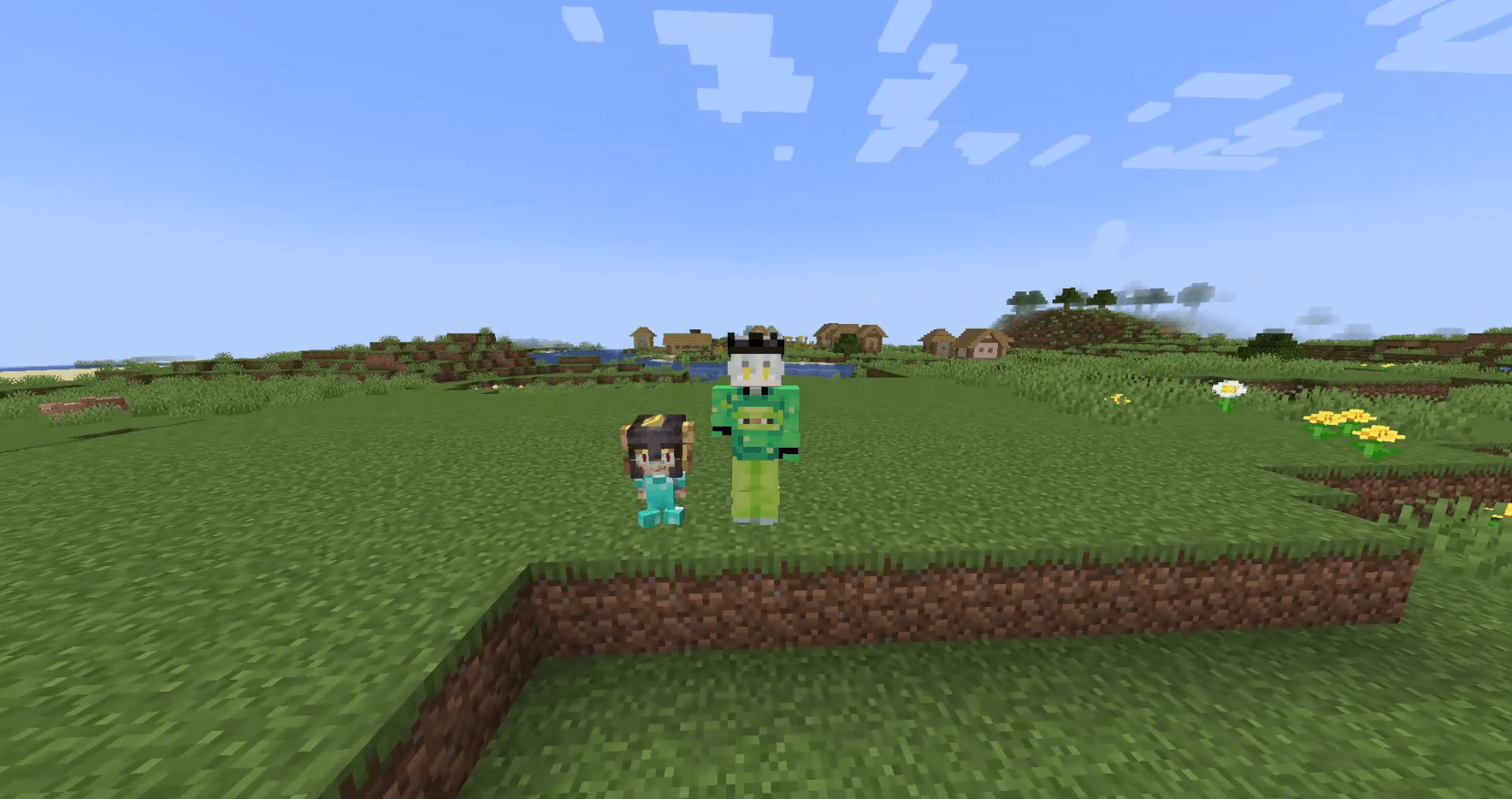 morph
morph
-
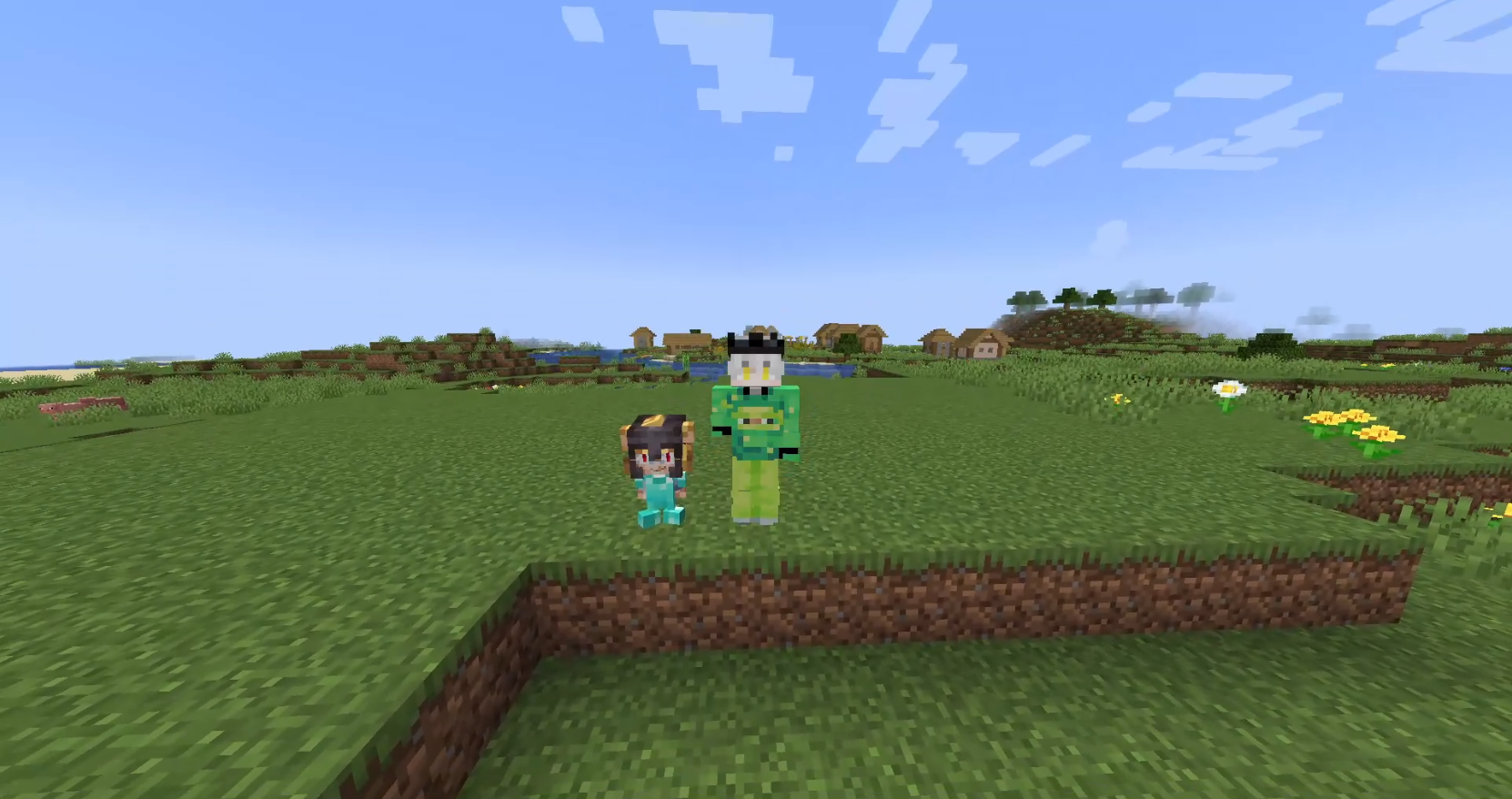 Custom Models
Versions
Files
Relations
Project Relations
More like this
Similar Mods
Suggestions use data such as tags, dependencies, dependents, descriptions, titles, and more to rank how much they overlap with this mod.
On ModDex
Community snapshot
By the numbers
Statistics
Want to reach Minecraft players?
We're looking for a server hosting partner to feature here and other parts of the site. Interested? Send us a message!
Get in touchGet it on
Available Platforms
On ModDex
Community snapshot
By the numbers