
Announcer
No reviews yet
With this mod you can announce stuff on your server with an easy to use ui.
Data Packs were introduced to vanilla Minecraft in version 1.13 and allow the server to modify data about the game, or run commands. Data Packs are compatible with all mod loaders.
Forge is a popular mod loader for versions 1.1+ of Minecraft.
Neoforge is a fork of the Minecraft Forge available for versions 1.20.1+ of Minecraft. Many Forge mods are compatible with Neoforge and vice versa.
Fabric is a mod loader for versions 1.14+ of Minecraft, particularly popular for client side and optimization mods.
Quilt is a fork of the Fabric mod loader. Many Fabric mods are compatible with Quilt and vice versa.
Community voices
Reviews
Click once to include, again to exclude, again to clear
No reviews yet. Be the first to review this project!
Get it on
Available Platforms
 Modrinth
Compatibility
Supported Environments
About
Project Details
For authors
Embed Badge
If you're the author of this project, you can embed a live badge anywhere that supports HTML or Markdown. It updates automatically whenever ratings change.
Use HTML for any page that supports it, or Markdown for README files and Markdown-based descriptions.
Identifiers
Platform IDs
Resources
External Links
About
Description
Announcer
The Announcer is a simple yet powerful tool designed to make in-game announcements easy and customizable.
This Datapack/Mod allows you to open a dialog menu to quickly create and broadcast announcements to the server. You can choose the format, enter your text, and select a color, all through a user-friendly interface.
Key Features
Select Announcement Type: Choose how your message is displayed:
-
Chat Message: Standard text in the chat window.
-
Title: Large, centered text on the screen.
-
Actionbar: Subtle text displayed above the hotbar.
Text Input: Easily enter the message you want to broadcast.
Color Selection: Personalize your announcement with one of five colors: White, Red, Yellow, Green, or Blue.
How to Access the Menu
The Announcer menu can be opened in two ways:
Pause Menu Button:
Press the 'Announcer' button located in the Pause Menu.
Or use the following command in the chat:
/dialog show @a announce:list
Disclaimer regarding Mod Menu
If you are using the Mod Menu mod, you may encounter a conflict:
Although the Announcer button will appear in the Pause Menu, clicking it will incorrectly open the Mod Menu interface instead.
How to Fix This Issue:
To resolve this, you need to change a setting within the Mod Menu configuration:
-
Go to the Mod Menu settings.
-
Find the setting labeled "Game Menu:".
-
Change its value from "Replace" to "Inserted".
This adjustment ensures that the Announcer button functions as intended without being overridden by Mod Menu.
Screenshots
Gallery
-
 Logo
Logo -
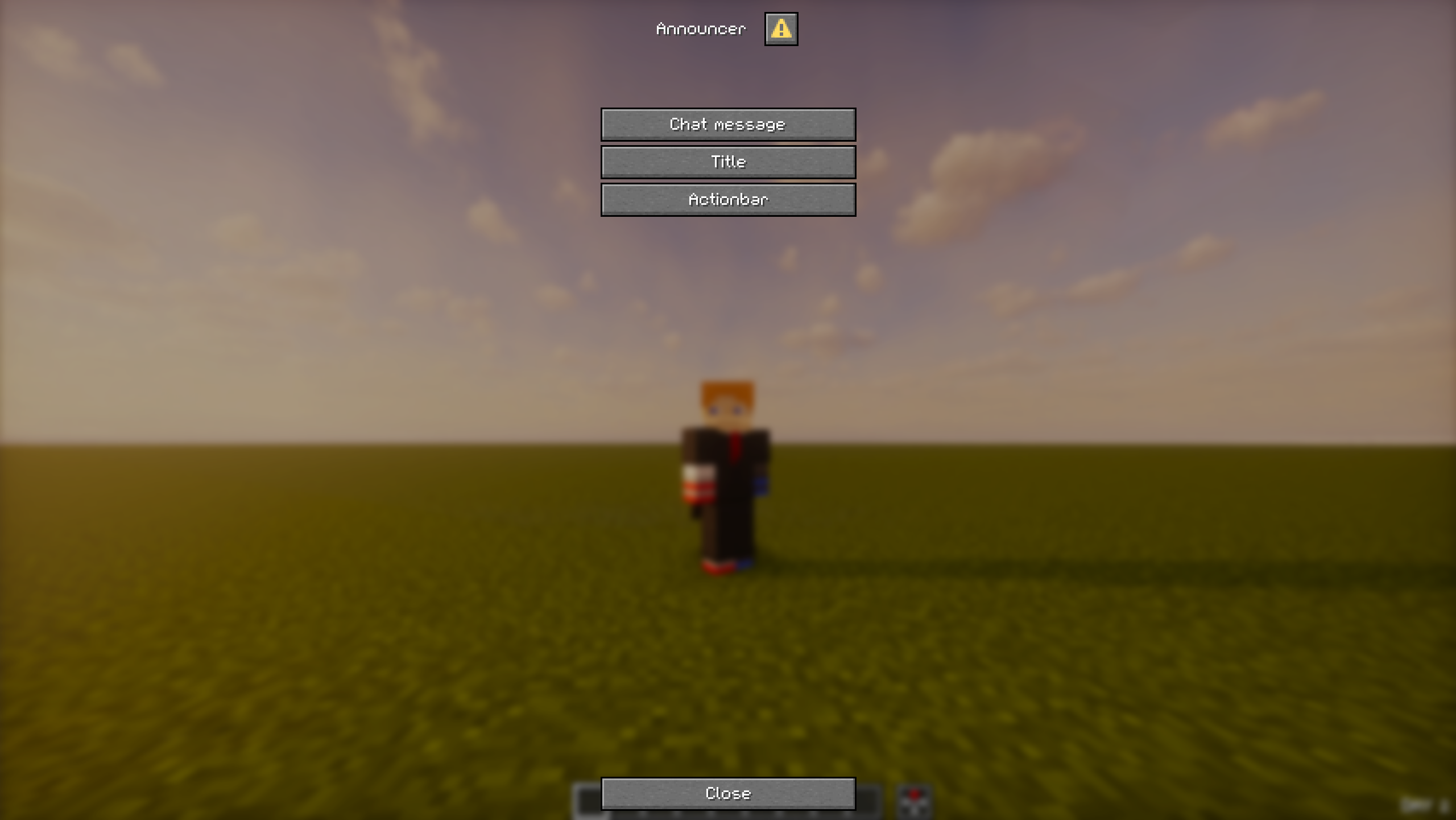 Announcer UI - Choose type
 -
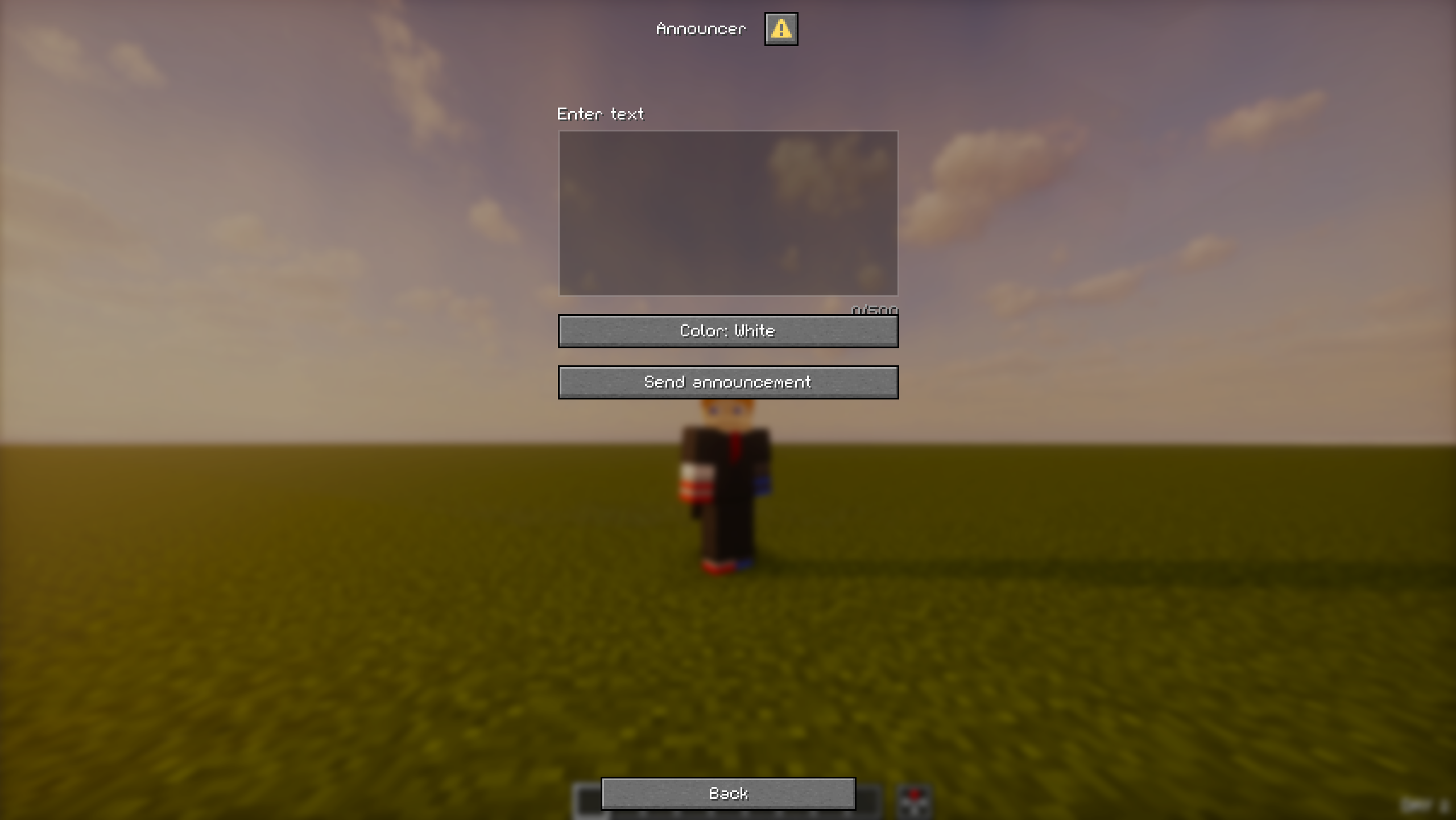 Announcer UI - Input
Versions
Files
Relations
Project Relations
More like this
Similar Mods
Suggestions use data such as tags, dependencies, dependents, descriptions, titles, and more to rank how much they overlap with this mod.
On ModDex
Community snapshot
By the numbers
Statistics

Want to reach Minecraft players?
We're looking for a server hosting partner to feature here and other parts of the site. Interested? Send us a message!
Get in touchGet it on
Available Platforms
On ModDex
Community snapshot
By the numbers
Statistics
Resources