
Community listing page, reviews here may not be monitored by the author.
AnnoyanceFix StationAPI Edition

No reviews yet
Fixes (major) annoyances like boat behavior and backports useful features like enhanced pick block.
Community voices
Reviews
No reviews yet. Be the first to review this project!
Get it on
Available Platforms
Compatibility
Supported Environments
Must be installed on both the client and the server.
About
Project Details
For authors
Embed Badge
If you're the author of this project, you can embed a live badge anywhere that supports HTML or Markdown. It updates automatically whenever ratings change.
Use HTML for any page that supports it, or Markdown for README files and Markdown-based descriptions.
Identifiers
Platform IDs
About
Description
AnnoyanceFix StationAPI Edition for Minecraft Beta 1.7.3
If you're looking for the ModLoader edition, see this repository: https://github.com/2zqa/AnnoyanceFix
If you're looking for skin fixes and inventory fixes: https://modrinth.com/mod/mojangfix-stationapi-edition
This version of the mod now supports multiplayer!
- Use GlassConfigAPI version 3.0+ to set up the config. (Requires StationAPI)
- The mod showcase video has also been updated: https://www.youtube.com/watch?v=h-NnpTYiuZc
(Optional) Install SmoothBeta to improve performance.
The aim of this mod is to fix (major) annoyances or backport useful features that do not affect gameplay. List of fixes:
- Shovels are also effective against: soul sand
- Pickaxes are also effective against: furnaces, cobblestone stairs, bricks, redstone ore, iron doors, rails, dispensers, stone pressure plates, and monster spawners
- Axes are also effective against: crafting tables, wooden slabs, wooden stairs, fences, wooden doors, ladders, signs, pumpkins, wooden pressure plates, jukeboxes, and noteblocks
- Fences are placeable like modern Minecraft
- Pumpkins and Jack'o'Lanterns are placeable like modern Minecraft
- Slabs are placeable like modern Minecraft
- Placing a block on tall grass, ferns, and dead bushes will now replace the plant block with the block placed like modern Minecraft
- Stairs drop themselves
- Bookshelves drop three books
- Pigs drop their saddles if they have a saddle equipped
- Boats drop themselves
- Boats don't break due to high velocity (or drop boat, or vanilla, toggle with config)
- Never fall through boats anymore when getting out
- Logout/login with vehicle (no longer exit vehicle upon logout)
- Pick block (middle mouse button click) works for blocks that are in the player's inventory, but not in their hotbar
- Pick block also works on: paintings, minecarts (all three types), wooden doors, iron doors, signs, crops, redstone repeaters, redstone wire, beds, piston heads and cake
- Pick block can optionally also work on: specific logs, leaves, saplings, wools, slabs, and even grass/bedrock if desired
- Add missing wooden items as fuel sources in furnace: wooden tools, wooden doors, wooden slabs, boats, bowls, signs, and ladders
- Repair armor and tools
- Flowing lava now disappears when lava source block is removed
- Also: almost all fixes are toggleable!
To use pick block: Look at something and click your scroll wheel. If it's in your inventory, it will automatically be selected.
- On multiplayer pick block can only search the hotbar for the item
Installation using Prism Launcher
- Download an instance of Babric for Prism Launcher: https://github.com/babric/prism-instance
- Install Java 17 and set the instance to use it: https://adoptium.net/temurin/releases/
- Add GlassConfigAPI 3.0.2+ to the mod folder for the instance: https://modrinth.com/mod/glass-config-api
- Add Glass Networking to the mod folder for the instance: https://modrinth.com/mod/glass-networking
- Add StationAPI to the mod folder for the instance: https://modrinth.com/mod/stationapi
- (Optional) Add Mod Menu to the mod folder for the instance: https://modrinth.com/mod/modmenu-beta
- Add this mod to the mod folder for the instance: https://github.com/telvarost/BetaTweaks-StationAPI/releases
- Run and enjoy! 👍
FAQ
- Q. Why is minecraft so small and part of my screen white?
- A. You probably have screen scaling on or are using a high DPI screen. There are 5 possible ways to fix this:
- The best option is to install Gambac: https://modrinth.com/mod/gambac
- You could also pass the following string in as a java argument in the settings tab
-Dsun.java2d.uiScale=1.0
- You could also install ClientsideEssentials mod or UniTweaks and use their screen scaling fix from GCAPI config options (fix may produce small artifacts with this option)
- You could also change the DPI settings for Prism Launcher to system
- Or, you could change your screen scaling to 100%
- A. You probably have screen scaling on or are using a high DPI screen. There are 5 possible ways to fix this:
Feedback
Got any suggestions on what should be added next? Feel free to share it by creating an issue. Know how to code and want to do it yourself? Then look below on how to get started.
Contributing
Thanks for considering contributing! To get started fork this repository, make your changes, and create a PR.
If you are new to StationAPI consider watching the following videos on Babric/StationAPI Minecraft modding: https://www.youtube.com/watch?v=9-sVGjnGJ5s&list=PLa2JWzyvH63wGcj5-i0P12VkJG7PDyo9T
Screenshots
Gallery
-
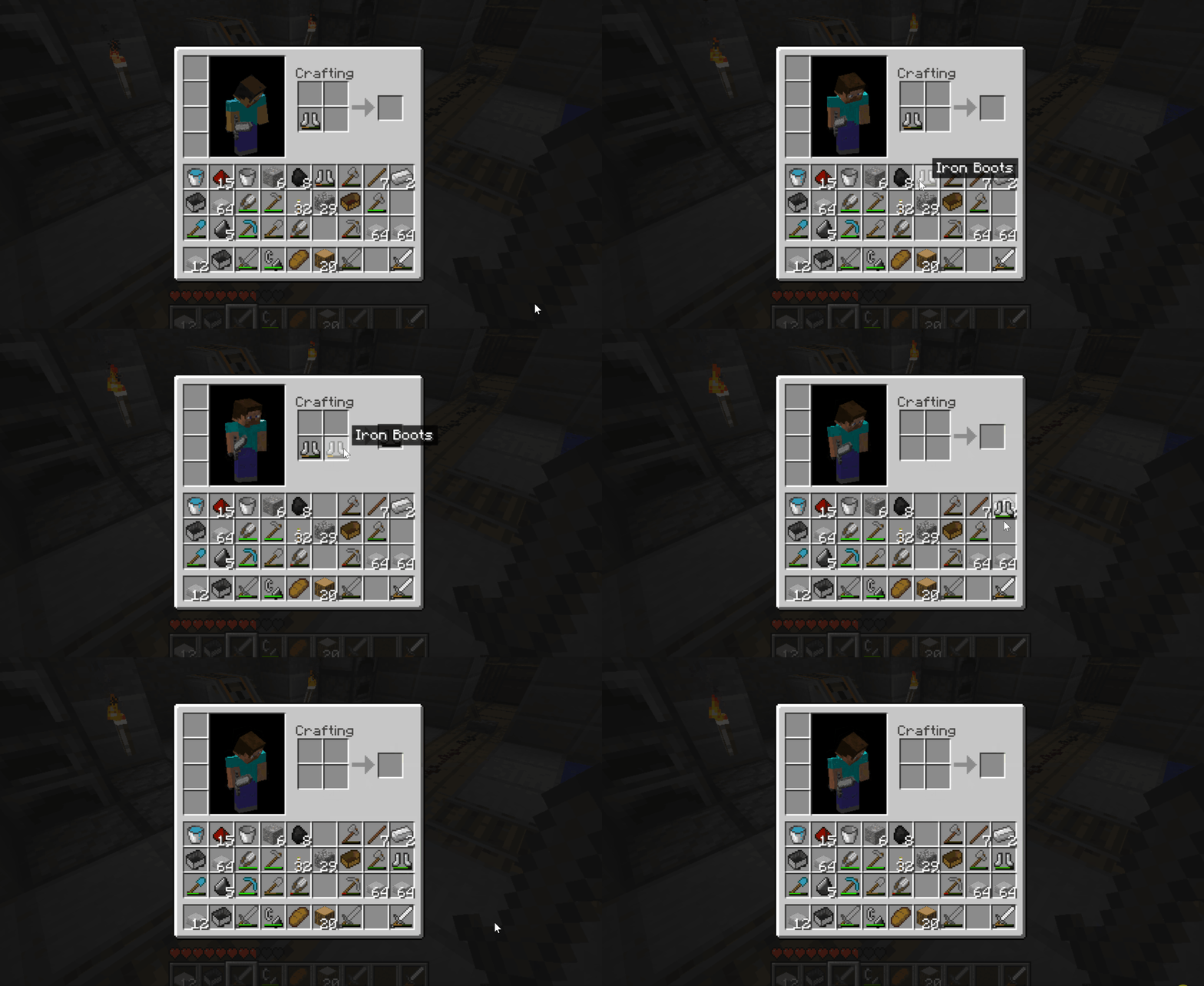 Armor Repair
 -
 Pickaxe and Axe effeciency improvements Shown are some of the blocks that AnnoyanceFix fixes to match their modern day mining speeds
 -
 Mod Banner
 -
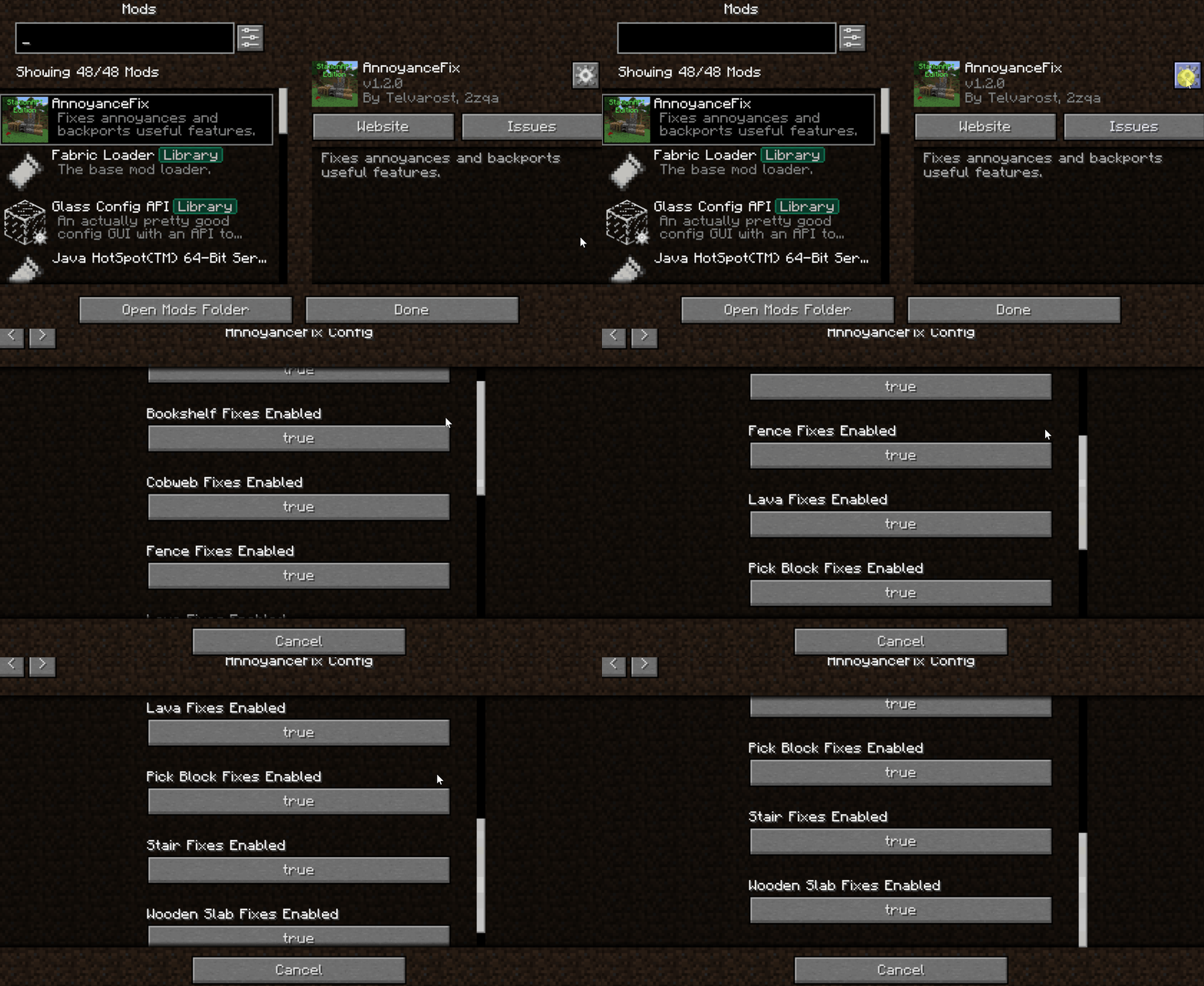 Toggle-able Features
Versions
Files
Relations
Project Relations
More like this
Similar Mods
Suggestions use data such as tags, dependencies, dependents, descriptions, titles, and more to rank how much they overlap with this mod.
On ModDex
Community snapshot
By the numbers
Statistics

Want to reach Minecraft players?
We're looking for a server hosting partner to feature here and other parts of the site. Interested? Send us a message!
Get in touchGet it on
Available Platforms
On ModDex
Community snapshot
By the numbers