Community listing page, reviews here may not be monitored by the author.
AntiSkidAC

No reviews yet
AntiSkidAC is a Forge 1.7.10 anti-cheat for heavily modded servers that detects cheat clients, packet abuse, and runtime tampering while minimizing false positives from custom mod mechanics.
Community voices
Reviews
No reviews yet. Be the first to review this project!
Get it on
Available Platforms
About
Project Details
For authors
Embed Badge
If you're the author of this project, you can embed a live badge anywhere that supports HTML or Markdown. It updates automatically whenever ratings change.
Use HTML for any page that supports it, or Markdown for README files and Markdown-based descriptions.
Identifiers
Platform IDs
Resources
External Links
About
Description
AntiSkidAC
AntiSkidAC is a client integrity and modpack verification system for Minecraft Forge 1.7.10.
It allows servers to verify that connecting players are using the expected mods and game files. This includes mod versions, physical mod JARs, required or prohibited mods, external mod content, and known cheat or runtime-injection indicators.
Features
- Installed mod and version verification
- BLAKE3-256 mod JAR hashing
- Protected file and folder verification
- Recursive external content hashing
- Forge 1.7.10 coremod support
- Required and prohibited mod checks
- Approved hash enforcement
- Platform/version policy
- Known cheat and runtime signature detection
- Live policy and configuration reloads
- Reviewed hash-update approvals
- In-game F8 integrity, hashing, and administration GUI
- Built-in administrator setup guide
AntiSkidAC resolves supported coremods back to their actual physical JARs and fails closed when a third-party source cannot be safely verified.
Protected Files and Folders
Some Forge mods store important gameplay data outside their main JAR.
For example, weapon mods may load gun statistics from external text files. Modifying those files can change recoil, damage, accuracy, or other behavior without modifying the actual mod JAR.
AntiSkidAC allows server owners to protect individual files or entire folders.
Examples include:
handmadeguns_PacksFlanmcheli- Script directories
- Selected configuration files
- Resource packs
- Shader packs
- Other external mod content
Protected folders are checked recursively.
Changing any file inside them — including adding, deleting, renaming, moving, or editing a file — changes the folder's BLAKE3-256 hash and causes verification to fail.
File timestamps and normal filesystem metadata do not affect the hash.
Nothing outside mod JARs is scanned unless it is explicitly configured.
Protected files and folders are configured through:
config/antiskidac/managed_paths.json
F8 Integrity GUI
Press F8 to open the AntiSkidAC integrity screen.
It provides access to:
- Detected mods
- Mod versions
- Source JARs
- BLAKE3 hashes
- Protected files and folders
- Verification status
- Manifest information
- Hash and JSON copy tools
- Administrator documentation
The Managed Paths page allows server owners to generate hashes for protected files and folders directly from a trusted client.
Available actions include:
- Refresh Hashes
- Copy Hash
- Copy Path
- Copy JSON Entry
- Copy All JSON
This allows a server owner to prepare valid policy files without intentionally failing verification or reading server console logs.
The generated client manifest is stored at:
config/antiskidac/client-mod-hashes.txt
Modpack Verification
Server owners can generate approved hashes from a trusted copy of their modpack.
AntiSkidAC can detect:
- Modified mod JARs
- Modified external mod content
- Wrong mod versions
- Missing required mods
- Unexpected mods
- Prohibited mods
- Missing or modified protected files
- Added or removed files inside protected folders
- Known prohibited clients
- Known runtime/injection indicators
- Unverifiable mod sources
Detected updates can be reviewed and explicitly approved instead of being trusted automatically.
Configuration
AntiSkidAC stores its configuration and policies under:
config/antiskidac/
The included:
config/antiskidac/HOW_TO_USE.txt
provides setup instructions, configuration examples, troubleshooting information, and explanations of the available policy files.
The same guide can be opened directly from the F8 menu using How to Use.
By default:
- Remote clients are required to have AntiSkidAC
- Verification failures use KICK
- Server owners can configure enforcement behavior
Most verification and enforcement settings can be reloaded while the server is running.
Policies and supported runtime settings can also be refreshed with:
/antiskidac reload
Invalid reloads preserve the last valid configuration instead of replacing it with broken policy data.
The integrated-server host is exempt from multiplayer self-attestation, while remote LAN players are still verified normally.
Generating Protected Folder Hashes
A server owner can define a folder locally without knowing its hash yet:
```json { "hmg-packs": { "path": "handmadeguns_Packs", "type": "directory" } }
Screenshots
Gallery
-
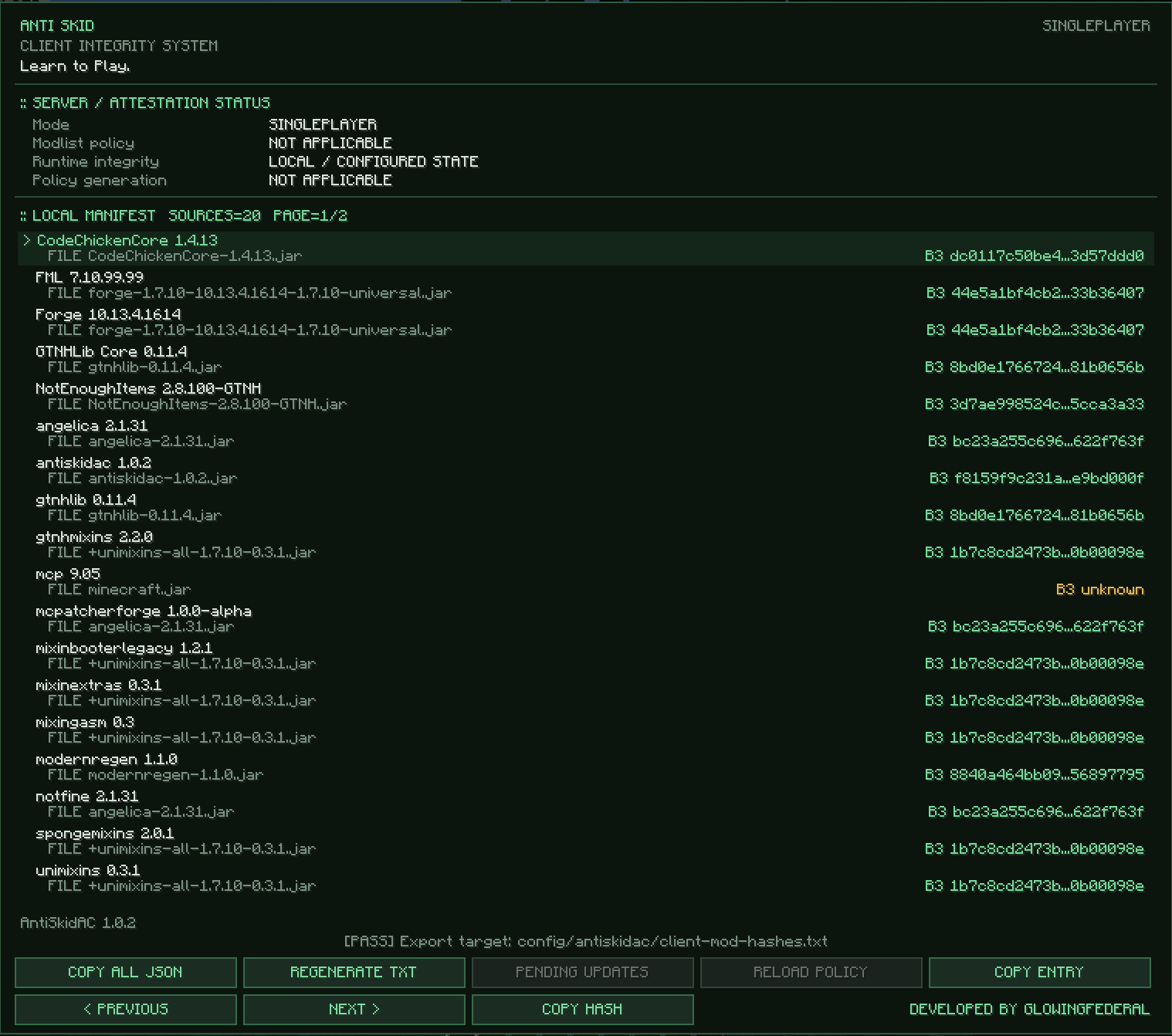 Antiskid GUI Gui showing all the loaded mods, their hashes, and buttons to easily configure/copy information.
 -
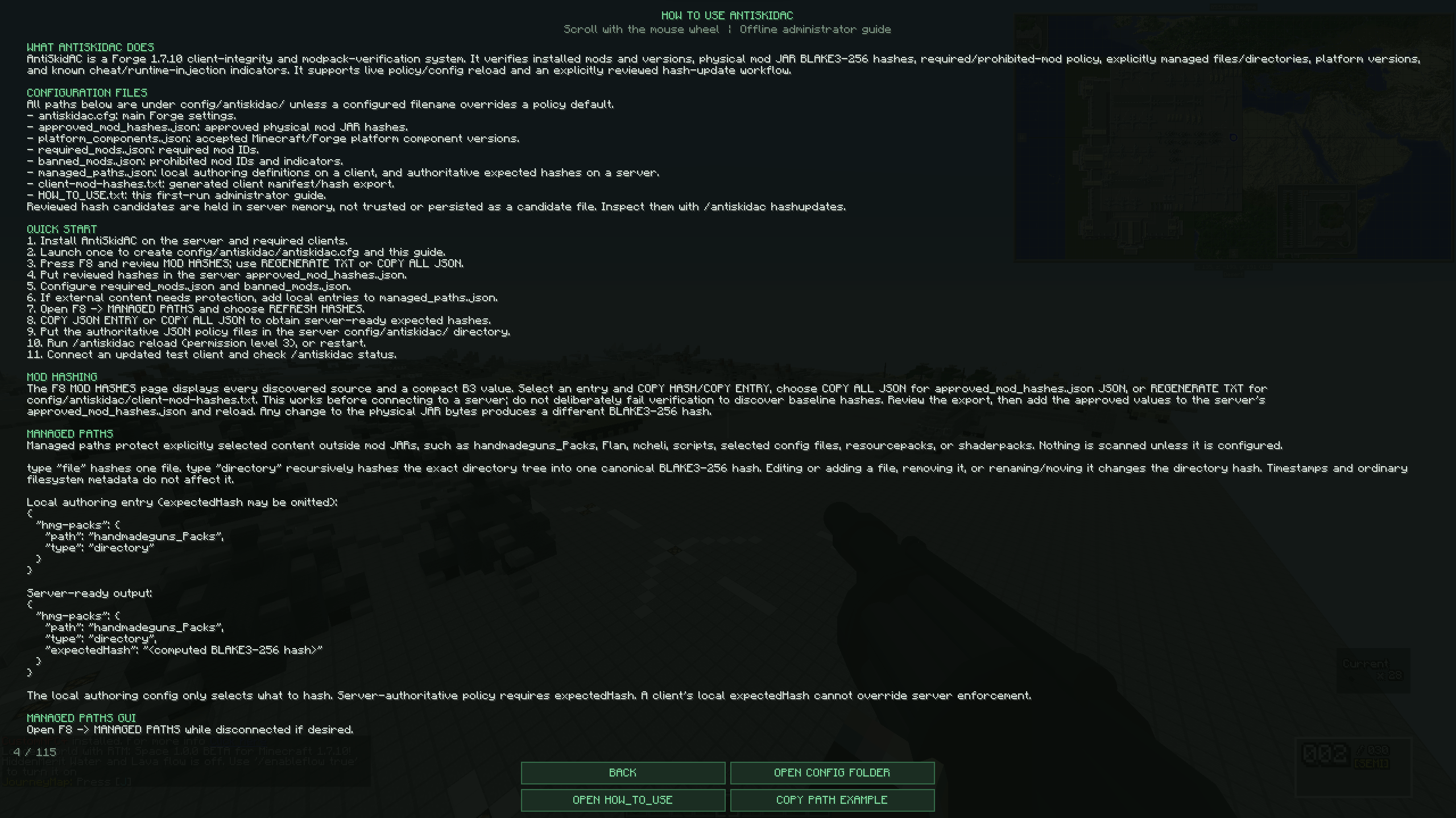 Ingame Guide In game examples and guidance
 -
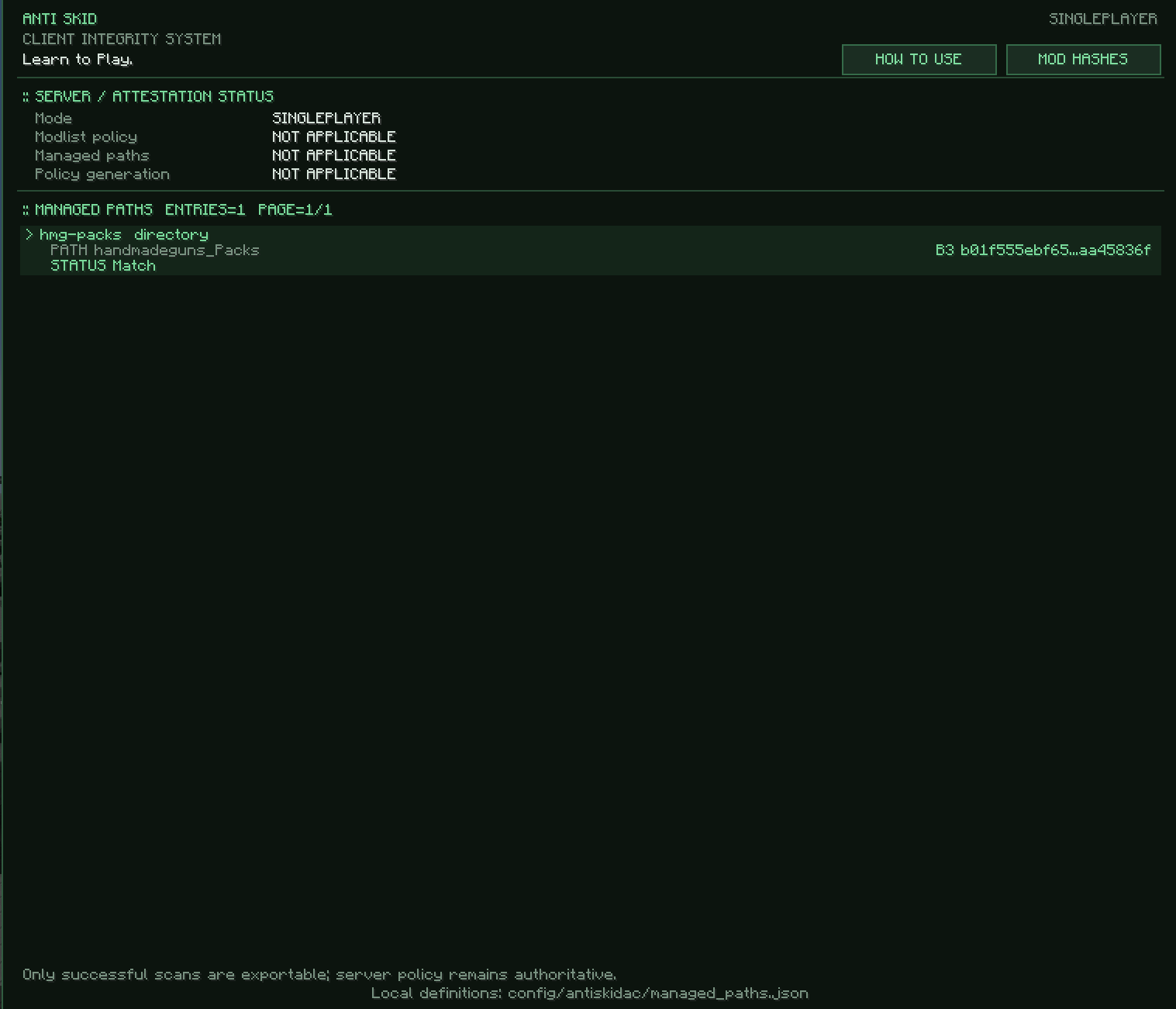 Directory Scanning
Versions
Files
Relations
Project Relations
More like this
Similar Mods
Suggestions use data such as tags, dependencies, dependents, descriptions, titles, and more to rank how much they overlap with this mod.
On ModDex
Community snapshot
By the numbers
Statistics
Want to reach Minecraft players?
We're looking for a server hosting partner to feature here and other parts of the site. Interested? Send us a message!
Get in touchGet it on
Available Platforms
On ModDex
Community snapshot
By the numbers
Statistics
Resources