
Community listing page, reviews here may not be monitored by the author.
AR1 Backup

No reviews yet
A powerful mod that lets you create backups of your worlds—manually or automatically!
Community voices
Reviews
No reviews yet. Be the first to review this project!
Get it on
Available Platforms
Compatibility
Supported Environments
Runs entirely on the server. Also works in singleplayer.
About
Project Details
For authors
Embed Badge
If you're the author of this project, you can embed a live badge anywhere that supports HTML or Markdown. It updates automatically whenever ratings change.
Use HTML for any page that supports it, or Markdown for README files and Markdown-based descriptions.
Identifiers
Platform IDs
Resources
External Links
About
Description
AR1 Backup is a flagship and reliable Fabric mod for manual or automatic backup of your Minecraft worlds. Forget about sudden crashes, corrupted chunks, or failed experiments — the mod takes care of your data integrity.
Key Features
- Automatic Backups – configurable interval from 1 to 120 minutes.
- Manual Creation – via
/backup startcommand or the F7 hotkey (rebindable in controls). - Flexible Storage – default game folder or any custom absolute/relative path.
- Smart Cleanup – by backup count limit (5–30) and retention time (1–30 days).
- Free Space Check – prevents backups when disk space falls below a configurable threshold (1–10 GB).
- World Restore –
/backup restorecommand with automatic archive structure detection. Restore rewrite flag-r–/backup restore <filename> -rautomatically overwrites an existing world folder during restore. Without-r, the command will show an error if the folder already exists. - Multi-threaded Compression – adjustable compression level (0–9) and thread count (1–8).
- Progress Bars – animated indicators displayed in ActionBar or Subtitle.
- Password-protected Archives – create encrypted ZIP backups with AES‑256.
Passwords are stored outside the game folder and automatically matched to archives during restoration. - Developer Tools – optional detailed logging, per‑file technical information, and export of logs to a user‑specified file.
- Automatic Recovery – corrupted or unreadable config files are regenerated with default values without crashing the game.
- Full Command Set – complete management via commands.
- Graphical Interface – integrated with ModMenu and Cloth Config.
- Info Panel – in the settings screen, shows CPU model, cores, OS, Java version, free disk space, and backup statistics.
- Localization – fully translated into 14 languages (see below).
- More reliable backups (compared to competitors) — guarantees the complete preservation of all world data (including player inventories, statistics, and achievements) prior to archiving.
Password Protection
When the ZIP with password archive method is selected, backups are encrypted with AES‑256.
The password is not stored in the game folder or configuration file.
Where passwords are stored:
- Default location:
Documents\AR1 Backup PASSWORDS\passwords.json - Fallback location:
C:\AR1 Backup PASSWORDS\passwords.json
The file contains:
- the currently active password,
- full history of previously used passwords,
- mapping between each archive and the password used to create it.
Important warning: If the password file is deleted and you do not remember the password, encrypted backups cannot be restored. If you accidentally delete the folder, check the Recycle Bin first. If it is not there, use file recovery software (e.g., Recuva). Always keep a safe copy of your passwords in a secure place.
Localization
The mod is fully translated into 14 languages:
| Country | Language | Name | Code |
|---|---|---|---|
| 🇷🇺 | Russian | Русский | ru_ru |
| 🇺🇸 | English | English | en_us |
| 🇩🇪 | German | Deutsch | de_de |
| 🇪🇸 | Spanish | Español | es_es |
| 🇵🇱 | Polish | Polski | pl_pl |
| 🇺🇦 | Ukrainian | Українська | uk_ua |
| 🇧🇾 | Belarusian | Беларуская | be_by |
| 🇫🇷 | French | Français | fr_fr |
| 🇧🇬 | Bulgarian | Български | bg_bg |
| 🇨🇿 | Czech | Čeština | cs_cz |
| 🇯🇵 | Japanese | 日本語 | ja_jp |
| 🇰🇿 | Kazakh | Қазақша | kk_kz |
| 🇮🇳 | Hindi | हिन्दी | hi_in |
| 🇨🇳 | Chinese (Simplified) | 简体中文 | zh_cn |
Commands
All commands use the /backup prefix:
| Command | Description |
|---|---|
start |
Create a backup immediately |
restore <filename> |
Restore a world from a backup archive |
restore <filename> -r |
Restore and overwrite if folder exists |
delete last |
Delete the most recent backup |
delete all |
Delete all backups |
delete all <drive> |
Delete backups on a specific drive |
delete confirm |
Confirm a pending deletion |
list |
List all backups grouped by drive with sizes |
info <filename> |
Show detailed info about a backup |
reset |
Interrupt the current backup process |
path game |
Switch storage to the game directory |
path set <path> |
Set a custom backup path |
path show |
Display the current storage mode and path |
Configuration
All settings are available through the graphical interface (ModMenu) or manually in config/ar1-backup.toml:
- Enable/disable auto‑backup
- Backup interval (1–120 minutes)
- Backup limit (5–30 files)
- Retention days (0–30, 0 = disabled)
- ZIP compression level (0–9)
- Backup thread priority (1–10)
- Compression threads (1–8)
- Wrap in world folder (on/off)
- Storage mode (game folder / custom path)
- Show backup progress (on/off)
- Progress display type (ActionBar / Subtitle)
- Confirm deletion (on/off)
- Free space check threshold (1–10 GB)
- Archive method (ZIP / ZIP with password)
- Password (only for password method)
- Developer settings: detailed logging, per‑file technical info, save debug log, custom log path
Installation
- Install Fabric Loader.
- Place dependencies in the
modsfolder:- Fabric API
- Cloth Config API
- ModMenu (recommended)
- Copy the
ar1-backup-<version>.jarinto themodsfolder.
Developed by ar1emq – a member of THEMIDNIGHTCORE
Screenshots
Gallery
-
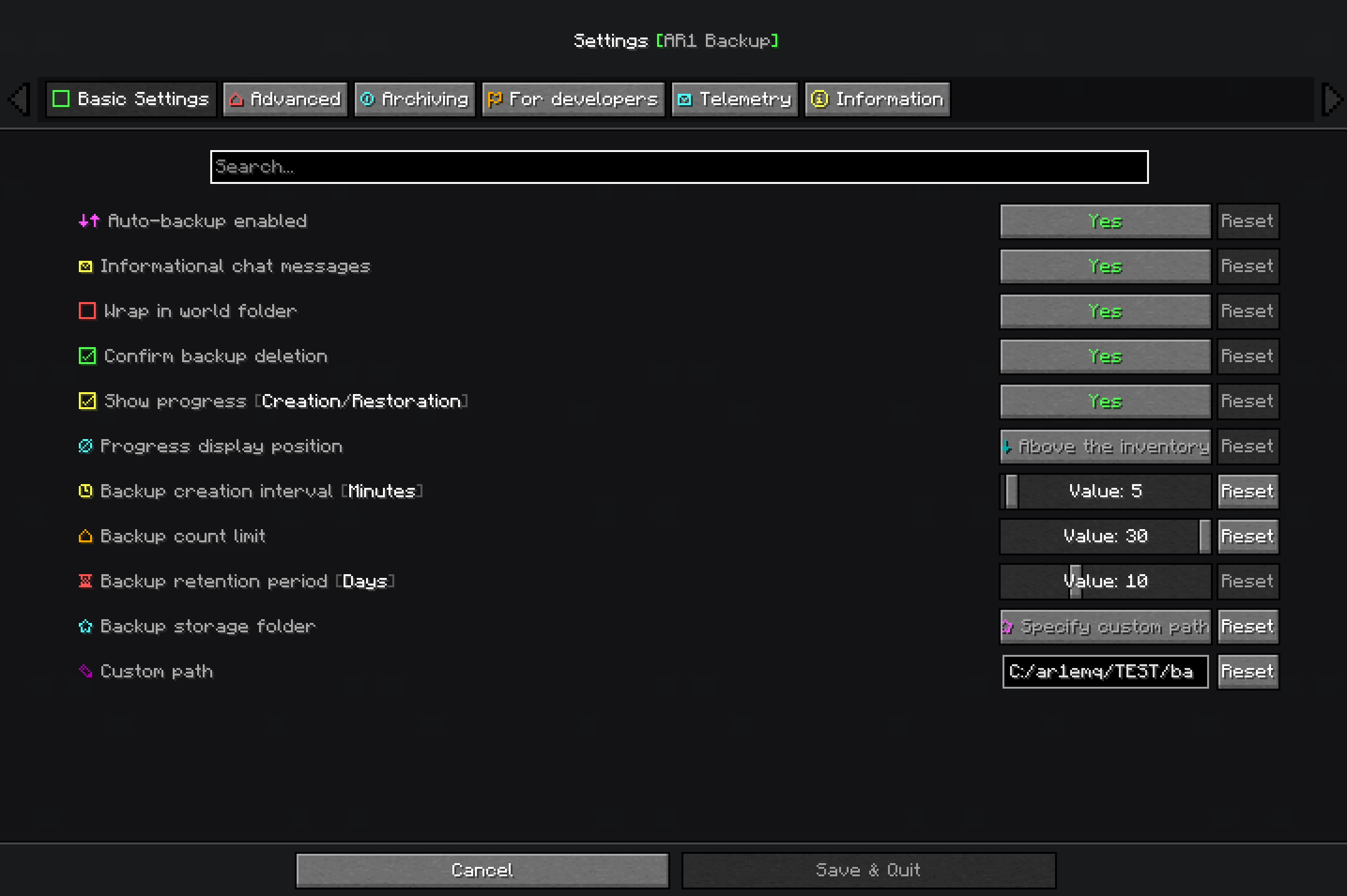 Basic Settings screen "Basic settings" section on the settings screen.
 -
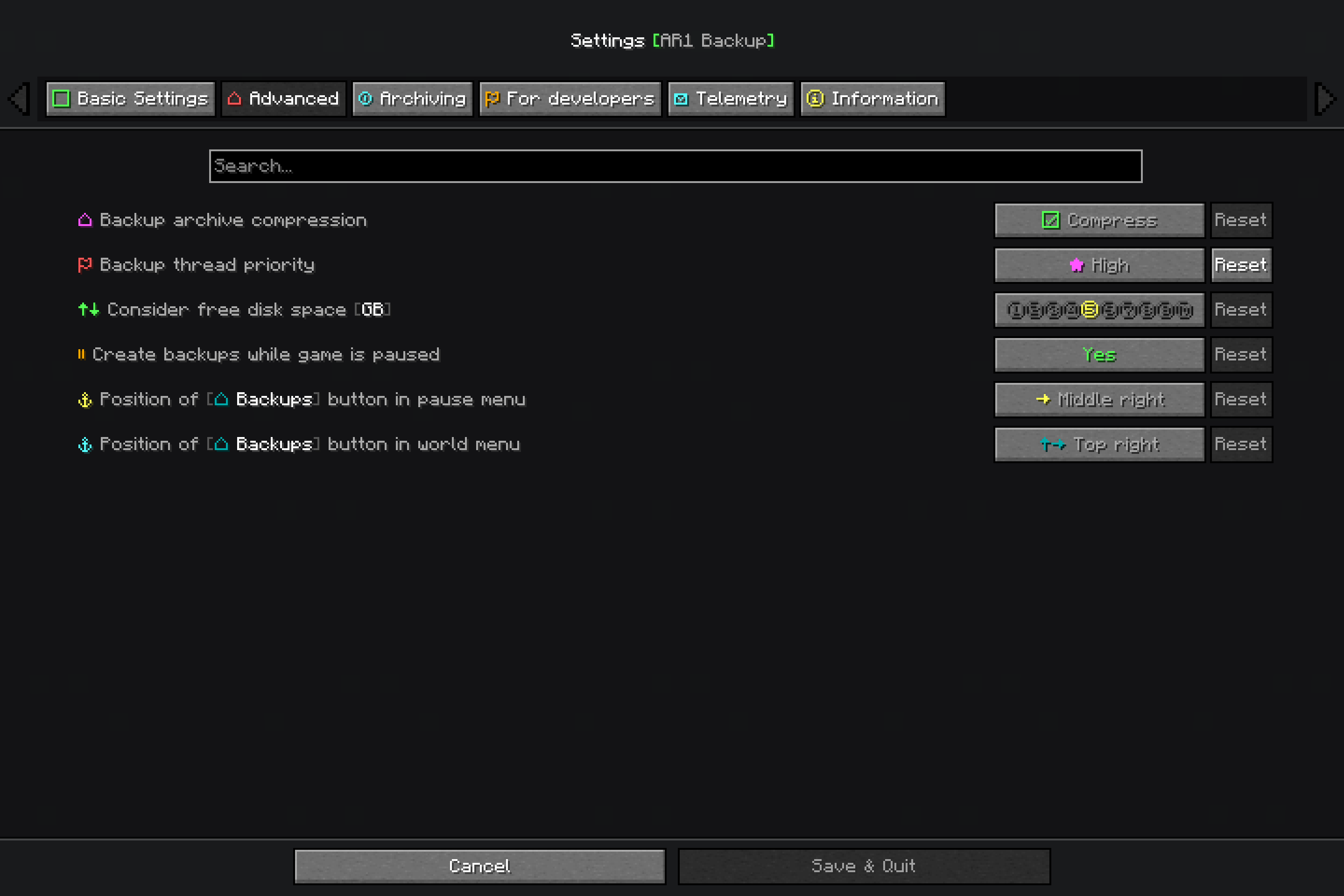 Advanced Settings screen "Advanced" section on the settings screen.
 -
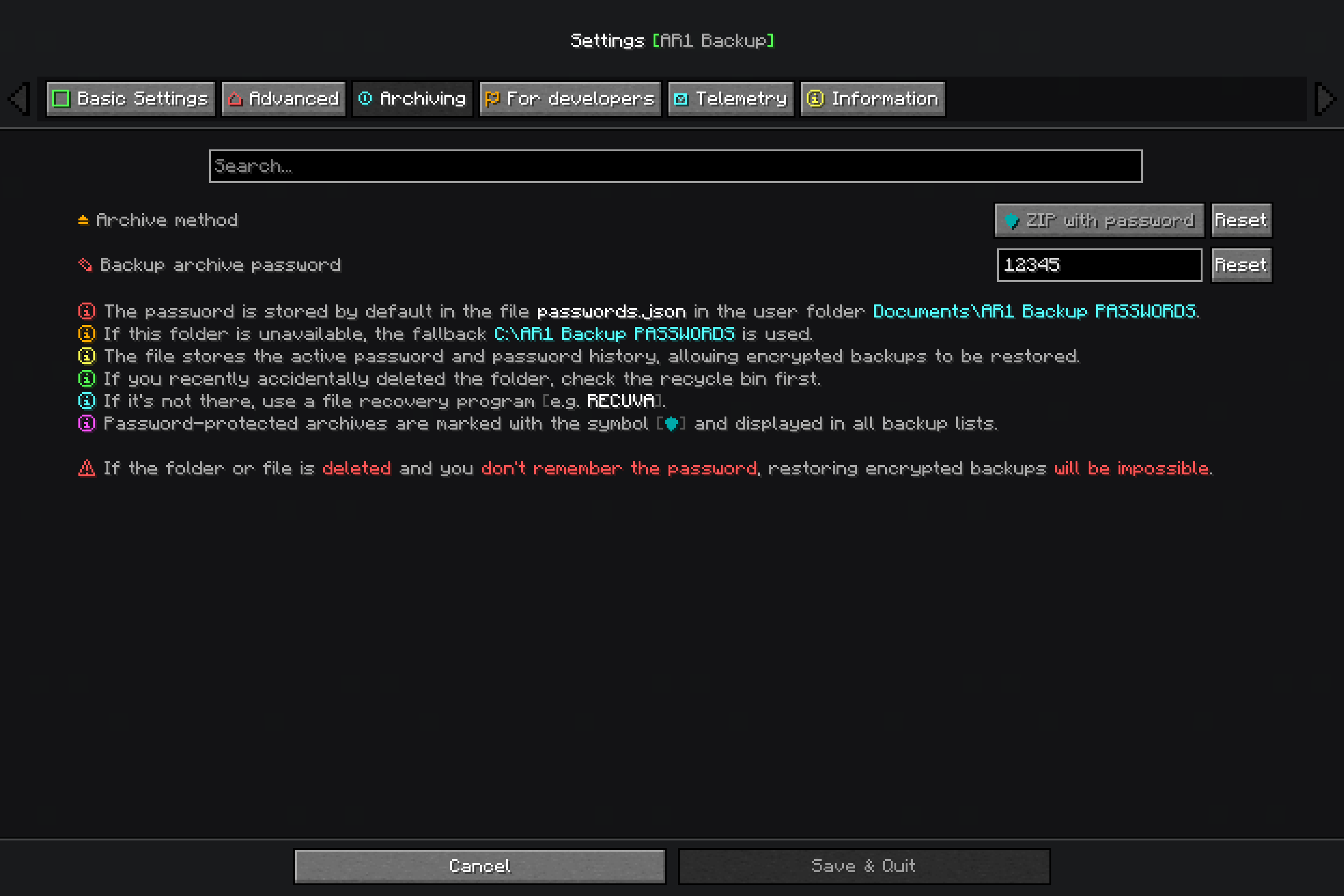 Archiving Settings Screen "Archiving" section on the settings screen.
 -
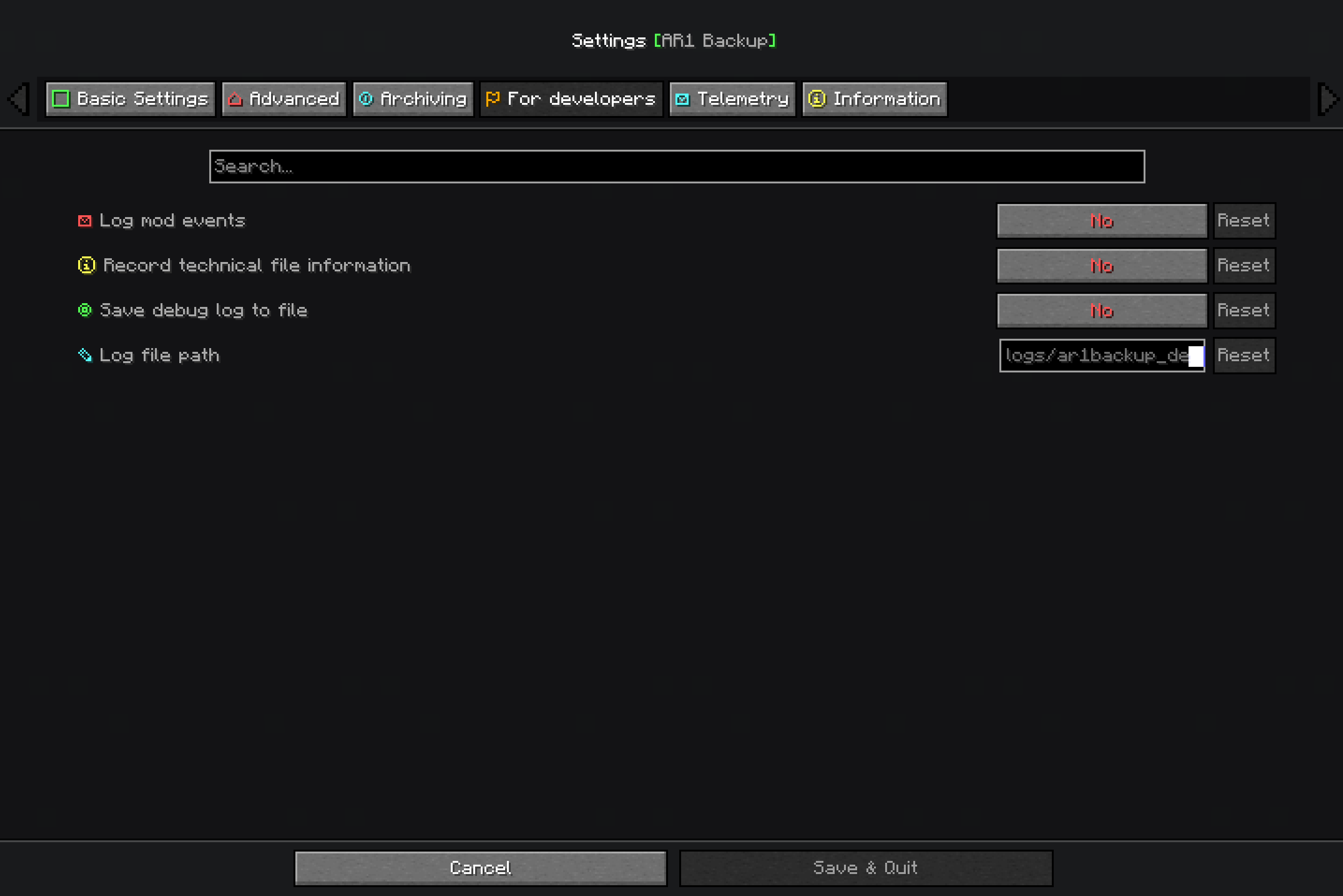 Developers settings screen "For Developers" section on the settings screen.
 -
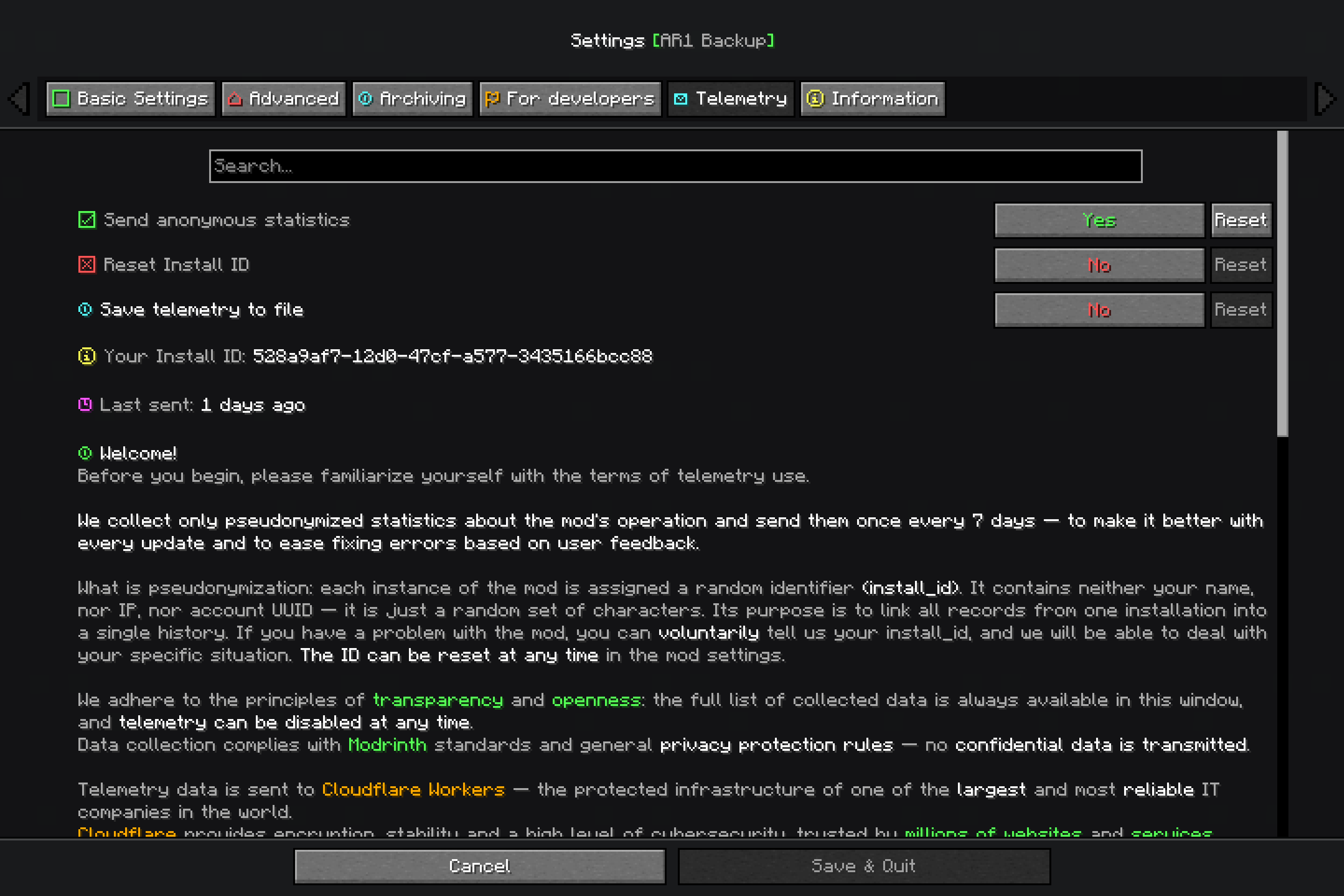 Telemetry settings screen "Telemetry" section on the settings screen.
 -
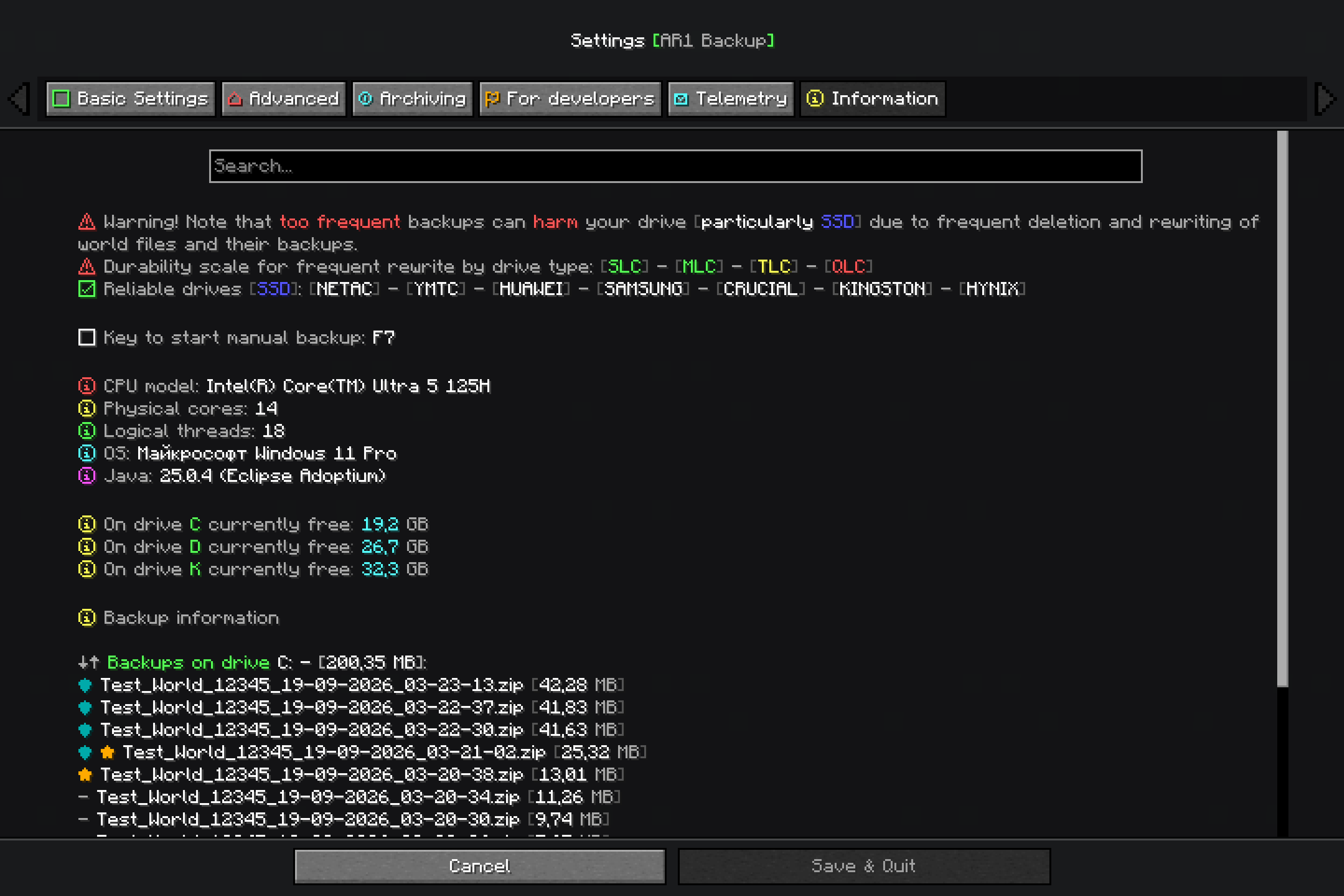 Information settings screen "Information" section on the settings screen.
 -
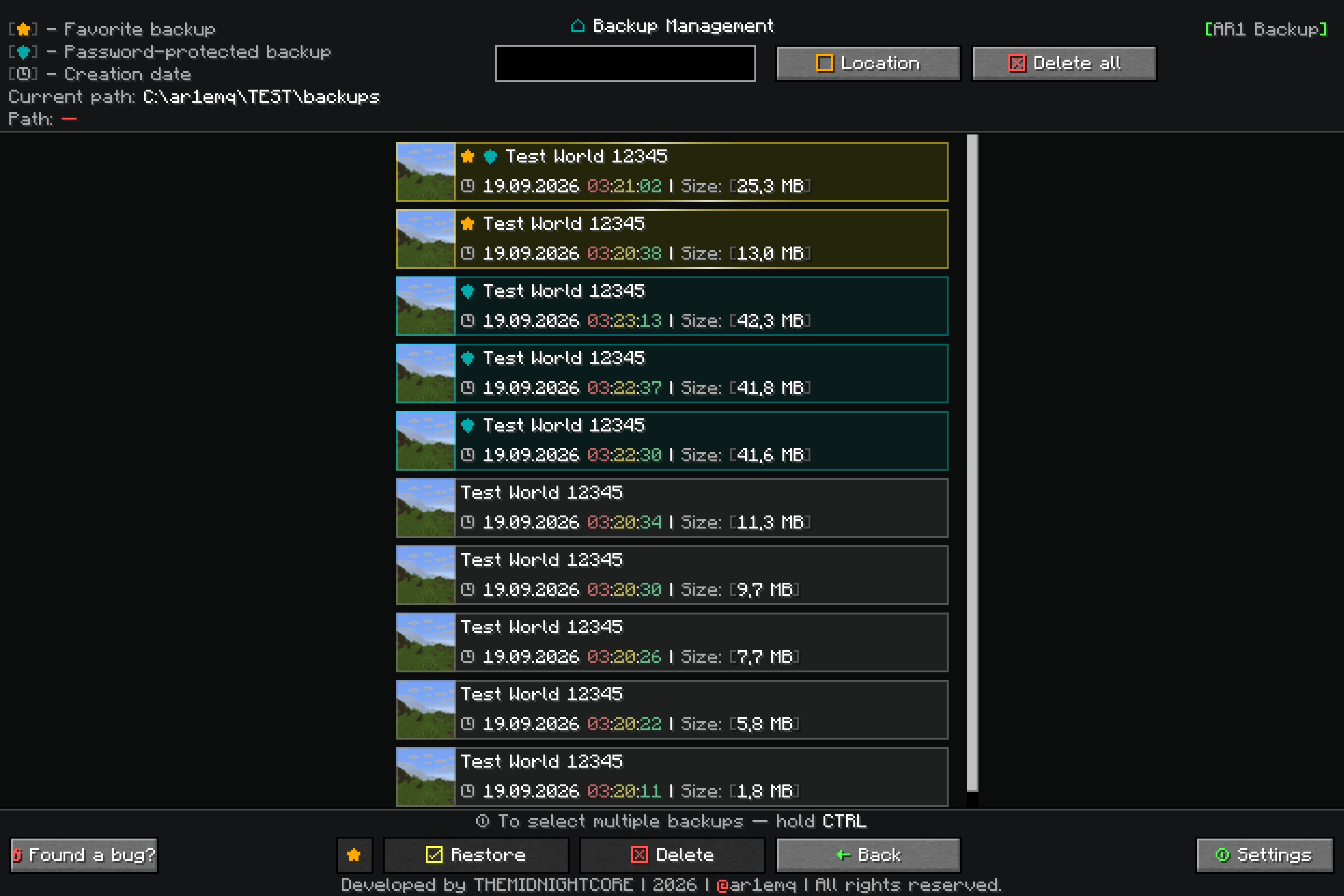 Backup Management Backups GUI (starting from mod version 8.0.0)
 -
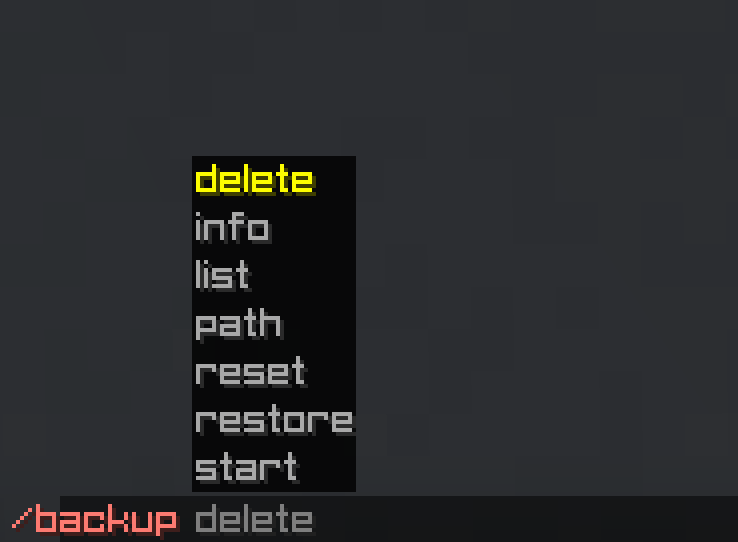 Example commands All commands
Versions
Files
Relations
Project Relations
More like this
Similar Mods
Suggestions use data such as tags, dependencies, dependents, descriptions, titles, and more to rank how much they overlap with this mod.
On ModDex
Community snapshot
By the numbers
Statistics

Want to reach Minecraft players?
We're looking for a server hosting partner to feature here and other parts of the site. Interested? Send us a message!
Get in touchGet it on
Available Platforms
On ModDex
Community snapshot
By the numbers
Statistics
Resources