
Community listing page, reviews here may not be monitored by the author.
Playable Arcade Cabinets

No reviews yet
Datapack based arcade cabinets in Minecraft!
Community voices
Reviews
No reviews yet. Be the first to review this project!
Get it on
Available Platforms
About
Project Details
For authors
Embed Badge
If you're the author of this project, you can embed a live badge anywhere that supports HTML or Markdown. It updates automatically whenever ratings change.
Use HTML for any page that supports it, or Markdown for README files and Markdown-based descriptions.
Identifiers
Platform IDs
Resources
External Links
About
Description
This datapack adds structures for three fully playable arcade cabinets.
To place an arcade cabinet, you'll have to use a structure block. The overall structure is fairly large (32x48x32), and currently can't be rotated. The default load position for the structure block is in the lower north-west corner of the structure, which corresponds to
The structure names for the three arcade cabinets are: maze:cabinet, snake:cabinet and paint:cabinet. Make sure "Include Entities" is selected, or the cabinet won't be playable!
Once the cabinet is placed, you'll need to turn it on by going inside and toggling the redstone lever.
After that, you can use the buttons on the top of the cabinet to either start a new game or continue an old game.
MC Paint: This is more a proof of concept than anything, but is a simple arcade cabinet for drawing pictures. Use movement keys to move the brush, and press jump to change the current pixel. To erase a pixel, press jump again. Press the sprint key to cycle colors.
Snake: This is a straightforward snake game. Try to grow longer without running into your own tail! Use the movement keys to change direction, and the sprint key to restart if you die.
Pac-Mine: This is a blockier Pac-Man clone. Clear all the tiles in the maze without getting caught by the creepers. Mine a gold block to frighten the creepers for a short time. Once the level is cleared, the game restarts with a faster game speed and shorter power-up time. Use the movement keys to move. You can hold a key as you approach an intersection to turn as soon as you reach it. Press sprint to restart after you run out of lives.
Make Your Own: The system is designed to be as straightforward as possible for creating your own arcade cabinet. The datapack for each game just needs two functions - a setup function and a ticking function. Create these from scratch or modify one of the existing ones. The datapack includes a handful of helper IO functions for reading player inputs, drawing blocks or items on the screen, and reading data or metadata from the screen.
Screenshots
Gallery
-
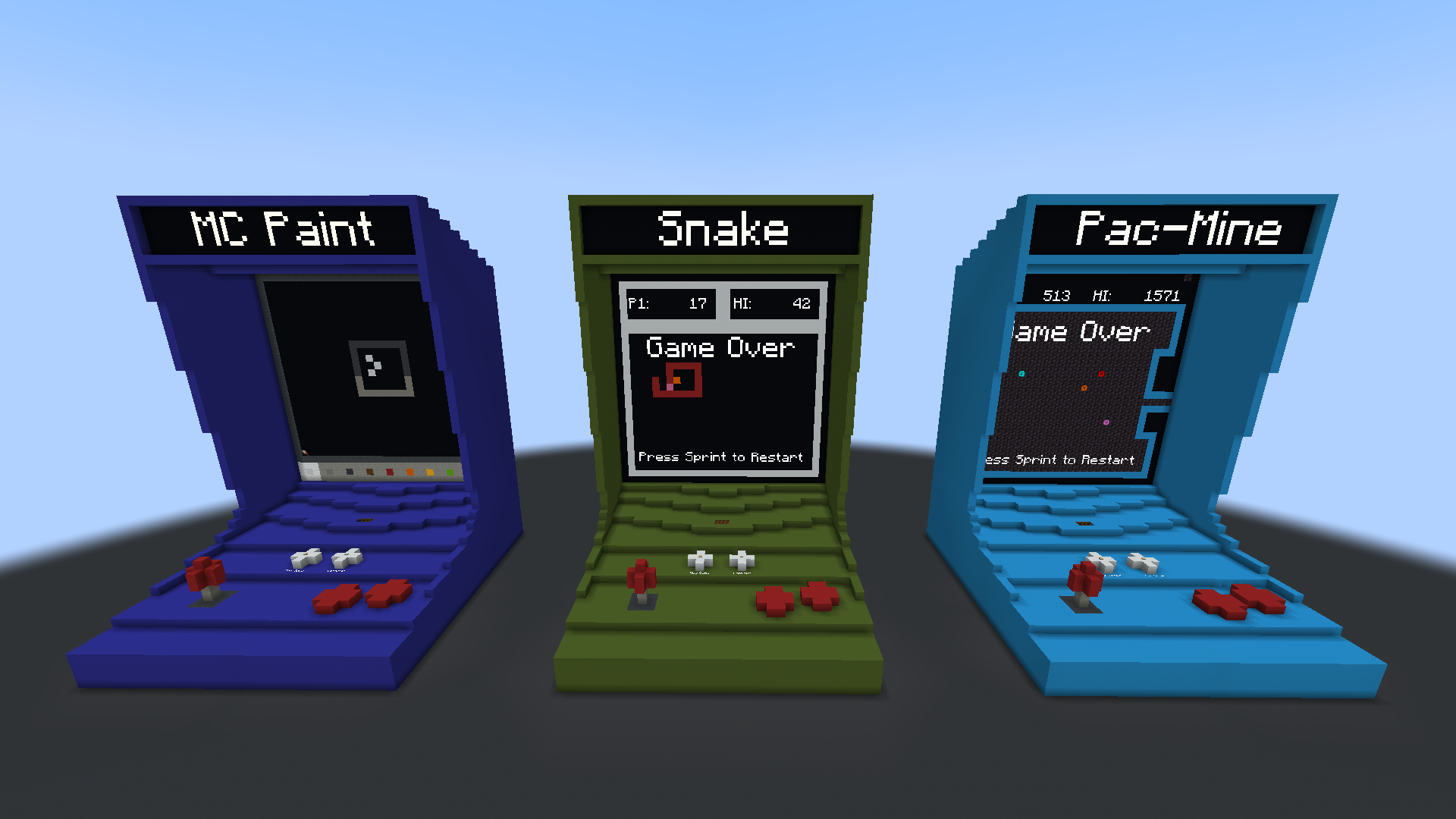 Arcade Cabinets
 -
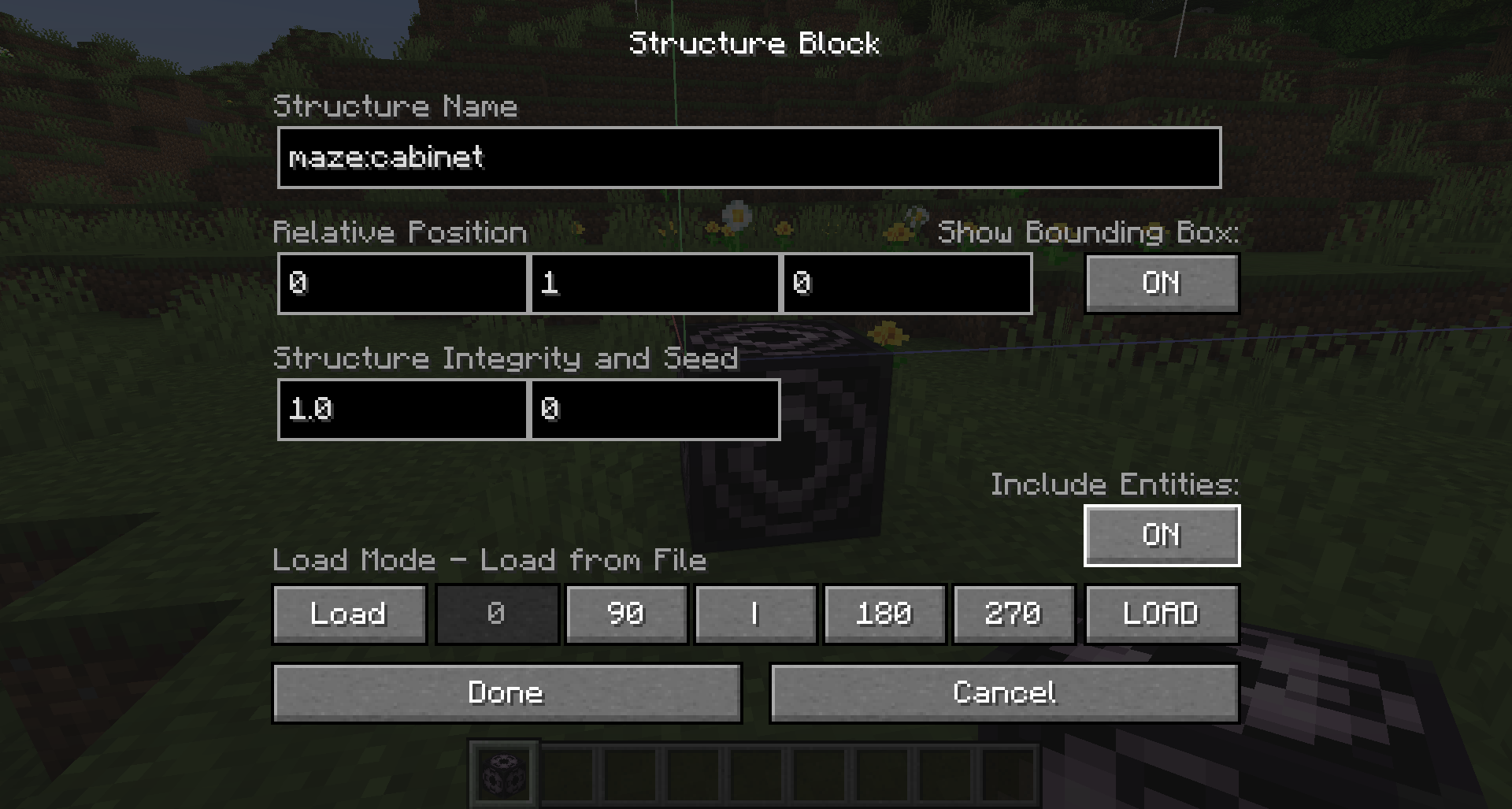 Structure Settings
Versions
Files
Relations
Project Relations
More like this
Similar Mods
Suggestions use data such as tags, dependencies, dependents, descriptions, titles, and more to rank how much they overlap with this mod.
On ModDex
Community snapshot
By the numbers
Statistics

Want to reach Minecraft players?
We're looking for a server hosting partner to feature here and other parts of the site. Interested? Send us a message!
Get in touchGet it on
Available Platforms
On ModDex
Community snapshot
By the numbers
Statistics
Resources