
Community listing page, reviews here may not be monitored by the author.

Community voices
Reviews
No reviews yet. Be the first to review this project!
Get it on
Available Platforms
Compatibility
Supported Environments
Runs entirely on the client. Works on vanilla servers.
About
Project Details
For authors
Embed Badge
If you're the author of this project, you can embed a live badge anywhere that supports HTML or Markdown. It updates automatically whenever ratings change.
Use HTML for any page that supports it, or Markdown for README files and Markdown-based descriptions.
Identifiers
Platform IDs
About
Description
ArcPath
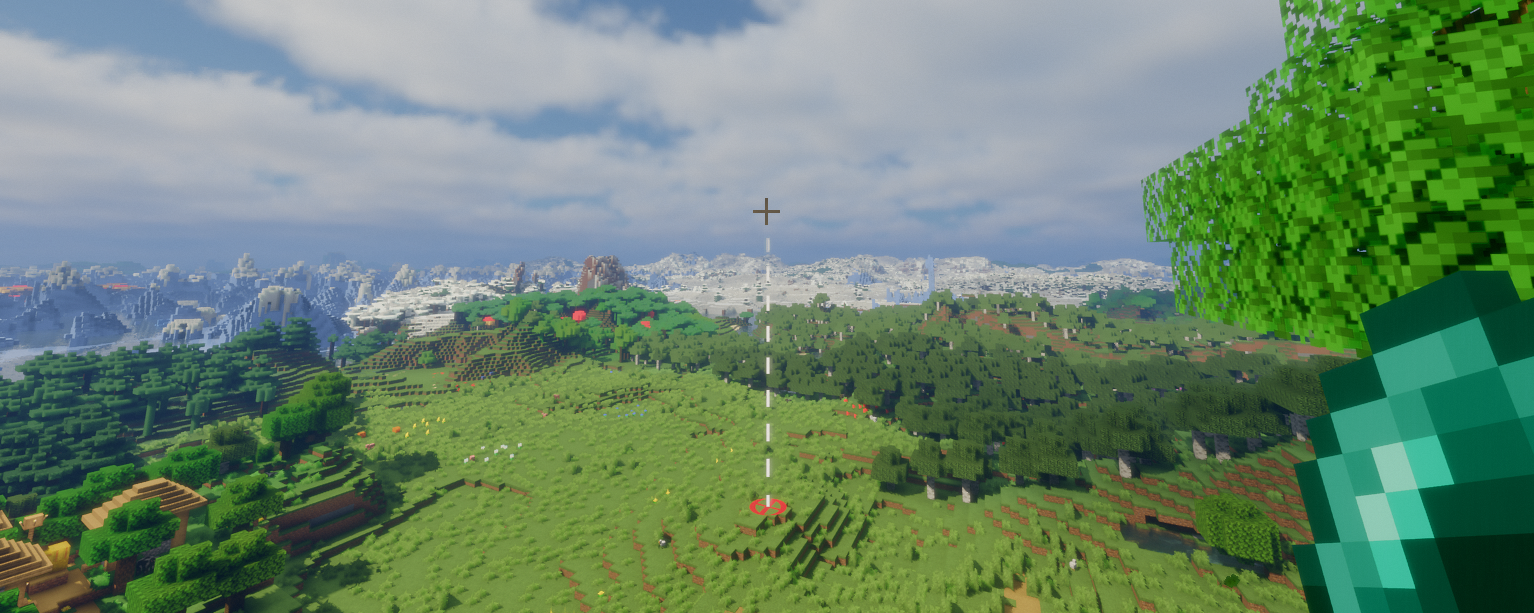
ArcPath is a client-side Fabric mod that displays a trajectory arc when holding a throwable item. The arc shows the predicted flight path of the projectile and marks the landing point with a target.
Features
- Trajectory arc with configurable style per throwable item
- Gradient color support - blend from a start color to a second color along the arc
- Landing target marker with configurable shape per throwable
- Calculated trajectory accounts for player velocity
- Entity hit detection - arc stops at living entities and the target marker appears on them
- Arc toggle keybind (default: Y) to show/hide all arcs without opening the config screen
- Debug overlay (default: U) showing previously calculated trajectories
Supported Throwables
- Ender Pearls
- Snowballs
- Eggs
- Tridents
- Arrows (via Bow & Crossbow)
Configuration
Open Options → Mods → ArcPath → Configure to access the config screen. Each throwable has its own sub-category with independent Arc and Target settings.
Arc Settings (per throwable)
- Enable/disable
- Color
- Line width
- Style (Dashed / Solid)
- Dash length and gap length (Dashed only)
- Transparency
- Gradient color
Target Settings (per throwable)
- Enable/disable
- Color
- Line width
- Shape (Circle / Diamond / Square)
- Radius
- Transparency
Keybinds
| Keybind | Default | Description |
|---|---|---|
| Toggle Arc | Y | Show/hide all arc/marker rendering |
| Toggle Debug | U | Show/hide the debug trajectory overlay |
Screenshots
Gallery
-
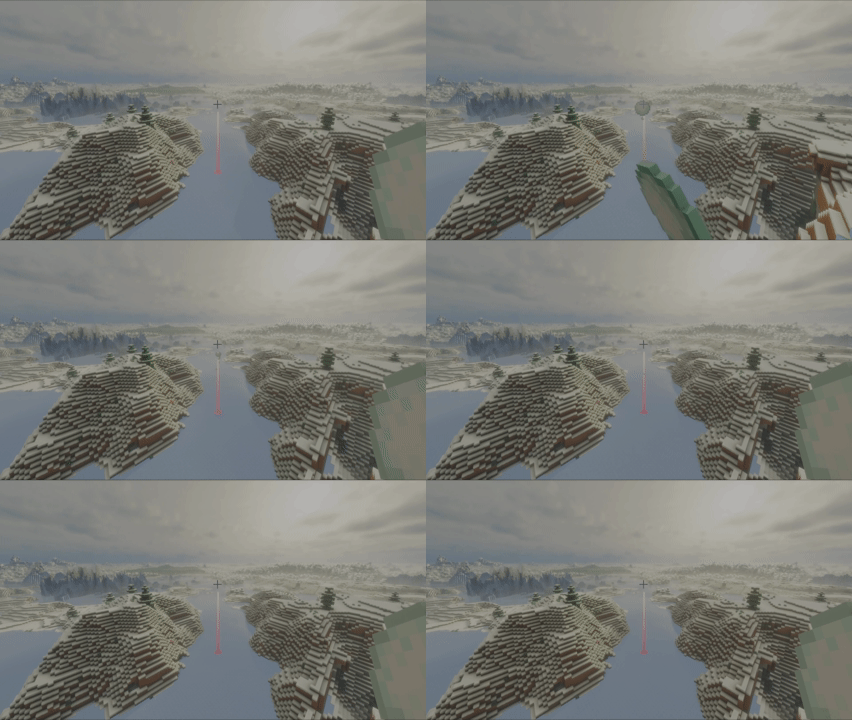 Snowball demo (1) Shows an arc configured with a gradient
 -
Rendered trajectory when holding an ender pearl
-
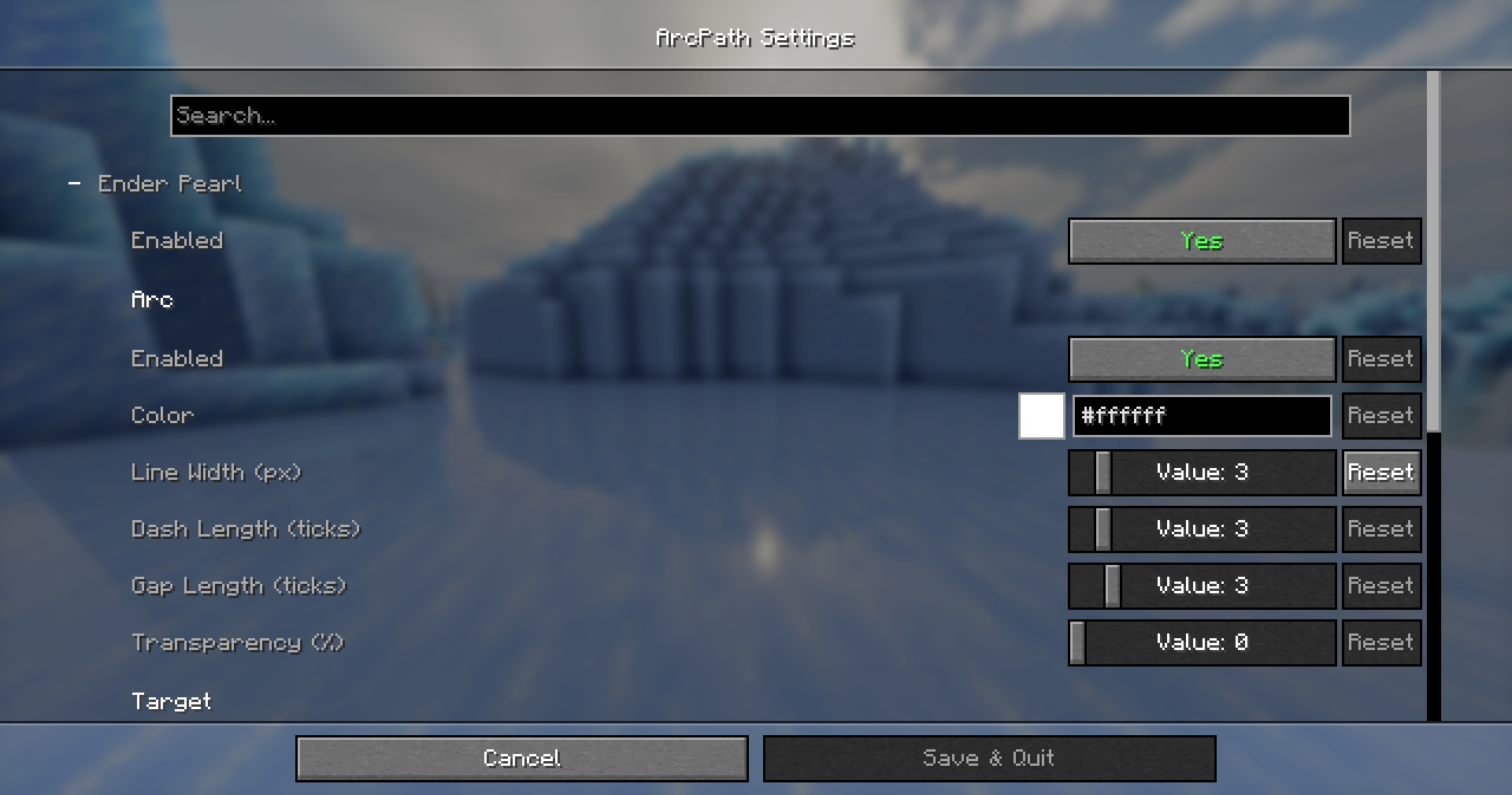 ModMenu Configuration Options (1)
 -
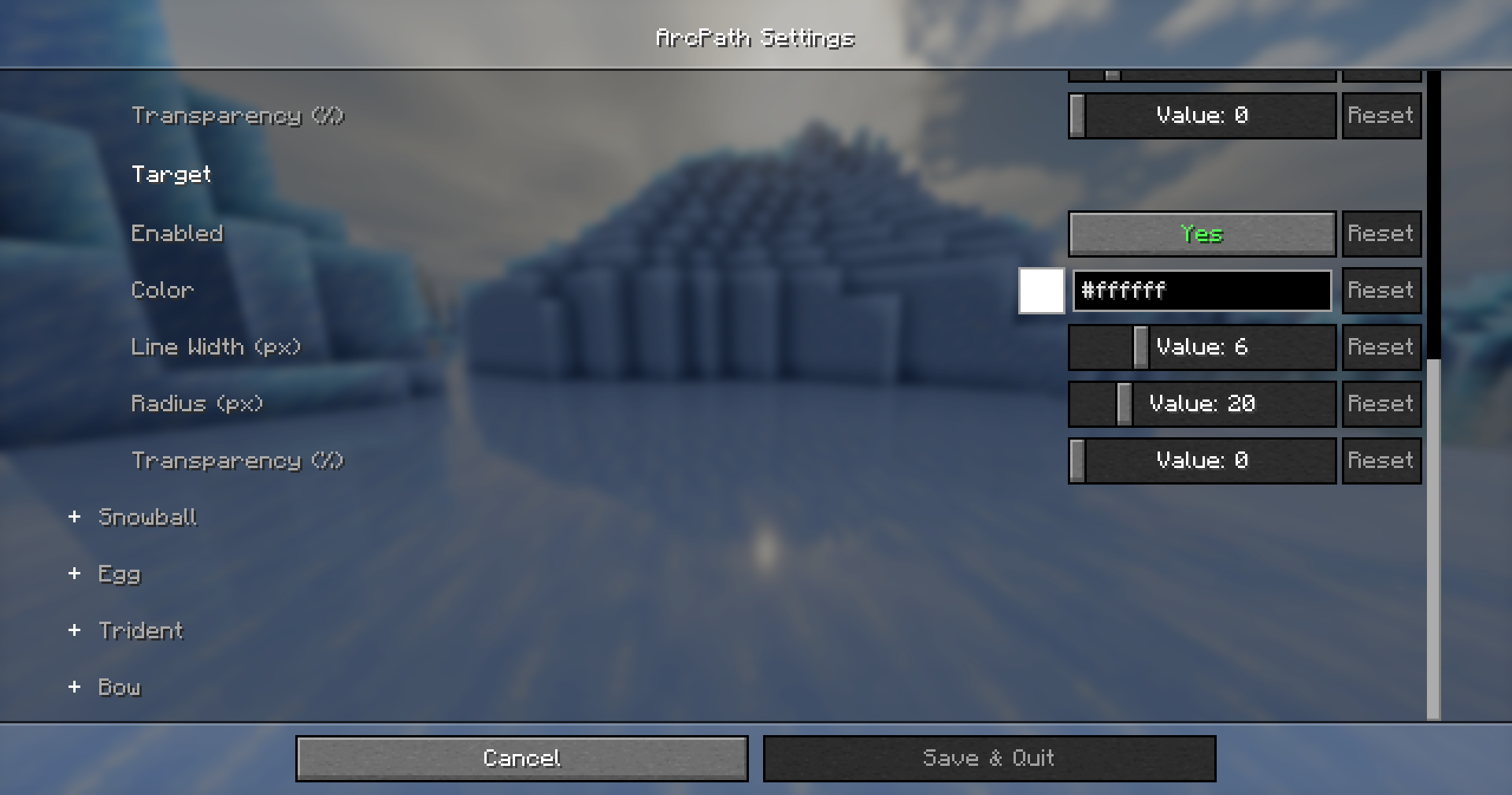 ModMenu Configuration Options (2)
Versions
Files
Relations
Project Relations
More like this
Similar Mods
Suggestions use data such as tags, dependencies, dependents, descriptions, titles, and more to rank how much they overlap with this mod.
On ModDex
Community snapshot
By the numbers
Statistics

Want to reach Minecraft players?
We're looking for a server hosting partner to feature here and other parts of the site. Interested? Send us a message!
Get in touchGet it on
Available Platforms
On ModDex
Community snapshot
By the numbers