Mod

ArdaMusic

Quick rating

ArdaMusic

No reviews yet

ArdaRegions addon to play custom ambient background music for your Minecraft Server

Adventure/Exploration
Mod Loaders
Fabric
Minecraft

Community voices

Reviews

Versions
Loading versions…
Match includes

Click once to include, again to exclude, again to clear

Rating Any
Any 0.5 1.0 1.5 2.0 2.5 3.0 3.5 4.0 4.5 5.0
Min
Max
Play Status
Reviews
Time Played
hrs+
Verified developers only
Has developer response
List view
Grid view
Compact view
Sort by
Date
Rating
Helpful
Unhelpful
Edited
Sort ascending
Delete this review?

This removes your review from the project. You can write a new review after.

Review submitted for moderation

Your review has been sent to moderators, who will check that it meets our guidelines before it appears publicly.

No reviews yet. Be the first to review this project!

Get it on

Available Platforms

Compatibility

Supported Environments

Dev Environment
Client Required
Server Required

About

Project Details

Type
Mod
License
All Rights Reserved
Latest Version
1.0.2
Authors

For authors

Embed Badge

If you're the author of this project, you can embed a live badge anywhere that supports HTML or Markdown. It updates automatically whenever ratings change.

Custom banner text
ModDex rating badge preview

Use HTML for any page that supports it, or Markdown for README files and Markdown-based descriptions.

Identifiers

Platform IDs

Modrinth ID

Resources

External Links

Source Issues Wiki Discord

About

Description

ArdaMusic

Region-based music for Minecraft servers. You define regions in ArdaRegions, assign tracks in ArdaMusic, and the soundtrack changes as players walk around.

Works on both server and client - everyone who should hear the music needs the mod (and ArdaRegions) installed.

What it does

Region music

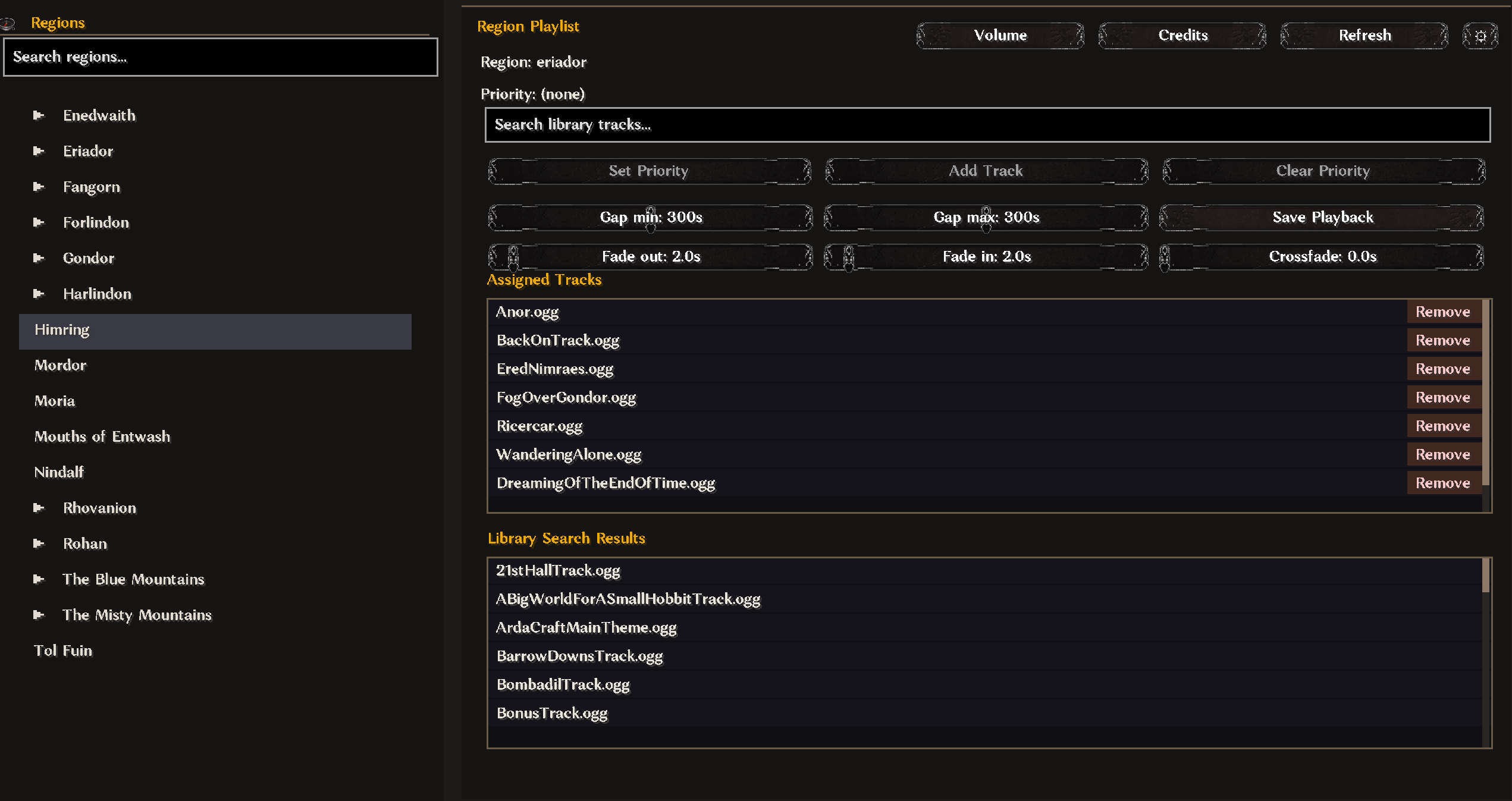
ArdaRegions tells ArdaMusic which region you're in. Per region you can pick tracks, set one as priority (plays when you first enter), and adjust fade/crossfade/gap between shuffled songs.

Fallback

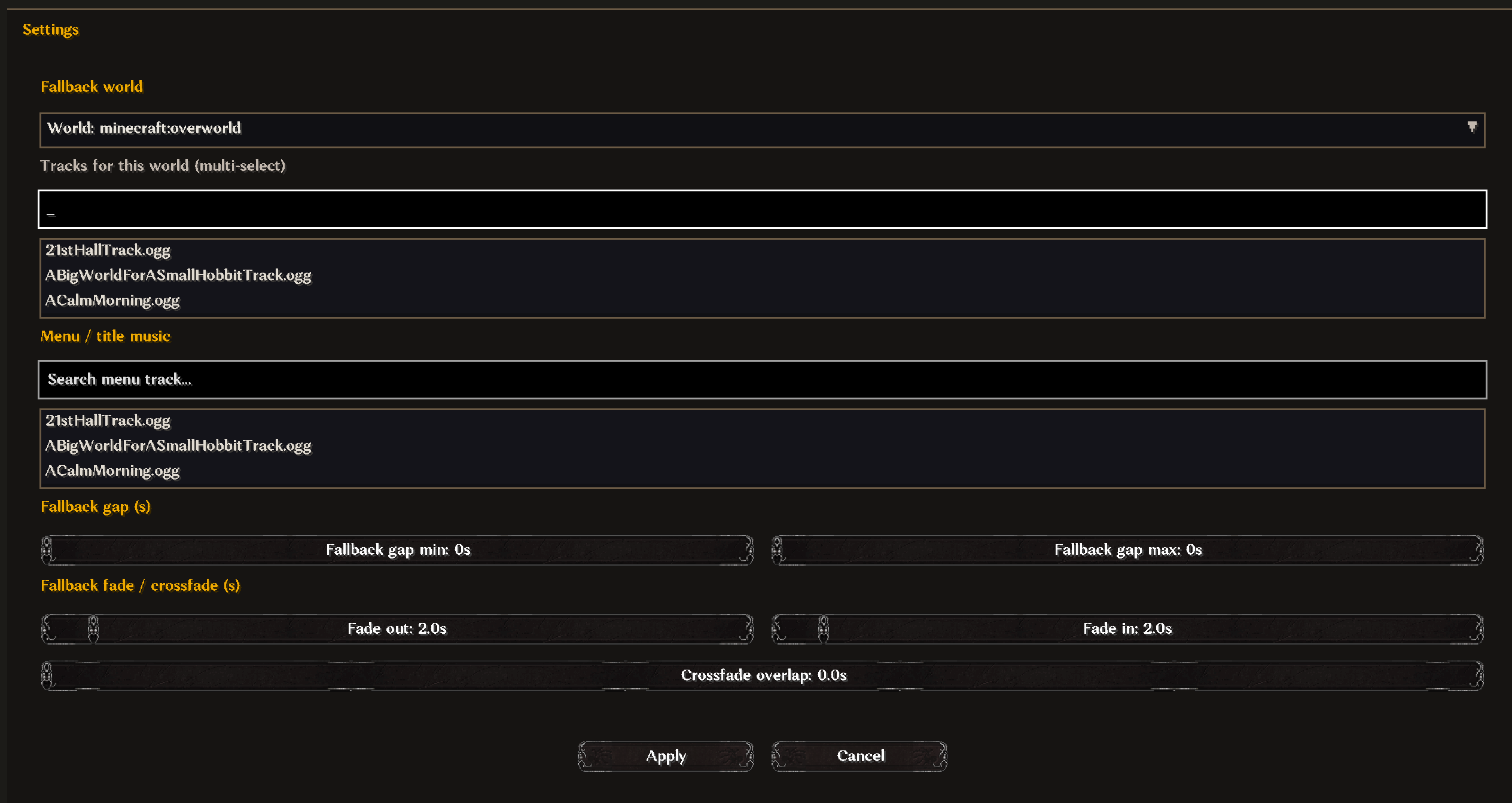
Outside any region, a fallback playlist can play instead. One global list, or different lists per world if you want that.

Menu music

Optional track on the title screen, server list, connecting, and loading - set in the panel settings, read from your local library.

Library

Tracks are .ogg files in config/arda-music/library/. Playback is on the client; vanilla music is turned off while ArdaMusic is running.

Track info

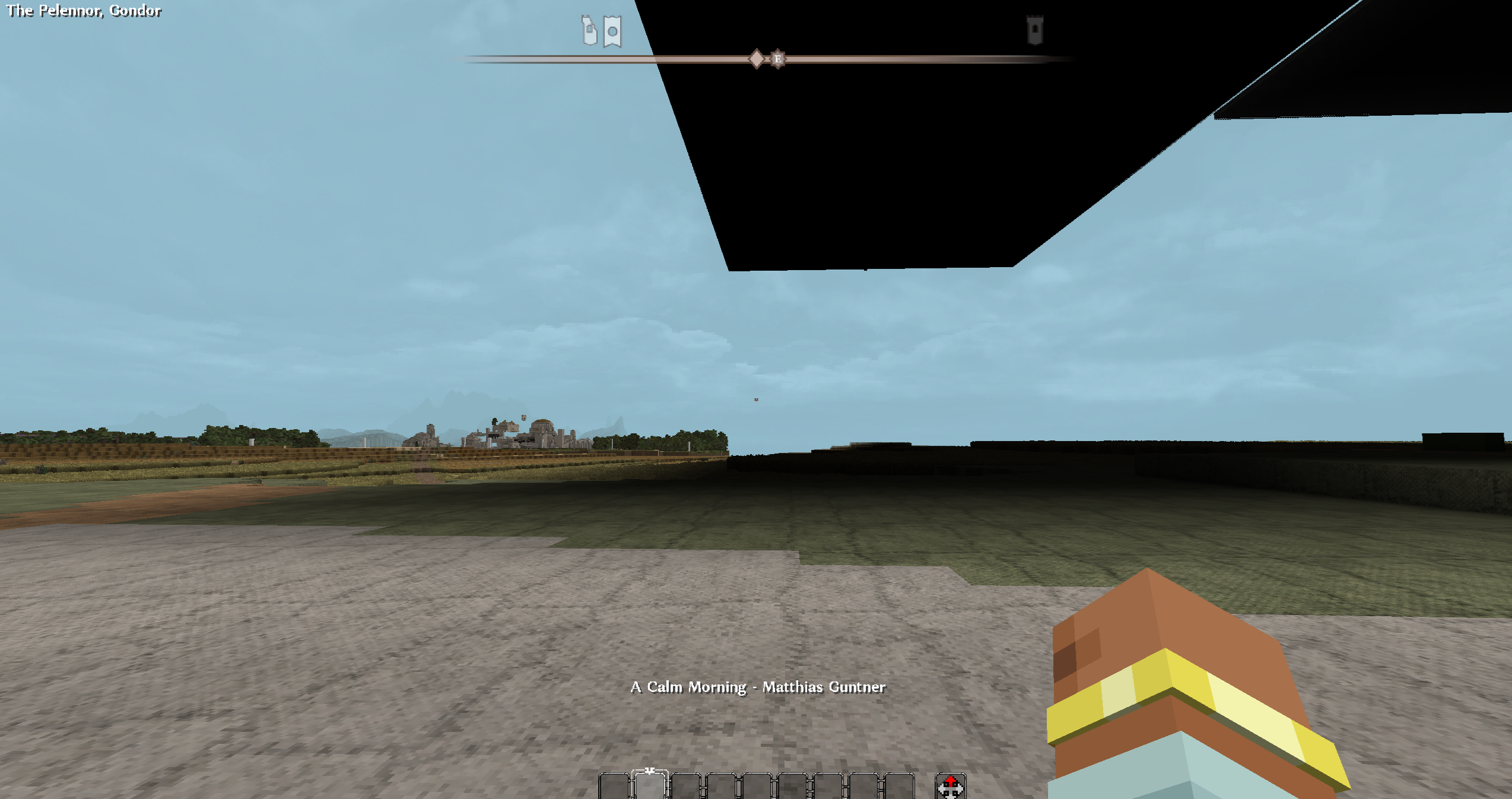
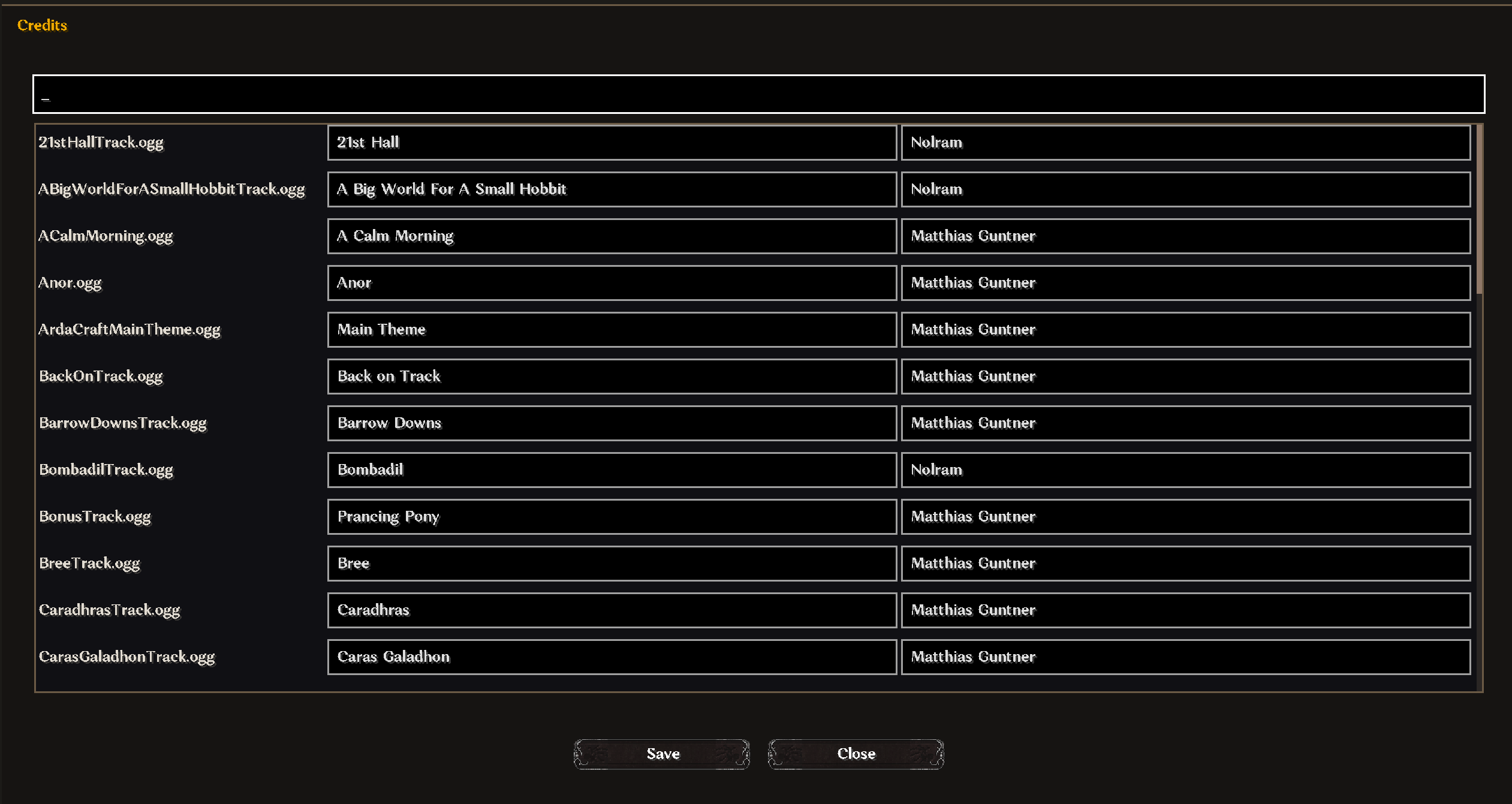
/ardamusic info toggles a small overlay with title and composer when a track starts. Admins edit credits in the panel; they're stored on the server.

Volume

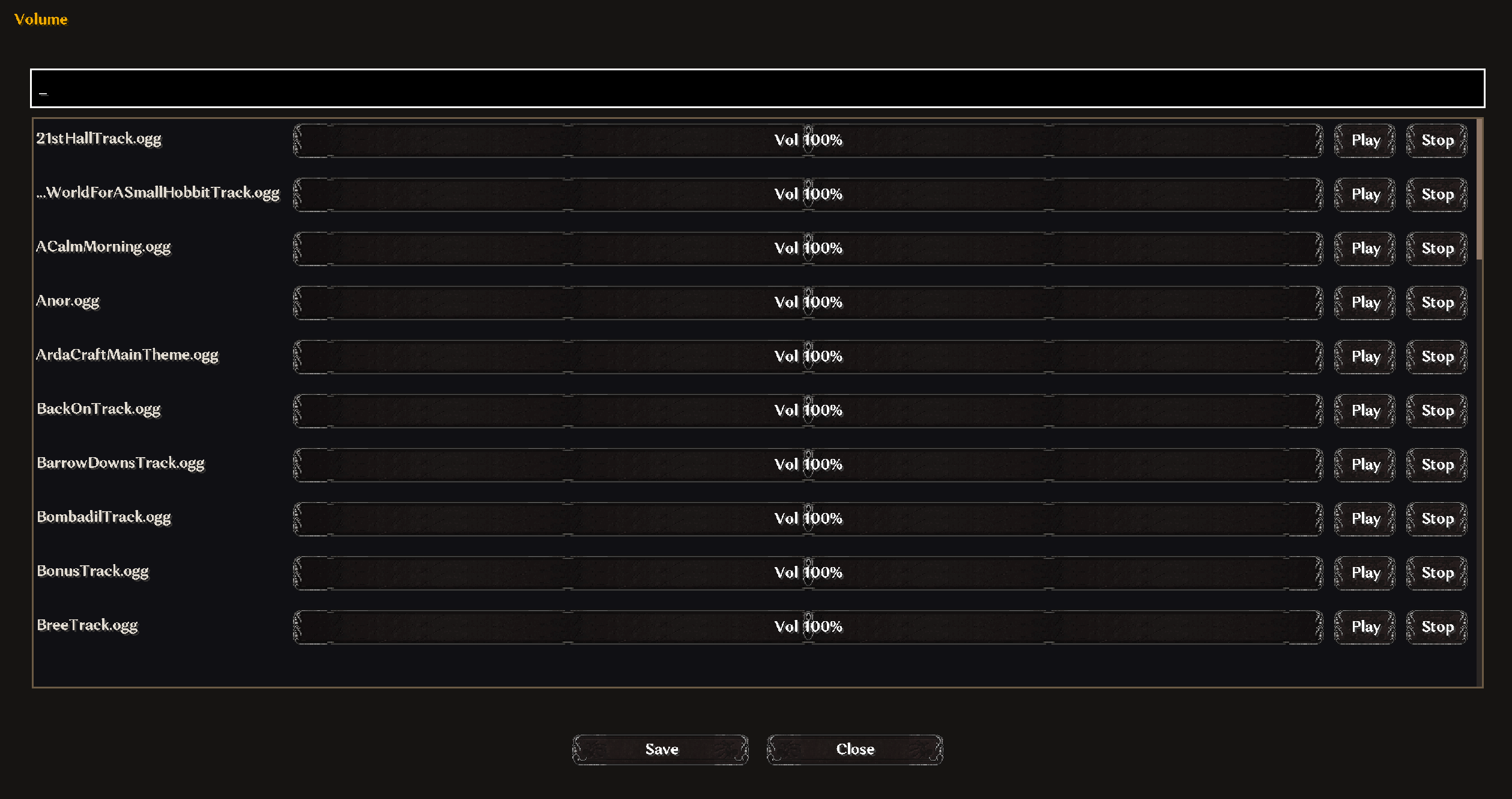
Admins can set per-track volume (0–200%) in the panel. That syncs to clients.

Requirements

  • Minecraft 1.20.1
  • Fabric Loader
  • Fabric API
  • Fabric Permissions
  • ArdaRegions

Optional

  • LuckPerms

Setup

1. Install on server

  • Put ArdaRegions, Fabric API, and ArdaMusic in mods/
  • Start once - config shows up under config/arda-music/

2. Install on client

  • Same mods on the client, same ArdaMusic jar as the server

3. Music files

Drop .ogg files in config/arda-music/library/ on each client. Subfolders are fine; the track name is the path under library/ (e.g. ambient/CloudsAndRainTrack.ogg).

4. Wire it up

  • Set up regions in ArdaRegions first
  • Op yourself or grant ardamusic.admin (see below)
  • /ardamusic panel - pick a region, add tracks, priority, fades
  • Settings (cog) - fallback lists, menu track, per-world fallbacks
  • Credits / Volume buttons - metadata and levels

Server saves music-config.json and pushes changes to clients when someone connects or when you save from the panel.

5. Permissions

Ops at level 2+ can use the panel by default. With LuckPerms (or anything that speaks Fabric Permissions), give ardamusic.admin to whoever should edit music.

Commands

  • /ardamusic panel – open the music editor (admin)
  • /ardamusic skip – skip to the next track
  • /ardamusic info – toggle title/composer overlay

Files

  • Library: config/arda-music/library/
  • Config: config/arda-music/music-config.json
  • Credits: config/arda-music/music-credits.json
  • Volumes: config/arda-music/music-volumes.json

Credits

Thanks to everyone who helped:

  • Fornad for beta-testing
  • Dain for beta-testing
  • Xone for textures
  • The ArdaCraft team

Screenshots

Gallery

  • ArdaMusic panel main page
    ArdaMusic panel main page
  • ArdaMusic panel volumes
    ArdaMusic panel volumes
  • ArdaMusic panel volumes
    ArdaMusic panel volumes
  • ArdaMusic info command output
    ArdaMusic info command output
  • ArdaMusic panel settings
    ArdaMusic panel settings

Versions

Files

Relations

Project Relations

More like this

Similar Mods

Suggestions use data such as tags, dependencies, dependents, descriptions, titles, and more to rank how much they overlap with this mod.

On ModDex

Community snapshot

0
Ratings
0
Followers
0
In stacks

By the numbers

Statistics

<1,000
Downloads
Last Updated
CurseForge
Created
Last synced
When ModDex last fetched and imported data for this project from CurseForge or Modrinth. High-traffic and active projects are checked more often.
Next pipeline sync