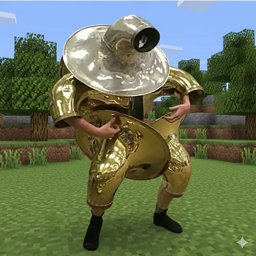
Community listing page, reviews here may not be monitored by the author.

Community voices
Reviews
No reviews yet. Be the first to review this project!
Get it on
Available Platforms
About
Project Details
For authors
Embed Badge
If you're the author of this project, you can embed a live badge anywhere that supports HTML or Markdown. It updates automatically whenever ratings change.
Use HTML for any page that supports it, or Markdown for README files and Markdown-based descriptions.
Identifiers
Platform IDs
About
Description
Armor Effects Mod
A Minecraft Forge mod that allows you to add custom effects to any armor piece through configuration. Create powerful armor sets with speed boosts, damage reduction, potion effects, and more!
Features
- Flexible Configuration: Add effects to any armor item
- Multiple Effect Types: Attributes, damage reduction, potion effects, and enchantments
- Slot-Based Scaling: Different percentages for helmet, chestplate, leggings, and boots
- Visual Tooltips: See effect percentages directly on items
- Performance Optimized: Uses AttributeModifiers for permanent effects when possible
Configuration
The mod uses a configuration file located at config/armoreffects-common.toml. Here's how to configure it:
Slot Percentages
Configure the effect strength for each armor slot:
[effect_percentages]
helmet_percentage = 12      # Helmet effects are 12%
chestplate_percentage = 18  # Chestplate effects are 18%
leggings_percentage = 15    # Leggings effects are 15%
boots_percentage = 12       # Boots effects are 12%
Simple Rule: Whatever percentage you set is exactly what the effect will be. 12% helmet = 12% speed boost, 12% damage reduction, etc.
Item Effects
Add effects to specific armor pieces using this format:
"namespace:item_name+category:effect_id"
"namespace:item_name+category:effect_id@level"  (for potions and enchantments)
Categories
- attribute - Permanent stat boosts (recommended for performance)
- damage - Damage reduction effects
- potion - Potion effects (applied every 2 seconds)
- enchant - Enchantment effects (future feature)
Examples
items = [
    # Speed Effects (Attribute)
    "minecraft:golden_helmet+attribute:speed",
    "minecraft:golden_chestplate+attribute:speed",
    "minecraft:golden_leggings+attribute:speed",
    "minecraft:golden_boots+attribute:speed",

    # Damage Reduction
    "minecraft:leather_boots+damage:fall_protection",
    "minecraft:iron_helmet+damage:projectile_protection",
    "minecraft:diamond_chestplate+damage:blast_protection",
    "minecraft:netherite_helmet+damage:fire_protection",

    # Potion Effects (with levels)
    "minecraft:diamond_helmet+potion:minecraft:night_vision",      # Night Vision I (default)
    "minecraft:iron_chestplate+potion:minecraft:regeneration@2",   # Regeneration II

    # Other Attributes
    "minecraft:netherite_chestplate+attribute:attack_damage",
    "minecraft:diamond_leggings+attribute:max_health"
]
Available Effects
Attribute Effects (Recommended)
speed- Movement speed boostattack_damage- Melee damage increaseattack_speed- Attack speed increasearmor- Armor points increasearmor_toughness- Armor toughness increaseknockback_resistance- Knockback resistancemax_health- Maximum health increase
Damage Reduction Effects
fire_protection- Reduces fire/lava damageprojectile_protection- Reduces arrow/projectile damageblast_protection- Reduces explosion damagefall_protection- Reduces fall damage (like Feather Falling)magic_protection- Reduces magic damagegeneral_protection- Reduces all damage types
Potion Effects
Use any Minecraft potion effect ID:
minecraft:regeneration- Health regenerationminecraft:night_vision- Night visionminecraft:water_breathing- Water breathingminecraft:fire_resistance- Fire resistance- And many more...
How It Works
Effect Calculation
All effects use the same simple formula: Effect Strength = Slot Percentage
Examples:
- 12% helmet with speed → +12% Movement Speed
- 18% chestplate with fire protection → +18% Fire Damage Reduction
- 15% leggings with attack damage → +15% Attack Damage
Tooltips
Hover over armor pieces to see their effects:
- Attribute effects: Gold text (e.g., "+12% Movement Speed")
- Damage reduction: Green text (e.g., "+18% Fire Damage Reduction")
- Potion effects: Blue text (e.g., "Night Vision")
- Enchantments: Aqua text
Important: Attribute vs Potion Effects
Some effects can be achieved in multiple ways. Here's when to use each:
Speed Effects
attribute:speed- Permanent speed boost, no visual effects, best performancepotion:minecraft:speed@2- Speed II potion with particles, refreshed every 2 seconds
Other Overlapping Effects
attribute:max_health- Permanent health boostpotion:minecraft:health_boost@2- Health Boost II potion effect
Recommendation: Use attribute effects for permanent stat boosts (speed, health, damage) since they're more efficient and don't show potion particles.
Performance Notes
- Attribute effects use permanent AttributeModifiers (best performance)
- Damage reduction is calculated during damage events (good performance)
- Potion effects are applied every 2 seconds (moderate performance impact)
Example Configurations
Speed-Focused Golden Armor
items = [
    "minecraft:golden_helmet+attribute:speed@2",
    "minecraft:golden_chestplate+attribute:speed@2",
    "minecraft:golden_leggings+attribute:speed@2",
    "minecraft:golden_boots+attribute:speed@2"
]
Result: Full set gives 12% + 18% + 15% + 12% = 57% total speed boost
Tank Diamond Armor
items = [
    "minecraft:diamond_helmet+damage:general_protection@12",
    "minecraft:diamond_chestplate+attribute:max_health@10",
    "minecraft:diamond_leggings+damage:general_protection@12",
    "minecraft:diamond_boots+damage:fall_protection@12"
]
Result: General damage reduction + extra health + fall protection
Utility Leather Armor
items = [
    "minecraft:leather_helmet+potion:minecraft:night_vision@1",
    "minecraft:leather_chestplate+potion:minecraft:water_breathing@1",
    "minecraft:leather_leggings+attribute:speed@1",
    "minecraft:leather_boots+damage:fall_protection@15"
]
Result: Night vision, water breathing, speed, and fall protection
Complete Example: Understanding the System
Let's create a custom Diamond Speed Set to understand how everything works:
Step 1: Set Slot Percentages
[effect_percentages]
helmet_percentage = 10      # We want helmets to give 10%
chestplate_percentage = 20  # Chestplates give 20%
leggings_percentage = 15    # Leggings give 15%
boots_percentage = 10       # Boots give 10%
Step 2: Add Speed to Diamond Armor
items = [
    "minecraft:diamond_helmet+attribute:speed@999",    # The @999 doesn't matter!
    "minecraft:diamond_chestplate+attribute:speed@1", # Neither does @1
    "minecraft:diamond_leggings+attribute:speed@5",   # Or @5
    "minecraft:diamond_boots+attribute:speed@100"     # The slot % is what counts
]
Step 3: What You Get In-Game
When you hover over the armor pieces, tooltips will show:
- Diamond Helmet: "+10% Movement Speed" (gold text)
- Diamond Chestplate: "+20% Movement Speed" (gold text)
- Diamond Leggings: "+15% Movement Speed" (gold text)
- Diamond Boots: "+10% Movement Speed" (gold text)
When you wear the full set:
- Total Speed Boost: 10% + 20% + 15% + 10% = 55% faster movement
- Each piece applies its effect independently
- Effects stack together for the total boost
Step 4: Understanding the @Level Number
Important: The @level number works differently depending on the effect category:
- Potions & Enchantments: Level matters (Speed I vs Speed II, Fire Protection I vs IV)
- Attributes & Damage: Level is ignored, uses slot percentage
# For potions - level matters
"minecraft:diamond_helmet+potion:minecraft:speed@1"     # Speed I
"minecraft:diamond_helmet+potion:minecraft:speed@3"     # Speed III

# For attributes - level ignored, uses slot percentage
"minecraft:diamond_helmet+attribute:speed@1"            # 10% speed (helmet %)
"minecraft:diamond_helmet+attribute:speed@999"          # 10% speed (same!)
Step 5: Mixing Effect Types
You can also mix different effects:
items = [
    "minecraft:diamond_helmet+attribute:speed@1",           # 10% speed
    "minecraft:diamond_chestplate+damage:blast_protection@1", # 20% explosion reduction
    "minecraft:diamond_leggings+attribute:max_health@1",    # 15% health boost
    "minecraft:diamond_boots+potion:minecraft:jump_boost@2" # Jump Boost II every 2 seconds
]
Result when wearing full set:
- 10% speed boost (permanent)
- 20% less explosion damage (permanent)
- 15% more max health (permanent)
- Jump Boost II effect (refreshed every 2 seconds)
Tips
- Use attributes over potions when possible for better performance
- Adjust slot percentages to balance armor pieces as you like
- Stack effects by wearing multiple pieces with the same effect type
- Test in creative mode to fine-tune your configurations
- The @level number doesn't affect the final percentage - it's always the slot percentage
- Higher slot percentages = stronger effects, regardless of armor material
Troubleshooting
- Effects not working: Check that
enable_armor_effects = truein the config - Tooltips not showing: Check that
display_enchantments_in_tooltip = true - Wrong percentages: Remember the formula is simple - slot percentage = effect percentage
- Config not loading: Make sure the TOML syntax is correct (proper quotes, brackets, etc.)
Default Armor Effects
The mod comes with these default effects:
- Leather Armor: Fall damage reduction (Feather Falling effect)
- Iron Armor: Projectile damage reduction
- Golden Armor: Speed boost (using efficient AttributeModifiers)
- Diamond Armor: Explosion damage reduction
- Netherite Armor: Fire damage reduction
You can modify or remove any of these by editing the config file.
Screenshots
Gallery
Versions
Files
Relations
Project Relations
More like this
Similar Mods
Suggestions use data such as tags, dependencies, dependents, descriptions, titles, and more to rank how much they overlap with this mod.
On ModDex
Community snapshot
By the numbers
Statistics
Want to reach Minecraft players?
We're looking for a server hosting partner to feature here and other parts of the site. Interested? Send us a message!
Get in touchGet it on
Available Platforms
On ModDex
Community snapshot
By the numbers