Armor Indicator
No reviews yet
A configurable armor indicator mod that renders onto your screen.
Does not follow a specific thematic focus apart from vanilla Minecraft.
Used for mods with little to no gameplay elements.
Includes quality of life improvements and small tweaks to enhance and customize gameplay.
Adds client-side tools and features to enhance the user experience.
A project that is no longer receiving updates.
Fabric is a mod loader for versions 1.14+ of Minecraft, particularly popular for client side and optimization mods.
Community voices
Reviews
Click once to include, again to exclude, again to clear
No reviews yet. Be the first to review this project!
Get it on
Available Platforms
 Modrinth
Compatibility
Supported Environments
About
Project Details
For authors
Embed Badge
If you're the author of this project, you can embed a live badge anywhere that supports HTML or Markdown. It updates automatically whenever ratings change.
Use HTML for any page that supports it, or Markdown for README files and Markdown-based descriptions.
Identifiers
Platform IDs
About
Description
Armor Indicator
Info
This client-side mod adds a simple armor indicator onto the screen so you do not have to access your inventory to view your armor durability.
To use this mod, download the mod it and move it to your .minecraft/mods folder. Additionally, you will need to install the Fabric API jar for this mod to work.
This mod requires ShadowHunter22's Config Library to be installed. This menu can be accessed through Mod Menu (optional) or opened by pressing RSHIFT, or reassigned to your liking through the game's keybind menu.
Features
-
Without messing with any configurations, this mod gives you a basic armor and item indicator overlay on the bottom right side of your screen.
-
With my config library, ShadowHunter22's Config Library, you are provided a number of options to customize this mod to your liking.
Dependencies
- [Optional] ShadowHunter22's Config Library
- [Optional] Mod Menu
Versions
This mod is Fabric ONLY. There is no plan to support Forge.
This mod is available for the following Minecraft versions:
1.19.2
1.19.3
1.19.4
Cloth Config API is an optional dependency for 1.19 versions.
As of April 16th, 2024, this mod will no longer be updated for 1.19 versions
1.20.x
1.21.x
26.1
26.1.1
26.1.2
26.2
Client and Server Support
This mod only needs to be on the client and will not work on the server.
Screenshots
Gallery
-
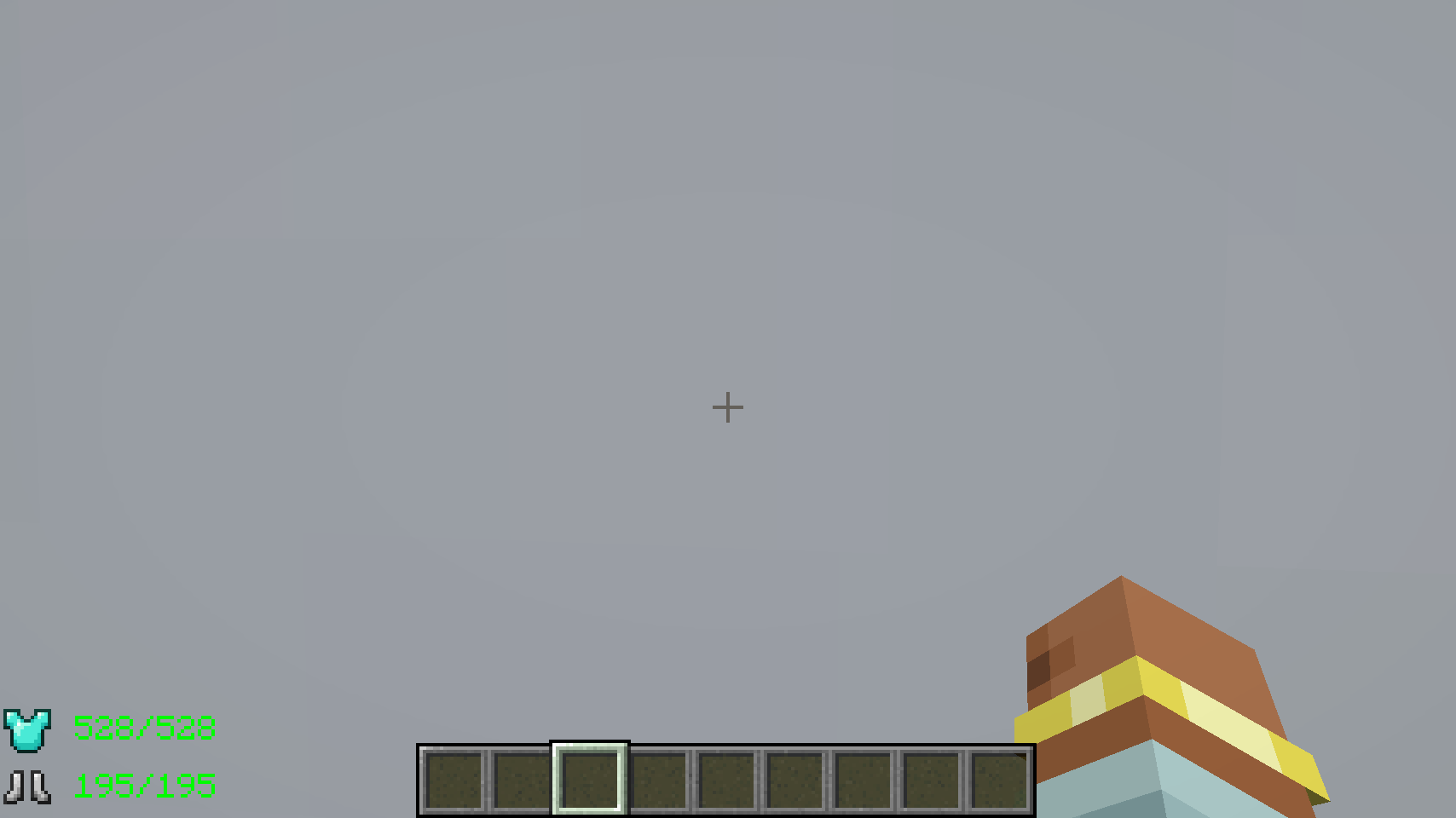 Compact UI Have the armor take up less space if, for example, the legging and helmet are not there.
 -
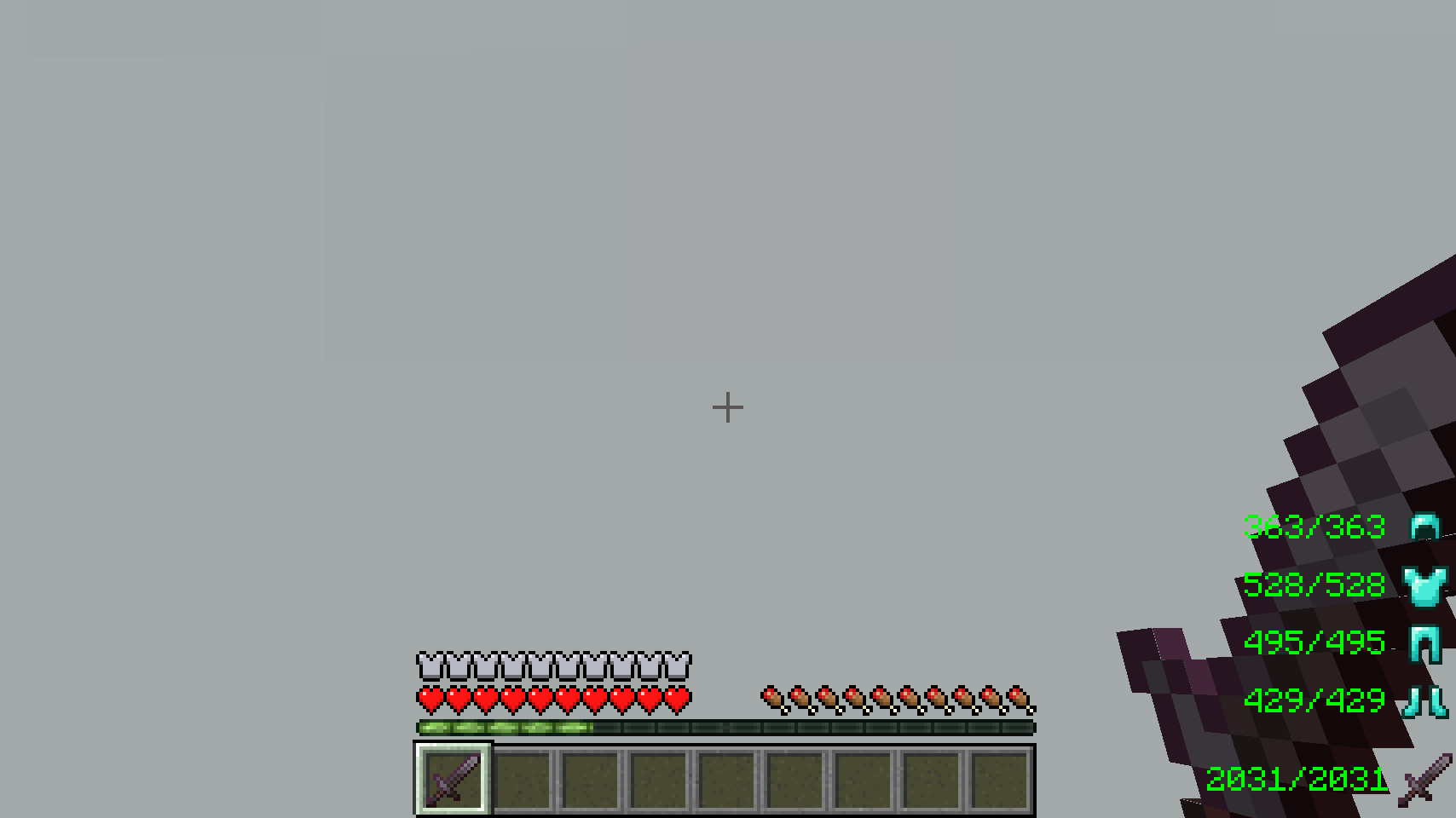 Default Options The default configuration for the mod without the use of the Cloth Config API
 -
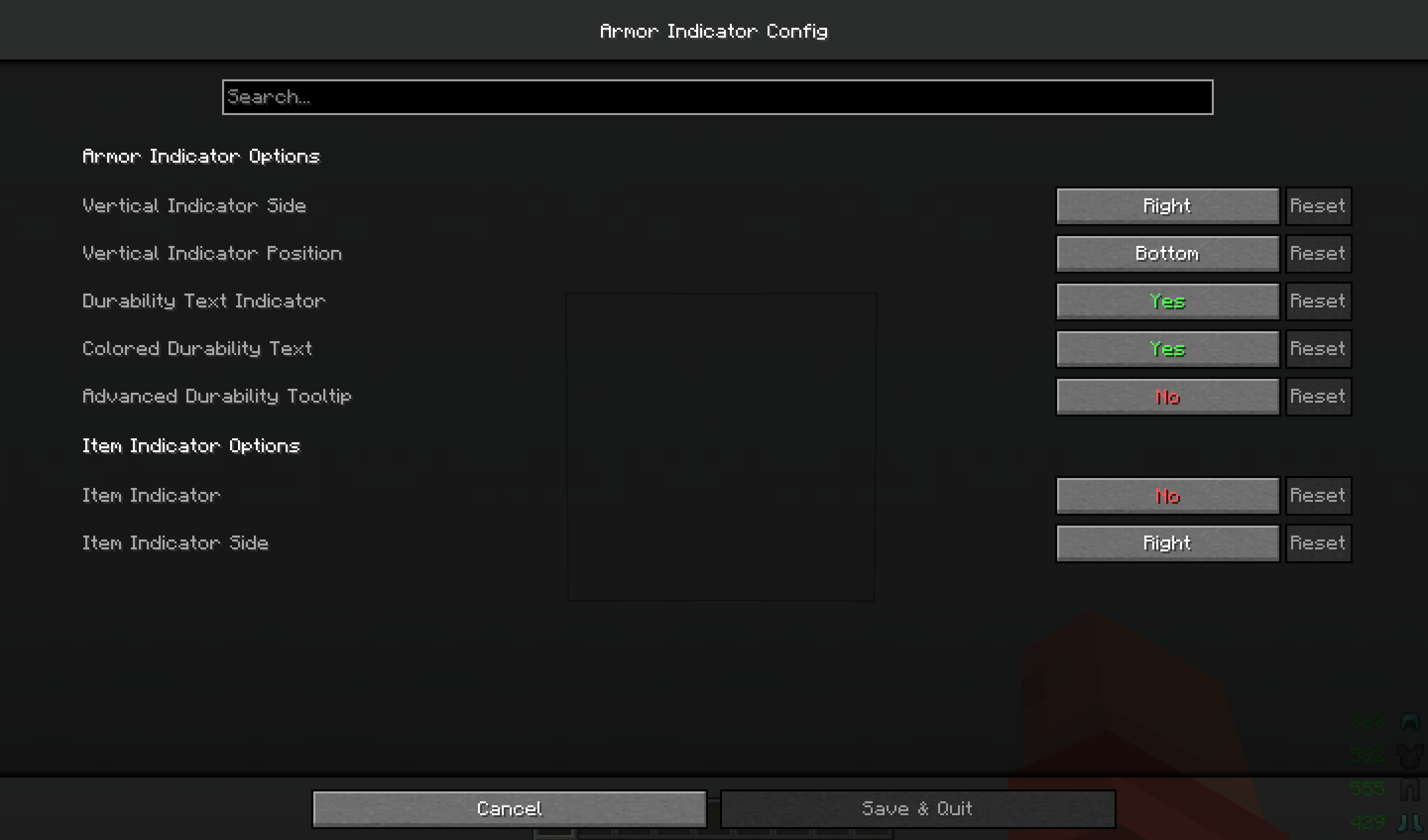 Config Screen What the config screen looks like if the Modmenu and Cloth Config API mods are installed with this mod.
 -
 Config Screen Tooltip Explanation An example of one of the tooltips found in the config screen for configuring the mod.
 -
 Mod with Configured Options An example of what the UI can look like when the mod is configured using the Modmenu and Cloth Config API mods.
Versions
Files
Relations
Project Relations
More like this
Similar Mods
Suggestions use data such as tags, dependencies, dependents, descriptions, titles, and more to rank how much they overlap with this mod.
On ModDex
Community snapshot
By the numbers
Statistics

Want to reach Minecraft players?
We're looking for a server hosting partner to feature here and other parts of the site. Interested? Send us a message!
Get in touchGet it on
Available Platforms
On ModDex
Community snapshot
By the numbers