Community listing page, reviews here may not be monitored by the author.
ArmorStats


No reviews yet
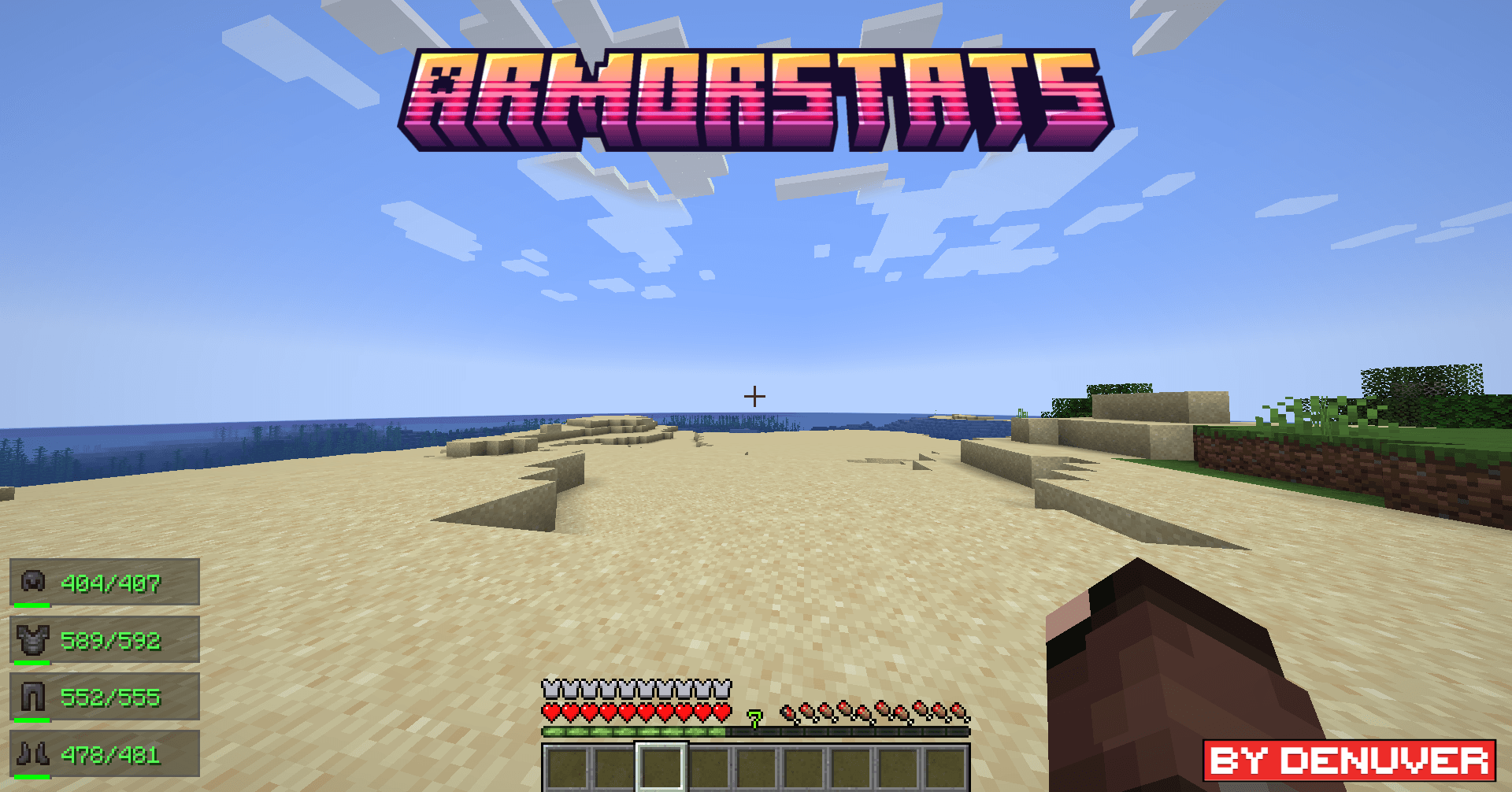
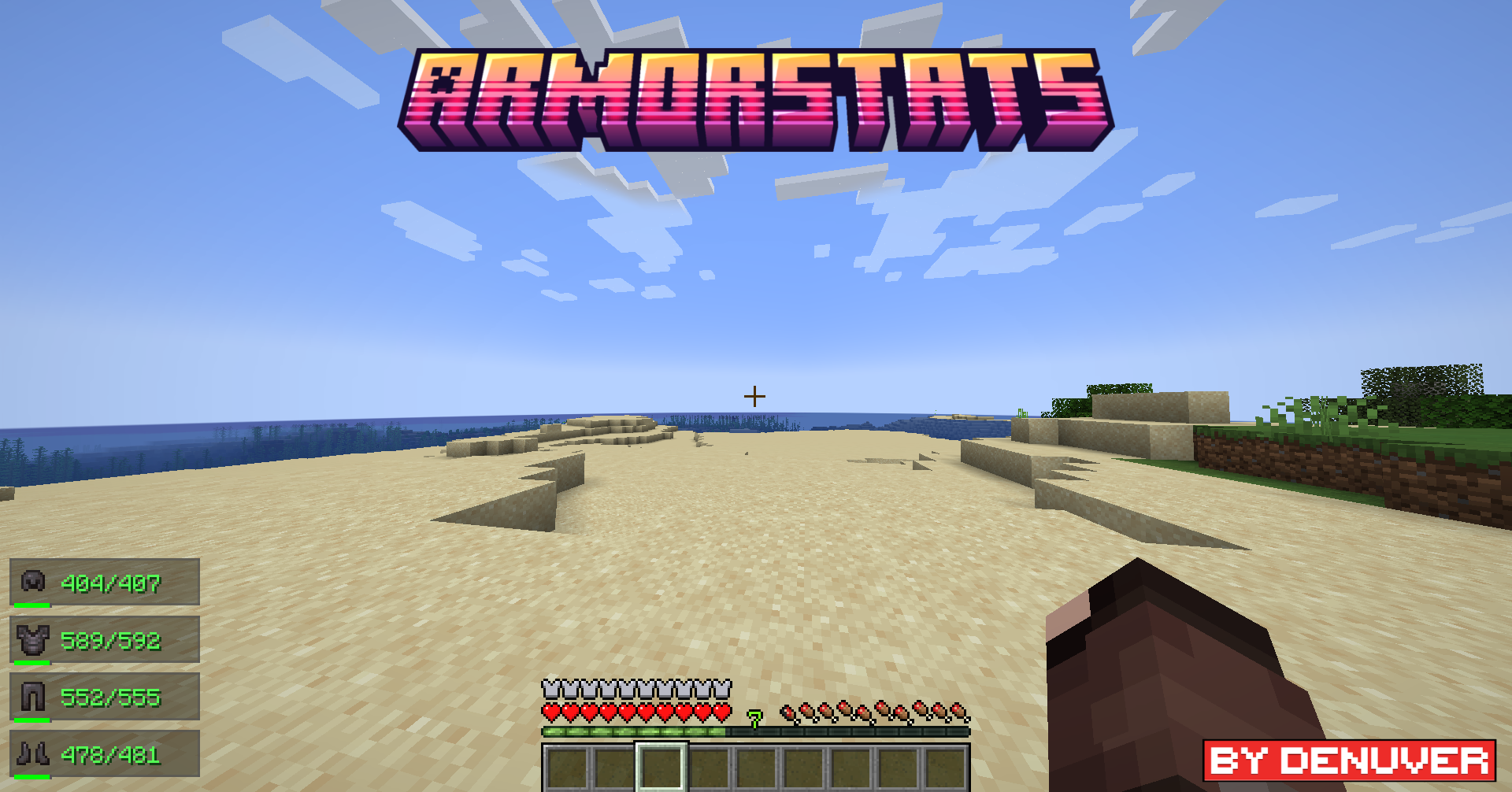
Minecraft mod for pvp 1.20.1+ Shows your armor in left corner with stats
Community voices
Reviews
No reviews yet. Be the first to review this project!
Get it on
Available Platforms
Compatibility
Supported Environments
Runs entirely on the client. Works on vanilla servers.
About
Project Details
For authors
Embed Badge
If you're the author of this project, you can embed a live badge anywhere that supports HTML or Markdown. It updates automatically whenever ratings change.
Use HTML for any page that supports it, or Markdown for README files and Markdown-based descriptions.
Identifiers
Platform IDs
Resources
External Links
About
Description


📊 If you find a BUG please REPORT it in our Discord server!
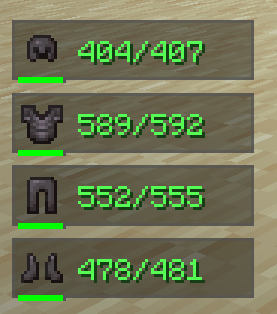
Armor Stats & HUD is a lightweight, all-in-one client-side mod designed to give you real-time visibility over your worn armor and item durability. Never get caught off-guard with broken equipment in the middle of battle or exploration again—without bloat.
⚡ 100% Client-Side: Works on any vanilla or modded server. No server-side installation required!
⚙️ Fully Customizable: Every single feature can be tweaked, toggled, or customized directly in the Minecraft Settings menu!
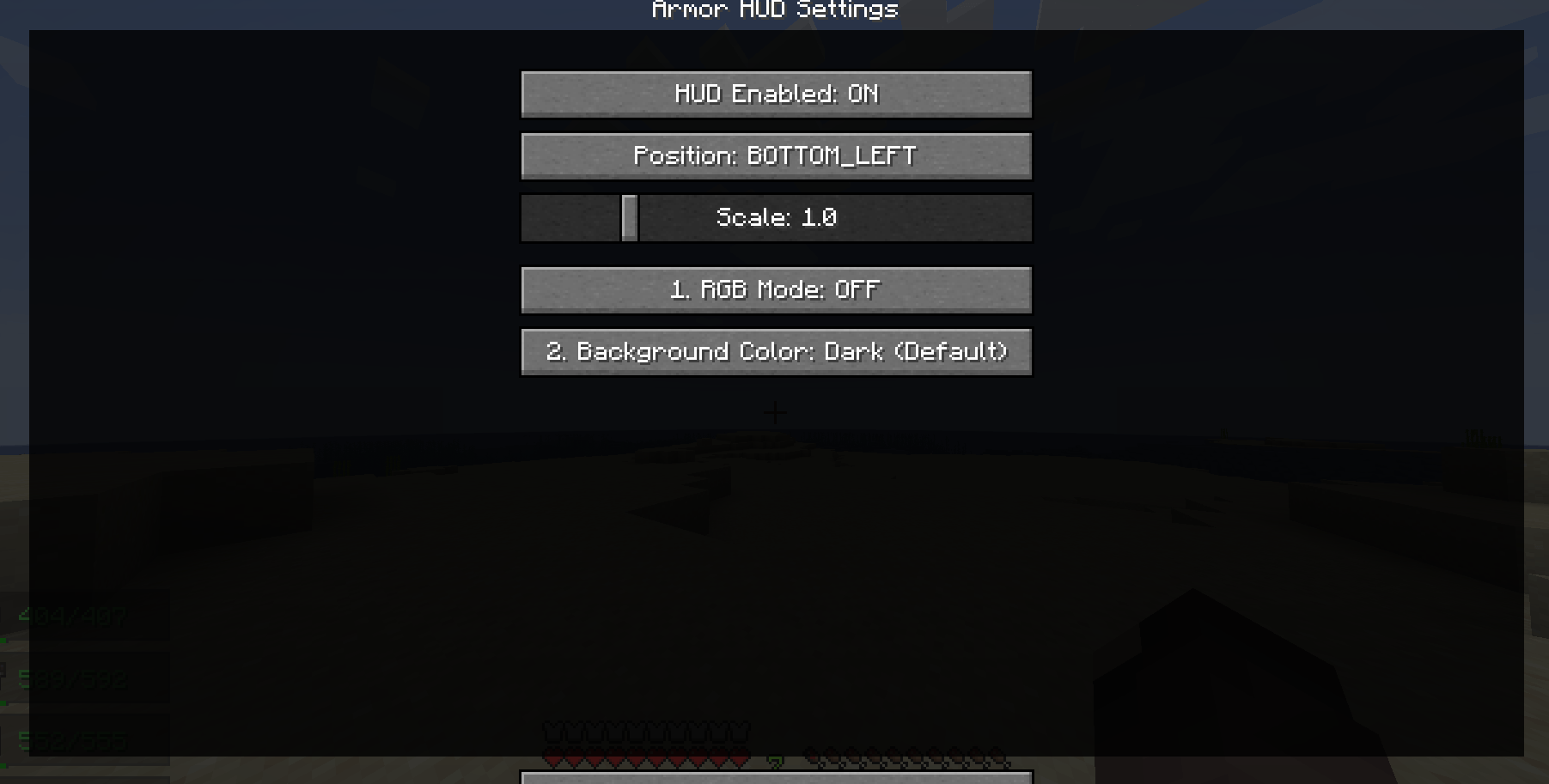
⚙️ Fully Integrated Settings Menu
Don't want a specific position? Want to change background colors, scales, or the smooth RGB mode?
Armor Stats & HUD seamlessly integrates into the native Minecraft options interface. You can adjust or toggle anything on the fly with a single click!
🌟 Features Breakdown
🛡️ HUD & Armor Displays
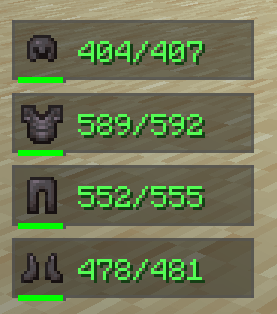
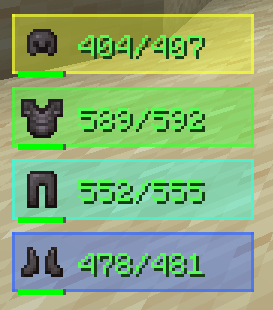
- Real-Time Armor Overlay — Displays your currently equipped armor (Helmet, Chestplate, Leggings, Boots) with smooth entry and exit animations when equipment changes.
- Exact Durability & Percentages — Toggle between exact numeric durability values (
150/450) or simple percentage indicators (33%). - Smart Durability Color Coding — Numeric text dynamically changes color from Green to Yellow and Red as your gear loses durability, giving you instant visual feedback.
- Durability Progress Bar — Includes a mini visual progress bar under each armor piece for quick scanning during intense fights.
🎨 Advanced Background & Visual Styling
- Multiple Background Presets — Choose from a list of clean background options, including Dark (Default), Red, Green, Blue, Purple, or Transparent.
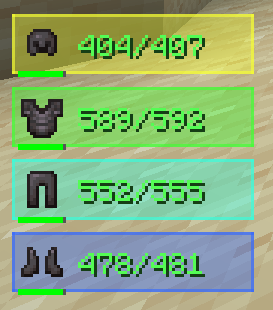
- Smooth RGB Rainbow Mode — Enable the dynamic RGB mode to make your HUD panels seamlessly cycle through a vibrant, fully animated rainbow palette.
- Custom Scale & Offset — Scale the HUD anywhere from
0.5xto3.0xand fine-tune its position with pixel-exact X/Y offsets. - Flexible HUD Positioning — Lock the overlay to any screen corner (Top-Left, Top-Right, Bottom-Left, Bottom-Right, Top-Center, Bottom-Center).
⚡ Performance & Smooth Animations
- Zero Lag Overhead: Written natively using fast GUI rendering pipelines without unnecessary tick bloat.
- Animated Show/Hide: Items smoothly slide in and out of your screen when equipped, unequipped, or broken.
🌟 Created by Denuver

📊 If you find BUG please REPORT in our discord server
Armor Stats & HUD is a lightweight, all-in-one client-side mod designed to give you real-time visibility over your worn armor and item durability. Never get caught off-guard with broken equipment in the middle of battle or exploration again—without bloat.
⚡ 100% Client-Side: Works on any vanilla or modded server. No server-side installation required! ⚙️ Fully Customizable: Every single feature can be tweaked, toggled, or customized directly in the Minecraft Settings menu!
⚙️ Fully Integrated Settings Menu
Don't want a specific position? Want to change background colors, scales, or the smooth RGB mode? Armor Stats & HUD seamlessly integrates into the native Minecraft options interface (via Mod Menu / Cloth Config). You can adjust or toggle anything on the fly with a single click!
🌟 Features Breakdown
🛡️ HUD & Armor Displays
- Real-Time Armor Overlay — Displays your currently equipped armor (Helmet, Chestplate, Leggings, Boots) with smooth entry and exit animations when equipment changes.
- Exact Durability & Percentages — Toggle between exact numeric durability values (
150/450) or simple percentage indicators (33%). - Smart Durability Color Coding — Numeric text dynamically changes color from Green to Yellow and Red as your gear loses durability, giving you instant visual feedback.
- Durability Progress Bar — Includes a mini visual progress bar under each armor piece for quick scanning during intense fights.
🎨 Advanced Background & Visual Styling
- Multiple Background Presets — Choose from a list of clean background options, including Dark (Default), Red, Green, Blue, Purple, or Transparent.
- Smooth RGB Rainbow Mode — Enable the dynamic RGB mode to make your HUD panels seamlessly cycle through a vibrant, fully animated rainbow palette.
- Custom Scale & Offset — Scale the HUD anywhere from
0.5xto3.0xand fine-tune its position with pixel-exact X/Y offsets. - Flexible HUD Positioning — Lock the overlay to any screen corner (Top-Left, Top-Right, Bottom-Left, Bottom-Right, Top-Center, Bottom-Center).
⚡ Performance & Smooth Animations
- Zero Lag Overhead: Written natively using fast GUI rendering pipelines without unnecessary tick bloat.
- Animated Show/Hide: Items smoothly slide in and out of your screen when equipped, unequipped, or broken.
-
🌟 By Denuver
Screenshots
Gallery
-
 430E3BD7-1791-48FD-AE40-D4B418A4E33F.png 430E3BD7-1791-48FD-AE40-D4B418A4E33F.png
 -
 94BA3DF2-0ED5-49E8-99F7-416A1C7692BC.png 94BA3DF2-0ED5-49E8-99F7-416A1C7692BC.png
 -
 17B5ABE7-F752-48E6-868E-DE0C35F6FFD4.png 17B5ABE7-F752-48E6-868E-DE0C35F6FFD4.png
 -
 Ðизайн без названиÑ.png Ðизайн без названиÑ.png
-
 ArmorStats
 -
 RGB Mode
 -
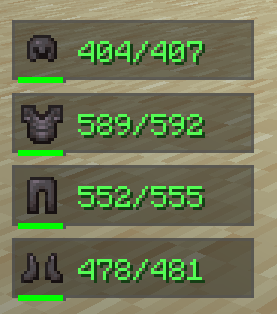 Stats
Stats -
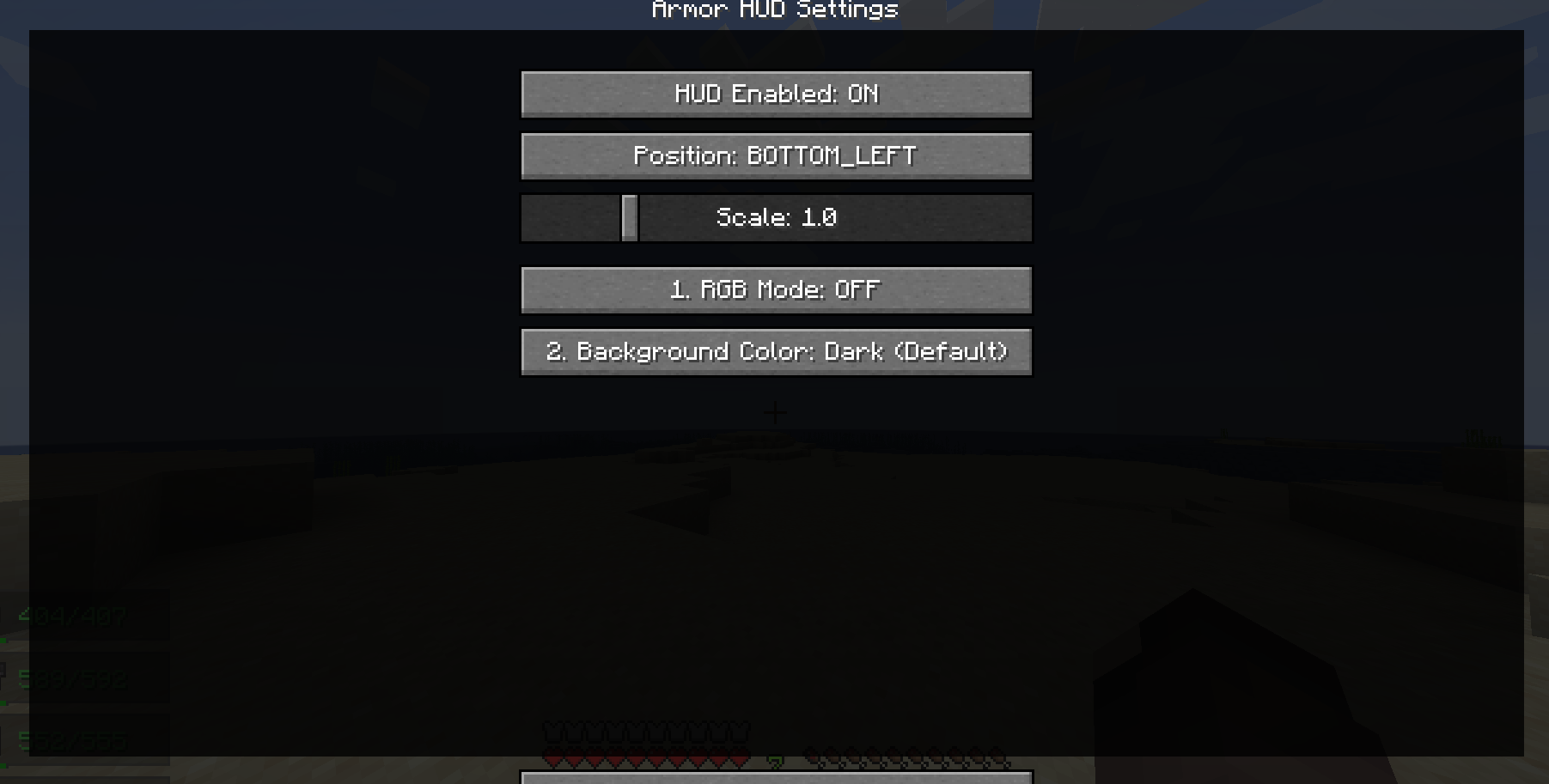 Config
Versions
Files
Relations
Project Relations
More like this
Similar Mods
Suggestions use data such as tags, dependencies, dependents, descriptions, titles, and more to rank how much they overlap with this mod.
On ModDex
Community snapshot
By the numbers
Statistics
Want to reach Minecraft players?
We're looking for a server hosting partner to feature here and other parts of the site. Interested? Send us a message!
Get in touchGet it on
Available Platforms
On ModDex
Community snapshot
By the numbers
Statistics
Resources