
Community listing page, reviews here may not be monitored by the author.

Community voices
Reviews
No reviews yet. Be the first to review this project!
Get it on
Available Platforms
Compatibility
Supported Environments
Runs entirely on the client. Works on vanilla servers.
About
Project Details
For authors
Embed Badge
If you're the author of this project, you can embed a live badge anywhere that supports HTML or Markdown. It updates automatically whenever ratings change.
Use HTML for any page that supports it, or Markdown for README files and Markdown-based descriptions.
Identifiers
Platform IDs
Resources
External Links
About
Description
ArmorStatus v1.0.0
ArmorStatus is a lightweight client-side Fabric mod for Minecraft 1.21.11 that brings detailed, fully customizable durability tracking directly to your HUD. Whether you're
mid-combat or deep in a cave, you'll always know the exact state of your gear before it's too late.
Features
HUD Display
- Shows durability for all four armor pieces (helmet, chestplate, leggings, boots) as well as your main-hand and off-hand items.
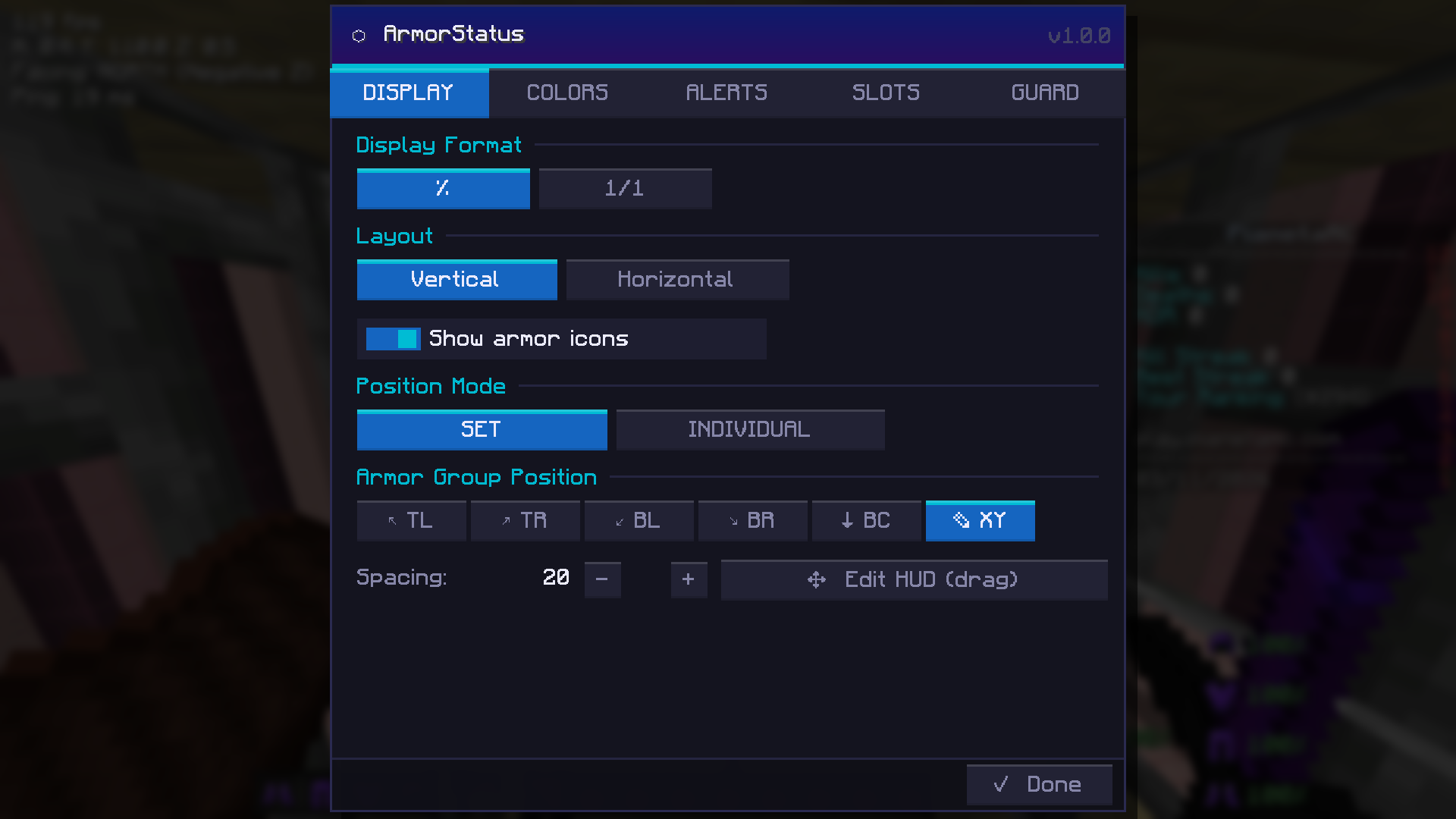
- Choose between percentage display (e.g. 84%) or absolute number display (e.g. 168/200) globally, or configure the format individually per slot.
- Toggle item icons alongside durability values for a cleaner or more informative look.
- Supports both vertical (stacked) and horizontal (side-by-side) layout orientations.
Positioning Modes
- Set Mode: Position all armor slots as a single group and held items as a separate group. Choose from six preset anchor points (top-left, top-right, bottom-left, bottom-right, bottom-center, or custom XY), adjust item spacing, and drag both blocks freely in the HUD editor.
- Individual Mode: Position every single slot independently anywhere on screen, each with its own scale and display format. Full freedom for compact or elaborate HUD layouts.
HUD Editor Screen
- Dedicated drag-and-drop editor for placing HUD elements with pixel precision.
- Live preview of armor and hand displays directly on the game screen.
- Coordinate input fields for exact numerical positioning.
- Resize handles on all draggable blocks for per-element scaling.
- Undo / Redo support (up to 30 history steps, also accessible via Ctrl+Z / Ctrl+Y / Ctrl+Shift+Z).
- Reset to default position and center-on-screen shortcuts.
Color Customization
- Set individual colors for each armor slot and each hand slot.
- Three-tier warning color system: configure separate colors for mid, low, and critical durability thresholds, with adjustable percentage cutoffs per tier.
- Full theme color picker that recolors accent elements and section labels throughout the settings screen.
- Color swatches with a 12-color quick-picker popup.
Alert System
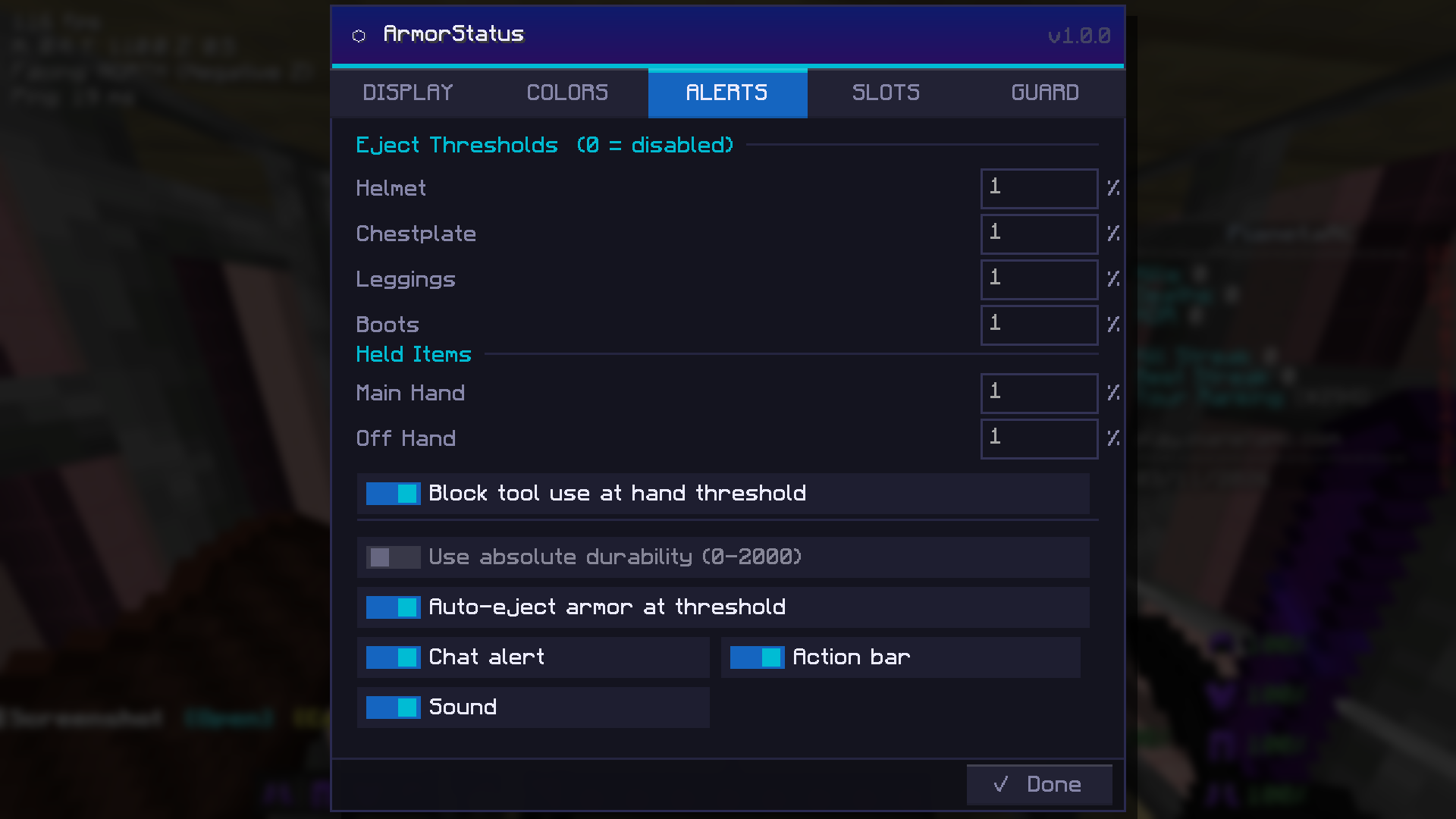
- Per-slot durability thresholds for all armor pieces and held items, configurable in either percentage or absolute durability values.
- Alert delivery options: chat message, action bar, and sound.
- Auto-eject: automatically moves a piece of armor to your inventory when it reaches the critical threshold, preventing it from breaking while equipped.
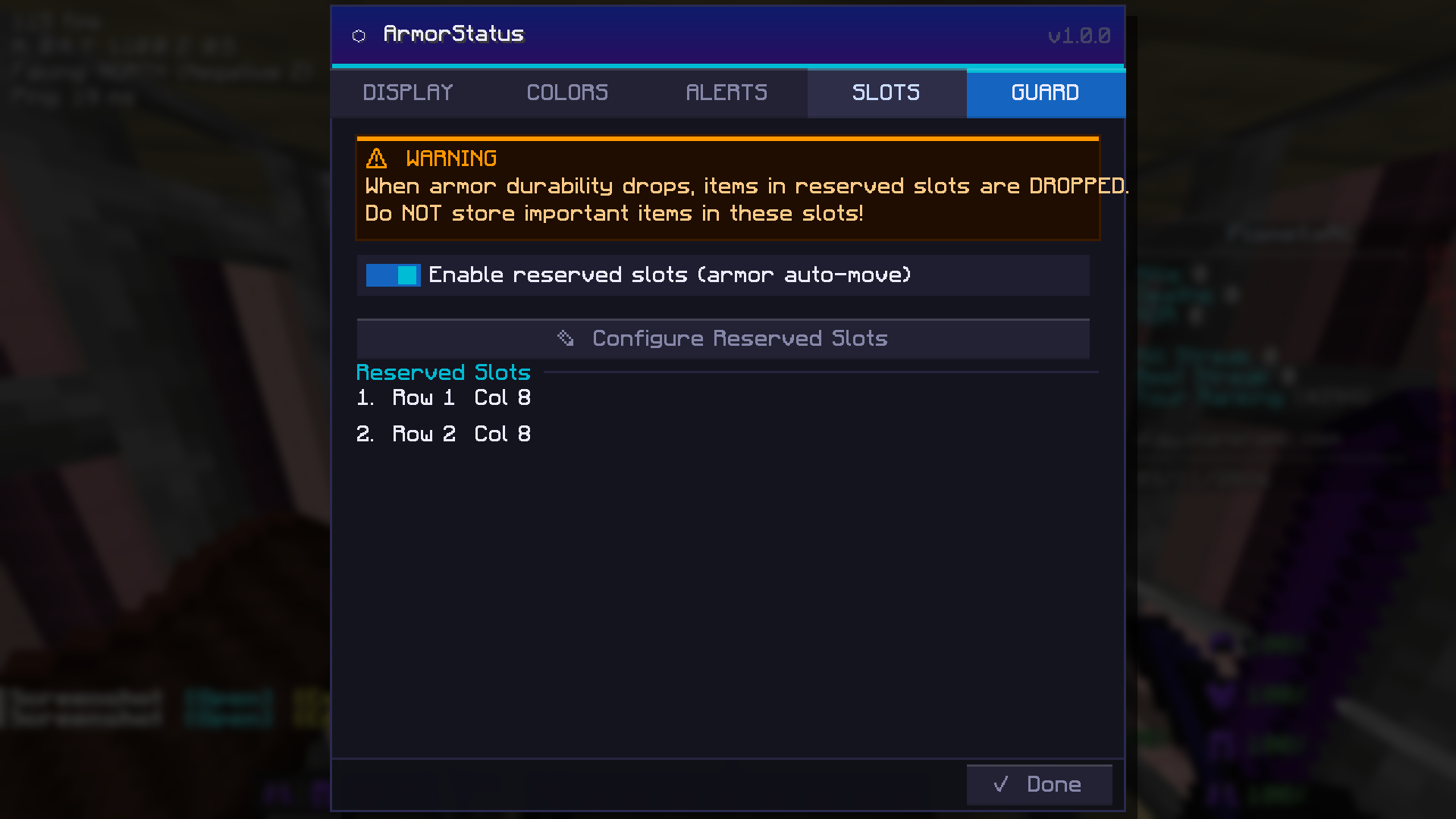
- Tool Guard: blocks tool slots from being accidentally overwritten by auto-eject or other item management actions.
Slot Visibility
- Toggle visibility for each slot individually — hide slots you don't care about to keep your HUD minimal.
- Per-slot format override in Individual positioning mode.
Mending Integration
- Dedicated mending indicator: shows a visual cue on the HUD when a piece of gear has the Mending enchantment and is ready to absorb XP.
- Mending alert: plays a notification when a mendable item drops below a configurable durability threshold, reminding you to collect XP before it breaks.
- Mending HUD alert overlay: a draggable, repositionable on-screen alert box that highlights which items need mending attention.
- The mending alert block is fully positionable from the same HUD editor as the main display.
Tool Guard (Reserved Slots)
- Designate up to 6 inventory slots as "reserved" to prevent the mod's auto-management features from placing items there.
- Visual slot picker screen shows your live inventory with item icons, color-coded selection badges, and a running count.
Settings Screen
- Full tabbed configuration UI accessible via ModMenu or the in-game keybind.
- Six tabs: Display, Colors, Alerts, Slots, Guard, Mending — all settings are persisted automatically.
- Consistent dark theme with accent color theming throughout.
Bug Fixes & Polish
- Responsive layout: The settings panel and HUD editor toolbar now correctly adapt to all window sizes and GUI scale settings. The settings panel is clamped to the visible screen area so it no longer clips off-screen on smaller windows. The HUD editor's bottom toolbar buttons are anchored relative to the screen width, preventing overlap on narrower displays.
Screenshots
Gallery
Versions
Files
Relations
Project Relations
More like this
Similar Mods
Suggestions use data such as tags, dependencies, dependents, descriptions, titles, and more to rank how much they overlap with this mod.
On ModDex
Community snapshot
By the numbers
Statistics

Want to reach Minecraft players?
We're looking for a server hosting partner to feature here and other parts of the site. Interested? Send us a message!
Get in touchGet it on
Available Platforms
On ModDex
Community snapshot
By the numbers
Statistics
Resources