Community listing page, reviews here may not be monitored by the author.
Aspect Camera

No reviews yet
A client-side Fabric camera tool with aspect frames, filters, depth-of-field, horizon guide, and clean screenshot capture.
Community voices
Reviews
No reviews yet. Be the first to review this project!
Get it on
Available Platforms
About
Project Details
For authors
Embed Badge
If you're the author of this project, you can embed a live badge anywhere that supports HTML or Markdown. It updates automatically whenever ratings change.
Use HTML for any page that supports it, or Markdown for README files and Markdown-based descriptions.
Identifiers
Platform IDs
Resources
External Links
About
Description
Compose, preview, and capture cinematic Minecraft screenshots with aspect frames, depth-of-field blur, filters, and a clean horizon guide.
# Aspect Camera
Aspect Camera is a client-side Fabric mod that adds a clean photography workflow to Minecraft.
It provides adjustable aspect-ratio frames, screenshot capture, visual guides, filters, depth-of-field blur, a horizon guide, and camera-friendly HUD controls.
The mod is designed for players who want to compose screenshots more carefully without leaving the game.
## Features
### Aspect Ratio Frames
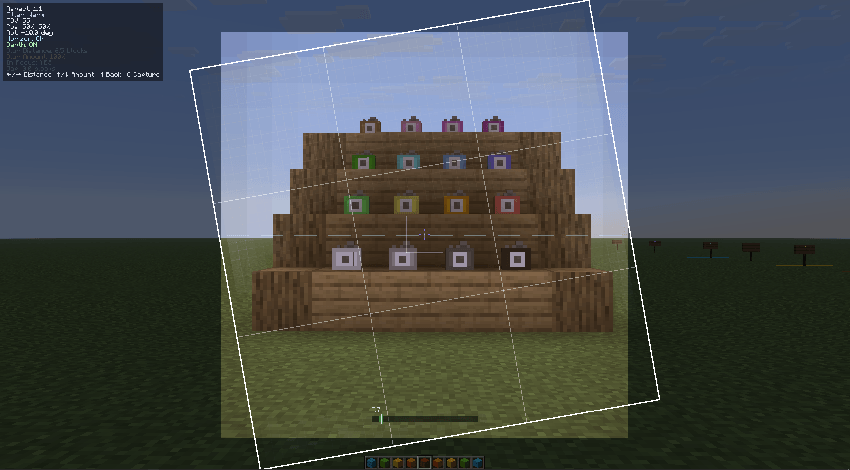
Aspect Camera lets you compose screenshots using common aspect ratios.
Supported frame styles include:
- 1:1 square shots
- 16:9 landscape shots
- 9:16 vertical shots
- Custom frame positioning
- Frame rotation
- Darkened outside area
- Optional border
- Optional rule-of-thirds guide
This makes it easier to line up builds, characters, landscapes, and cinematic shots before capturing the final image.
### C Key Screenshot Capture
Pressing the capture key saves an image using the active Aspect Camera frame.
The saved screenshot can include:
- The selected aspect ratio
- Frame rotation
- Filters
- Depth-of-field blur
- Clean cropped output
This is useful when you want the final saved image to match the composition you see on screen.
### Depth-of-Field Blur
Aspect Camera includes a distance-based depth-of-field mode.
You can control:
- Blur Distance
- Blur Amount
- Focus Overlay
- Depth Map Quality
- Capture Quality
The blur is based on distance, not screen height, so objects near the selected focus distance stay sharp while objects in front of or behind that distance become blurred.
This is useful for:
- Character screenshots
- Build photography
- Cinematic backgrounds
- Focused subject shots
- Third-person camera scenes
### Third-Person Player Auto Focus
When enabled, Aspect Camera can automatically focus on the player in third-person view.
This helps keep the player sharp while softly blurring the background and foreground.
It supports:
- Third-person back view
- Third-person front view
- Manual focus distance when auto focus is disabled
### Horizon Guide
The horizon guide helps keep screenshots level and clean.
It is designed to stay subtle and out of the way while still giving a useful reference line for composition.
### Filters
Aspect Camera includes simple visual filters that can be applied while composing and capturing screenshots.
Filters are optional and can be enabled or disabled depending on the style of the shot.
### HUD Controls
The in-game HUD shows the current camera settings in a compact way.
It can display information such as:
- Current aspect ratio
- FOV
- Frame position
- Frame rotation
- Filter
- Depth-of-field status
- Blur Distance
- Blur Amount
- Horizon Guide status
The HUD is color-coded to make important values easier to read while adjusting the camera.
## Usage
Default controls can be changed from Minecraft's Controls screen.
Common controls include:
- C: Capture screenshot
- M: Toggle depth-of-field mode
- X: Toggle horizon guide
- Arrow keys: Adjust depth-of-field settings or frame settings depending on the current mode
Some keys may behave differently depending on whether depth-of-field mode is active.
## Client-Side Only
Aspect Camera is a client-side mod.
It does not need to be installed on a server.
You can use it in singleplayer or on multiplayer servers as long as client-side visual mods are allowed.
## Configuration
Aspect Camera saves its settings to:
`config/aspectcamera.json`
The config includes options for:
- Aspect frame behavior
- Capture options
- Filters
- Depth-of-field settings
- HUD display
- Advanced capture quality settings
- Third-person player auto focus
## Compatibility
Aspect Camera is built for:
- Minecraft Java Edition
- Fabric Loader
- Fabric API
- Java 25
## Notes
This mod is focused on screenshot composition and client-side visual capture.
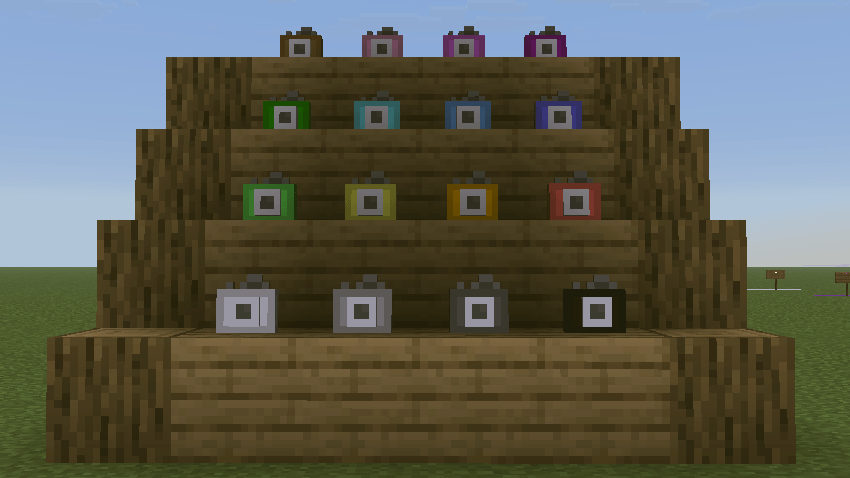
It does not add new blocks, items, entities, or server-side gameplay mechanics.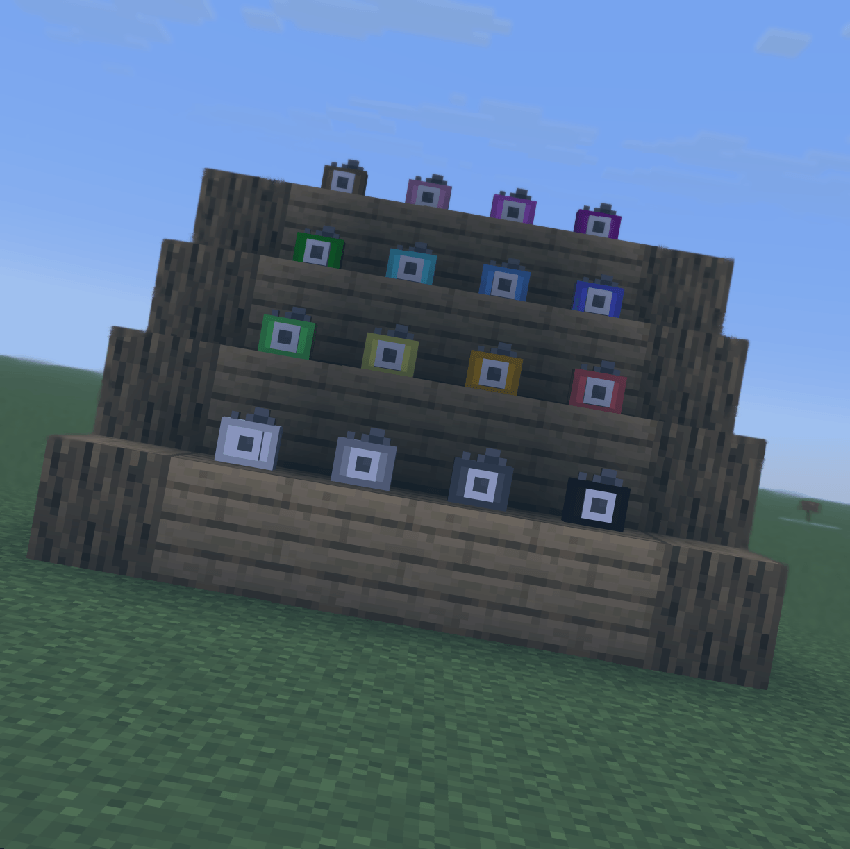
Screenshots
Gallery
Versions
Files
Relations
Project Relations
More like this
Similar Mods
Suggestions use data such as tags, dependencies, dependents, descriptions, titles, and more to rank how much they overlap with this mod.
On ModDex
Community snapshot
By the numbers
Statistics
Want to reach Minecraft players?
We're looking for a server hosting partner to feature here and other parts of the site. Interested? Send us a message!
Get in touchGet it on
Available Platforms
On ModDex
Community snapshot
By the numbers
Statistics
Resources