Community listing page, reviews here may not be monitored by the author.
Assorted Displays


No reviews yet
Adds display cases to show off your items, the museum display case, the resizing tool and the cage.

Community voices
Reviews
No reviews yet. Be the first to review this project!
Get it on
Available Platforms
Compatibility
Supported Environments
Must be installed on both the client and the server.
About
Project Details
For authors
Embed Badge
If you're the author of this project, you can embed a live badge anywhere that supports HTML or Markdown. It updates automatically whenever ratings change.
Use HTML for any page that supports it, or Markdown for README files and Markdown-based descriptions.
Identifiers
Platform IDs
About
Description
Assorted Displays
Adds display cases for showing off your items. They come in wood, stone, copper, iron, gold and diamond, and there's a two block tall museum case and a cage that shows off a mob.
Display cases
- Right click the spot you want an item to sit in, and right click it again with an empty hand to take it back.
- A case starts out showing one item drawn large. The resizing tool grows it to four items, then nine, then back to one.
- Copper cases weather like any other copper and keep their items through every stage. Scrape them with an axe or wax them with honeycomb.
- Breaking a case drops what's in it, and a comparator reads how full it is.
Museum display case
- Two blocks tall, with a carpeted plinth under the glass.
- The plinth has a placard. Name the case on an anvil before placing it, or use a name tag on the plinth.
Cage
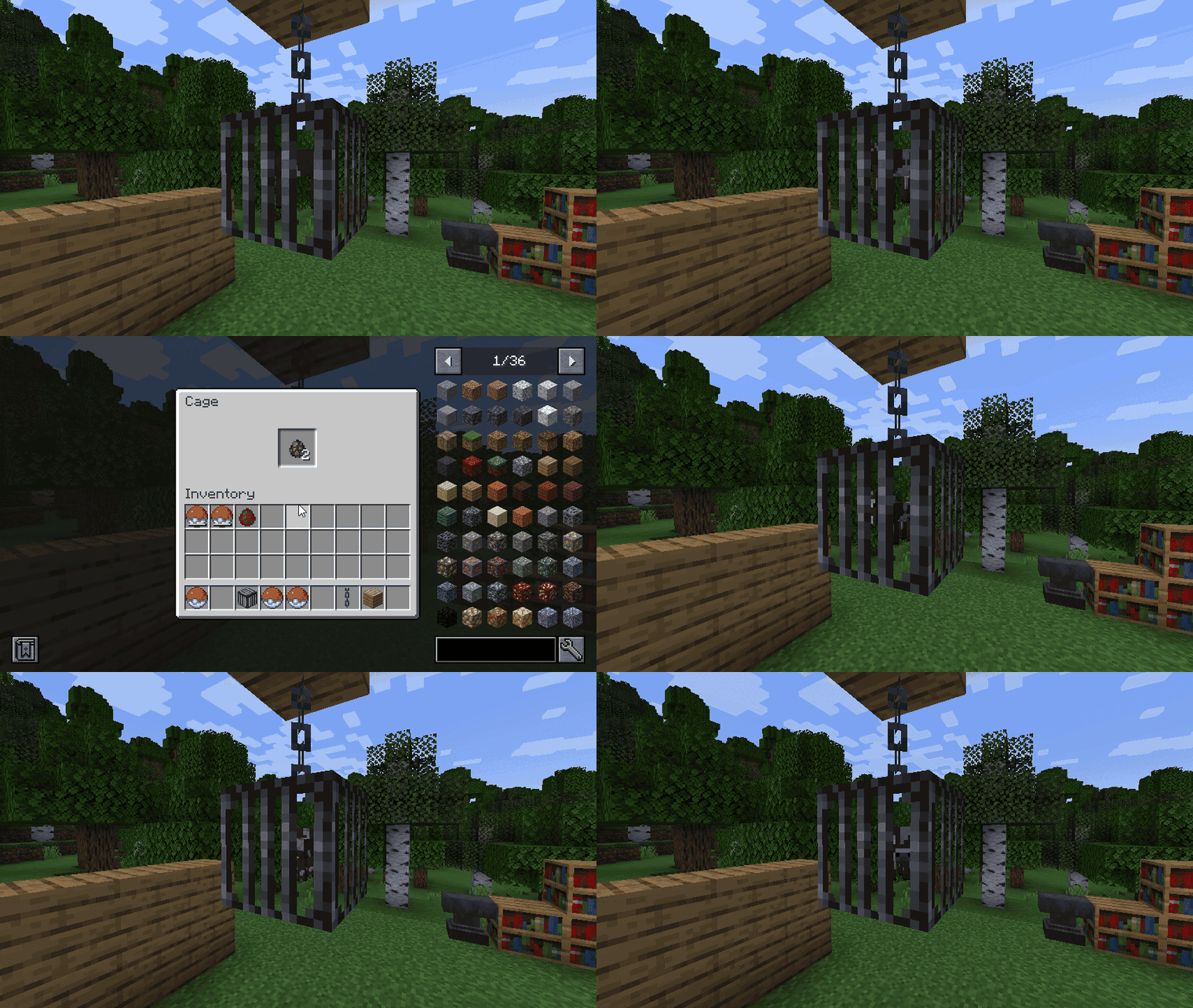
- Put a spawn egg in a cage and the mob slowly spins inside it.
- A pokeball from Assorted Pokeball works too, and shows the exact mob you caught, babies and variants included.
- How fast it spins is set by
cage.cageSpinModin theassorteddisplays-clientconfig file.
Updating from Assorted Decor 11.x
Worlds made with Assorted Decor 11.x keep everything when you switch to this mod. Don't install it beside Assorted Decor 11.x.
Requirements
- Assorted Lib
- NeoForge, or Fabric Loader with Fabric API
Displays also comes in Assorted Decor with the other Decor mods, if you'd rather have them all in one download.
More
The full guide with recipes is at assortedmods.com. It's also in the game, in the Instruction Manual from Assorted Lib.
Found a bug? Report it on GitHub.
Assorted Displays
Adds display cases for showing off your items. They come in wood, stone, copper, iron, gold and diamond, and there's a two block tall museum case and a cage that shows off a mob.

Display cases
- Right click the spot you want an item to sit in, and right click it again with an empty hand to take it back.
- A case starts out showing one item drawn large. The resizing tool grows it to four items, then nine, then back to one.
- Copper cases weather like any other copper and keep their items through every stage. Scrape them with an axe or wax them with honeycomb.
- Breaking a case drops what's in it, and a comparator reads how full it is.
Museum display case
- Two blocks tall, with a carpeted plinth under the glass.
- The plinth has a placard. Name the case on an anvil before placing it, or use a name tag on the plinth.
Cage
- Put a spawn egg in a cage and the mob slowly spins inside it.
- A pokeball from Assorted Pokeball works too, and shows the exact mob you caught, babies and variants included.
- How fast it spins is set by
cage.cageSpinModin theassorteddisplays-clientconfig file.
Updating from Assorted Decor 11.x
Worlds made with Assorted Decor 11.x keep everything when you switch to this mod. Don't install it beside Assorted Decor 11.x.
Requirements
- Assorted Lib
- NeoForge, or Fabric Loader with Fabric API
Displays also comes in Assorted Decor with the other Decor mods, if you'd rather have them all in one download.
More
The full guide with recipes is at assortedmods.com. It's also in the game, in the Instruction Manual from Assorted Lib.
Found a bug? Report it on GitHub.
Screenshots
Gallery
-
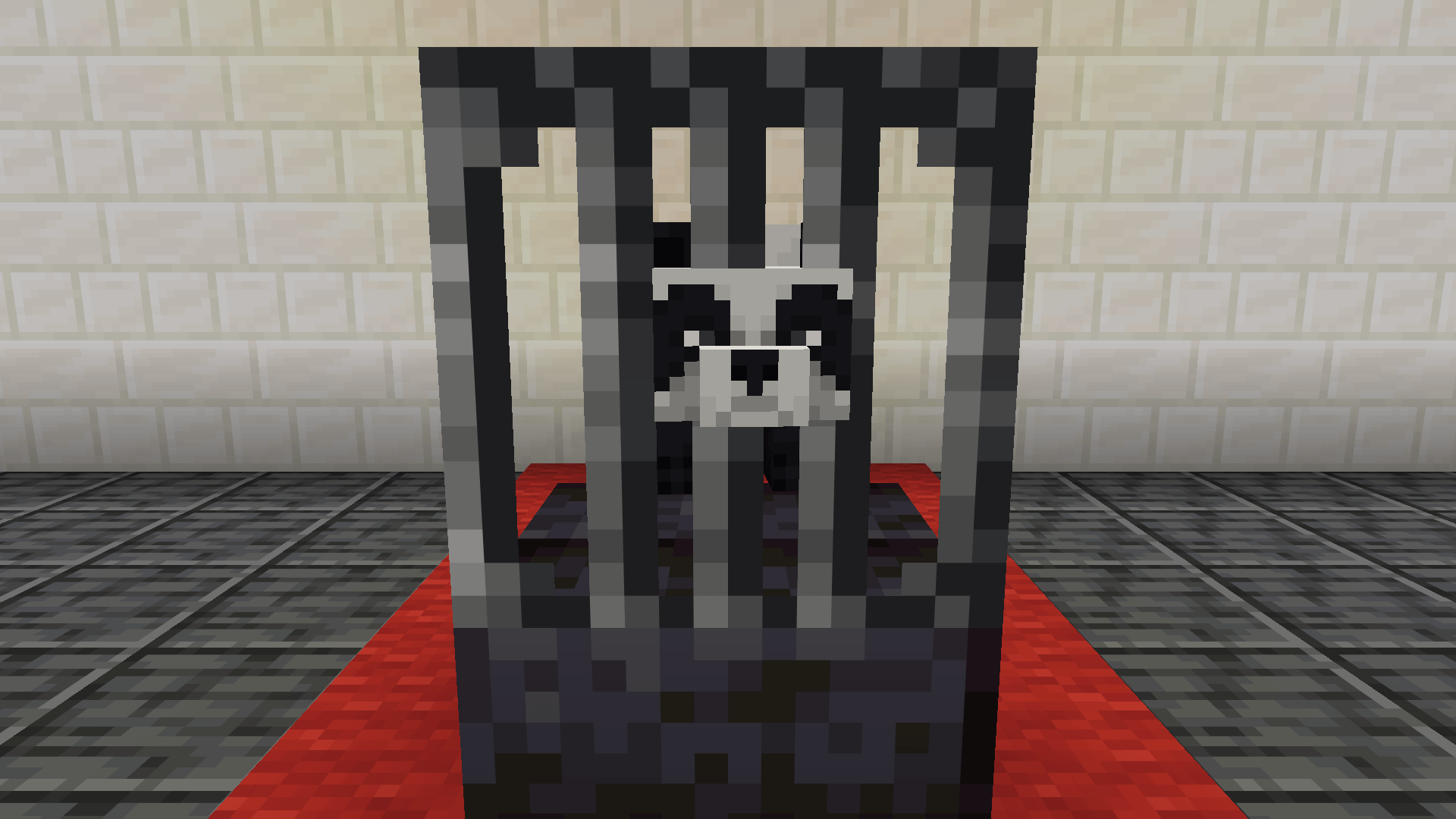 Cage A panda on show in a cage, put there with a spawn egg.
 -
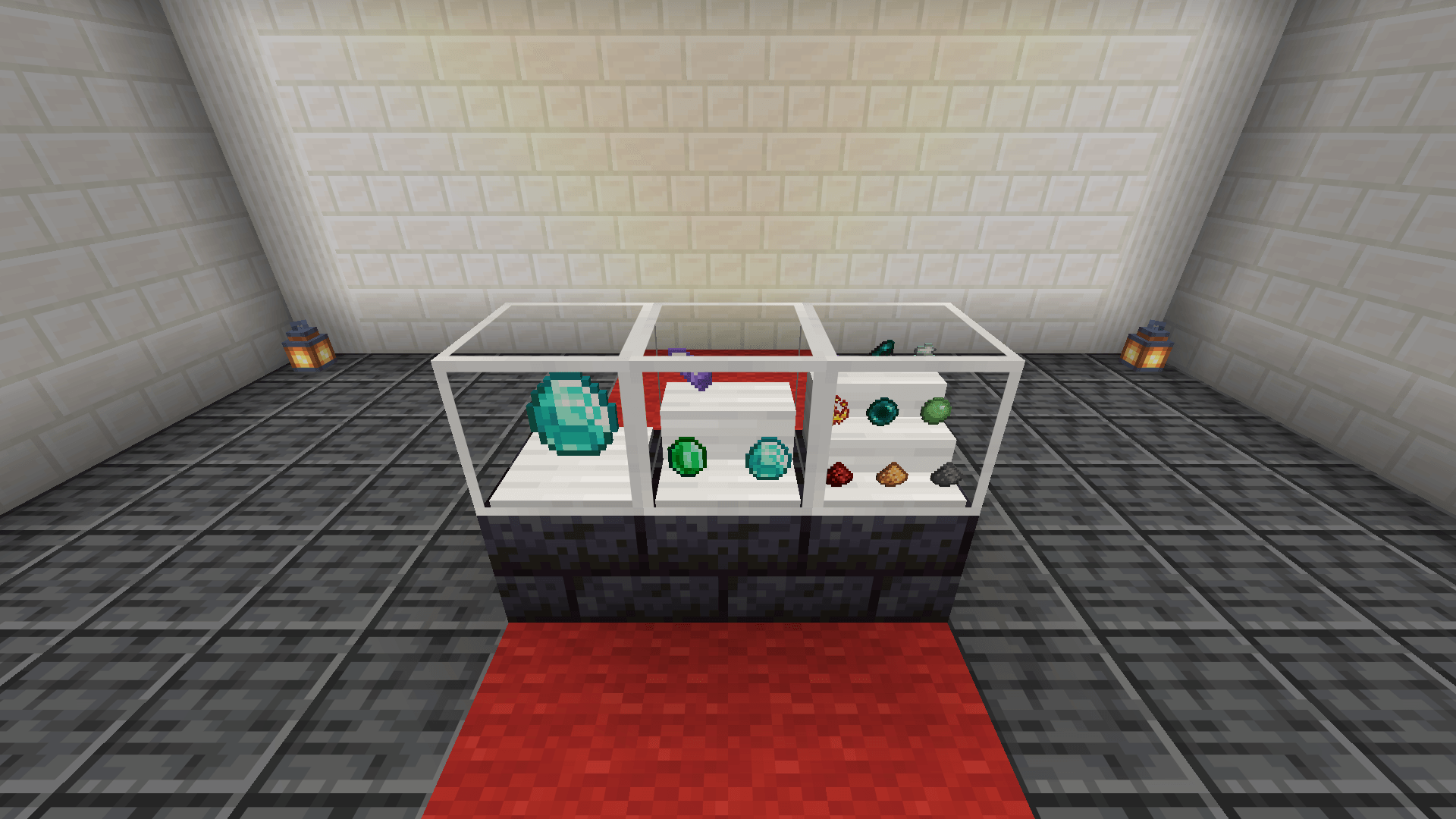 Case Sizes The resizing tool sets a case to one large item, four or nine.
 -
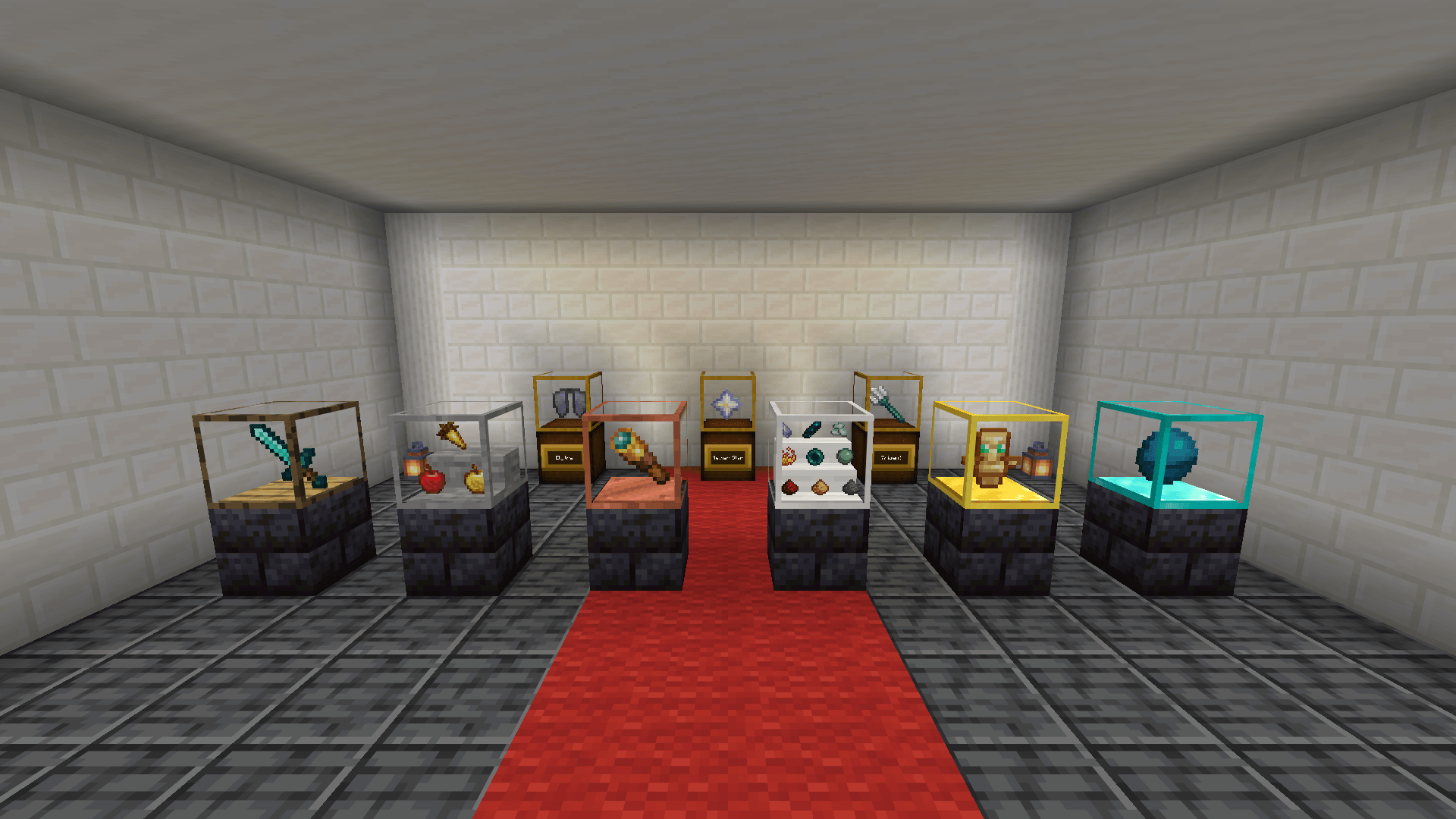 Museum Museum cases with named placards at the back, and a display case in wood, stone, copper, iron, gold and diamond in front.
-
 Museum Museum cases with named placards at the back, and a display case in wood, stone, copper, iron, gold and diamond in front.
 -
 Case Sizes The resizing tool sets a case to one large item, four or nine.
 -
 Cage A panda on show in a cage, put there with a spawn egg.
Versions
Files
Relations
Project Relations
More like this
Similar Mods
Suggestions use data such as tags, dependencies, dependents, descriptions, titles, and more to rank how much they overlap with this mod.
On ModDex
Community snapshot
By the numbers
Statistics
 (opens in a new tab)
Get it on
Available Platforms
On ModDex
Community snapshot
By the numbers