Community listing page, reviews may not be monitored by the author.


Community voices
Reviews
No reviews yet. Be the first to review this project!
Get it on
Available Platforms
About
Project Details
For authors
Embed Badge
If you're the author of this project, you can embed a live badge anywhere that supports HTML or Markdown. It updates automatically whenever ratings change.
Use HTML for any page that supports it, or Markdown for README files and Markdown-based descriptions.
Identifiers
Platform IDs
Resources
External Links
About
Description
AstroGUI: Reborn – Fly, Repair, and 70+ Cheats, Revamped!
80K+ Downloads Reimagined – The Ultimate Cheat Menu is BACK!
What is it?
AstroGUI:Reborn is an advanced and simple to use, personal Utility and CheatGUI for your minecraft world. Easy to use, completely remade. With over 7 Unique Menus, 20+ Sub-Menus, 150+ cheats (each button giving a different effect, like flying in survival mode, Ore-Warp, Auto-kill, Auto-heal, Auto-feed, custom gamemodes, and hundreds of more.) and with more cheats coming in later updates. Now available for 1.21.4 NeoForge. Forge support coming later.
What’s New?
Fly Anywhere: Soar like in creative mode,
Repair Everything: Fix gear in one click—no anvil needed.
See-Through GUI: Sleek, clean, and packed with 70+ cheats.
Totally Rebuilt: Almost no bugs, no clutter, just fun.
AstroGUI: Reborn—a complete overhaul with a fresh interface, fused buttons,
and more cheats than ever. Solo and LAN, this is your Minecraft playground. Ready to cheat smarter and spice up your game?
How to Get It?
Download: Click on the download button above or visit my curseforge page. And download the newest version. (NeoForge version 1.21.4).
Install: Drop it in your ".minecraft/mods" folder.
Launch: Start Minecraft with Neoforge/Forge installed. Done!
How to Use It?
Open the Menu: Hit the "0" button above your TAB or below your "ESC" and if the menu doesn't open. Set up your
own Key-bindings by going to your controls and scrolling way down till you find the Utility Menus keybinding. It should be titled "AstroGUI:Reborn". —bam, cheats at your fingertips.
Fly: Toggle it on, and fly anywhere.
Repair: Select it, fix your gear instantly.
Explore: Dig into 70+ options—simple, fast, fun.
Why AstroGUI:Reborn?
Almost no Bugs, Rewritten from scratch.
Easy and fast to install, Simple to use with more advanced features and options.
Works on servers: Troll friends or rule solo.
More Coming: New cheats coming in future updates!! stay tuned!
Any Questions? Comment below—I’ve got you. Let’s cheat the fun way!!
Note:
Made easier to download, going to curseforge is now an option. You can download it here directly by clicking the download button above.
In the next update i will focus more on trying to get the mod available on multiple versions. Not just the recent one. But older ones. My desire is
to go as late as 1.19.2, perhabs if many desire it, i can go lower. Maybe the popular modding versions like 1.12.2. But this is all talk for now.
If you encounter any bugs report it in the comments.
Beginner Guide
Welcome to the beginner guide. This will be a quick tutorial on how to use the menu. And what to do if you encounter any obstacles.
Setting up the key-bindings takes priority the most. And after that is done, you should successfully see a dark menu open that consists of 8 unique menus.
If you hover over the buttons, a description comes up. Explaining where it leads too. Or what it does. This is the case for most of the buttons in the menu, that don't have a self-explaining name. For this little beginner guide. We will be trying to duplicate, max out, and randomize a grass block.
Search for the "Items" unique tab. Hover over it, click on it. There are more than 20+ sub-menus, that consist of cheats, or menus that lead you to cheats. This is one of them. To duplicate, max out, and randomize a block. We'll have to click on the "duplicate" menu. After clicking on the button. You'll find yourself with a small menu. Consisting of 4 cheats. To duplicate, to max out, to randomize, and give yourself your desired amount of items. For this. We'll use a grass block. Hold your desired item, in this case a grass block. In your main-hand. And click on the corresponding button to activate its effect. Duplicate it, max it out, randomize it, or even give yourself your desire amount.
Simple, right? for this beginner guide. I will be sending you to this youtube video. That will quietly. But quickly, showcase this exact beginner's guide.
For the beginner guide tutorial video. Please open this link. "https://youtu.be/gP9GcecLtf8"
Thank you for reading through and have a blessed time.
Screenshots
Gallery
-
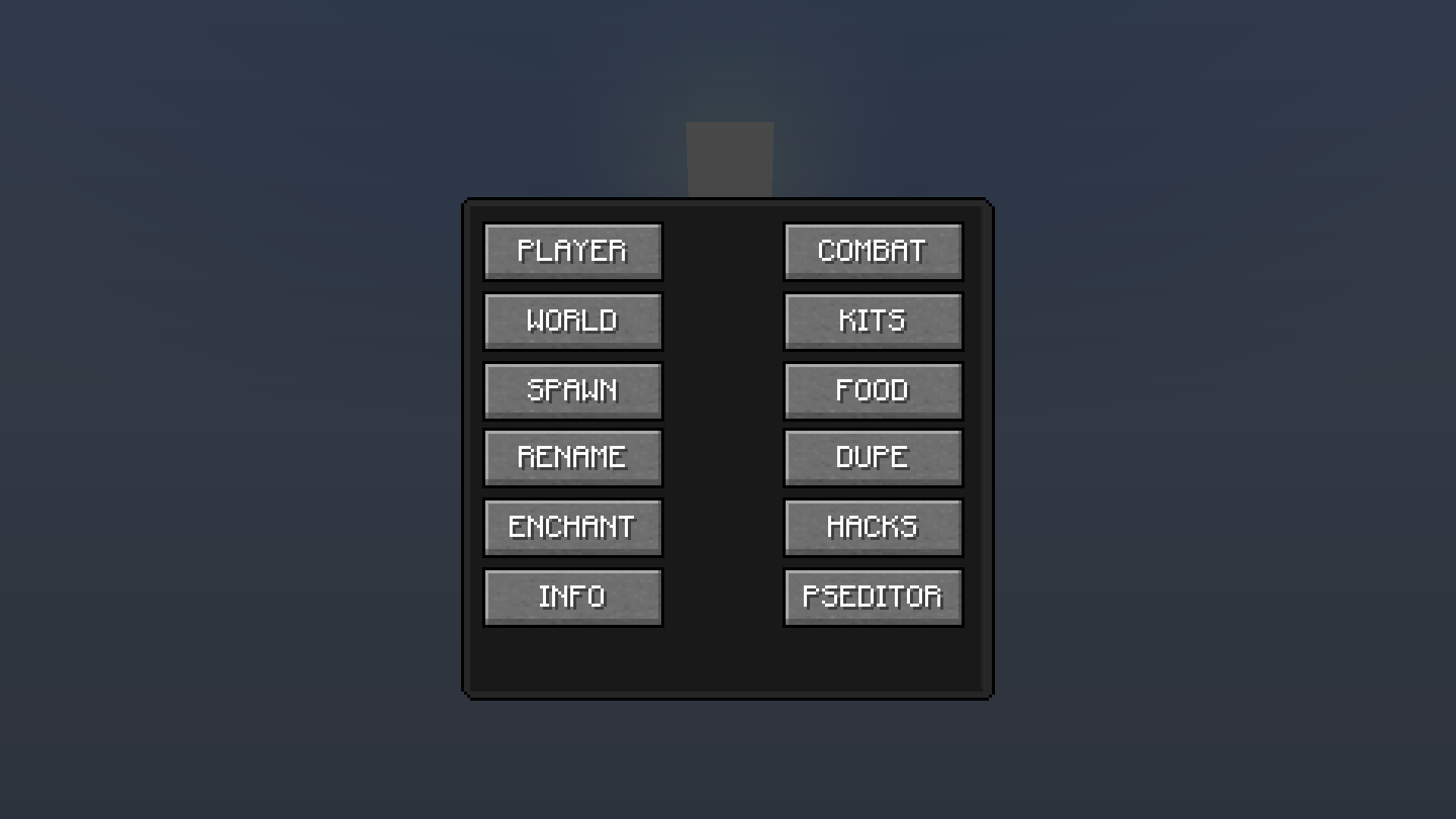 Main Menu (V2.4.6) Main Menu
Versions
Files
Relations
Project Relations
More like this
Similar Mods
Suggestions use data such as tags, dependencies, dependents, descriptions, titles, and more to rank how much they overlap with this mod.
On ModDex
Community snapshot
By the numbers
Statistics

Get it on
Available Platforms
On ModDex
Community snapshot
By the numbers
Statistics
Resources