
Community listing page, reviews here may not be monitored by the author.
AtlasSync: Server World Map

No reviews yet
A highly efficient, server-authoritative world map featuring real-time client synchronization, interactive waypoints, structure tracking, cave mapping, and universal mod compatibility.
Community voices
Reviews
No reviews yet. Be the first to review this project!
Get it on
Available Platforms
About
Project Details
For authors
Embed Badge
If you're the author of this project, you can embed a live badge anywhere that supports HTML or Markdown. It updates automatically whenever ratings change.
Use HTML for any page that supports it, or Markdown for README files and Markdown-based descriptions.
Identifiers
Platform IDs
Resources
External Links
About
Description
version 2.0.0 is coming tomorrow or in two days here are the changes:
1. biome names are more accurate and the namespace of the biomes and structure are now displayed.
2. the player layer now is brighter and uses the surface renderer, also base structure bans are now more dynamic to capture custom mods stronghold and others, fixed the copy coords including the comma.
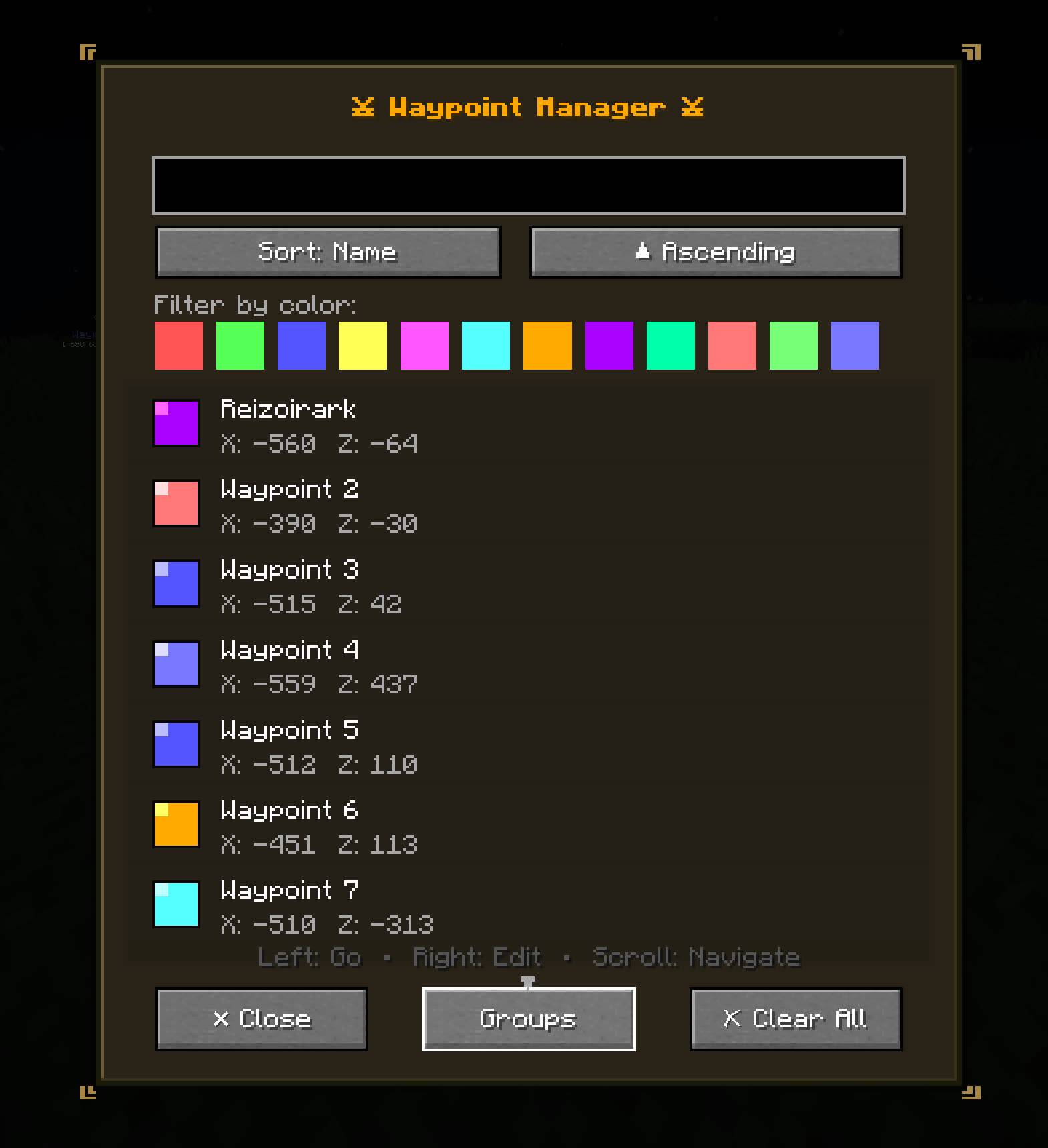
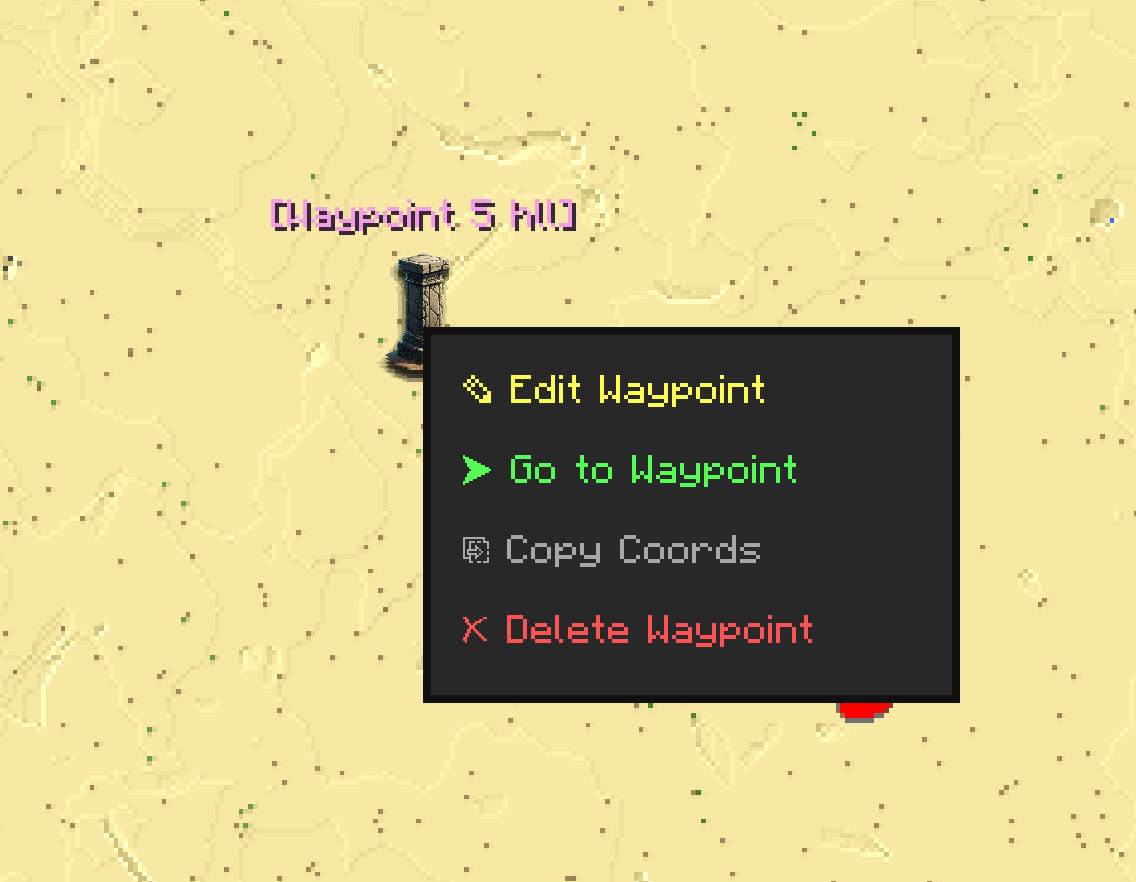
3. reworked the Waypoints screen to be more useful and usable in terms of UI and deleting waypoints are easier now.
4. now you can toggle if any explored structure to be marked explored for all of that ID across the map.
5. added a new screen Progress, its a new tab inside the waypoint screen it tells you all about your structure exploration progress including dimension based as well, here will know how many types of structures your mudpack includes and how many you have discovered or explored.
6. fixed performance of the map with heavy modded modpacks having too many structures, the Map renderer performance is improved in general way better than before.
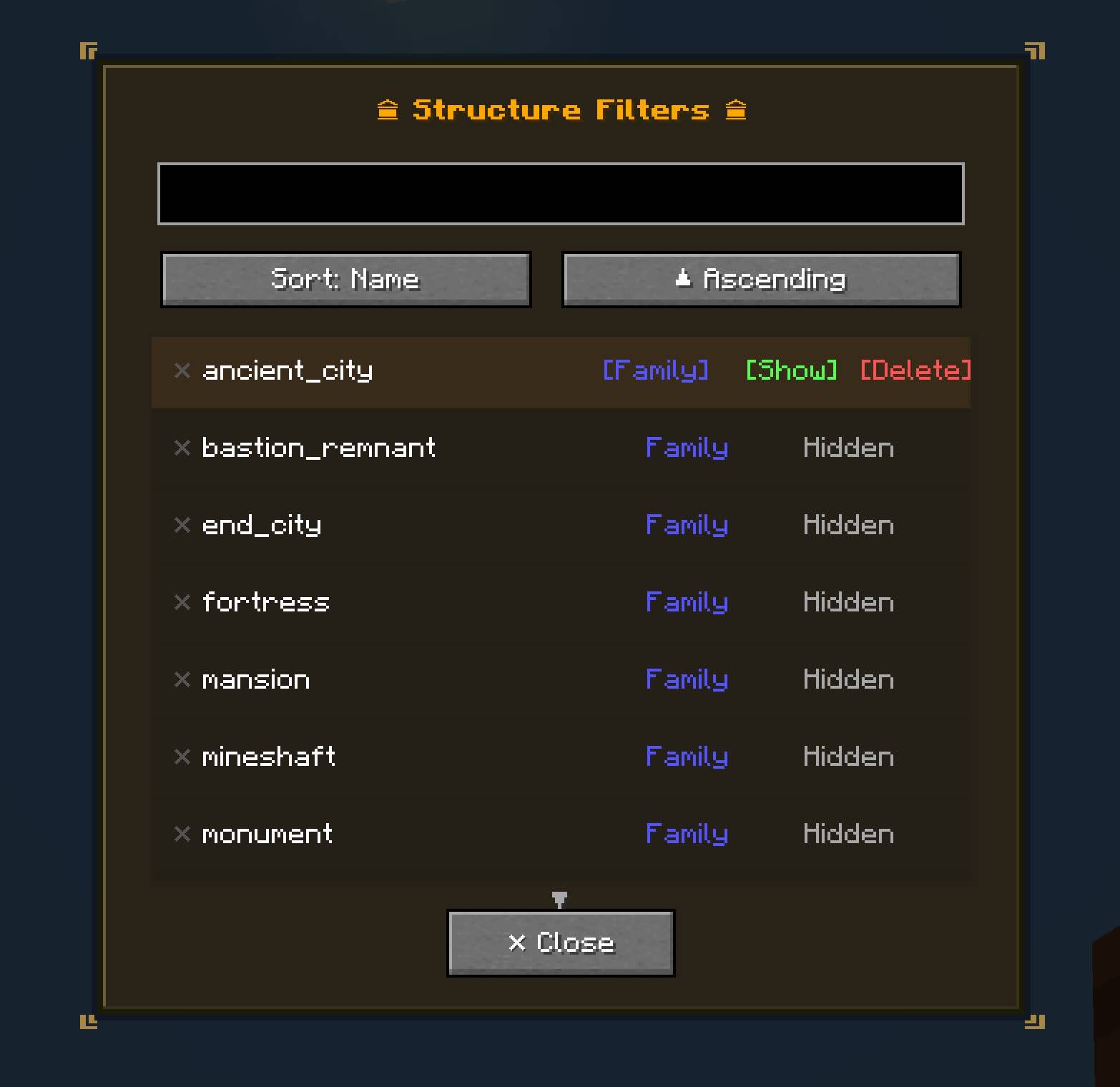
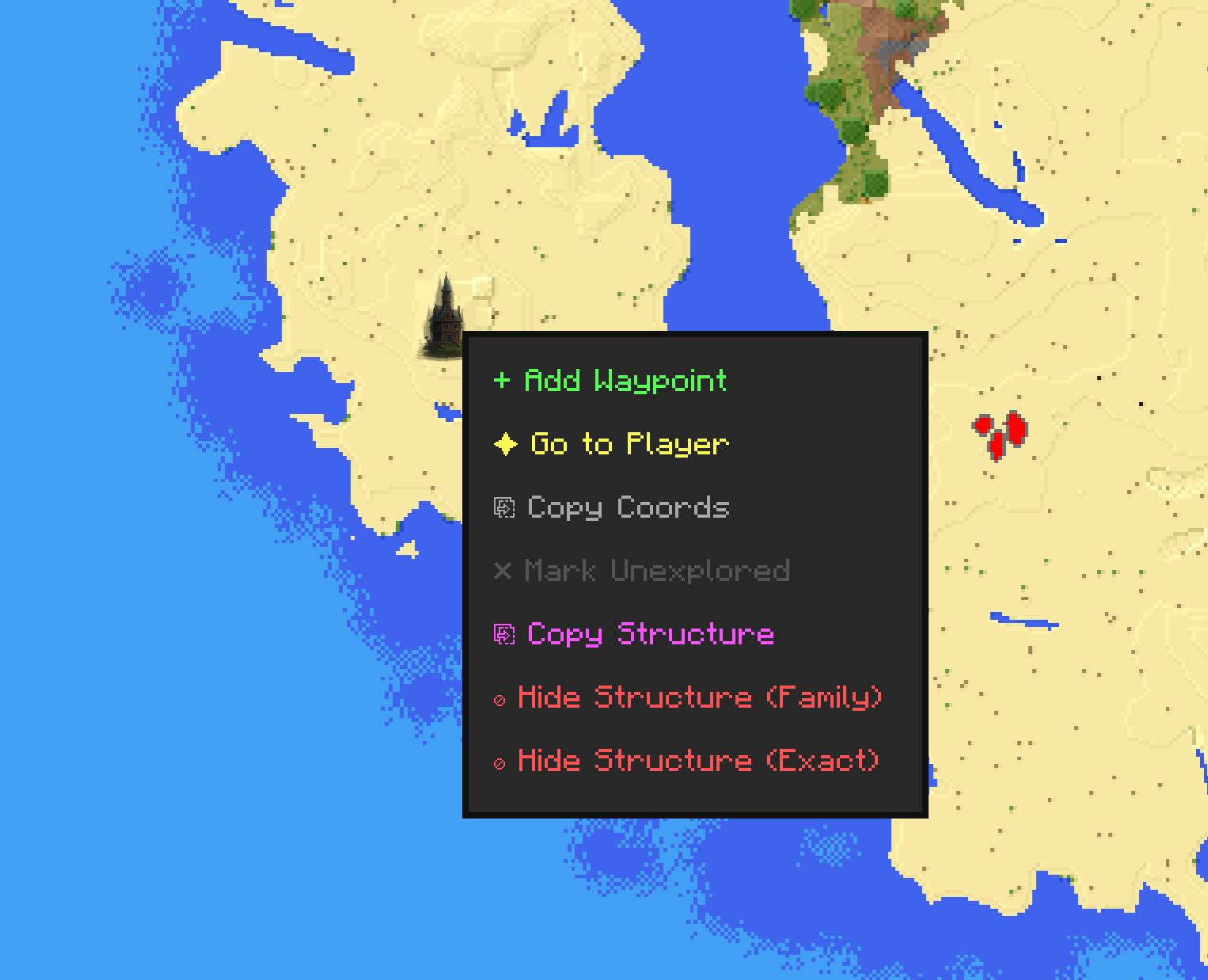
7. now hiding structures by family uses last name tags which is useful to hid all structure variants when numbered or typed and have same exact prefix.
8. added a new structure editor screen, here you can actually modify how structures spawn in the world data is send to the server dynamically if you are an OP, it works like incontrol but for structures, you can find noisy structures easily and change their spawn rate dynamically without headaches the screen provide tools and information so you can do your configurations easily.
9. improved performance of the in world waypoint and ping renderers, they had some issues I cleaned them up now they are more performant.
10. added a new mechanic to ban structures from the server so clients cant see them regardless of their filters.
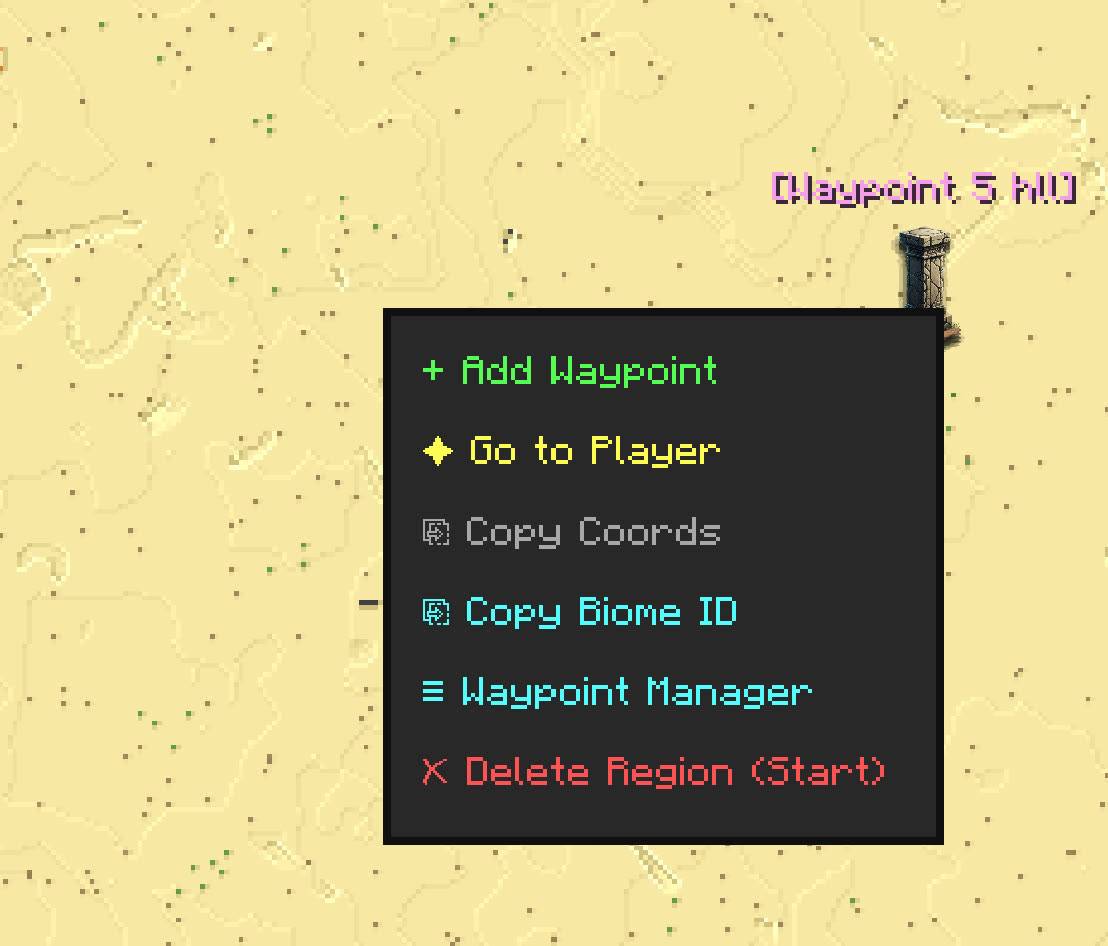
11. rearranged the Context menu and made more clear, and added way more options.
12. added some new map tools and features, now you can anchor into any where you want, you can edit a structure with right click, you can filter how structures are rendered on the map with some options, you get information about the generated chunks from the server, and then added key binds for all the or most of the actions in the map, now structures can have labels and rarity colored as well.
13. added a new Map manual screen, it helps you understand the map and how to use the tools, and the features.
14. changed the cache limit to 4096 which you can set for extreme zoom outs, but more memory intensive so be careful.
15. now Waystones mod is optional I never knew it wasn't so I fixed that as well.
and many more changes, and done bug fixes.
I will fix any follow up issues dont worry since this is a huge update and needs testing I will give it couple of days before uploading but since this is more of a client update there should be no problem its just UI stuff except for the new structure features they are all server side.
🗺️ AtlasSync: Server World Map
A high-performance, server-authoritative world map built for seamless multiplayer synchronization.
🌟 Overview
Unlike traditional client-side map mods that require players to explore the world themselves to uncover the map, AtlasSync generates the map on the server and streams it to clients. This means players immediately see the world exactly as the server knows it.
Powered by a custom, highly optimized .rpg binary region format and an intelligent chunk caching system, this mod operates with minimal server overhead while providing a beautifully rendered interactive map on the client.
✨ Key Features
- Server Map: Every chunk surface map is generated from the server this means your friends explored regions will come to you as well, and also this is for any chunks means if they are generated by DistantHorizon or Chunky the map is still created and sent to all players.
- Real-Time Synchronization: Map data, player positions, and global waypoints are seamlessly synced between the server and all connected clients.
- Multi-Layered Mapping: Switch effortlessly between Surface Map generated by the server its data cached in both client and server, Cave/Depth Map generated by client only when player is on the map and data saved in client, and Player Layer Map generated by client only when player is on the map its data not saved to navigate complex terrain, Waypoints and other data is sheared don't worry.
- Waystones Integration: Automatically detects and syncs with the Waystones mod—your activated waystones instantly become map waypoints!
- Live Ping System: Press [1] while looking at a block (or click the map) to send a visual ping to all players on the server.
- Togglable Structures Marks: Structure are mapped on the map by default I excluded important structures like stronghold, but you can disable structures if you want its not forced in the map.
🖥️ The Interactive Map Screen (Press 'M')
The client-side map screen is packed with powerful, user-friendly features to make navigation a breeze, here are some of the features:
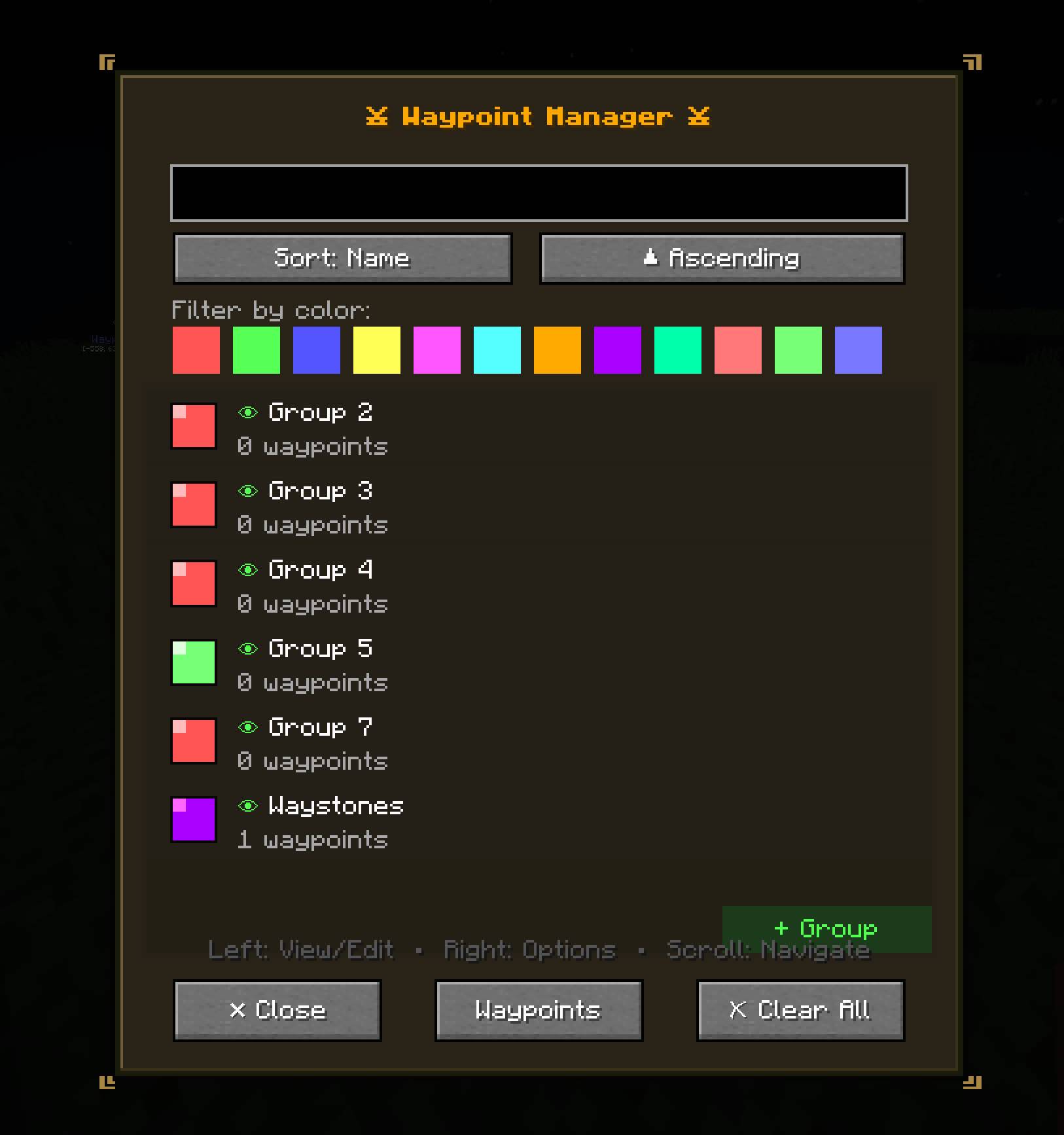
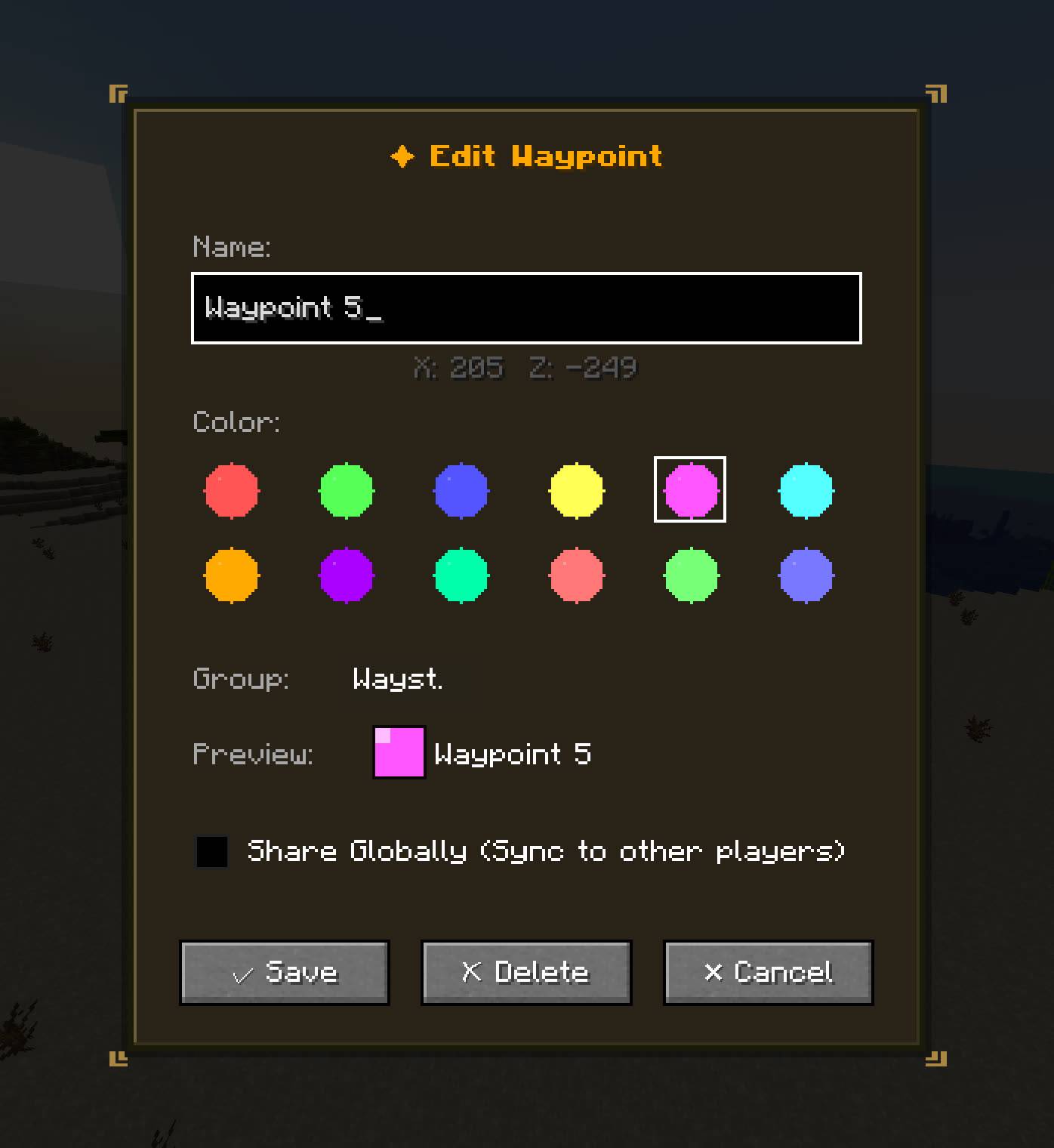
- Advanced Waypoint Manager: Create, edit, and color-code waypoints. Organize them into custom Waypoint Groups, toggle group visibility, and even Share Globally to send a waypoint to everyone on the server.
- Smart Structure Tracking: Structures are automatically mapped. Hover over them to see details, right-click to mark them as Looted (✓), or completely hide specific structure types (e.g., "Hide all Villages" or "Hide Exact: Desert Pyramid").
- Dynamic Tooltips: Hover over the map to view precise coordinates, chunk/region data, Biome Names, Temperature, and Humidity.
- Smooth Navigation: Free-pan with the mouse, use the scroll wheel for buttery-smooth zooming, or click the "Recenter" button to lock onto your player, follow other players, or find them.
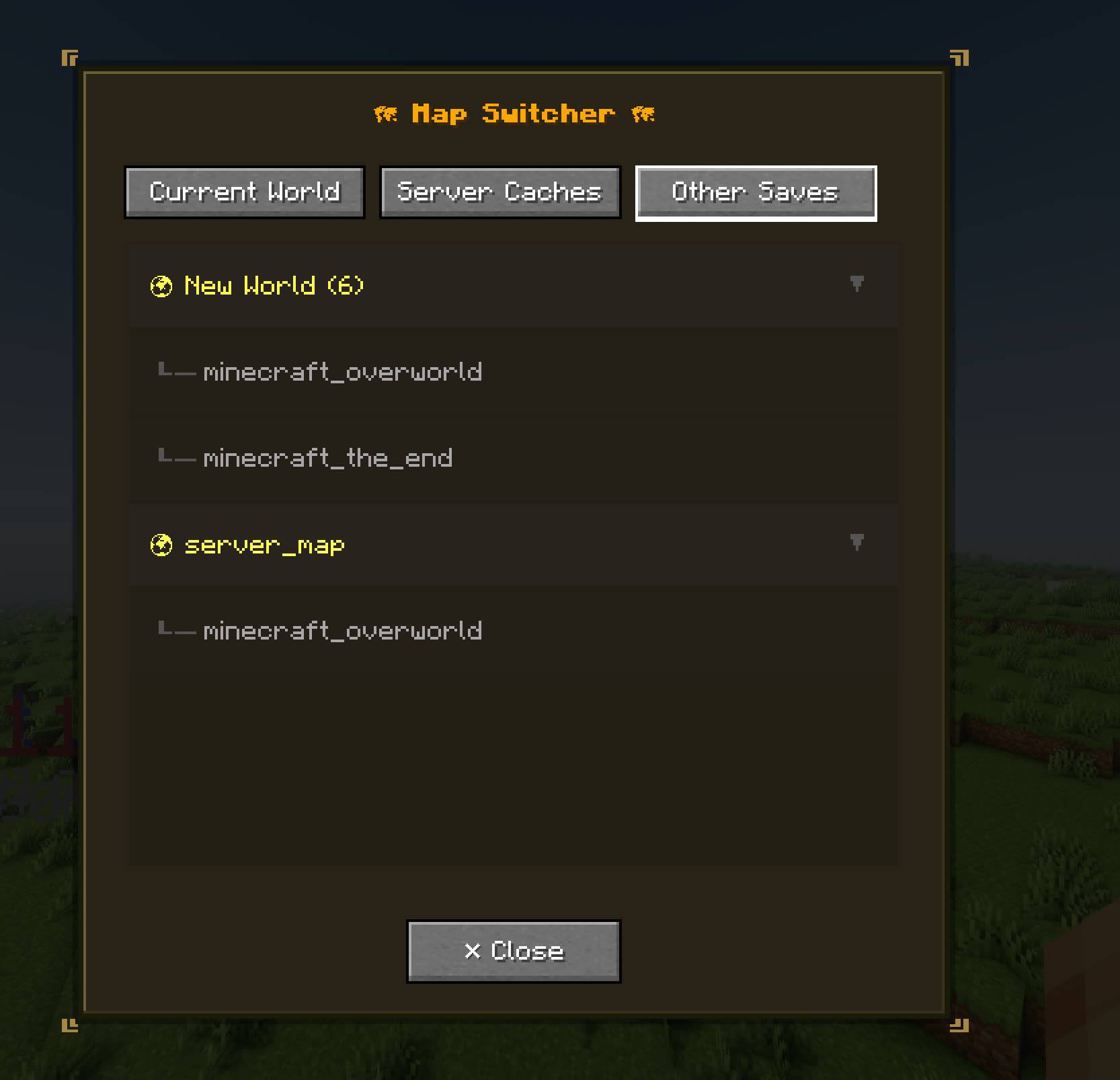
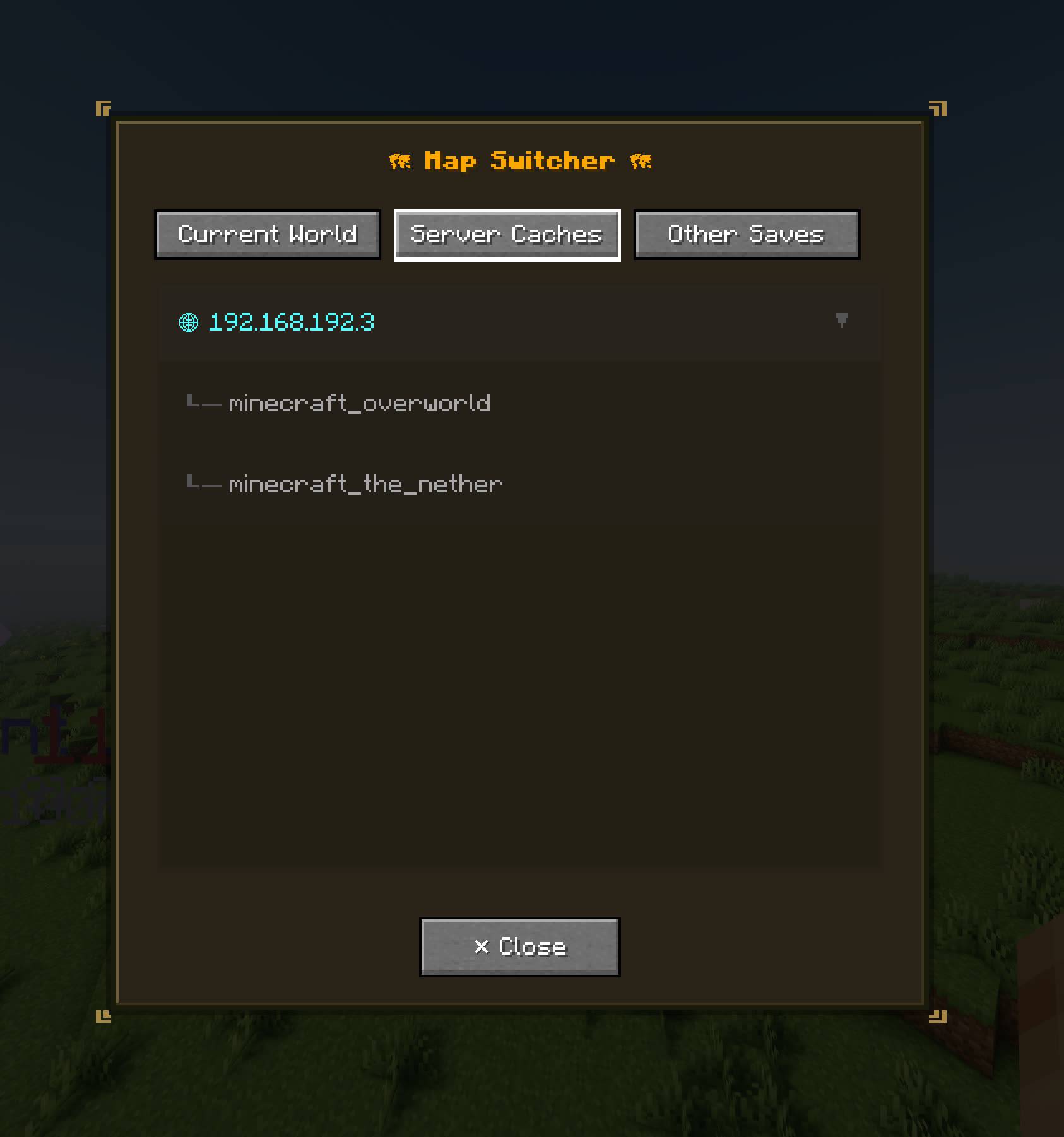
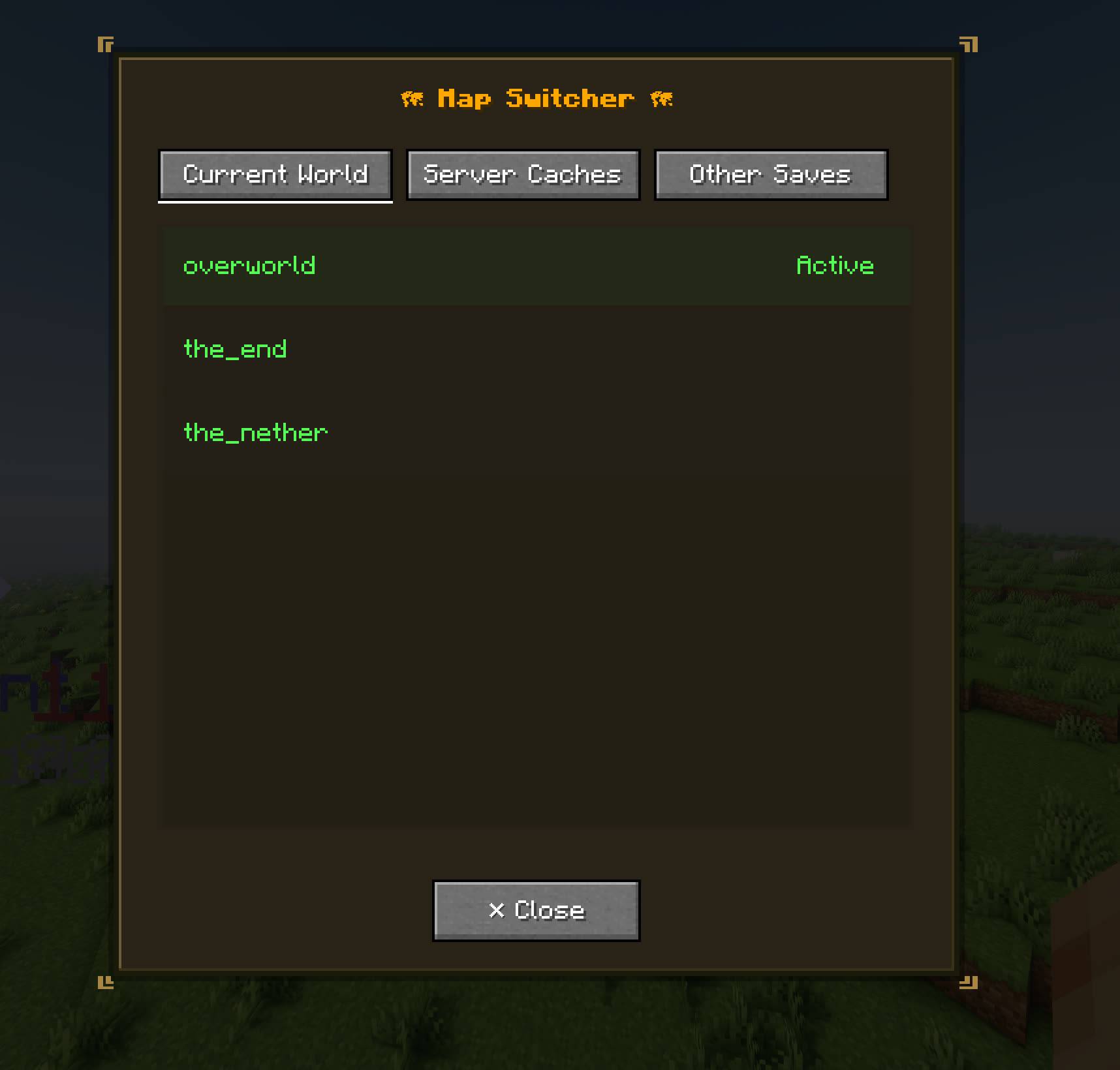
- Map Switcher Menu: You can open other dimensions maps, or your other worlds maps from this menu and on top of that you can edit them.
⚙️ Detailed Command Guide
This mod includes a robust set of commands for server administrators to manage map data, and client commands for UI customization.
🛡️ Server / Admin Commands
Requires Permission Level 2 (OP). Base command: /worldmap
/worldmap retrogen ...(Generate Old Terrain Map)
Used to generate map data for chunks that existed before the mod was installed, or missed chunks when world generation is really fast, retrogen can get slow because of performance mods, but it get the job done with no problems.start [replace] [safe] [force_gen] [does_nothing] [minX minZ maxX maxZ]- Initiates the Retro-Generator.- replace: If true, overwrites existing map data.
- safe: If true, runs slower but ensures server TPS isn't heavily impacted.
- force_gen: If true, forces half-generated chunks to fully generate so they can be mapped, this doesn't generate chunks, these chunks already exist but not fully.
does_nothing: it does nothing I removed this flag.- minX minZ maxX maxZ: Define a specific chunk region to generate.
stop- Safely cancels an active Retro-Gen process after the current region finishes.
/worldmap rebuild ...(Rebuild Specific Data)
index_file- Rebuilds theindex.datfile. Use this if the server crashes or forgets which chunks have been mapped, always run this before running the retrogen so no chunks will be missied.<flags> <dim> <rx1> <rz1> [rx2] [rz2]- Fast-rebuilds specific attributes in a region. Flags include-biome_tags,-structure_tags, or-both, biome_tags also include color data.
/worldmap delete region <dim> <rx1> <rz1> [rx2] [rz2]
Deletes the physical.rpgfiles and clears the cache for the specified dimension and region coordinates.
/worldmap chunkgen [with_radius chunkX chunkZ radius] | [with_region_range regionStartX regionStartZ regionEndX regionEndZ]
Yet another chunk generator, it uses minecraft generator to generate the chunks, this same as chunky or DistantHorizon pregen it does the same, but you can use the map coordinates and also see the generation in the map screen.
/worldmap config <key> <value>
Live-edit server properties without restarting:mapgenerator.useMutiThreadedLoading:this is only for the retro gen its not really safe but tries to make the game load mulitplechunkat a time.mapgenerator.threadpoolSize: Number of threads used for mapping, maps generated outside main thread, default is 3 but you can even go higher since it doesnt take too much of the thread, its multithready so it can keep up with world generation speed without holding chunk data, and overtake server RAM, which is limited by below command.- mapgenerator.chunkQueueSize: how many chunks can be held at a time, default is 128 this settings only effect RAM not performance the 128 chunks is around 75MB, if world generation is too fast and you set
threadpoolSizeand chunkQueueSize low you will be seeing a lot of missing chunk maps, I personally use the default settings because my server sucks but I rarely see missing chunks which can also be due to low server TPS not my mod and when I do I just run a /worldmap retrogen start, to check and do all the missing maps, and I also use distant horizon which generates chunks really fast, this is only when you give the mod 75MB and 1% of three other threads. mapgenerator.biomeGridSize: Detail level of biome blending (4, 8, or 16), 16 recommended but you can use others if you prioritize disk usage and performance, you can test.server.playerSyncFps: How often player positions are synced to clients per second, player indicators fps.
💻 Client Commands
Base command: /worldmap_client
/worldmap_client config ...(Visual Customization)
Customize exactly how in-world markers and pings render on your screen.global render_distance <value>: Set the max distance (in blocks) that in-world markers are visible.global map_ping_color <hex>: Set the default color of map pings (e.g.,#FF0000).- map.player_layer_mode_mapper_y_offset: The player layer mode maps from the player's Y + y_offset to bedrock or void.
player_color <name> <hex>: Assign a custom color to a specific player's tracker.<marker_type> <component> <property> <value>: Deeply customize markers (Types: map_ping, player_ping, waypoint_marker, player_marker).
🚀 Performance, Flaws, & Technical Details
How it achieves high performance:
- Strict Memory Constraints: The client utilizes a strict LRU cache for VRAM. You can adjust the Cache Limit in the map UI. It will safely drop old map textures to prevent your GPU from locking up.
- Custom Binary Format: Map data is stored in specialized
.rpgfiles, severely reducing disk footprint compared to standard image rendering. - Throttled I/O Threading: Map generation relies on a custom ThreadPoolExecutor running at minimum priority. It will intentionally drop mapping requests rather than lag the server's main tick thread if overloaded.
Known Limitations & Things to Keep in Mind:
- Massive Retro-Gens: Running a
/worldmap retrogenon tens of thousands of chunks will take time and CPU resources. It is highly recommended to use thesafeparameter (set to true) on live servers to avoid TPS drops, while the performance mods wont let the mod take as much as chunks it wants so either way the process might be slow, but with highest server TPS, means play free while it runs in the background. - Index Desyncs: If the server crashes abruptly, the
index.datfile (which tells the server what it has mapped) might miss the last few seconds of data. If players report "black chunks" that they know are generated, run/worldmap rebuild index_fileto fix it, always run this before retrogen. - Shaders: In-world waypoints and pings render beautifully, but heavily modified shader pipelines might occasionally cause depth-sorting quirks.
Screenshots
Gallery
-
 Screenshot 2026-04-26 162347.jpg Screenshot 2026-04-26 162347.jpg
 -
 Screenshot 2026-04-26 162311.jpg Screenshot 2026-04-26 162311.jpg
 -
 Screenshot 2026-04-26 133419.jpg Screenshot 2026-04-26 133419.jpg
 -
 Screenshot 2026-04-26 121039.jpg Screenshot 2026-04-26 121039.jpg
 -
 Screenshot 2026-04-26 120901.jpg Screenshot 2026-04-26 120901.jpg
 -
 Screenshot 2026-04-26 120739.jpg Screenshot 2026-04-26 120739.jpg
 -
 Screenshot 2026-04-26 120544.jpg Screenshot 2026-04-26 120544.jpg
 -
 Screenshot 2026-04-26 113916.jpg Screenshot 2026-04-26 113916.jpg
 -
 Screenshot 2026-04-26 113815.jpg Screenshot 2026-04-26 113815.jpg
 -
 Screenshot 2026-04-26 113732.jpg Screenshot 2026-04-26 113732.jpg
 -
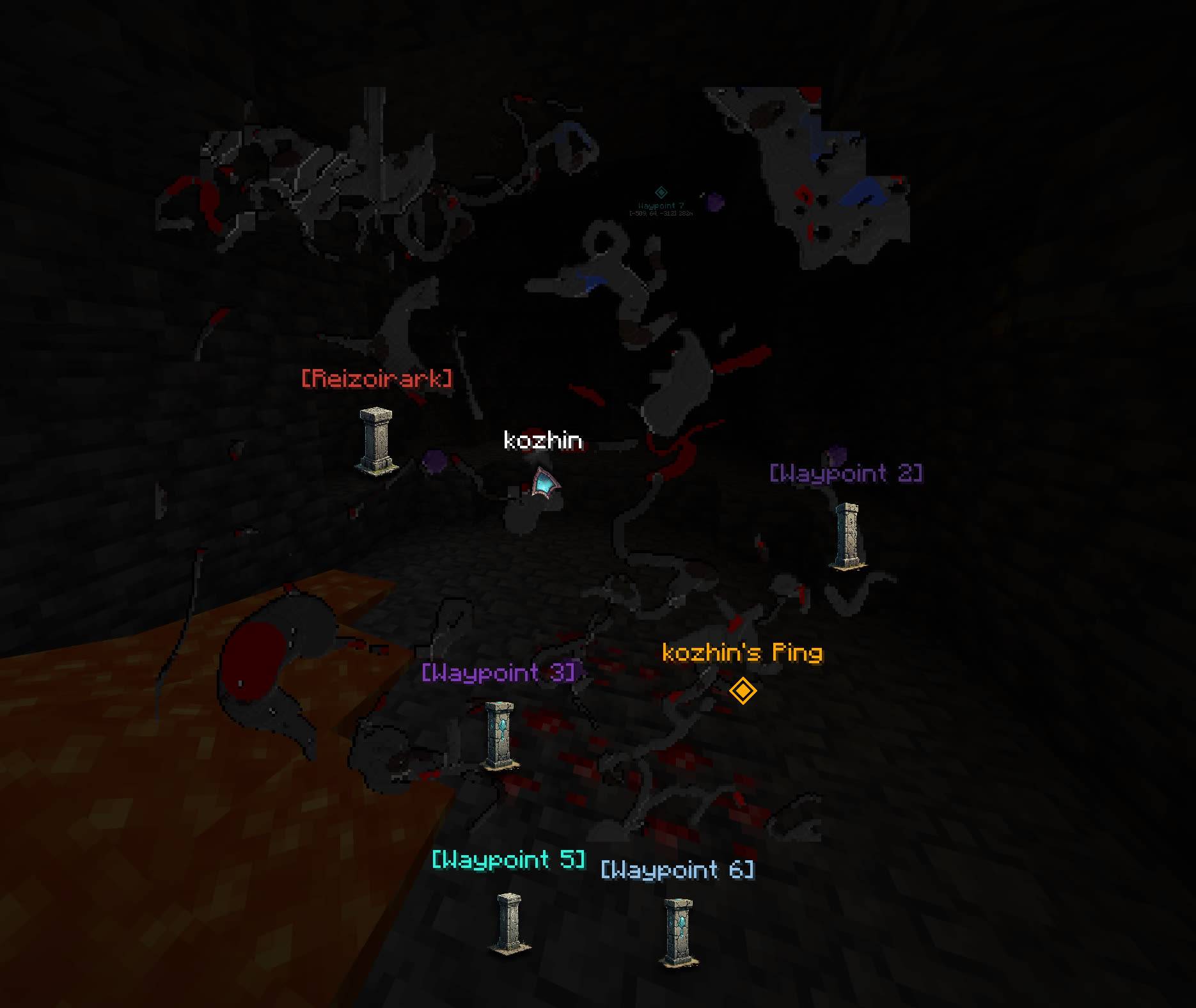 Player Layer Example: Mapped from player current Y to void or bedrock. Player Layer Example: Mapped from player current Y to void or bedrock, you can also adjust the Y offset from the current Y.
 -
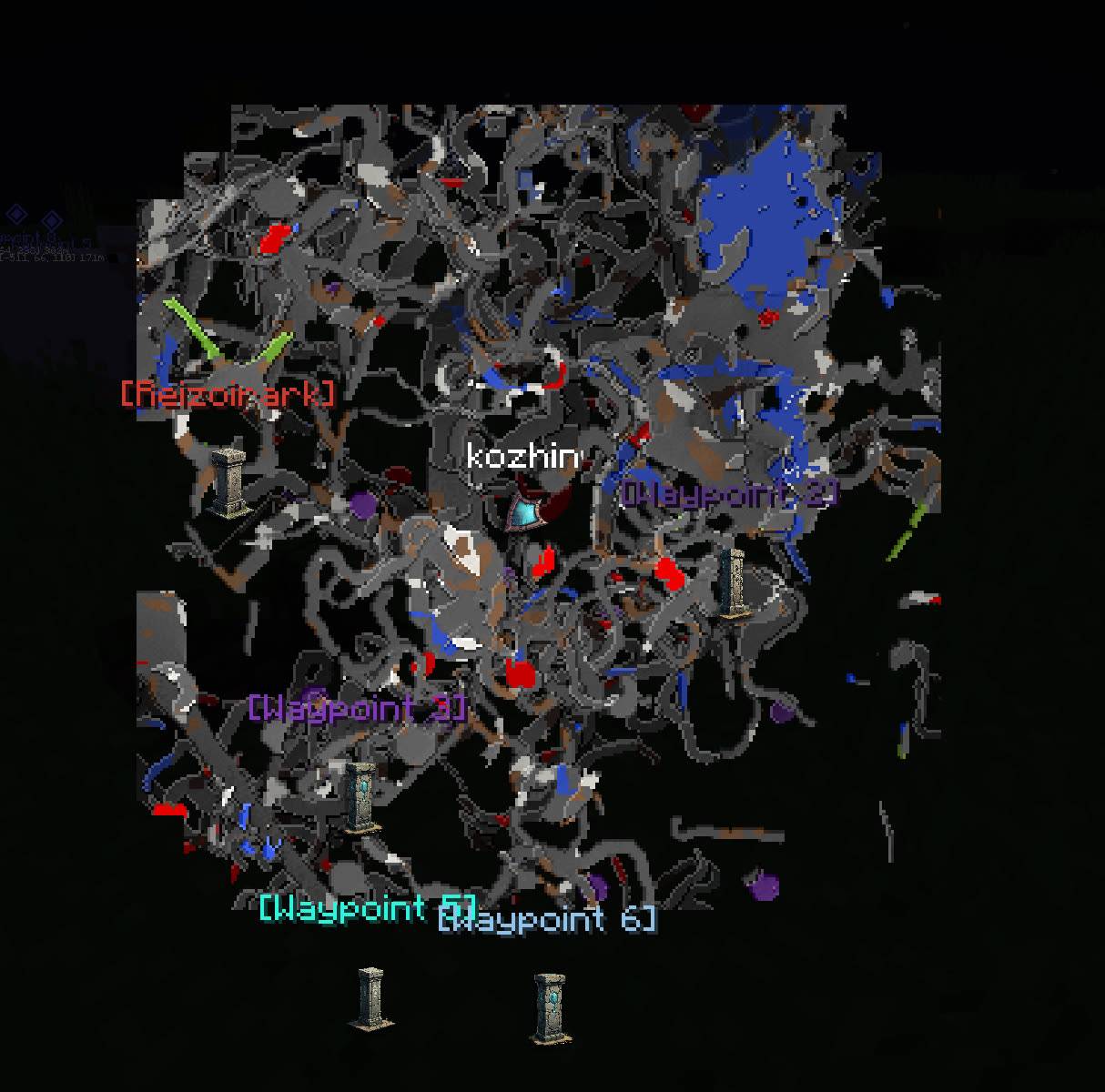 Cave Mode Example: Maps from surface or sever map to bedrock or void. Maps from surface or sever map to bedrock or void, the deeper the block the darker its color gets to simulate depth.
 -
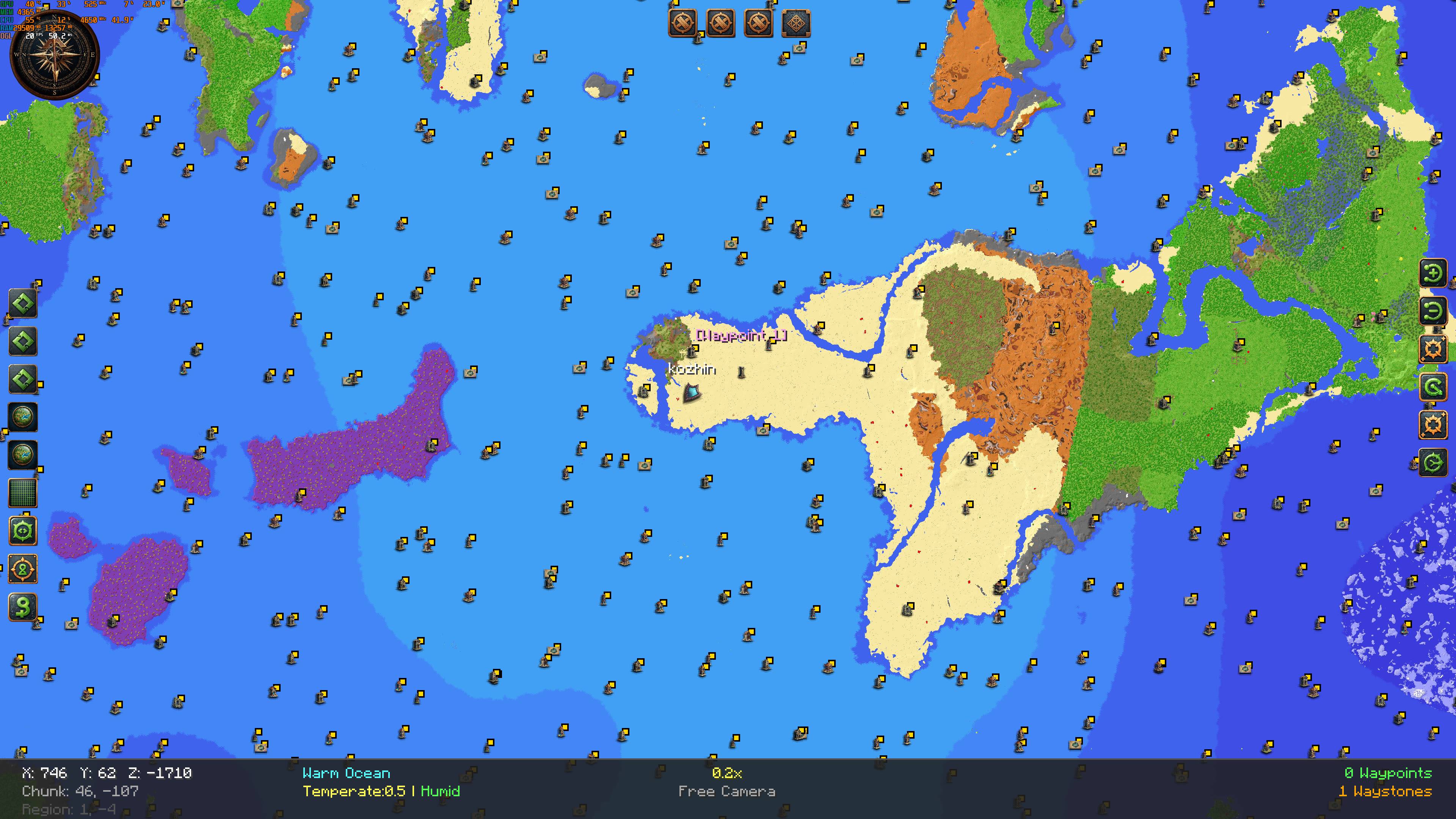 Structures Example
 -
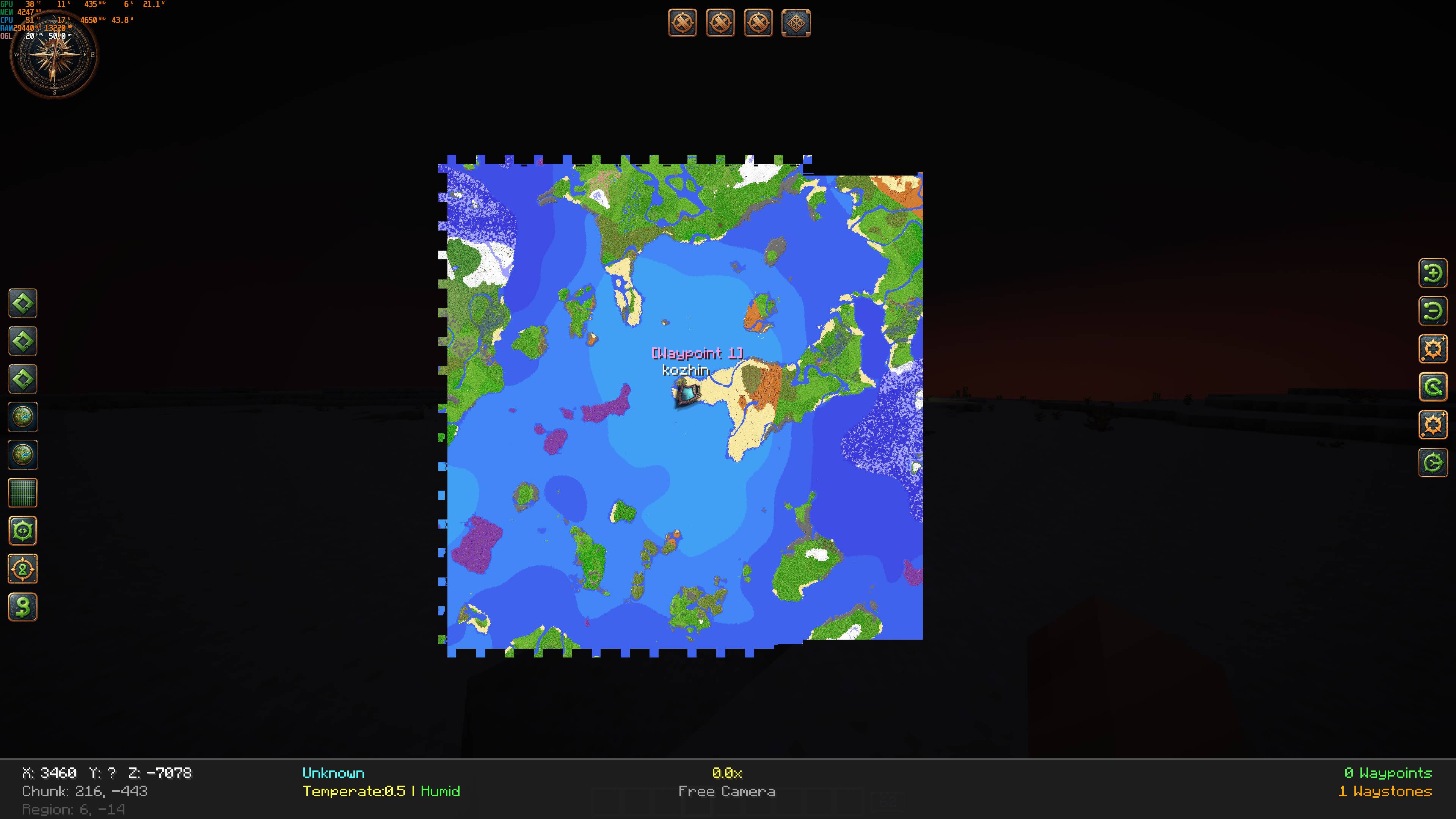 256 chunk radius
 -
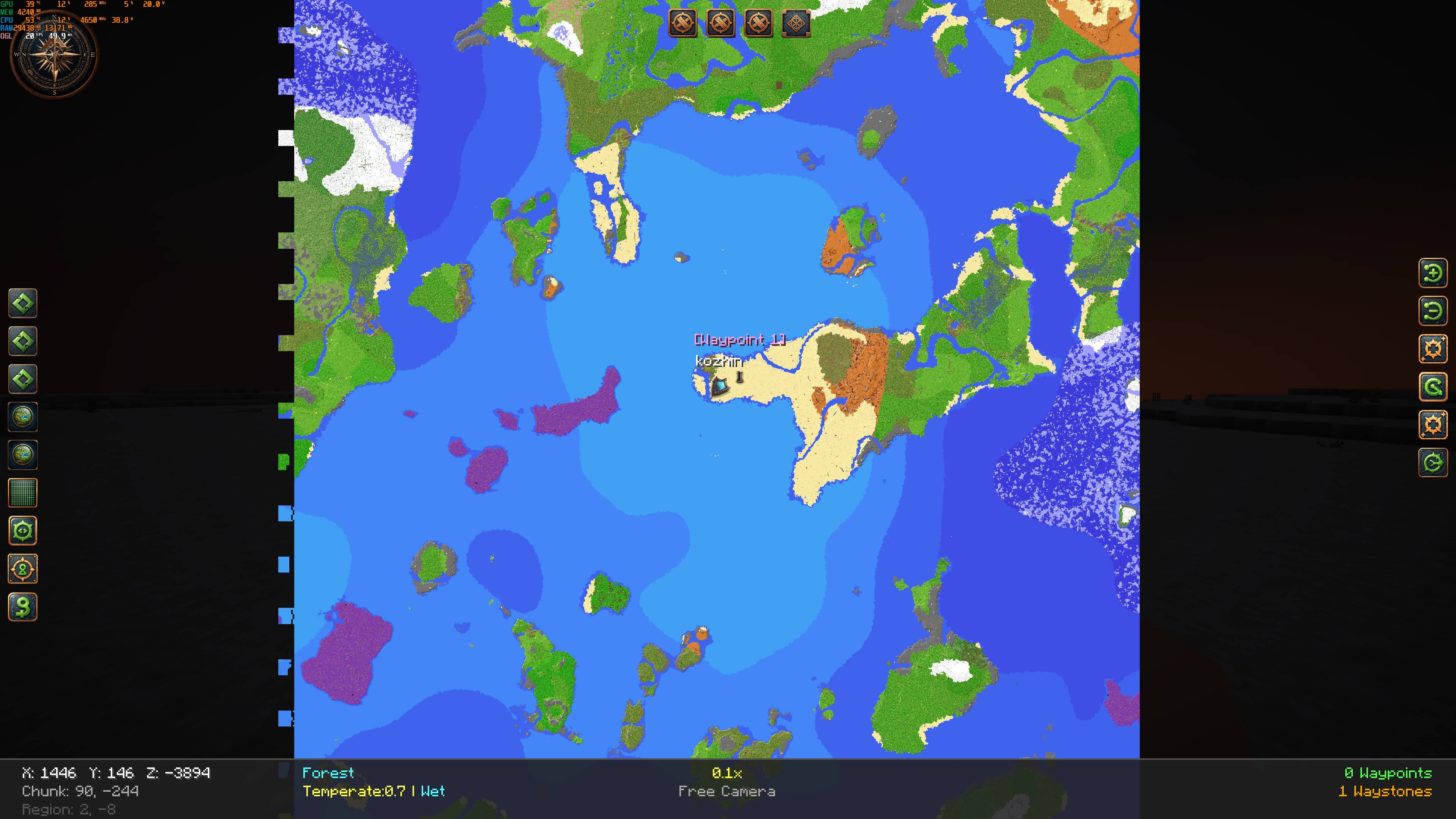 256 chunk radius
 -
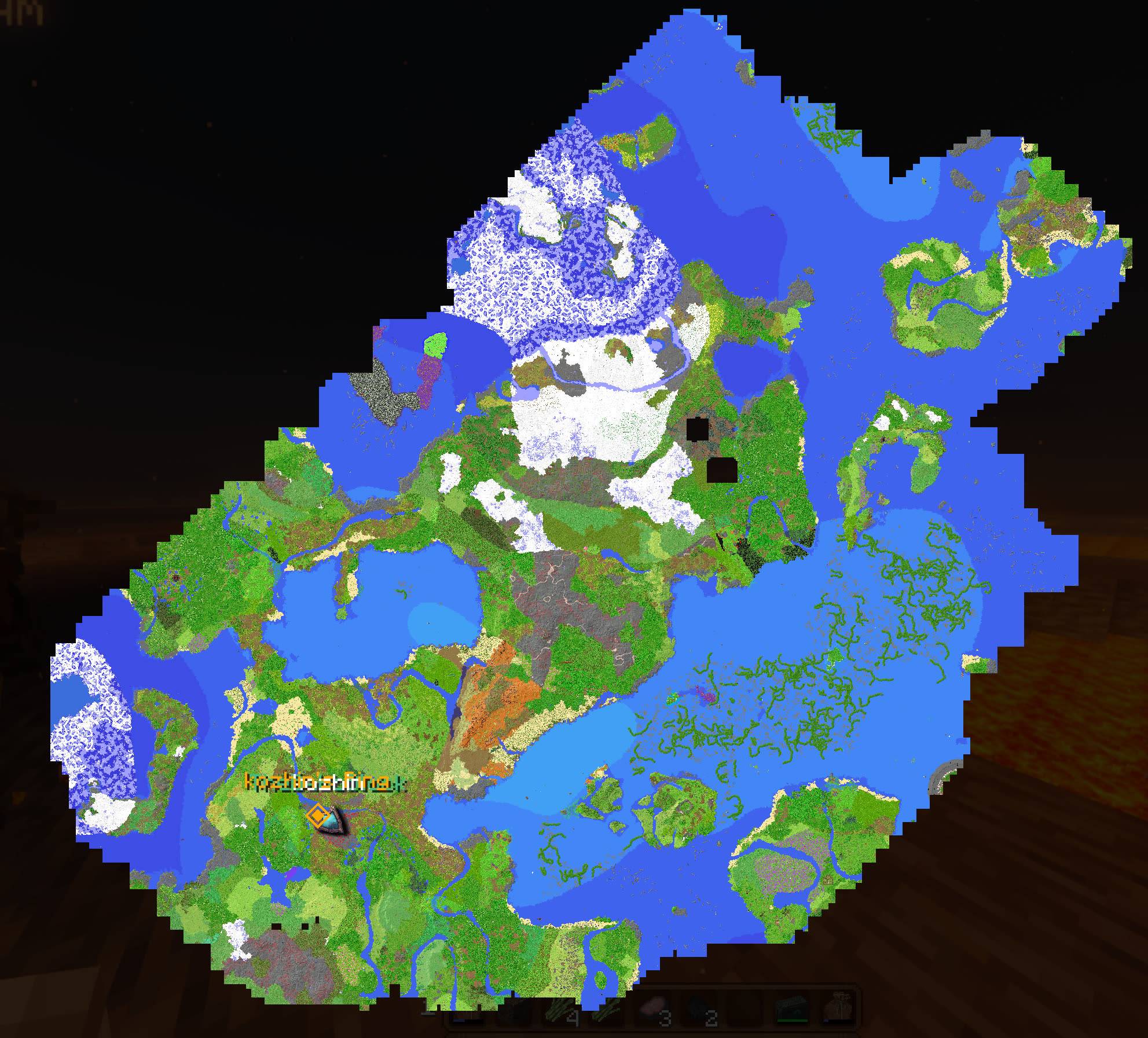 Server Map my current server map, the map is generated by distant horizon, only 5% or even less of this map is explored.
Versions
Files
Relations
Project Relations
More like this
Similar Mods
Suggestions use data such as tags, dependencies, dependents, descriptions, titles, and more to rank how much they overlap with this mod.
On ModDex
Community snapshot
By the numbers
Statistics
Want to reach Minecraft players?
We're looking for a server hosting partner to feature here and other parts of the site. Interested? Send us a message!
Get in touchGet it on
Available Platforms
On ModDex
Community snapshot
By the numbers
Statistics
Resources