
Community listing page, reviews here may not be monitored by the author.

Community voices
Reviews
No reviews yet. Be the first to review this project!
Get it on
Available Platforms
About
Project Details
For authors
Embed Badge
If you're the author of this project, you can embed a live badge anywhere that supports HTML or Markdown. It updates automatically whenever ratings change.
Use HTML for any page that supports it, or Markdown for README files and Markdown-based descriptions.
Identifiers
Platform IDs
Resources
External Links
About
Description
AtomChat
A phone-app style chat experience for Minecraft, powered by Skia.







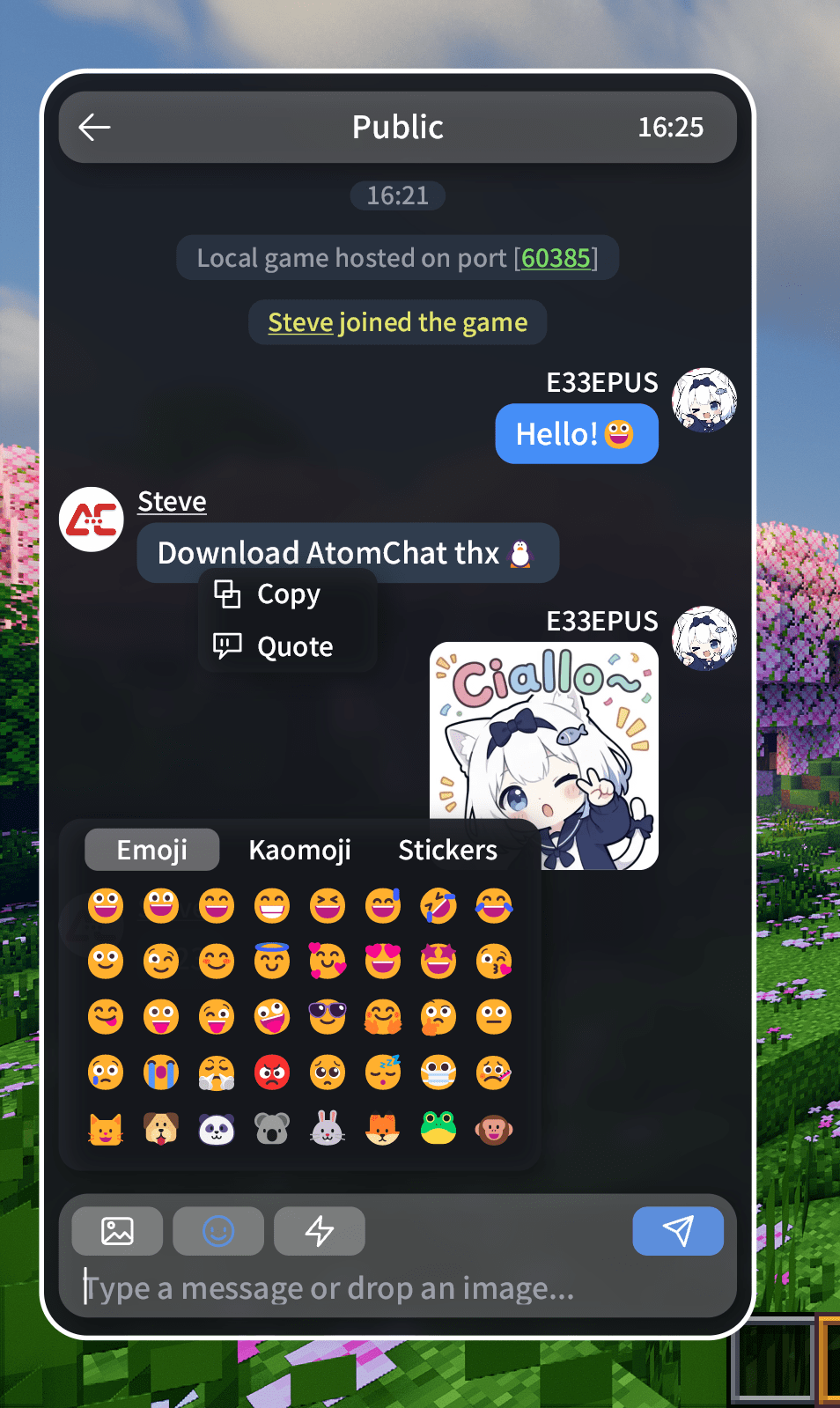
AtomChat is a chat beautification mod developed in the spirit of E33Chat. It turns the vanilla chat screen into a standalone "phone app" style chat panel: rounded bubbles, custom avatars, real player names, emoji / kaomoji / stickers, image and animated GIF messages, server-side media hosting, copy & quote, multi-line input and QQ-style motion — plus more screens beyond chat. A spiritual sequel (jk).
Rendering uses Skija. Every interface is vector-drawn and does not depend on vanilla chat textures.
Vanilla Improvements
- 💬 Chat bubbles & avatars — your messages show on the right, everyone else's on the left, with real player names and round skin avatars
- 🧹 Clean vanilla HUD placeholders — outside the panel, image codes show as a green
[Image]and quotes as a blue[Quote] - 📝 Multi-line input — the composer shows up to two lines and scrolls internally when longer; Up/Down arrows move between lines, while single-line drafts keep the vanilla chat history
- 🧠 Message capture — real player identity is captured from all three MessageHandler channels, with nick-server support; unknown messages degrade to system text instead of being guessed wrong
- 📑 Chat history — when enabled, saved per server / world on disk, restored on rejoin, with configurable auto-cleanup
- 🔃 Public feed filter — a button beside the header cycles All / System only / Players only; view-only, so unread badges and previews still count every message
- ✏️ Selection & anti-spam — drag across several messages and copy them all with Ctrl+C; repeated messages merge with a counter and same-sender runs pack tightly
Features
- 🖼️ Image messages — renders
[[CICode]]natively, interoperable with the E33Chat / ChatImage family; keeps the aspect ratio, animated GIFs loop inside the bubble, transparent PNG / GIFs blend with the panel instead of showing a grey plate, and right-click saves the original - 📤 Local image sending — pick with the image button, drag into the window, or paste with Ctrl+V; the picker opens in Details view with inline thumbnails
- 😊 Emoji / kaomoji / stickers — three tabs with a sliding indicator and full-width push transition; sticker packs are stored locally (png / jpg / jpeg / gif, up to 10; GIFs show their first frame in the grid and animate once sent)
- 🔔 Notifications — being @mentioned, quoted or whispered pops a banner at the top of the panel (click to jump to the message) with an original synthesized cue; each is individually switchable with a volume slider
- 🔗 Rich text messages — colors, underlines, click & hover events: /tell, coordinates, FTB accept/deny and external links are all clickable; bare URLs become links automatically
- 📋 Copy / quote reply / save — right-click a bubble to copy or quote; image bubbles also offer "Save"
- 🧭 @ / block / profile / tp / whisper — right-click an avatar for @, block, whisper and quick teleport; a single click opens the player's profile, a double click pokes
- 🪢 Private chat — the chat list shows currently online players, ordered public → online → recent offline, with unread badges, per-conversation drafts, and read-only handling for offline or blocked players
- 🖥️ Profile page — push into a player's profile from chat or the list: stat overview, copy buttons and role tags
- ⚡ Quick phrases — the lightning button on the composer opens your phrase list; tap to insert into the input
- 🎨 Skia vector UI & motion — rounded bubbles, blurred backgrounds, scrolling and QQ-style slide-in animations are all vector-drawn
- 📱 Custom wallpaper / avatar — upload a local image, crop it, and use it as the interface background or your avatar
- 🎛️ Themes & colors — one-tap theme presets plus every interface colour exposed in settings, each with a live preview
- 🌍 Localization — Simplified Chinese and English; switch the Minecraft language to apply
- 😍 Highly configurable — appearance, colors, preferences and more
Configuration & Storage
- Path —
.minecraft/config/atomchat/holdsatomchat-client.jsonplus theavatar/debug/emotes/history/wallpaperfolders - [Recommended] In-game settings page (tile home: Appearance / Chat / Privacy & blocking / About) — every option applies and persists instantly, no restart. Color rows ship with preset palettes, a
+custom picker and live previews - Config file — edit
atomchat-client.jsondirectly (generated on first launch; restart the game after manual edits) - Chat history — written to
/historywhen enabled, per world / server - Custom wallpaper — stored under
/wallpaper - Custom avatars — stored under
/avatar - Sticker packs — stored under
/emotes(png / jpg / jpeg / gif, up to 10) - Server config —
<server dir>/config/atomchat/atomchat-server.jsonwhen AtomChat also runs on the server; hosted media lands in<server dir>/atomchat-data/media/ - Client media cache — downloaded images and companion avatar data live in
<game dir>/atomchat-data/(capped at 500 files / 100 MB, clearable from Settings → About)
Compatibility
| Mod / plugin | Status |
|---|---|
| Fabric / NeoForge 1.21.1, Forge 1.20.1 | ✅ Supported (Java 21+ / 17+) |
| Server install | ✅ Optional — enables server-side media hosting and custom-avatar sync |
\[\[CICode\]\] image protocol |
✅ Interoperable with the E33Chat / ChatImage family |
| Nick / display-name plugins | 🟡 Best effort (whisper clicks / Tab names / decorated names); extreme unknown formats fall back to gray text |
| ChatHeads | ✅ Compatible |
| Chat Animation and similar animation mods | ✅ Compatible |
| EasyBot | 🟡 Best effort (QQ message parsing); unparseable lines fall back to gray text |
| Quark | 🚫 Emote menu not shown; compatibility in progress |
Known Limitations
- Fabric / NeoForge 1.21.1 and Forge 1.20.1 only; the Skija Windows x64 native is bundled — Linux / macOS builds are not packaged yet (cannot run)
- Server-side media hosting needs AtomChat on the server too. Without it images still upload to the third-party host uguu.se and expire after about 3 hours, and files above
maxFileKb(2 MB by default) fall back to the image host rather than being recompressed client-side - Hosting has only been tested end to end on a single-player / LAN host server; a dedicated server (especially Linux) and two clients pulling media from each other are not verified yet
- No E33Chat whisper sidebar, search, etc. yet
- Player identity resolution is best effort: tell-click structured capture, offline seen cache, multi-tier ownDisplayName fallback; extreme unknown formats fall back to gray text
Privacy & Data
- Local images you send are uploaded to a third-party host (uguu.se by default) or, when the server has hosting enabled, stored on that server's disk; either way others can save or forward them — do not send sensitive or private content
- Server-side hosting moves bytes only over the game connection: no HTTP port is opened and nothing is exposed to players who are not connected
- A hosting server keeps a copy under
<server dir>/atomchat-data/media/, pruned by itsmaxTotalMb/retentionDayssettings or deleted by the admin at any time - Your messages can be saved by players who enabled chat history — do not send sensitive or private content
- The mod uploads no telemetry / personal information
- Image uploads happen only when you actively pick / paste / drop an image
- Local config and sticker packs stay in
.minecraft/config/atomchat/and never sync automatically
FAQ
Do I need a server? — No. AtomChat is client-only. Running it on the server (or on the server side of a single-player / LAN host) additionally enables server-side media hosting and custom-avatar sync.
Do images go to the image host or the server? — With AtomChat on the server and hostingEnabled=true the server wins and the message carries an atomchat-media: link; otherwise it falls back to uguu.se automatically. The server log says Stored hosted media when hosting is used and Uploaded chat image to the external host for the fallback.
Do image links expire? — uguu.se links expire after roughly 3 hours; server-hosted files do not expire and are pruned by the server's size and age settings.
How do I send images? — Click the image button to pick a local image, or drag one into the window / Ctrl+V paste; the upload is inserted into the draft automatically, then press Enter to send.
Why is a message shown as gray system text? — When the client cannot be confident it came from a player, it is conservatively rendered as system text (e.g. nick plugins using unparseable formats).
Where are stickers stored? — .minecraft/config/atomchat/emotes/, up to 10, png / jpg / jpeg / gif.
How do I change colors / sizes? — Adjust them live in Settings → Appearance (presets + custom picker); or edit config/atomchat/atomchat-client.json and restart the game.
Can I use it in a modpack? — Yes. If your modpack distributes the JAR, please keep the third-party notices.
Changelog
See the GitHub CHANGELOG — or the v0.2.7 release notes.
Feedback
Found a bug or have a suggestion? Open an issue, or leave a comment on this page.
Screenshots
Gallery
-
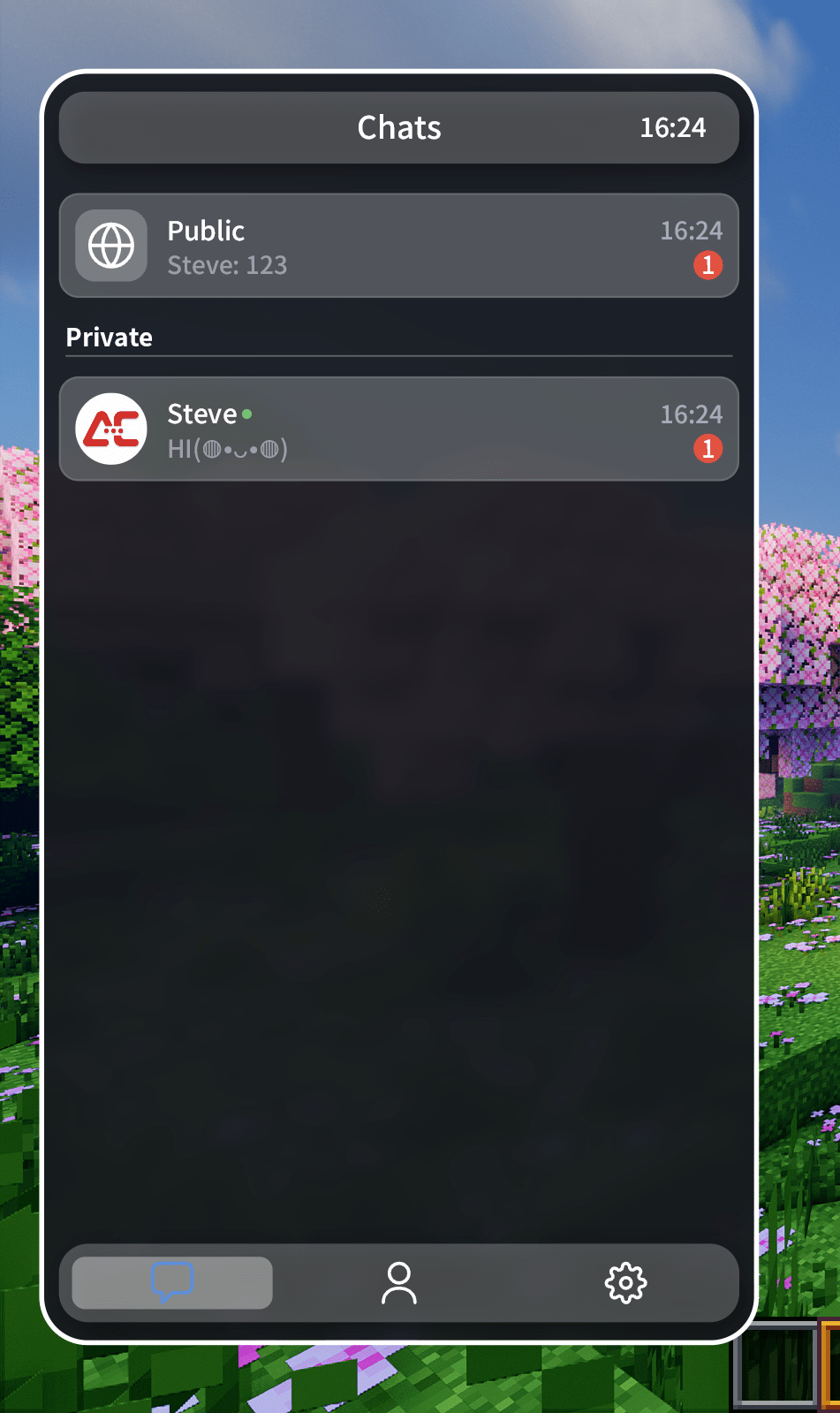 Chat menu
 -
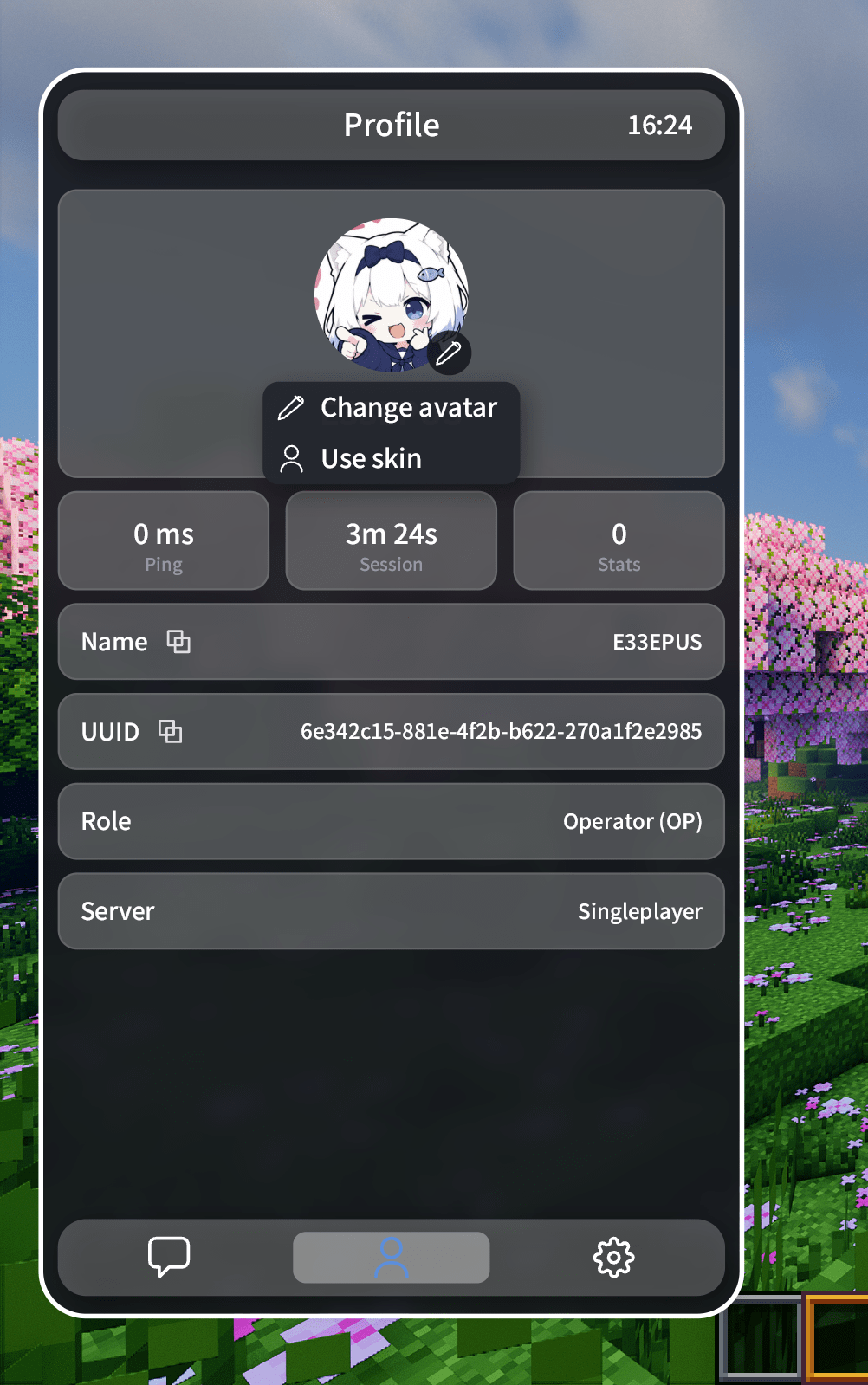 Profile
 -
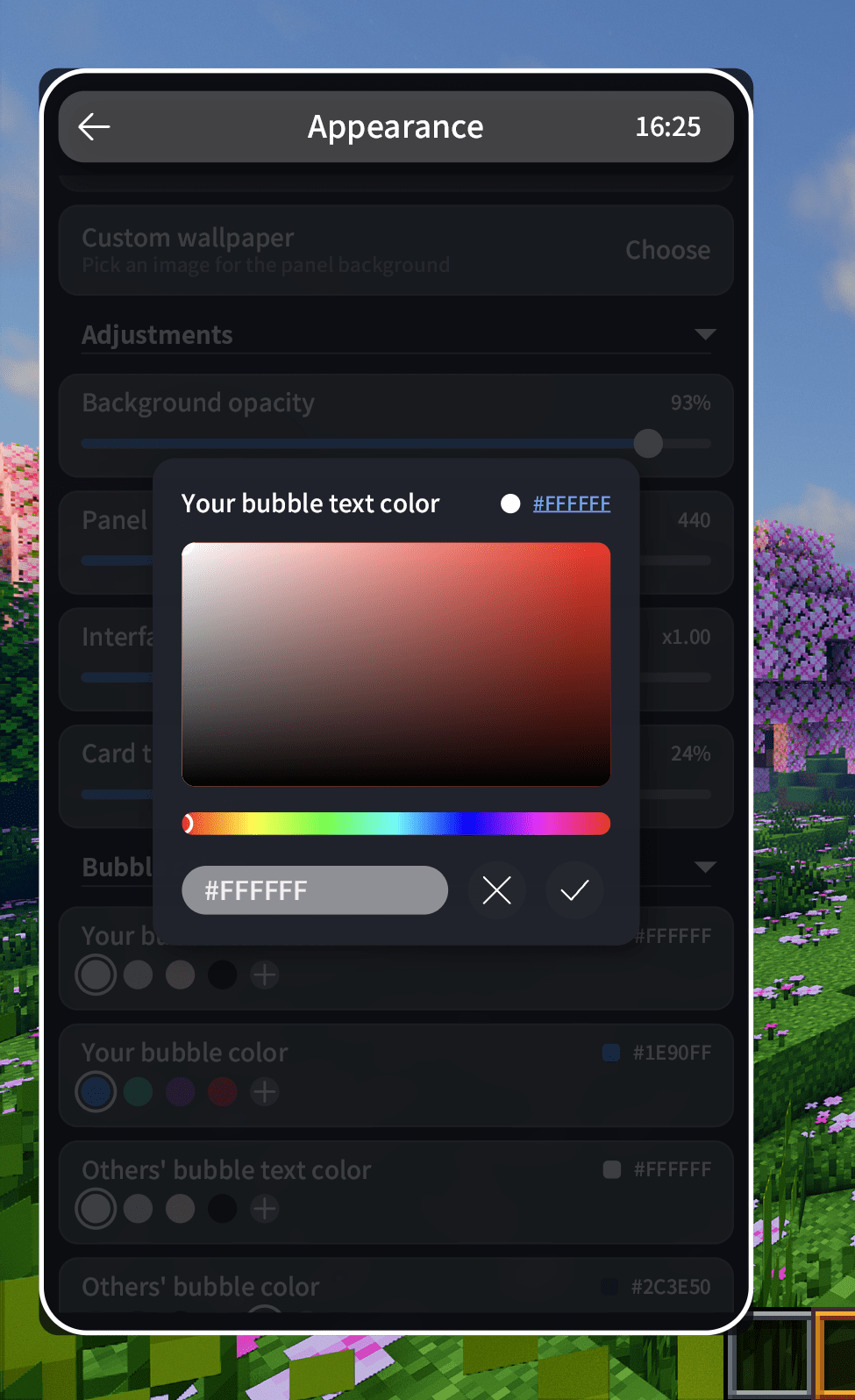 Color customize
 -
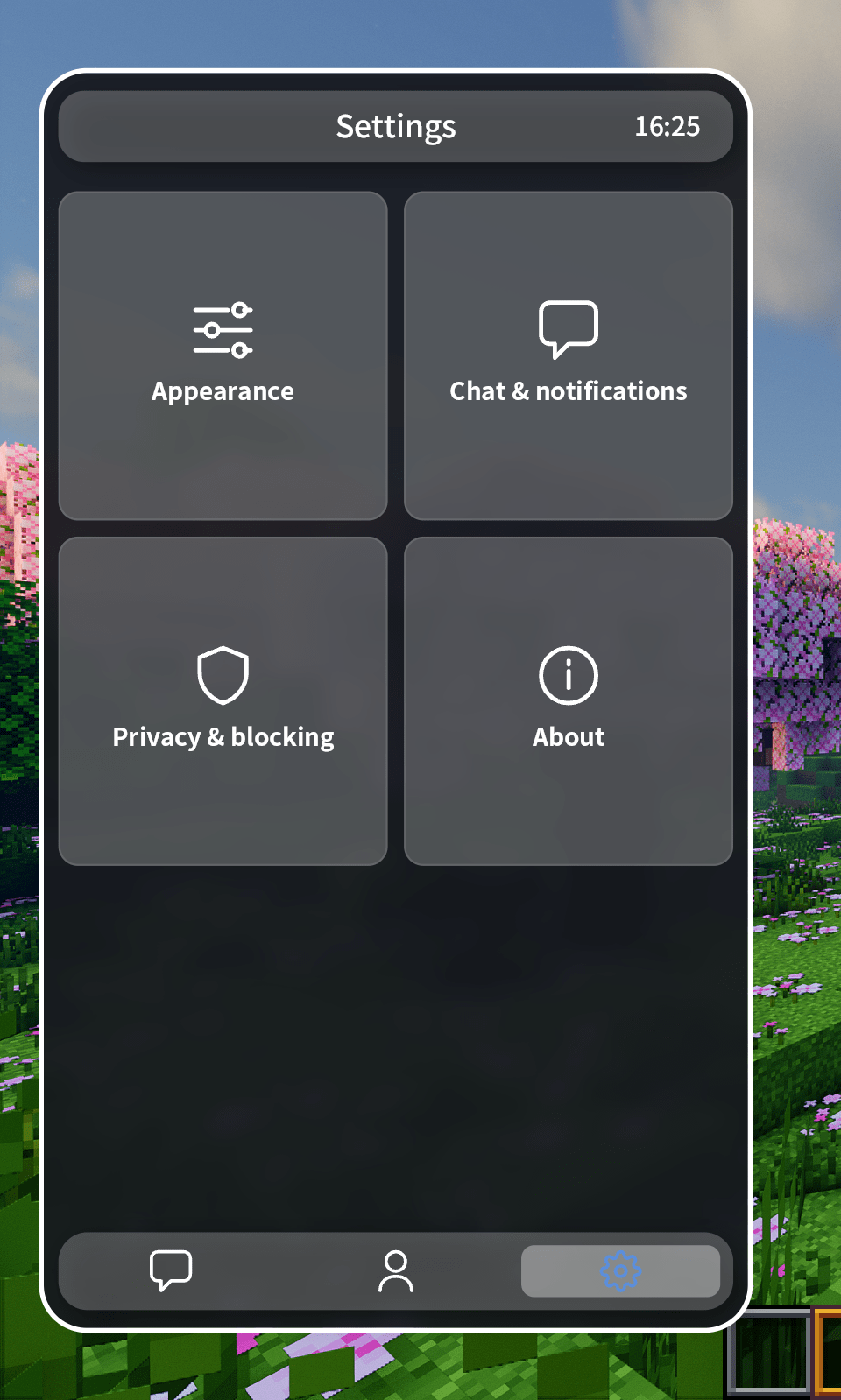 Setting
 -
Chat
-
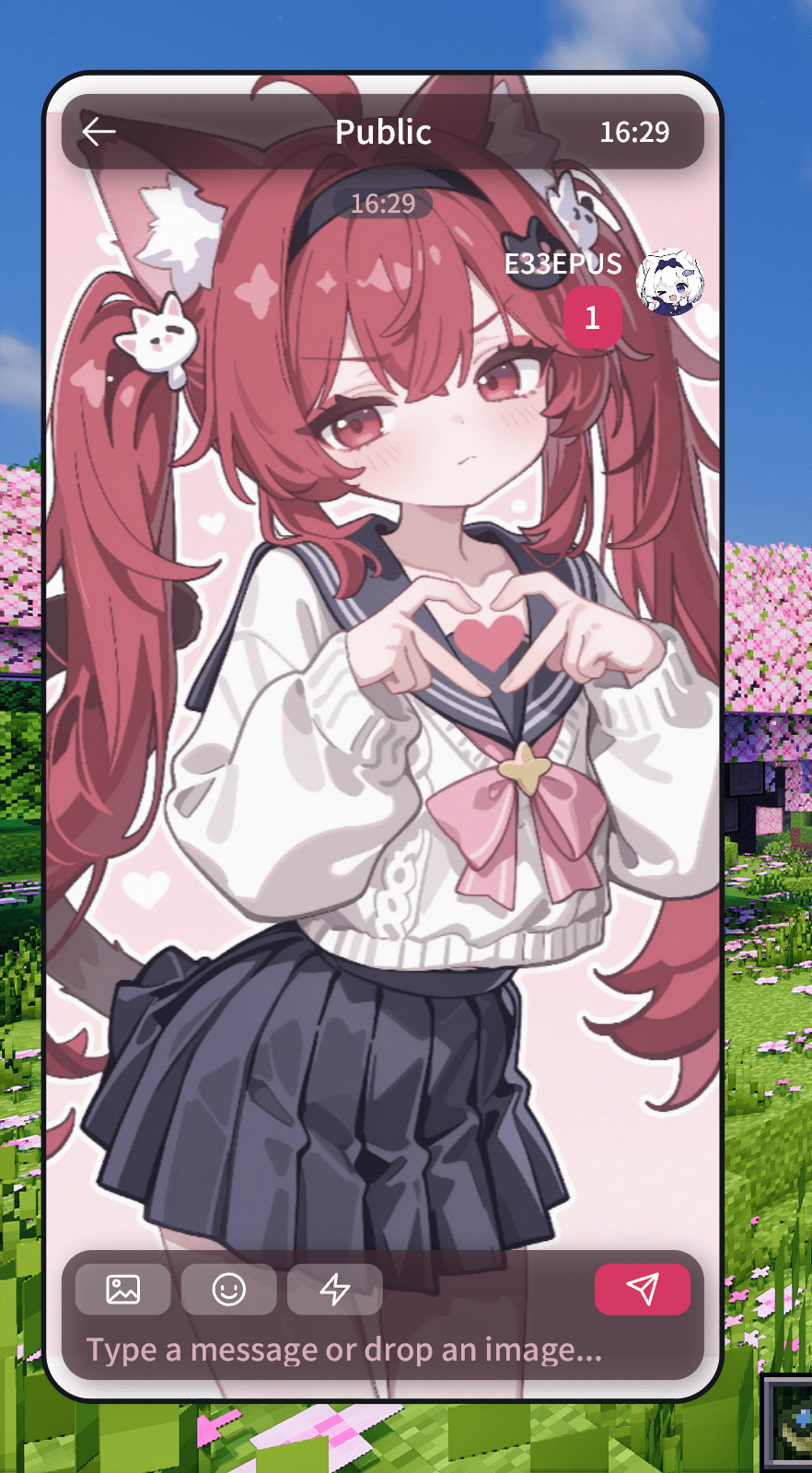 Wallpaper
Versions
Files
Relations
Project Relations
More like this
Similar Mods
Suggestions use data such as tags, dependencies, dependents, descriptions, titles, and more to rank how much they overlap with this mod.
On ModDex
Community snapshot
By the numbers
Statistics
Want to reach Minecraft players?
We're looking for a server hosting partner to feature here and other parts of the site. Interested? Send us a message!
Get in touchGet it on
Available Platforms
On ModDex
Community snapshot
By the numbers
Statistics
Resources