
Community listing page, reviews here may not be monitored by the author.
Auction House Plugin

No reviews yet
Use /ah to open the auctionHouse.
Community voices
Reviews
No reviews yet. Be the first to review this project!
Get it on
Available Platforms
About
Project Details
For authors
Embed Badge
If you're the author of this project, you can embed a live badge anywhere that supports HTML or Markdown. It updates automatically whenever ratings change.
Use HTML for any page that supports it, or Markdown for README files and Markdown-based descriptions.
Identifiers
Platform IDs
About
Description

Auction House Plugin
Use /ah to open the auction house.
Requirements:
- Vault (or VaultUnlocked if you use Folia)
- Any Ecomony Plugin (for example Essentials or BetterEconomy)
Admins on the server can also use /ah admin [opens the ah, but if you click on an item you can delete it from the ah] /ah ban [make a player unable to use /ah]
For the commands a description is provided in-game. If you aren't op on the server and want to use permissions to access these commands, the current permission is called "auctionhouse.moderator"
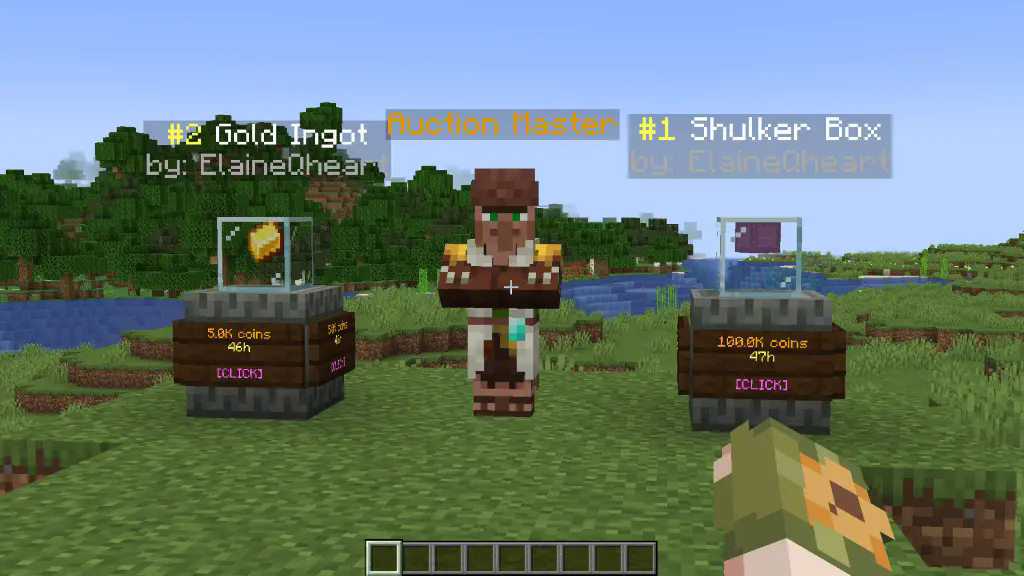 To set up an auction use /ah sell
config.yml
tax: 0.01                                   # 1% tax
auction-setup-time: 30                      # the time it takes to put an item on auction
default-max-auctions: 10
sold-message: true                          # send a message to the player when one of their auctions is sold
auto-collect: false                         # automatically gives the money to the player when an auction is bought and removes it from the ah
partial-selling: false                      # allows players to select the amount of items they want to buy of an auction
admin-permission: "auctionhouse.moderator"
display-update: 20                          # 20 ticks = 1 second, how frequently the item displays are updated; can be set to 1 for instant updates
auction-announcements: true                 # announce when someone puts an item on auction (players can toggle this with /ah announce)
bin-auctions: true                          # BIN = Buy It Now [/ah sell <amount>]
bin-auction-duration: 172800                # the time an auction lasts in seconds (60*60*48 = 172800)
min-bin: 1                                  # the minimum sell price
bid-auctions: true                          # enables actual auctions by typing [/ah bid <amount>]
bid-auction-duration: 7200                  # the time a bidding auction lasts in seconds (60*60*2 = 7200)
min-bid: 1                                  # the minimum bid price
last-bid-extra-time: 60                     # if the auction time is less than this when a bid is placed, it's set to this
bid-increase-percent: 25                    # how much each bid has to increase at least
Example of permissions.yml file
# the default auction slots and duration can be edited in the config.yml file
# by default this is empty. To add ranks/permissions, add them like so:

auction-slots:
  vip: 12
  mvp: 15
  custom.example.permission: 50
auction-duration:
  vip: 259200                           # 60*60*24*3 = 3 days
  mvp: 345600                           # 60*60*24*4 = 4 days
  custom.example.permission: 432000     # 5 days
colour codes used in the messages.yml
# §k obfuscated
# §l bold
# §m strikethrough
# §n underline
# §o italic
# §r reset
# &n new line

# §0: Black
# §1: Dark Blue
# §2: Dark Green
# §3: Dark Aqua
# §4: Dark Red
# §5: Dark Purple
# §6: Gold
# §7: Gray
# §8: Dark Gray
# §9: Blue
# §a: Green
# §b: Aqua
# §c: Red
# §d: Light Purple
# §e: Yellow
# §f: White
layout.yml
# You can replace any character with another or even remove a line to change the layout. The spaces between the characters are there to make it clearer. The characters are defined down below.
ah-layout:
  - '# # # # # # # # #'
  - '# . . . . . . . #'
  - '# . . . . . . . #'
  - '# . . . . . . . #'
  - '# # # # # # # # #'
  - 's o # p r n # f m'
my-ah-layout:
  - '# # # # # # # # #'
  - '# . . . . . . . #'
  - '# . . . . . . . #'
  - '# . . . . . . . #'
  - '# # # # # # # # #'
  - 'b o # p r n # d i'
'#':
  ==: org.bukkit.inventory.ItemStack
  DataVersion: 4325
  id: minecraft:black_stained_glass_pane
  count: 1
  components:
    minecraft:tooltip_display: '{hide_tooltip:1b}'
  schema_version: 1
s:
  ==: org.bukkit.inventory.ItemStack
  DataVersion: 4325
  id: minecraft:oak_sign
  count: 1
  schema_version: 1
active-search:
  ==: org.bukkit.inventory.ItemStack
  DataVersion: 4325
  id: minecraft:spruce_sign
  count: 1
  schema_version: 1
o:
  ==: org.bukkit.inventory.ItemStack
  DataVersion: 4325
  id: minecraft:hopper
  count: 1
  schema_version: 1
p:
  ==: org.bukkit.inventory.ItemStack
  DataVersion: 4325
  id: minecraft:arrow
  count: 1
  schema_version: 1
r:
  ==: org.bukkit.inventory.ItemStack
  DataVersion: 4325
  id: minecraft:nether_star
  count: 1
  schema_version: 1
n:
  ==: org.bukkit.inventory.ItemStack
  DataVersion: 4325
  id: minecraft:arrow
  count: 1
  schema_version: 1
m:
  ==: org.bukkit.inventory.ItemStack
  DataVersion: 4325
  id: minecraft:ender_chest
  count: 1
  schema_version: 1
b:
  ==: org.bukkit.inventory.ItemStack
  DataVersion: 4325
  id: minecraft:arrow
  count: 1
  schema_version: 1
i:
  ==: org.bukkit.inventory.ItemStack
  DataVersion: 4325
  id: minecraft:paper
  count: 1
  schema_version: 1
f:
  ==: org.bukkit.inventory.ItemStack
  DataVersion: 4325
  id: minecraft:powered_rail
  count: 1
  schema_version: 1
d:
  ==: org.bukkit.inventory.ItemStack
  DataVersion: 4325
  id: minecraft:golden_carrot
  count: 1
  schema_version: 1
bin-filter-bin:
  ==: org.bukkit.inventory.ItemStack
  DataVersion: 4325
  id: minecraft:gold_ingot
  count: 1
  schema_version: 1
bin-filter-auctions:
  ==: org.bukkit.inventory.ItemStack
  DataVersion: 4325
  id: minecraft:gold_block
  count: 1
  schema_version: 1
locked-slot:
  ==: org.bukkit.inventory.ItemStack
  DataVersion: 4325
  id: minecraft:barrier
  count: 1
  schema_version: 1
back-to-my-auctions:
  ==: org.bukkit.inventory.ItemStack
  DataVersion: 4325
  id: minecraft:arrow
  count: 1
  schema_version: 1
anvil-search-paper:
  ==: org.bukkit.inventory.ItemStack
  DataVersion: 4325
  id: minecraft:paper
  count: 1
  schema_version: 1
cancel:
  ==: org.bukkit.inventory.ItemStack
  DataVersion: 4325
  id: minecraft:red_banner
  count: 1
  schema_version: 1
collect-expired-item:
  ==: org.bukkit.inventory.ItemStack
  DataVersion: 4325
  id: minecraft:red_dye
  count: 1
  schema_version: 1
cancel-auction:
  ==: org.bukkit.inventory.ItemStack
  DataVersion: 4325
  id: minecraft:red_concrete
  count: 1
  schema_version: 1
command-block-info:
  ==: org.bukkit.inventory.ItemStack
  DataVersion: 4325
  id: minecraft:structure_block
  count: 1
  schema_version: 1
admin-cancel-auction:
  ==: org.bukkit.inventory.ItemStack
  DataVersion: 4325
  id: minecraft:red_concrete
  count: 1
  schema_version: 1
admin-expire-auction:
  ==: org.bukkit.inventory.ItemStack
  DataVersion: 4325
  id: minecraft:red_dye
  count: 1
  schema_version: 1
confirm:
  ==: org.bukkit.inventory.ItemStack
  DataVersion: 4325
  id: minecraft:green_banner
  count: 1
  schema_version: 1
choose-item-buy-amount:
  ==: org.bukkit.inventory.ItemStack
  DataVersion: 4325
  id: minecraft:oak_hanging_sign
  count: 1
  schema_version: 1
dirt:
  ==: org.bukkit.inventory.ItemStack
  DataVersion: 4325
  id: minecraft:dirt
  count: 1
  schema_version: 1
turtle-scute-confirm:
  ==: org.bukkit.inventory.ItemStack
  DataVersion: 4325
  id: minecraft:turtle_scute
  count: 1
  schema_version: 1
cannot-afford:
  ==: org.bukkit.inventory.ItemStack
  DataVersion: 4325
  id: minecraft:armadillo_scute
  count: 1
  schema_version: 1
collect-sold-item:
  ==: org.bukkit.inventory.ItemStack
  DataVersion: 4325
  id: minecraft:diamond
  count: 1
  schema_version: 1
bid-history:
  ==: org.bukkit.inventory.ItemStack
  DataVersion: 4325
  id: minecraft:filled_map
  count: 1
  schema_version: 1
bid-explanation:
  ==: org.bukkit.inventory.ItemStack
  DataVersion: 4325
  id: minecraft:gold_ingot
  count: 1
  schema_version: 1
submit-bid:
  ==: org.bukkit.inventory.ItemStack
  DataVersion: 4325
  id: minecraft:gold_nugget
  count: 1
  schema_version: 1
cannot-afford-bid:
  ==: org.bukkit.inventory.ItemStack
  DataVersion: 4325
  id: minecraft:armadillo_scute
  count: 1
  schema_version: 1
top-bid:
  ==: org.bukkit.inventory.ItemStack
  DataVersion: 4325
  id: minecraft:gold_block
  count: 1
  schema_version: 1
collect-auction:
  ==: org.bukkit.inventory.ItemStack
  DataVersion: 4325
  id: minecraft:gold_block
  count: 1
  schema_version: 1
collect-coins:
  ==: org.bukkit.inventory.ItemStack
  DataVersion: 4325
  id: minecraft:gold_nugget
  count: 1
  schema_version: 1
own-bid:
  ==: org.bukkit.inventory.ItemStack
  DataVersion: 4325
  id: minecraft:poisonous_potato
  count: 1
  schema_version: 1
sounds:
  click: "UI_STONECUTTER_SELECT_RECIPE"
  open-enderchest: "BLOCK_ENDER_CHEST_OPEN"
  close-enderchest: "BLOCK_ENDER_CHEST_CLOSE"
  break-wood: "BLOCK_WOOD_BREAK"
  experience: "ENTITY_EXPERIENCE_ORB_PICKUP"
  villager-deny: "ENTITY_VILLAGER_NO"
  open-shulker: "BLOCK_SHULKER_BOX_OPEN"
  close-shulker: "BLOCK_SHULKER_BOX_CLOSE"
Q&A
Q: Can I customize messages and GUI texts? A: Yes, edit the messages.yml file in the plugin folder. You can change the currency from "coins" to whatever you like under "placeholders" in the messages.yml file.
Q: How do I update the config with new options? A: The plugin automatically adds missing config options when updated, without overwriting your custom settings.
Q: How do I spawn that Auction Master Villager and the item displays and how do I remove them? A: If you are op, then you can do /ah summon which you can tab-complete. To remove them, simply punch them while being in creative mode and being op on the server.
Q: The Auction Master Villager and the item displays disappear after a while A: If you do something like /kill @e, of course they will be removed. Also, if you use /teleport @e, they will be moved.
Q: How do I report bugs or request features? A: You can join my new discord server and contact me directly.
Screenshots
Gallery
-
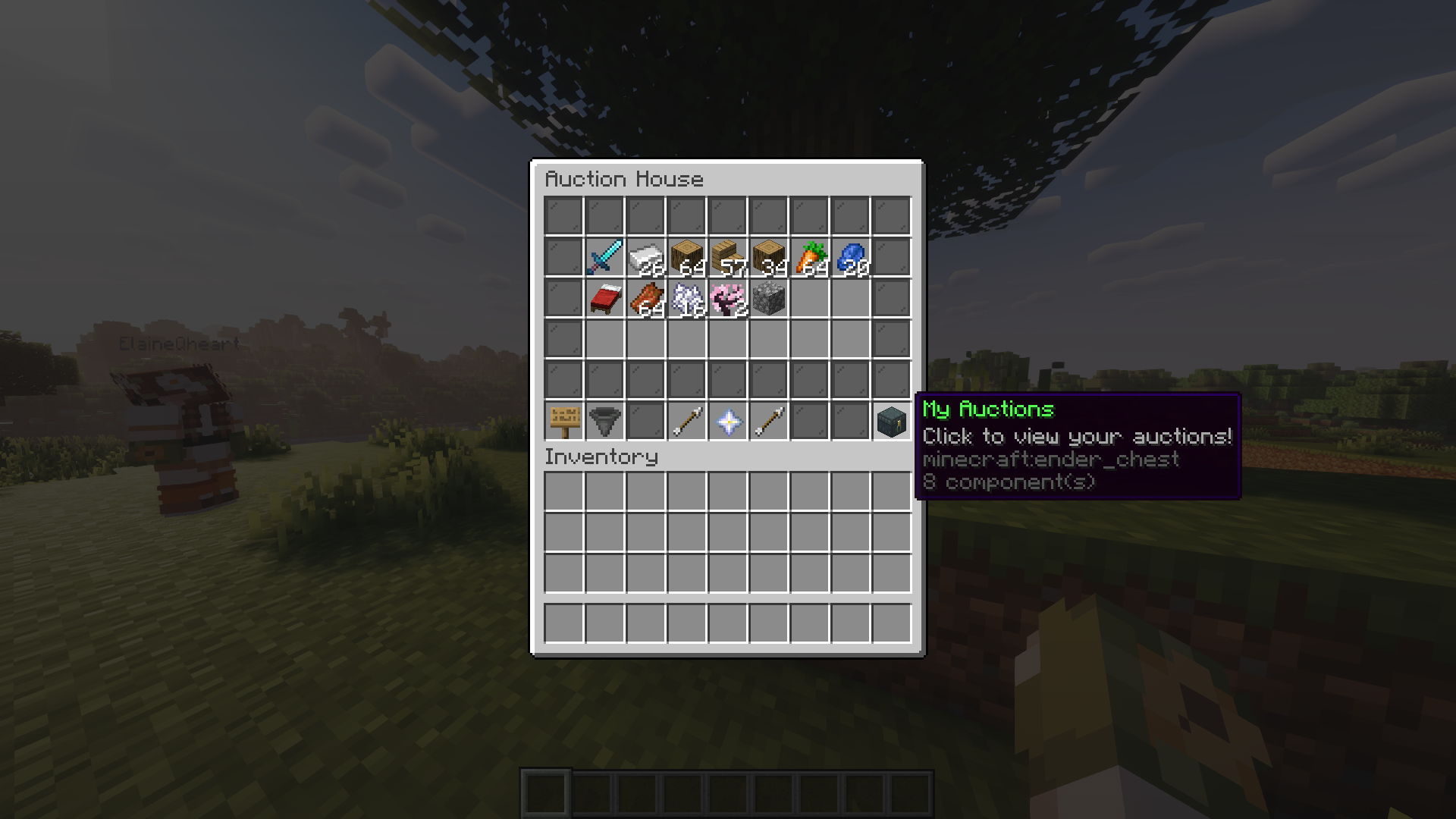 auction house
 -
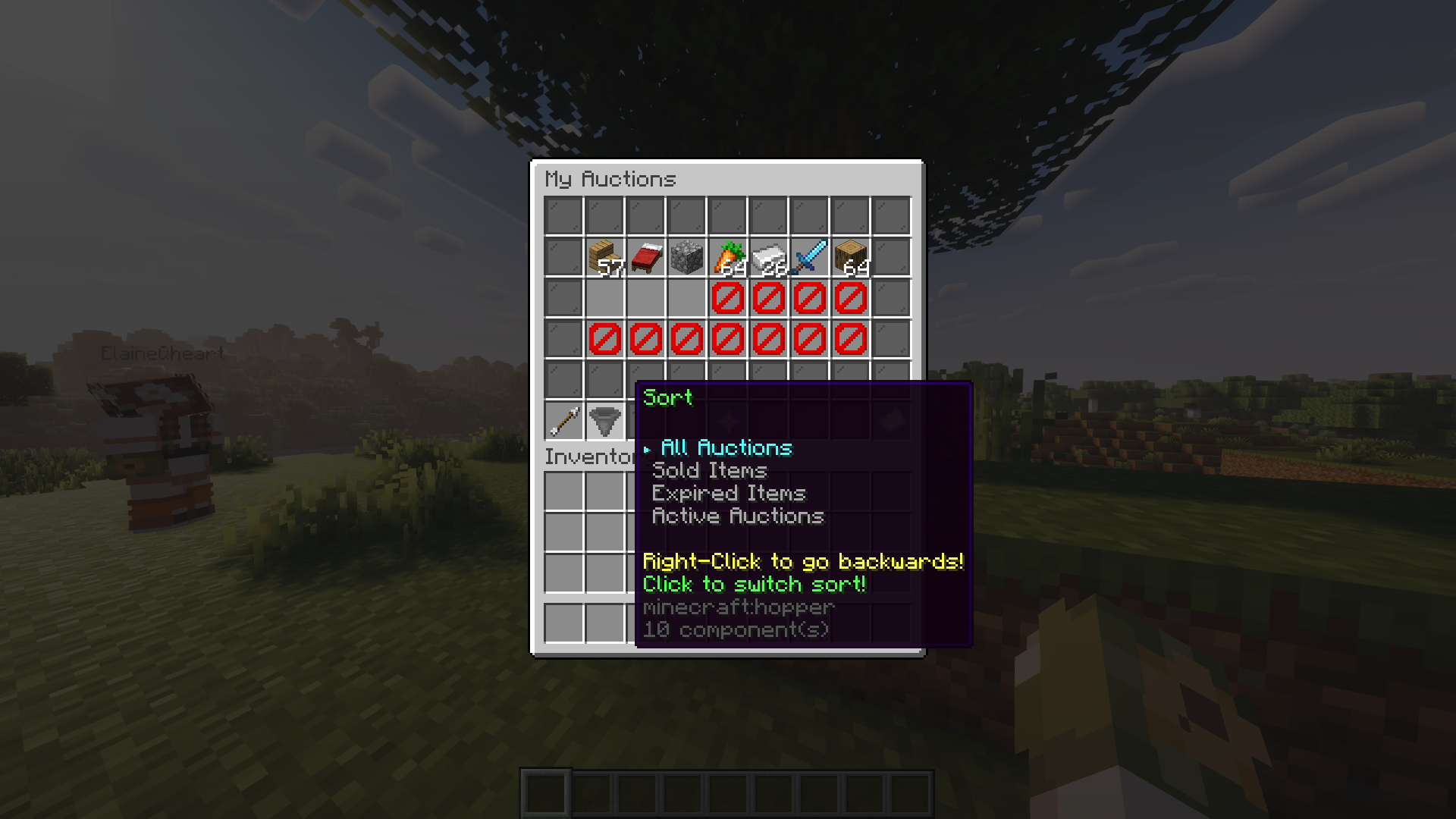 My Auctions You can sort your own auction items as shown in the image
 -
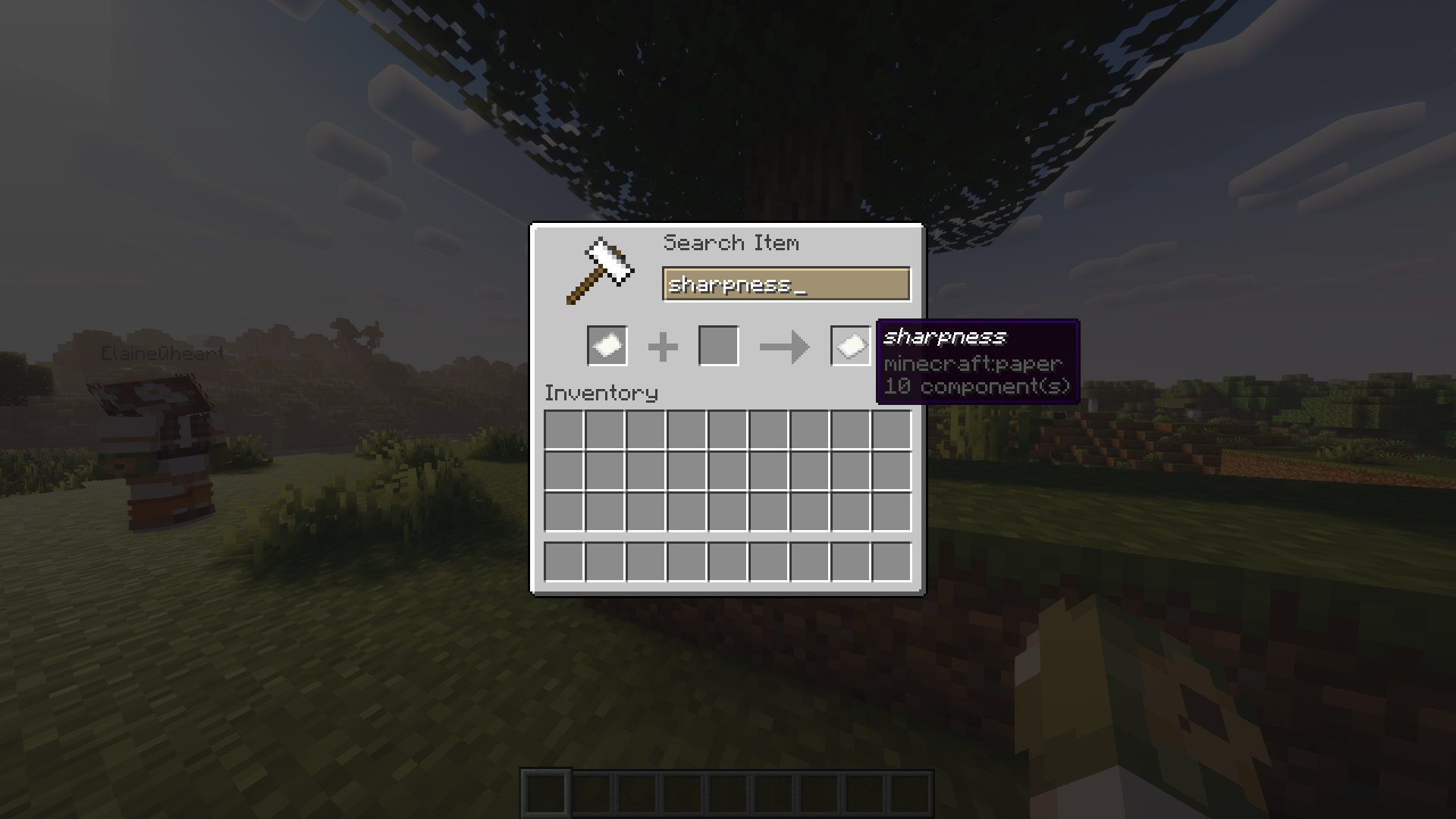 Search You can search for the item names, lore or enchantments
 -
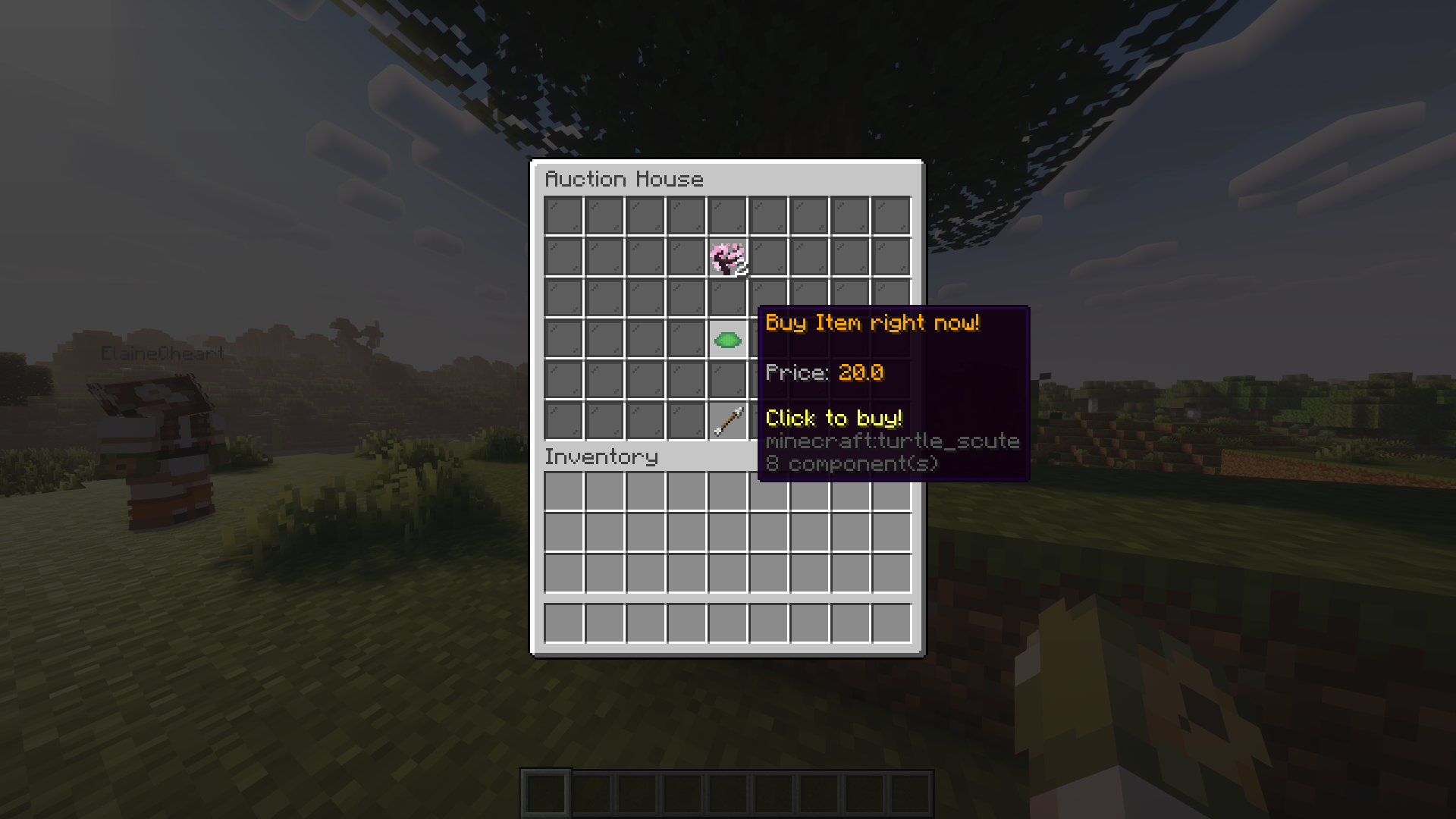 Confirm buy Highly inspired by the ah in hypixel skyblock :)
 -
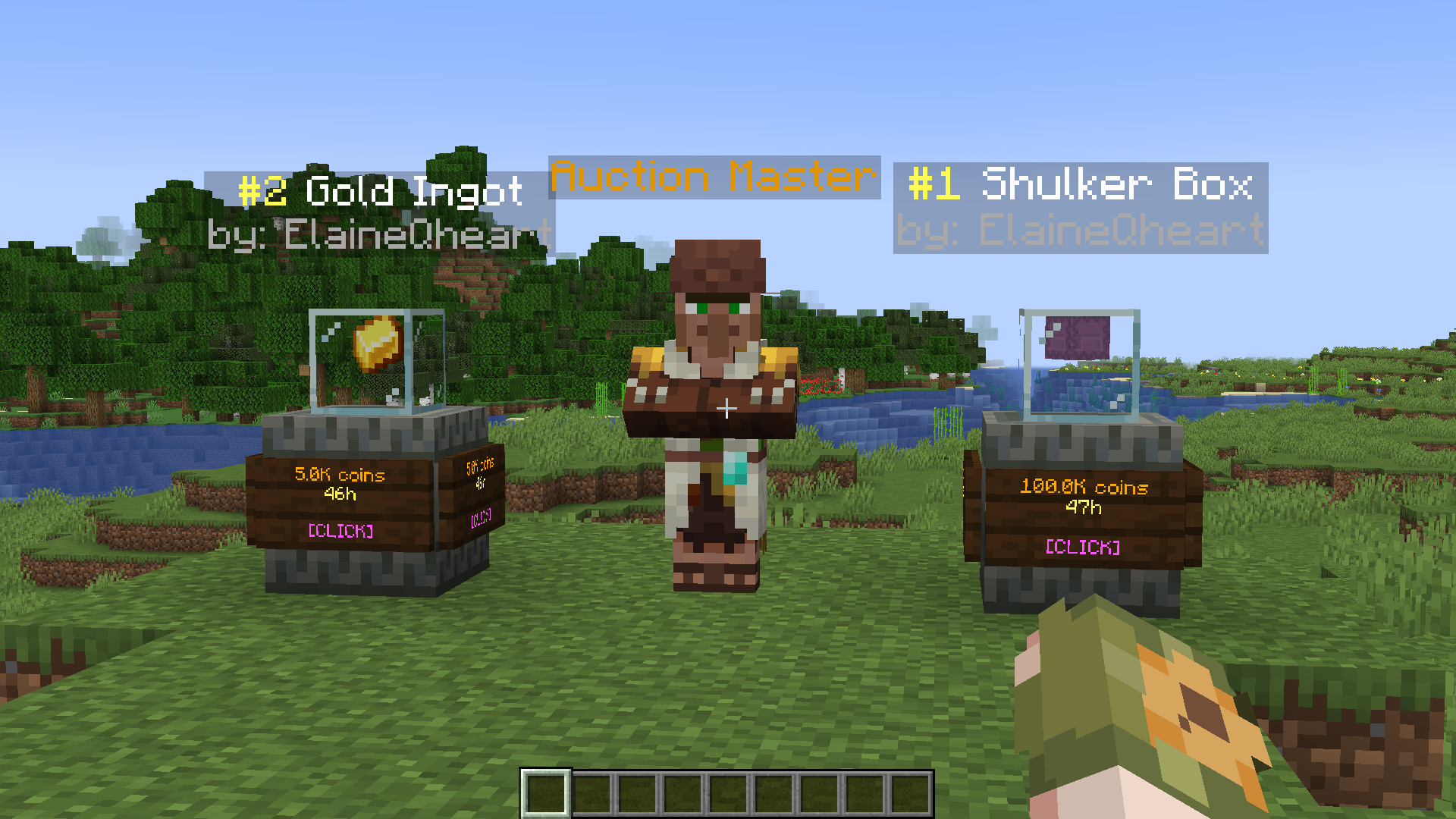 NPC NPCs and item displays were added in a previous update. Summon them with /ah summon <entity>
 -
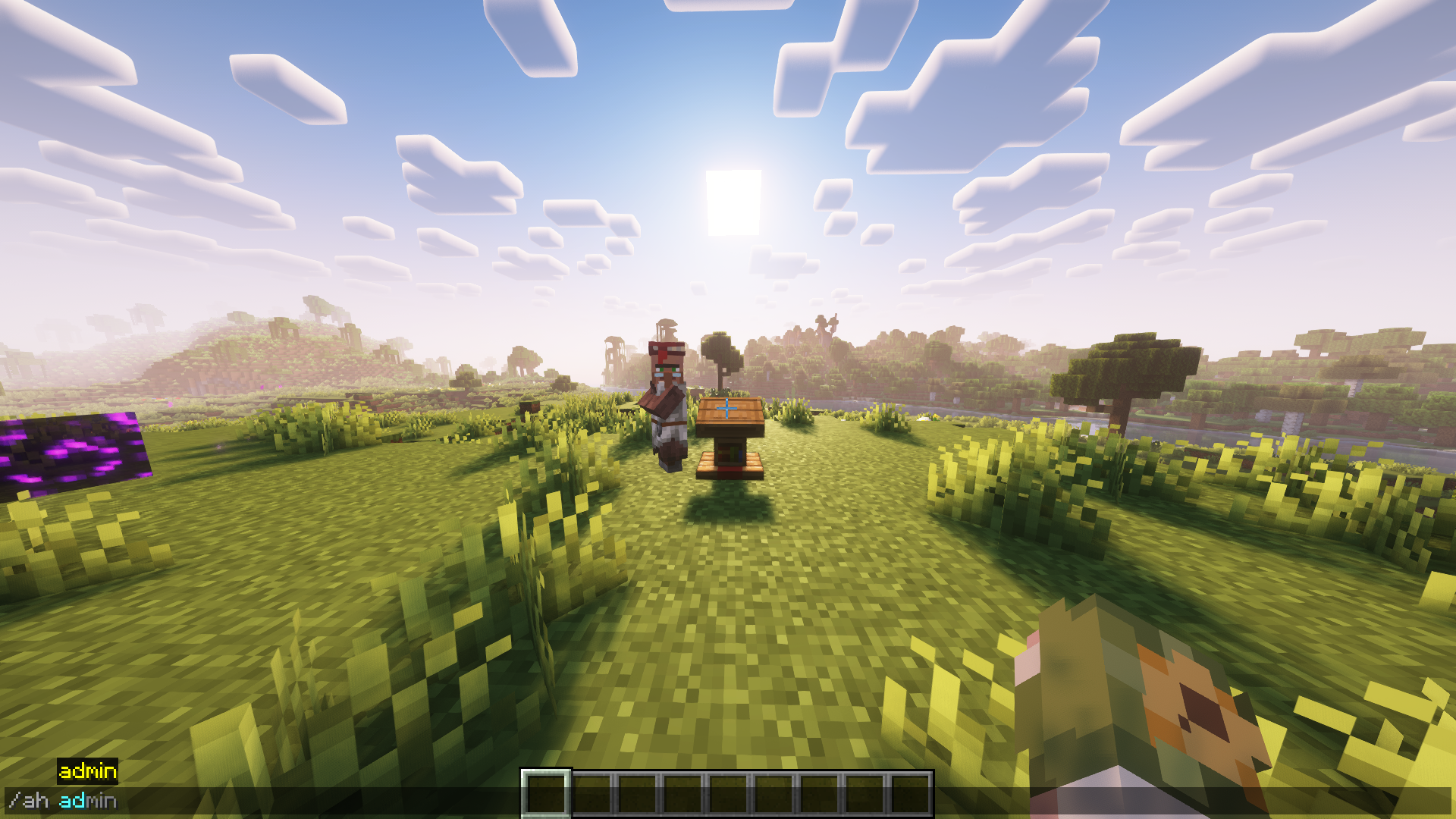 Admin There are many admin commands, a description is provided in-game
Versions
Files
Relations
Project Relations
More like this
Similar Mods
Suggestions use data such as tags, dependencies, dependents, descriptions, titles, and more to rank how much they overlap with this mod.
On ModDex
Community snapshot
By the numbers
Statistics

Want to reach Minecraft players?
We're looking for a server hosting partner to feature here and other parts of the site. Interested? Send us a message!
Get in touchGet it on
Available Platforms
On ModDex
Community snapshot
By the numbers