
Auto Enchanter
No reviews yet
Enchant items in the anvil automatically with minimal cost
Fabric is a mod loader for versions 1.14+ of Minecraft, particularly popular for client side and optimization mods.
Community voices
Reviews
Click once to include, again to exclude, again to clear
No reviews yet. Be the first to review this project!
Get it on
Available Platforms
 Modrinth
Compatibility
Supported Environments
About
Project Details
For authors
Embed Badge
If you're the author of this project, you can embed a live badge anywhere that supports HTML or Markdown. It updates automatically whenever ratings change.
Use HTML for any page that supports it, or Markdown for README files and Markdown-based descriptions.
Identifiers
Platform IDs
About
Description
Enchant items in the anvil automatically with minimal cost
[!WARNING] The mod is still not fully developed. You may experience instability, crashes or lags. Use at your own risk! Feel free to report any encountered issues or suggest improvements for the algorithm on GitHub





 Usage
Usage
- Open an anvil
- Click on the Select button; to cancel selection, press Cancel
- First select the target item (will be highlighted blue)
- Then select all the sacrifices you want to make (highlighted green)
- Once you selected everything, press the Calculate button
- Auto Enchanter will check for any incompatible enchantments and start to iterate all possibilities to apply the
enchantments
- Even if you close the anvil screen, the calculation will continue
- To stop, either press Cancel inside the anvil screen or use the client-side
command
/autoenchanter cancel - Note, that the calculation uses a lot of resources and the speed depends on your hardware
- Even with a decent setup, only up to 14 items can be calculated in under 5 minutes
- When the calculation process is finished, Auto Enchanter will notify you
- If you are in the anvil screen, you will see the message written there
- Else, you will get a text message in the chat
- After opening the anvil again, you can choose between Start enchanting and Cancel
- Automatic enchanting works by simulating slot clicks, and most servers should allow this
- If your anvil breaks while enchanting, or you close the anvil screen yourself, you can simply re-open an anvil and press Start enchanting again
- It will continue from where it left off
- Before each combination, Auto Enchanter will check if you have enough levels, meaning you don't have to have all the levels before enchanting and can gradually receive them in between combinations
- Even if you canceled in middle of the enchanting process, re-selecting all the used and unused books should be able to find a way to obtain the wished result for the same price as before
| Selecting items for enchanting |
| Success message |
| Calculation process with visualization |
| Automatic enchanting |
Enchantment Combinations
If your selected items contain incompatible enchantments, the mod decides which to keep based on the list of enchantments on the target item. For every pair of enchantments, that is incompatible, the enchantment which is also applied to the target item, will be kept, while the other one will be ignored. If not all conflicts could have been resolved, the calculation process is not started and an error will appear.
Sometimes you can't just enchant using max-level books. Either you don't yet have the required books, you are enchanting with Wind Burst, or you are playing with the Villager Trades Re-Balance. Auto Enchanter takes care of such scenarios, and considers the book levels when calculating all the orders, to ensure that the highest achievable level is reached.
Auto Enchanter also supports books and items with multiple enchantments, adjusting its calculation algorithm to consider only valid combinations. This process is a little fragile and is still being tested. When there are wasted or inefficiently used books, Auto Enchanter should throw an error before calculating in most cases. However, sometimes if the combination of the books is more complex, Auto Enchanter will begin calculating and won't find any fitting enchantment trees.
Error Messages
Some items are incompatible or useless
Incompatible enchantments were found and some books contain no useful enchantments
Enchantment <...> has wasted items
This enchantment has books and items of different levels, and they don't add up to the max level
Some items' every enchantment is ignored
After adding all incompatible enchantments into the ignore list, some items have no useful enchantments anymore
Some items' every enchantment is wasted
After creating the merge tree of the different levels of an enchantment, some items' every enchantment will be wasted in the enchanting process
Couldn't find a tree
Since not all edge cases can be eliminated before the calculation, there are additional checks inside the algorithm to discard invalid enchanting orders; if all such orders were invalid, this error message appears
TODO:
- check de-sync when "no trees" happens too quickly
- add config
- config: disregard wasted books
- config: >40 xp custom enchantments
- add progress command and time estimation
About Me
I am a computer science student in Germany and have a part-time job at a tech company. Apart from that, I enjoy my free time by spending it with friends, chatting online or gaming.
If you want to keep this project alive, found it helpful or just want to support and motivate me to go on, you could consider making a small ☕ donation.
Screenshots
Gallery
-
 Auto Enchanter Enchant items in the anvil automatically with minimal cost
 -
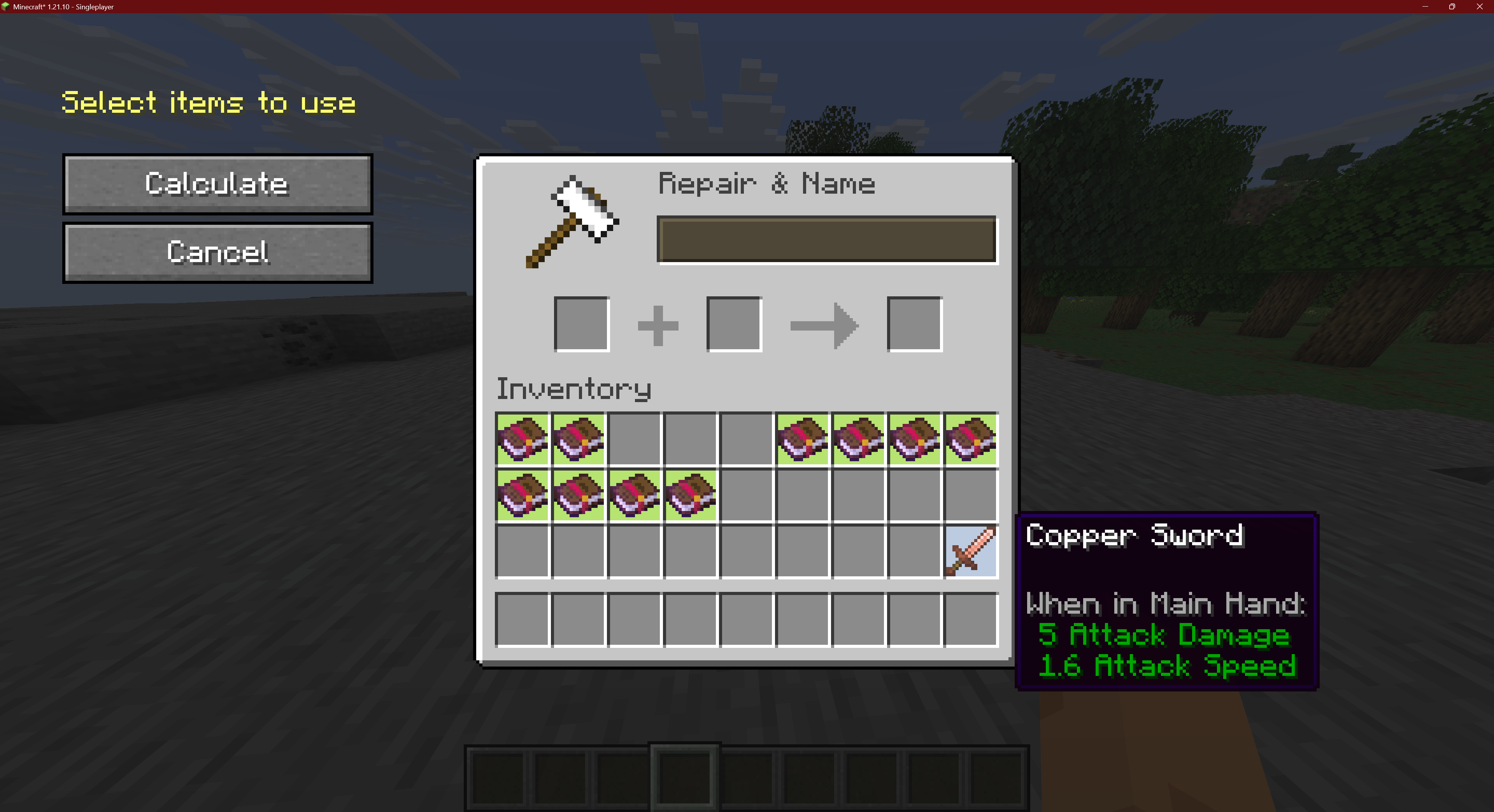 Selecting Selecting items for enchanting
 -
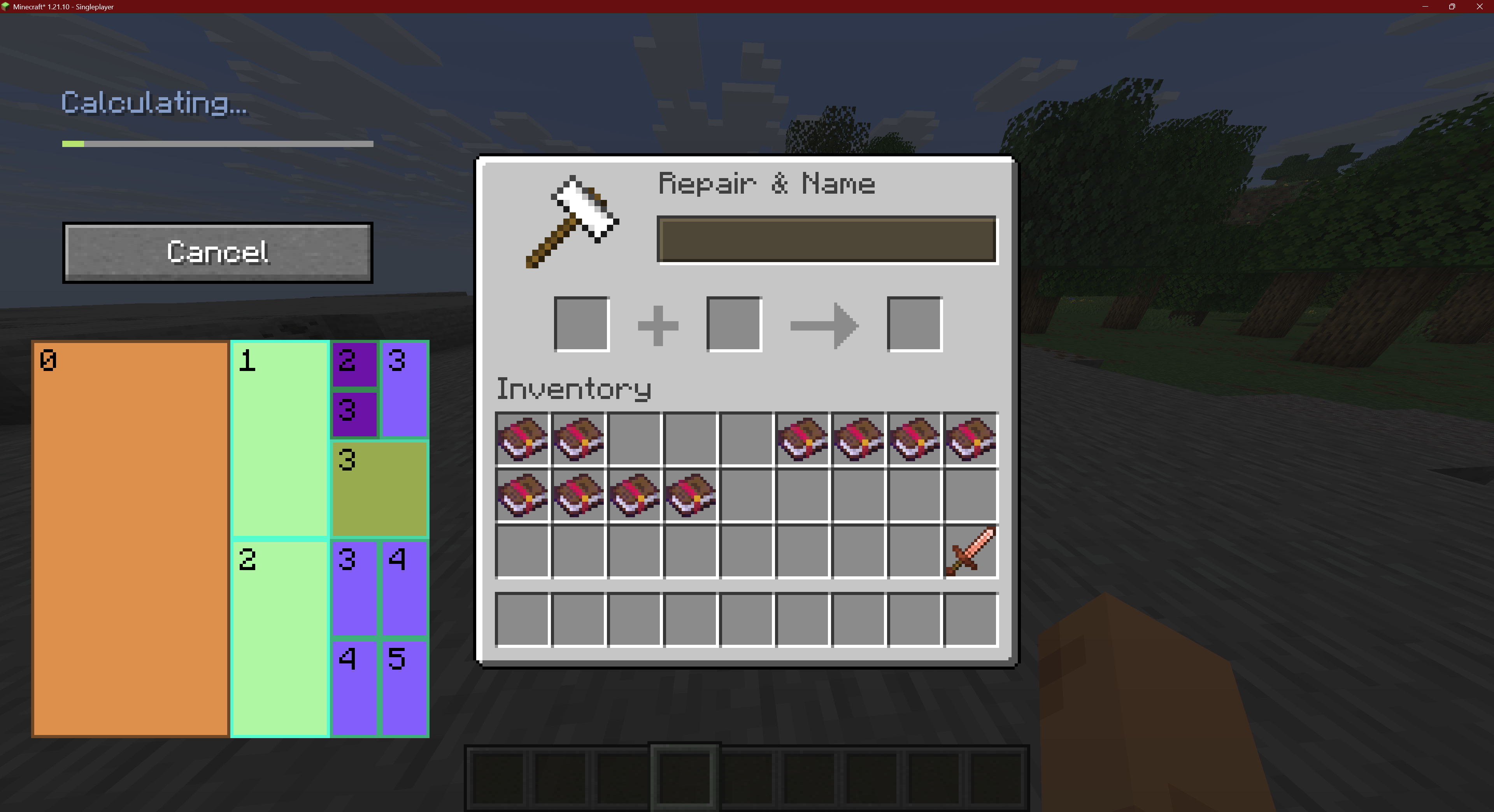 Calculation Calculation process with visualization
 -
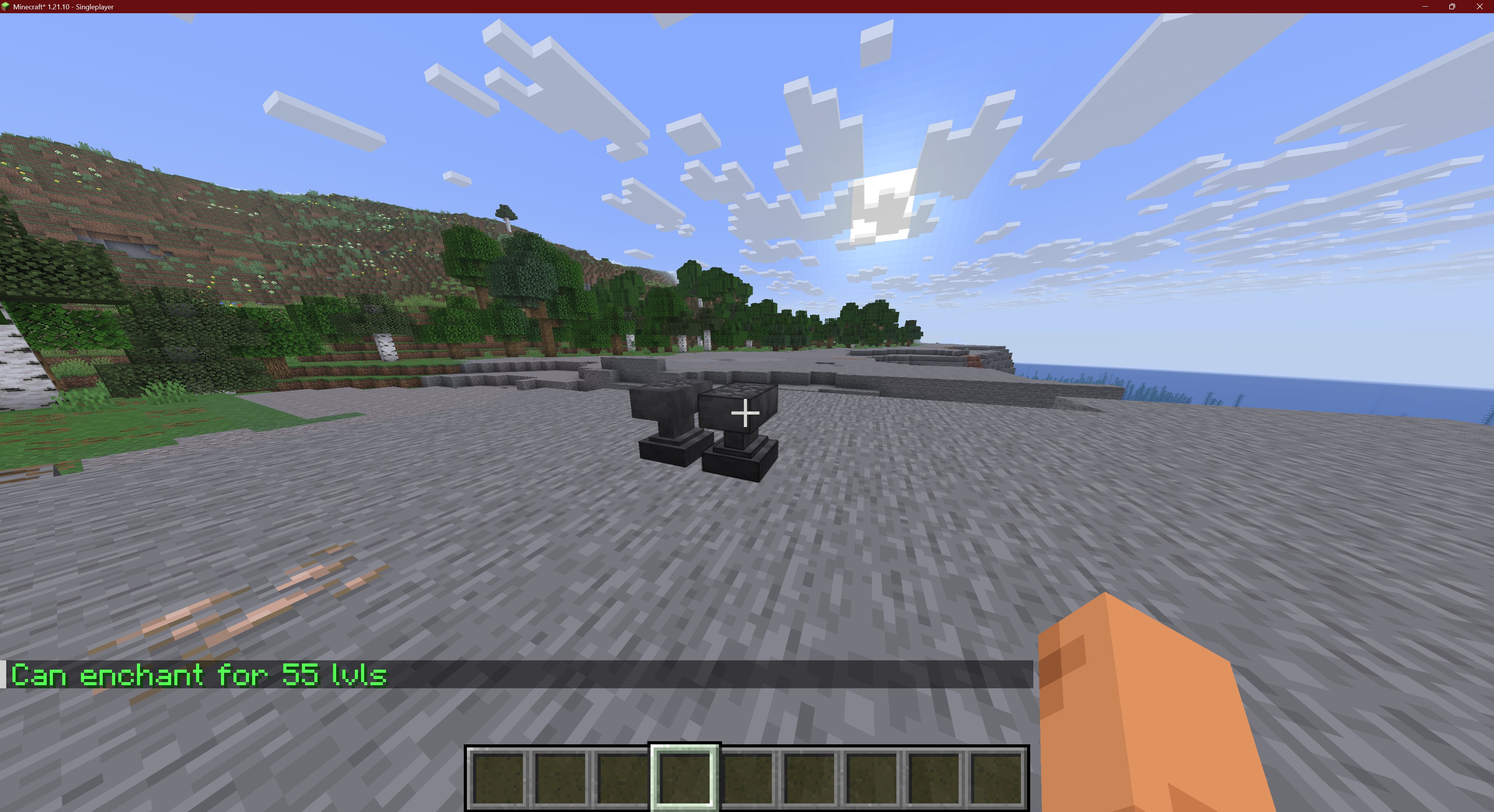 Success message An enchantment order has been found!
Versions
Files
Relations
Project Relations
More like this
Similar Mods
Suggestions use data such as tags, dependencies, dependents, descriptions, titles, and more to rank how much they overlap with this mod.
On ModDex
Community snapshot
By the numbers
Statistics

Want to reach Minecraft players?
We're looking for a server hosting partner to feature here and other parts of the site. Interested? Send us a message!
Get in touchGet it on
Available Platforms
On ModDex
Community snapshot
By the numbers