Community listing page, reviews may not be monitored by the author.
Auto HUD


No reviews yet
A mod which dynamically hides parts of the user interface

Community voices
Reviews
No reviews yet. Be the first to review this project!
Get it on
Available Platforms
Compatibility
Supported Environments
Runs entirely on the client. Works on vanilla servers.
About
Project Details
For authors
Embed Badge
If you're the author of this project, you can embed a live badge anywhere that supports HTML or Markdown. It updates automatically whenever ratings change.
Use HTML for any page that supports it, or Markdown for README files and Markdown-based descriptions.
Identifiers
Platform IDs
About
Description
Auto HUD
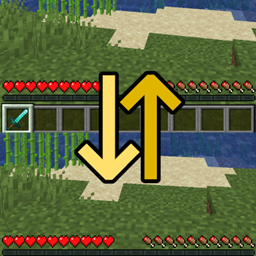
Auto HUD is a Minecraft mod which hides parts of the user interface (HUD) that are currently not interesting.
It is inspired by similar mods ("immersive hud") for other games. I personally really like the clean view of no visible HUD, but get frustrated by the limitations of using F1 mode.
This is an opinionated rewrite of Head-down Display that never got updated.
Features
- Toggle the whole HUD with a key binding.
- Have parts of the HUD that haven't changed hide away.
- Hide persistent, unchanging status effects, such as water breathing from the turtle helmet.
- Show remaining time of status effects.
- Choose between "move out", "fade out", and "no animation" modes.
- Highly configurable.
Support
Found a bug or have feedback? Leave a comment, open an issue on GitHub or join my Discord!
Visual differences to F1 mode
- Player hand / equipped items remain visible
- Player names remain visible
- The vignette remains active
- Incoming chat messages still pop up
- Crosshair remains visible (see my other mod Dynamic Crosshair for that)
- Configurable what elements are hidden
Dependencies
- Optional dependency on YetAnotherConfigLib for ingame configuration screen
- older versions require Cloth Config instead; see the individual files' dependencies
Fabric only
- requires Fabric API
- Optional: Mod Menu for ingame configuration screen
Mod Compatibility
This mod includes a modified version of magicus' Status Effect Timer, because I could not figure out how to dynamically insert my modifications into it. Since this mod allows for status effect icons to be hidden individually, the non-modified version will draw the timers in the wrong place.
Known to be compatible:
- Dynamic Crosshair augments this mod by dynamically hiding the crosshair as well.
- Raised works perfectly.
- HUDTweaks mostly works. Vertical status effects bar does not work with the timer overlay. Animation direction and offset may have to be tweaked in AutoHud's settings manually.
- AppleSkin appears to work fine.
- DetailArmorBar is supported.
- BerdinskiyBear's Armor Hud is supported in hotbar mode.
- MicroDurability is supported.
- Dehydration is supported.
- OneBar is supported.
- Inventory Profiles Next lock slots are supported in move & instant mode.
- Status Effect Bars is supported.
Known to be incompatible:
- OptiFabric / OptiFine crashes due to mixin conflicts.
- Any other mod that draws status effect timers should have that functionality disabled.
- HUD elements created by other mods will most likely not be moved.
- Bedrockify overwrites the status effect modifications. To get them working, disable the
screenSafeAreamixin. - Running AutoHUD together with Exordium will cause stuttering and delayed animations.
Auto HUD is a Minecraft mod which hides parts of the user interface (HUD) that are currently not interesting.
It is inspired by similar mods ("immersive hud") for other games. I personally really like the clean view of no visible HUD, but get frustrated by the limitations of using F1 mode.
This is an opinionated rewrite of Head-down Display that never got updated.
NOTE: From version 4 on, Cloth-Config has been dropped. Now YetAnotherConfigLib is needed for an ingame configuration screen, but the mod will work fine without.
Features
- Toggle the whole HUD with a key binding.
- Have parts of the HUD that haven't changed hide away.
- Hide persistent, unchanging status effects, such as water breathing from the turtle helmet.
- Show remaining time of status effects.
- Highly configurable.
Visual differences to F1 mode
- Player hand / equipped items remain visible
- Player names remain visible
- The vignette remains active
- Incoming chat messages still pop up
- Crosshair remains visible (see my other mod Dynamic Crosshair for that)
- Configurable what elements are hidden
Dependencies
- Optional dependency on YetAnotherConfigLib for ingame configuration screen
Fabric only
- requires Fabric API
- optional: Mod Menu for ingame configuration screen
Mod Compatibility
This mod includes a modified version of magicus' Status Effect Timers, because I could not figure out how to dynamically insert my modifications into it. Since this mod allows for status effect icons to be hidden individually, the non-modified version will draw the timers in the wrong place.
Known to be compatible:
- Dynamic Crosshair augments this mod by dynamically hiding the crosshair as well.
- Raised works perfectly.
- HUDTweaks mostly works. Vertical status effects bar does not work with the timer overlay. Animation direction and offset may have to be tweaked in AutoHud's settings manually.
- AppleSkin appears to work fine.
- DetailArmorBar is supported.
- BerdinskiyBear's Armor Hud is supported in hotbar mode.
Known to be incompatible:
- OptiFabric crashes due to mixin conflicts.
- Any other mod that draws status effect timers should have that functionality disabled.
- HUD elements created by other mods will most likely not be moved.
- Bedrockify overwrites the status effect modifications. To get them working, disable the
screenSafeAreamixin. - Running AutoHUD together with Exordium can cause visual issues
Screenshots
Gallery
-
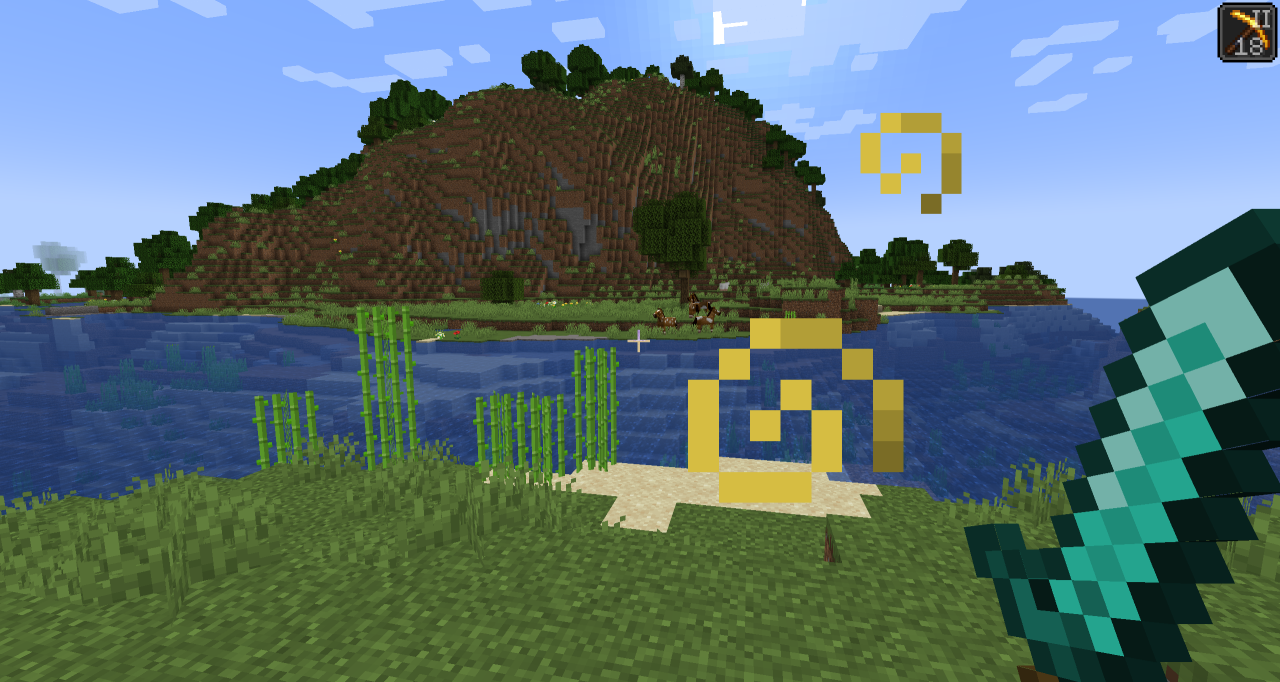 Basic Example All HUD elements are hidden except for the currently active status effect
 -
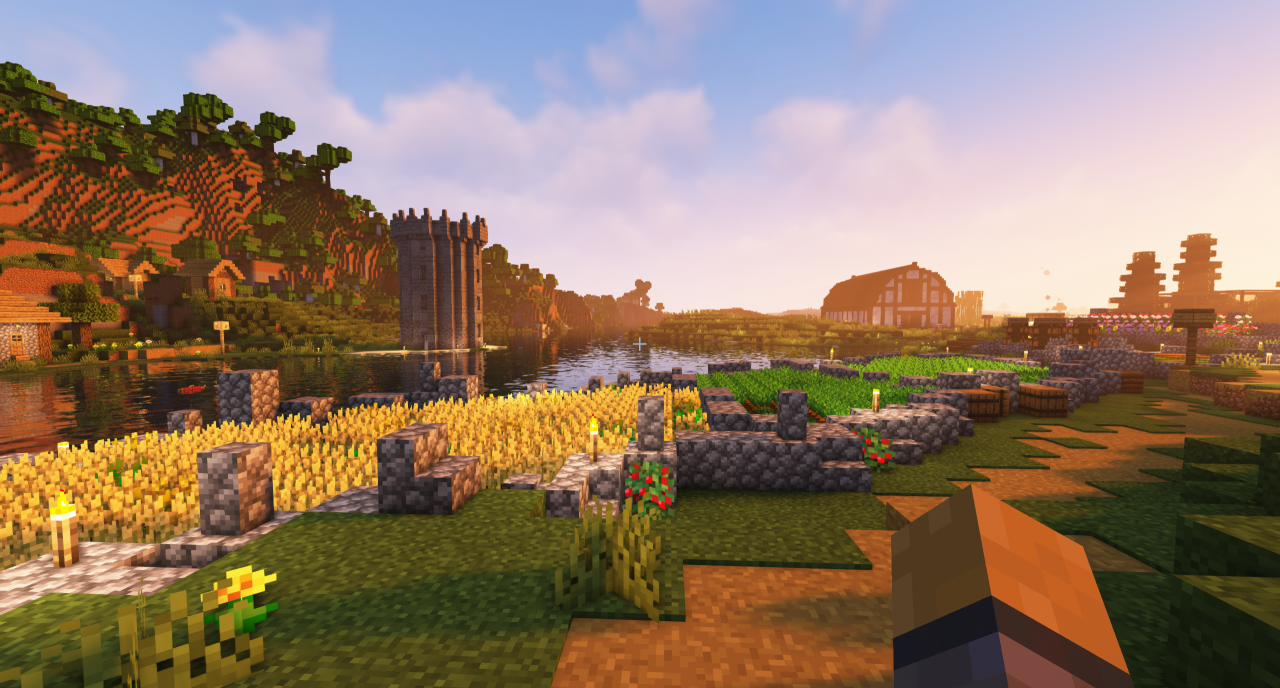 Example with shaders Possible look with shaders installed
-
 Basic example All HUD elements are hidden except for the currently active status effect
 -
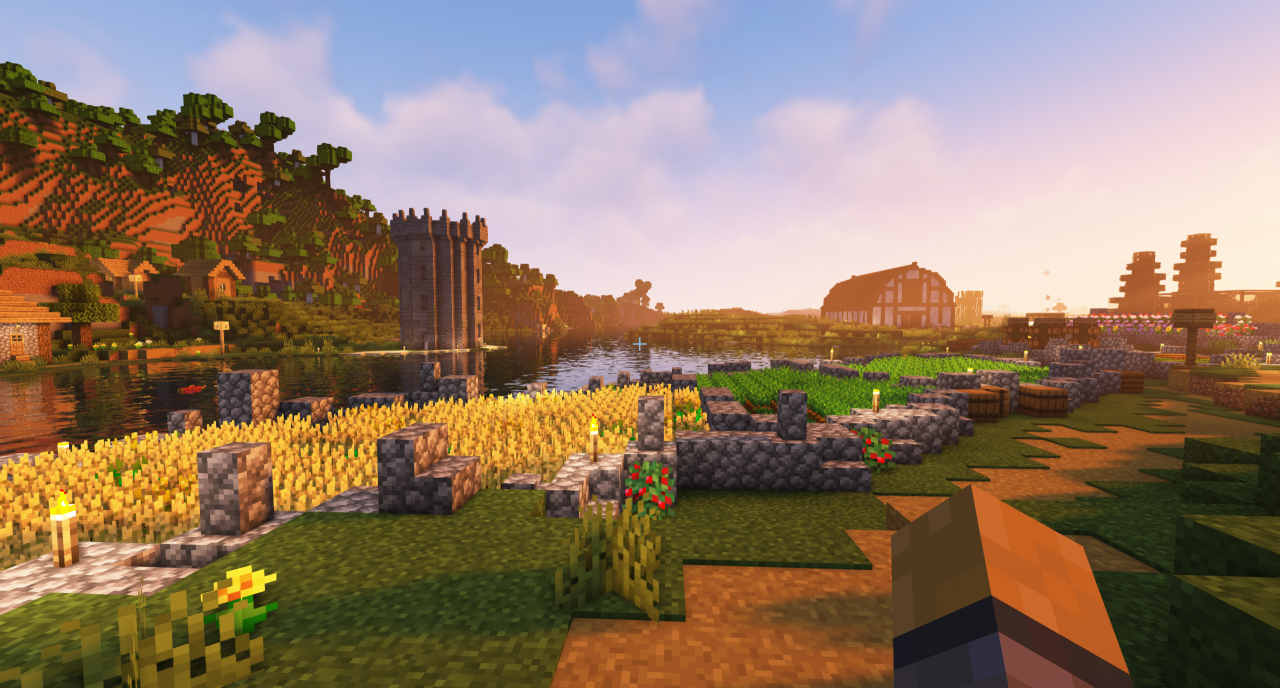 Example with shaders Possible look with shaders installed
Versions
Files
Relations
Project Relations
More like this
Similar Mods
Suggestions use data such as tags, dependencies, dependents, descriptions, titles, and more to rank how much they overlap with this mod.
On ModDex
Community snapshot
By the numbers
Statistics
 (opens in a new tab)
Get it on
Available Platforms
On ModDex
Community snapshot
By the numbers