Community listing page, reviews here may not be monitored by the author.
Auto-Lan


No reviews yet
Automatically Opens To Lan Upon Loading A Minecraft World

Community voices
Reviews
No reviews yet. Be the first to review this project!
Get it on
Available Platforms
Compatibility
Supported Environments
Works in singleplayer only; does not function in multiplayer.
About
Project Details
For authors
Embed Badge
If you're the author of this project, you can embed a live badge anywhere that supports HTML or Markdown. It updates automatically whenever ratings change.
Use HTML for any page that supports it, or Markdown for README files and Markdown-based descriptions.
Identifiers
Platform IDs
Resources
External Links
About
Description
Auto-Lan
Info:
- This mod's codes are inspired by Custom-LAN
*Requires Cloth Config Api
Functions:
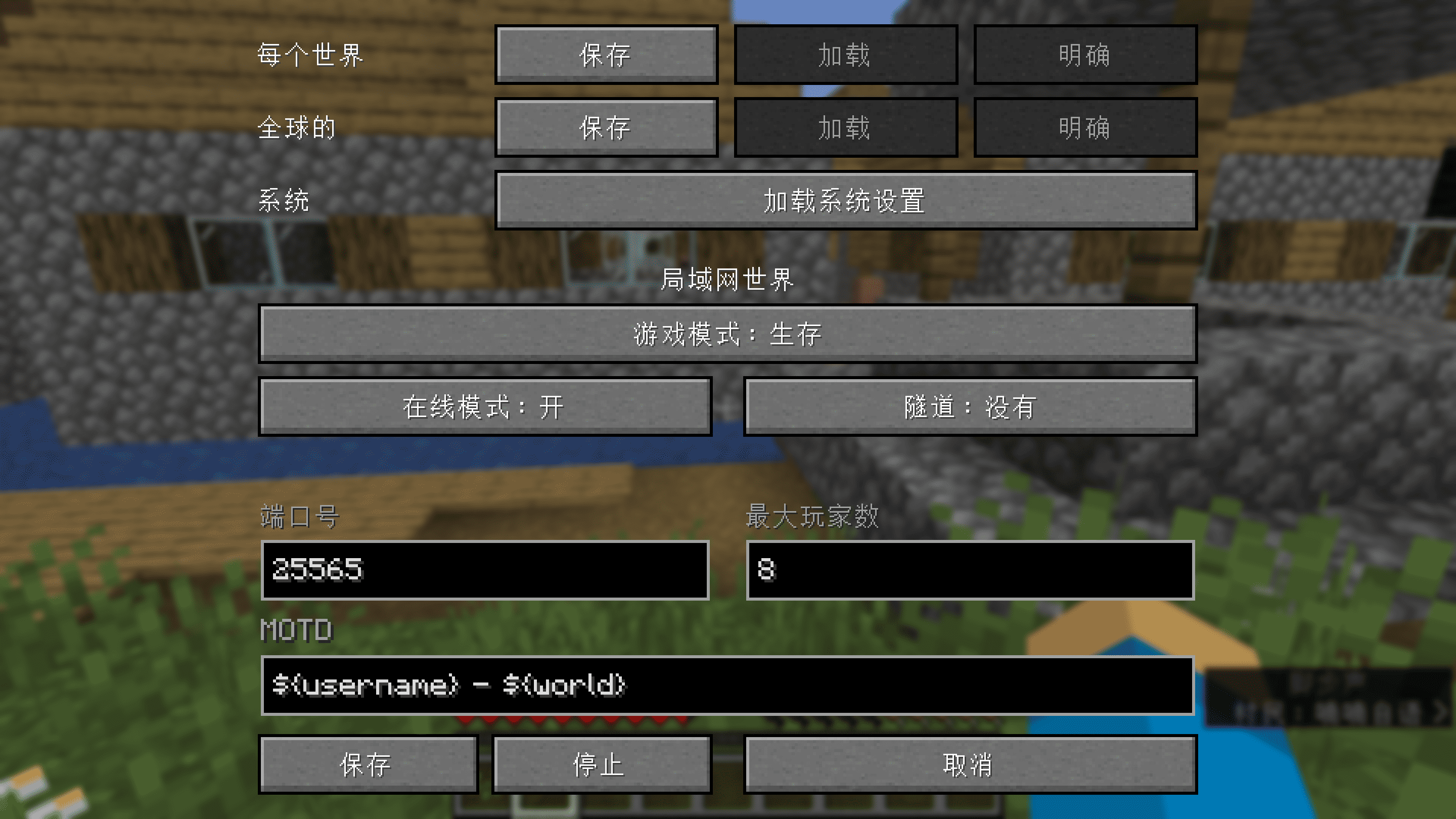
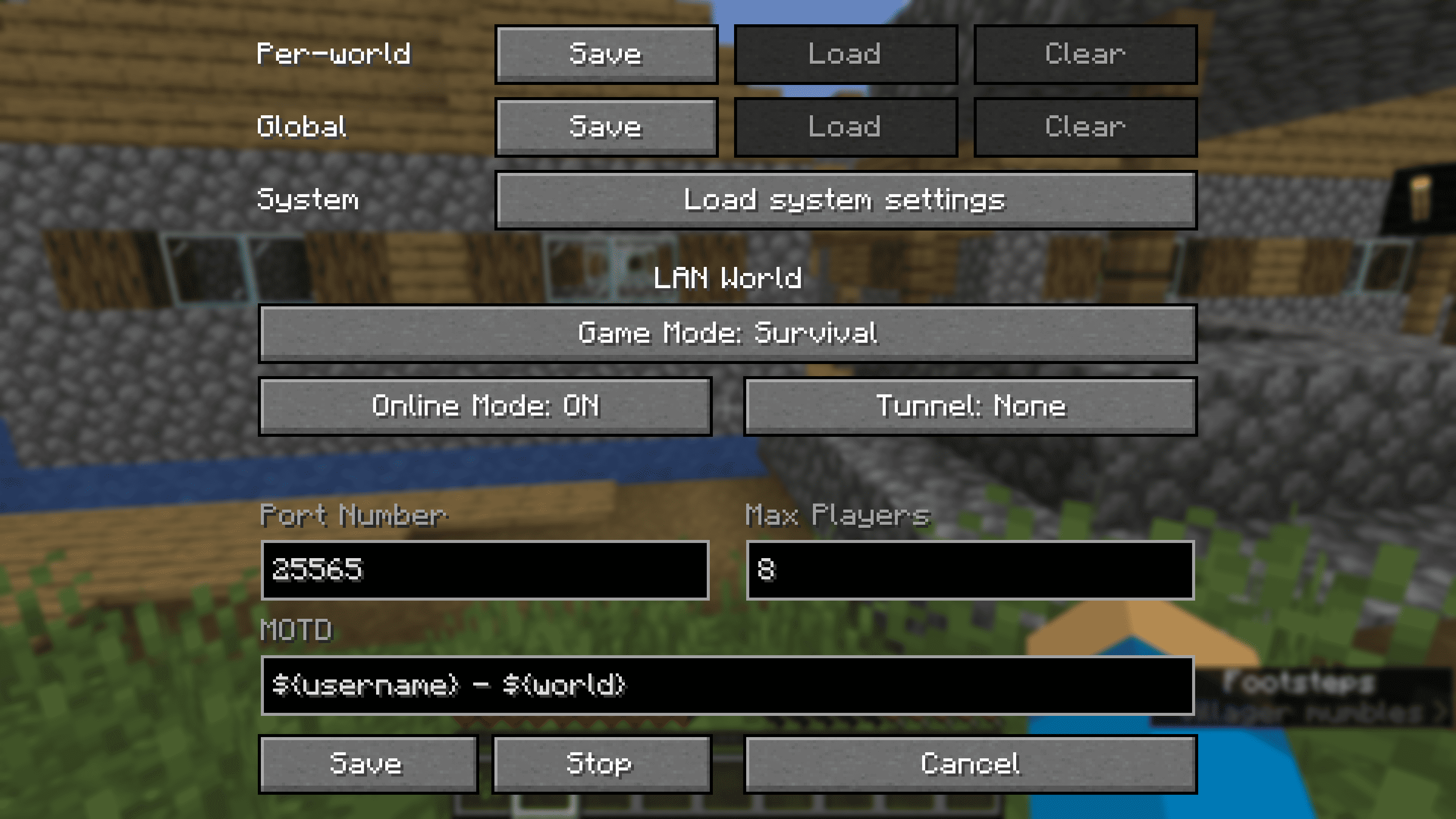
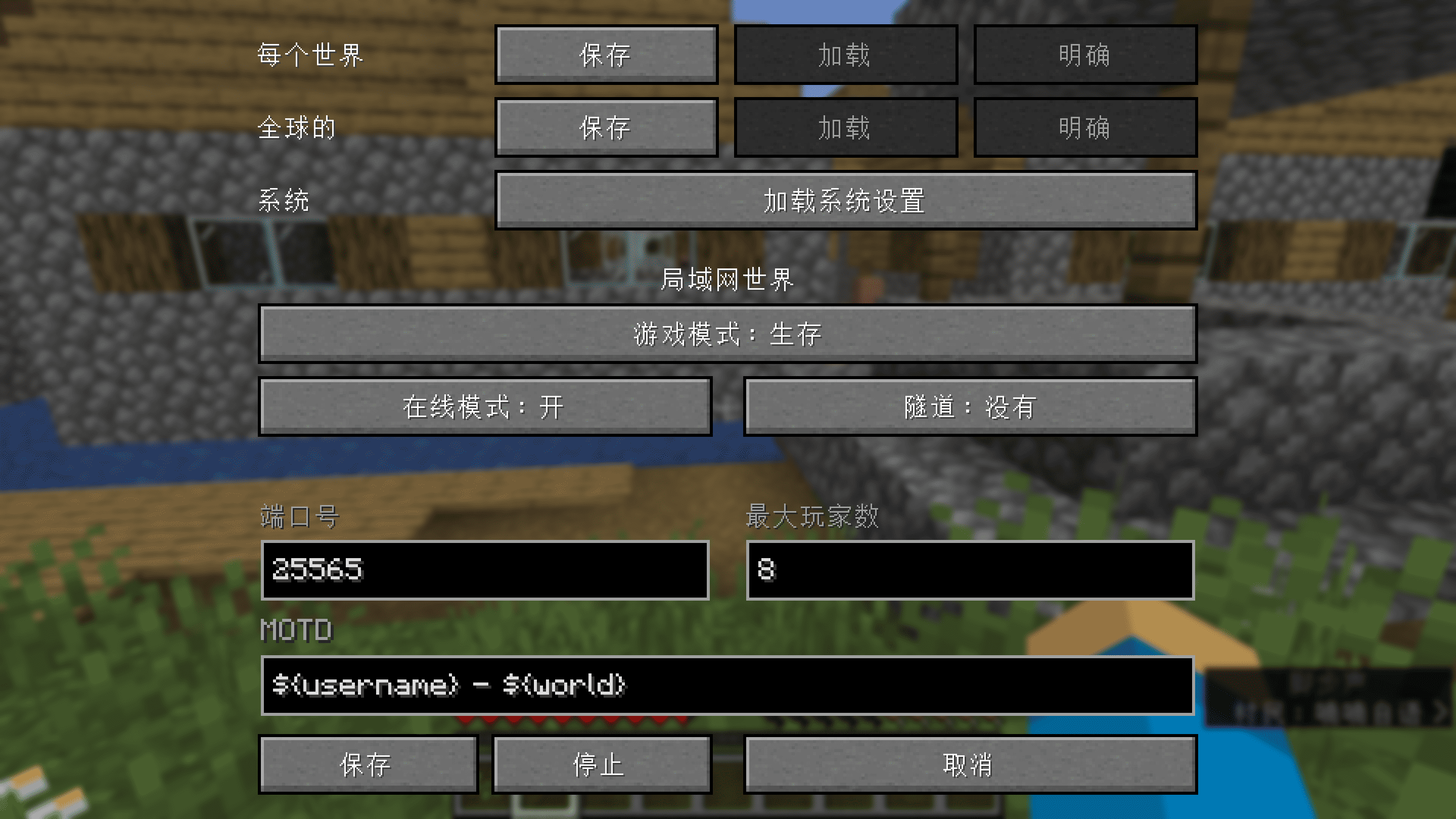
- Customize more of your integrated server (Online Mode, Max Players, MOTD)
- Use ampersands (
&) for formatting codes instead of section signs (§) and variables (e.g.${username},${world}) in the MOTD - Change the settings mid-game (including the port) and stop the server without quitting the world
- Save the settings globally or per-world (they are loaded automatically with per-world settings taking priority over the global ones, which take priority over the system defaults)
- Change who can use cheats individually using the
/opand/deopcommands and cheat in singleplayer without opening to LAN (replaces the Allow Cheats button) - Manage bans with
/ban,/ban-ip,/banlist,/pardonand/pardon-ip, and whitelist players with/whitelist(use/whitelist on/offto enable/disable) - Expose your server outside your LAN without port forwarding using tunnels (currently only ngrok is supported)
Commands:
/publish [port] [onlineMode] [maxPlayers] [defaultGameMode] [tunnel] [motd]
/publish [perworld|global|system] [port] [onlineMode] [maxPlayers] [defaultGameMode] [tunnel] [motd]
/publish stop
The global settings are stored in .minecraft/config/autolan.toml, while the per-world ones are stored in data/autolan.dat in the respective world's directory.
The files used are also per-world and the same as on dedicated servers—banned-players.json, banned-ips.json, whitelist.json—though whether the whitelist is enabled is stored in data/autolan.dat.
Auto-Lan
Info:
- This mod's codes are inspired by Custom-LAN
*Requires Cloth Config Api
Functions:
- Customize more of your integrated server (Online Mode, Max Players, MOTD)
- Use ampersands (
&) for formatting codes instead of section signs (§) and variables (e.g.${username},${world}) in the MOTD - Change the settings mid-game (including the port) and stop the server without quitting the world
- Save the settings globally or per-world (they are loaded automatically with per-world settings taking priority over the global ones, which take priority over the system defaults)
- Change who can use cheats individually using the
/opand/deopcommands and cheat in singleplayer without opening to LAN (replaces the Allow Cheats button) - Manage bans with
/ban,/ban-ip,/banlist,/pardonand/pardon-ip, and whitelist players with/whitelist(use/whitelist on/offto enable/disable) - Expose your server outside your LAN without port forwarding using tunnels (currently only ngrok is supported)
Commands:
/publish [port] [onlineMode] [maxPlayers] [defaultGameMode] [tunnel] [motd]
/publish [perworld|global|system] [port] [onlineMode] [maxPlayers] [defaultGameMode] [tunnel] [motd]
/publish stop
The global settings are stored in .minecraft/config/autolan.toml, while the per-world ones are stored in data/autolan.dat in the respective world's directory.
The files used are also per-world and the same as on dedicated servers—banned-players.json, banned-ips.json, whitelist.json—though whether the whitelist is enabled is stored in data/autolan.dat.
Screenshots
Gallery
-
 1000084941.png 1000084941.png
 -
 1000084942.png 1000084942.png
-
 Settings Screen (cn)
 -
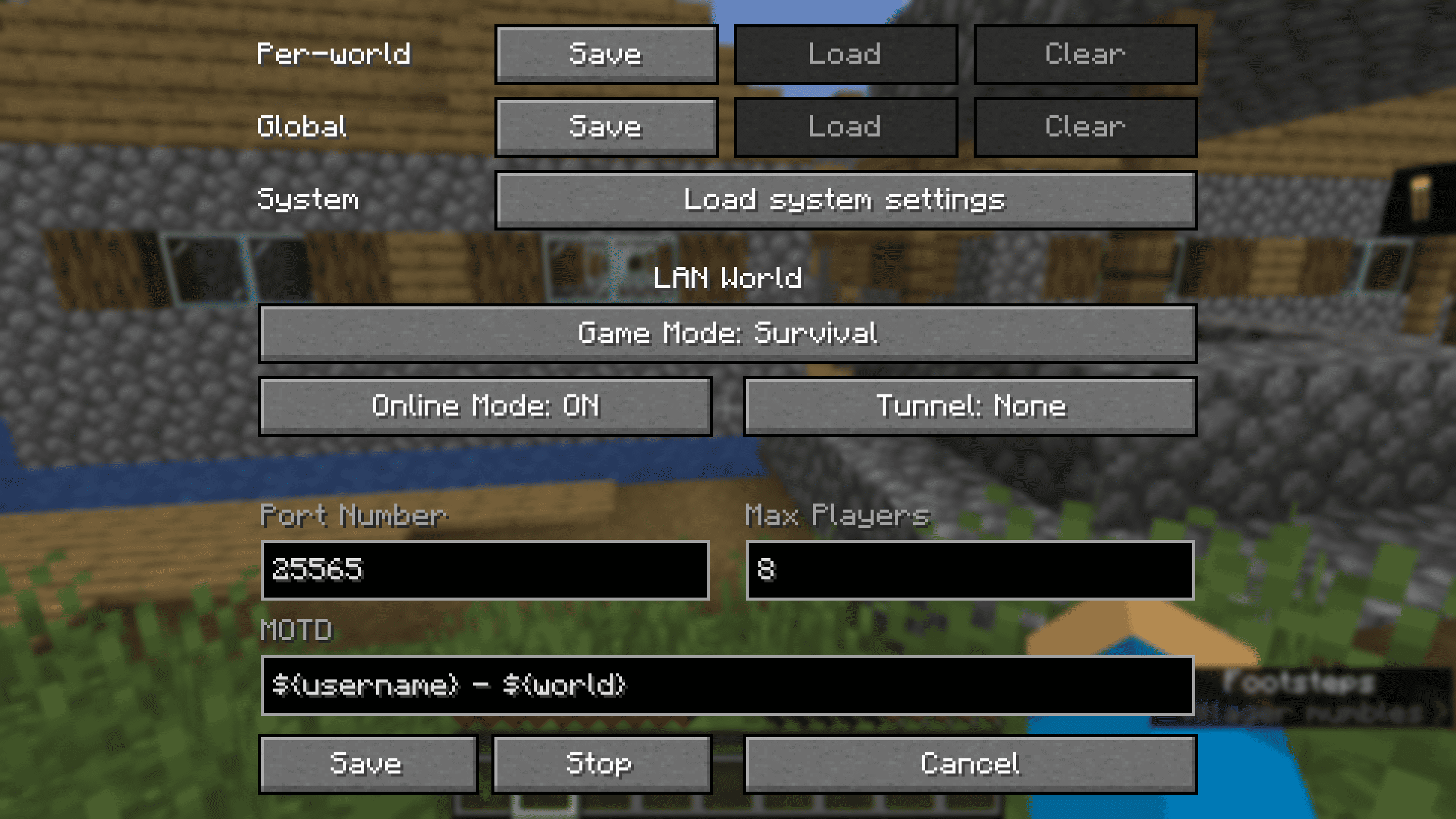 Settings Screen (en)
Versions
Files
Relations
Project Relations
More like this
Similar Mods
Suggestions use data such as tags, dependencies, dependents, descriptions, titles, and more to rank how much they overlap with this mod.
On ModDex
Community snapshot
By the numbers
Statistics
 (opens in a new tab)
Get it on
Available Platforms
On ModDex
Community snapshot
By the numbers
Statistics
Resources