
Auto Hotbar
No reviews yet
Configure your hotbar automatically
Fabric is a mod loader for versions 1.14+ of Minecraft, particularly popular for client side and optimization mods.
Community voices
Reviews
Click once to include, again to exclude, again to clear
No reviews yet. Be the first to review this project!
Get it on
Available Platforms
 Modrinth
Compatibility
Supported Environments
About
Project Details
For authors
Embed Badge
If you're the author of this project, you can embed a live badge anywhere that supports HTML or Markdown. It updates automatically whenever ratings change.
Use HTML for any page that supports it, or Markdown for README files and Markdown-based descriptions.
Identifiers
Platform IDs
Resources
External Links
About
Description
AutoHotbar
Fabric mod for setting up your hotbar with priority rules. Press a key, items snap into place.
How it works
Each hotbar slot gets a list of rules ordered by priority. Hit the keybind and the mod swaps stuff around to match.
Rules can be:
- a specific item, with optional enchant requirements
- a weapon category (best sword, fastest pickaxe, density mace, etc.)
- a conditional:
if slot 5 rule 1 matched then use S1R1 else next rule - empty (leaves the slot blank)
Modes
Auto swaps your hotbar instantly when you press the key.
Manual does not touch the hotbar. Pressing the key arms an overlay. Next time you open your inventory, matching items get tinted and labeled with the hotbar key they should go to. You move them yourself.
Simple vs Complex
Complex is one big rule set.
Simple is layouts. Make a crystal layout, a mining layout, a uhc layout, whatever. Each one has its own 9 slots of rules and a custom item icon. Press the key and a 3x3 wheel opens.
Weapon types
Sword, axe, pickaxe, shovel, hoe, bow, crossbow, mace, trident, spear (1.21.11), block.
Variants include Best, Highest Durability, Fastest, Best Material, Density, Breach, Lunge, Loyalty, Riptide, Channeling, Impaling, Hardest, Softest, Most Amount, Blast Resistant, Luminous.
Keys
- R: rearrange / arm overlay
- H: open config
Rebindable under Controls.
Commands: /autohotbar arrange|config|toggle|reload|help
Disclaimer
This mod might be disallowed in certain pvp servers. So you should use Auto Hotbar (Fair Play) version which does not include the auto version and only allows manual mode which should be allowed everywhere (Auto Hotbar includes manual mode so you dont have to download Fair Play version)
it's vibe coded btw
Screenshots
Gallery
-
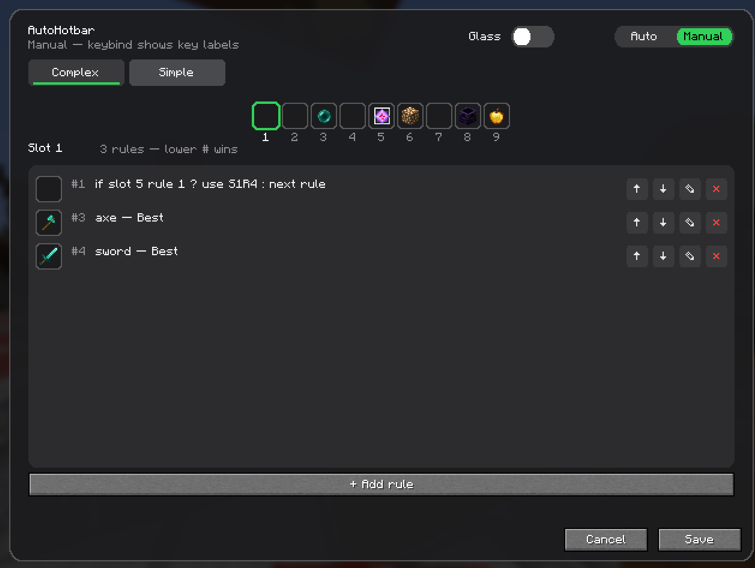 opaque ui opaque ui option
 -
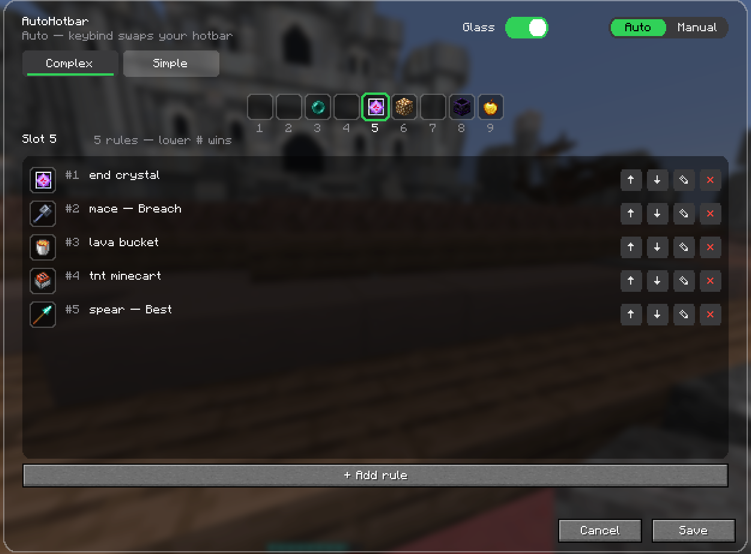 Complex Comple config screen
 -
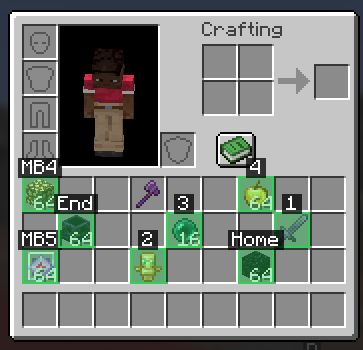 Manual mode Manual mode pvp server legal
 -
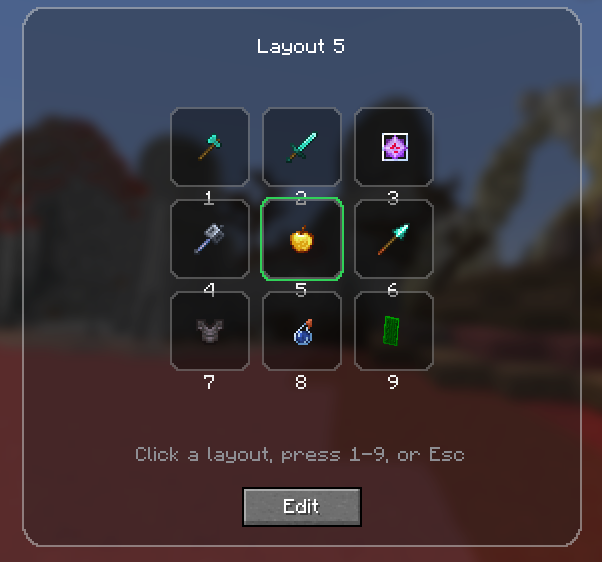 Simple simple mod selection wheel
Versions
Files
Relations
Project Relations
More like this
Similar Mods
Suggestions use data such as tags, dependencies, dependents, descriptions, titles, and more to rank how much they overlap with this mod.
On ModDex
Community snapshot
By the numbers
Statistics

Want to reach Minecraft players?
We're looking for a server hosting partner to feature here and other parts of the site. Interested? Send us a message!
Get in touchGet it on
Available Platforms
On ModDex
Community snapshot
By the numbers
Statistics
Resources