
Community listing page, reviews here may not be monitored by the author.
AutoMuteOnAfk


No reviews yet
Automatically mutes Minecraft when the window loses focus (alt-tab / AFK) and restores your exact volume when you return.

Community voices
Reviews
No reviews yet. Be the first to review this project!
Get it on
Available Platforms
Compatibility
Supported Environments
Runs entirely on the client. Works on vanilla servers.
About
Project Details
For authors
Embed Badge
If you're the author of this project, you can embed a live badge anywhere that supports HTML or Markdown. It updates automatically whenever ratings change.
Use HTML for any page that supports it, or Markdown for README files and Markdown-based descriptions.
Identifiers
Platform IDs
Resources
External Links
About
Description


Automatically mutes the game while the Minecraft window is unfocused, then restores your exact volume the moment you come back. Alt-tab away or go AFK — the mod stores your current master volume and sets it to 0%; when the window regains focus, your previous volume is restored. No more music blasting in the background, and no touching the volume slider yourself.
Client-side only (no server installation required). Fully compatible with singleplayer and multiplayer.
Dependencies: Fabric & NeoForge require Architectury API (and Fabric API on Fabric). Forge requires no additional dependencies.
Free to use in any modpack — public or private, no permission needed.
What it does
- Mute on Unfocus — the instant the Minecraft window loses focus (alt-tab, switching apps, AFK), master volume is set to 0% (only if it was above 0).
- Restore on Focus — the instant the window regains focus, your previous volume is restored exactly.
- Never Loses Your Volume — the stored level survives world changes, menus, and even getting disconnected while muted (e.g. an AFK kick) — restored as soon as focus returns, never overwritten.
- Optional Action-Bar Message — a short “Game muted” / “Game volume restored” line when the state changes (can be turned off).
- Toggle Hotkey — bind a key to enable or disable the mod on the fly; the new state is shown on the action bar.
Configuration
File: config/automuteonafk.json (created with defaults on first launch).
You can also toggle the mod in-game: Options → Controls → Key Binds → Auto Mute On AFK → Toggle Auto Mute On AFK (unbound by default). Pressing it enables/disables the mod and saves the new state.
Options:
enabled(true) — whenfalse, the mod does nothing (also flipped by the toggle hotkey).showMessages(true) — action-bar messages on mute/restore; setfalsefor silent operation.
Details
- Purely client-side — only changes your game’s master volume. It never affects the server or other players, and it does not fight the volume slider while you are actively playing.
- Fully translated into 10 languages: English, Russian, Simplified Chinese, Spanish, French, German, Japanese, Brazilian Portuguese, Korean, and Italian.
- No builds for Minecraft 26.1 / 26.1.2 — stay on 1.0.0 for those, or move to 26.2.
Feedback
Please report any bugs, errors, or feature suggestions on Discord: https://discord.gg/HTkn94BXmA
More mods by Nikrecs: PerformanceHUD · DynamicRenderDistance
My other mods that I recommend.


Automatically mutes the game while the Minecraft window is unfocused, then restores your exact volume the moment you come back. Alt-tab away or go AFK — the mod stores your current master volume and sets it to 0%; when the window regains focus, your previous volume is restored. No more music blasting in the background, and no touching the volume slider yourself.
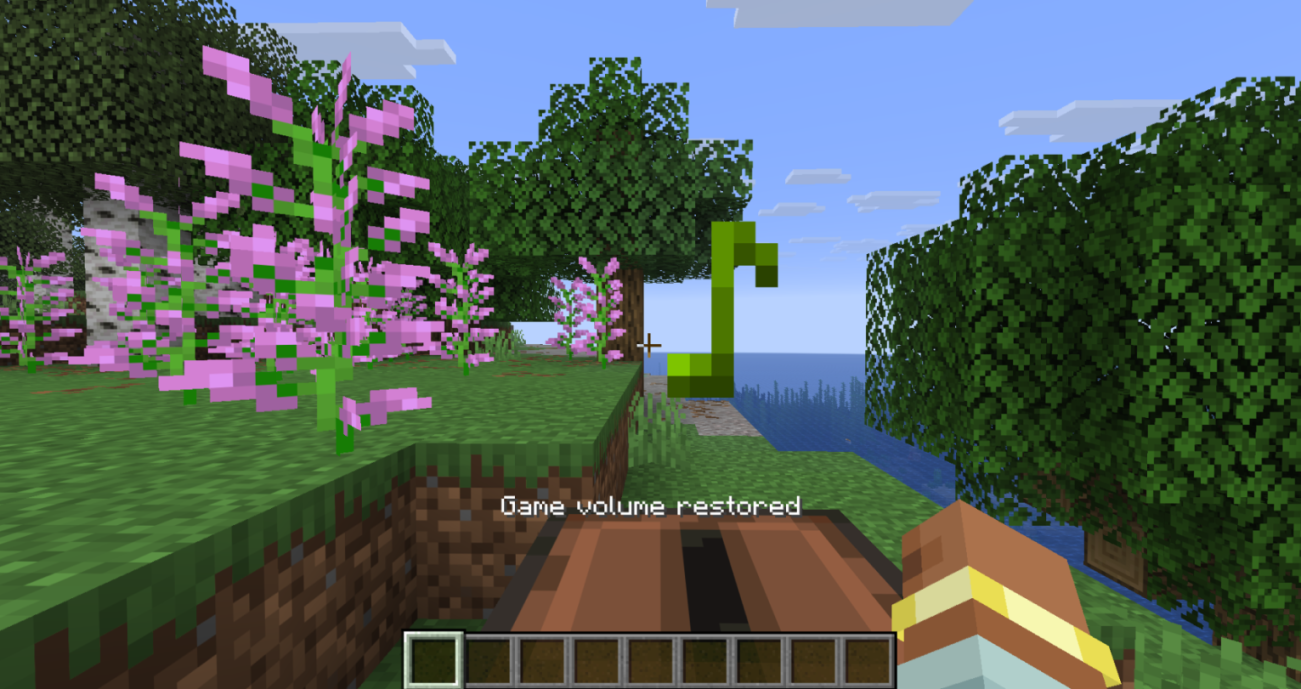
Client-side only (no server installation required). Fully compatible with singleplayer and multiplayer.
Dependencies: Fabric & NeoForge require Architectury API (and Fabric API on Fabric). Forge requires no additional dependencies.
Free to use in any modpack — public or private, no permission needed.
What it does
- Mute on Unfocus — the instant the Minecraft window loses focus (alt-tab, switching apps, AFK), master volume is set to 0% (only if it was above 0).
- Restore on Focus — the instant the window regains focus, your previous volume is restored exactly.
- Never Loses Your Volume — the stored level survives world changes, menus, and even getting disconnected while muted (e.g. an AFK kick) — restored as soon as focus returns, never overwritten.
- Optional Action-Bar Message — a short “Game muted” / “Game volume restored” line when the state changes (can be turned off).
- Toggle Hotkey — bind a key to enable or disable the mod on the fly; the new state is shown on the action bar.
Configuration
File: config/automuteonafk.json (created with defaults on first launch).
You can also toggle the mod in-game: Options → Controls → Key Binds → Auto Mute On AFK → Toggle Auto Mute On AFK (unbound by default). Pressing it enables/disables the mod and saves the new state.
Options:
enabled(true) — whenfalse, the mod does nothing (also flipped by the toggle hotkey).showMessages(true) — action-bar messages on mute/restore; setfalsefor silent operation.
Details
- Purely client-side — only changes your game’s master volume. It never affects the server or other players, and it does not fight the volume slider while you are actively playing.
- Fully translated into 10 languages: English, Russian, Simplified Chinese, Spanish, French, German, Japanese, Brazilian Portuguese, Korean, and Italian.
- No builds for Minecraft 26.1 / 26.1.2 — stay on 1.0.0 for those, or move to 26.2.
Feedback
Please report any bugs, errors, or feature suggestions on Discord: https://discord.gg/HTkn94BXmA
More mods by Nikrecs: PerformanceHUD · DynamicRenderDistance
My other mods that I recommend.
Screenshots
Gallery
-
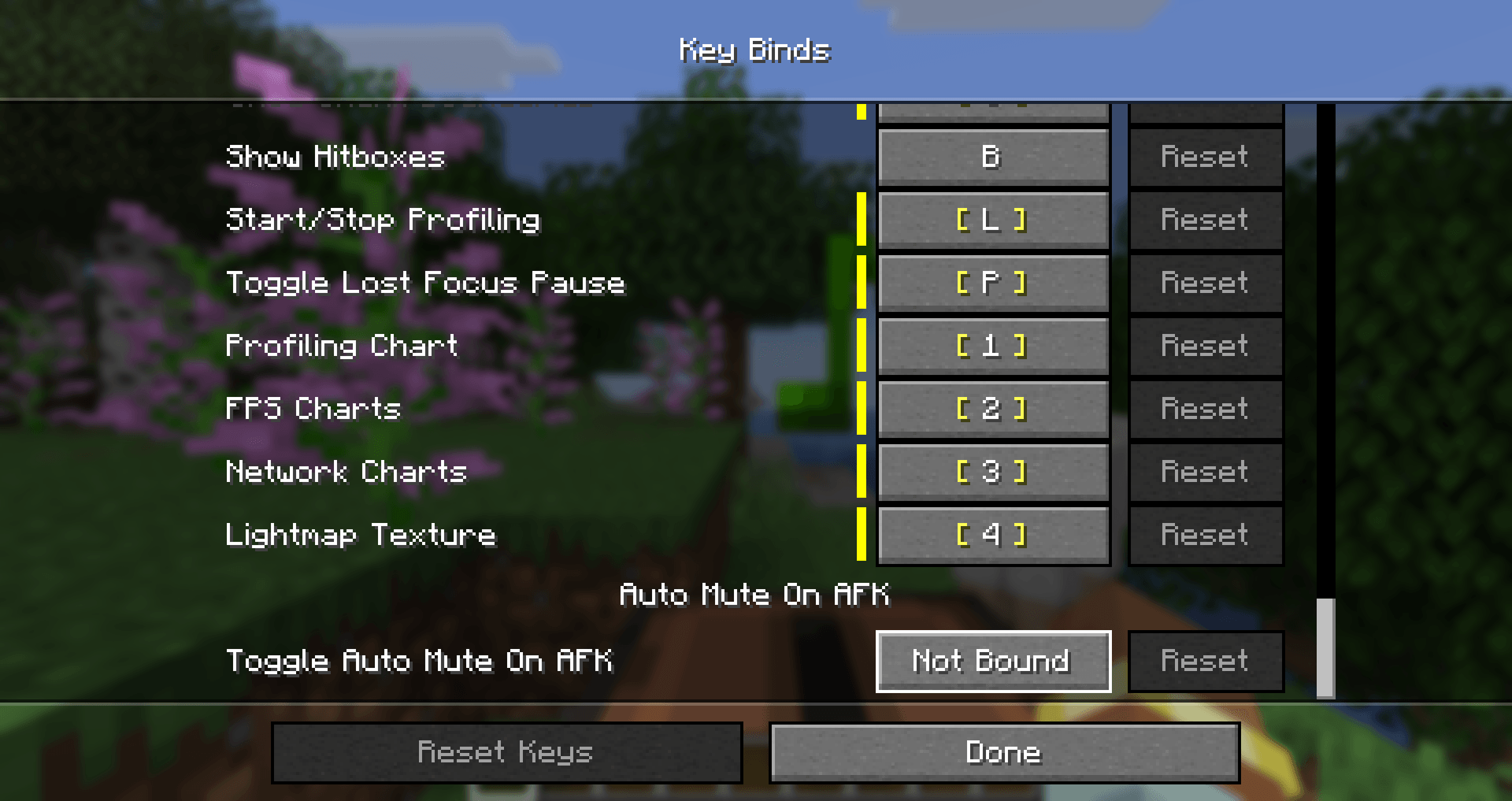 Keybind
 -
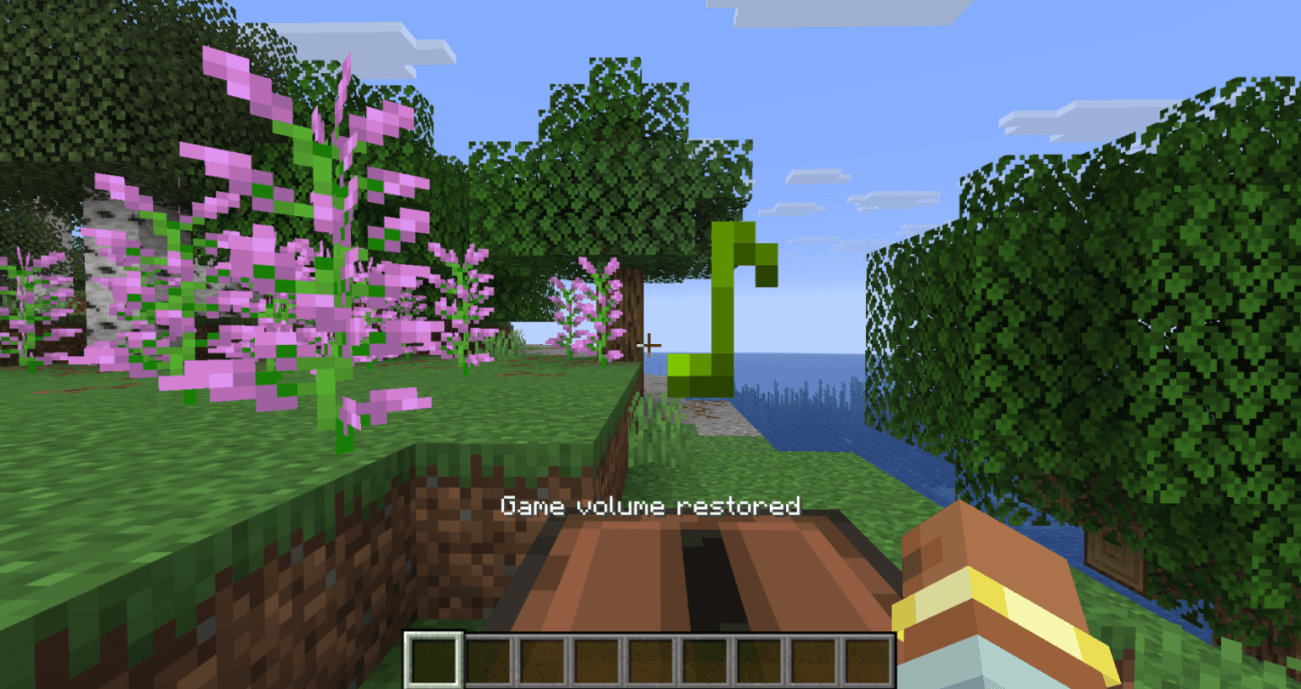 Restore volume when focused
-
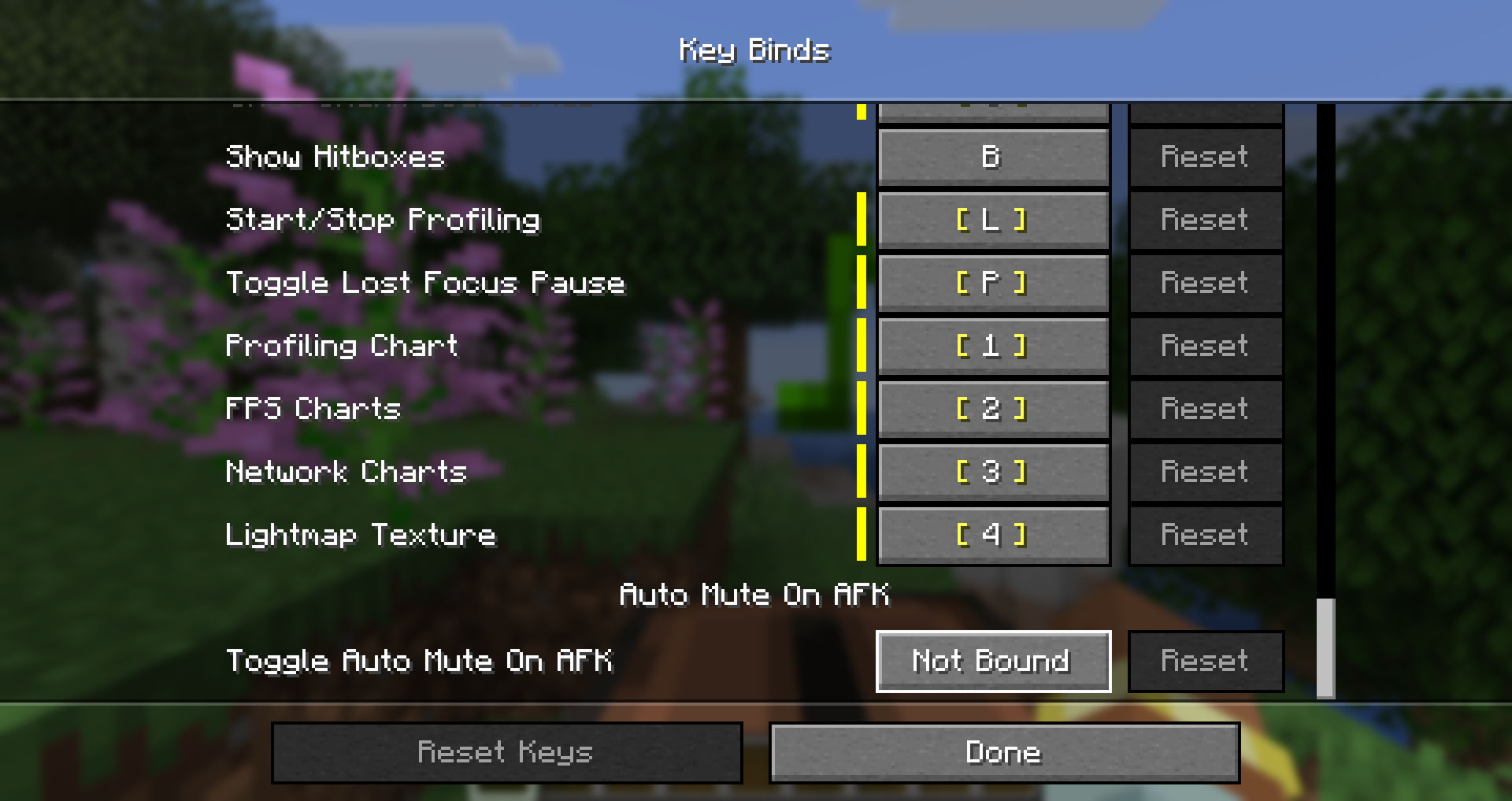 Keybind
 -
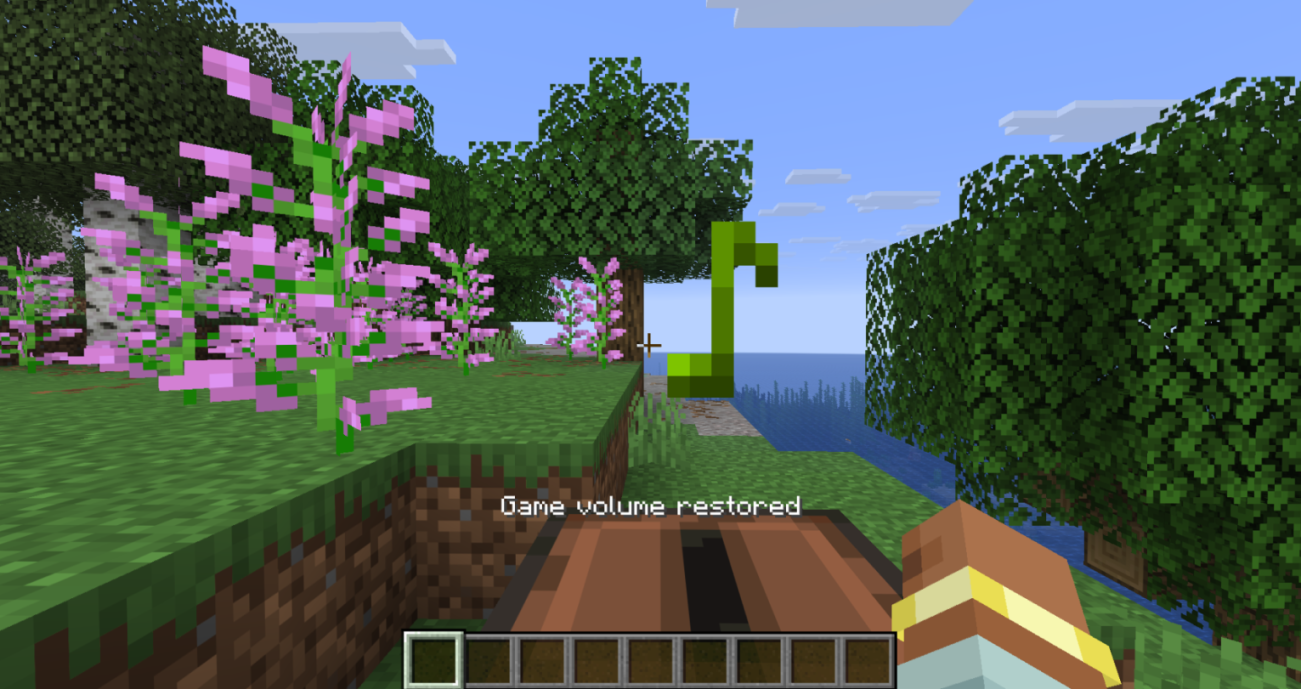 Restore volume when focused
Versions
Files
Relations
Project Relations
More like this
Similar Mods
Suggestions use data such as tags, dependencies, dependents, descriptions, titles, and more to rank how much they overlap with this mod.
On ModDex
Community snapshot
By the numbers
Statistics
 (opens in a new tab)
Get it on
Available Platforms
On ModDex
Community snapshot
By the numbers
Statistics
Resources