Community listing page, reviews here may not be monitored by the author.

Community voices
Reviews
No reviews yet. Be the first to review this project!
Get it on
Available Platforms
About
Project Details
For authors
Embed Badge
If you're the author of this project, you can embed a live badge anywhere that supports HTML or Markdown. It updates automatically whenever ratings change.
Use HTML for any page that supports it, or Markdown for README files and Markdown-based descriptions.
Identifiers
Platform IDs
Resources
External Links
About
Description
Az's Companions
A wholesome adult companion for Minecraft 1.21.1 — follow you through the world, fight beside you, sleep at night, and (optionally) chat with you via a local or remote LLM.
Characters are explicitly adult, wholesome, and non-sexual.
FOR LATEST AND WiP BUILDS VISIT GITHUB
Since 1.0.9 CCI support is merged in the main file.
What you get
Summon a companion with the Companion Charm, then command them with the in-game menu (default keybind K) or charm + Shift + right-click:
- Follow / Stay / Sit / Wander — Sit uses a visible sit pose on humanoid forms; animal forms keep their native sit
- Customize — forms (player + mobs), coat/breed variants, proportions, skins, and activity outfits (Sleeping / Bathing / Adventuring) for player form
- Inventory — store and manage their gear
- Combat — fixed netherite-sword melee; optional team fights for streamers / ops
- Worldplay — flower gifts, night sleep (Kon Bed), ride-along when you mount, swim follow, dimension teleport with you (vanilla + modded), logout park / login restore
- Mob flavor — cat form scares creepers; wolf form scares skeletons; wander mode can playfully interact with nearby mobs
- Child Bits — companions can have children that stick with the family
- Optional AI —
/askdialogue, idle chatter, and event reactions when you configure an LLM (off by default)
Owned companions do not naturally despawn. Desert pyramids can drop a Companion Charm (~5%; disable with world.enableLoot).
Editions (pick one jar)
| Jar | Use when |
|---|---|
| Standalone (NeoForge or Fabric) | Default — no streamer bridge |
| CCI (NeoForge or Fabric) | Twitch / Streamlabs / StreamElements via CCI + iChunUtil |
Install one Az's Companions jar per loader — never standalone + CCI together.
Requirements: Minecraft 1.21.1, Java 21, NeoForge 21.1.x or Fabric Loader ≥0.16 + Fabric API.
CCI editions only: CCI 1.13.0 + iChunUtil 1.0.3 for the same loader.
Soft compatibility
Works without these; nicer with them:
- FTB Teams / Chunks / Ranks (trust & claim-aware behavior)
- Map icons (Xaero's, JourneyMap)
- Dynamic lights soft-detect
- Simple Voice Chat detect (no full TTS bridge)
Multiplayer & hosts
- Companions are per-owner. Commands and
/askonly target your companions. - On disconnect, owned companions park and restore near you on login.
- Chunk tickets (default on) keep summoned companions / Bits loaded nearby so follow and sleep keep working when you walk away — not FTB claims.
- Dedicated / LAN hosts configure AI once on the server (keys stay on the host). See AI settings below.
AI settings (optional)
Default: disabled. Without a provider, companions use short offline / scripted lines only. Enabling AI never forces a cloud API — you choose local or remote.
How chat works
- Talk with
/ask <message>or/az ask <message>(optionally name a companion). - Replies appear as in-character chat for the owner (Thinking HUD while waiting).
- Each companion keeps its own persona and memory — shared host endpoint ≠ one shared brain.
- First-create persona onboarding (Who / What / How + optional speech, relationship, quirks); edit anytime with
/az persona edit. - Idle chat (toggle in admin): occasional ambient lines when nearby (~75–180s by default).
- Reactive chatter: short reactions to nearby events (explosions, darkness → ask for light, crafting gear, notable finds ~once per 14 days real-time per owner). Uses the LLM when configured; otherwise sparse scripted fallbacks.
- LLM is text dialogue only — no “AI Mode” that puppets the world. Gathering / tasks use normal companion behavior commands.
Join consent & privacy
- On join you may see an optional yes/no prompt. It asks; it does not auto-enable or lock you into a server LLM.
- Your choice is remembered once per server (client file) — no nag every join.
- API keys never leave the host. Clients only see key status (
config/env/ not set), never the secret. - Prefer env var
AZS_LLM_API_KEYover pasting keys into config files.
Providers
Configure in /az admin → AI Config (or /az ai config) — ops / host / whitelist:
| Profile examples | Typical use |
|---|---|
| Disabled | Default, offline-safe |
| LM Studio / Ollama | Local OpenAI-compatible HTTP |
| LiteLLM / OpenAI / OpenRouter / Groq | Remote or proxied /v1/chat/completions |
| MCP | Route chat through an MCP companion_chat tool |
Files: Fabric config/azscompanions-ai.json · NeoForge config/azscompanions-ai.toml.
Save & apply writes the file and hot-applies admin fields (no restart required for those).
Use server LLM
- OFF (default): Personal / host-local setup. Great for singleplayer or your own LAN host pointing at LM Studio, Ollama, LiteLLM, or a remote API.
- ON (opt-in): Shared host endpoint for everyone on that world. Joiners do not need their own keys or local LLM.
- On dedicated servers,
/askalways runs in the server process (no per-joiner client LLM). Turn Use server LLM on when you want that shared endpoint intentional.
Knobs players & admins care about
| Setting | What it does |
|---|---|
provider |
disabled / local / openai_compatible / mcp |
baseUrl + model |
Endpoint and model id |
apiKey / apiKeyEnv |
Secrets on the host only |
Use server LLM (serverLlmOnly) |
Opt-in shared host LLM |
Idle chat (idleChat) |
Ambient + reactive lines nearby |
idleChatSecondsMin / Max |
Ambient interval (default ~75–180s) |
maxParallelRequests |
Concurrent LLM calls (default 2; /ask jumps the queue) |
timeoutSeconds / connectTimeoutSeconds |
Generation vs fail-fast connect |
maxTokens |
Reply length cap (ambient capped shorter) |
perCompanionMemory / memoryMaxMessages |
Separate minds + history depth |
inputLanguage |
Preferred reply language |
enableChatMessages |
Show replies as owner chat lines |
Status: /az ai status. Full reference: Companion AI docs.
Safe setup (recommended)
- Leave provider Disabled until you want AI.
- Start a local server (LM Studio / Ollama / LiteLLM) or pick a remote OpenAI-compatible API.
- Open
/az admin→ AI Config → choose a profile → set model → save. - Put the key in
AZS_LLM_API_KEY(or maskedapiKeyon the host only). - Try
/ask hellonear your companion. - For multiplayer sharing, turn Use server LLM ON only when you intend a host-wide endpoint.
- Turn Idle chat OFF if you only want on-demand
/ask.
Commands (quick)
/az— primary root (alias/azscompanions)/ask·/az ask— talk to your companion/az admin·/az ai config— admin / AI panel/az persona …— view / edit persona/az teamfight on|off|status— ops team-fight toggle
Known limitations
- NeoForge 26.2 / newer Minecraft lines: not shipped in 1.0.0
- VoiceMod TTS / full SVC entity speech: detect-only soft-compat
- Old saves with removed items/forms simply no longer spawn those features
Links
Screenshots
Gallery
-
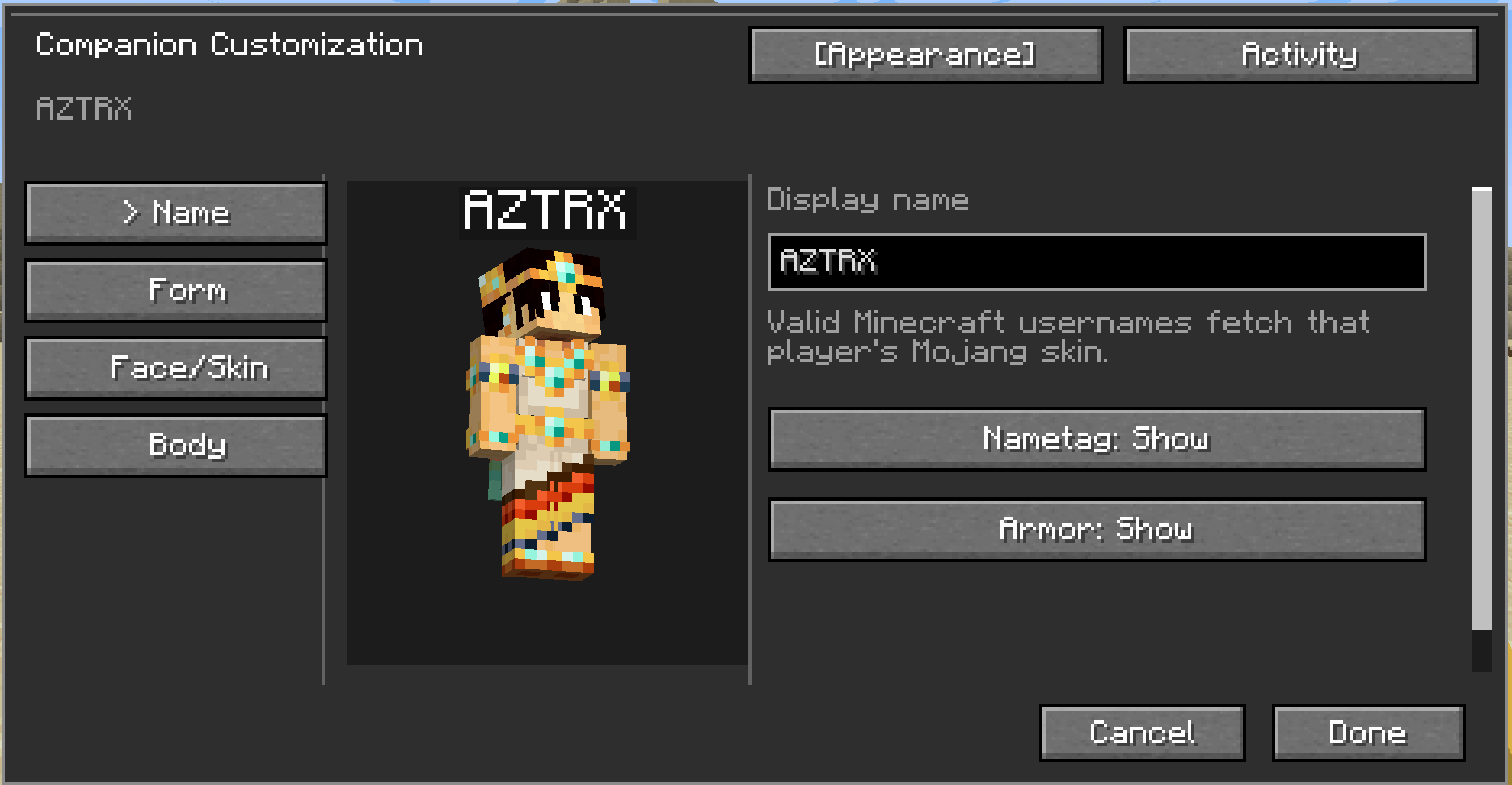 Customization!
 -
 Full on local/remote LLM support! it reacts, mentions, chatters, idle talks etc
 -
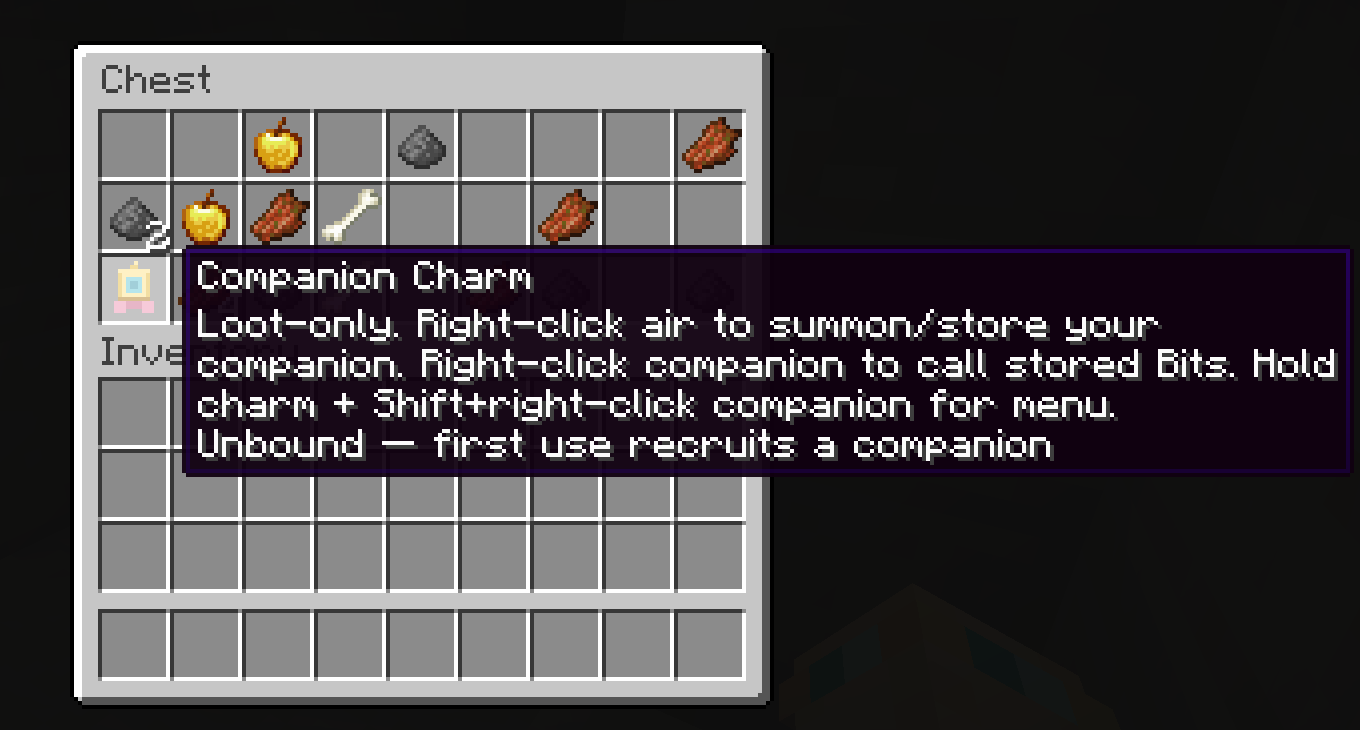 Charm found in chest!
 -
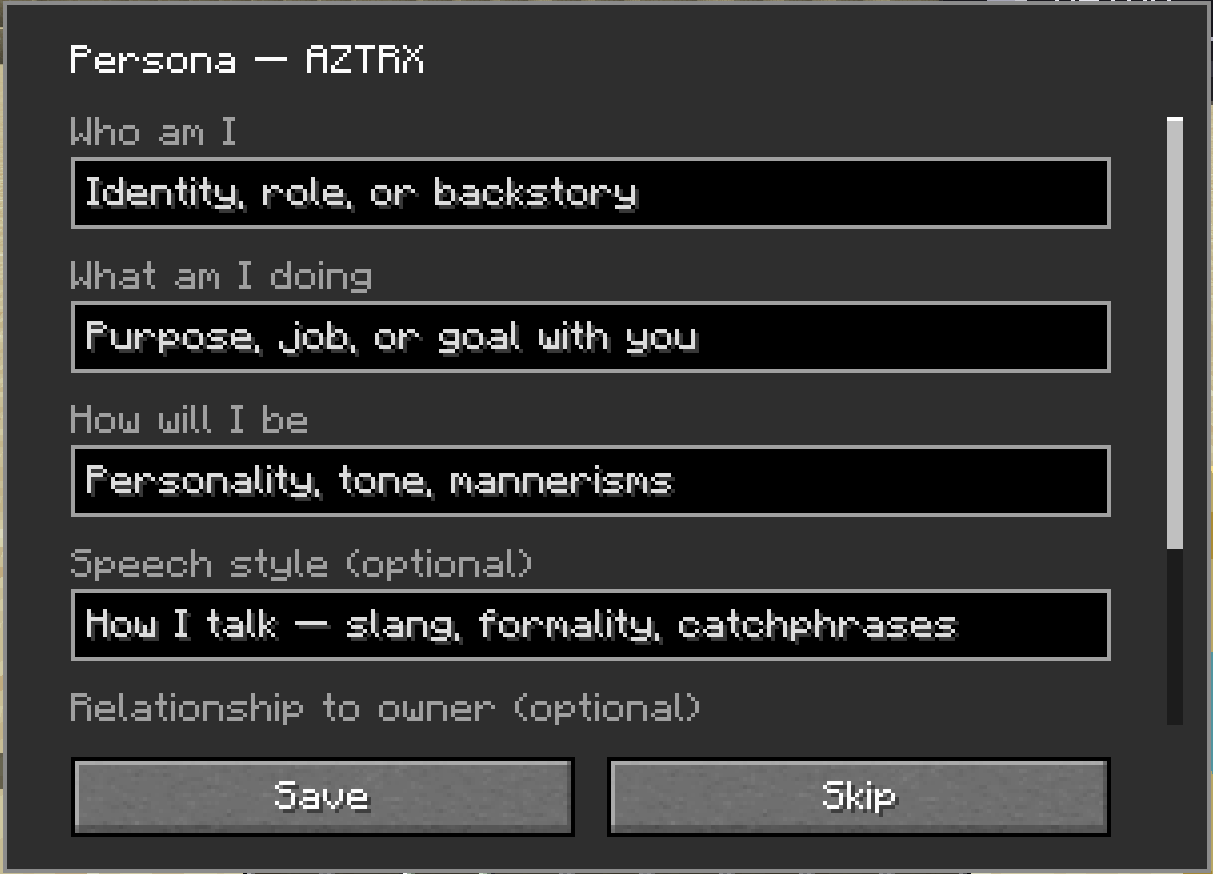 On first Creation - you will have to fill the Persona Form!
 -
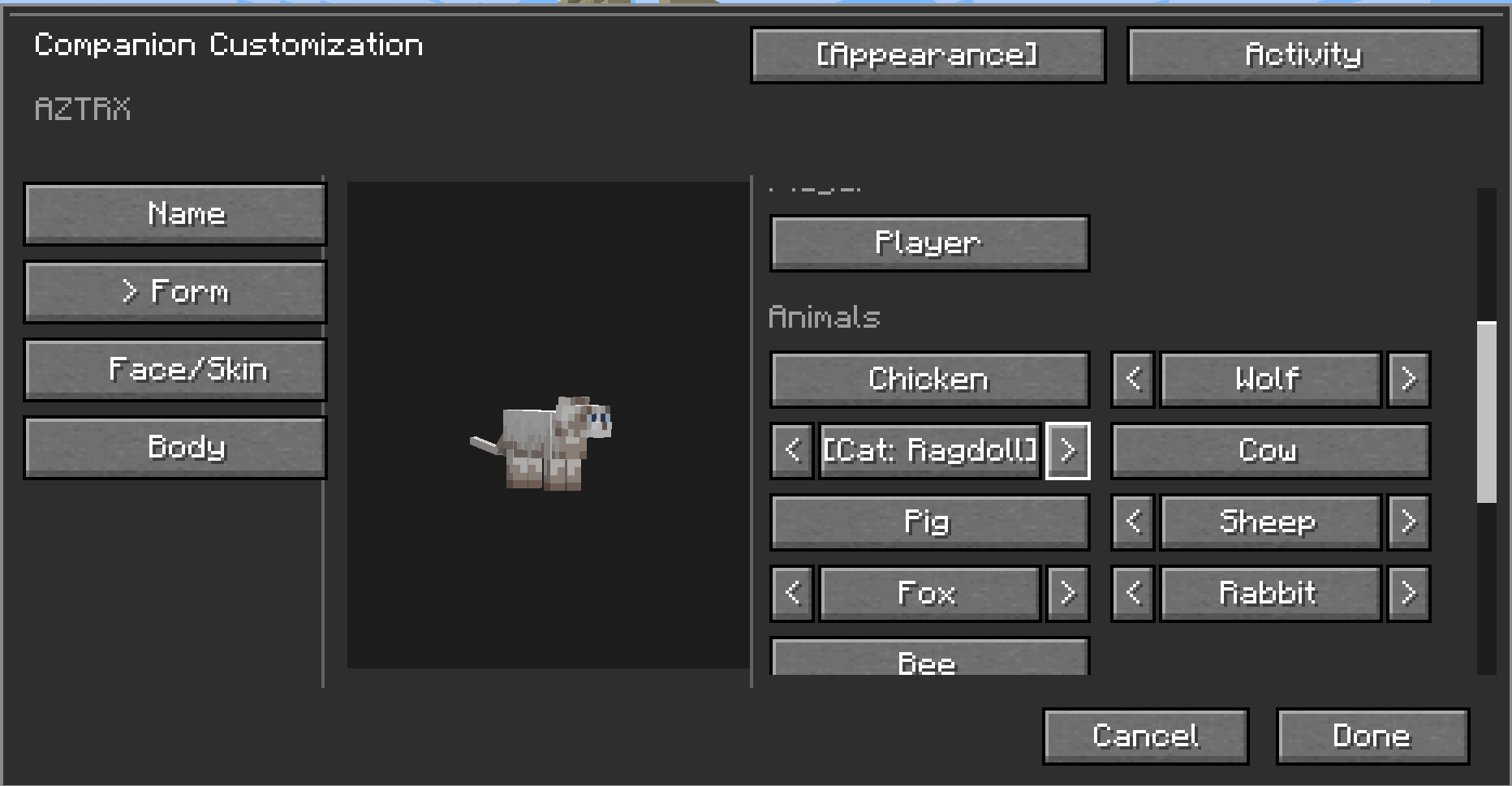 You can choose various mobs and animals! Even selectable Variation
 -
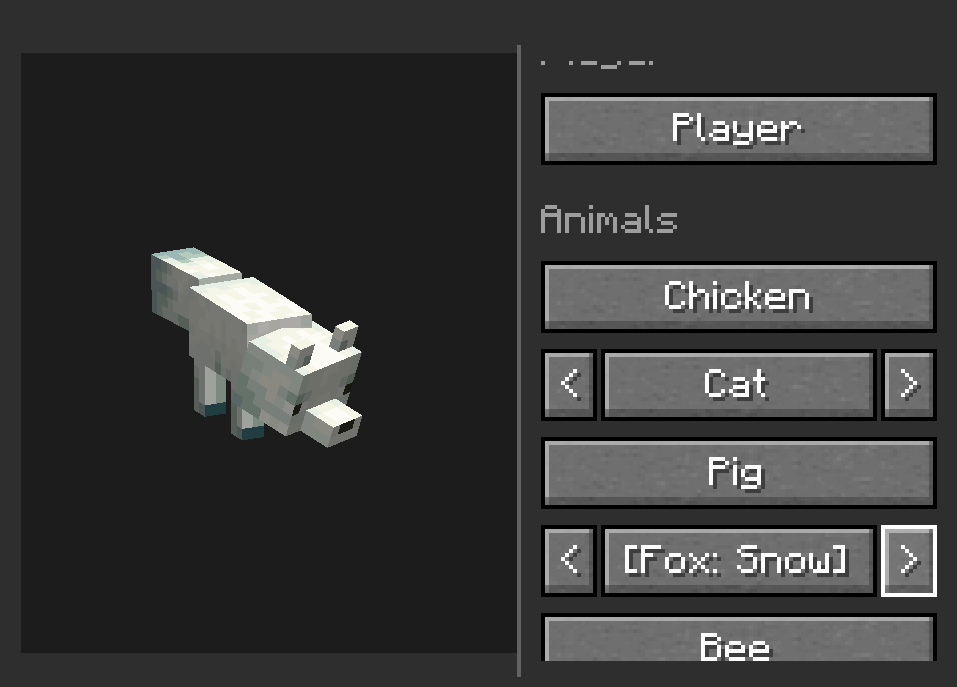 Example of Snow Fox
 -
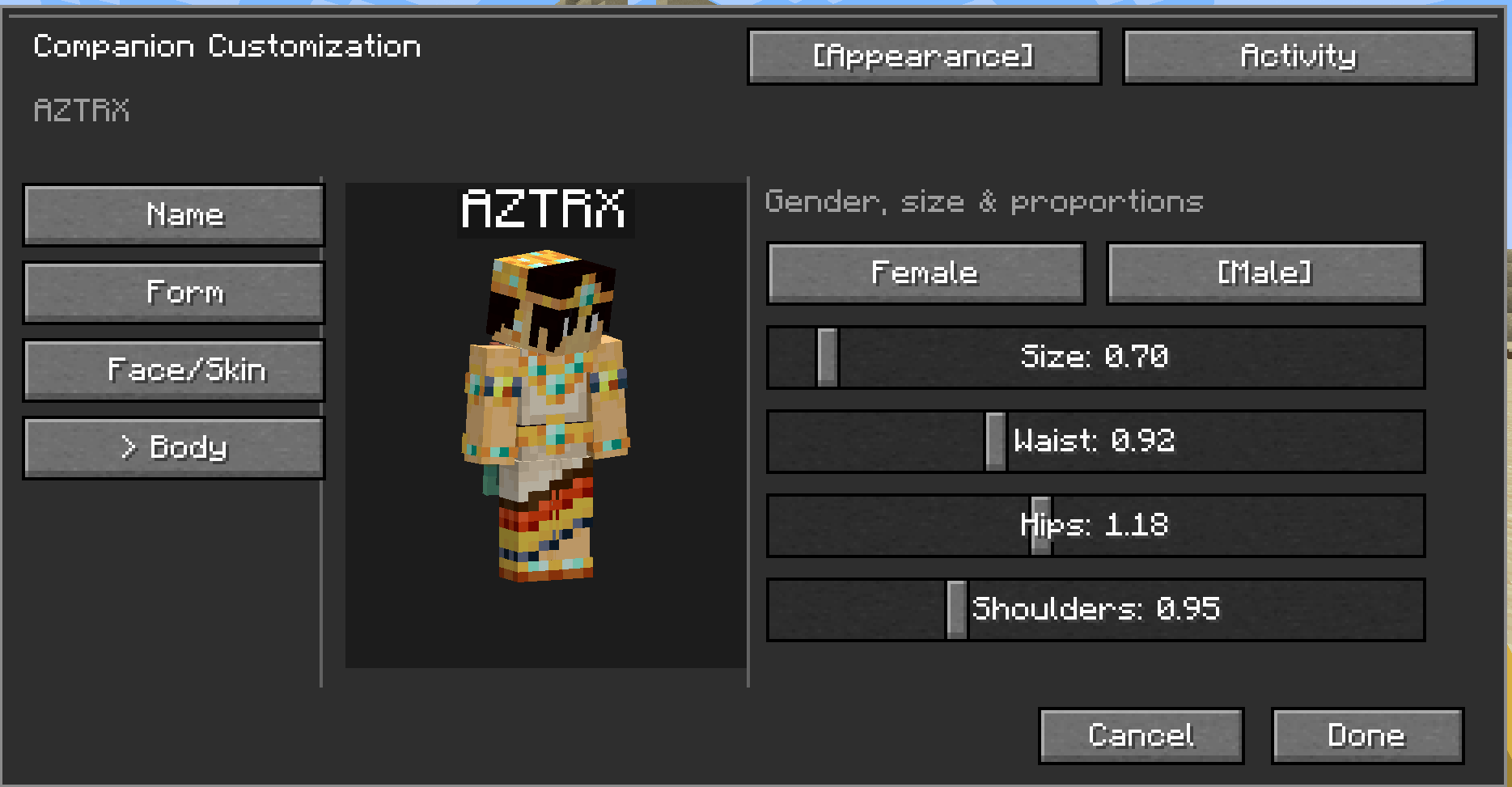 Body edit!
 -
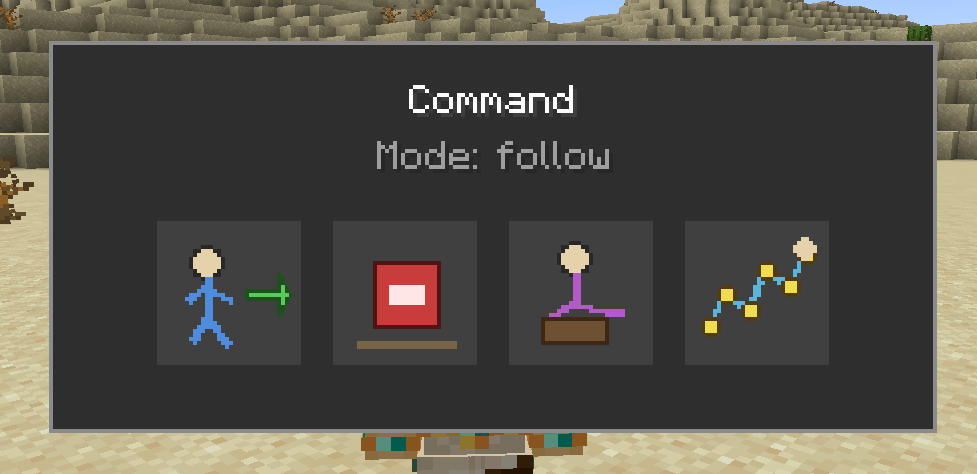 "K" opens the command menu! With tooltip!
 -
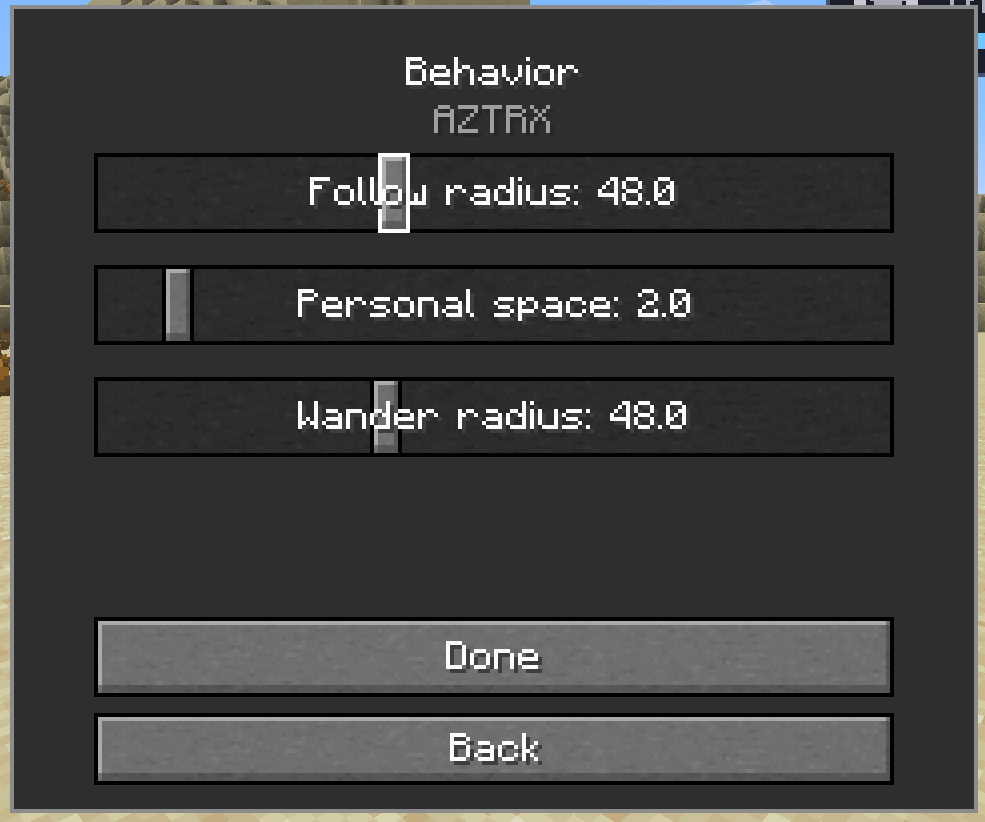 Adjustable radi
 -
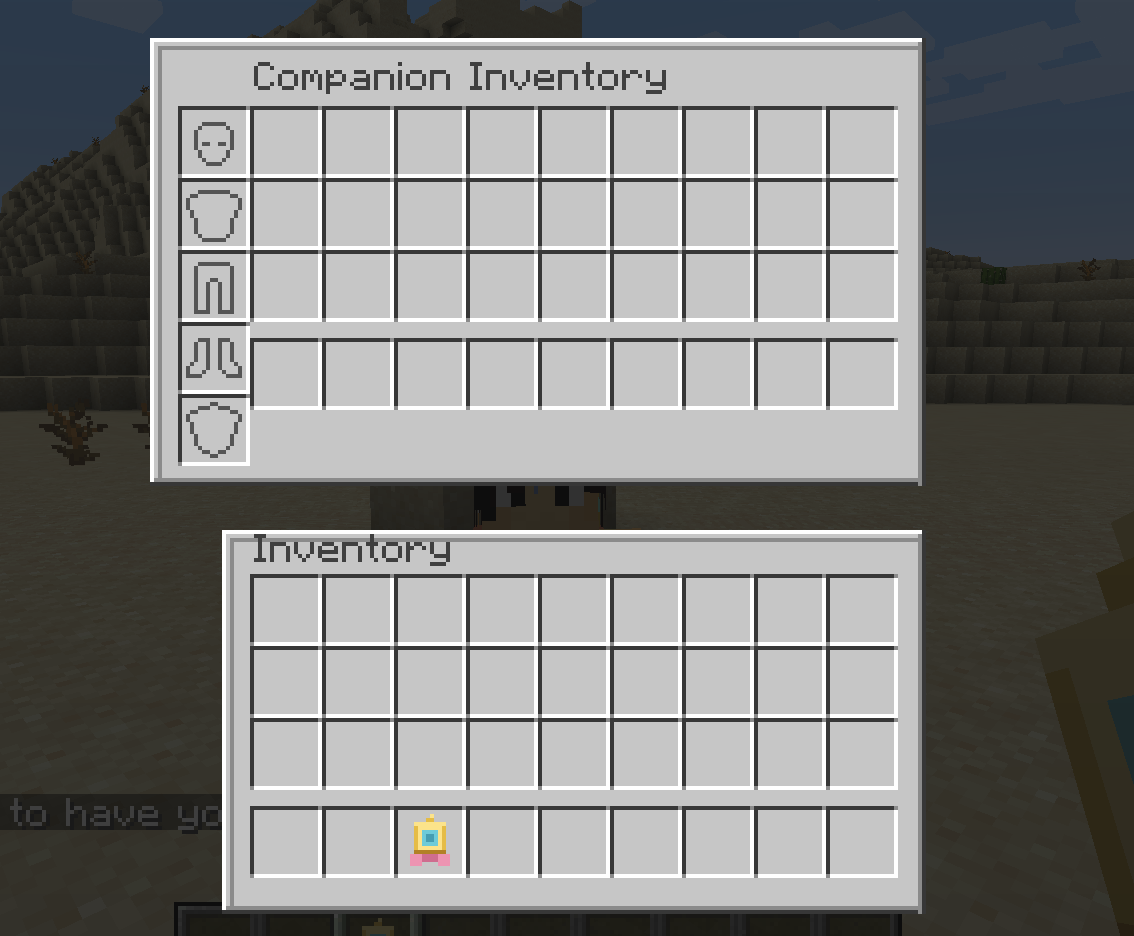 Companion Inventory! Screenshot 2026-08-12 110606.png
 -
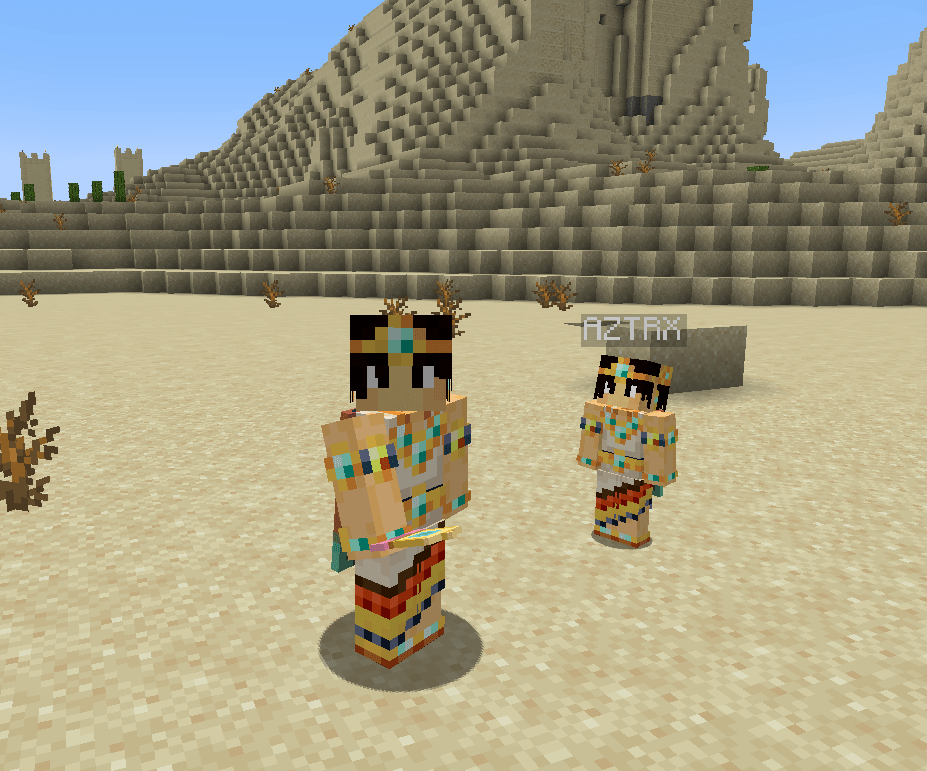 Companion Showcase! Companion by my side!
 -
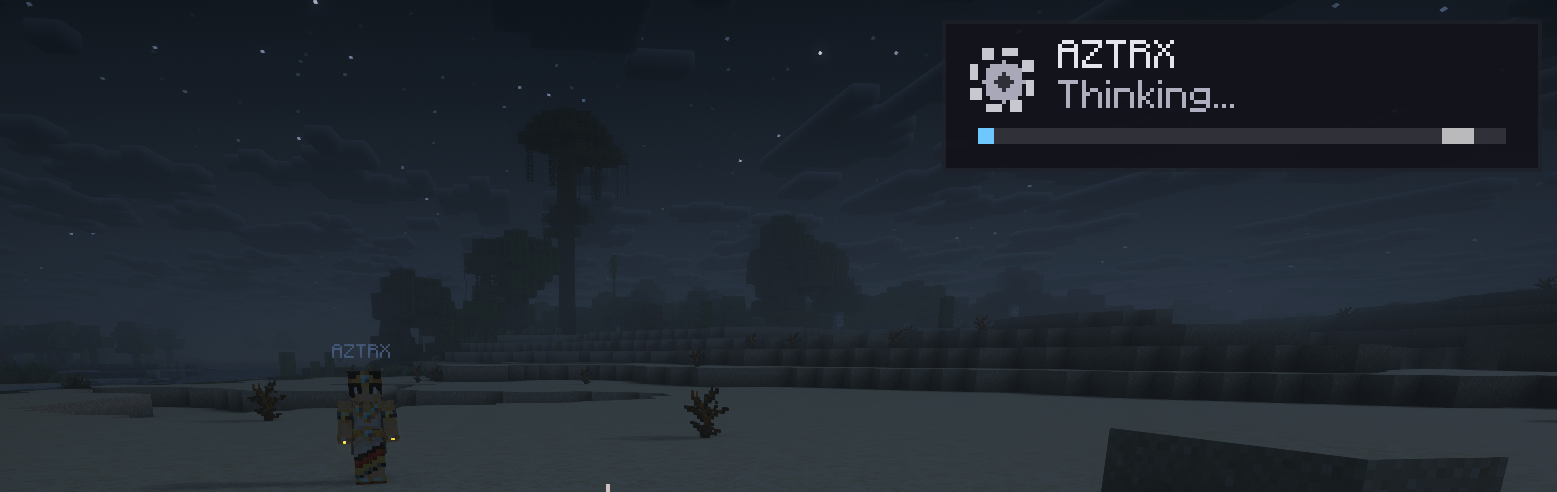 Notification and answer progress The AI will show when it's thinking in the upper Right Corner and reply in chat when done! use /ask <message>
Versions
Files
Relations
Project Relations
More like this
Similar Mods
Suggestions use data such as tags, dependencies, dependents, descriptions, titles, and more to rank how much they overlap with this mod.
On ModDex
Community snapshot
By the numbers
Statistics
Want to reach Minecraft players?
We're looking for a server hosting partner to feature here and other parts of the site. Interested? Send us a message!
Get in touchGet it on
Available Platforms
On ModDex
Community snapshot
By the numbers
Statistics
Resources