
Community listing page, reviews here may not be monitored by the author.
BACAP: End Edition

No reviews yet
Adds more End-related advancements to BlazeAndCave's Advancement Pack!
Community voices
Reviews
No reviews yet. Be the first to review this project!
Get it on
Available Platforms
About
Project Details
For authors
Embed Badge
If you're the author of this project, you can embed a live badge anywhere that supports HTML or Markdown. It updates automatically whenever ratings change.
Use HTML for any page that supports it, or Markdown for README files and Markdown-based descriptions.
Identifiers
Platform IDs
Resources
External Links
About
Description
BACAP: End Edition
This DATAPACK is an unofficial addon for the BlazeAndCave's Advancements Pack and we add around 50 advancements to the pack
COMPATIBILITY
You MUST have the BlazeAndCave's Advancements Datapack installed for this Add-on to work. We are currently NOT compatible with any form of the Nullscape world generation datapack.
HOW TO INSTALL
For a new world: You can click the "Data Packs" option when creating a new world. Upon doing this, either open the world folder and copy in the zipped file, or click and drag the zipped file directly into the menu. Once it is imported, hover over the icon for BACAP: End Edition so an arrow appears, then click the arrow to load the datapack.
For an existing world: Click on the world in the singleplayer menu, then click "Edit", then "Open World Folder". Then go into the "datapacks" folder, and copy and paste the zipped file from the download here.
Once the datapack is installed, go into the world. A message should pop up saying you are using BlazeandCave's advancements pack. If not, check your advancements menu. You should see the custom tab named "BlazeandCave's Advancements".
UPDATING TO A NEWER VERSION
1️⃣ Leave your world for upmost safety and do not rejoin during the process. If you are updating on a server, we recommend you plan for downtime.
2️⃣ Make a backup of your world in case you screw up. If the world is hosted on a server, save it either on the server's FTP or your computer.
3️⃣ Delete the old datapacks COMPLETELY from your world.
4️⃣ Copy and paste in the new updated datapacks.
5️⃣ Go into your world.
6️⃣ If you screwed up, go to your backup, make a backup of your backup, then repeat steps 3-6 on the backup.
BUG REPORTS AND/OR SUGGESTIONS
For any bug reports or suggestions please join our discord server
CREDITS
HUGE thanks to Rounduction for helping to set up the foundations of this pack, along with a special thanks to Coolgirlomega for helping with advancement creation!!
Screenshots
Gallery
-
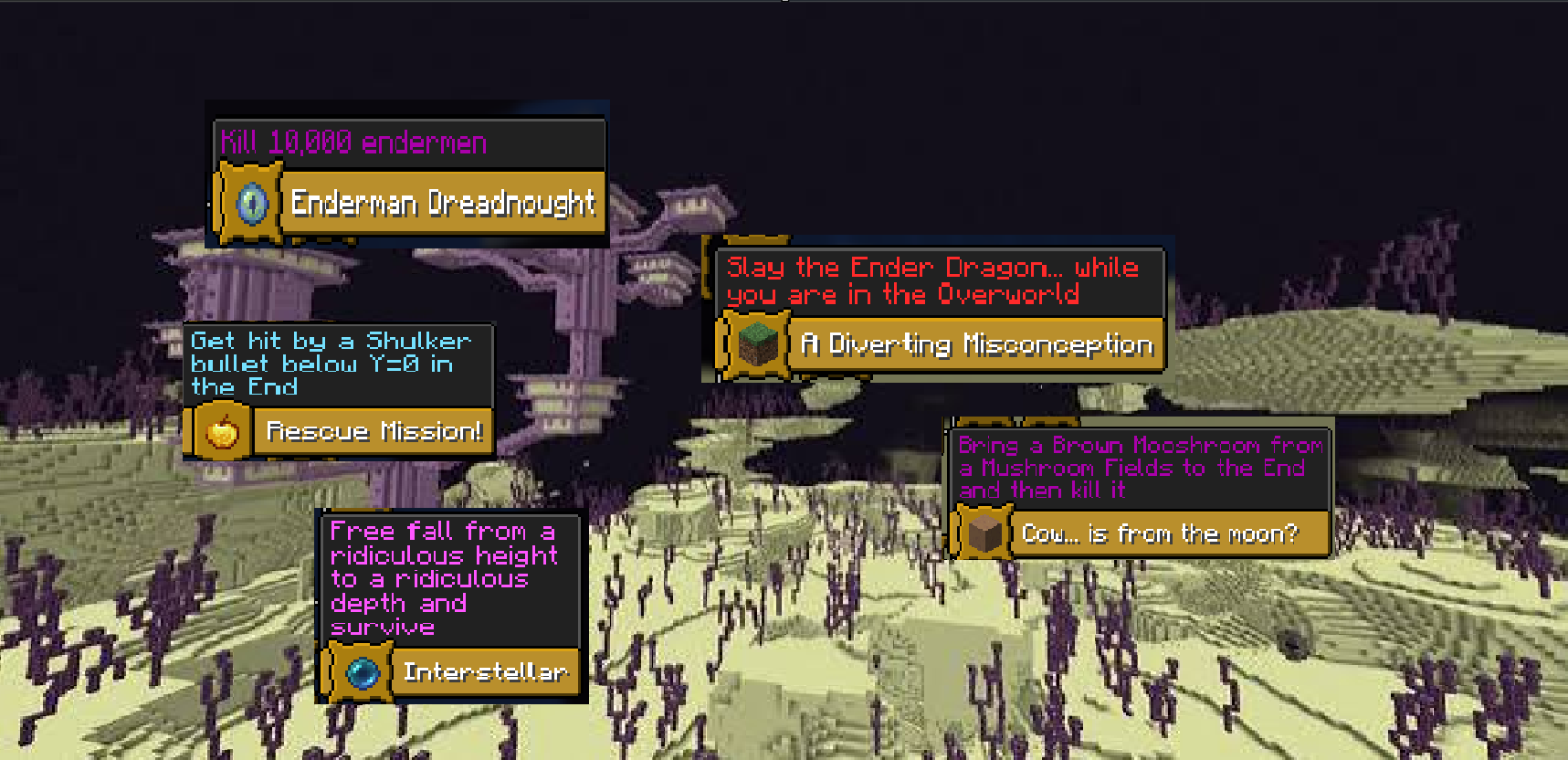 End Edition example advancements Just a few personal favorites when it comes to the advancements in BACAP: End Edition
Versions
Files
Relations
Project Relations
More like this
Similar Mods
Suggestions use data such as tags, dependencies, dependents, descriptions, titles, and more to rank how much they overlap with this mod.
On ModDex
Community snapshot
By the numbers
Statistics

Want to reach Minecraft players?
We're looking for a server hosting partner to feature here and other parts of the site. Interested? Send us a message!
Get in touchGet it on
Available Platforms
On ModDex
Community snapshot
By the numbers
Statistics
Resources