
Backslot Mod
No reviews yet
This mod adds Another inventory Slot: The Backslot!
Features systems for better item storage and organization.
Community voices
Reviews
Click once to include, again to exclude, again to clear
No reviews yet. Be the first to review this project!
Get it on
Available Platforms
 Modrinth
Compatibility
Supported Environments
About
Project Details
For authors
Embed Badge
If you're the author of this project, you can embed a live badge anywhere that supports HTML or Markdown. It updates automatically whenever ratings change.
Use HTML for any page that supports it, or Markdown for README files and Markdown-based descriptions.
Identifiers
Platform IDs
About
Description
Backslot Mod
This mod adds Another inventory Slot: The Backslot!
Okay, But how does it work?
The Backslot
The backslot is a hotbar slot-like slot that stores one stack of items, can be selected and doesnt drop on death. There are also two keybinds to acces it, more on those later.
Keybinds
This mod adds 2 keybinds:
- Swap With Backslot: Swaps the item you are currently holding with the item in the backslot!
- Select Backslot Item: will make the item in the backslot act as if in the main hand,
allowing full usage of the item!
Commands
If you are worried about players hiding items from admins in theire backslot, worry no more!
This mod also adds 2 new admin commands:
- "/backslot_clear <PlayerName>": Clears the backslot of the specified player.
- "/backslot_check <PlayerName>": Shows admins what the player has in their backslot.
Configuration
This mod also includes configuration options:
- Blacklisted items and blocks: For items and blocks that should not be in the backslot.
- Large Items: For items that use a larger model and thus need to be scaled up in the backslot.
- Should Drop Backslot Item On Death: For changing if items on your backslot items drop after dying.
Mod Compatibility
You can now add Compatibility for this mod using texturepacks or your mods assets folder!
If you are making a item with a custom model, but it doesnt look good on the backslot, you can change that!
Simply go under your namespace inside the assets folder then add a folder called "back_transforms"
and inside there add a .json file named after your item's ID.
Example: "assets/your_mod_id/back_transforms/your_item.json"
Inside this json file you can edit how the item is shown, here you see the default settings:
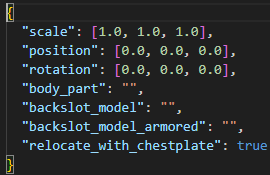
Here is an Example Pack called Belt Bundles
Preview Picture (More in Gallery)
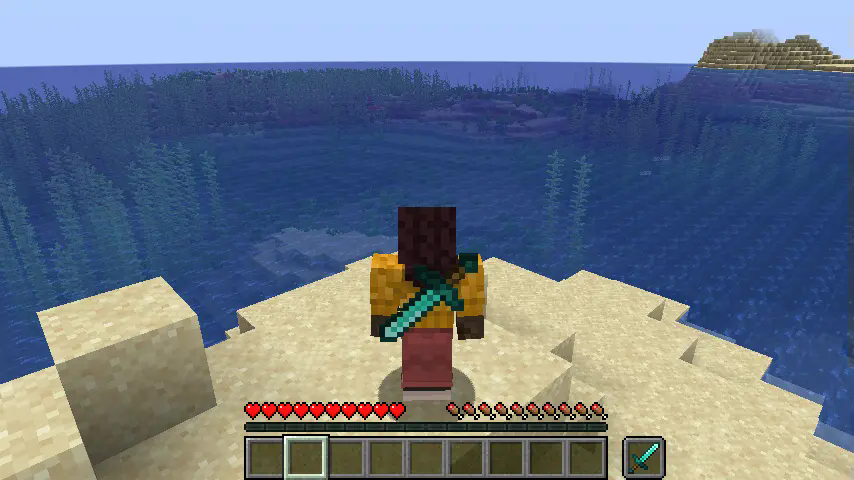
Screenshots
Gallery
-
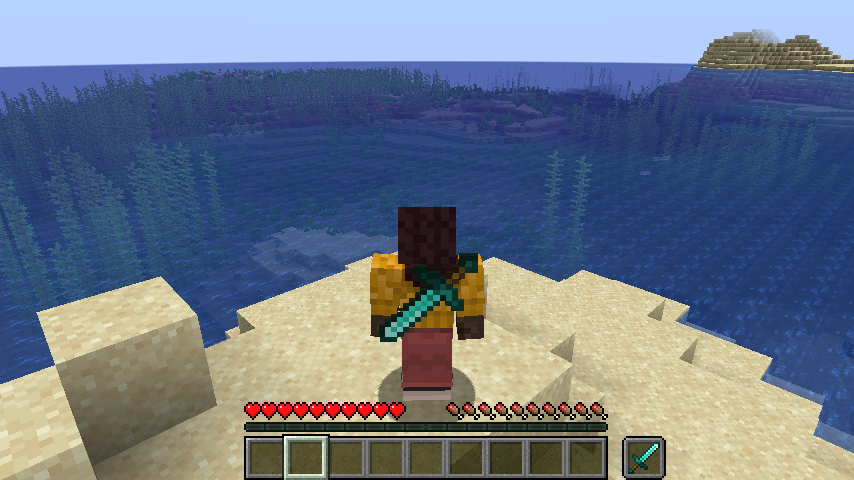 Item On Backslot Diamond Sword shown on backslot
 -
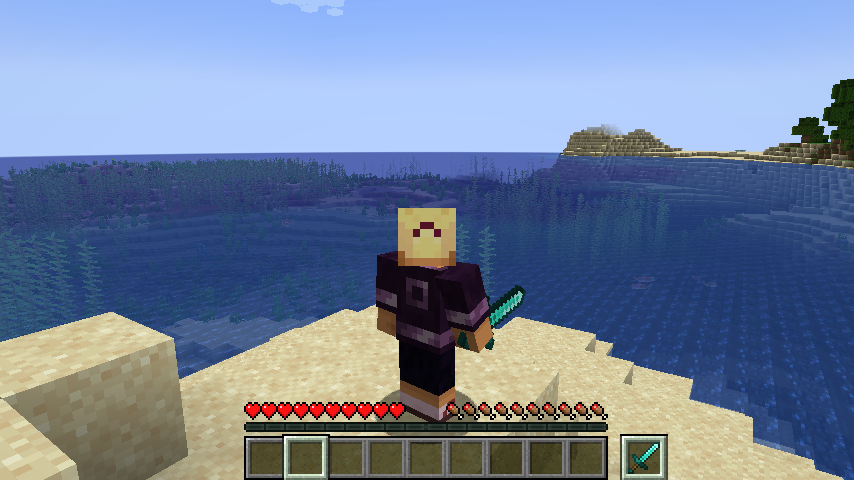 Selecting Backslot Item Holding A Item From The Backslot
 -
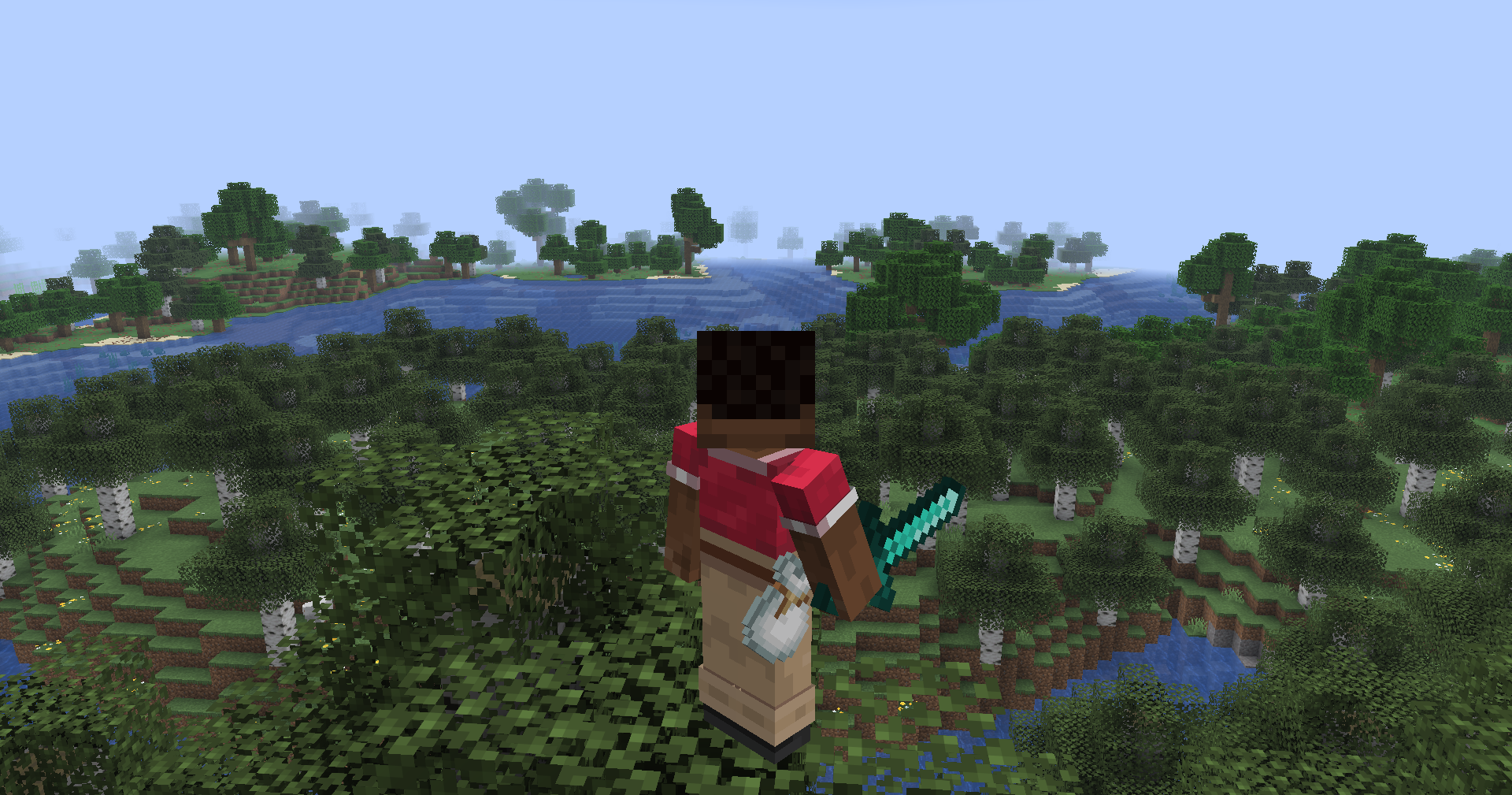 Item positioning example A bundle re-located to be at the belt using a texturepack
 -
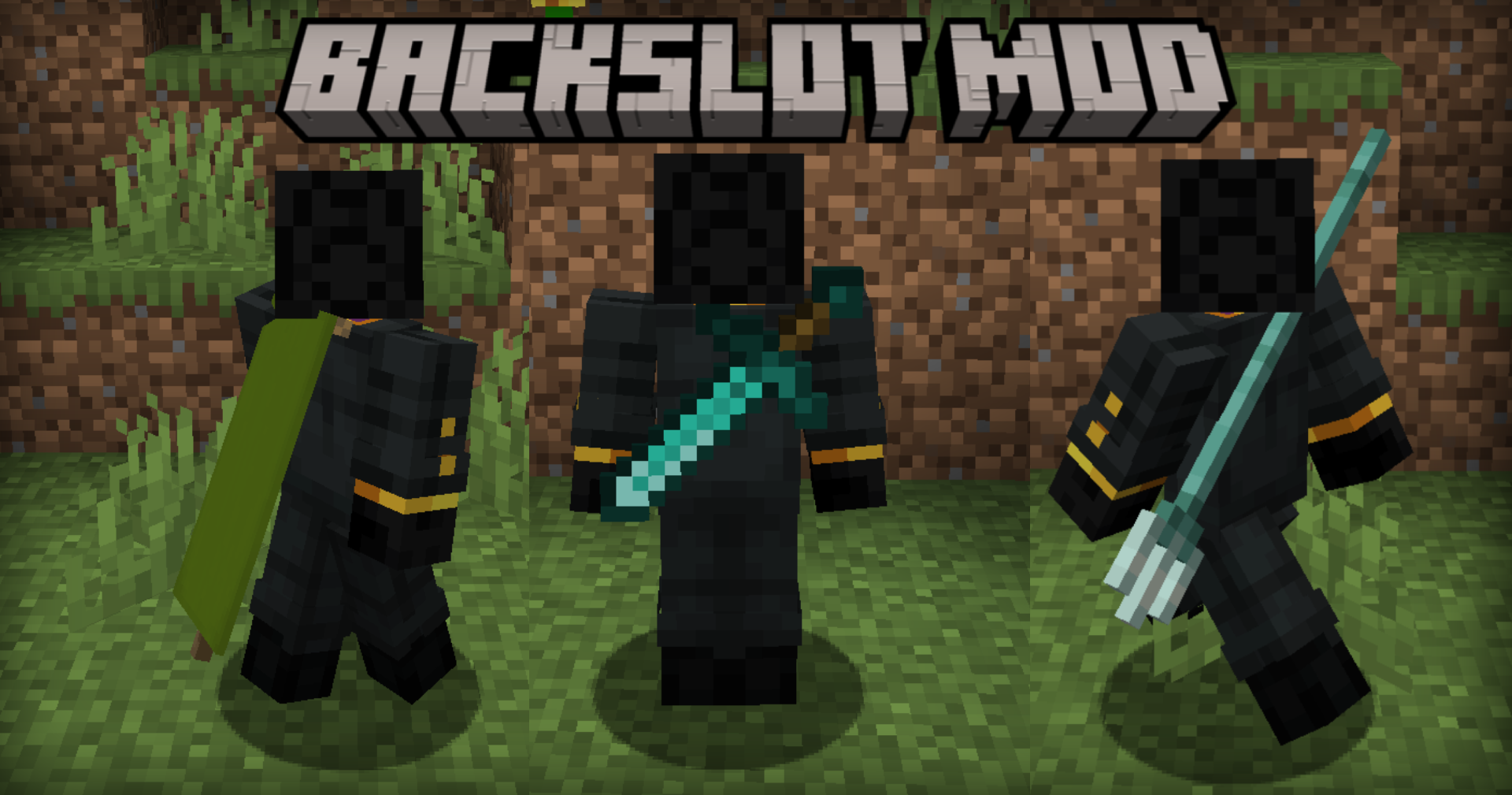 Banners,swords and tridents! Banners move like capes when you walk and tridents use the 3d model!
Versions
Files
Relations
Project Relations
More like this
Similar Mods
Suggestions use data such as tags, dependencies, dependents, descriptions, titles, and more to rank how much they overlap with this mod.
On ModDex
Community snapshot
By the numbers
Statistics

Want to reach Minecraft players?
We're looking for a server hosting partner to feature here and other parts of the site. Interested? Send us a message!
Get in touchGet it on
Available Platforms
On ModDex
Community snapshot
By the numbers