
Community listing page, reviews here may not be monitored by the author.
Bapel Slimefun Mod

No reviews yet
Automate Slimefun machines with smart recipe selection, auto-input/output, multiblock detection, and performance monitoring. Press R to start!
Community voices
Reviews
No reviews yet. Be the first to review this project!
Get it on
Available Platforms
Compatibility
Supported Environments
Runs entirely on the client. Works on vanilla servers.
The author has not specified where this runs.
Varies by version.
About
Project Details
For authors
Embed Badge
If you're the author of this project, you can embed a live badge anywhere that supports HTML or Markdown. It updates automatically whenever ratings change.
Use HTML for any page that supports it, or Markdown for README files and Markdown-based descriptions.
Identifiers
Platform IDs
About
Description
🎯 Bapel Slimefun Mod
Automate your Slimefun workflow with intelligent automation, recipe overlay, and performance monitoring!
✨ Features
🤖 Intelligent Automation
- Auto-Input/Output: Automatically insert ingredients and extract outputs
- Recipe Memory: Remember last used recipe per machine (Auto Mode)
- Smart Slot Management: Optimal slot filling for both electric and multiblock machines
- Auto-Clicker: Automatic multiblock activation after dispenser is filled
📋 Recipe Overlay
- Press R to open recipe selection overlay
- Visual Completion: See which recipes you can craft based on inventory
- Navigation: Use ↑↓ to browse, Enter to select
- Mouse Support: Click recipes directly or scroll with mouse wheel
- Smart Sorting: Craftable recipes appear first
🏗️ Multiblock Support
- Auto-Detection: Automatically detects 13+ multiblock structures
- Position Caching: Remembers multiblock locations for quick access
- Machine Detector: Verify and manage cached multiblocks (Press M)
- Supported Types:
- Enhanced Crafting Table
- Grind Stone
- Armor Forge
- Ore Crusher
- Compressor
- Smeltery
- Pressure Chamber
- And more!
⚡ Performance Monitor
- Press F8 to toggle real-time performance overlay
- FPS & Frame Time: Monitor game performance
- Method Profiling: See which operations take the most time
- Memory Usage: Track RAM consumption
- Optimized: Only 10 FPS overhead
🎮 Operation Modes
Auto Mode (Default)
- Recipes are remembered per machine
- Automatically loads last recipe when returning
- Perfect for repetitive crafting
Manual Mode
- Select recipe each time
- Recipe overlay shows automatically
- Best for varied crafting sessions
🎹 Controls
| Key | Action |
|---|---|
| R | Toggle Recipe Overlay |
| K | Toggle Automation On/Off |
| M | Open Settings & Detector |
| F8 | Toggle Performance Monitor |
| ↑↓ | Navigate recipes |
| Enter | Select recipe |
| Esc | Close overlay |
🚀 Quick Start
Electric Machines
- Open machine GUI
- Press R to select recipe
- Mod automatically:
- Inserts ingredients from inventory
- Extracts outputs to inventory
- Monitors recipe completion
Multiblock Machines
- Right-click multiblock dispenser
- Press R to select recipe
- Mod automatically:
- Fills dispenser with ingredients
- Calculates possible crafts
- Auto-clicks signature block after filling
- Collect output from dispenser
🔧 Configuration
Press M in-game to access settings:
- Auto/Manual Mode: Toggle recipe memory
- Multiblock Cache: View/manage cached structures
- Machine Detector: Verify multiblock detection
- Recipe Memory: Clear saved recipes
Configuration saved to: config/bapel-slimefun-mod.json
📊 Technical Details
Performance
- Smart tick throttling (20 TPS automation)
- Cached inventory scanning (100ms cache)
- Batched rendering operations
- Pre-validated slot indices
- Lazy recipe loading
Detection System
- Pattern-based multiblock recognition
- Fuzzy material matching (handles variants)
- Structure validation (2-9 block patterns)
- Position caching system
Safety Features
- No localStorage usage
- Try-finally error handling
- Recipe validation (prevents machine mismatch)
- Graceful failure handling
📋 Requirements
- Minecraft: 1.21.8
- Fabric Loader: 0.17.2+
- Fabric API: 0.136.1+1.21.8
- Java: 21+
- Slimefun: Any version with standard machines
🐛 Known Issues
- Recipe overlay may not show for custom Slimefun addons (uses JSON database)
- Auto-detection works best with standard Slimefun multiblocks
- Performance monitor shows only client-side metrics
💡 Tips & Tricks
- Recipe Not Working?: Press M → Machine Detector → Verify Multiblock
- Automation Stuck?: Press K to toggle automation off/on
- Want Speed?: Reduce delay in config (min 50ms, default 200ms)
- Too Many Caches?: Press M → Multiblock Cache → Clear All
- Performance Issues?: Press F8 to see bottlenecks
📝 Changelog
v1.0.0
- ✅ Full electric machine automation
- ✅ Multiblock detection & automation
- ✅ Recipe overlay system
- ✅ Performance monitor
- ✅ Auto/Manual modes
- ✅ Position caching system
- ✅ 13+ multiblock support
🤝 Credits
Developer: Bapel
Framework: Fabric
Inspired by: Slimefun's automation needs
📞 Support
Found a bug? Have a suggestion?
- Report issues on GitHub
- Include logs from
logs/latest.log - Describe your Slimefun version
⭐ If you find this mod helpful, please star it on Modrinth!~~~~
Screenshots
Gallery
-
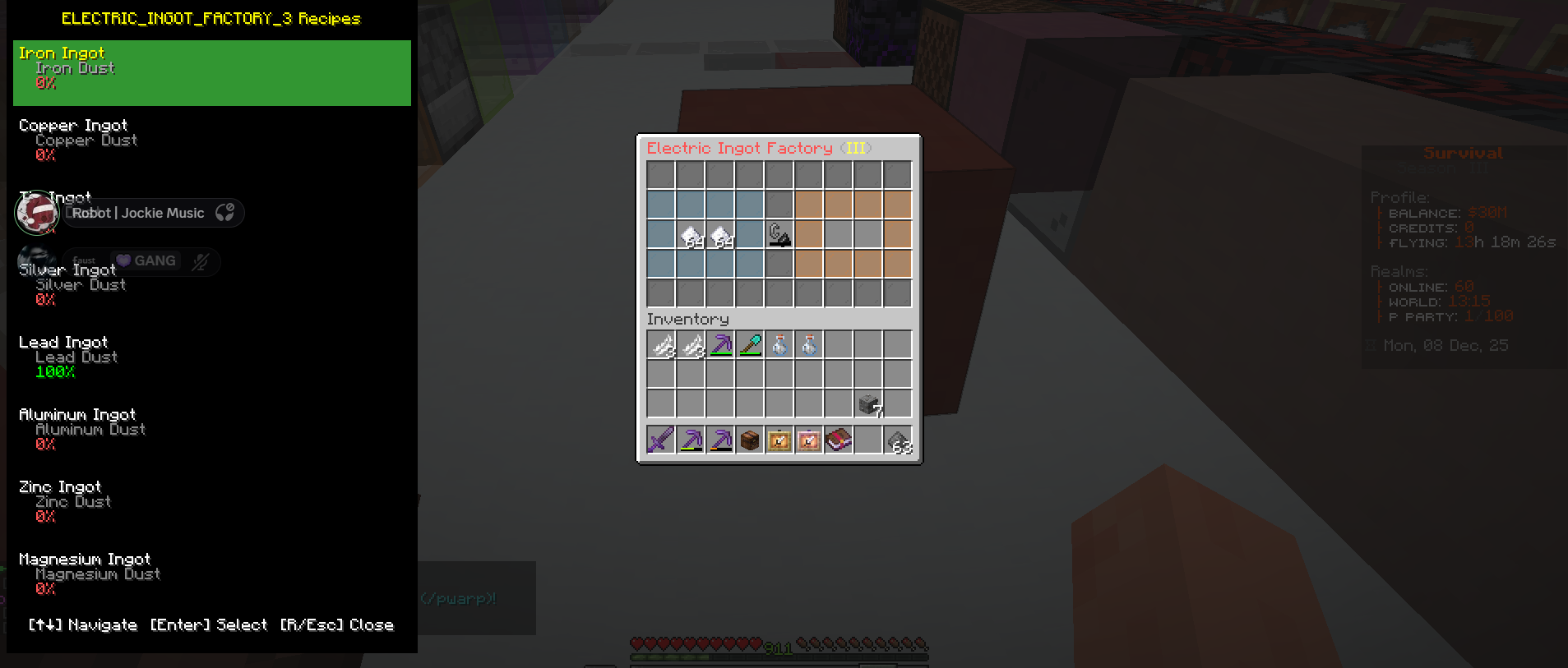 Machine Detection Machine Detection
 -
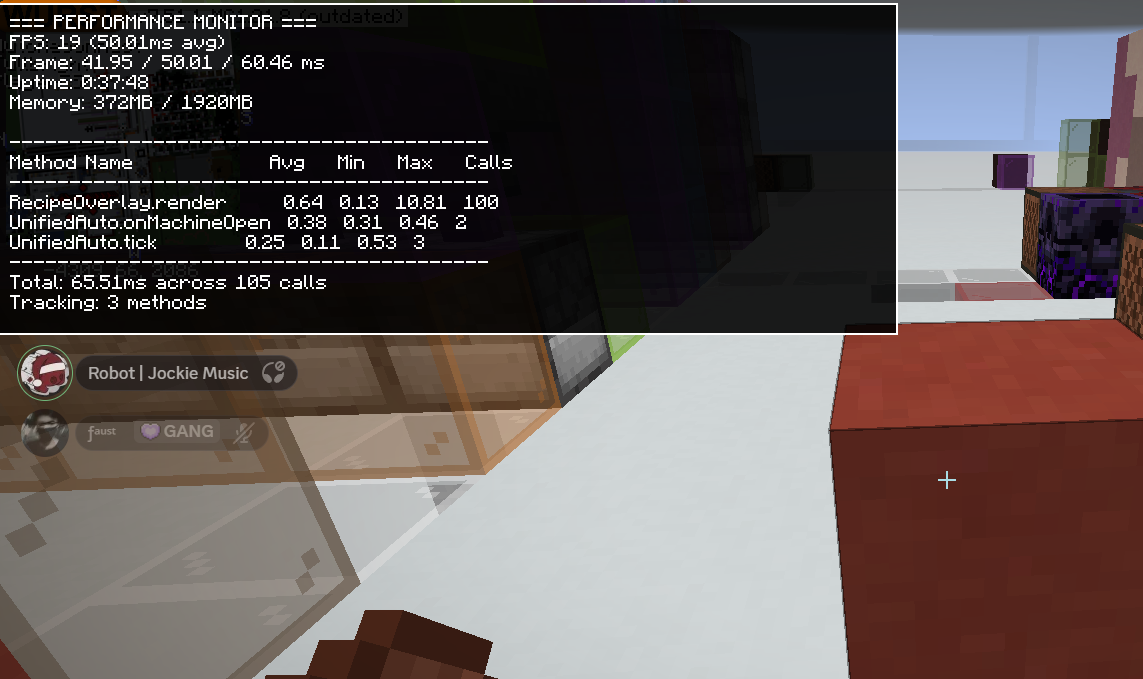 Performance Monitor Screenshot F8 performance overlay
 -
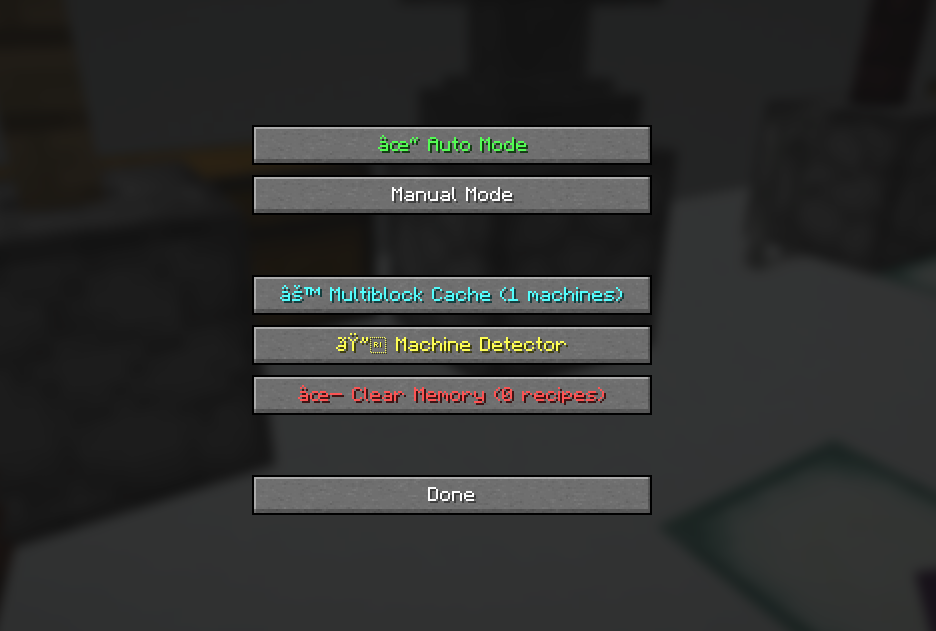 Settings Menu Screenshot Mode Settings (M key)
 -
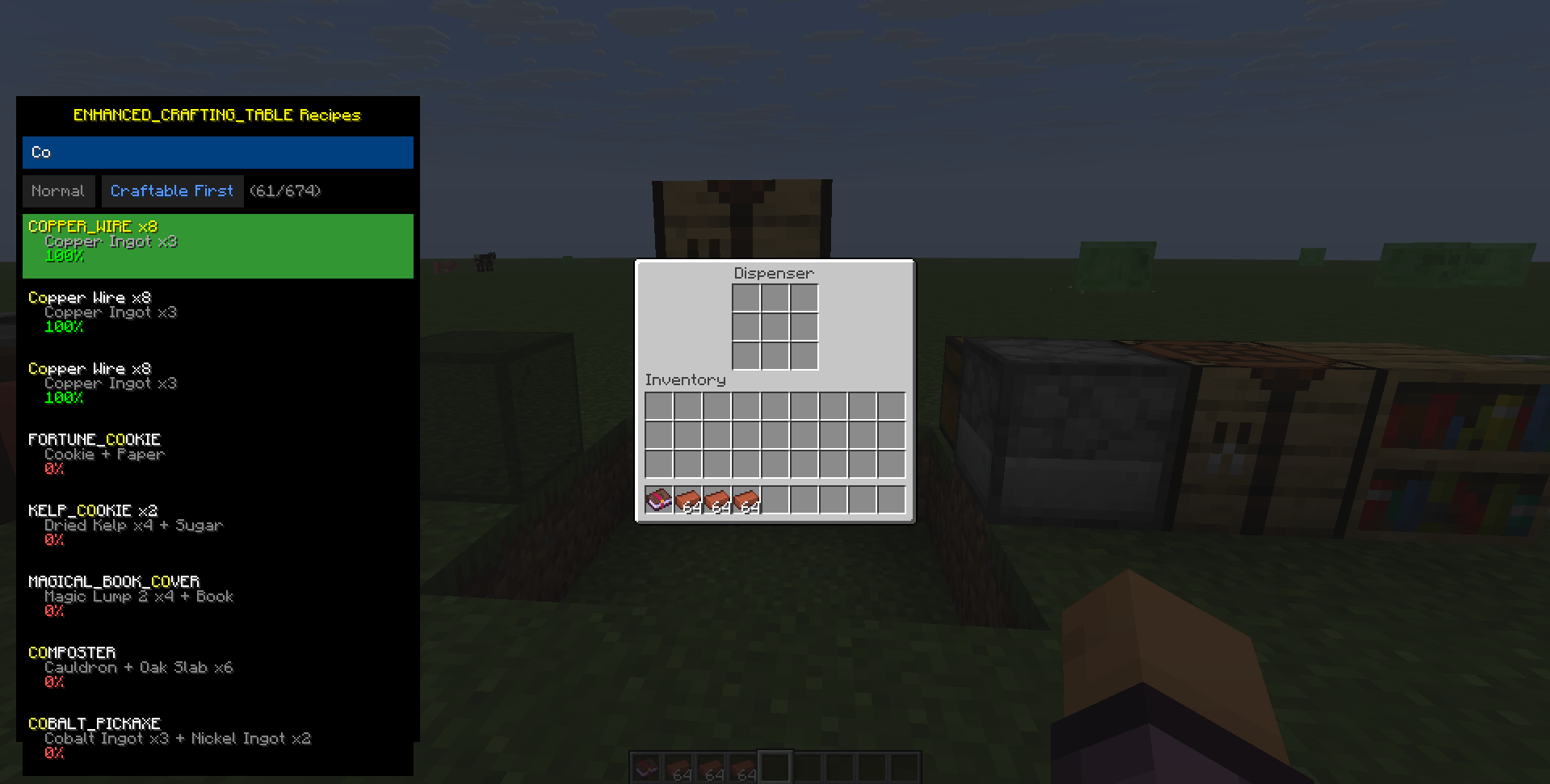 Recipe Overlay Recipe Overlay
 -
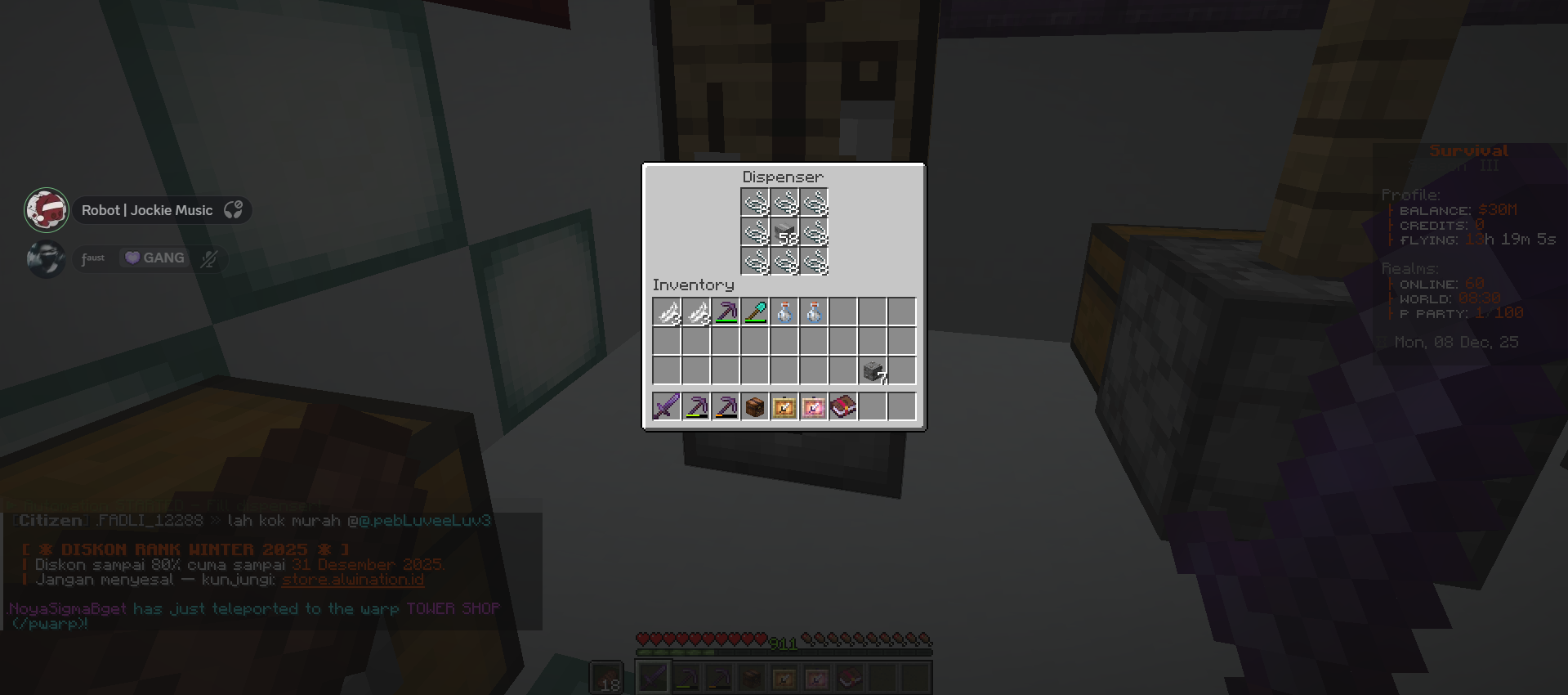 Auto Mode Auto Mode
Versions
Files
Relations
Project Relations
More like this
Similar Mods
Suggestions use data such as tags, dependencies, dependents, descriptions, titles, and more to rank how much they overlap with this mod.
On ModDex
Community snapshot
By the numbers
Statistics

Want to reach Minecraft players?
We're looking for a server hosting partner to feature here and other parts of the site. Interested? Send us a message!
Get in touchGet it on
Available Platforms
On ModDex
Community snapshot
By the numbers