Community listing page, reviews here may not be monitored by the author.
Bar and Particle

No reviews yet
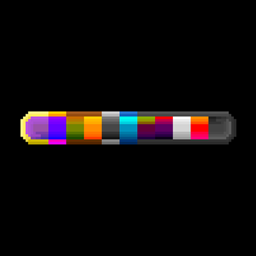
There is a Special custom health bar.
Community voices
Reviews
No reviews yet. Be the first to review this project!
Get it on
Available Platforms
About
Project Details
For authors
Embed Badge
If you're the author of this project, you can embed a live badge anywhere that supports HTML or Markdown. It updates automatically whenever ratings change.
Use HTML for any page that supports it, or Markdown for README files and Markdown-based descriptions.
Identifiers
Platform IDs
Resources
External Links
About
Description
📊 Bar and Particle: The Ultimate HUD Customization Experience
Tired of the static, boring, and rigid default Minecraft HUD? Bar and Particle is a powerful client-side mod that completely revamps your user interface. By introducing smooth animations, dynamic particle effects, and a fully functional in-game HUD editor, this mod gives you absolute control over how you view your health, armor, hunger, and more!
✨ Comprehensive Feature List
🛠️ In-Game Visual HUD Editor
No more messing around with complicated text-based config files! We provide an intuitive, drag-and-drop in-game editor.
- Free Positioning: Drag your Health, Armor, Food, Air, Hotbar, and Experience bars exactly where you want them.
- Smart Scaling: * Hold
Shiftwhile dragging to scale your HUD elements proportionally.- Hold
Altto scale them from the center, maintaining perfect alignment!
- Hold
- Layer System: Customize the background, foreground, and individual layers of your UI.
✨ Smooth Animations & Dynamic Particles
Combat and survival just got a lot more immersive.
- Lerp Transitions: Bars no longer jump instantly. Taking damage or healing triggers a smooth, satisfying sliding animation (Lerp).
- Impactful Particles: Taking damage will spawn dynamic, glowing particle shards that physically break off from your health bar! Healing will absorb particles back into the bar.
🧪 Status Effect & Saturation Integration
Your custom HUD natively supports Minecraft's core status effects! Every single state is 100% customizable via Resource Packs. The textures will automatically swap or adapt when you have the following effects:
- Poison * Wither
- Poison + Wither (A special combined state!)
- Hunger
- Absorption (Extra health shield layers)
- Built-in Saturation Display (See your exact hidden food saturation on the bar!)
(⚠️ Note: Currently, these custom status textures and animations only support "Bar" style HUD elements. They do not apply to the default Vanilla separated icons like individual hearts.)
🎨 Ultimate Customization (Resource Pack Guide)
Want to use your own UI designs? The mod is fully compatible with Vanilla Resource Packs. You can easily change the look of the HUD by making a custom resource pack.
Step 1: Create the Texture Path
Simply place your custom .png textures in the following folder structure inside your resource pack: your_resource_pack_name/assets/barandparticle/textures/gui/your_picture.png
Step 2: Create the pack.mcmeta
Don't forget to create a pack.mcmeta file in the root directory of your resource pack folder. For Minecraft 1.20.1, you can use the following format:
{
  "pack": {
    "description": { "text": "Your Custom Bar and Particle Textures" },
    "pack_format": 15
  }
}
Load your resource pack in-game, and your custom UI will instantly come to life without needing to restart the game!
⚙️ Configuration & Performance
This mod is built with performance in mind. Everything is rendered using highly optimized integer-based coordinate math to prevent UI jitter and pixel tearing.
- You can configure particle amounts, sizes, and decay speeds in the
barandparticle-client.tomlconfig file. - Don't like particles? You can disable them entirely in the config while keeping the smooth animations!
❓ Frequently Asked Questions (FAQ)
Q: Do I need to install this on my server? A: No! This is a 100% Client-Side mod. You can install it on your own client and join any Vanilla or modded server. The server doesn't need to have it installed.
Q: Can I use this in my Modpack? A: Absolutely! You are highly encouraged to include this mod in your CurseForge modpacks.
Q: Will you backport this to older versions (e.g., 1.16.5, 1.18.2)? A: Currently, the focus is on providing a stable experience for 1.20.1 Forge.
📜 License (GNU GPL)
This project is proud to be Open Source! Bar and Particle is licensed under the GNU General Public License (GPL).
- You are free to use, study, share, and modify the source code of this mod.
- If you distribute modified versions of this mod, your modifications must also be open-source and licensed under the same GNU GPL license.
- We believe in the power of the open-source community to create better tools for everyone.
If you encounter any bugs or have feature requests, please report them on our Issue Tracker!
Screenshots
Gallery
Versions
Files
Relations
Project Relations
More like this
Similar Mods
Suggestions use data such as tags, dependencies, dependents, descriptions, titles, and more to rank how much they overlap with this mod.
On ModDex
Community snapshot
By the numbers
Statistics
Want to reach Minecraft players?
We're looking for a server hosting partner to feature here and other parts of the site. Interested? Send us a message!
Get in touchGet it on
Available Platforms
On ModDex
Community snapshot
By the numbers
Statistics
Resources