
Community listing page, reviews here may not be monitored by the author.
Baston's Coordinates

No reviews yet
A modern, minimalist coordinates HUD for Fabric — inspired by Batty's Coordinates PLUS, the beloved 1.12.2 mod that never got updated.
Community voices
Reviews
No reviews yet. Be the first to review this project!
Get it on
Available Platforms
Compatibility
Supported Environments
Runs entirely on the client. Works on vanilla servers.
About
Project Details
For authors
Embed Badge
If you're the author of this project, you can embed a live badge anywhere that supports HTML or Markdown. It updates automatically whenever ratings change.
Use HTML for any page that supports it, or Markdown for README files and Markdown-based descriptions.
Identifiers
Platform IDs
Resources
External Links
About
Description
Baston's Coordinates
A modern, minimalist coordinates HUD for Fabric — inspired by Batty's Coordinates PLUS, the beloved 1.12.2 mod that never got updated.
Rebuilt from scratch for Minecraft 26.1.2 and entirely configurable through Mod Menu — no keybinds to memorize, no clutter, just the information you actually want on screen.
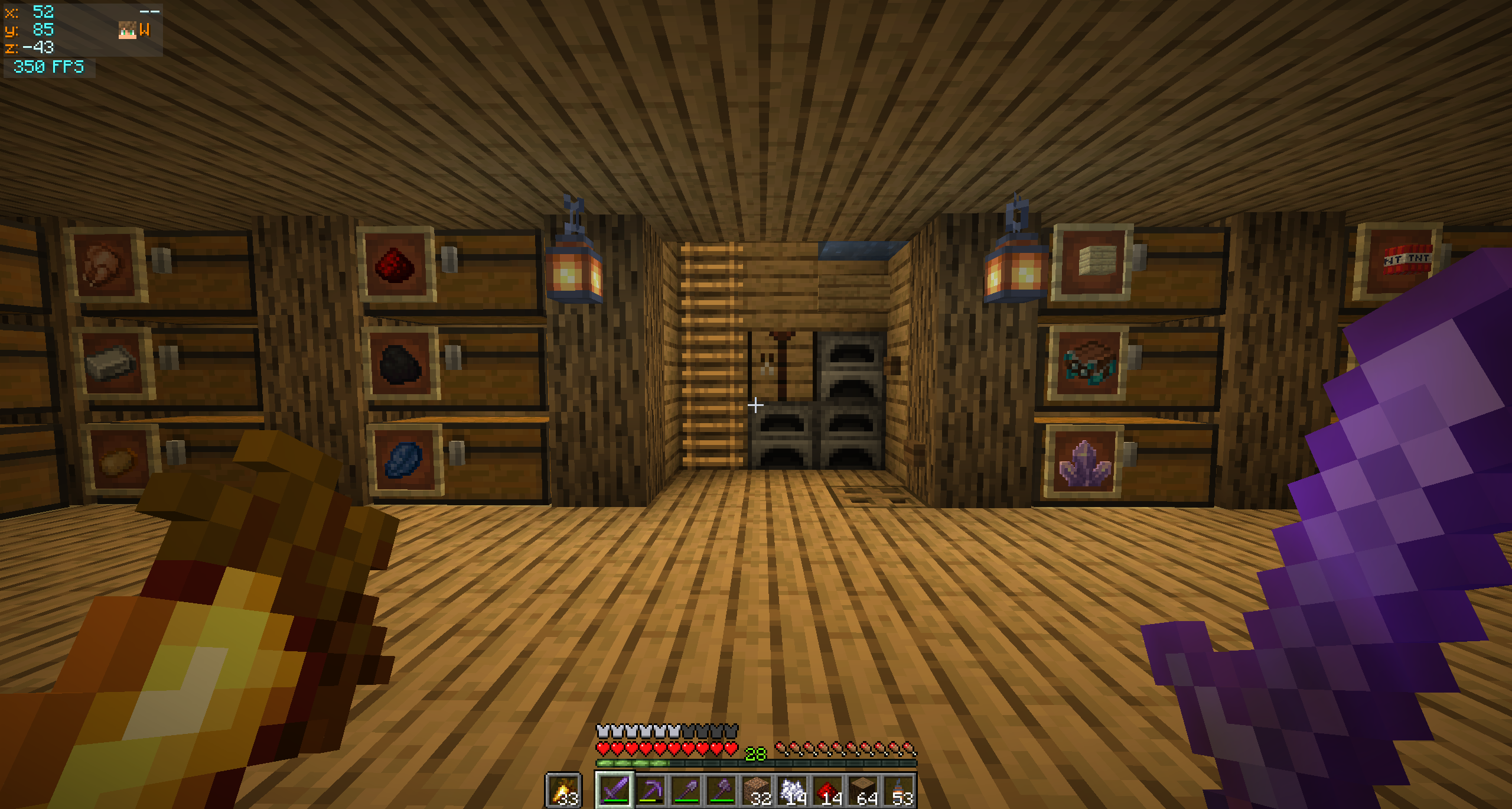
✨ Features
- XYZ coordinates with separate colours for positive and negative values
- Compass cardinal — N / NE / E / SE / S / SW / W / NW
- Movement arrows — chevrons (
+/-) on the X and Z lines indicate which way the coords are changing as you walk - Player head rendered next to the compass — face and hat overlay, using the same helper Minecraft uses for the multiplayer tab list
- Local time — real-world clock on its own row,
HH:mmorHH:mm:ss - Independent FPS panel that auto-stacks below the coords when both share a corner
- Auto-hides when the F3 debug overlay is open — no double-up of info
- Dynamic panel width that only grows as wide as the active features need (with a configurable floor)
🎨 Customization
Open Mod Menu → click the gear next to Baston's Coordinates.
Coordinates Panel
- Toggle every individual feature (compass, arrows, time, player head…)
- Choose a screen corner (Top Left / Top Right / Bottom Right)
- Fine-tune position with X / Y offset sliders
- Set a minimum panel width floor
FPS Panel
- Independent on/off and screen corner
- When in the same corner as the coords panel, the FPS auto-stacks below (or above for bottom corners) with a configurable gap
Colours
- R / G / B sliders with a live preview swatch for every text element
- RGBA for the background — full transparency control
The HUD renders on top of the config screen so you can preview your changes immediately after clicking Save & Quit.
📦 Requirements
| Requirement | Version |
|---|---|
| Minecraft | 26.1.2 |
| Fabric Loader | 0.19.3+ |
| Fabric API | any matching build |
| Java | 25+ |
Optional but strongly recommended
- Mod Menu — entry point for the config screen
- Cloth Config — provides the config UI widgets
Without these the mod still works, just with defaults. You can edit the
file at config/bastons_coordinates.properties manually.
Screenshots
Gallery
-
In-game HUD In-game HUD
-
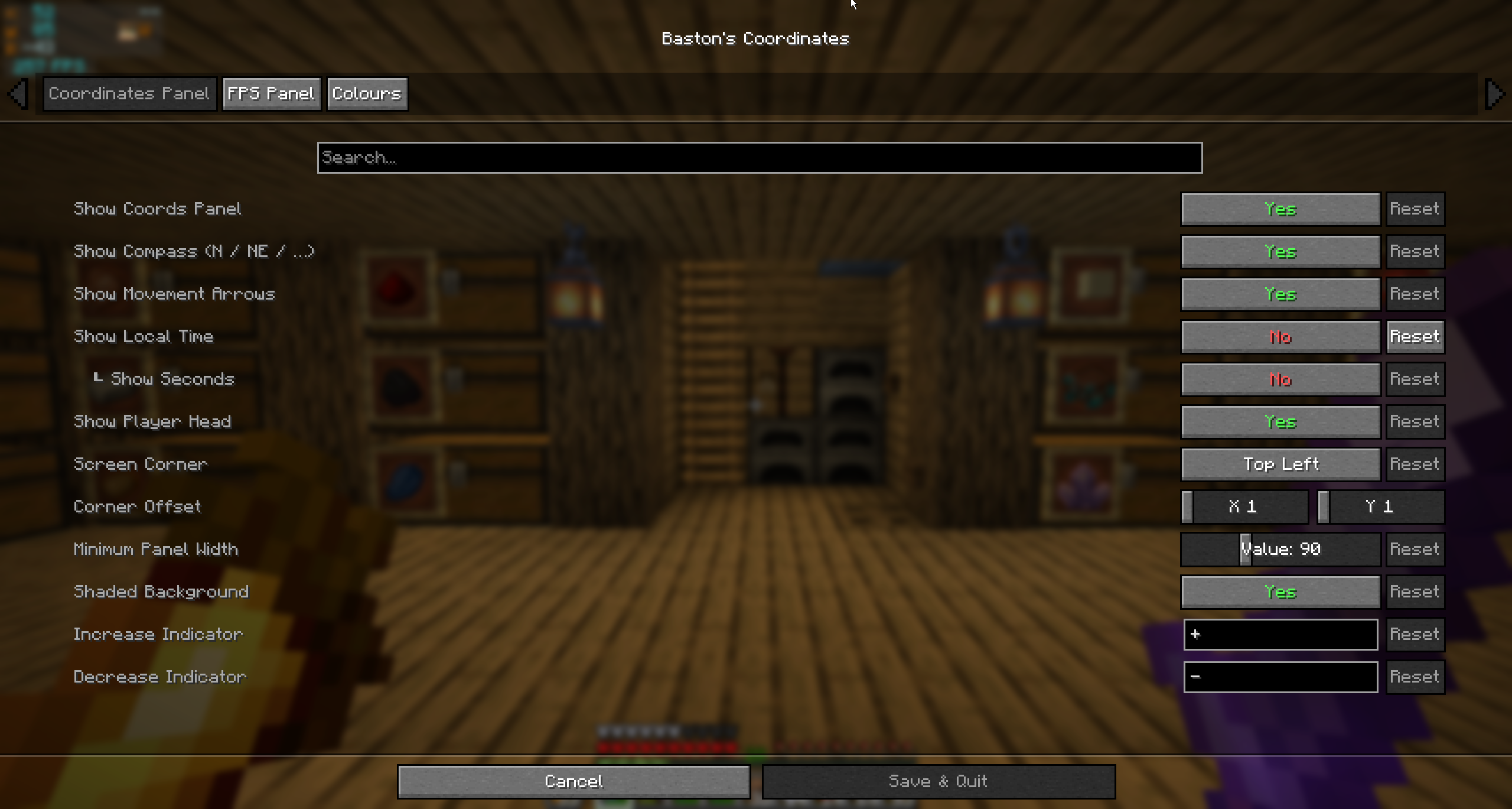 Coordinates Panel config Every feature is an independent toggle, plus corner, offset and minimum panel width
 -
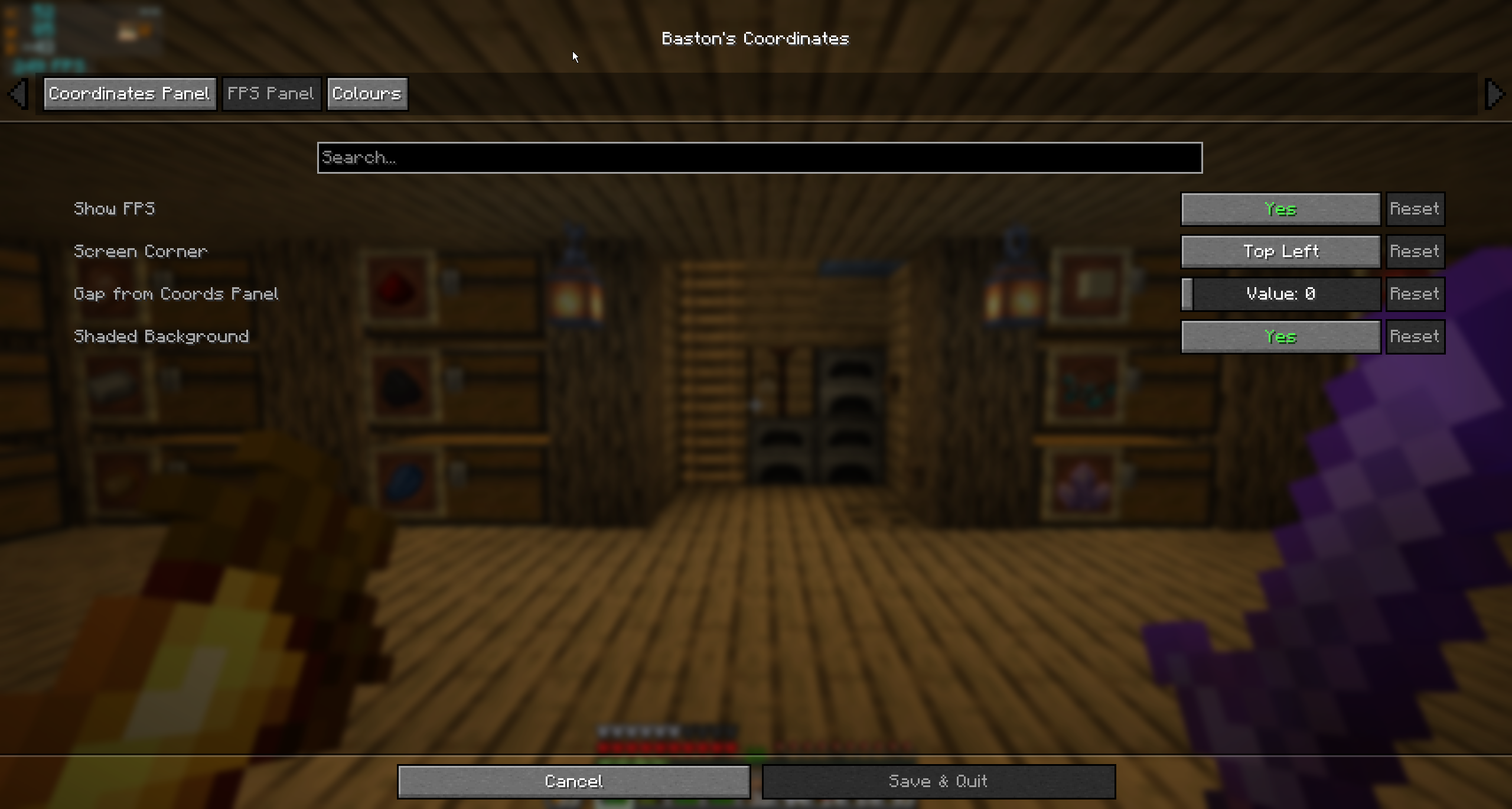 FPS Panel config Independent panel that auto-stacks under the coords with a configurable gap
 -
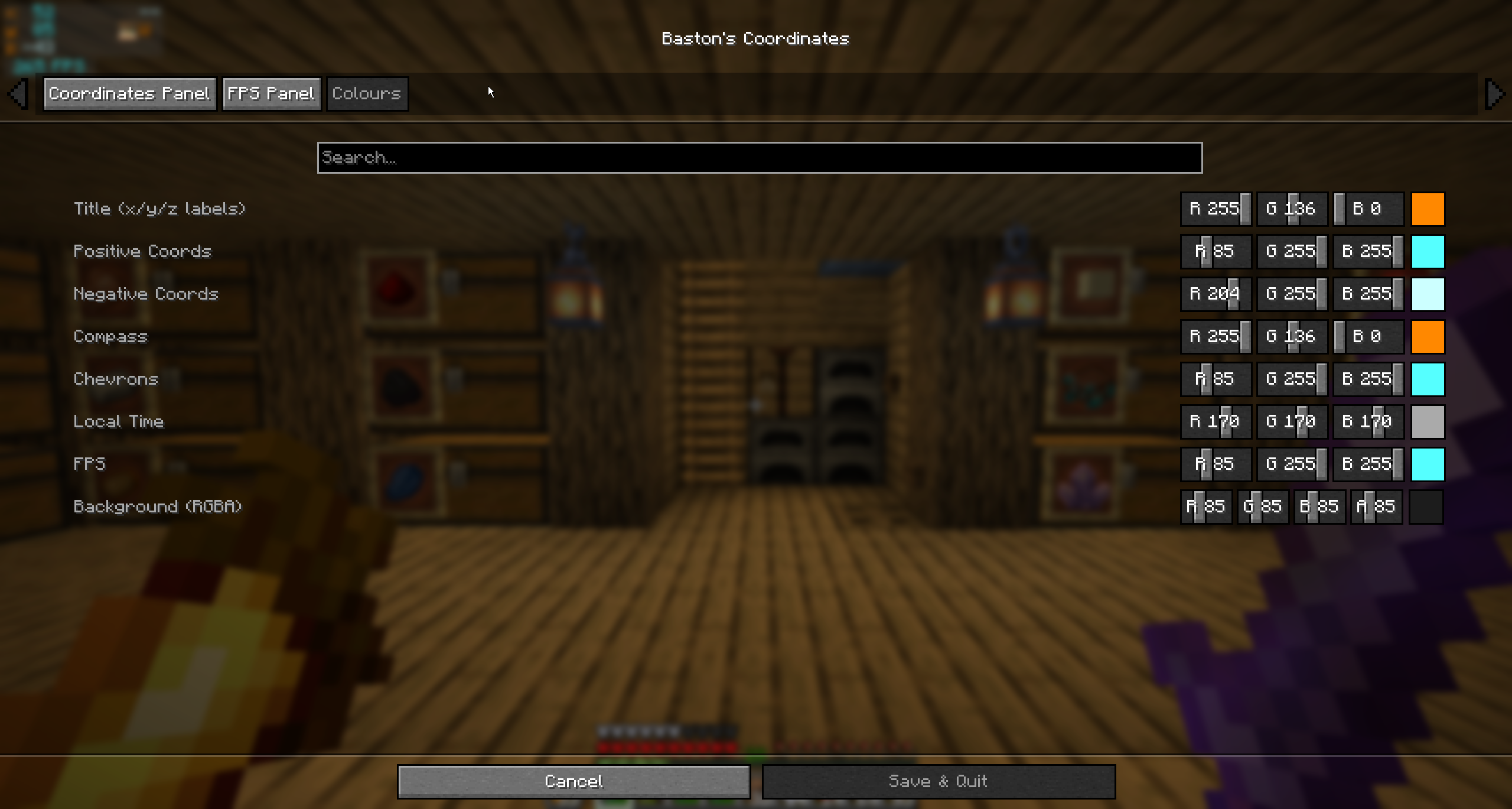 RGB color picker Every text element has R/G/B sliders with a live preview swatch
Versions
Files
Relations
Project Relations
More like this
Similar Mods
Suggestions use data such as tags, dependencies, dependents, descriptions, titles, and more to rank how much they overlap with this mod.
On ModDex
Community snapshot
By the numbers
Statistics

Want to reach Minecraft players?
We're looking for a server hosting partner to feature here and other parts of the site. Interested? Send us a message!
Get in touchGet it on
Available Platforms
On ModDex
Community snapshot
By the numbers
Statistics
Resources