Community listing page, reviews may not be monitored by the author.
Beaconator

No reviews yet
Plan and build beacon perimeters: grid from one point, real coverage volumes, beams to the sky where beacons are missing, and one shared plan for the whole server.

Community voices
Reviews
No reviews yet. Be the first to review this project!
Get it on
Available Platforms
Compatibility
Supported Environments
Required on the client. Installing it on the server adds functionality.
About
Project Details
For authors
Embed Badge
If you're the author of this project, you can embed a live badge anywhere that supports HTML or Markdown. It updates automatically whenever ratings change.
Use HTML for any page that supports it, or Markdown for README files and Markdown-based descriptions.
Identifiers
Platform IDs
About
Description
Plan and build beacon perimeters: place one beacon, grow the grid, and see exactly where every other beacon goes and how much ground each one covers.
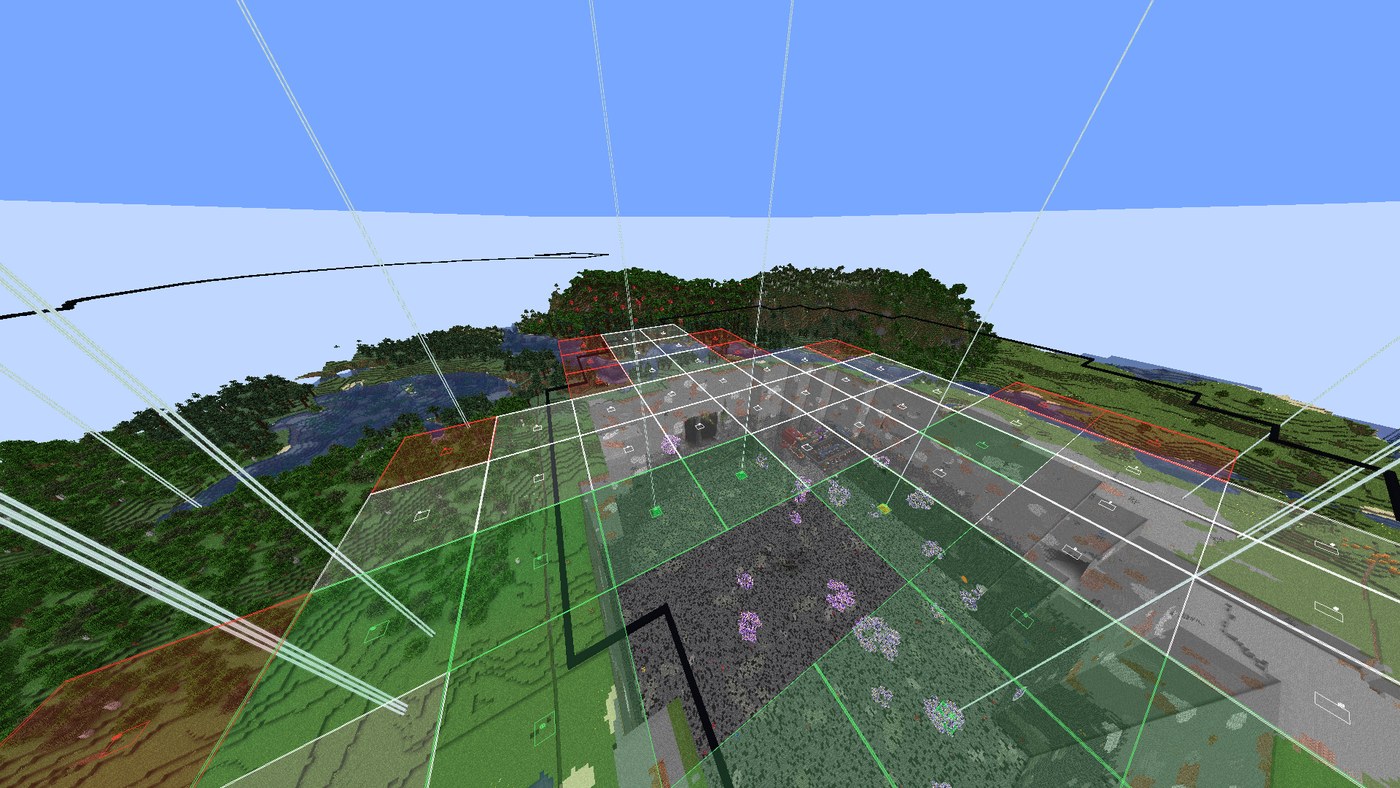
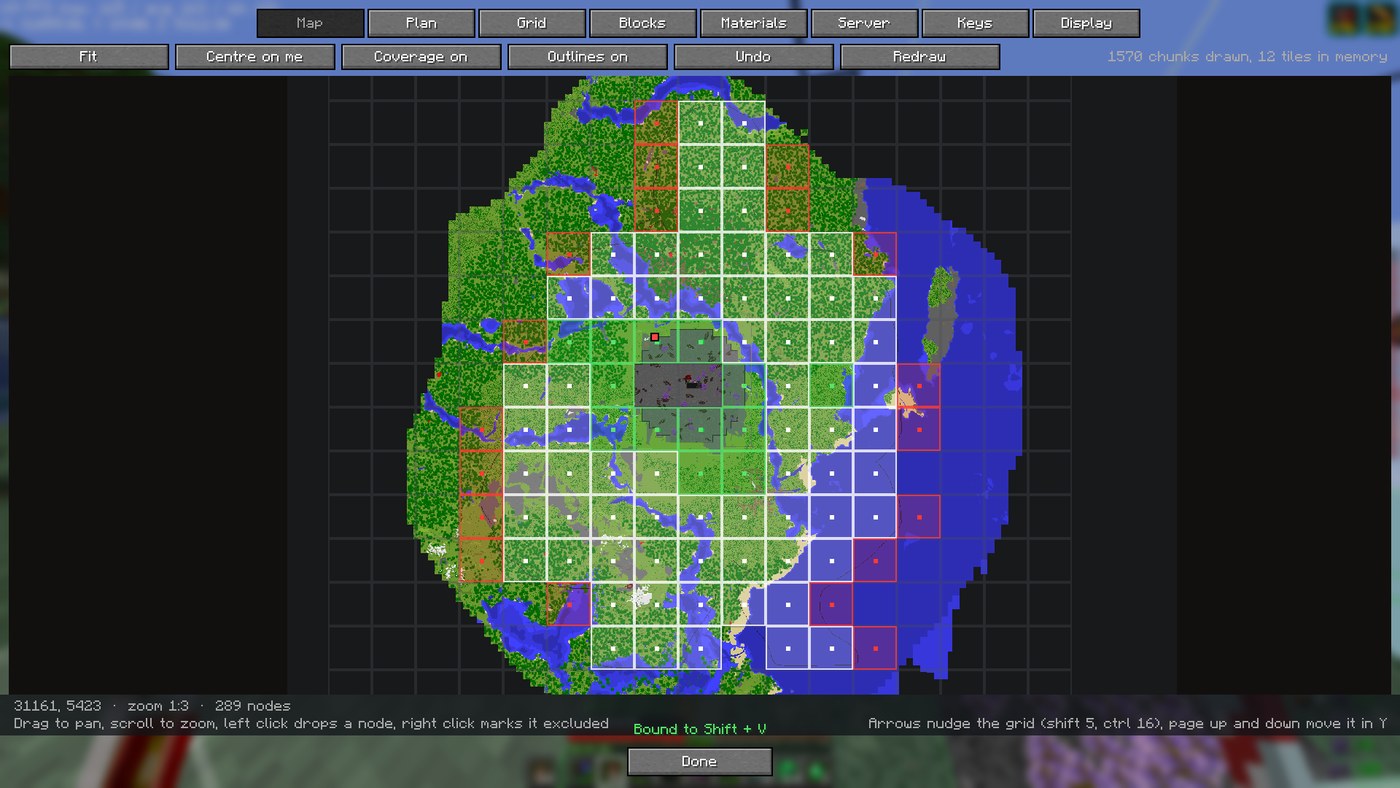
- A map of the area with the whole grid on top. Click nodes to keep, drop or exclude them.
- The real coverage volume of every beacon, so you see the holes before you build.
- A beam over every beacon position: red for missing, yellow for started, green for done. Nodes turn green on their own as you build.
- A material list of what the plan needs and what is still missing.
- Optional on the server: put the same jar there and the whole team shares one live plan.
Installation
- Minecraft 1.21 to 1.21.8, 1.21.11, 26.1.2 and 26.3. One jar per version.
- Fabric Loader 0.16+ (0.19.5+ for 26.3) and Fabric API.
- Java 21 for 1.21.x, Java 25 for 26.x.
Put the jar in mods/. It works on the client alone. Put the same jar on a Fabric server if you
want a shared plan; vanilla clients on that server are never sent anything.
Updating keeps your plans, node states, water lines and totals (they live in
config/beaconator/ and config/beaconator.json).
Usage
- Press
Shift + Bto open the screen.Bturns edit mode on and off. - On the Plan tab, press New plan here, standing near the middle of the area. If the perimeter is already half built, press Detect from world to read the beacons that are there.
- On the Map tab, shape the plan: left click drops a node, right click marks it excluded (built, but outside the perimeter).
- On the Grid tab, pick beacons per node, pyramid level, spacing and size. With Spacing follows level on, coverage lines up with no gaps and no overlap.
- Go build.
Ghides the beams when they get in the way.
Team play: if the server has the mod, a Server tab appears. Press Share mine and everyone else opens it by name. Publishing a plan needs operator; marking nodes does not.
Commands: /bea (open the screen) and /bea share (put the open plan on the server).
Full documentation, configuration and technical details: README on GitHub.
Screenshots
Gallery
-
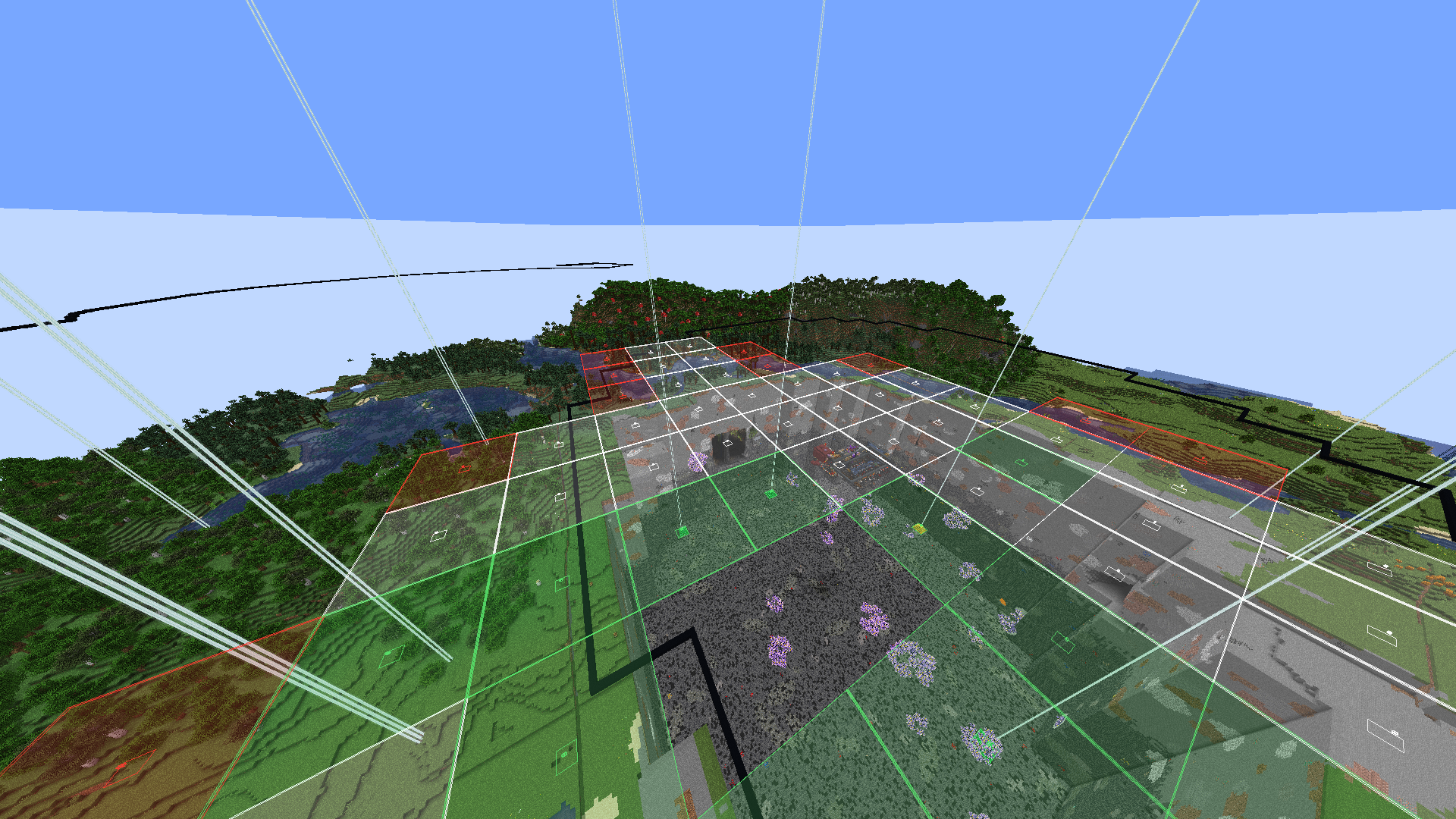 A perimeter from the air Coverage volumes on the ground and a beam over every beacon. Green is built and checked against the world.
-
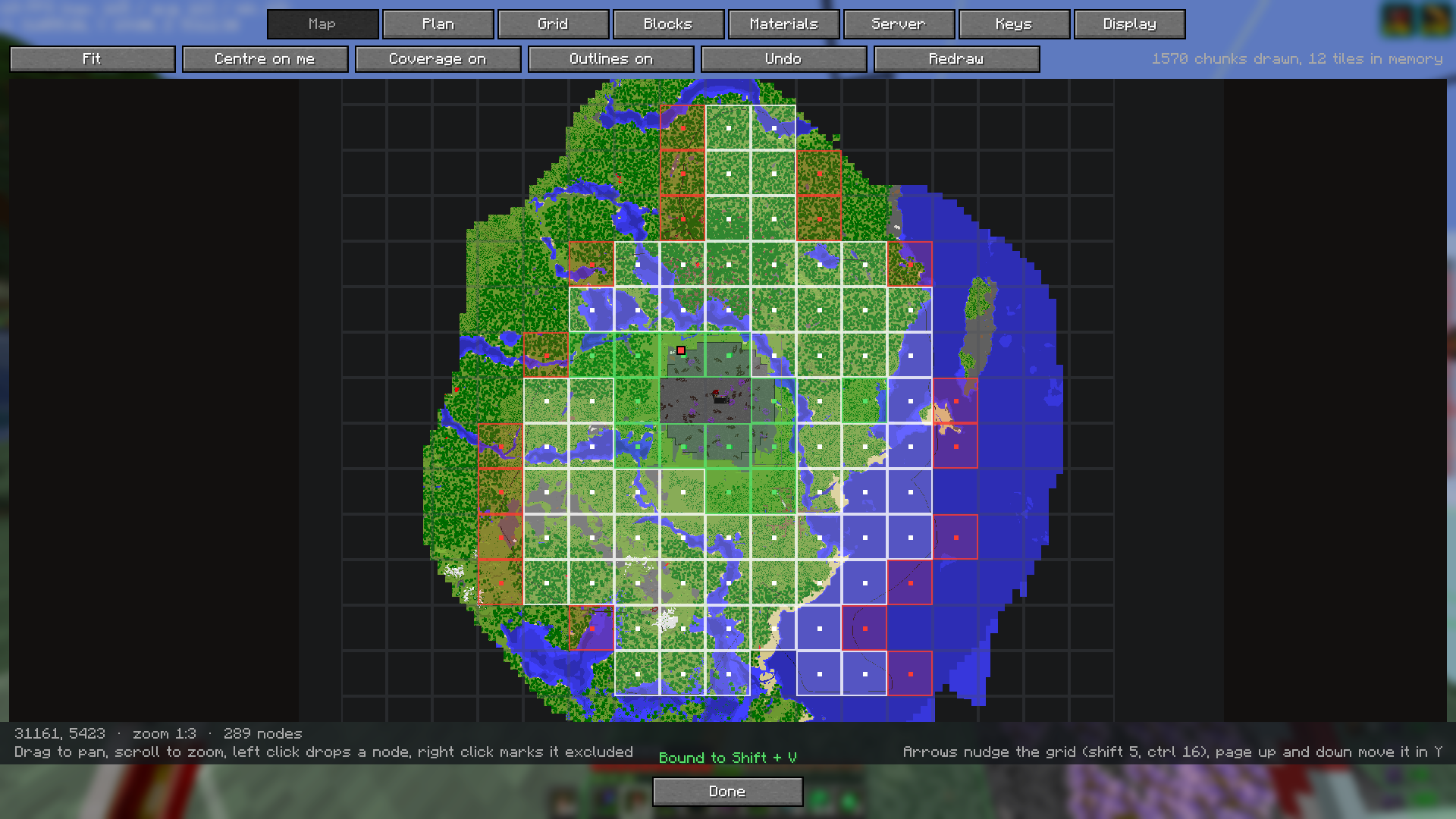 Plan it on the map The mod draws its own map from the chunks you load, with the grid on top. Click nodes to drop or exclude them, shift drag for whole rectangles.
-
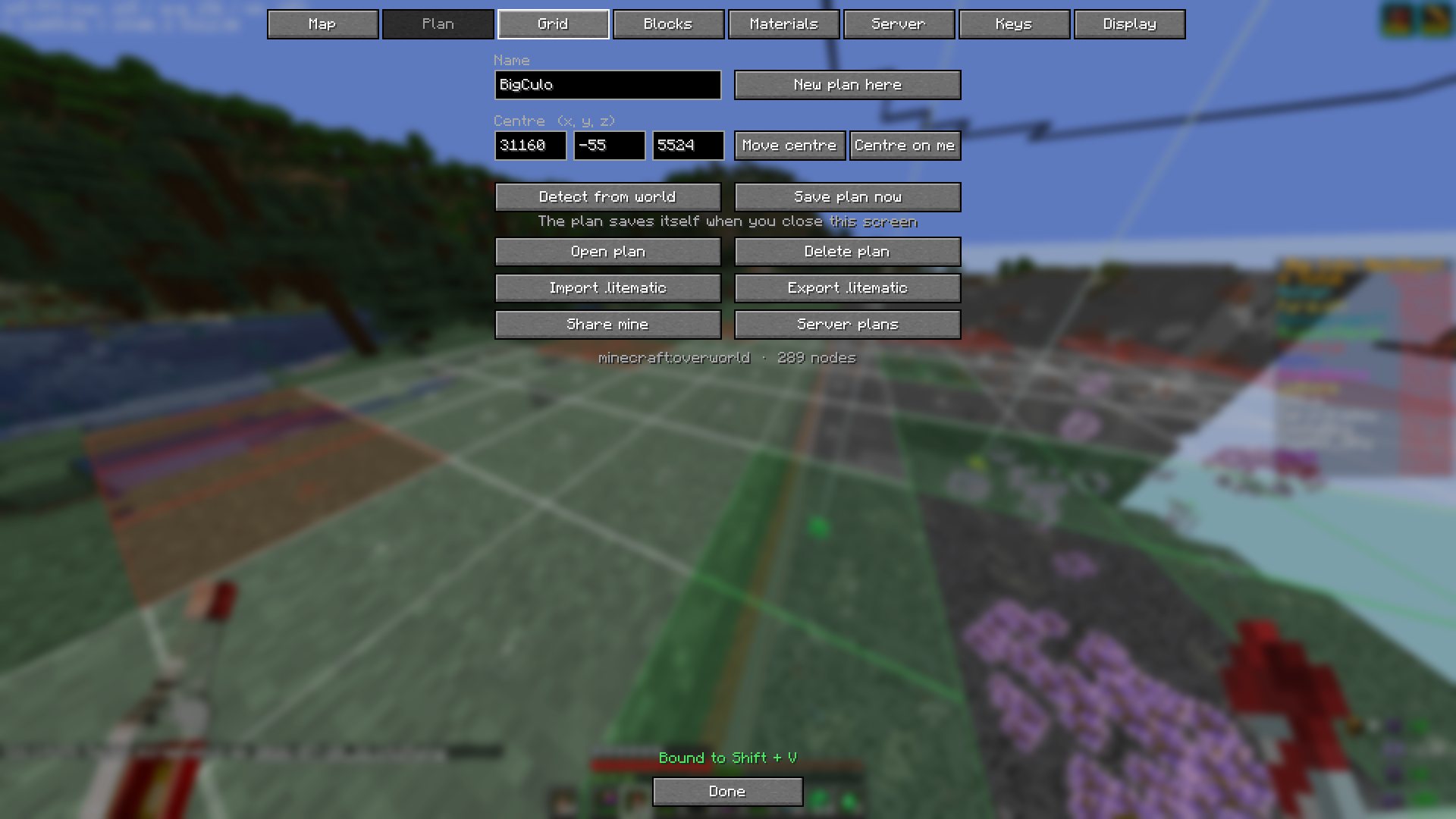 The plan tab Name, centre, detect an existing perimeter from the world, litematic import and export, and sharing it with the server.
-
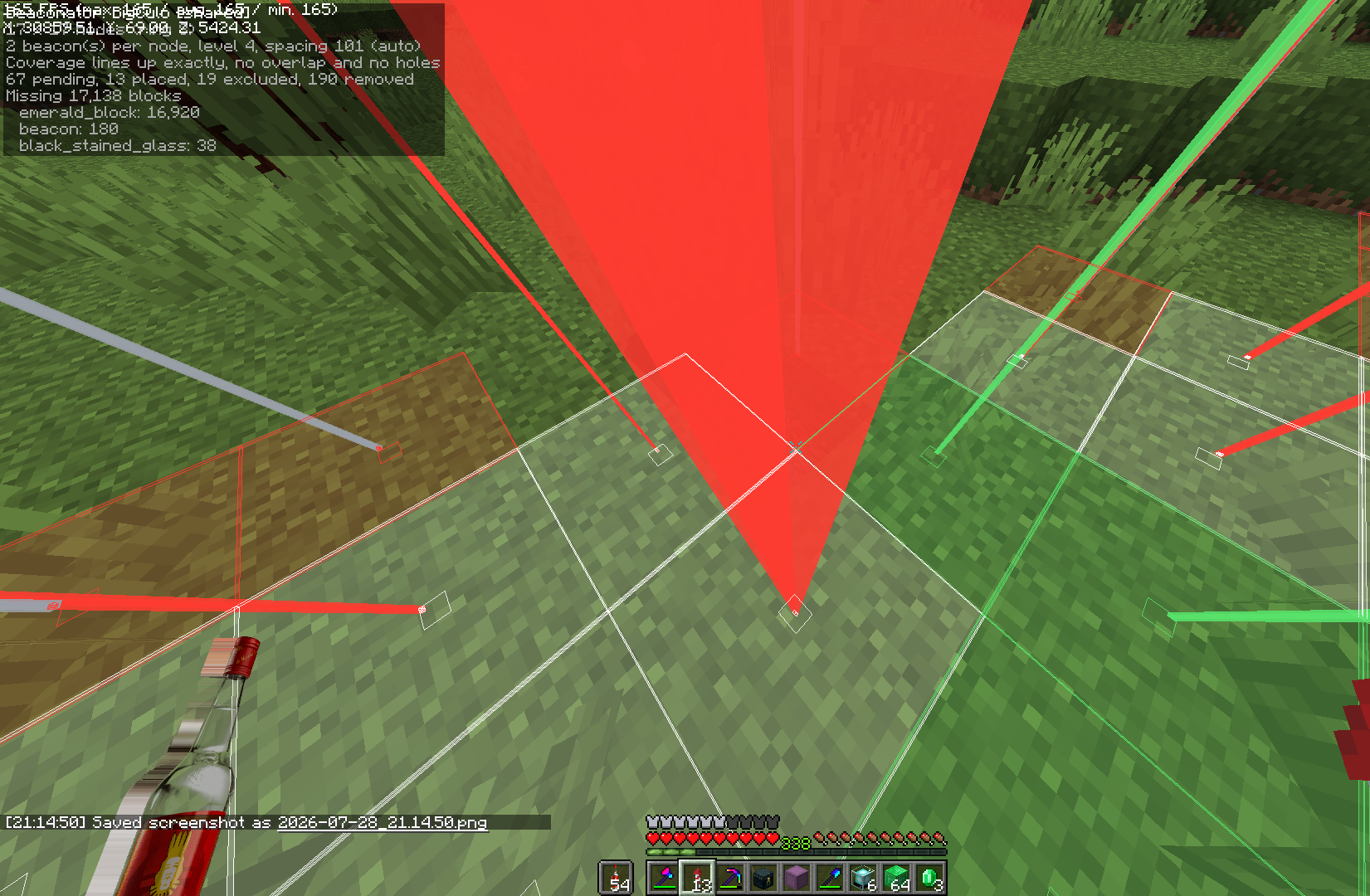 Red is what is left Standing in the perimeter with the HUD on: what is built, what is missing, and how many blocks of it. Green beams are behind you, red ones are the job.
Versions
Files
Relations
Project Relations
More like this
Similar Mods
Suggestions use data such as tags, dependencies, dependents, descriptions, titles, and more to rank how much they overlap with this mod.
On ModDex
Community snapshot
By the numbers
Statistics


Get it on
Available Platforms
On ModDex
Community snapshot
By the numbers