
BearEdit
No reviews yet
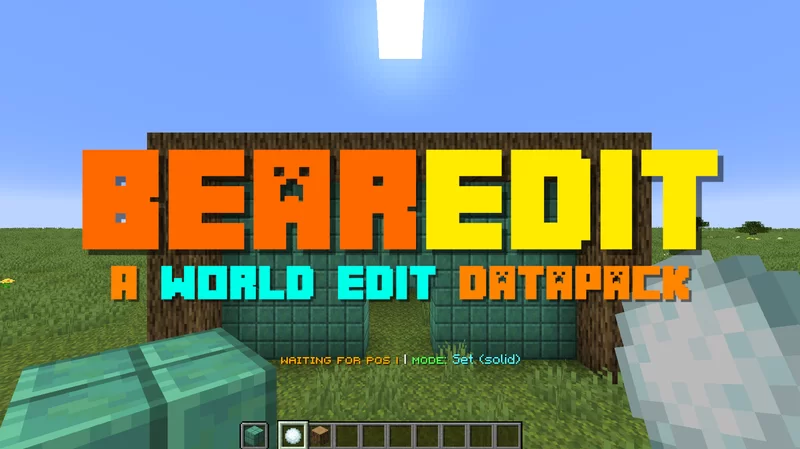
A worldedit datapack for 1.20.2+ which is easy to use - no commands required! :D
Data Packs were introduced to vanilla Minecraft in version 1.13 and allow the server to modify data about the game, or run commands. Data Packs are compatible with all mod loaders.
Forge is a popular mod loader for versions 1.1+ of Minecraft.
Neoforge is a fork of the Minecraft Forge available for versions 1.20.1+ of Minecraft. Many Forge mods are compatible with Neoforge and vice versa.
Fabric is a mod loader for versions 1.14+ of Minecraft, particularly popular for client side and optimization mods.
Quilt is a fork of the Fabric mod loader. Many Fabric mods are compatible with Quilt and vice versa.
Community voices
Reviews
Click once to include, again to exclude, again to clear
No reviews yet. Be the first to review this project!
Get it on
Available Platforms
 Modrinth
Compatibility
Supported Environments
About
Project Details
For authors
Embed Badge
If you're the author of this project, you can embed a live badge anywhere that supports HTML or Markdown. It updates automatically whenever ratings change.
Use HTML for any page that supports it, or Markdown for README files and Markdown-based descriptions.
Identifiers
Platform IDs
Resources
External Links
About
Description
Introducing BearEdit, the best world edit datapack for Minecraft 1.20.2+. With no finicky commands or chat based UI, this datapack makes building more efficient. No past experience is required - BearEdit is designed to be as simple as possible, while still being super powerful. Here’s what we’ve got:
Features
- No commands or confusing UI - everything can be done in seconds without interrupting your flow.
- No resource pack or mod you have to download!
- No lag, like at all
- Works in multiplayer
- Works with any blocks, even modded ones.
- Works in 1.20.2 and above
Build Tool item
The Build Tool item is the way to control the datapack. You can only use it in creative mode. To get the item, run /function be:give.
If you hold the item, you should see text above your hotbar, showing the current status and selected mode.
This item is super duper simple to use. In fact, it’s no more than 3 steps to understand:
- Select the mode using F
- Pick a block by putting it in your offhand, if applicable
- Right click on a block to select the start position. Do the same for the end position.
The item has these main controls:
- Right click on a block to select a position, or to run the action. If you right click in midair, it selects the current position.
- F (Swap Hands) to cycle through the Build Tool's modes
- Q (Drop Item) resets the current stored positions/data
- Shift + F (Sneak + Swap Hands) will open the Mode Selector Chat GUI to select which mode you want to use.
If you get stuck, all the controls can be seen by hovering over the item in your inventory.
Modes
Here are all the modes currently in the datapack:
| Mode | Description |
|---|---|
| Set Solid | Fills the area with the chosen block, replacing anything in the way |
| Set (Hollow) | Fills the outer layer of the area with the chosen block, leaving the inside as it is. |
| Remove Blocks | Removes all blocks in the area, essentially setting it to air. |
| Draw Line | Draws a straight line from the start to the end positions made of the chosen block. |
| Replace | Replaces all of one type of block with another in the selected area. |
Settings
These functions will toggle settings in the pack:
| Command | Description |
|---|---|
/function be:settings/keep_positions |
Toggles whether to keep the positions after you run an action, or reset them. |
/function be:settings/outline |
Toggles whether the selected are should have an outline. |

Screenshots
Gallery
-
 Thumbnail
Versions
Files
Relations
Project Relations
More like this
Similar Mods
Suggestions use data such as tags, dependencies, dependents, descriptions, titles, and more to rank how much they overlap with this mod.
On ModDex
Community snapshot
By the numbers
Statistics

Want to reach Minecraft players?
We're looking for a server hosting partner to feature here and other parts of the site. Interested? Send us a message!
Get in touchGet it on
Available Platforms
On ModDex
Community snapshot
By the numbers
Statistics
Resources