Community listing page, reviews here may not be monitored by the author.
Bed Craft and Beyond

No reviews yet
Colored Beds and flowing Carpets!
Community voices
Reviews
No reviews yet. Be the first to review this project!
Get it on
Available Platforms
About
Project Details
For authors
Embed Badge
If you're the author of this project, you can embed a live badge anywhere that supports HTML or Markdown. It updates automatically whenever ratings change.
Use HTML for any page that supports it, or Markdown for README files and Markdown-based descriptions.
Identifiers
Platform IDs
About
Description
Add over 3000 different combinations of beds to your world (and that's just with Vanilla Planks, even MORE when you add other mods to your game!), along with rugs that connect up the sides of other blocks!
Wooden Beds (and Frames)
(Previously known as Colored Beds)
So, frames. There's a new concept. We made a pretty major change since 1.8: Wooden beds are split up into frames and linens.
Why, you ask? The linens let you dye your bed fabrics to ANY color you want, and the frames can be made out of any block you want. Yes, even the sparkly rainbow ones (soon, anyway- we're making the rainbow bed fabrics a bit more interesting) can be used now.
Yup, you read that right. Look below on how the dying mechanic works, but here's a summary of what to expect:
- An eyedropper and dye bottles, for dying shenanigans.
- A blanket item and a sheet item. (Linens - dyed to color the beds)
- A drawer item, to tuck under that bed to store your stuff.
- A frame, to put all these nice things on.
You craft a wooden frame to get started (and the stone frames too), and right click the dyed linens onto the bed to make a colored one. The drawer works the same way, too, and holds its inventory when you remove it. (Makes for a nice way to move beds around.) You'll get these items back if you break the frame, don't worry.
The recipes in JEI show oak wood, but in reality, that's a placeholder. The frame registry has final say on what can be used to craft wood and stone frames, and that's completely up to you. Whatever you have white-listed (check with "/bedcraftbeyond frames check [type] [x] [y] [z]" to see if a block in-world is a valid material for a type) is what you can craft with.
About the Frame Registry (Tech Details)
The valid frame types are controlled by a file in the config folder, and in addition, there's full ore dictionary support too. You can specify what frames to add, and what to blacklist-- ever have a wood plank that just messes everything up, since it's ore-dictionary enabled? Yeah. We got rid of that little problem now.
In addition, server operators can happily modify everything in-game, just by looking at a block in world and typing out the frame modification commands:
bedcraftbeyond frames [command]
- add [type] [x] [y] [z] [all/meta] - Add a given block to the list, under frameType. (Wood, stone, etc)
- remove [type] [x] [y] [z] [all/meta] - Same as above, but removes it from the list (blacklists).
- check [type] [x, y, z] - Checks if the given block is whitelisted for [type]. Super handy if you want to see if a block is valid without crafting anything!
- list [type] - Spits out a list with all the valid frame materials for a given type.
- save [type] - Saves the current whitelist to ./config/bedcraftbeyond/frames/{type}.json. Useful for saving your list after getting it exactly the way you want it.
The Eyedropper and Dye Bottles
The eyedropper is your one-stop method to grab exactly the color you're looking for. You shift-click it in your hand and it will open a gui to slide around a few bars (or enter in codes, if that's your style) to set a color. Once you have the color you're looking for, just close the gui and it'll sync to the server. Use the eyedropper in a shaped recipe (a red, green, and blue dye, a water bottle, and the eyedropper in the middle) and you're off to making the world more colorful!
Rugs:
Rugs are like Vanilla carpets, in which they are a block that are 1/16th the height of a Wool block. The main difference being that Rugs will flow over the sides of blocks to connect to Rugs on the next block up, as well as flow over Slabs and Stair blocks in any possible orientation for either block (connecting up to the next block disabled for now for 1.8.9, will be fixed soon!). Please note their bounding box is hovering in the block space above when they are placed on top of half slabs and stairs, and they will connect to other Rugs regardless of color.

Recipe:
You can also change the color of rugs individually with any oredictionary-enabled dye.
Known Issues:
Sometimes mods add stuff that you don't want. You can blacklist and whitelist stuff by editing frame files under config/bedcraftbeyond/frames/whatever.json, where {whatever} is, well. Whatever you want. The filename doesn't matter.
Please see the following files for documentation on these files:
Documentation on Frame File Format
Example Frame File (Vanilla, Biomes O Plenty, and Forestry support)
Screenshots
Gallery
-
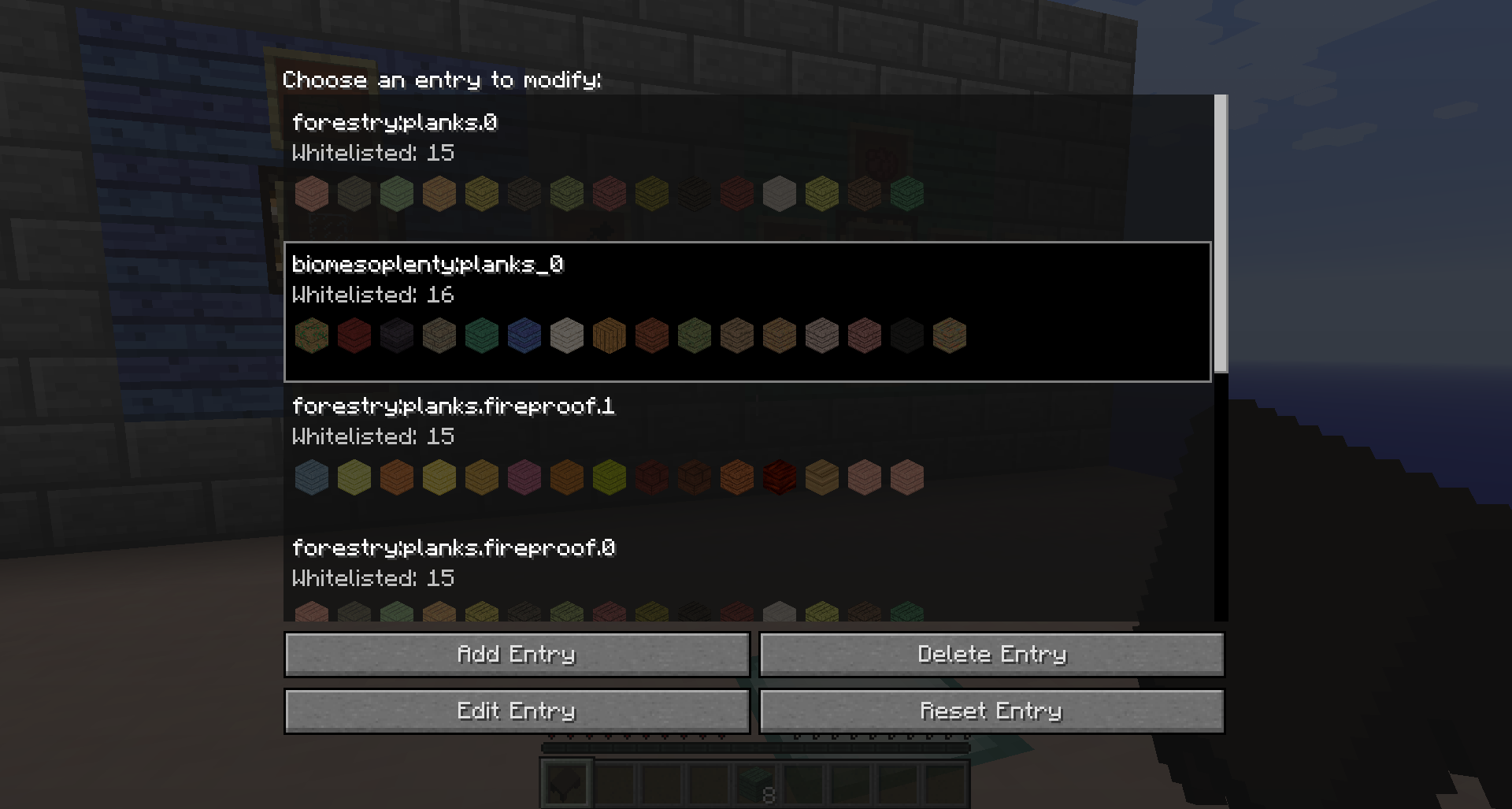 Frame Whitelist Editor - List
 -
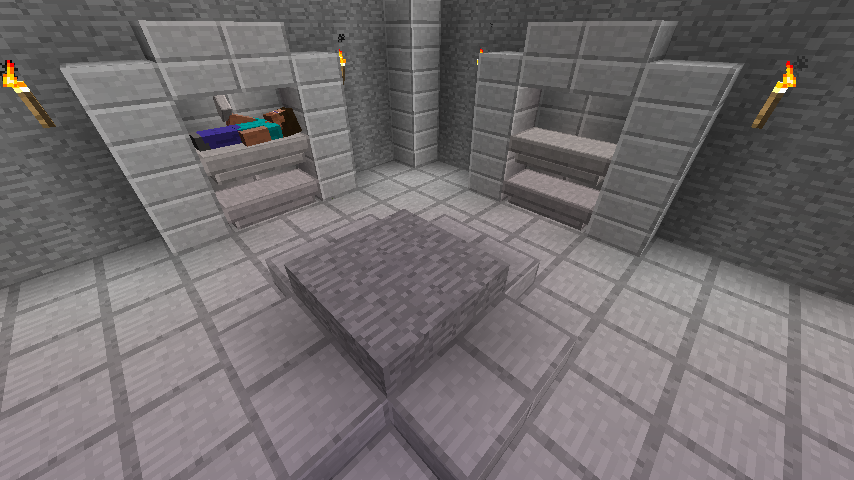 Stone Slab Bed Example
 -
 KNOWN BUG If anyone is able to figure out why the corner of the carpets when placed in certain ways has this unnatural shadow on this face and knows how to fix it, please notify me on the Github.
 -
 Bed Types Currently, there are Colored Beds, Colored Chested Beds that have drawers under them, and the Stone Slab Bed. Colored Chested Beds can be opened using the Key.
 -
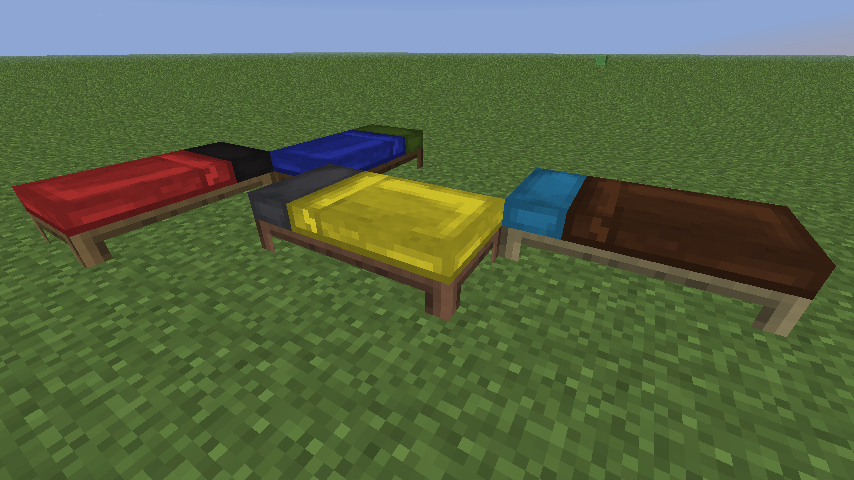 Beds Example Each Colored Bed combination is separated by 16 color blankets, 16 color pillows and sheets, and multiple different wood frames, doubled for Chested Beds. That's 512 beds for each type of wood!
 -
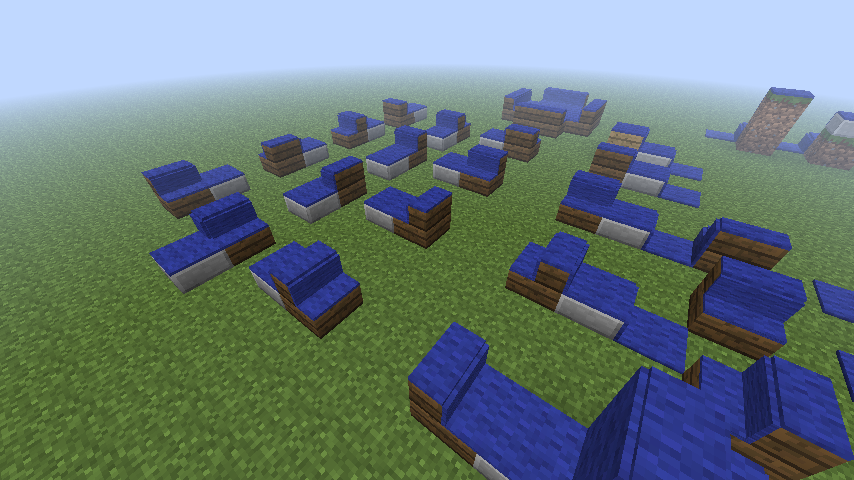 Rugs Example Rugs are able to flow over slabs and stairs, their bounding box hovering in the block space above. They can also flow over every type of corner stair and up the sides of blocks to connect to other Rugs .
Versions
Files
Relations
Project Relations
More like this
Similar Mods
Suggestions use data such as tags, dependencies, dependents, descriptions, titles, and more to rank how much they overlap with this mod.
On ModDex
Community snapshot
By the numbers
Statistics
Want to reach Minecraft players?
We're looking for a server hosting partner to feature here and other parts of the site. Interested? Send us a message!
Get in touchGet it on
Available Platforms
On ModDex
Community snapshot
By the numbers