
Community listing page, reviews here may not be monitored by the author.
Ben's Redstone Tools

No reviews yet
Adding some convenient tools and commands for redstone builders.
Community voices
Reviews
No reviews yet. Be the first to review this project!
Get it on
Available Platforms
About
Project Details
For authors
Embed Badge
If you're the author of this project, you can embed a live badge anywhere that supports HTML or Markdown. It updates automatically whenever ratings change.
Use HTML for any page that supports it, or Markdown for README files and Markdown-based descriptions.
Identifiers
Platform IDs
Resources
External Links
About
Description
Introduction
Redstone Tools is a small mod that adds some convenient tools and commands for the creative mod or redstone builders.
This mod is available for Minecraft 1.17.1 Fabric. I have no plan to make Forge version or older Minecraft versions.
This mod currently supports English (en-us) and Traditional Chinese (zh-tw).
Commands
- /wool [color]
Gives you a wool with the specified color. For example, /wool red gives you a red wool.
[color] accepts abbreviations, so you don't need to type the full name of the color. If you want light_blue, you can just use libl
Somebody prefers other colored blocks, so I also made commands for them.
- /glass [color] Stained glass
- /conbl [color] Concrete block
- /conpow [color] Concrete powder
- /terra [color] Terracota
- /glaterra [color] Glazed terracotta
- /bar [int]
Gives you a barrel with specified signal strength.
For example, /bar 5 gives you a barrel containing 8 wooden axes so it can produce 5 signal strength.
- /shulker [int]
This one is like the last one, but it gives you a shulker box instead of a barrel.
- /lectern
Gives you a lectern which contains a book with 15 pages.
You can controll signal strength easily with a lectern.
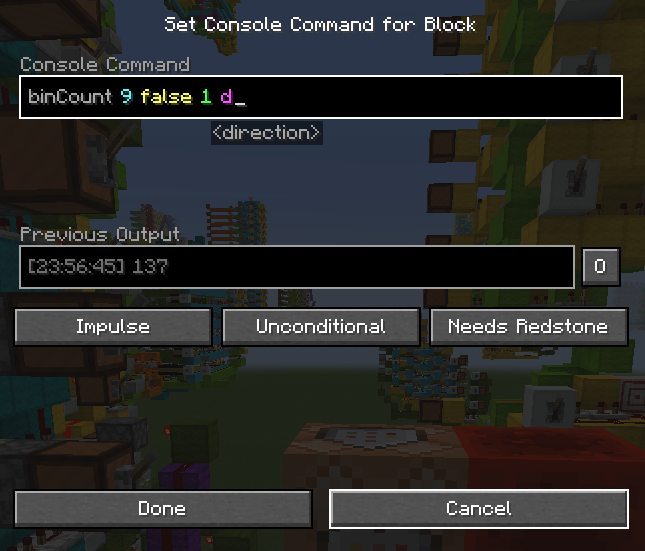
- /binCount [bits] [signed] [distance] [direction]
This command can calculate a binary number represented by redstone lamps.
It is useful when you are building logical redstone.
[bits] : Int. The bits of the binary number. It can be at most 63.
[signed] : Boolean. The number is signed or unsigned. Using 2's complement if it is signed.
[distance] : Int. The distance between two redstone lamps.
[direction] : The direction of redstone lamps. It can a name, such as down, north, east, d, n, e. It can also be an axis, such as -y, -z, +x.
Note : You have to execute this command above the MSB block.
- /hexCount [size] [signed] [distance] [direction]
This is similar to binCount, but it calculates a hexadecimal number instead.
The number is represented by the power level of redstone dusts.
[size] is the digits of the number. It can be at most 16.
Here's an example.
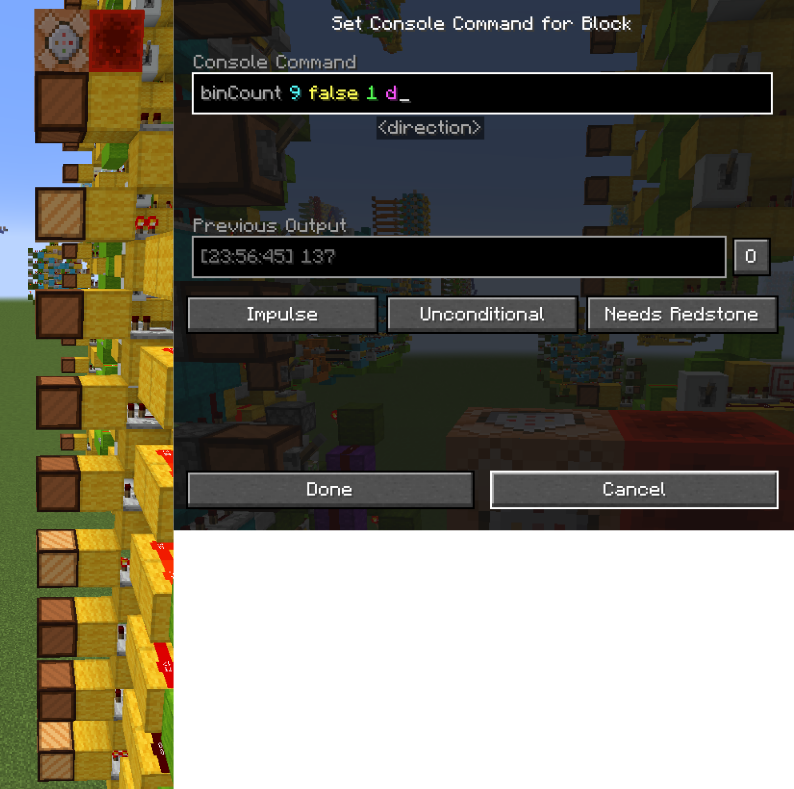
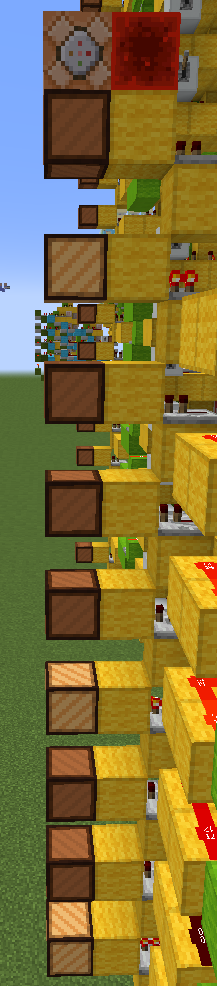
There are 9 redstone lamps which represent a 9 bit number. I want this number to be unsigned. The distance between redstone lamps is 1 block. The direction of blocks is down (Top is MSB, bottom is LSB)
So the command becomes binCount 9 false 1 d
The result is 128+8+1=137.
- /killitem
This command can remove all item and xp orb entities.
- /slab
Just gives you a slab, because I am too lazy to grab it from my inventory lol.
Keys
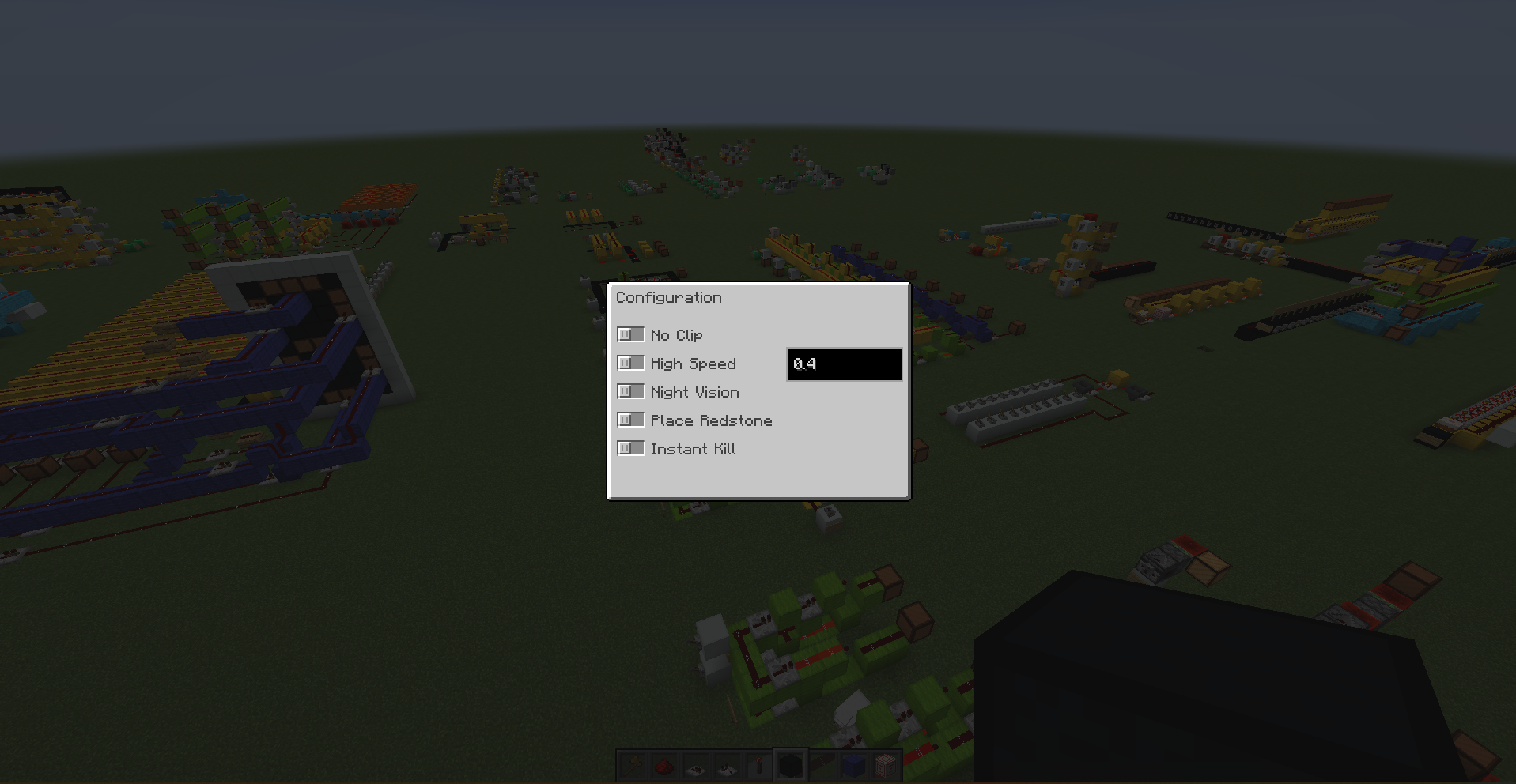
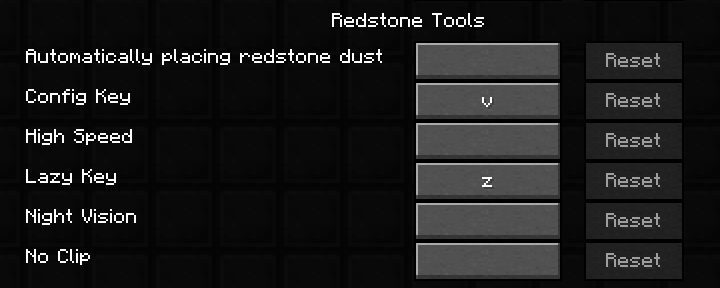
- Config key (V)
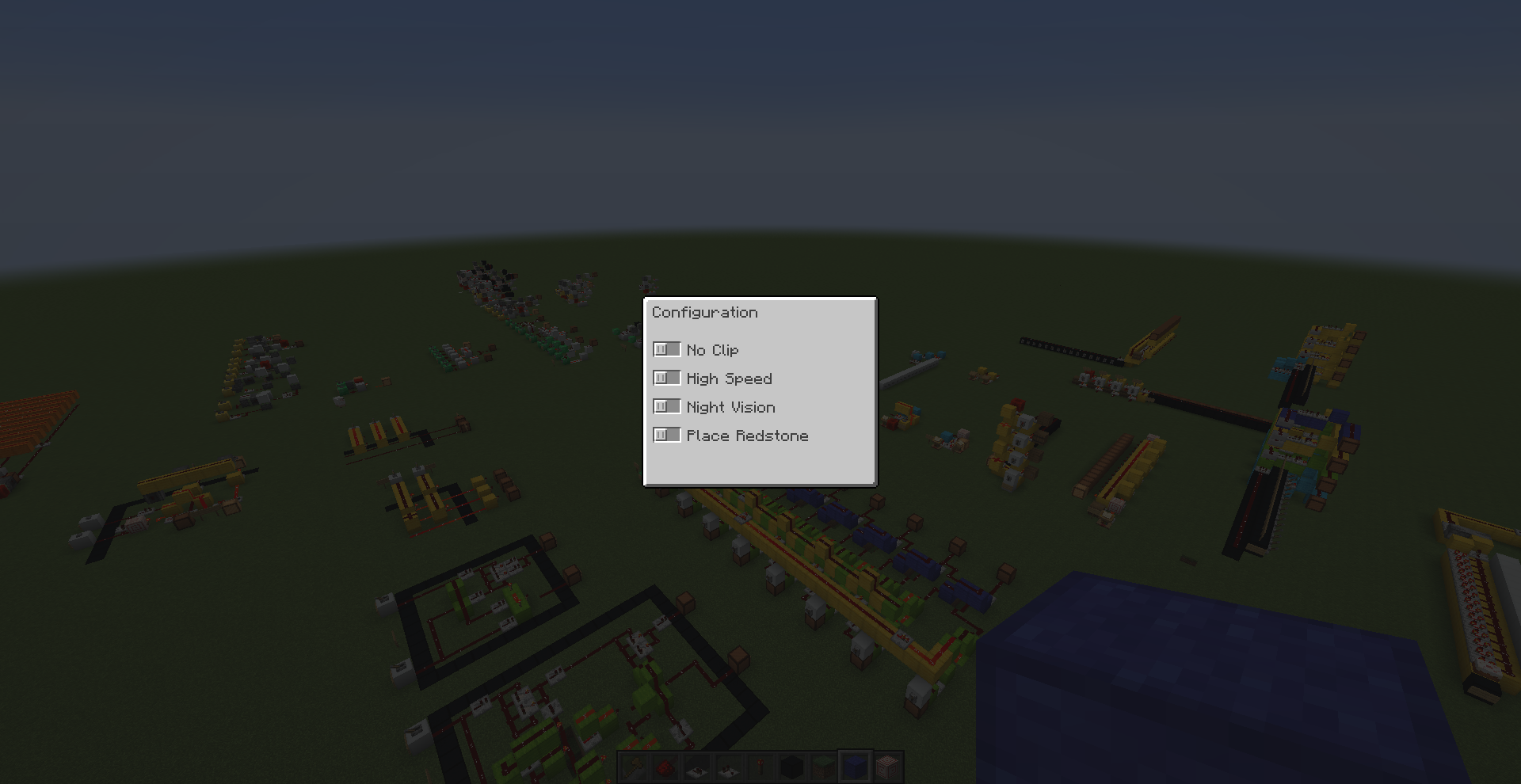
It will open a menu, and you can choose some abilities there.
Such as noclip, high speed, night vision, instant kill, instant break and auto redstone placing.
Maybe I will add more abilities in the future.
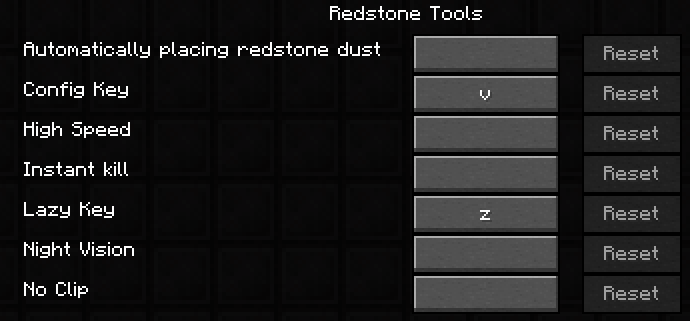
If you don't want to open the menu everytime, you can set keybindings for those abilities.
- Lazy key (Z)
With this key, you can get redstone components easily.
Press this key and it gives you a redstone dust and a repeater.
While holding a repeater, it gives you a comparator.
While holding a comparator, it gives you a redstone torch.
Ingame Hud
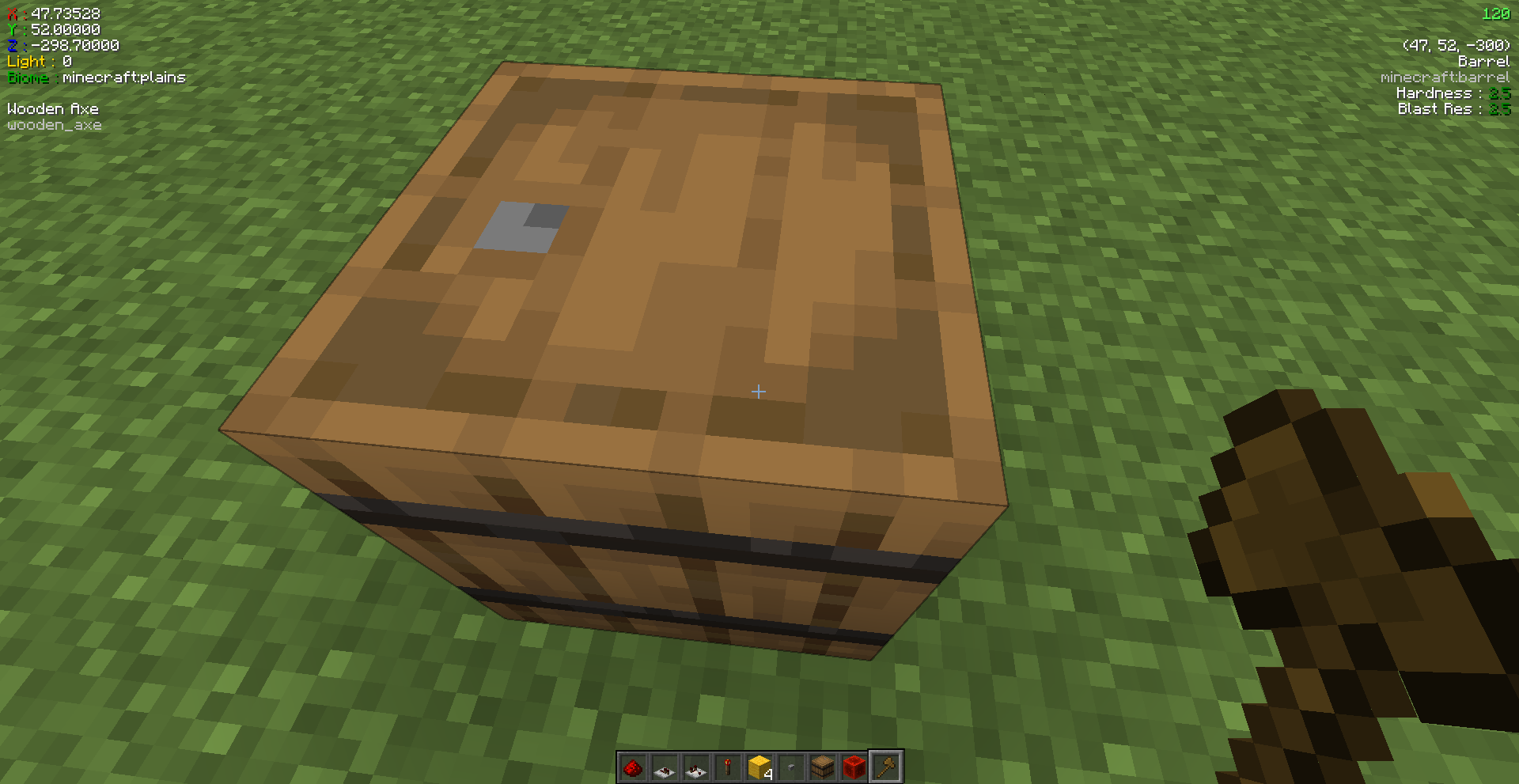
Display some information on the screen. You can use F8 to toggle the hud.
- Player's coordinates, biome and light level
- Hand held item, including enchantments, attribute modifiers and custom potion effects
- Targetted block
I might add more block information in the future.
Icon is from Flaticon.
Screenshots
Gallery
-
Ingame hud
-
test3
-
 test2
test2 -
 test1
test1 -
KeyBindings 2.0
-
Config menu 2.0
-
 Keybindings
 -
 Config menu
Versions
Files
Relations
Project Relations
More like this
Similar Mods
Suggestions use data such as tags, dependencies, dependents, descriptions, titles, and more to rank how much they overlap with this mod.
On ModDex
Community snapshot
By the numbers
Statistics
Want to reach Minecraft players?
We're looking for a server hosting partner to feature here and other parts of the site. Interested? Send us a message!
Get in touchGet it on
Available Platforms
On ModDex
Community snapshot
By the numbers
Statistics
Resources