Community listing page, reviews here may not be monitored by the author.
Beta Days


No reviews yet
Make your Minecraft old school with classic configurable options like disabling hunger, sprinting, experience drops, 1.9 combat system, nether fog and more.

Community voices
Reviews
No reviews yet. Be the first to review this project!
Get it on
Available Platforms
Compatibility
Supported Environments
Must be installed on both the client and the server.
About
Project Details
For authors
Embed Badge
If you're the author of this project, you can embed a live badge anywhere that supports HTML or Markdown. It updates automatically whenever ratings change.
Use HTML for any page that supports it, or Markdown for README files and Markdown-based descriptions.
Identifiers
Platform IDs
About
Description








Do you want to take a trip down memory lane? This mod is for you if you would like to emulate Minecraft Beta functionality and features inside of modern Minecraft.
For even more nostalgia, we recommend pairing this with any resource pack (try our Minecraft Beta resource pack - Legacy Default) that adds old textures and sounds, and this mod with Beta+ by therealMRBURGERUS, which is a replica of the old Beta and Alpha generator. You could use old seeds with it like Glacier and worstseedever.
🛠️ Features
Old Hud
Gives the classic HUD, removing the hunger bar, and adjusting the position of the armor bar. Enabling this is only the aesthetic of the HUD. You may want to disable hunger, which will make food give you health when eaten.

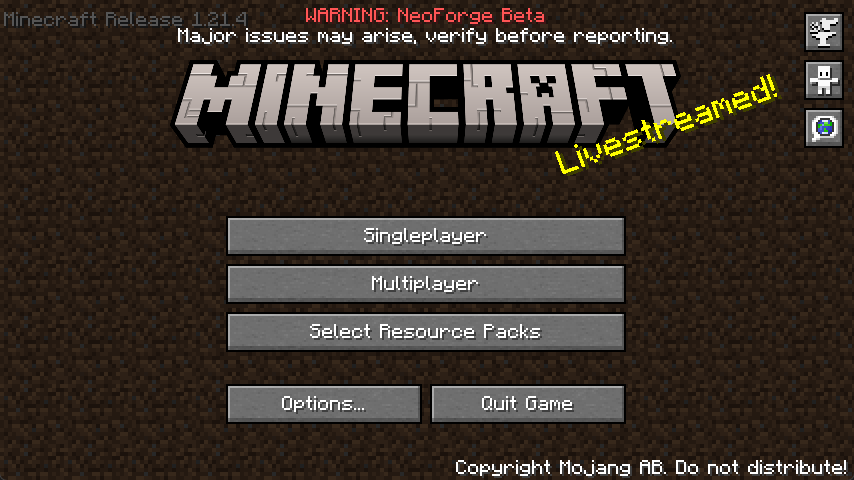
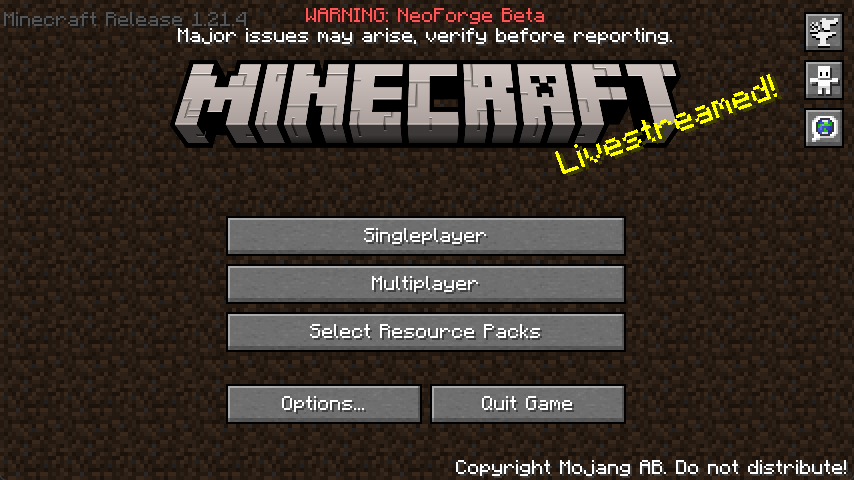
Enable Beta Main Menu
This will replace your main menu with the one from beta with minor tweaks. The version number is at the top left, and the background is the classic tiling dirt background.
Classic Beta Style Bow
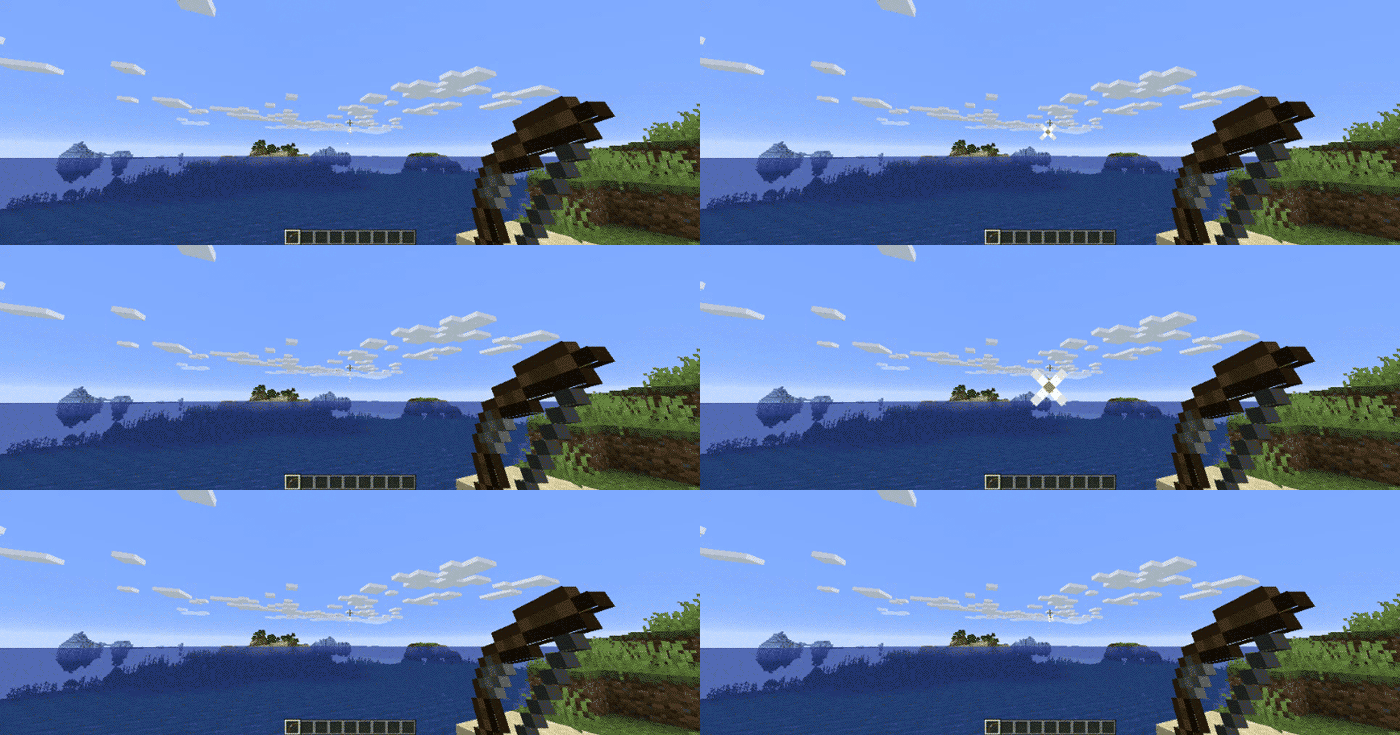
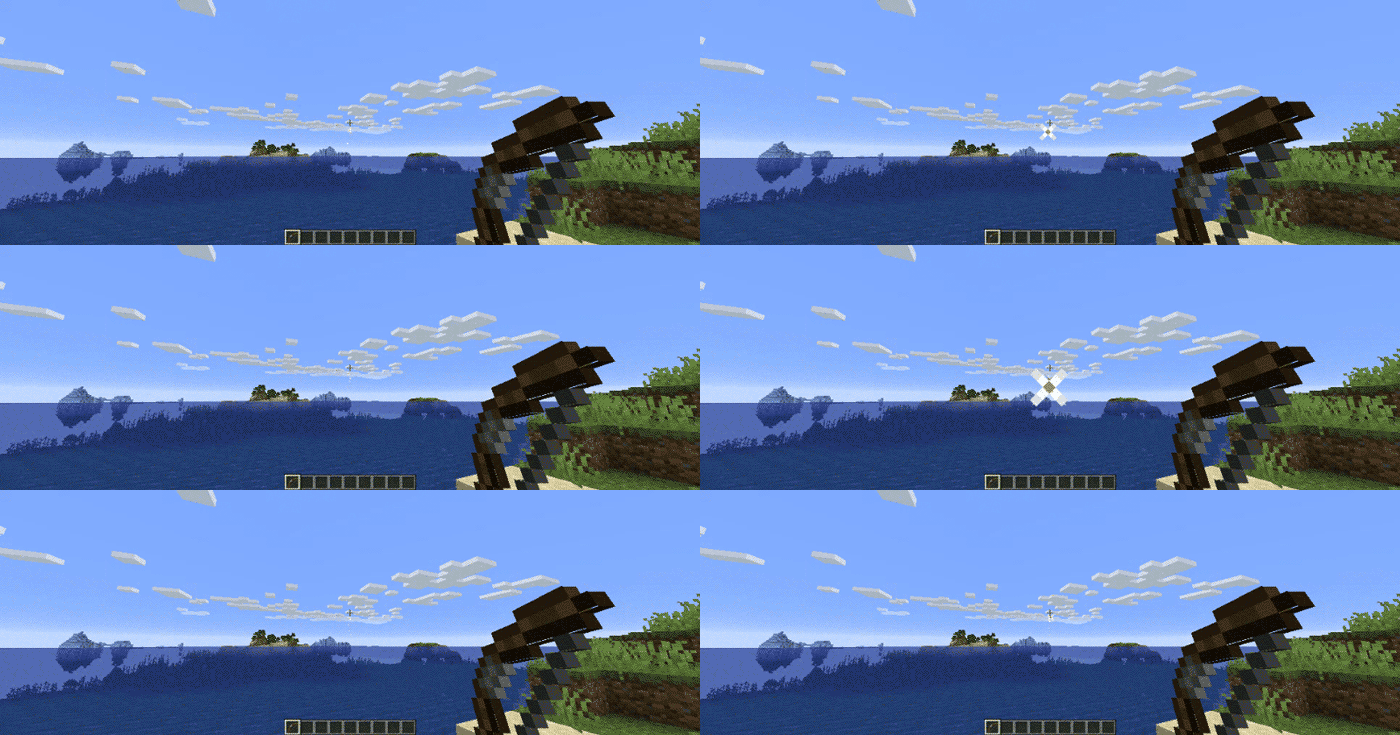
Allows you to shoot the bow without having to recharge, just like in beta.
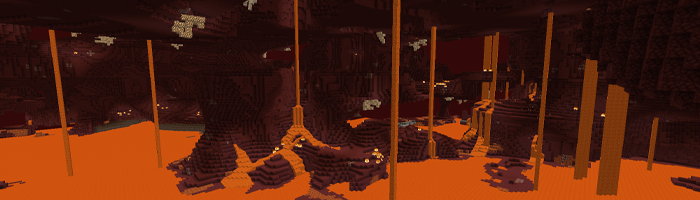
Disable Nether Fog
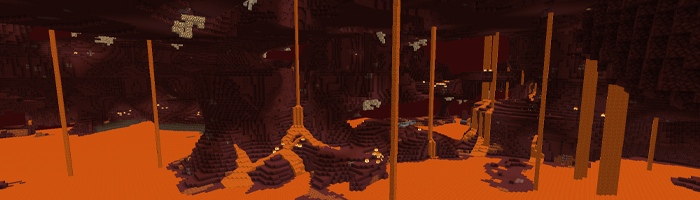
Disables the Nether fog and allows you to see more clearly and far in the Nether.
Disable 1.9+ Combat System
Spam click with your weapons to your heart's content. The classic system is back. I can hear your mice now!
Disable Sprinting
Useful if you want to capture the beta experience. This also disables the new swimming in 1.14.4+.
Disable Hunger
Useful if you want to capture the beta experience. This will make food give you health points instead of hunger points and will be eaten instantly.
Disable Experience Drops
Useful if you want to capture the beta experience. Killing mobs will stop them from dropping XP.
Custom Dimension Messages
Will display classic messages on the loading screen like “Entering the Nether” and “Entering the End,” just how beta did it back in the day.
… And More!
Configuring Beta Days for Minecraft 1.21.3+
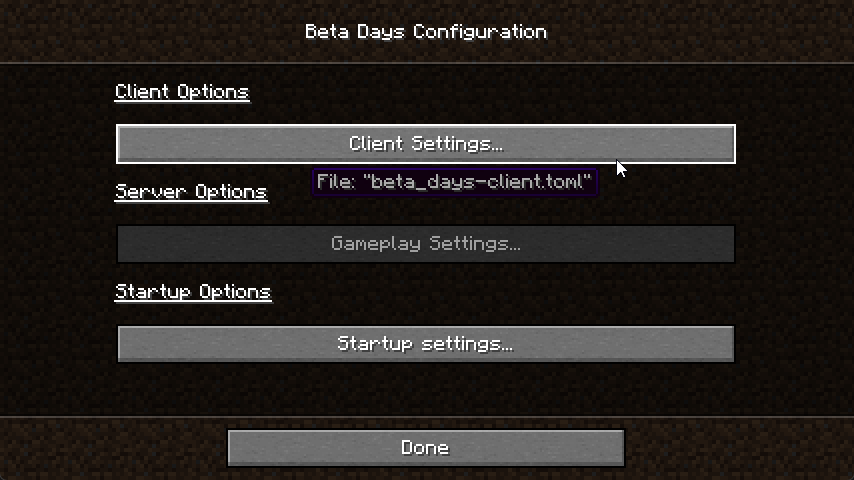
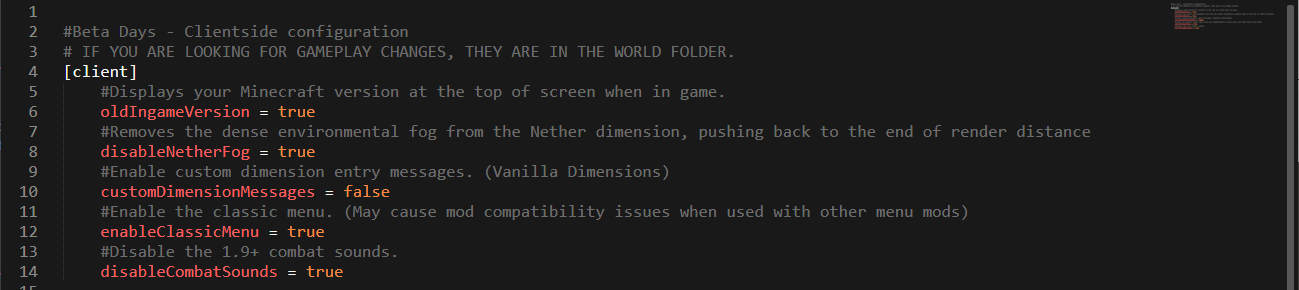
You can find the beta_days-client.toml in the config folder and beta_days-server.toml inside of your Minecraft world/serverconfig folder. You can also configure the mod easily in NeoForge by clicking the "Mods" button, selecting the mod, and clicking "Configure".
beta_days-client.toml
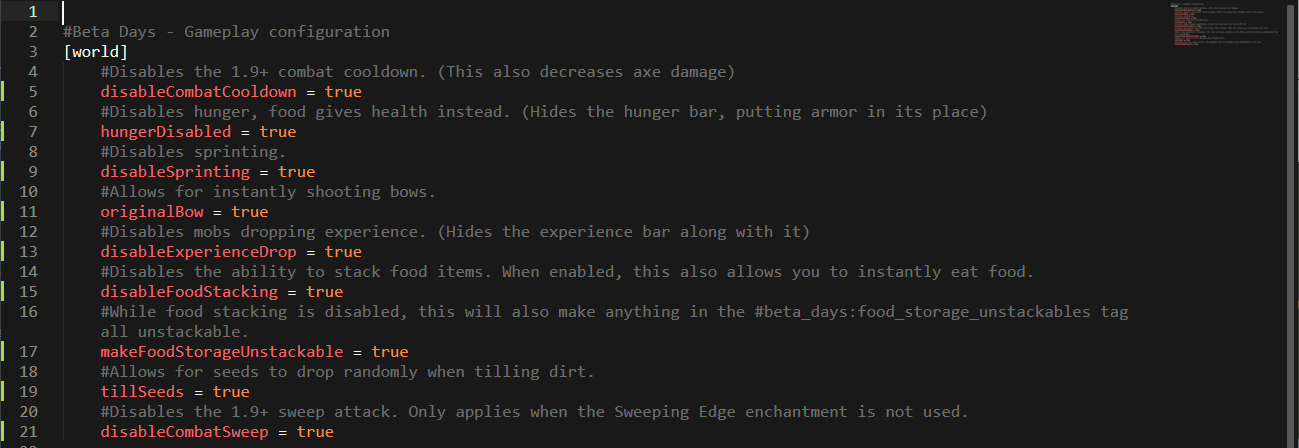
beta_days-server.toml
Configuring Beta Days for Minecraft 1.19.x
You can find the beta_days-client.toml in the config folder and beta_days-server.toml inside of your Minecraft world/serverconfig folder. You can also configure the mod easily in NeoForge by clicking the "Mods" button, selecting the mod, and clicking "Configure".
beta_days-client.toml
beta_days-server.toml
Configuring Beta Days for Minecraft 1.16.4
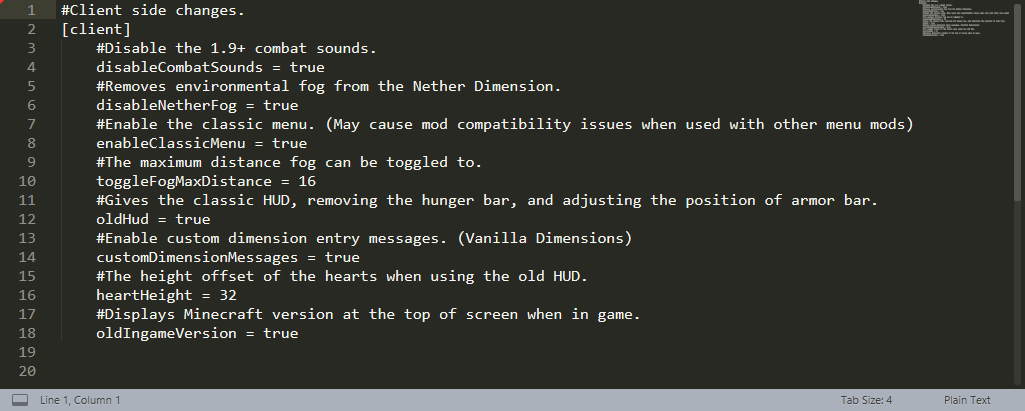
In your Minecraft folder, and then inside of the config folder, edit the beta_days-client.toml and beta_days-common.toml files.
beta_days-client.toml
beta_days-common.toml
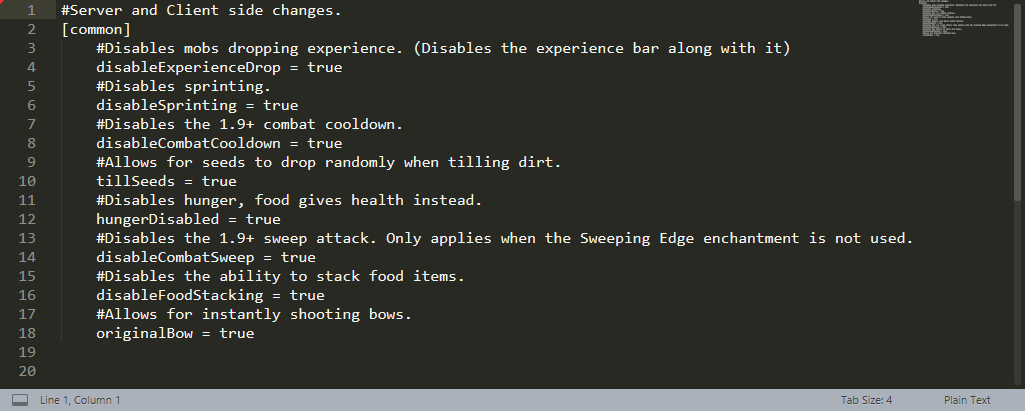
Configuring Beta Days for Minecraft 1.12.2
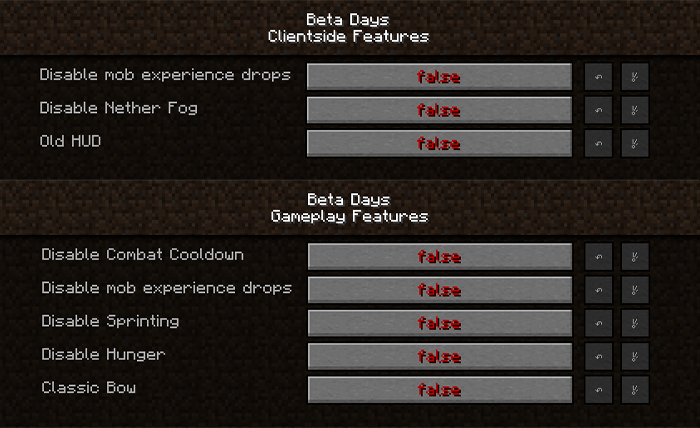
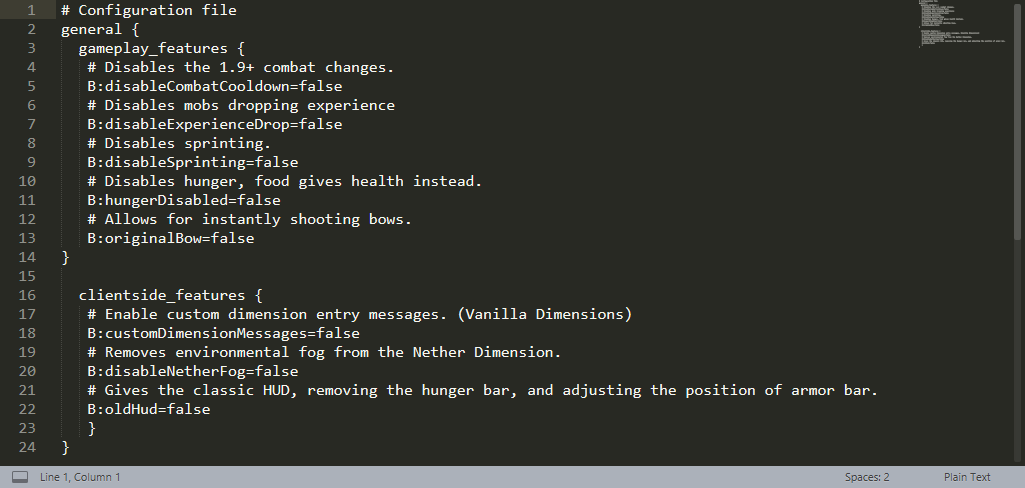
You can configure the 1.12.2 version in-game or by editing the beta_days.cfg files in your config folder.
In-Game Config Editing
Make sure you edit the config at the Main Menu as you cannot edit some things while loaded in a world! Click your “Mods” button and click on “Beta Days,” and then the “Config” button.
beta_days.cfg for Minecraft 1.12.2
🤚 Support: If you have questions or any issues with our mods, read the FAQ! You can also either submit an issue on the issue tracker, or come into our Discord server where we can help you!


Do you want to take a trip down memory lane? This mod is for you if you would like to emulate Minecraft Beta functionality and features inside of modern Minecraft.
For even more nostalgia, we recommend pairing this with any resource pack (try our Minecraft Beta resource pack - Legacy Default) that adds old textures and sounds, and this mod with Beta+ by therealMRBURGERUS, which is a replica of the old Beta and Alpha generator. You could use old seeds with it like Glacier and worstseedever.
🛠️ Features
Old Hud
Gives the classic HUD, removing the hunger bar, and adjusting the position of the armor bar. Enabling this is only the aesthetic of the HUD. You may want to disable hunger, which will make food give you health when eaten.
Enable Beta Main Menu
This will replace your main menu with the one from beta with minor tweaks. The version number is at the top left, and the background is the classic tiling dirt background.
Classic Beta Style Bow
Allows you to shoot the bow without having to recharge, just like in beta.
Disable Nether Fog
Disables the Nether fog and allows you to see more clearly and far in the Nether.
Disable 1.9+ Combat System
Spam click with your weapons to your heart's content. The classic system is back. I can hear your mice now!Disable Sprinting
Useful if you want to capture the beta experience. This also disables the new swimming in 1.14.4+.Disable Hunger
Useful if you want to capture the beta experience. This will make food give you health points instead of hunger points and will be eaten instantly.Disable Experience Drops
Useful if you want to capture the beta experience. Killing mobs will stop them from dropping XP.Custom Dimension Messages
Will display classic messages on the loading screen like “Entering the Nether” and “Entering the End,” just how beta did it back in the day.… And More!
Configuring Beta Days for Minecraft 1.21.3+

You can find the
beta_days-client.toml in the config folder and beta_days-server.toml inside of your Minecraft world/serverconfig folder. You can also configure the mod easily in NeoForge by clicking the "Mods" button, selecting the mod, and clicking "Configure".beta_days-client.toml

beta_days-server.toml

Configuring Beta Days for Minecraft 1.19.x
Spoiler
You can find the beta_days-client.toml in the config folder and beta_days-server.toml inside of your Minecraft world/serverconfig folder. You can also configure the mod easily in NeoForge by clicking the "Mods" button, selecting the mod, and clicking "Configure".
beta_days-client.toml
beta_days-server.toml
Configuring Beta Days for Minecraft 1.16.4
Spoiler
In your Minecraft folder, and then inside of the config folder, edit the beta_days-client.toml and beta_days-common.toml files.
beta_days-client.toml

beta_days-common.toml

Configuring Beta Days for Minecraft 1.12.2
Spoiler
You can configure the 1.12.2 version in-game or by editing the beta_days.cfg files in your config folder.
In-Game Config Editing
Make sure you edit the config at the Main Menu as you cannot edit some things while loaded in a world! Click your “Mods” button and click on “Beta Days,” and then the “Config” button.
beta_days.cfg for Minecraft 1.12.2

🤚 Support: If you have questions or any issues with our mods, read the FAQ! You can also either submit an issue on the issue tracker, or come into our Discord server where we can help you!

Screenshots
Gallery
-
 a4f217c704919941720b981cc2e11ccc-12-10-2024-1733881593.png a4f217c704919941720b981cc2e11ccc-12-10-2024-1733881593.png
 -
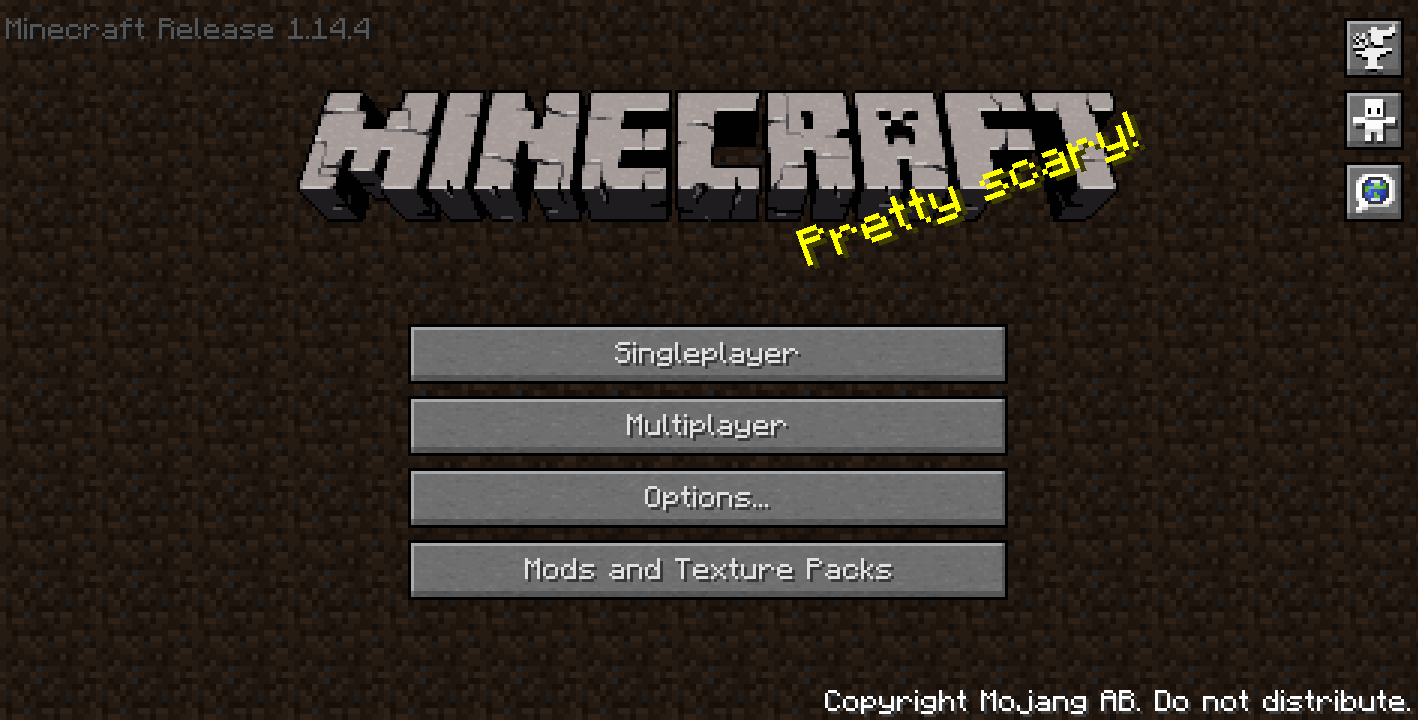 Beta Main Menu in 1.14.4
 -
Disable Nether Fog
-
Old Bow GIF
-
Beta Days 1.12.2 In-Game Config Editor
-
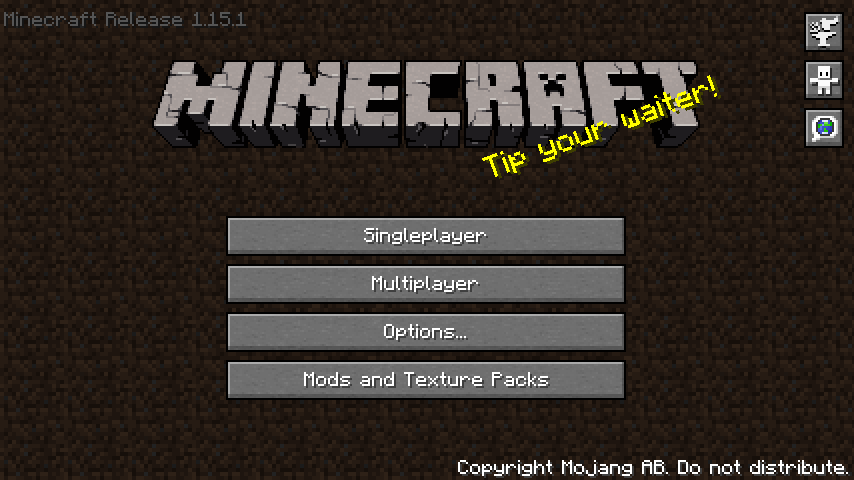 Beta Main Menu in 1.15.1
 -
oldHud
-
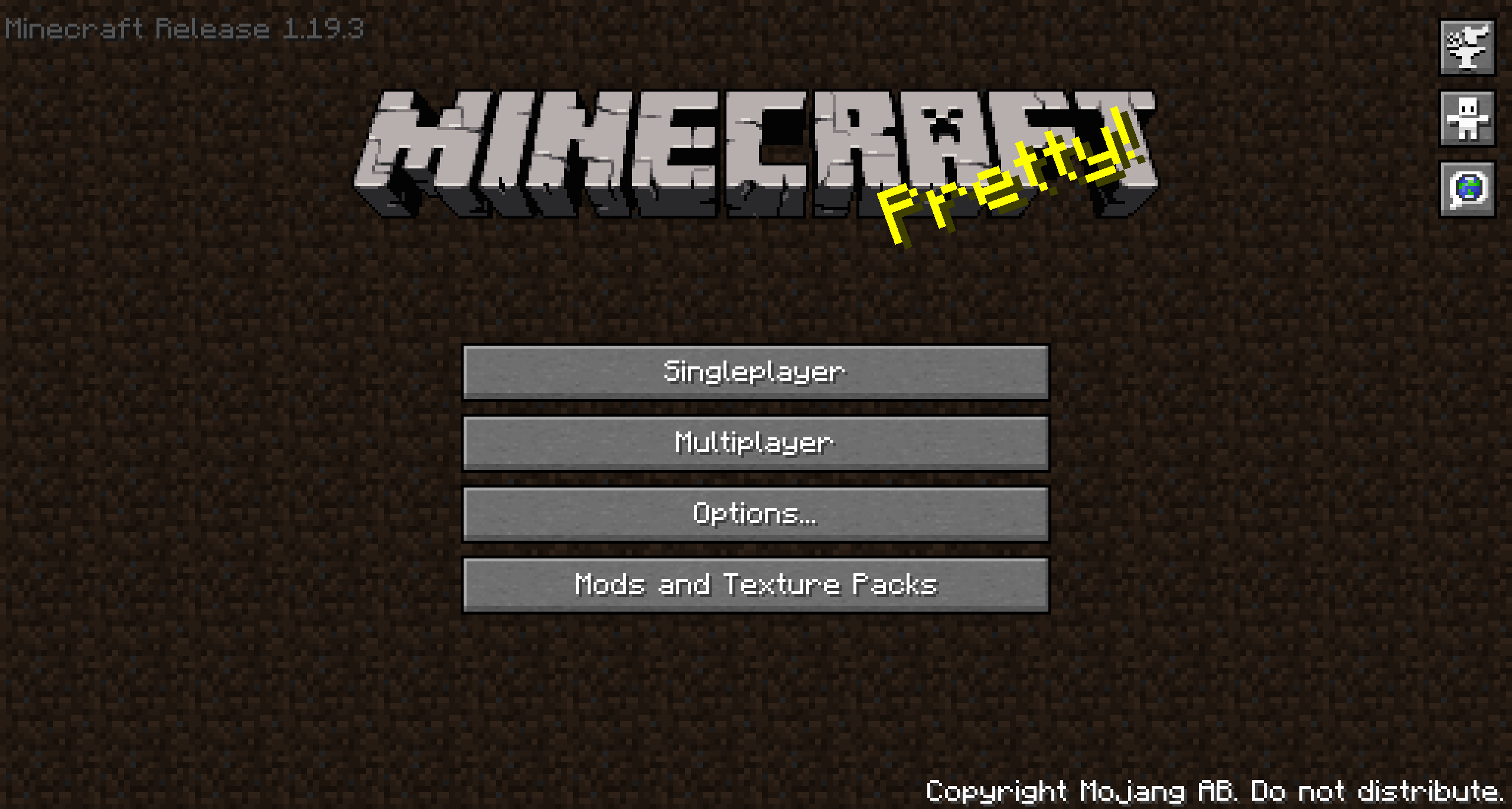 Old Menu
 -
-
 Old Hud
 -
Versions
Files
Relations
Project Relations
More like this
Similar Mods
Suggestions use data such as tags, dependencies, dependents, descriptions, titles, and more to rank how much they overlap with this mod.
On ModDex
Community snapshot
By the numbers
Statistics
 (opens in a new tab)
Get it on
Available Platforms
On ModDex
Community snapshot
By the numbers