Community listing page, reviews may not be monitored by the author.
Better Bookshelves


No reviews yet
Improvements to Minecraft's Chiseled Bookshelves

Community voices
Reviews
No reviews yet. Be the first to review this project!
Get it on
Available Platforms
Compatibility
Supported Environments
Must be installed on both the client and the server.
About
Project Details
For authors
Embed Badge
If you're the author of this project, you can embed a live badge anywhere that supports HTML or Markdown. It updates automatically whenever ratings change.
Use HTML for any page that supports it, or Markdown for README files and Markdown-based descriptions.
Identifiers
Platform IDs
About
Description
⚠️ This mod is no longer actively maintained ⚠️
Better Bookshelves
==================
This is a mod that modifies Minecraft's Chiseled Bookshelves to be more useful.
Features
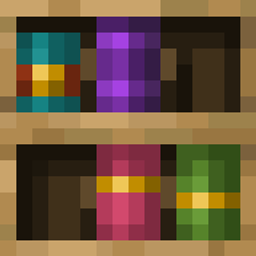
Book Type Rendering:
Books will render on the bookshelf differently depending on the type of book or enchantment on the book.
Enchanting Table Integration:
The enchanting table will now treat Chiseled Bookshelves that contain 3 or more books as valid bookshelves for the purpose of enchanting. (The bookshelves must be facing the enchanting table)
Book Labels:
Hovering over a book in the Chiseled Bookshelf will display the book's title and relevant NBT data
Comparator Output:
Option to set the comparator output to be the type of book rather than the slot used.
Configurable Colours:

Configurable Models:

Configuration
Install YACL and ModMenu to change the config in-game.
Enable / Disable Book Labels or have the label render under the crosshair instead of on the bookshelf
text_preview: on/off/under_crosshair (default: on)
Change the type of book textures used
per_book_texture: (true/false) (default: true)
Change Book Label size
text_size: whole number between 5 and 20 (default: 10)
Number of books required for enchanting table to recognize bookshelf
enchanting_table_book_requirement: whole number between 0 and 6 (default: 3, -1 to disable)
Change comparator output to be based on the type of book that was added to the bookshelf
book_type_comparator_output: (true/false) (default: false)
Change the colour and model of each book type
book_textures: (array of all book types)
book_type: book identifier
book_model: whole number between 0 and 5
hex_colour: hex colour code without the # (e.g. 00FF00 for green)
Change the colour and model of each enchantment type
enchanted_book_textures: (array of all enchantments)
enchantment: enchantment identifier
book_model: whole number between 0 and 5 (-1 to inherit from enchantment book)
hex_colour: hex colour code without the # (e.g. 00FF00 for green) ("inherit" to inherit from enchantment book)
Compatibilities
- Not compatible with any mods that modify the textures of a Chiseled Bookshelf block (ie, the block itself or any block that extends from it), this mod will override the textures.
For Mod Devs:
- Currently working on data-driven support for custom Chiseled Bookshelves
Installation
Requires Fabric
1. Download the latest version of the mod from the releases page
2. Download the latest version of Fabric
3. Download the latest version of Fabric API
4. Place the downloaded mod files in your mods folder
5. Launch Minecraft
Reporting Bugs
If you find any bugs, please report them on the issue tracker
⚠️ This mod is no longer actively maintained ⚠️
Better Bookshelves
This is a mod that modifies Minecraft's Chiseled Bookshelves to be more useful.
BETA
This mod is currently in beta. If you find any bugs, please report them on the issue tracker
Features
- Book Type Rendering:
- Books will render on the bookshelf differently depending on the type of book.
- Enchanting Table Integration:
- The enchanting table will now treat Chiseled Bookshelves that contain 3 or more books as valid bookshelves for the purpose of enchanting. (The bookshelves must be facing the enchanting table)
- Book Labels:
- Hovering over a book in the Chiseled Bookshelf will display the book's title and relevant NBT data
- Config:
- Enable / Disable Book Labels or have the label render under the cursor
- text_preview: on/off/under_crosshair (default: on)
- Change the type of book textures used
- per_book_texture: (true/false) (default: true)
- Change Book Label Size
- text_size: whole number between 5 and 20 (default: 10)
- Change Comparator Output
- book_type_comparator_output: (true/false) (default: false)
- Enable / Disable Book Labels or have the label render under the cursor
Installation
Requires Fabric
- Download the latest version of the mod from the releases page
- Download the latest version of Fabric
- Download the latest version of Fabric API
- Place the downloaded mod files in your mods folder
- Launch Minecraft
Reporting Bugs
If you find any bugs, please report them on the issue tracker.
Screenshots
Gallery
-
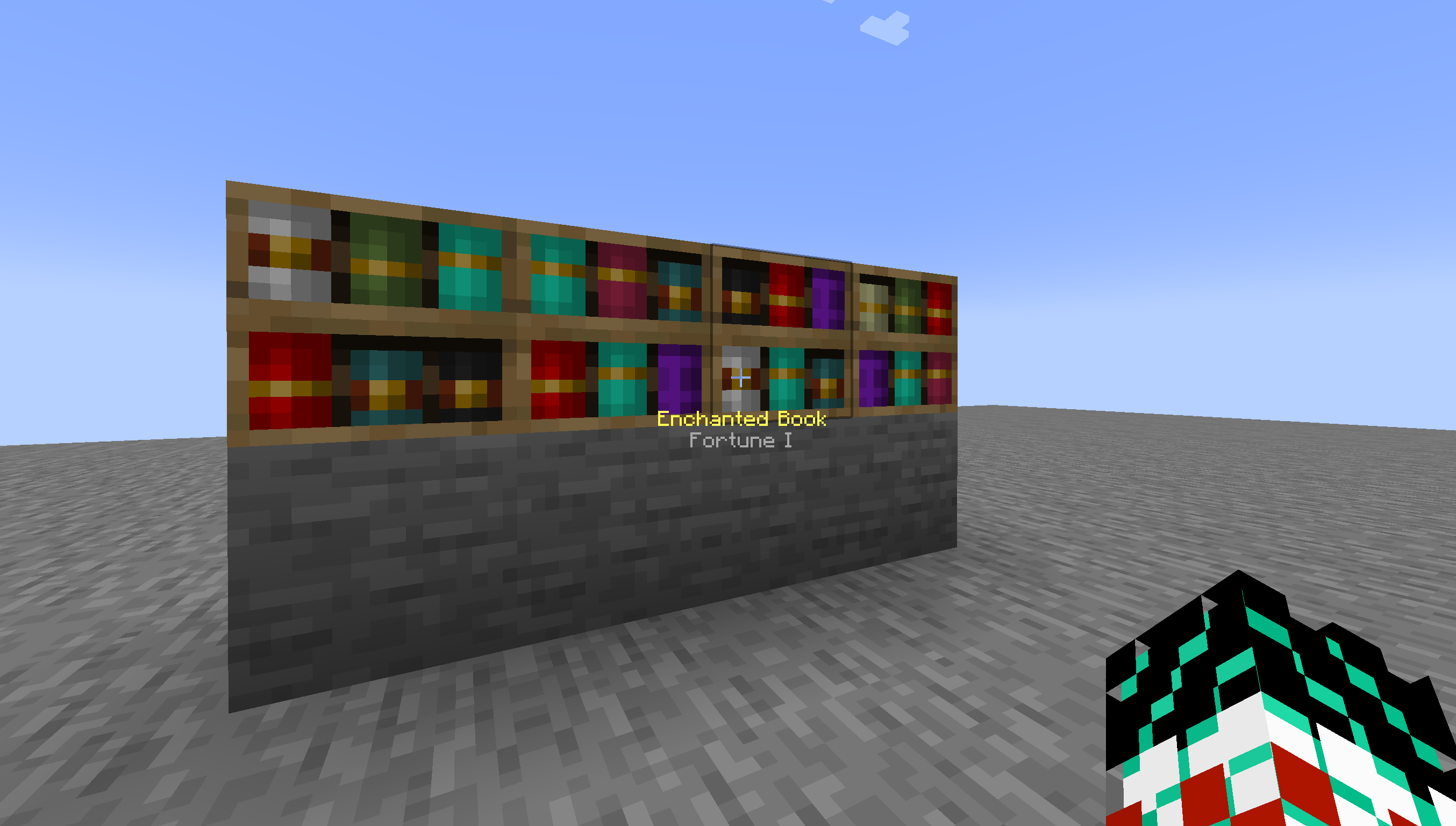 Under Crosshair
 -
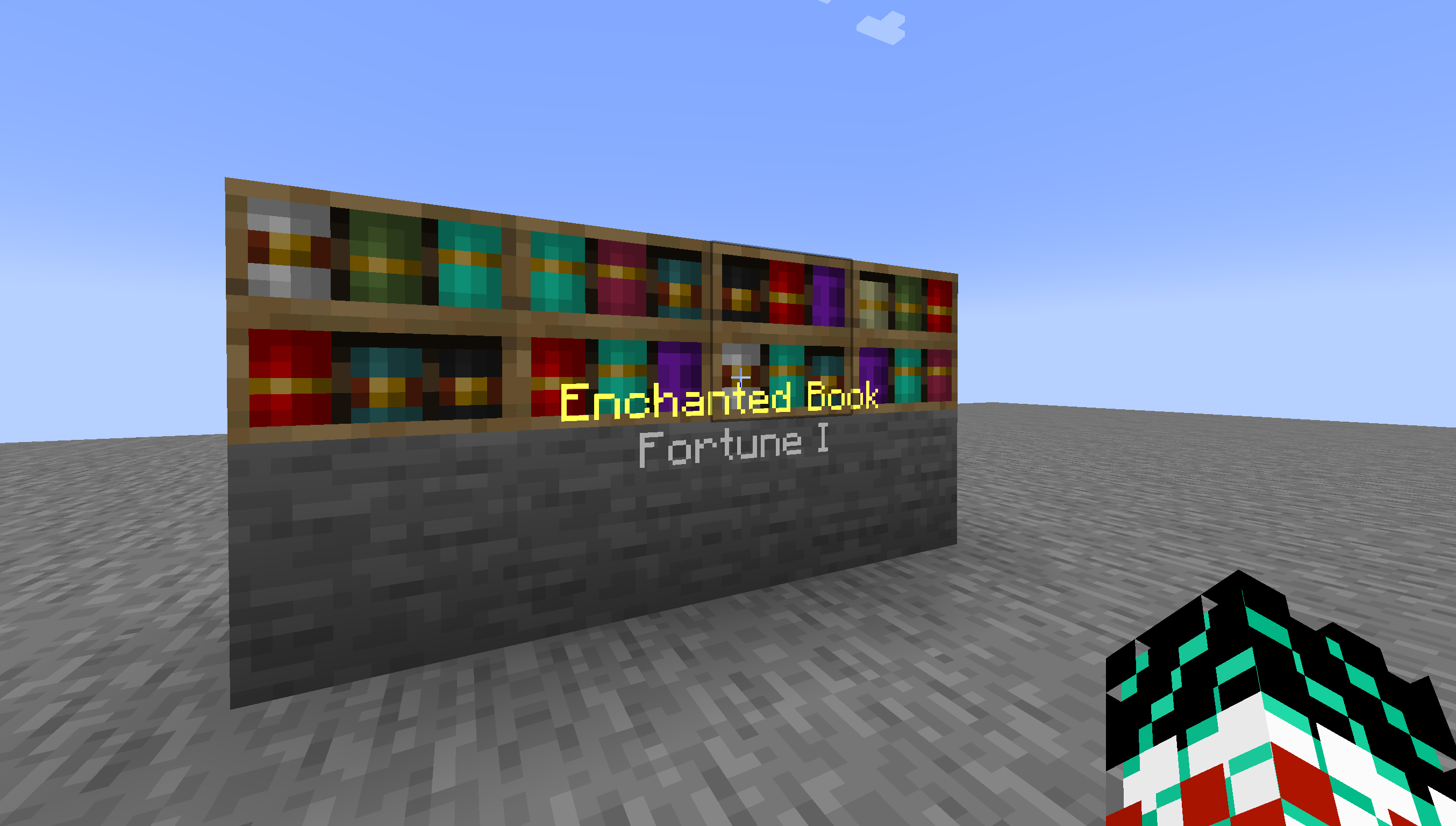 On (Text Size 10)
 -
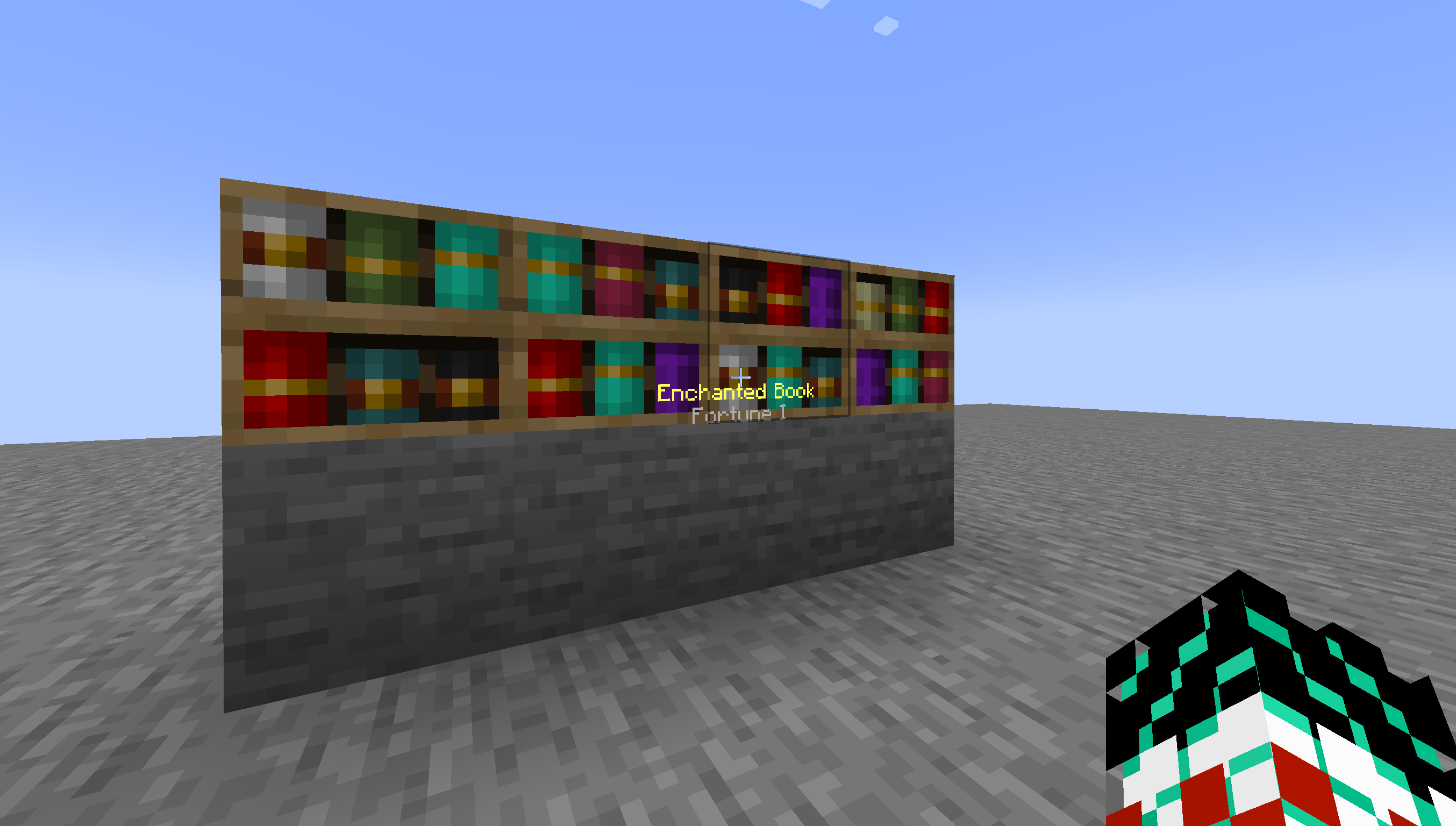 On (Text Size 5)
Versions
Files
Relations
Project Relations
More like this
Similar Mods
Suggestions use data such as tags, dependencies, dependents, descriptions, titles, and more to rank how much they overlap with this mod.
On ModDex
Community snapshot
By the numbers
Statistics

Get it on
Available Platforms
On ModDex
Community snapshot
By the numbers