
Better Carpet Bots
No reviews yet
Better Carpet bots, more options and regulations for survival via the /bot command
Fabric is a mod loader for versions 1.14+ of Minecraft, particularly popular for client side and optimization mods.
Community voices
Reviews
Click once to include, again to exclude, again to clear
No reviews yet. Be the first to review this project!
Get it on
Available Platforms
 Modrinth
Compatibility
Supported Environments
About
Project Details
For authors
Embed Badge
If you're the author of this project, you can embed a live badge anywhere that supports HTML or Markdown. It updates automatically whenever ratings change.
Use HTML for any page that supports it, or Markdown for README files and Markdown-based descriptions.
Identifiers
Platform IDs
About
Description

Better Carpet Bots
A Carpet mod extension that adds powerful bot management commands to your Minecraft server.
Requirements
- Fabric Loader ≥ 0.15.0
- Carpet Mod
Commands
/bot spawn [<name>]
Spawns a bot at your position in survival mode. If no name is given, one is auto-generated (Bot1, Bot2, …). Names must be 1–16 characters, letters/digits/underscores only.
Names that belong to real players who have ever joined the server cannot be used.
/bot <name> <action>
Controls a bot (or yourself - targeting your own name works too).
| Action | Description |
|---|---|
attack |
Attack continuously |
attack continuous |
Same as above |
attack interval <ticks> |
Attack every N ticks |
attack stop |
Stop attacking |
use |
Right-click / use continuously |
use continuous |
Same as above |
use interval <ticks> |
Use every N ticks |
use stop |
Stop using |
jump / jump stop |
Start / stop jumping |
sneak / sneak stop |
Start / stop sneaking |
sprint / sprint stop |
Start / stop sprinting |
stop |
Stop all actions |
look <north|south|east|west|up|down> |
Look in a cardinal direction |
look <yaw> <pitch> |
Look at an exact angle |
drop |
Drop current hotbar item (single) |
dropstack |
Drop current hotbar item (full stack) |
swaphands |
Swap main hand and off hand |
inventory |
Open bot inventory (must be within 10 blocks) |
kill |
Remove the bot from the server |
/bots <action>
Requires game-master permission (level 2).
| Action | Description |
|---|---|
list |
List all active bots |
stop |
Stop all bots |
kill |
Kill all bots |
permissionLevel <0–4> |
Set who can use /bot (0 = everyone, 4 = operators only) |
skin all <url> |
Apply a skin to every bot (persists across respawns) |
skin <name> <url> |
Apply a skin to one specific bot |
Bot Inventory
/bot <name> inventory opens a 5-row screen showing the bot's full inventory:
- Rows 0–3: main inventory and hotbar
- Row 4: armor slots (only accept the correct armor type), off-hand, and locked filler slots
- Empty armor/off-hand slots show colored glass pane labels
The screen stays live - items the bot picks up appear immediately. The screen closes automatically if you move more than 10 blocks away.
Real Player Protection
When a player authenticated via Mojang joins for the first time, their name is permanently locked. /bot spawn <thatName> will be rejected from that point on. Any existing offline-UUID bot data for that name is backed up to world/bot-backup/<name>.bak before being cleaned up, so nothing is lost.
Screenshots
Gallery
-
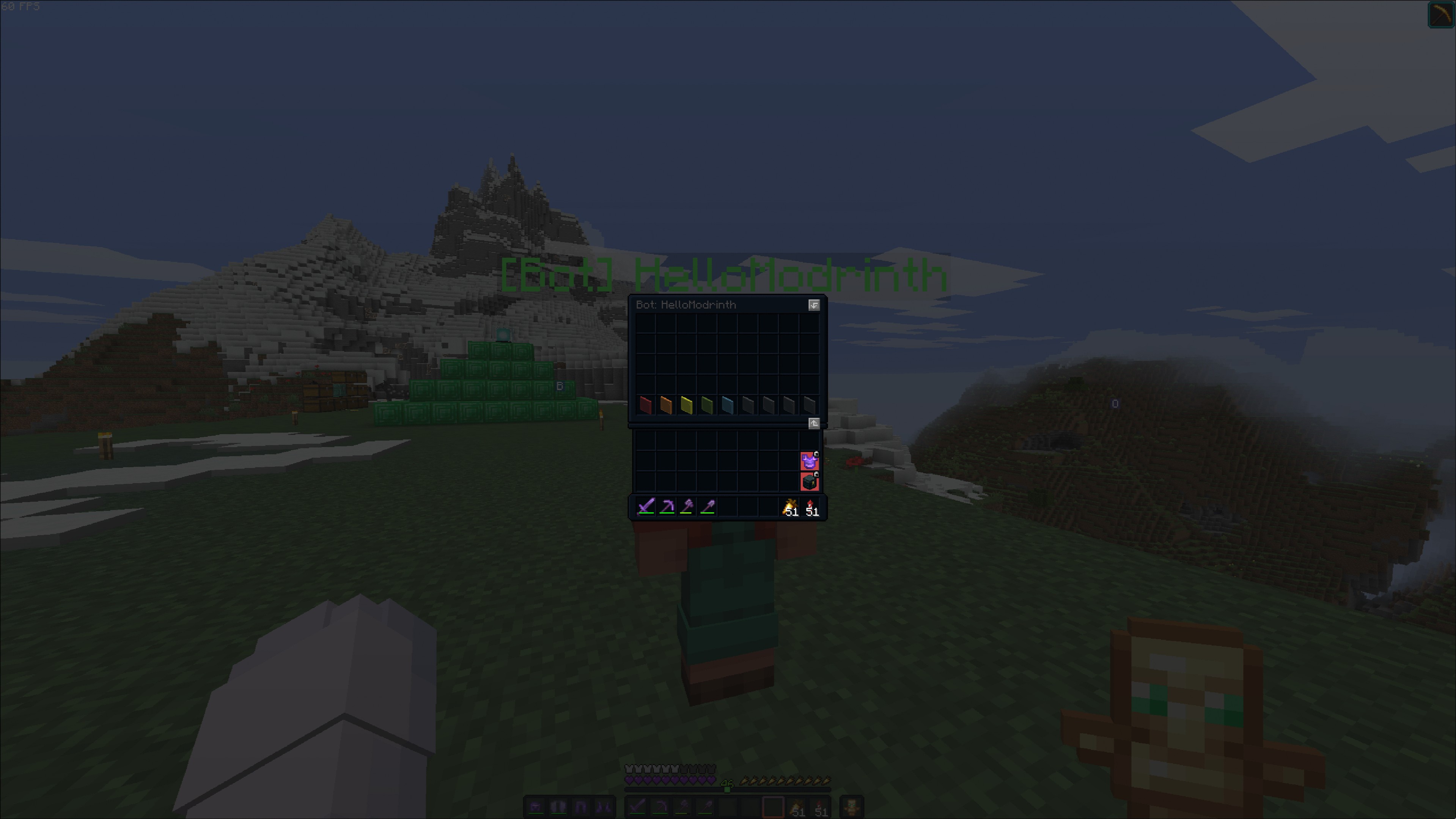 Inventory command Showcase of the GUI for the /bot <name> inventory command
Versions
Files
Relations
Project Relations
More like this
Similar Mods
Suggestions use data such as tags, dependencies, dependents, descriptions, titles, and more to rank how much they overlap with this mod.
On ModDex
Community snapshot
By the numbers
Statistics

Want to reach Minecraft players?
We're looking for a server hosting partner to feature here and other parts of the site. Interested? Send us a message!
Get in touchGet it on
Available Platforms
On ModDex
Community snapshot
By the numbers