
Better Footage
No reviews yet
Add some green screen blocks for recording videos
Neoforge is a fork of the Minecraft Forge available for versions 1.20.1+ of Minecraft. Many Forge mods are compatible with Neoforge and vice versa.
Community voices
Reviews
Click once to include, again to exclude, again to clear
No reviews yet. Be the first to review this project!
Get it on
Available Platforms
 Modrinth
Compatibility
Supported Environments
About
Project Details
For authors
Embed Badge
If you're the author of this project, you can embed a live badge anywhere that supports HTML or Markdown. It updates automatically whenever ratings change.
Use HTML for any page that supports it, or Markdown for README files and Markdown-based descriptions.
Identifiers
Platform IDs
Resources
External Links
About
Description
📦 About Better Footage
Better Footage is a helper mod designed specifically for Minecraft video creators. It provides a custom container interface that allows you to access essential building blocks with a single click during recording — no more searching through the creative mode inventory.
Whether you're recording building tutorials, redstone guides, or setting up scenes, Better Footage streamlines your material preparation process so you can focus on what matters most: creating content.
🖥️ Interface Overview
The mod adds a custom container interface titled "Better Recording Material" , designed to be clean and easy to use during recording sessions.
| UI Element | Description |
|---|---|
| Title Bar | Displays "Better Recording Material" to clearly indicate the interface's purpose |
| Item Grid | Color-coded building blocks arranged for quick access |
| Scroll Bar | Indicates that the container holds more items beyond the visible area; scroll down to explore more materials |
| Top-Left Icon | A purple cube with "Pr" — the mod's functional emblem |
| Bottom-Right Icon | A crafting table/chest icon for switching views or quick crafting |
🎨 Available Colors
The container provides building blocks in multiple colors, including:
Red, Orange, Yellow, Lime, Blue, Purple, Magenta, Brown, Pink, Black
Note on color repetition: Some colors appear twice because they are available in both glow and non-glow versions, allowing creators to choose the right visual effect for different scenes.
🎬 Use Cases
- Building Tutorials: Quickly grab the blocks you need and stay focused on the building process
- Redstone Guides: Use different colors to distinguish circuits and functional modules
- Scene Setup: Quickly build backdrops or demonstration environments
- Creative Workflows: Reduce material preparation time and turn ideas into reality faster
📌 Notes
- This is a client-side assistant mod and does not affect game balance
- Recommended for use in Creative Mode
- Please check the mod release page for supported Minecraft versions and mod loaders
Screenshots
Gallery
-
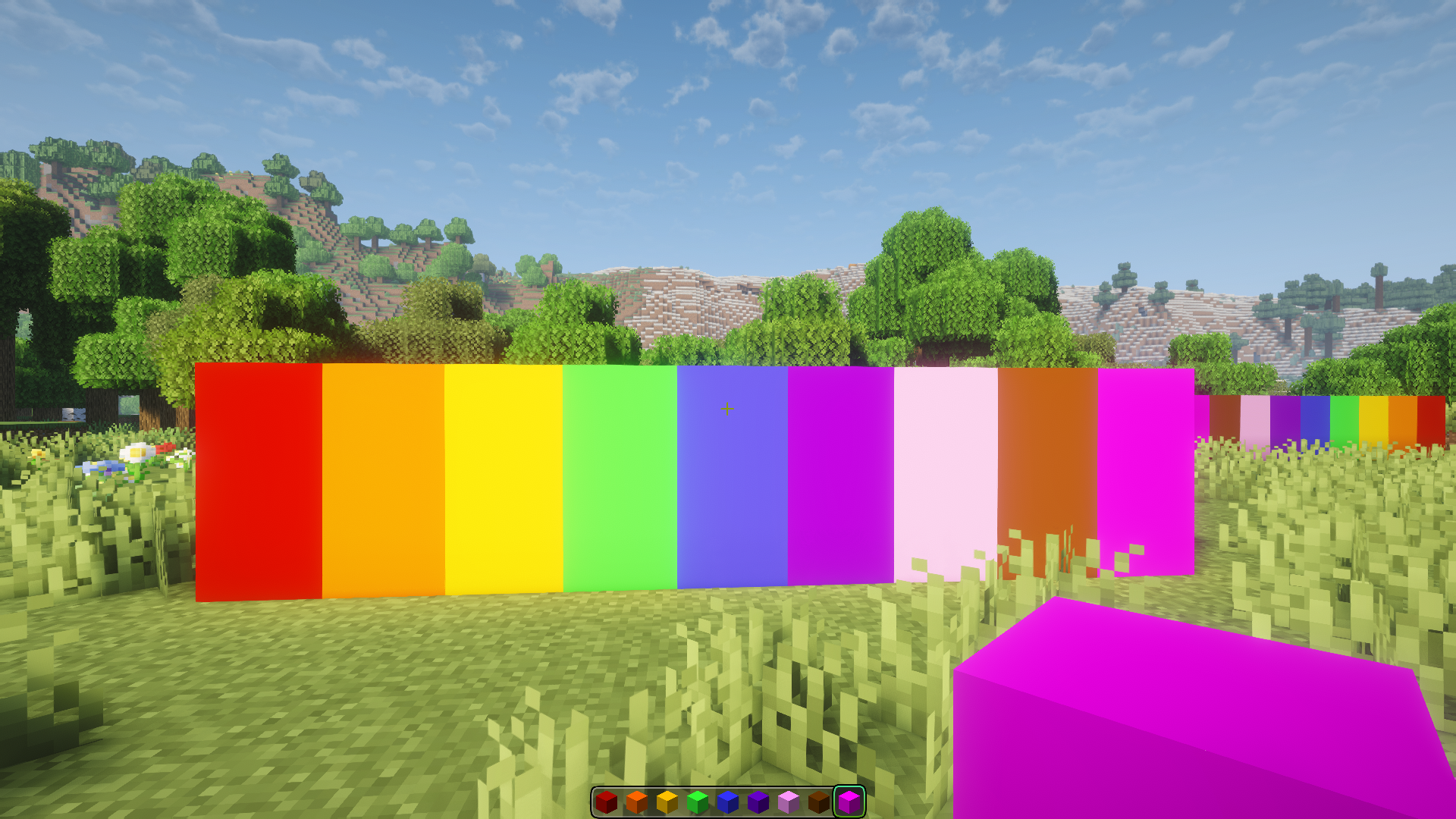 Glowing block
 -
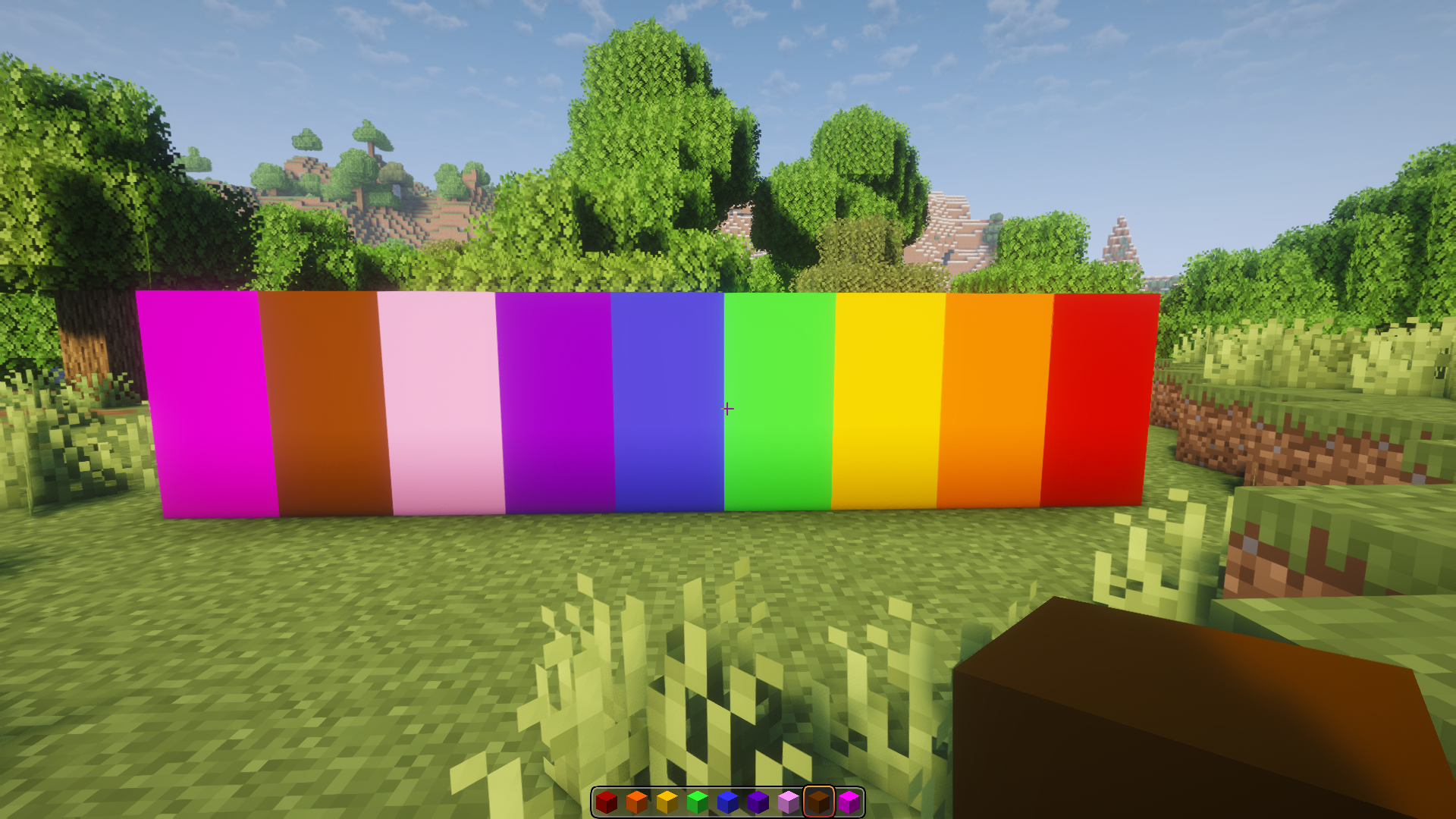 Non-glowing block
 -
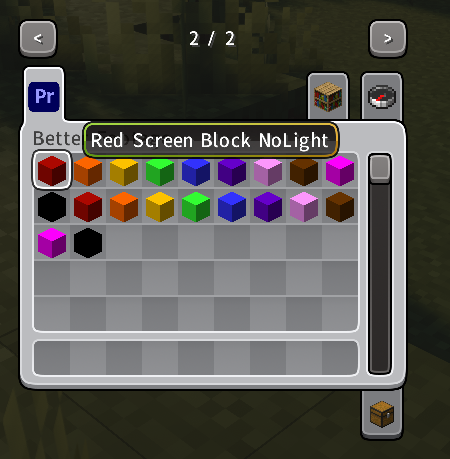 Create tab
Versions
Files
Relations
Project Relations
More like this
Similar Mods
Suggestions use data such as tags, dependencies, dependents, descriptions, titles, and more to rank how much they overlap with this mod.
On ModDex
Community snapshot
By the numbers
Statistics

Want to reach Minecraft players?
We're looking for a server hosting partner to feature here and other parts of the site. Interested? Send us a message!
Get in touchGet it on
Available Platforms
On ModDex
Community snapshot
By the numbers
Statistics
Resources