Community listing page, reviews here may not be monitored by the author.
Nether Chest


No reviews yet
Shared cloud storage for Minecraft.
Community voices
Reviews
No reviews yet. Be the first to review this project!
Get it on
Available Platforms
Compatibility
Supported Environments
Must be installed on both the client and the server.
About
Project Details
For authors
Embed Badge
If you're the author of this project, you can embed a live badge anywhere that supports HTML or Markdown. It updates automatically whenever ratings change.
Use HTML for any page that supports it, or Markdown for README files and Markdown-based descriptions.
Identifiers
Platform IDs
About
Description


Nether Chest





I like to think of the storage blocks in Minecraft as analogues to different types of data storage we encounter in everyday life:
- An ordinary chest is like a hard drive: it's (basically) stationary, and you can access what it stores only through direct contact.
- A shulker box is similar to a USB flash drive: it's portable, and the things it stores can also be accessed exclusively through direct contact.
- An ender chest, on the other hand, is just like remote personal storage: upload your belongings to the "cloud," and you'll have access to them from anywhere in the world at any time.
Don't you think something's missing? There's personal cloud storage, but there's no shared one that could act as a kind of file sharing service. And isn't it strange that we have an overworld chest, an ender chest, but no nether chest? Well, behold!
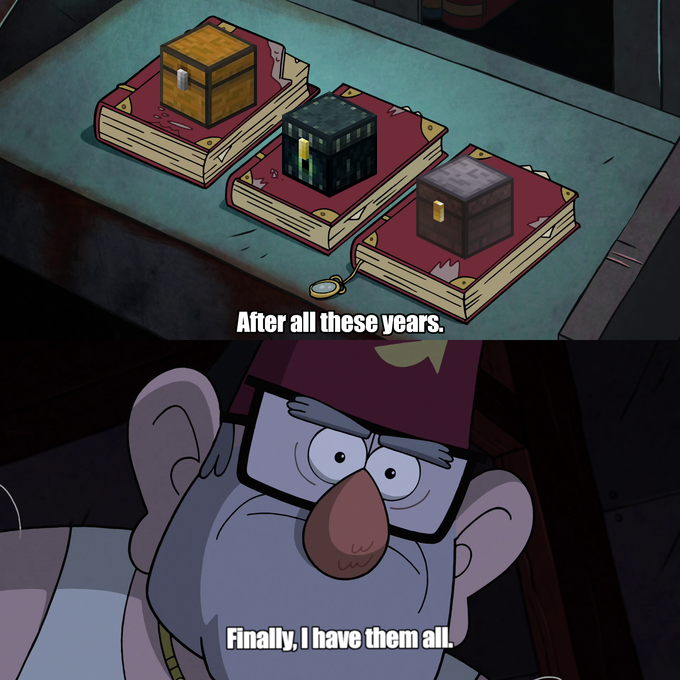
This mod adds a single block to the game - the Nether Chest. It functions almost the same way as an ender chest, except it has a shared inventory for all players on a server.
Crafting Recipe
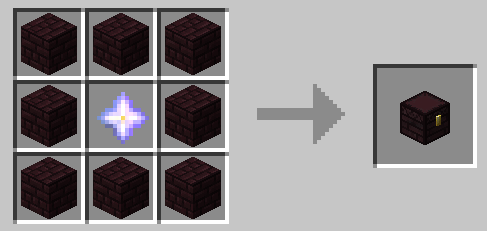
This crafting recipe may seem a bit expensive, but from a balancing perspective, everything is more than justified:
- The Wither is a pretty weak enemy, even at the maximum difficulty level. Thus, obtaining a couple of extra nether stars shouldn't be too challenging.
- The Nether Chest is an "endgame" block. If you can afford to spend a nether star on crafting a chest, then a bit of time-saving isn't considered cheating. However, in the early stages of the game, exchanging items between players who are separated by thousands of blocks might be overpowered.
NOTE: Nether Chests should be handled with Silk Touch if you don't want to lose your nether stars. :)
If you play on Peaceful (or just aren't up for battling the Wither), you can use this datapack (which replaces the nether star with an eye of ender in the crafting recipe). Please refer to this article if you are unfamiliar with the process of installing a datapack.
Multichannel Mode
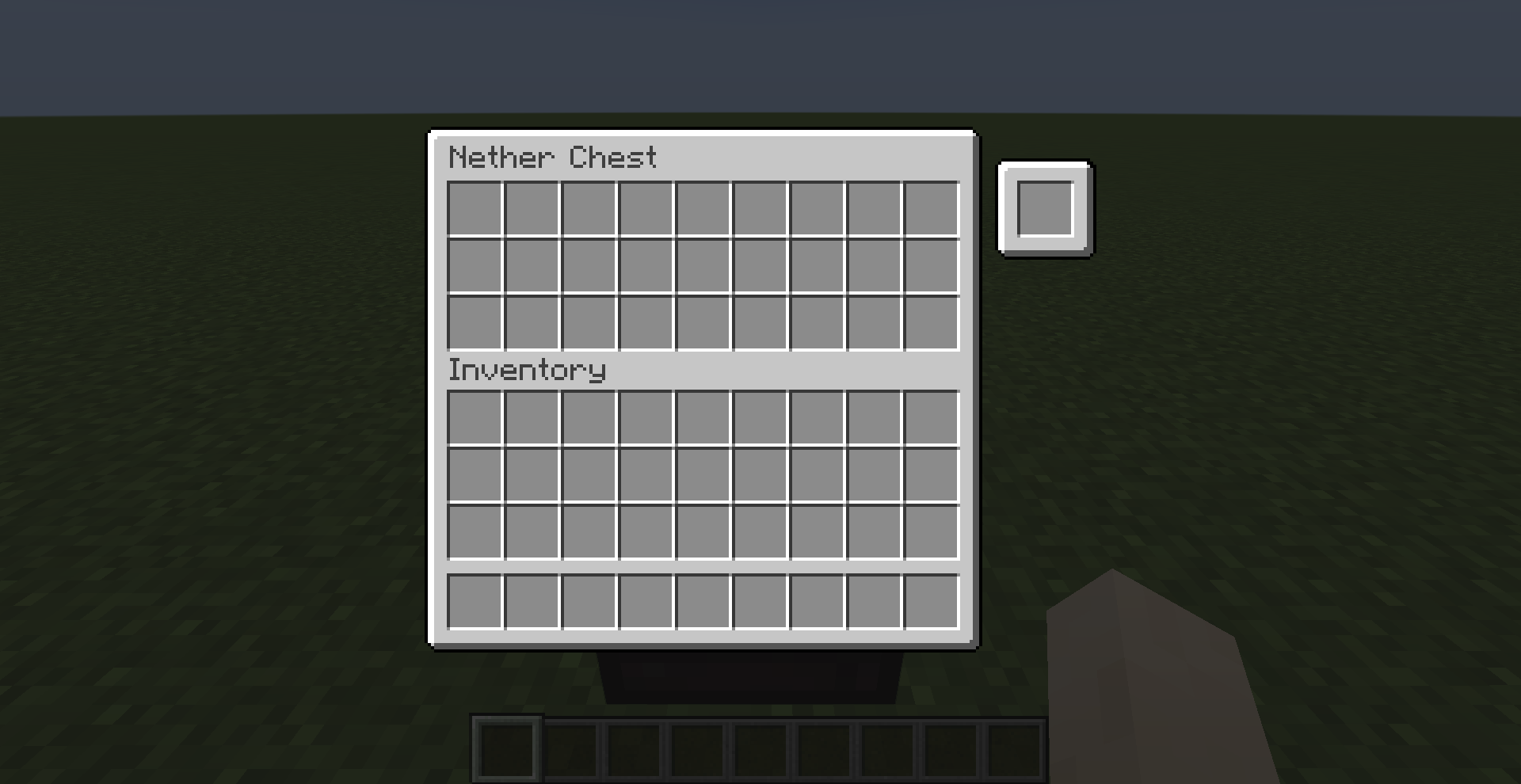
When multichannel mode is enabled, each Nether Chest gains an extra slot that can be used to lock the chest to a specific channel with its own unique inventory.
Redstone Integration
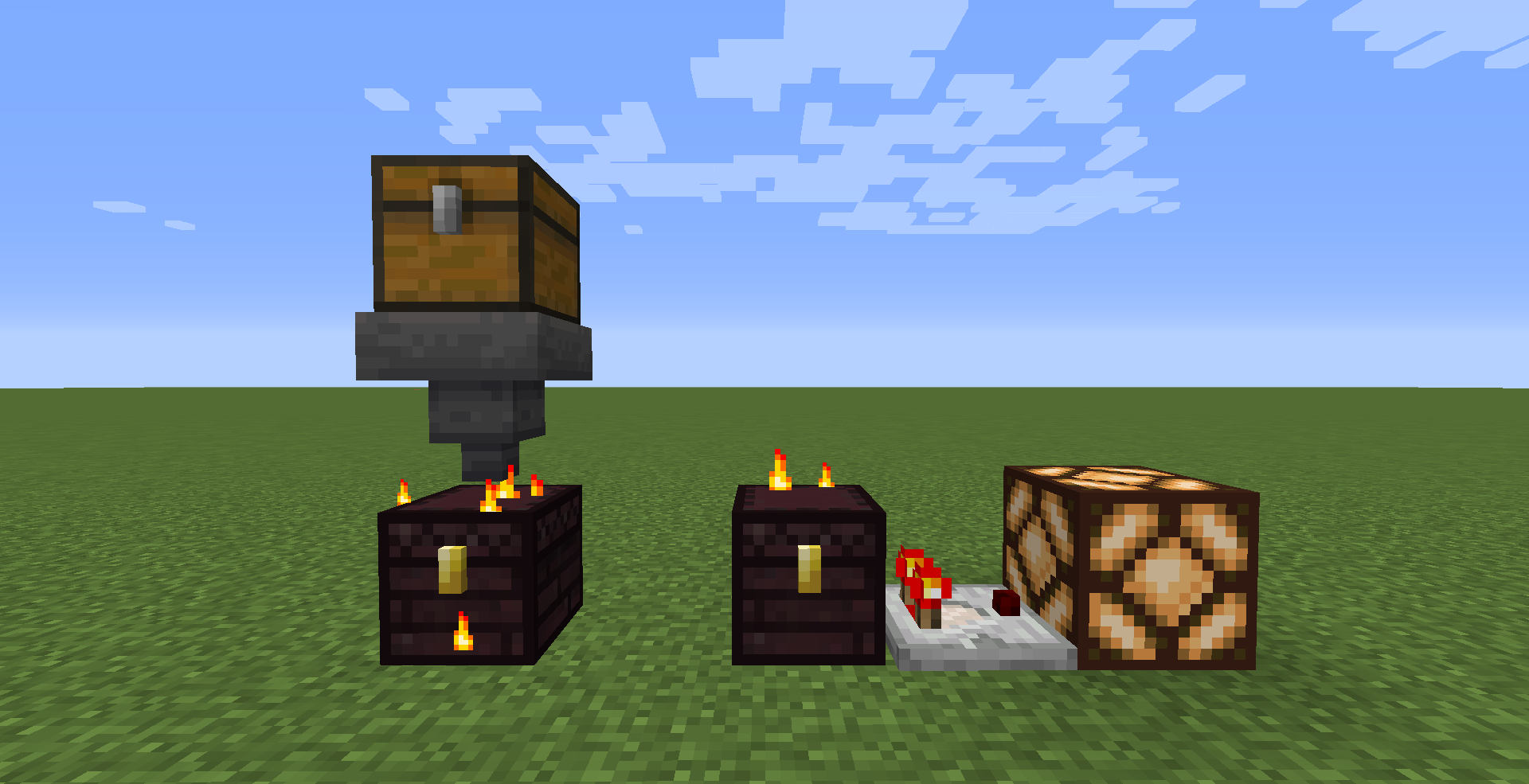
Nether Chests are compatible with hoppers and comparators.
Config
If you have Cloth Config installed, you can customize the behavior of the mod. A config is usually located at ./config/nether_chest.json.
allowHoppers- When enabled, hoppers will be able to access the Nether Chest's inventory.allowInsertion- When enabled, hoppers will be able to insert items into the Nether Chest's inventory.allowExtraction- When enabled, hoppers will be able to extract items from the Nether Chest's inventory.enableMultichannelMode- When enabled, Nether Chests can be locked to a specific channel.ignoreNbtInMultichannelMode- When enabled, channel keys no longer need to have identical NBT data to be considered equal.ignoreCountInMultichannelMode- When enabled, channel keys no longer need to have the same stack size to be considered equal.channelBlacklist- Items whose IDs are listed in this field are banned from being used as channel keys.channelWhitelist- Only items whose IDs are listed in this field can be used as channel keys.
You can edit any of these values directly in the config file or via ModMenu.
Installation
Requirements:
- Minecraft >=1.16.x
- Fabric Loader >=0.7.0
- Fabric API >=0.25.0
You can download the mod from:
- GitHub Releases
- Modrinth
- CurseForge
- GitHub Actions (these builds may be unstable, but they represent the actual state of the development)
Nether Chest
I like to think of the storage blocks in Minecraft as analogues to different types of data storage we encounter in everyday life:
- An ordinary chest is like a hard drive: it's (basically) stationary, and you can access what it stores only through direct contact.
- A shulker box is similar to a USB flash drive: it's portable, and the things it stores can also be accessed exclusively through direct contact.
- An ender chest, on the other hand, is just like remote personal storage: upload your belongings to the "cloud," and you'll have access to them from anywhere in the world at any time.
Don't you think something's missing? There's personal cloud storage, but there's no shared one that could act as a kind of file sharing service. And isn't it strange that we have an overworld chest, an ender chest, but no nether chest? Well, behold!
This mod adds a single block to the game - the Nether Chest. It functions almost the same way as an ender chest, except it has a shared inventory for all players on a server.
Crafting Recipe
This crafting recipe may seem a bit expensive, but from a balancing perspective, everything is more than justified:
- The Wither is a pretty weak enemy, even at the maximum difficulty level. Thus, obtaining a couple of extra nether stars shouldn't be too challenging.
- The Nether Chest is an "endgame" block. If you can afford to spend a nether star on crafting a chest, then a bit of time-saving isn't considered cheating. However, in the early stages of the game, exchanging items between players who are separated by thousands of blocks might be overpowered.
NOTE: Nether Chests should be handled with Silk Touch if you don't want to lose your nether stars. :)
If you play on Peaceful (or just aren't up for battling the Wither), you can use this datapack (which replaces the nether star with an eye of ender in the crafting recipe). Please refer to this article if you are unfamiliar with the process of installing a datapack.
Multichannel Mode
When multichannel mode is enabled, each Nether Chest gains an extra slot that can be used to lock the chest to a specific channel with its own unique inventory.
Redstone Integration
Nether Chests are compatible with hoppers and comparators.
Config
If you have Cloth Config installed, you can customize the behavior of the mod. A config is usually located at ./config/nether_chest.json and by default looks like this:
{
  "allowHoppers": true,
  "allowInsertion": true,
  "allowExtraction": true,
  "enableMultichannelMode": true,
  "ignoreNbtInMultichannelMode": false,
  "ignoreCountInMultichannelMode": false,
  "channelBlacklist": [],
  "channelWhitelist": []
}
| Name | Description | Default value |
|---|---|---|
allowHoppers |
When enabled, hoppers will be able to access the Nether Chest's inventory | true |
allowInsertion |
When enabled, hoppers will be able to insert items into the Nether Chest's inventory | true |
allowExtraction |
When enabled, hoppers will be able to extract items from the Nether Chest's inventory | true |
enableMultichannelMode |
When enabled, Nether Chests can be locked to a specific channel | true |
ignoreNbtInMultichannelMode |
When enabled, channel keys no longer need to have identical NBT data to be considered equal | false |
ignoreCountInMultichannelMode |
When enabled, channel keys no longer need to have the same stack size to be considered equal | false |
channelBlacklist |
Items whose IDs are listed in this field are banned from being used as channel keys | [] |
channelWhitelist |
Only items whose IDs are listed in this field can be used as channel keys | [] |
You can edit any of these values directly in the config file or via ModMenu.
Installation
Requirements:
- Minecraft
>=1.16.x - Fabric Loader
>=0.10.0 - Fabric API
>=0.25.0
You can download the mod from:
- GitHub Releases
- Modrinth
- CurseForge
- GitHub Actions (these builds may be unstable, but they represent the actual state of the development)
Building from sources
Requirements:
- JDK
17
Linux/MacOS
git clone https://github.com/Kir-Antipov/nether-chest.git
cd nether-chest

chmod +x ./gradlew
./gradlew build
cd build/libs
Windows
git clone https://github.com/Kir-Antipov/nether-chest.git
cd nether-chest

gradlew build
cd build/libs
Screenshots
Gallery
Versions
Files
Relations
Project Relations
More like this
Similar Mods
Suggestions use data such as tags, dependencies, dependents, descriptions, titles, and more to rank how much they overlap with this mod.
On ModDex
Community snapshot
By the numbers
Statistics
Want to reach Minecraft players?
We're looking for a server hosting partner to feature here and other parts of the site. Interested? Send us a message!
Get in touchGet it on
Available Platforms
On ModDex
Community snapshot
By the numbers