
Better-PvP
No reviews yet
This Mod allows players to create fully customizable teams with features like changing player armor colors and chat names, all client-side.
Does not follow a specific thematic focus apart from vanilla Minecraft.
Used for mods with little to no gameplay elements.
Focuses on or is balanced for player versus player combat and competition.
Adds client-side tools and features to enhance the user experience.
Adds tools to customize the user interface and menus.
Fabric is a mod loader for versions 1.14+ of Minecraft, particularly popular for client side and optimization mods.
Community voices
Reviews
Click once to include, again to exclude, again to clear
No reviews yet. Be the first to review this project!
Get it on
Available Platforms
 Modrinth
Compatibility
Supported Environments
About
Project Details
For authors
Embed Badge
If you're the author of this project, you can embed a live badge anywhere that supports HTML or Markdown. It updates automatically whenever ratings change.
Use HTML for any page that supports it, or Markdown for README files and Markdown-based descriptions.
Identifiers
Platform IDs
About
Description
Better PvP
Better PvP is a Fabric client-side modification that allows you to create and organize players into custom teams. This provides the opportunity to colorize player names in chat and even adds a nice outline of the specific team color to each individual player's armor. Every feature is toggleable and designed to be as flexible as possible. Overall, this mod enhances your in-game experience and significantly improves team-based PvP.
Functions
1. Team-Based Chat Colorization
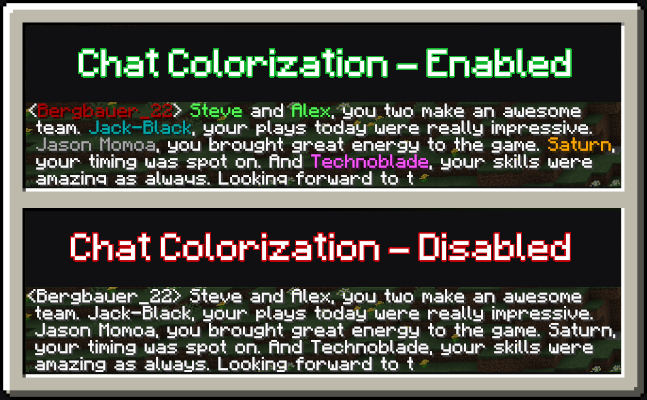
When the setting to colorize players based on their team is enabled, each player's messages in the chat will be displayed in their team's color. This feature is especially useful when playing on multiplayer servers with prominent team dynamics, as it makes it easier to differentiate players by their team affiliation.
2. Team-Based Armor Colorization
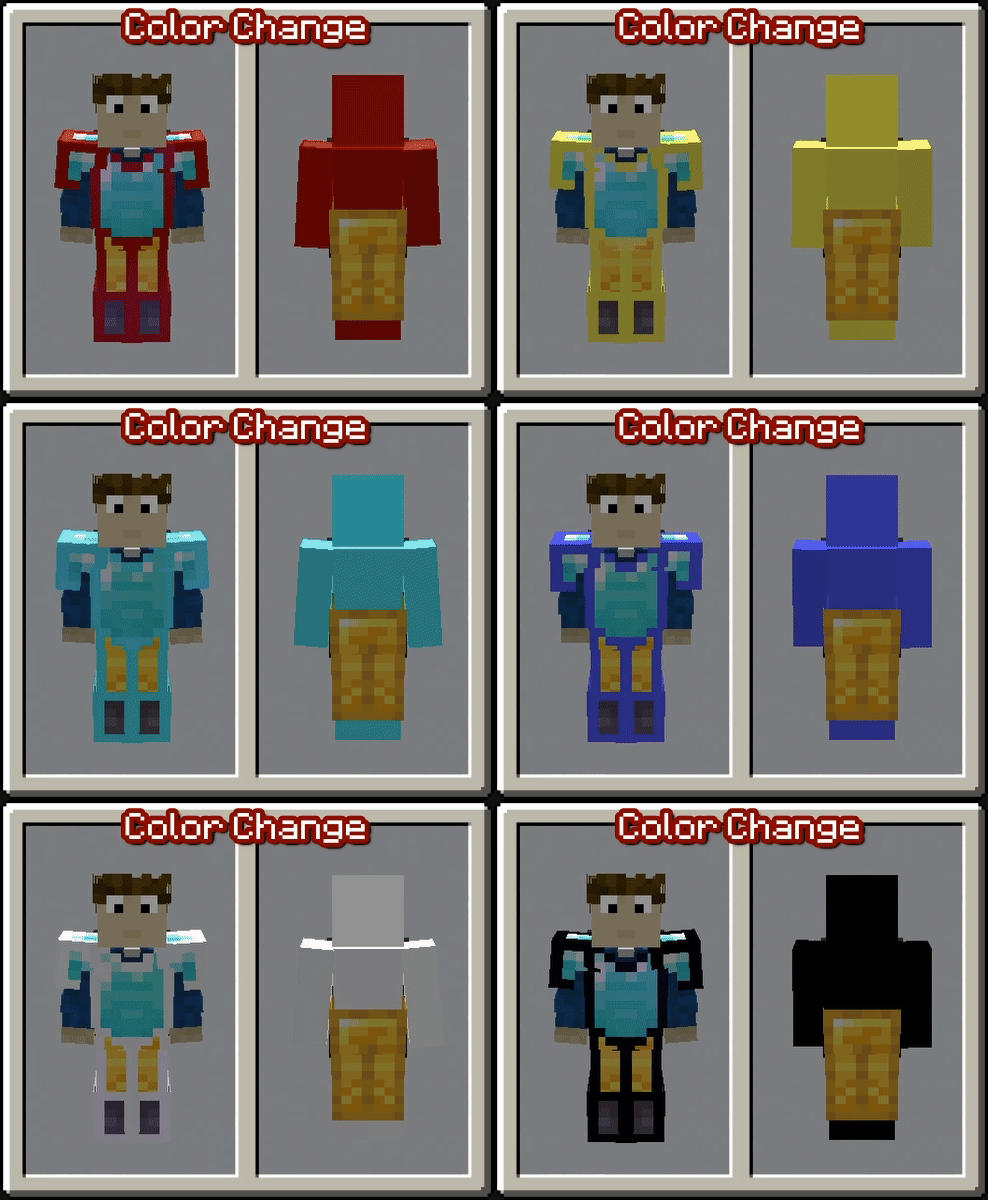
With the setting enabled to colorize player armor based on their team, vanilla armor pieces will display an outline in the team's color. This feature helps distinguish players more easily in-game, even when they are wearing the same type of armor. Please note that this only works with vanilla armor and not with modded armor.
3. Team-Based Skin Colorization
Enabling the setting to colorize player skins based on their team changes the entire skin to match the team’s color. This feature is useful if the team-based armor colorization is insufficient or cannot be applied due to the use of non-vanilla armor. By default, this setting is turned off.
Teams and Settings
Managing teams in this mod is simple with a custom GUI. You can access the GUI using a customizable keybind (set to "G" by default). Once inside, you’ll find various options to get started:
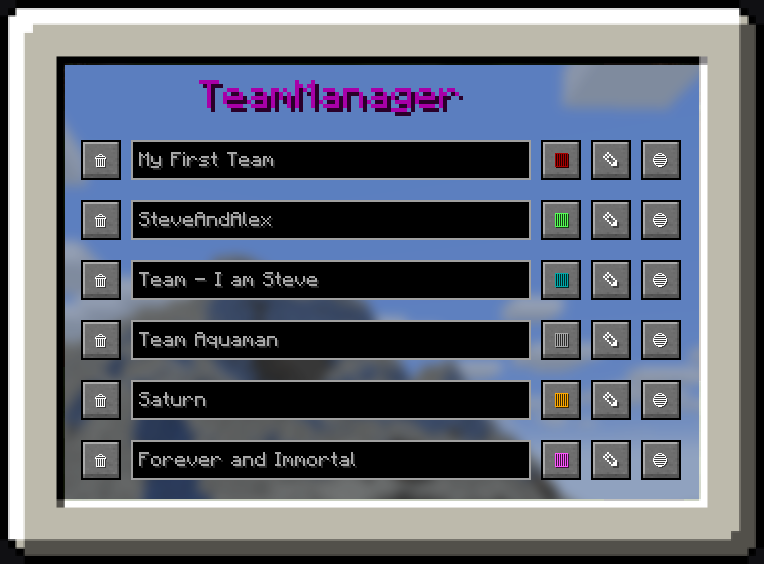
1. Team Manager Panel
- Navigate to the Team Manager Panel to create your first team.
- Use the buttons on the right side to modify the team's name, color, or members.
- Clicking the third button takes you to the individual team page, where you can add specific players to the team.
2. Settings Panel
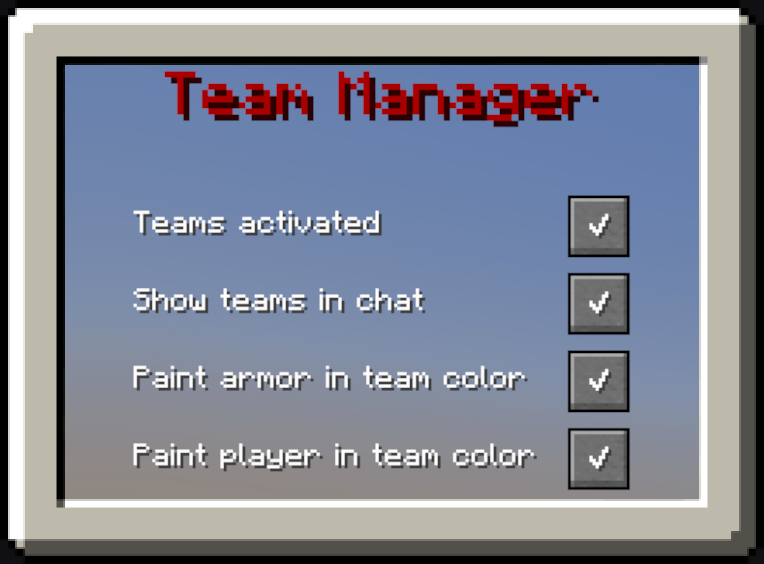
- Open the Settings Panel to configure which features of the mod you want to enable.
- Use the checkboxes to easily activate or deactivate individual features based on your preferences.
Tutorials and Showcase
How to create your first Team
How to change the color of the Team
How to change the Settings
Screenshots
Gallery
-
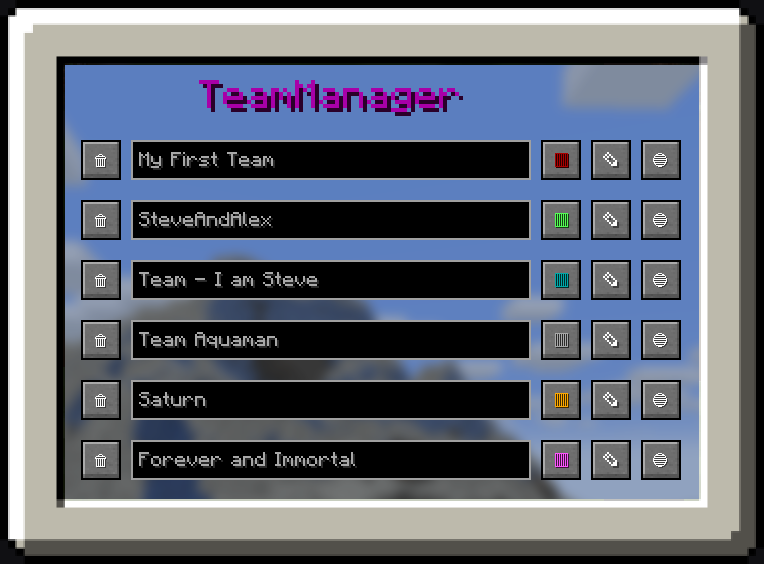 Team Manager Example of the Team Manager Panel
 -
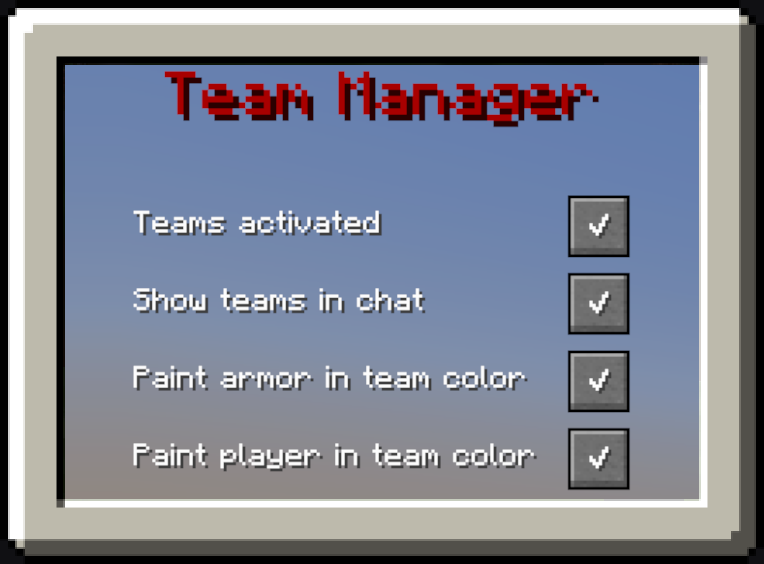 Settings Example of the Settings Panel
 -
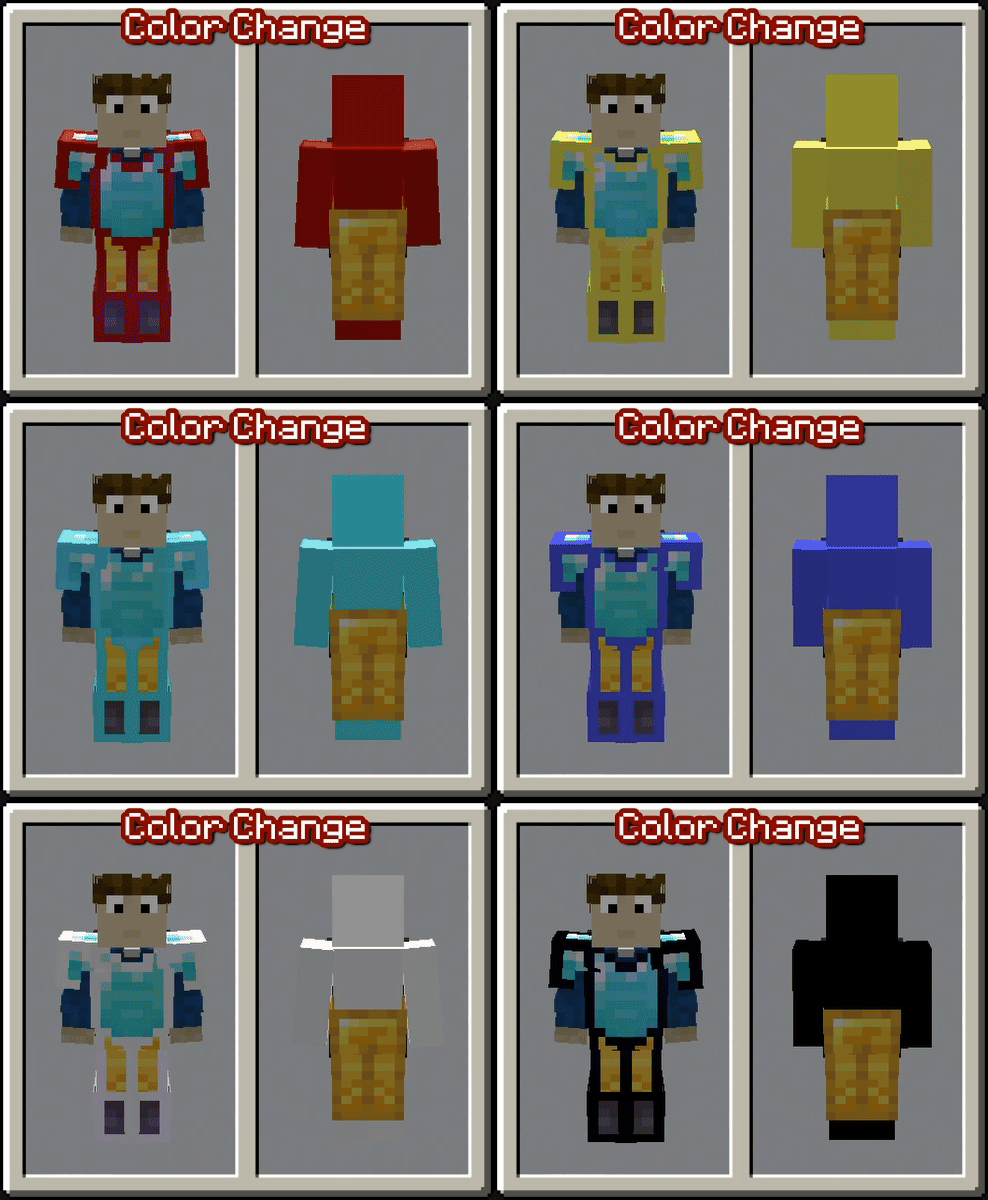 Every Color Preview of all colors
Versions
Files
Relations
Project Relations
More like this
Similar Mods
Suggestions use data such as tags, dependencies, dependents, descriptions, titles, and more to rank how much they overlap with this mod.
On ModDex
Community snapshot
By the numbers
Statistics

Want to reach Minecraft players?
We're looking for a server hosting partner to feature here and other parts of the site. Interested? Send us a message!
Get in touchGet it on
Available Platforms
On ModDex
Community snapshot
By the numbers