
Community listing page, reviews here may not be monitored by the author.
Better Resolution


No reviews yet
Better Resolution improves GPU performance by lowering Minecraft’s internal world render resolution and then reconstructing it back to native resolution using smart and lightweight algorithms.
Community voices
Reviews
No reviews yet. Be the first to review this project!
Get it on
Available Platforms
Compatibility
Supported Environments
Runs entirely on the client. Works on vanilla servers.
About
Project Details
For authors
Embed Badge
If you're the author of this project, you can embed a live badge anywhere that supports HTML or Markdown. It updates automatically whenever ratings change.
Use HTML for any page that supports it, or Markdown for README files and Markdown-based descriptions.
Identifiers
Platform IDs
Resources
External Links
About
Description
Better Resolution
Better Resolution improves GPU performance by rendering Minecraft’s 3D world at a configurable internal resolution, then back to native resolution using smart and lightweight algorithms.
It is both higher quality and higher performance than alternatives. It was created because I had a personal gripe with how pixelated, aliased and blurry the game becomes when using other scaling mods.
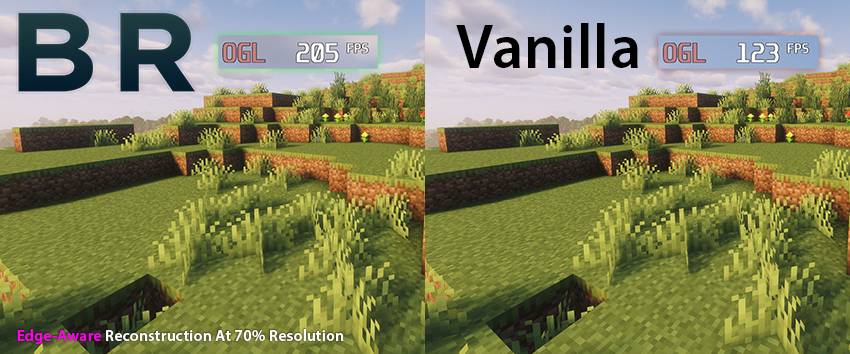
Performance Benefits
Better Resolution provides a large GPU performance boost, especially on systems limited by graphics performance.
The benefit can be even more significant with shaders, where lowering the world render resolution can greatly reduce the cost of shader rendering.
For lower-end GPUs, this can make higher settings or shaders much more practical.
What Does The Mod Do?
The world is rendered at the selected internal resolution and reconstructed to your display resolution. This keeps the interface sharp while allowing the 3D scene to scale for better performance.
Resolution Scaling
You can use built-in presets or manually adjust the internal world resolution with a slider.
Lower scales improve performance more. Higher scales increase the quality of the render.
Upscaling Methods
Better Resolution includes two upscaling methods.
Smooth
The default option.
Smooth uses lightweight edge-aware reconstruction to reduce harsh aliasing, pixelation and improve line stability.
This helps the image feel closer to how it should look while keeping the upscale fast.
Sharp
A lightweight sharp reconstruction option.
Sharp keeps the image crisp with smart sharpening. This option is useful if you prefer a sharper look. Provides the highest performance without any blurring.
Configuration
Available in Sodium’s Video Settings.
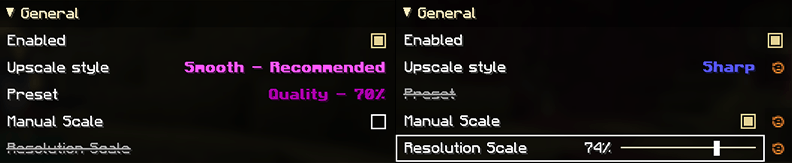
You can enable or disable the mod, choose the upscaling method, select a resolution preset, or enable the manual resolution scale slider.
The manual slider is disabled when presets are enabled.
Mod Compatibility
Better Resolution is a client-side Fabric mod.
It is designed to work with Sodium and popular performance mods. If you find an incompatibility, please report it and I will check it out.
Updates & Future Plans
I will be updating this mod to every stable Minecraft release.
Further image quality improvements and performance optimizations, new features will be added over time.
The mod will be ported back to some earlier versions of Minecraft. Head over to Discord if the mod isn't available in a version you are playing in.
Contact
You can join the Discord server to report bugs, request features, ask questions, or reach out to me.
Better Resolution
Better Resolution improves GPU performance by rendering Minecraft’s 3D world at a configurable internal resolution, then back to native resolution using smart and lightweight algorithms.
It is both higher quality and higher performance than alternatives. It was created because I had a personal gripe with how pixelated, aliased and blurry the game becomes when using other scaling mods.
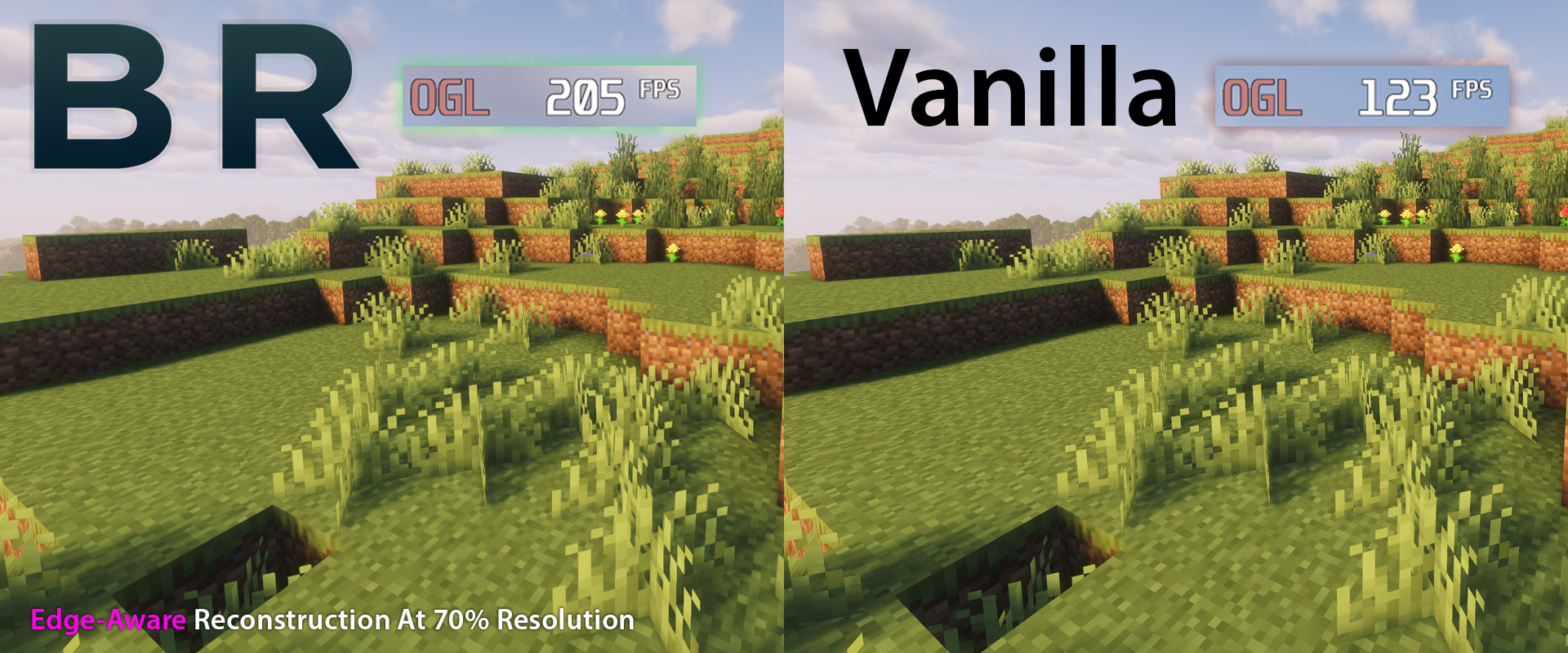
Performance Benefits
Better Resolution provides a large GPU performance boost, especially on systems limited by graphics performance.
The benefit can be even more significant with shaders, where lowering the world render resolution can greatly reduce the cost of shader rendering.
For lower-end GPUs, this can make higher settings or shaders much more practical.
What Does The Mod Do?
The world is rendered at the selected internal resolution and reconstructed to your display resolution. This keeps the interface sharp while allowing the 3D scene to scale for better performance.
Resolution Scaling
You can use built-in presets or manually adjust the internal world resolution with a slider.
Lower scales improve performance more. Higher scales increase the quality of the render.
Upscaling Methods
Better Resolution includes two upscaling methods.
Smooth
The default option.
Smooth uses lightweight edge-aware reconstruction to reduce harsh aliasing, pixelation and improve line stability.
This helps the image feel closer to how it should look while keeping the upscale fast.
Sharp
A lightweight sharp reconstruction option.
Sharp keeps the image crisp with smart sharpening. This option is useful if you prefer a sharper look. Provides the highest performance without any blurring.
Configuration
Available in Sodium’s Video Settings.
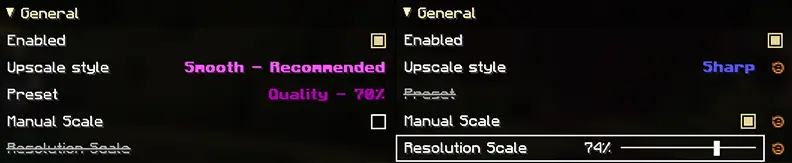
You can enable or disable the mod, choose the upscaling method, select a resolution preset, or enable the manual resolution scale slider.
The manual slider is disabled when presets are enabled.
Mod Compatibility
Better Resolution is a client-side Fabric mod.
It is designed to work with Sodium and popular performance mods. If you find an incompatibility, please report it and I will check it out.
Updates & Future Plans
I will be updating this mod to every stable Minecraft release.
Further image quality improvements and performance optimizations, new features will be added over time.
The mod will be ported back to some earlier versions of Minecraft. Head over to Discord if the mod isn't available in a version you are playing in.
Contact
You can join the Discord server to report bugs, request features, ask questions, or reach out to me.
Screenshots
Gallery
-
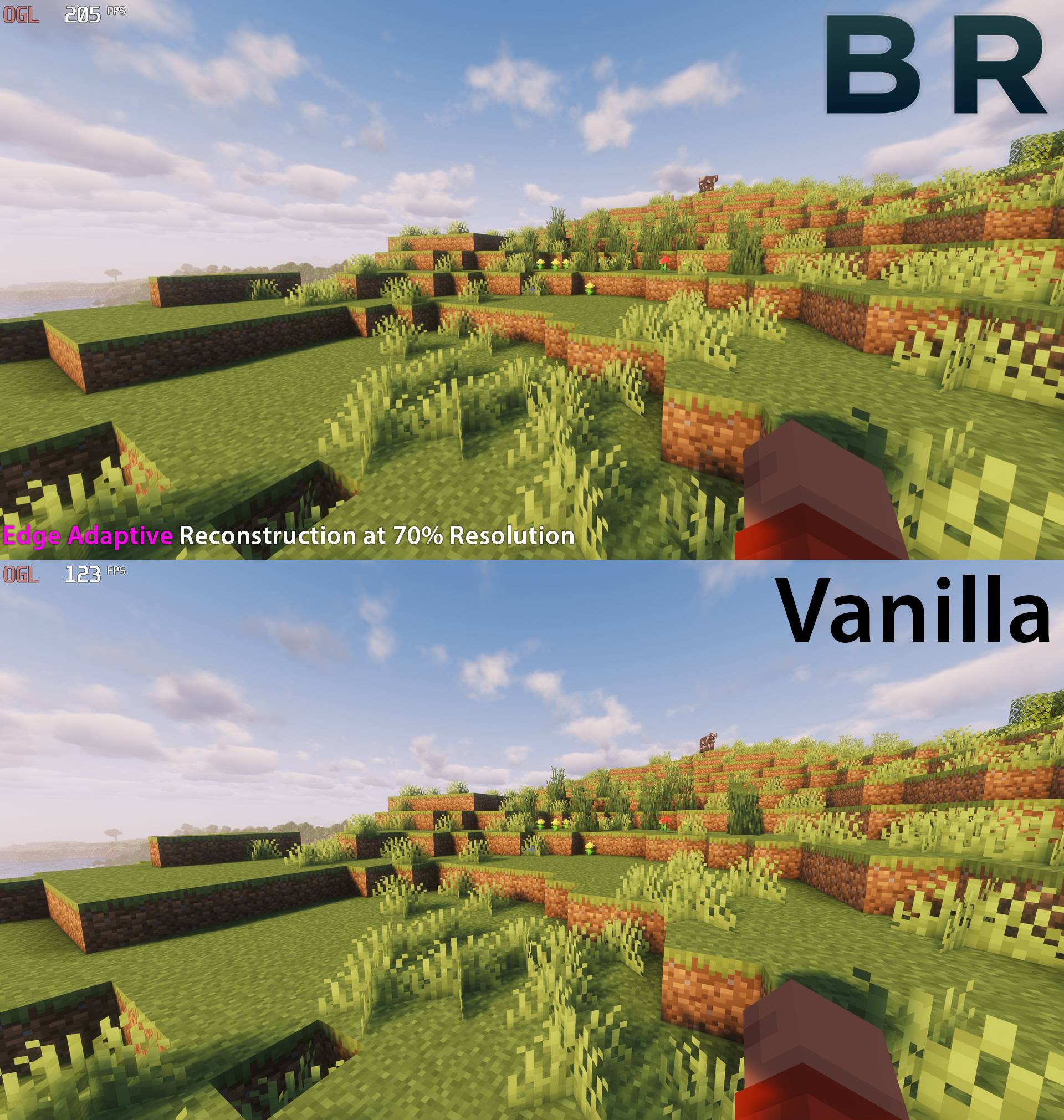 BRvsVanilla.jpg BRvsVanilla.jpg
-
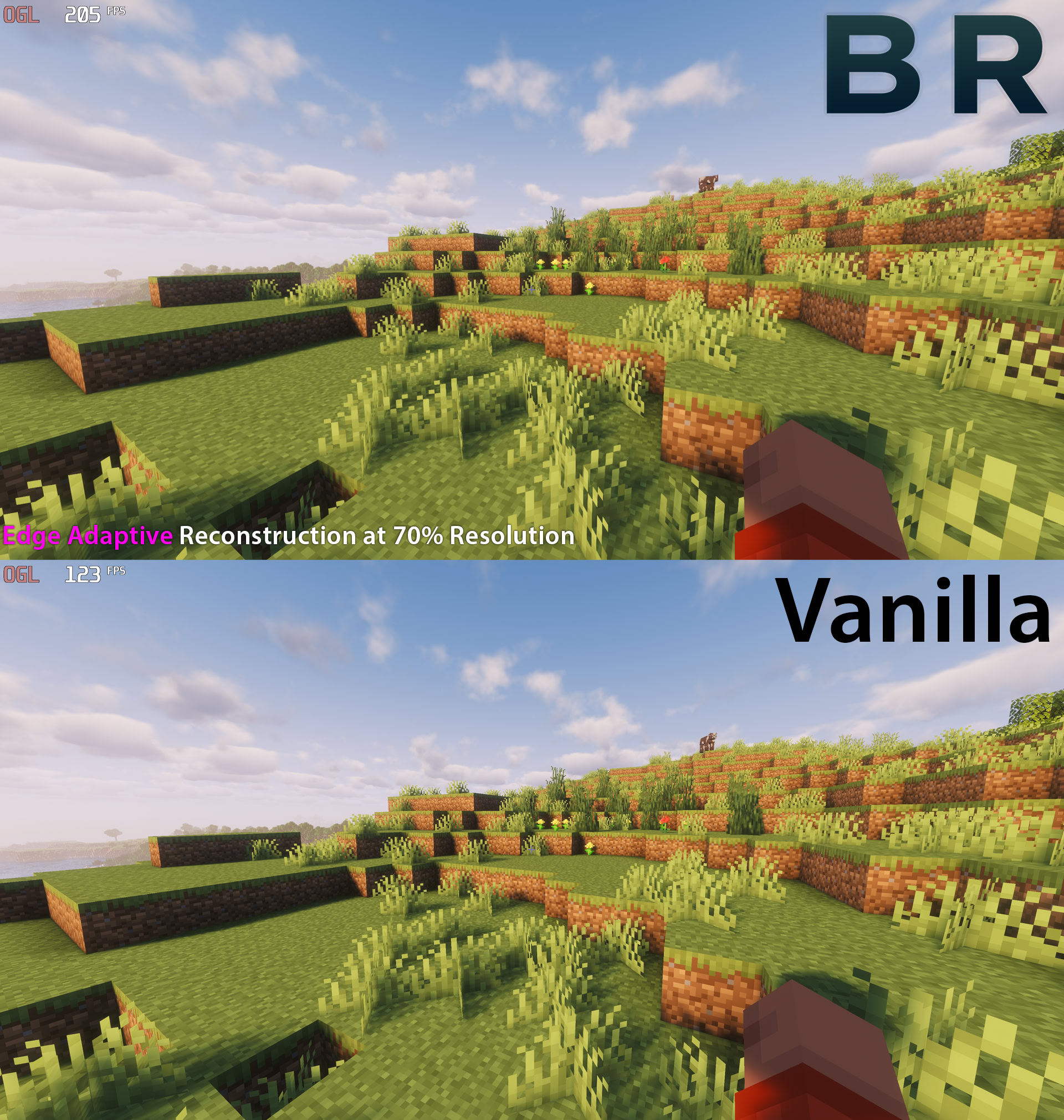 From 123 FPS to 205 FPS at high quality! Using the High Quality 70% internal resolution preset. Using Complementary Unbound shaders.
Versions
Files
Relations
Project Relations
More like this
Similar Mods
Suggestions use data such as tags, dependencies, dependents, descriptions, titles, and more to rank how much they overlap with this mod.
On ModDex
Community snapshot
By the numbers
Statistics
Want to reach Minecraft players?
We're looking for a server hosting partner to feature here and other parts of the site. Interested? Send us a message!
Get in touchGet it on
Available Platforms
On ModDex
Community snapshot
By the numbers
Statistics
Resources