
Better Slab
No reviews yet
A Minecraft mod that adds vertical slabs, allows mixing different slab types in one block, enables mining upper/lower halves independently, and supports placing full blocks perfectly on top.
Forge is a popular mod loader for versions 1.1+ of Minecraft.
Neoforge is a fork of the Minecraft Forge available for versions 1.20.1+ of Minecraft. Many Forge mods are compatible with Neoforge and vice versa.
Fabric is a mod loader for versions 1.14+ of Minecraft, particularly popular for client side and optimization mods.
Community voices
Reviews
Click once to include, again to exclude, again to clear
No reviews yet. Be the first to review this project!
Get it on
Available Platforms
 Modrinth
Compatibility
Supported Environments
About
Project Details
For authors
Embed Badge
If you're the author of this project, you can embed a live badge anywhere that supports HTML or Markdown. It updates automatically whenever ratings change.
Use HTML for any page that supports it, or Markdown for README files and Markdown-based descriptions.
Identifiers
Platform IDs
Resources
External Links
About
Description
Better Slab
Vertical slabs, selective mining, different-type slab merging, and enhanced slab placement for Minecraft.
Features
Vertical Slabs
- Place any slab vertically — occupying half a block horizontally, just like real vertical slabs should.
- 48 dedicated vertical slab blocks for all vanilla slab types, each inheriting the correct material properties (hardness, sound, tool requirements).
- Generic vertical slab system for modded slabs — no extra blocks needed, works automatically with any slab from any mod.
- Double vertical slabs: Place two vertical slabs facing opposite directions to merge them into a full block.
Different-Type Slab Merging
- Combine two different slab types (e.g. Oak + Birch) into a single block position — horizontally or vertically.
- Stored persistently in a BlockEntity with NBT, surviving server restarts.
- Each half renders with its correct texture and drops the right item on break.
Selective Mining
- When breaking a double slab (horizontal, vertical, or merged), you only break the half you're looking at — the other half stays in place and drops the correct item.
- Works with all slab types: vanilla doubles, vertical doubles, and merged different-type slabs.
Enhanced Placement
- 8 placement modes: Auto Horizontal, Auto Vertical, Left, Right, Front, Back, Top, Bottom.
- Switch modes instantly with Alt + WASD (hold Alt while holding a slab item).
- Lock a mode with C so you don't have to hold Alt.
- Toggle default orientation between horizontal and vertical with R.
- Movement input (WASD) is suppressed while Alt is held, so directional keys control placement instead of walking.
Perfect Placement
- Full blocks placed on slab surfaces are offset by half a block (straddling the slab edge), creating flush alignments — no more awkward gaps.
- Slab side shapes report as full squares, so adjacent blocks attach cleanly to slab faces.
Other Features
- Waterlogging support for all vertical and merged slabs.
- Placement preview — a cyan wireframe shows exactly where the slab will appear before you place it.
- Creative mode aware — no item drops in creative.
- Client-server sync — placement mode is synchronized via custom network packets.
- Configurable — toggle each feature independently in
config/betterslab.json.
Controls
| Key | Action |
|---|---|
| Hold Alt + W/A/S/D | Set placement direction (Front/Left/Back/Right) |
| Hold Alt + Space | Place top slab |
| Hold Alt + Shift | Place bottom slab |
| C | Lock/unlock current placement mode |
| R | Toggle default orientation (Horizontal / Vertical) |
Requires
- Place Anywhere Core (for the free-block placement system)
- Fabric API
Active Version
Only the 1.21.1 Fabric build is actively maintained. Legacy versions (1.18.2 through 1.20.6) for both Fabric and Forge are available as historical releases but will not receive further updates.
License
LGPL-3
Screenshots
Gallery
-
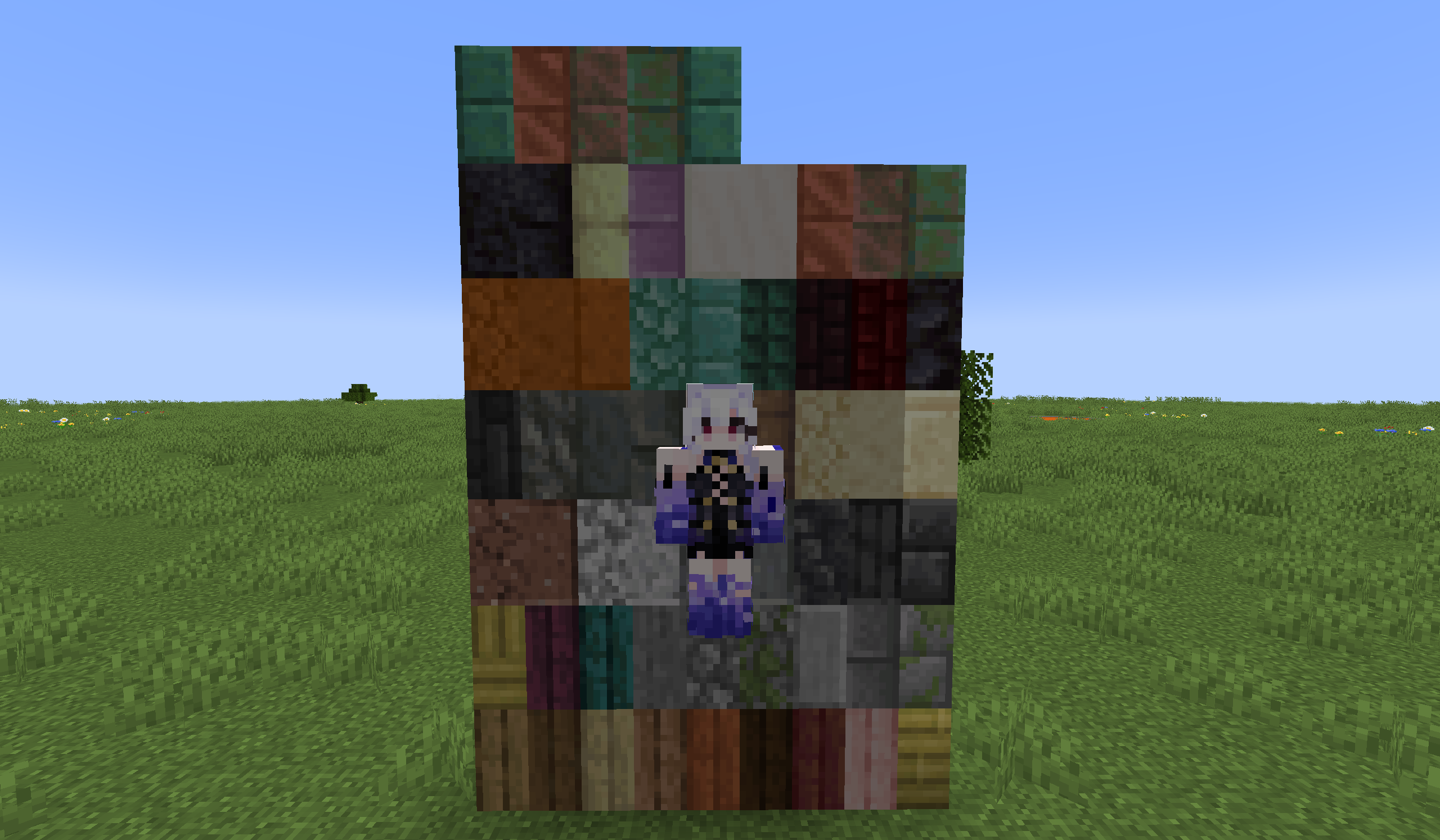 All kinds of vertical slabs This mod adds vertical slabs for every existing slab type, and you can even merge different slab types together.
Versions
Files
Relations
Project Relations
More like this
Similar Mods
Suggestions use data such as tags, dependencies, dependents, descriptions, titles, and more to rank how much they overlap with this mod.
On ModDex
Community snapshot
By the numbers
Statistics

Want to reach Minecraft players?
We're looking for a server hosting partner to feature here and other parts of the site. Interested? Send us a message!
Get in touchGet it on
Available Platforms
On ModDex
Community snapshot
By the numbers
Statistics
Resources