
Community listing page, reviews here may not be monitored by the author.
Better Sounds

No reviews yet
Better Sounds is a client-side Fabric mod that lets you browse, preview, customize, download, and replace Minecraft sounds in real time. Open it with Right Shift.
Community voices
Reviews
No reviews yet. Be the first to review this project!
Get it on
Available Platforms
Compatibility
Supported Environments
Runs entirely on the client. Works on vanilla servers.
About
Project Details
For authors
Embed Badge
If you're the author of this project, you can embed a live badge anywhere that supports HTML or Markdown. It updates automatically whenever ratings change.
Use HTML for any page that supports it, or Markdown for README files and Markdown-based descriptions.
Identifiers
Platform IDs
Resources
External Links
About
Description
Better Sounds
Better Sounds is a client-side Fabric mod that gives you full control over Minecraft’s sounds. Browse the complete sound registry, preview sounds instantly, adjust their volume and pitch, replace them with custom audio files, and organize your changes into profiles.
Features
Browse Every Minecraft Sound
Explore and search Minecraft’s full sound-event registry, including block sounds, entity sounds, ambient effects, music, UI sounds, and more.
Instant Sound Preview
Select any sound and preview it directly in-game before making changes.
Volume and Pitch Controls
Fine-tune individual sounds with expanded controls:
- Volume: from 0% to 1000%
- Pitch: from 0.1x to 4x
These controls also work with one-shot sounds such as block breaking, footsteps, and UI clicks.
Custom Sound Replacements
Replace any Minecraft sound with your own .ogg audio file. Sound Studio automatically creates and reloads a generated resource pack for your replacements.
Sound Profiles
Create, save, and switch between sound profiles. Each profile can contain its own volume, pitch, and custom replacement settings.
Download Original Sounds
Download Minecraft’s original sound files directly from the mod. Downloaded .ogg files are saved to your Downloads folder.
Screenshots
Gallery
-
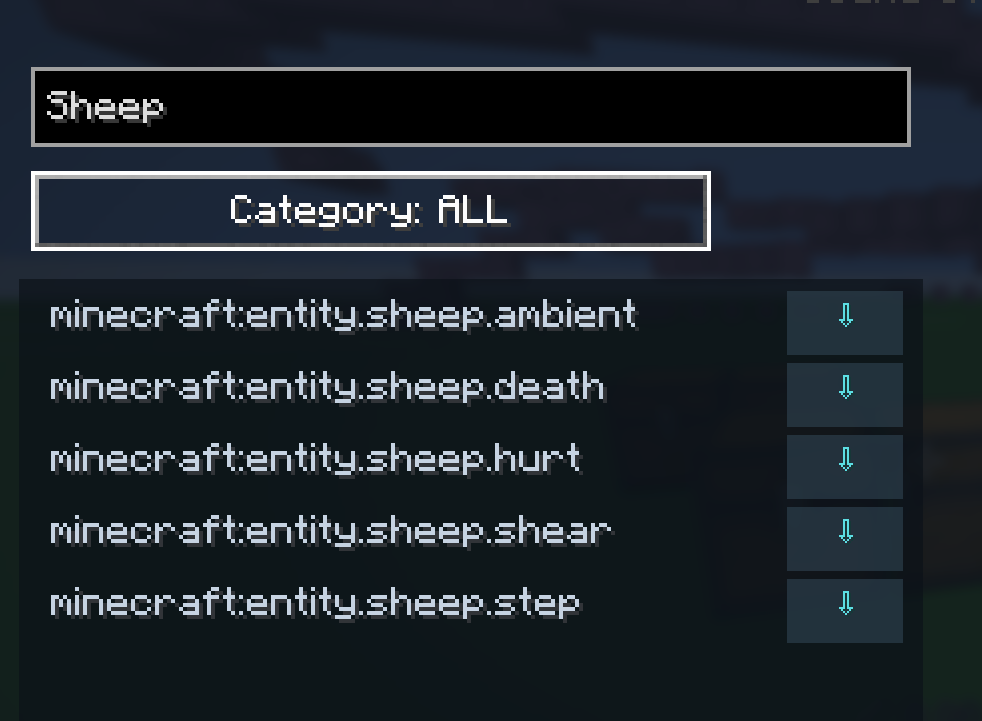 Search Preview
 -
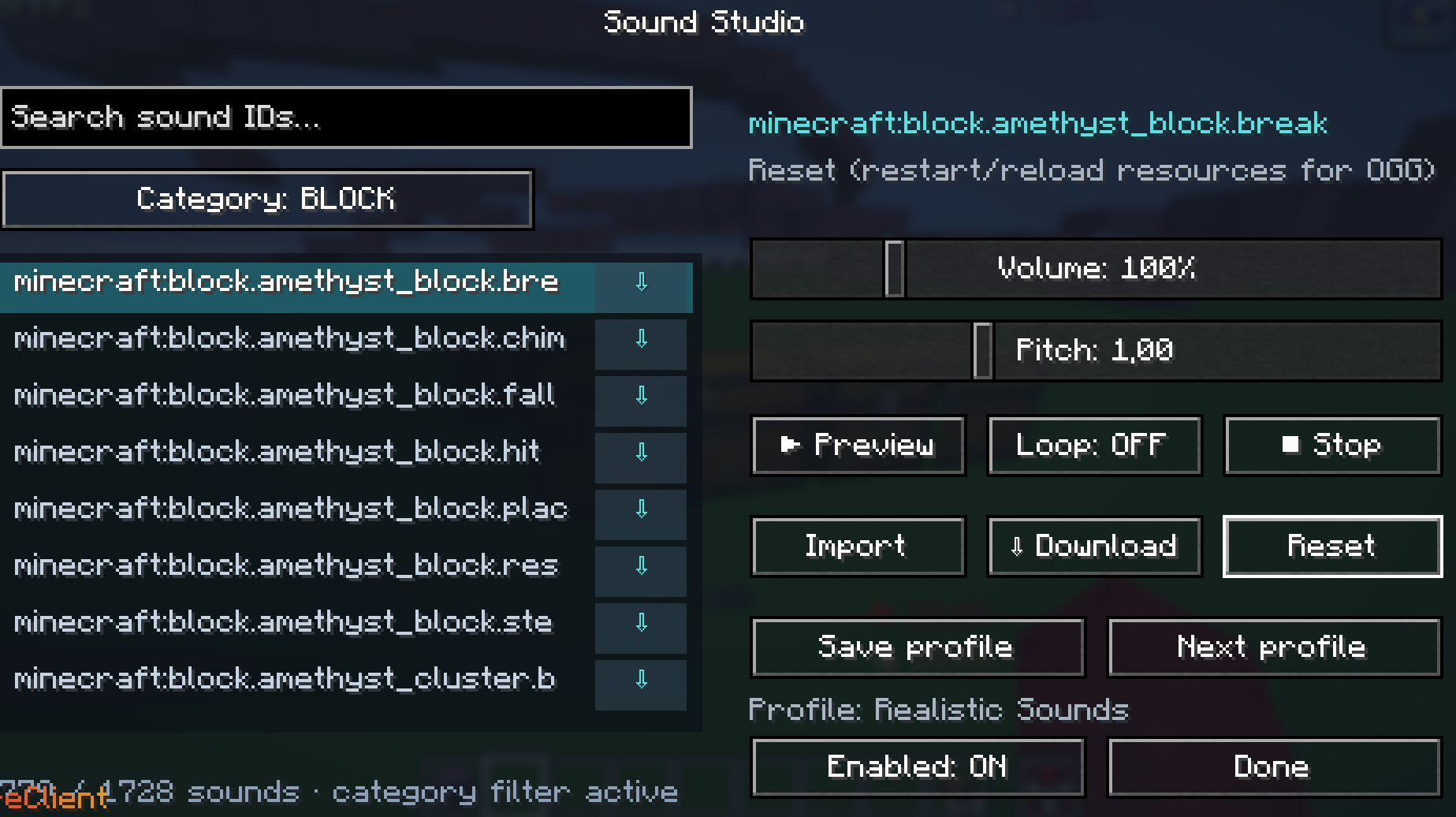 Sound Studio Preview
 -
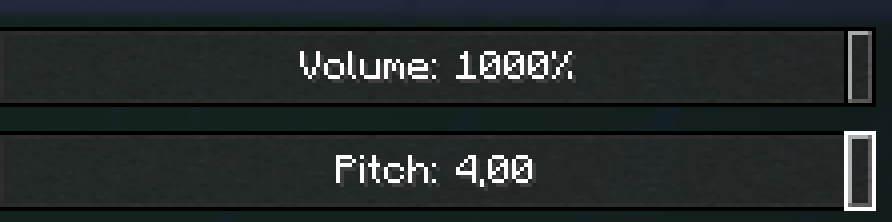 Volume and Pitch Preview
Versions
Files
Relations
Project Relations
More like this
Similar Mods
Suggestions use data such as tags, dependencies, dependents, descriptions, titles, and more to rank how much they overlap with this mod.
On ModDex
Community snapshot
By the numbers
Statistics

Want to reach Minecraft players?
We're looking for a server hosting partner to feature here and other parts of the site. Interested? Send us a message!
Get in touchGet it on
Available Platforms
On ModDex
Community snapshot
By the numbers
Statistics
Resources