
Community listing page, reviews here may not be monitored by the author.
Better Spawn Point


No reviews yet
Better Spawnpoint replaces Minecraft's boring single-bed spawn system with a full spawn history manager — save multiple spawnpoints across all dimensions, teleport between them, rename them, and choose where you respawn when you die
Community voices
Reviews
No reviews yet. Be the first to review this project!
Get it on
Available Platforms
Compatibility
Supported Environments
Works on the client or the server alone, but does more when on both.
About
Project Details
For authors
Embed Badge
If you're the author of this project, you can embed a live badge anywhere that supports HTML or Markdown. It updates automatically whenever ratings change.
Use HTML for any page that supports it, or Markdown for README files and Markdown-based descriptions.
Identifiers
Platform IDs
Resources
External Links
About
Description
🛏️ Better Spawnpoint
Better Spawnpoint replaces Minecraft's boring single-bed spawn system with a full spawn history manager — save multiple spawnpoints across all dimensions, teleport between them, rename them, and choose where you respawn when you die. Works with both Beds and Respawn Anchors in the Nether!
✨ Features
🖱️ Bed & Respawn Anchor Action Menu
Right-clicking a bed or a charged Respawn Anchor opens a custom action menu instead of the default interaction.
Bed:
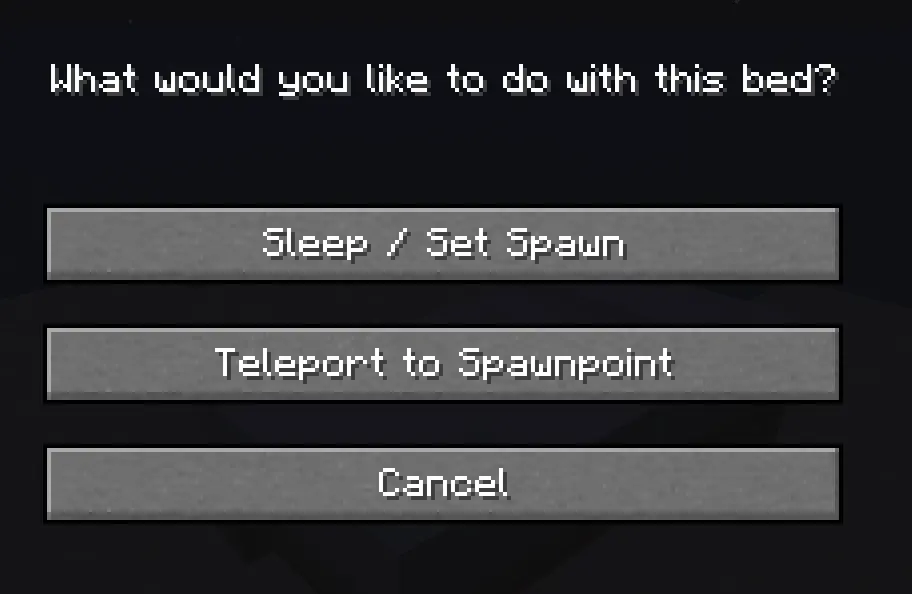
"What would you like to do with this bed?"
- Sleep / Set Spawn — Sleep in the bed and add it to your spawnpoint history
- Teleport to Spawnpoint — Jump straight to your spawnpoint list
- Cancel
Respawn Anchor (Nether):
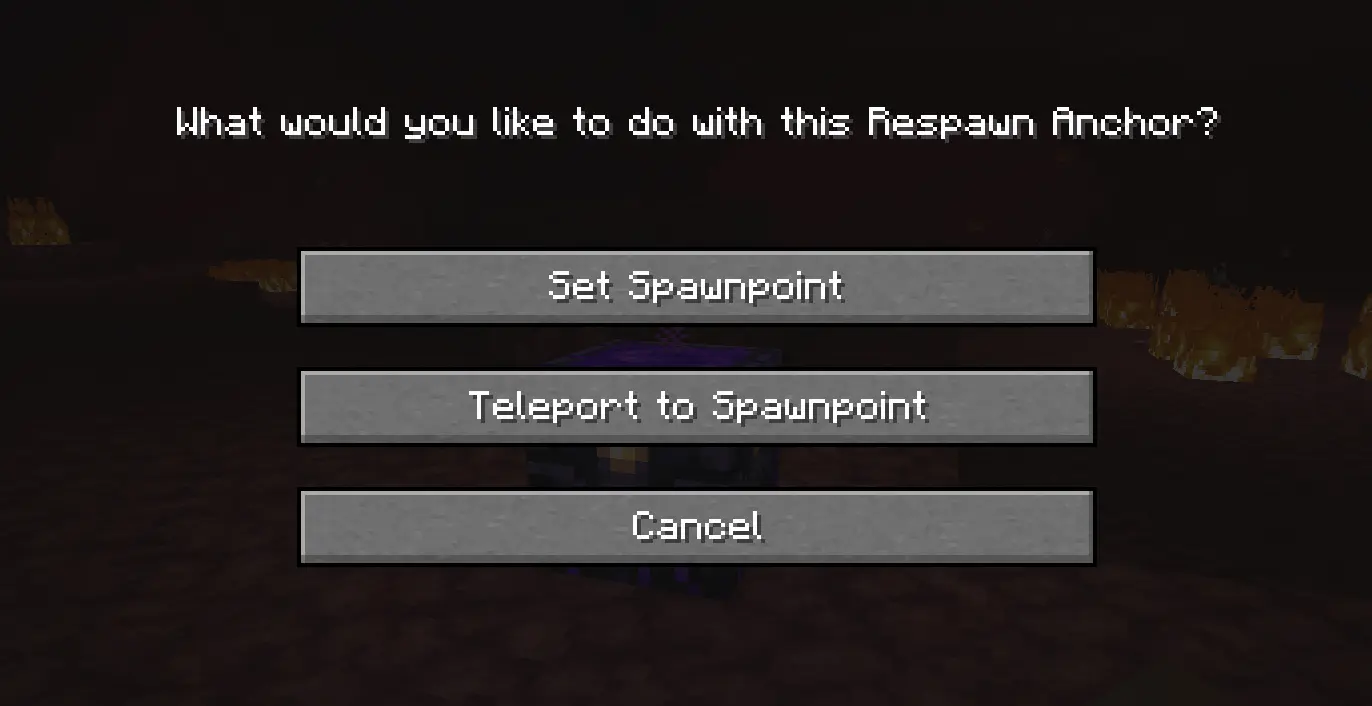
"What would you like to do with this Respawn Anchor?"
- Set Spawnpoint — Register the anchor as a spawnpoint (requires charges)
- Teleport to Spawnpoint — Open your spawnpoint list
- Cancel
🗺️ Spawnpoint Manager
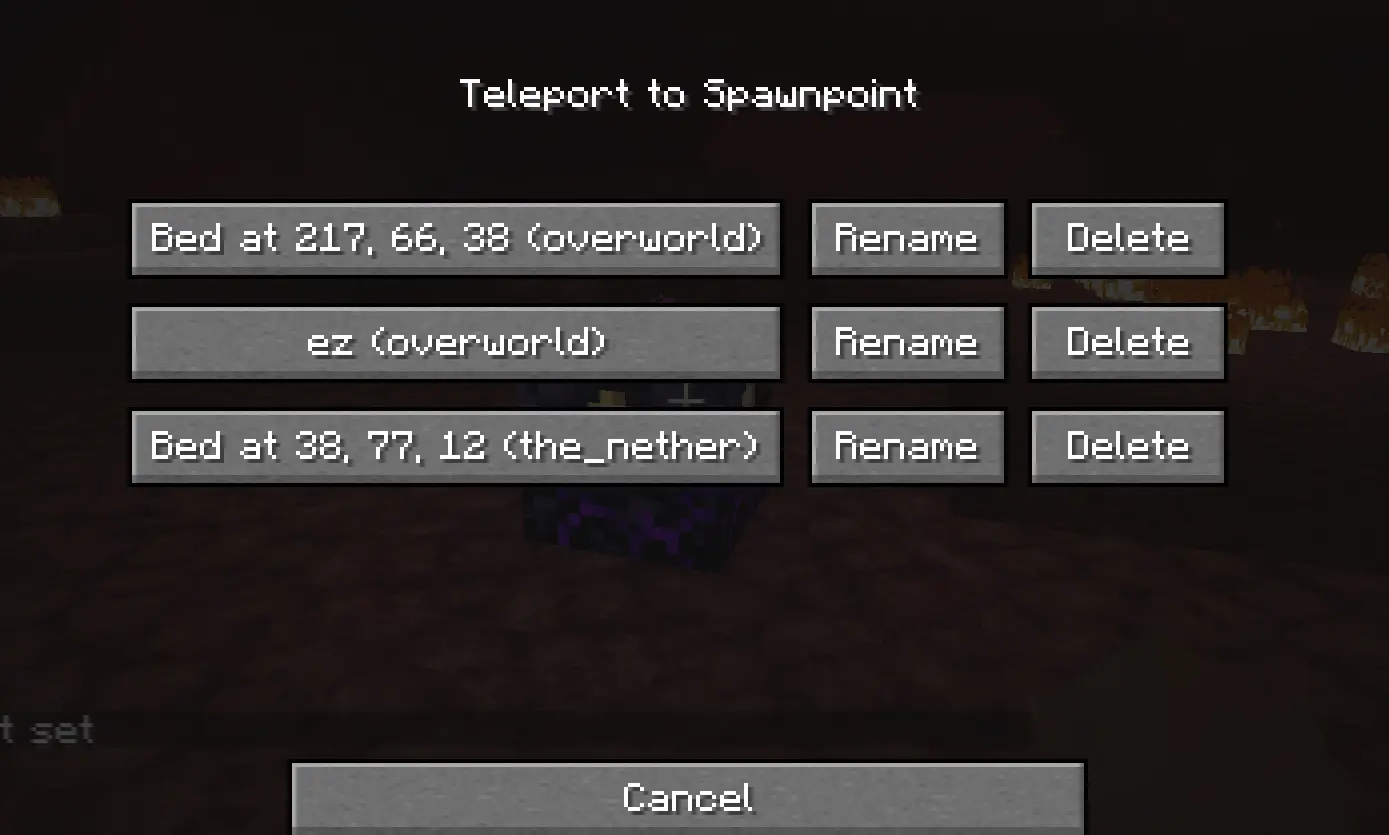
A clean, paginated GUI showing all your saved spawnpoints. Each entry shows the custom name (or auto-generated coordinates) and the dimension.
- Teleport directly to any spawnpoint with a click
- Rename any spawnpoint with a custom name
- Delete any spawnpoint you no longer need
✏️ Rename Spawnpoints
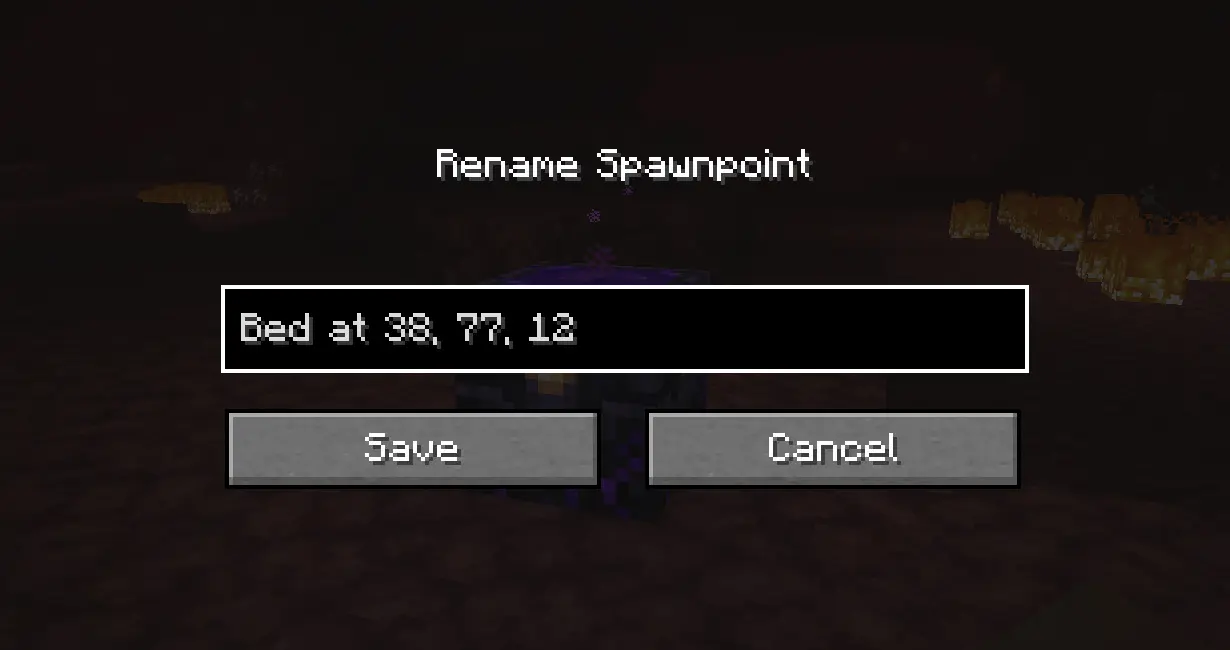
Give your spawnpoints meaningful names like "Main Base", "Nether Camp", or "Farm House". A text field lets you type any name and save it — the name persists permanently and survives server restarts.
💡 If you sleep in a bed you already named, the custom name is preserved — it won't reset to default coordinates.
💀 Death Screen — Choose Your Respawn
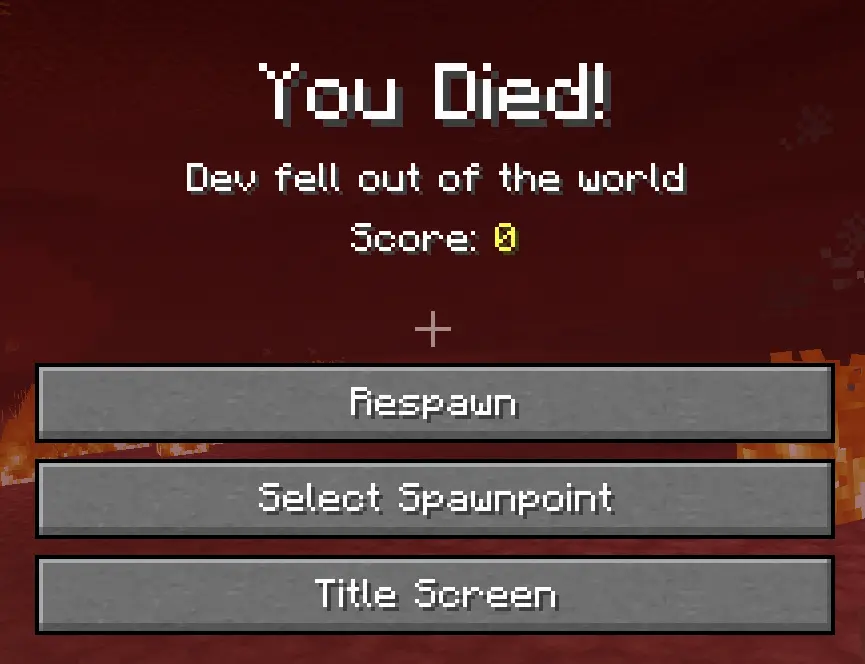
When you die, a new "Select Spawnpoint" button appears on the death screen.
- Browse your full spawnpoint history
- Choose exactly which bed or anchor to respawn at
- No more being stuck at the world spawn!
🔄 Smart Fallback System
If your active spawnpoint is broken or obstructed, the mod automatically searches backwards through your history and restores the most recent valid one. Destroyed or invalid entries are cleaned up automatically.
⚙️ Server Configuration
Server operators can configure the mod via the config file:
| Option | Default | Range | Description |
|---|---|---|---|
MAX_SPAWNPOINTS |
5 |
1 – 100 |
Maximum saved spawnpoints per player |
🔗 Links
- 🐛 Bug Reports Discord
Made with ❤️ by VIT THEO
🛏️ Better Spawnpoint
Better Spawnpoint replaces Minecraft's boring single-bed spawn system with a full spawn history manager — save multiple spawnpoints across all dimensions, teleport between them, rename them, and choose where you respawn when you die. Works with both Beds and Respawn Anchors in the Nether!
✨ Features
🖱️ Bed & Respawn Anchor Action Menu
Right-clicking a bed or a charged Respawn Anchor opens a custom action menu instead of the default interaction.
Bed:
"What would you like to do with this bed?"
- Sleep / Set Spawn — Sleep in the bed and add it to your spawnpoint history
- Teleport to Spawnpoint — Jump straight to your spawnpoint list
- Cancel
Respawn Anchor (Nether):
"What would you like to do with this Respawn Anchor?"
- Set Spawnpoint — Register the anchor as a spawnpoint (requires charges)
- Teleport to Spawnpoint — Open your spawnpoint list
- Cancel
🗺️ Spawnpoint Manager
A clean, paginated GUI showing all your saved spawnpoints. Each entry shows the custom name (or auto-generated coordinates) and the dimension.
- Teleport directly to any spawnpoint with a click
- Rename any spawnpoint with a custom name
- Delete any spawnpoint you no longer need
✏️ Rename Spawnpoints
Give your spawnpoints meaningful names like "Main Base", "Nether Camp", or "Farm House".
A text field lets you type any name and save it — the name persists permanently and survives server restarts.
💡 If you sleep in a bed you already named, the custom name is preserved — it won't reset to default coordinates.
💀 Death Screen — Choose Your Respawn
When you die, a new "Select Spawnpoint" button appears on the death screen.
- Browse your full spawnpoint history
- Choose exactly which bed or anchor to respawn at
- No more being stuck at the world spawn!
🔄 Smart Fallback System
If your active spawnpoint is broken or obstructed, the mod automatically searches backwards through your history and restores the most recent valid one. Destroyed or invalid entries are cleaned up automatically.
⚙️ Server Configuration
Server operators can configure the mod via the config file:
| Option | Default | Range | Description |
|---|---|---|---|
MAX_SPAWNPOINTS |
5 |
1 – 100 |
Maximum saved spawnpoints per player |
🔗 Links
- 🐛 Bug Reports Discord
Made with ❤️ by VIT THEO
Screenshots
Gallery
-
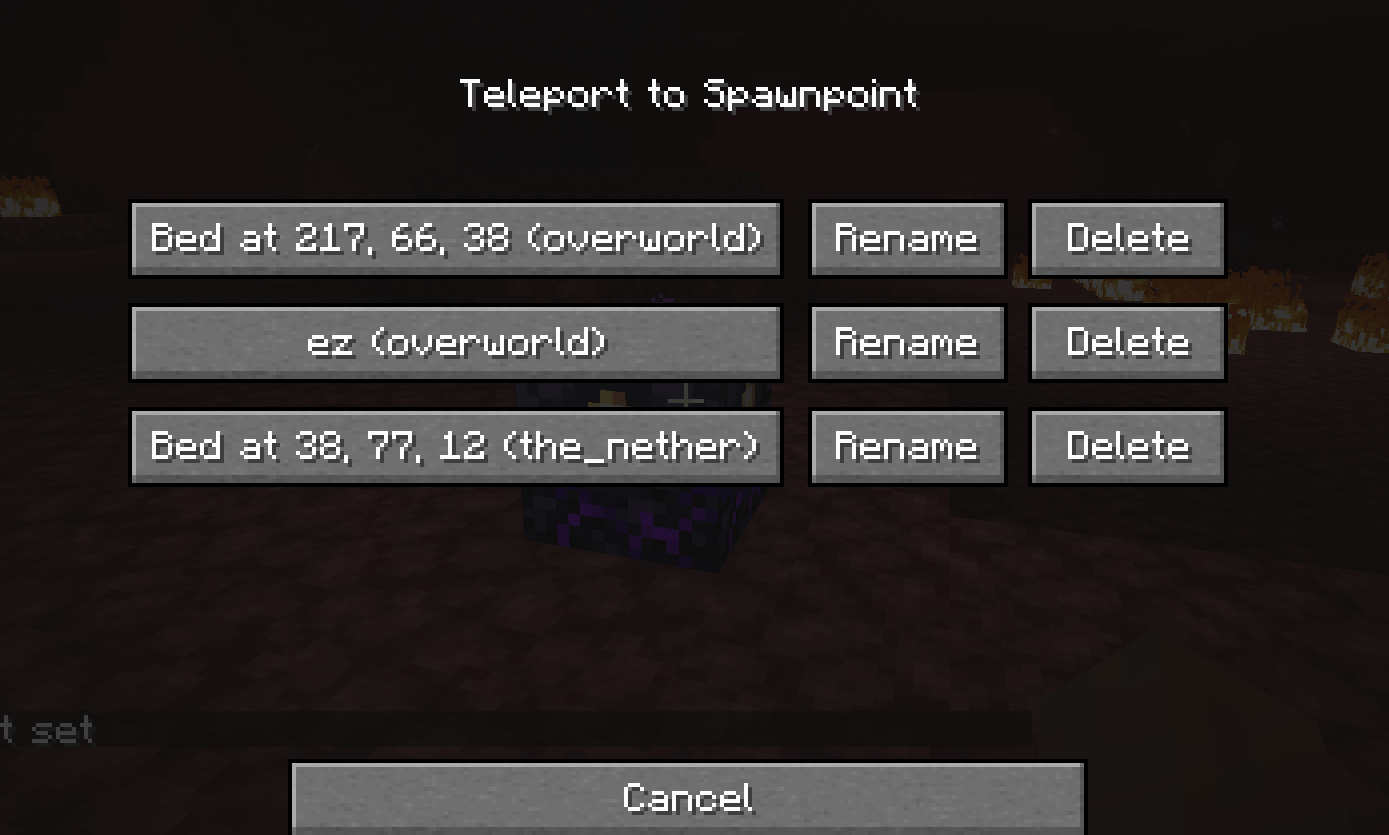 spawnpoint gui
 -
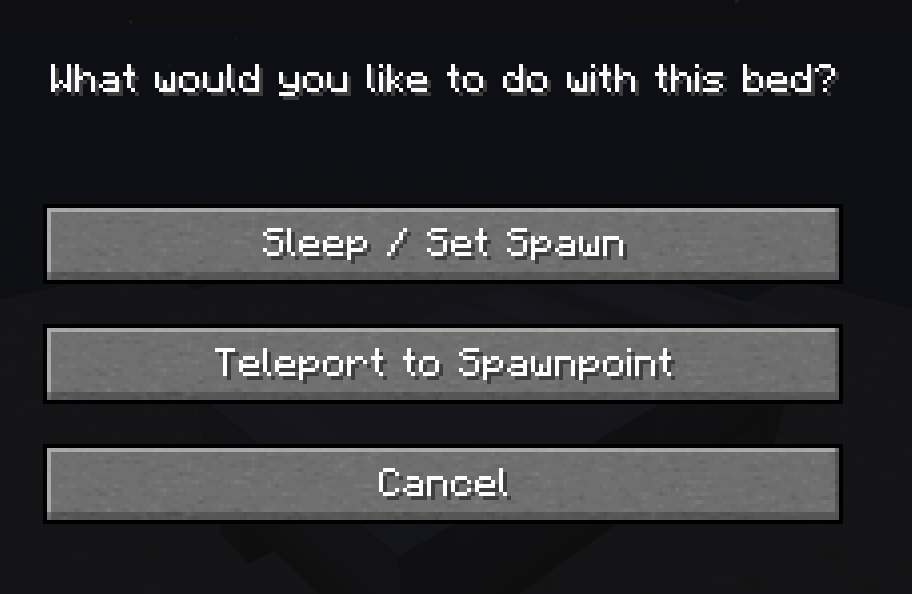 bed gui
 -
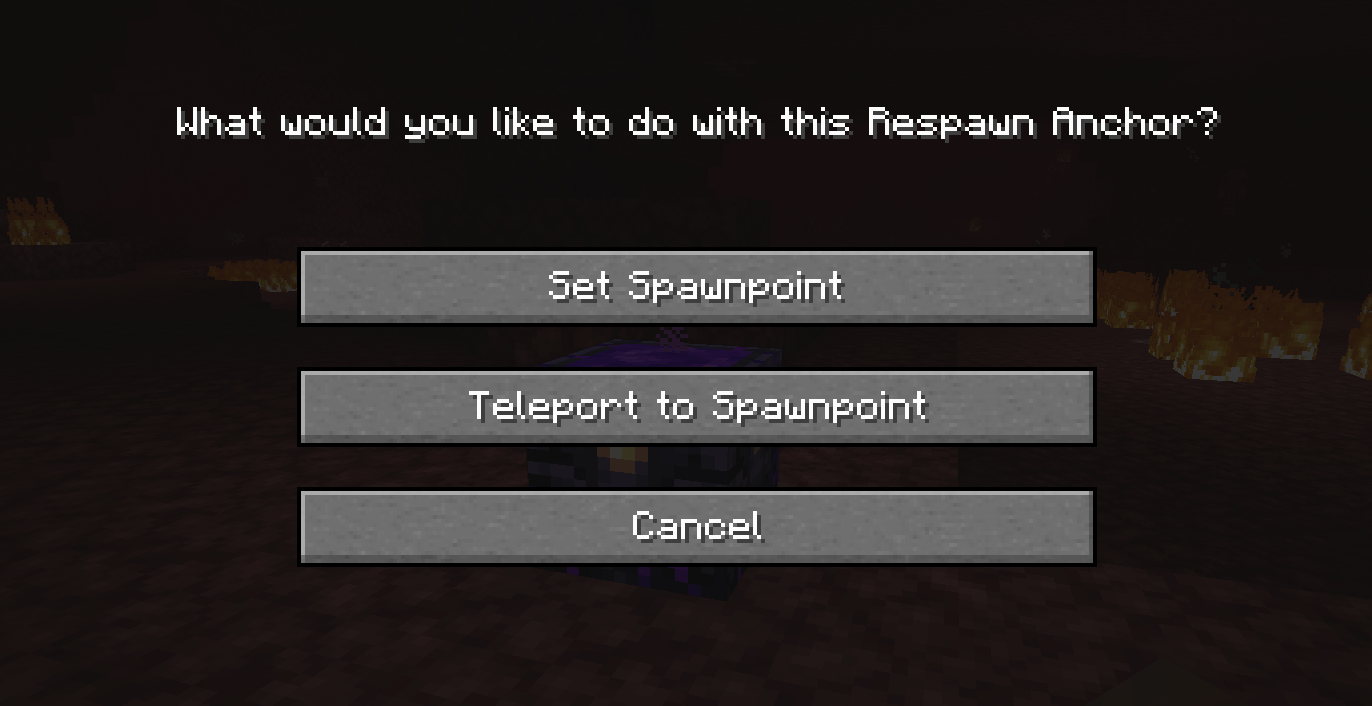 Anchors gui
 -
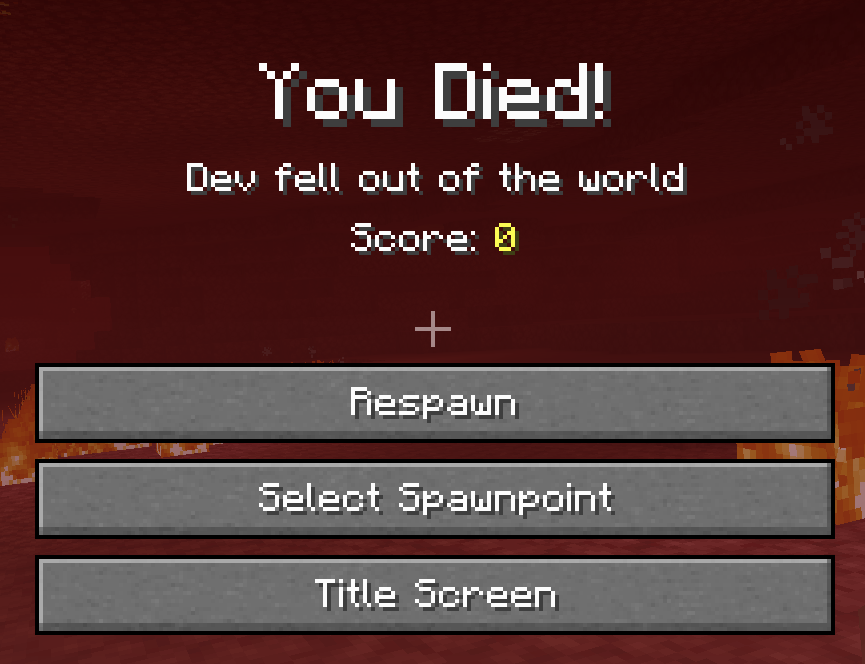 death gui
 -
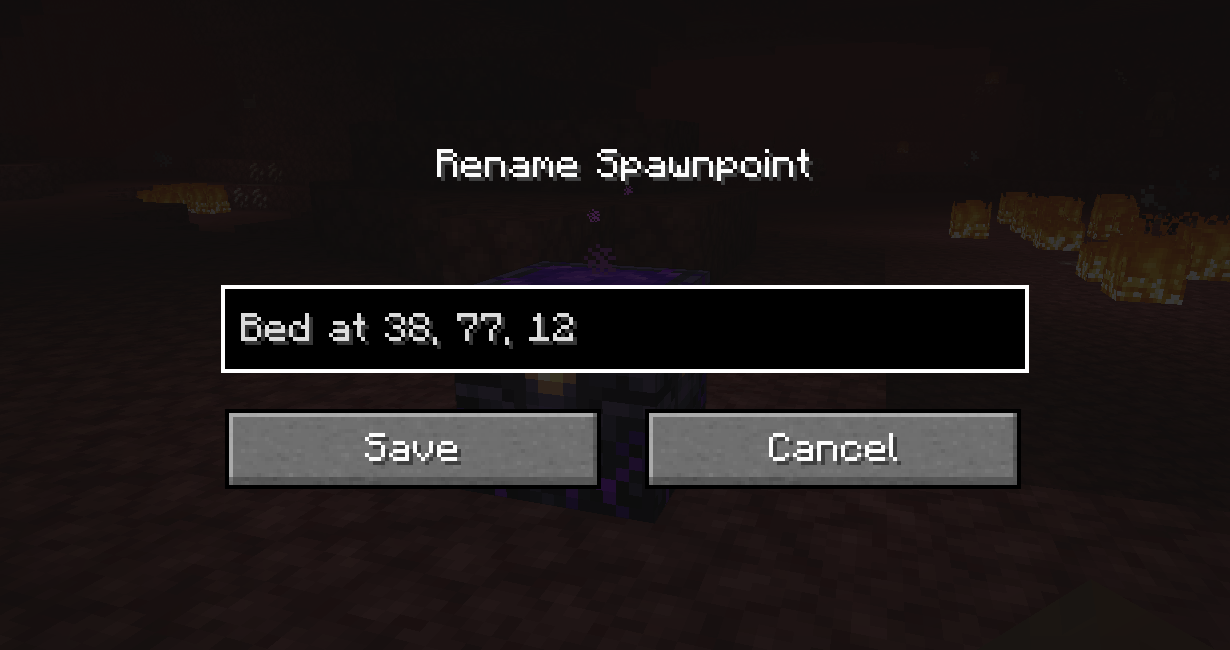 rename gui
 -
 logo
logo -
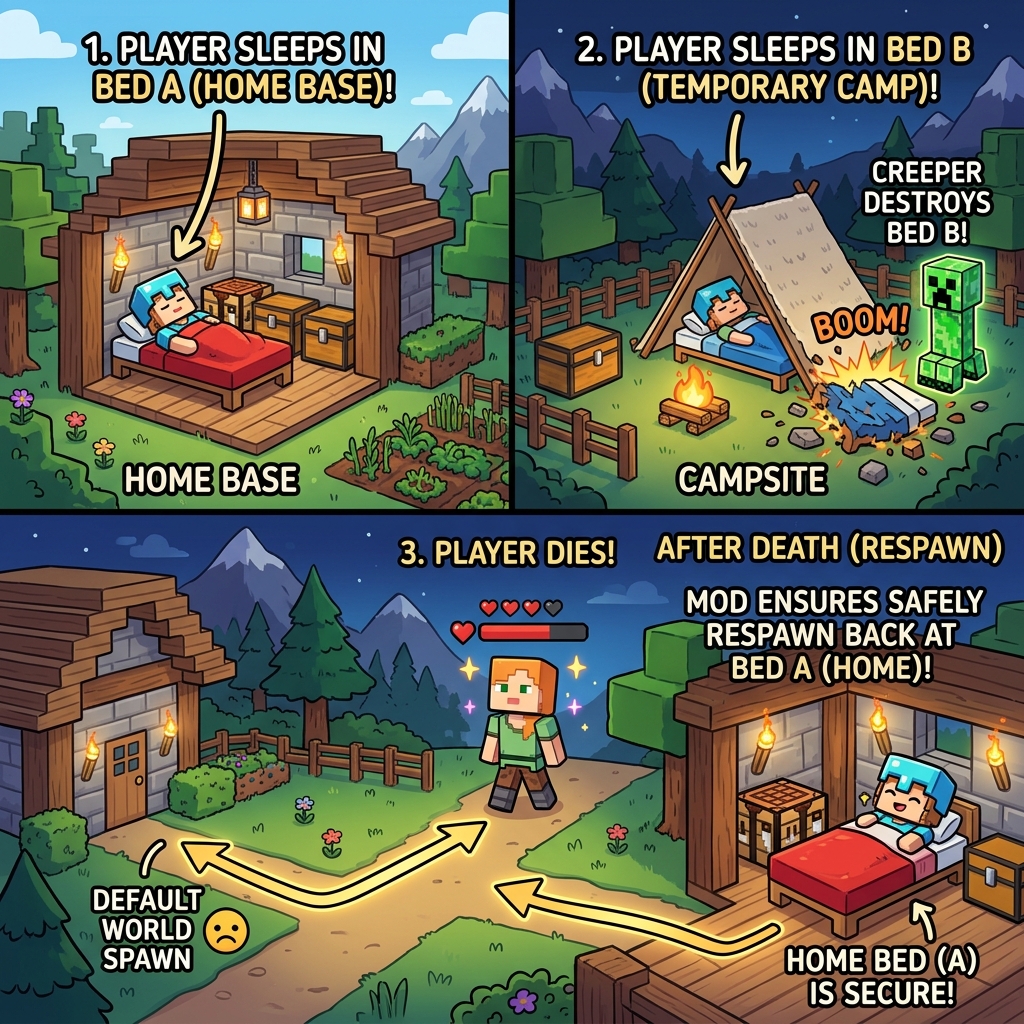 exemple
Versions
Files
Relations
Project Relations
More like this
Similar Mods
Suggestions use data such as tags, dependencies, dependents, descriptions, titles, and more to rank how much they overlap with this mod.
On ModDex
Community snapshot
By the numbers
Statistics
Want to reach Minecraft players?
We're looking for a server hosting partner to feature here and other parts of the site. Interested? Send us a message!
Get in touchGet it on
Available Platforms
On ModDex
Community snapshot
By the numbers
Statistics
Resources