Community listing page, reviews may not be monitored by the author.
Better UX

No reviews yet
Better User Experience, health bar, hunger bar, no more fire all over the screen, customize the HUD how ever you like and more.

Community voices
Reviews
No reviews yet. Be the first to review this project!
Get it on
Available Platforms
About
Project Details
For authors
Embed Badge
If you're the author of this project, you can embed a live badge anywhere that supports HTML or Markdown. It updates automatically whenever ratings change.
Use HTML for any page that supports it, or Markdown for README files and Markdown-based descriptions.
Identifiers
Platform IDs
Resources
External Links
About
Description
Porting to the rest of the versions down to 1.12.2 is in progress
DEV NOTE: accidently uploaded cursed blade on this project for 26.2, mistake fixed.
Overview
How many hearts is "a few hearts"? How long until you starve? Will this armor survive a creeper? Vanilla's rows of little icons make you guess. Better UX turns them into clean bars with the real numbers on them, so one glance tells you everything.
- Health: one bar with your exact health. Golden apple hearts show as a strip across the top, and after a hit a pale trail shows how much it cost you. The bar changes colour when you're poisoned, withering or freezing.
- Hunger: your hunger and your saturation, the hidden "fullness" vanilla never shows. Hold any food to see exactly what eating it will give you.
- Armor: two small shields show how much damage your armor really blocks, Protection enchantments included.
- On fire: the flames move to your health bar instead of covering your screen, so you can actually find the water.
- Underwater: your air becomes a timer that counts the seconds you have left and flashes red when you start drowning.
- Riding: your horse's health shows right where your hunger was.
- Experience, bosses and potions: your level sits on a sleek experience bar, boss bars show health in percent, and potion effects show how long they last and how strong they are.
- A cleaner screen: numbers fade away when nothing is happening and come back the moment something changes.
The first time you join a world, a quick visual tour shows you what everything means. Better UX is lighter than the vanilla HUD it replaces, so there's no FPS cost. Press J any time to switch back to the plain vanilla HUD, and again to bring yours back.
Presets
Pick a style in one click, then make it your own.
| Preset | Feels like |
|---|---|
| Minecraft | Everything where you're used to it, just clearer. Numbers fade when nothing is happening. |
| ARPG | Health in the bottom-left corner and hunger in the bottom-right, like an action RPG. Numbers always on. |
| MMORPG | A character frame in the top-left corner with your portrait, health and hunger, like your favourite MMO. Your portrait turns to look where you're aiming and wears your helmet. Numbers always on. |
| Custom | Your own design. Change anything and you're on Custom, which saves automatically, so your latest changes are never lost. |
Found a layout you love? Press Save to keep it in its own slot and switch back to it any time. Saving always makes a new slot, so you never overwrite one by accident, and a saved slot stays exactly as you left it.
Edit Mode
Press U and the whole HUD becomes editable while you watch. A panel on the side lists every part of the HUD, and you can dock it to either side of the screen so it never gets in the way.
- Move: drag anything anywhere. It snaps neatly into place and stays put at any window size.
- Resize: make the bars shorter or longer.
- Flip: choose which way a bar empties, or which side of the shield its number sits on.
- Hide: make any part invisible.
- Go vanilla: switch a single part back to its vanilla version. Want the classic hearts with everything else upgraded? Easy.
- Tweak: slide your level along the experience bar, turn the portrait's helmet on or off, or choose whether numbers fade, always show or stay hidden.
- Reset: put any part back where it started.
Not sure what something does? Press the ? button in edit mode to replay the tour. Both keys can be changed under Options → Controls → Better UX.
Screenshots
Gallery
-
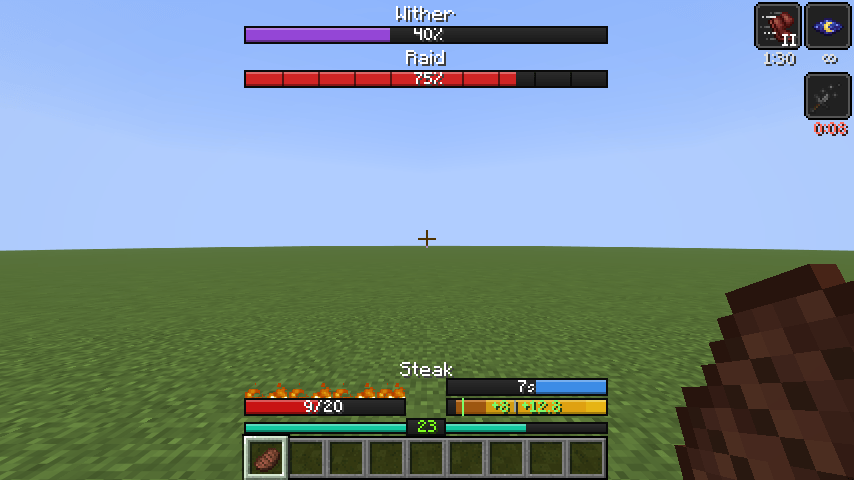 bars bosses effects fire
-
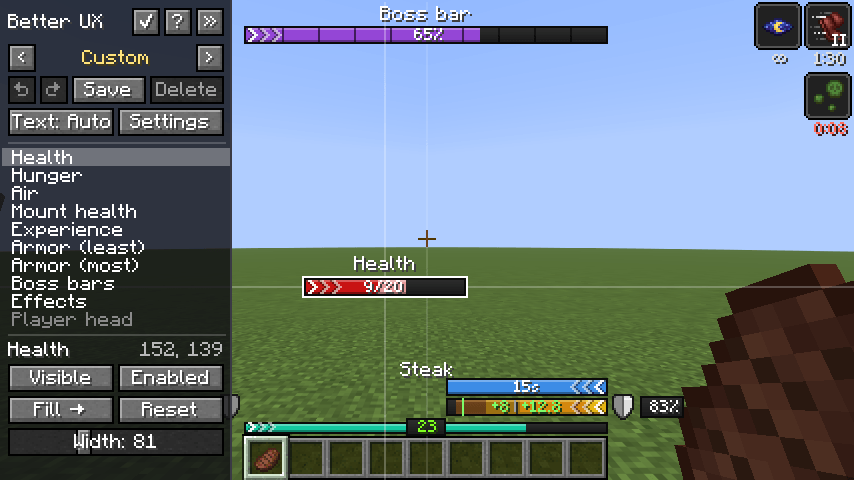 Edit Mode
-
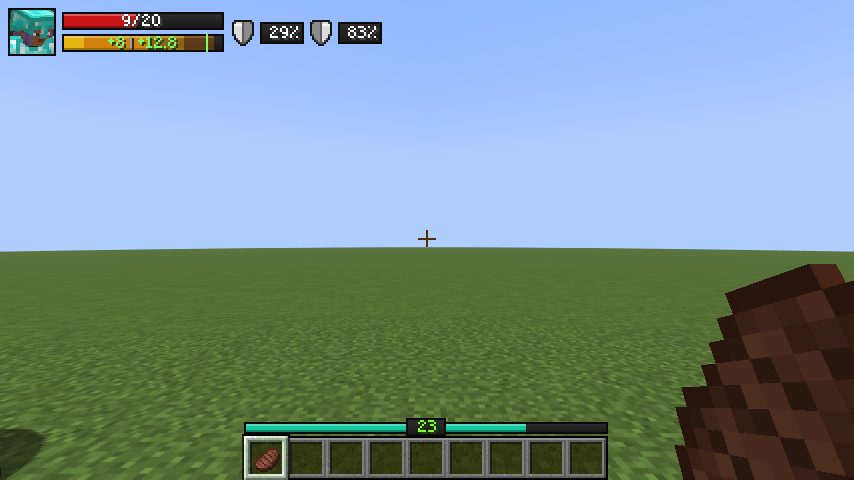 MMORPG Preset
-
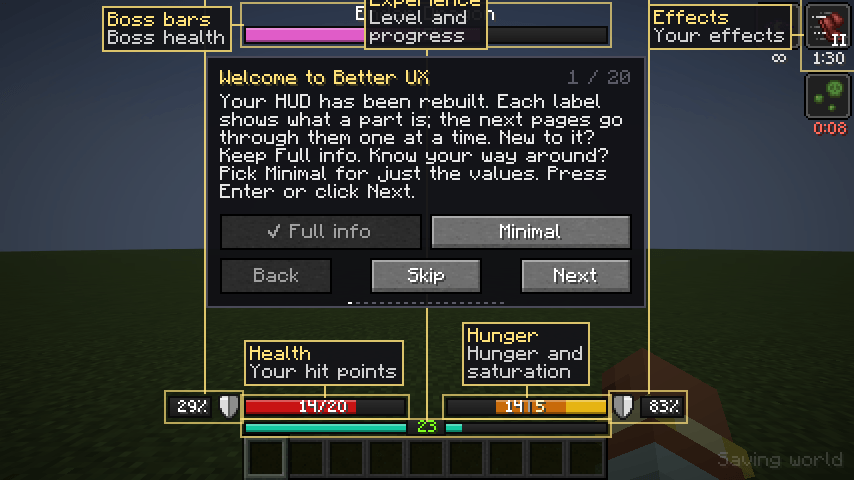 Tutorial
-
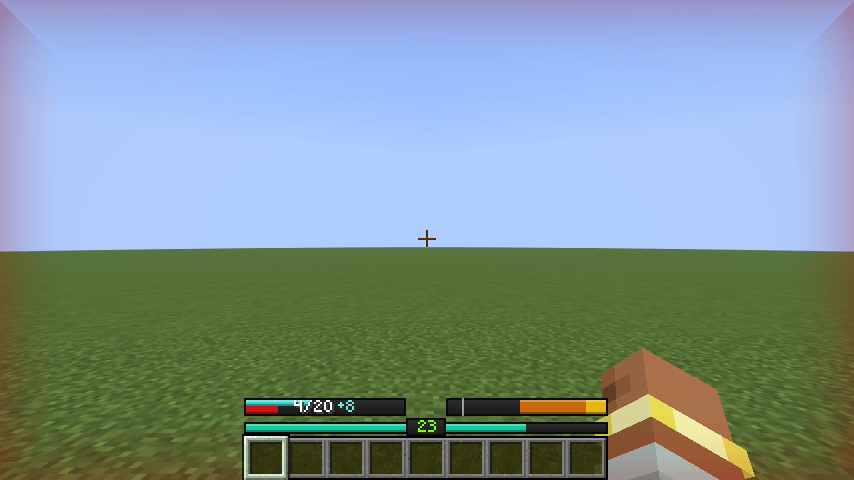 Low Health
-
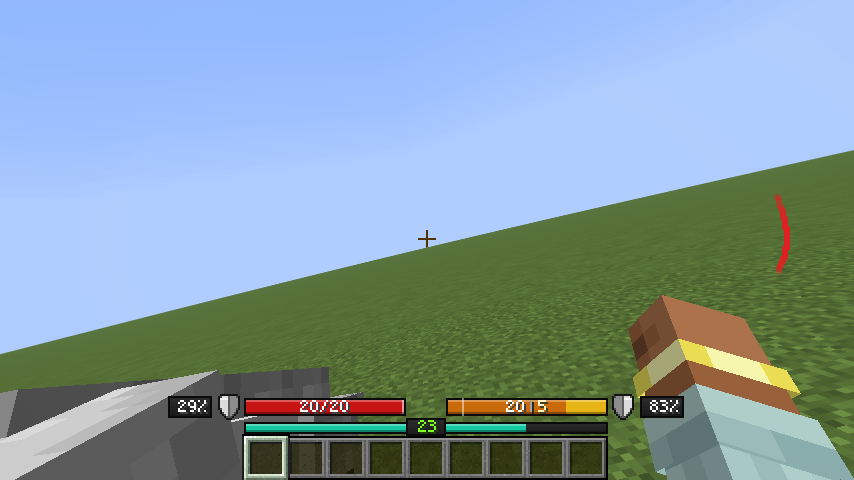 Directional Damage
-
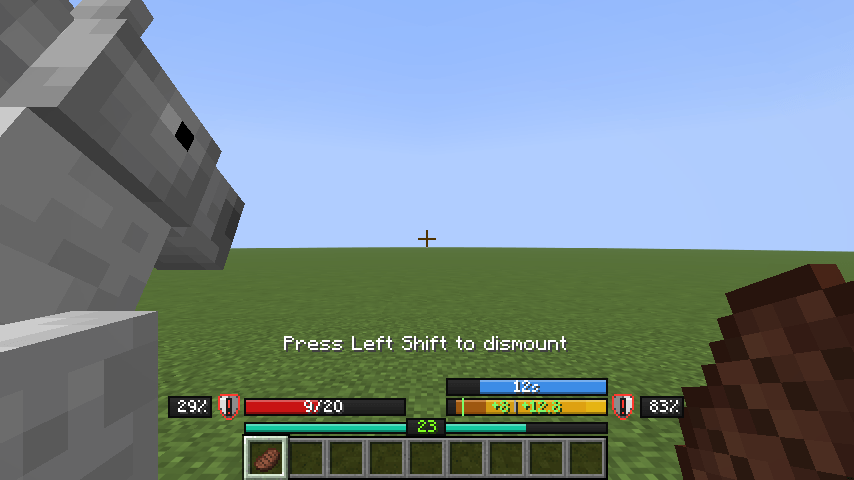 Low Armor Durability
Versions
Files
Relations
Project Relations
More like this
Similar Mods
Suggestions use data such as tags, dependencies, dependents, descriptions, titles, and more to rank how much they overlap with this mod.
On ModDex
Community snapshot
By the numbers
Statistics

Get it on
Available Platforms
On ModDex
Community snapshot
By the numbers
Statistics
Resources