
Community listing page, reviews here may not be monitored by the author.
BetterChatHeads

No reviews yet
BetterChatHeads adds player heads next to chat messages, making multiplayer chat clearer, more visual, and easier to read.
Community voices
Reviews
No reviews yet. Be the first to review this project!
Get it on
Available Platforms
Compatibility
Supported Environments
Runs entirely on the client. Works on vanilla servers.
About
Project Details
For authors
Embed Badge
If you're the author of this project, you can embed a live badge anywhere that supports HTML or Markdown. It updates automatically whenever ratings change.
Use HTML for any page that supports it, or Markdown for README files and Markdown-based descriptions.
Identifiers
Platform IDs
About
Description
Better Chat Heads
A high-performance, client-side chat visual enhancement utility for the Fabric ecosystem.


Overview
Better Chat Heads seamlessly injects real-time player head avatars next to chat messages within multiplayer environments. Engineered to enhance spatial awareness and visual readability in high-traffic chat streams, this client-side utility features intelligent skin synchronization pipelines and advanced regex pattern matching to support complex, rank-heavy server message formats without impacting frame rendering times.
Key Features
- Contextual Avatar Injection — Dynamically renders player heads alongside validated multiplayer chat vectors, fully supporting secondary skin layers, overlays, hats, and hair geometry.
- Smart Skin Sync+ & Live Swap — Features an automated retry pipeline for initially unresolved skin textures, transitioning smoothly from default asset fallbacks (Steve/Alex) to verified player skins in real-time.
- Per-Server Profile Isolation — Automatically preserves unique configuration parameters customized to individual server environments.
- Adaptive Pattern Ingestion — Utilizes a local learning cache to dynamically index, memorize, and parse server-specific chat prefixes, rank structures, and custom message separators.
- Granular UI Scaling — Includes options for compact layout modes, custom head introduction animations, and adjustable frame-timing variables.
- Zero Server Overhead — Operates entirely within the local client runtime. Features an integrated configuration panel and optional Mod Menu compatibility with instant state saving.
Installation Guide
- Dependency Verification: Ensure the target environment has the correct iteration of the Fabric API installed.
- Deployment: Place the compiled
BetterChatHeadsbinary payload directly into your localmodsdirectory. - Initialization: Launch the runtime client and access the localized configuration panel layout to adjust pacing and cache rules.
Available exclusively for the Fabric Mod Loader ecosystem.
Screenshots
Gallery
-
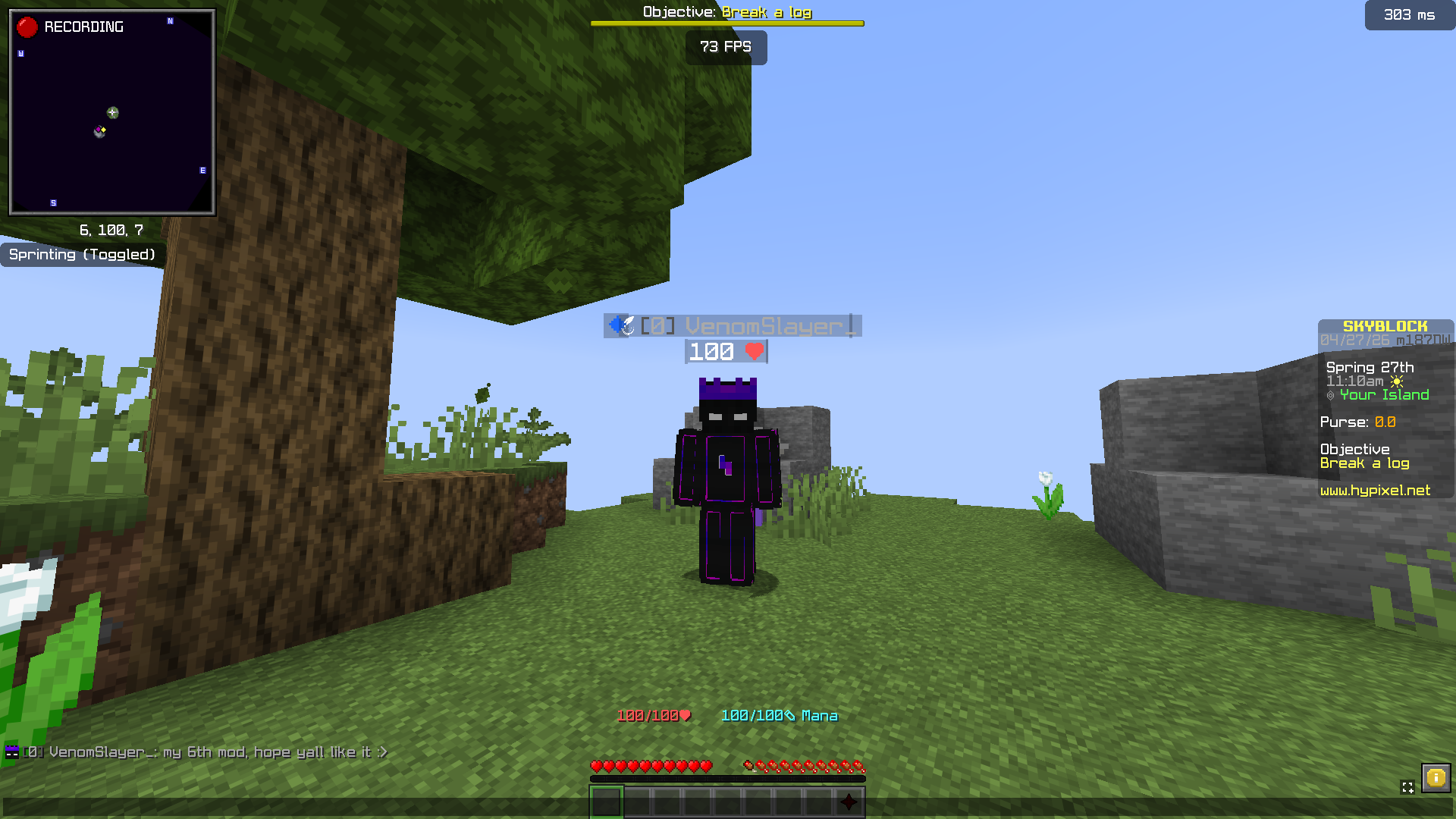 Player Heads in Chat Instantly recognize players with clean chat heads next to every message.
 -
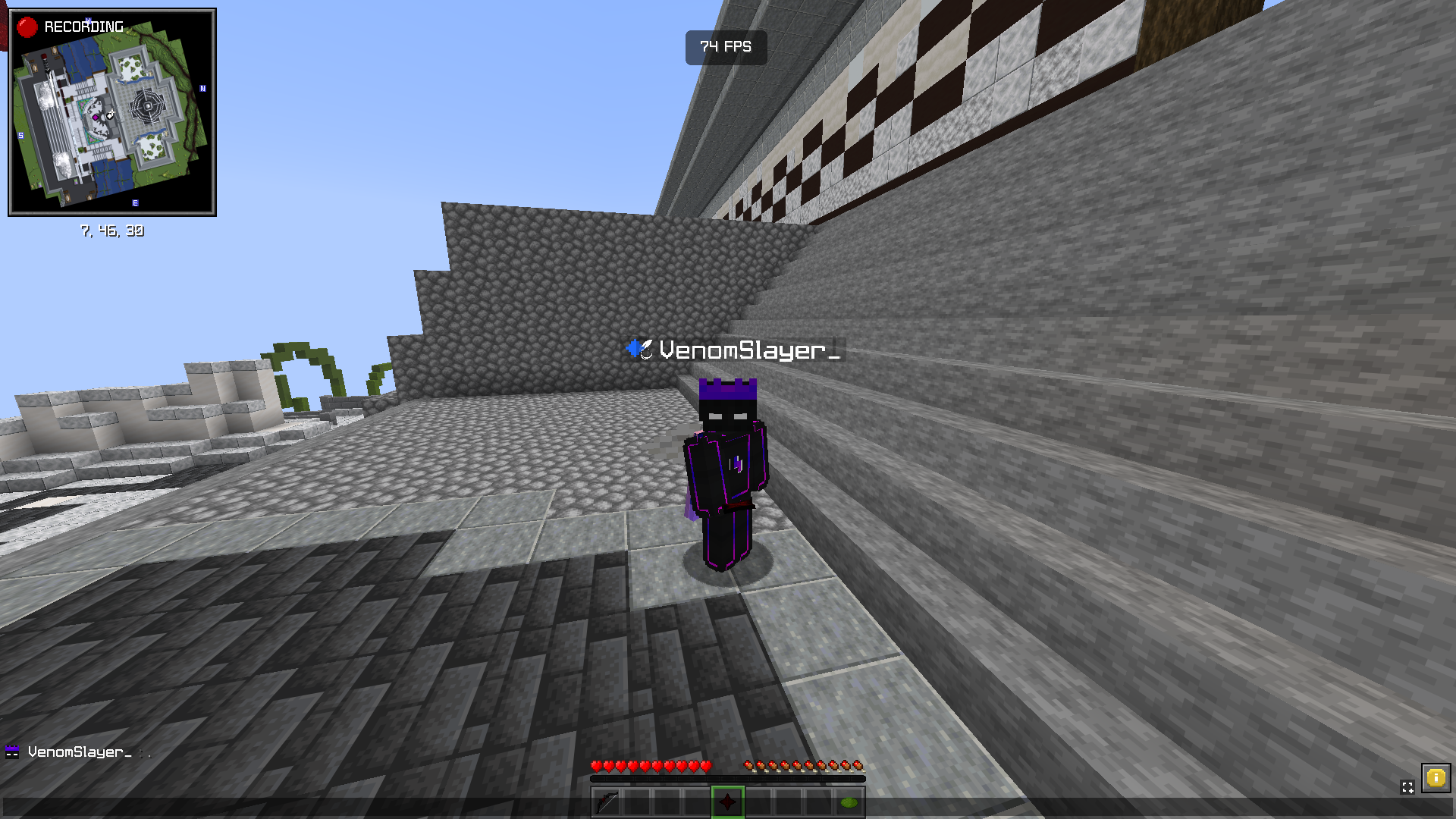 Works on All Servers Supports both premium and cracked servers with automatic fallback to default heads.
 -
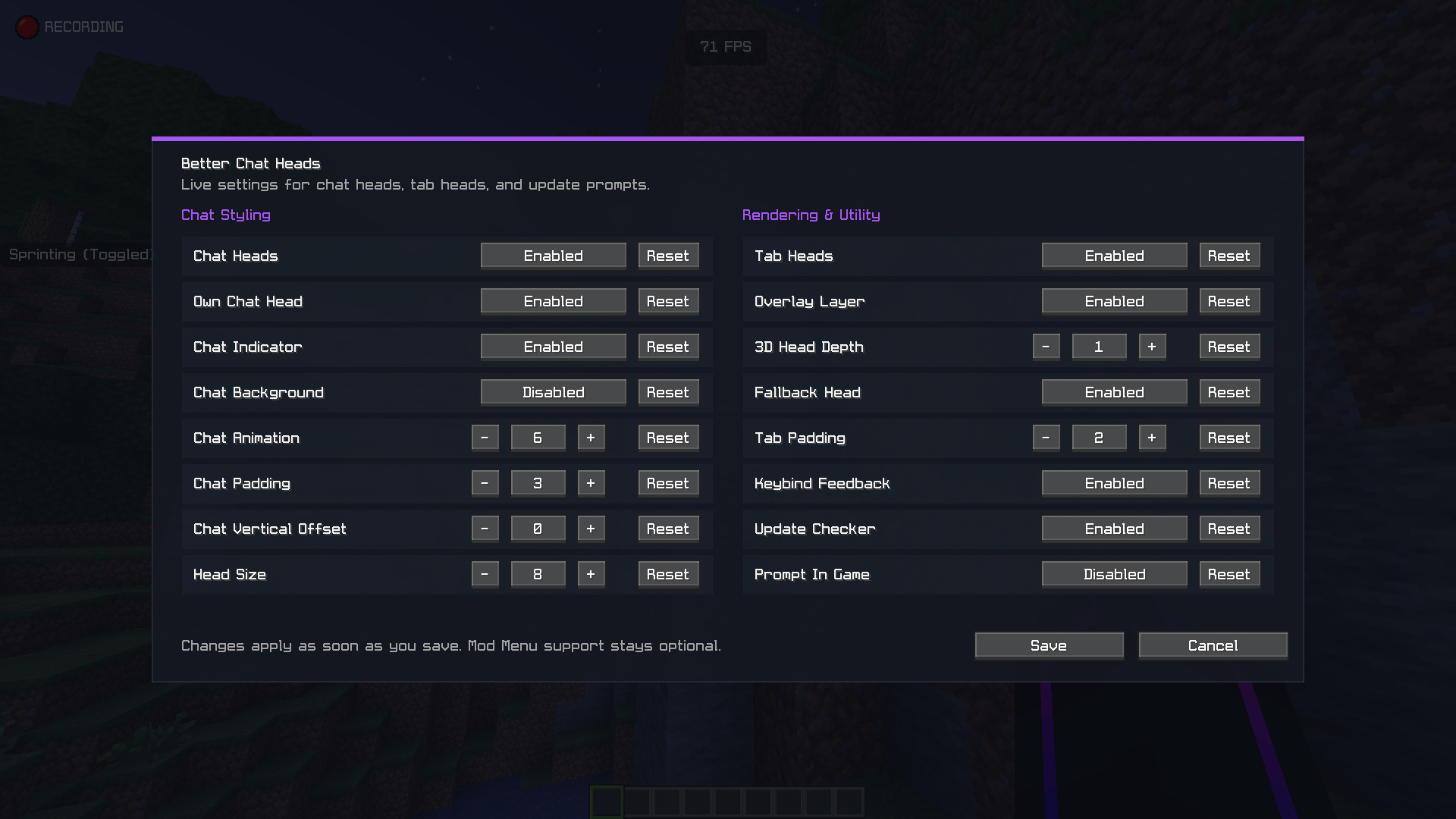 Simple Config Menu Easily toggle features and customize behavior with a clean settings menu.
 -
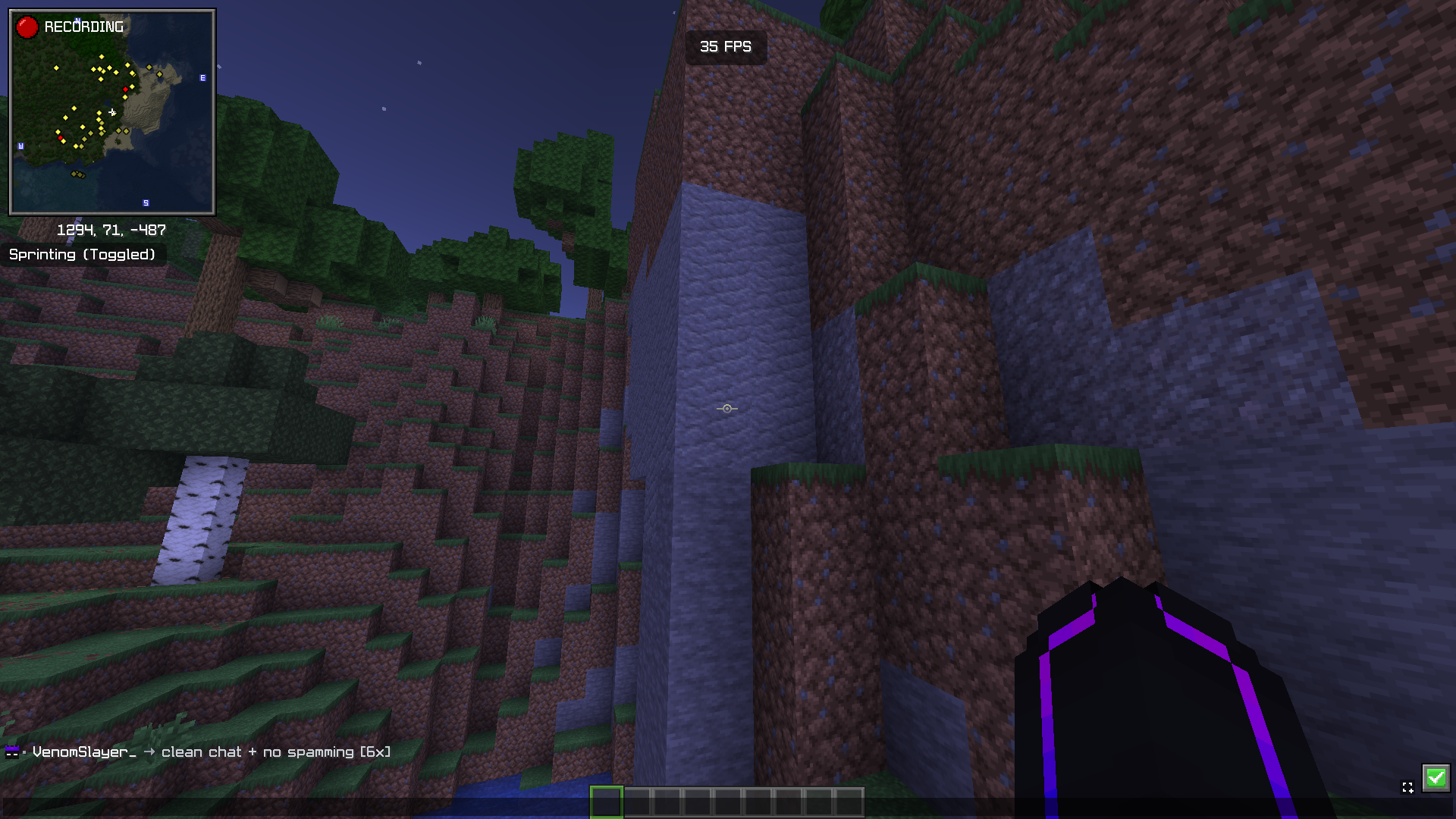 Clean & Minimal Chat Shows a clean chat duplicates multiplier (like 2x, 3x, 5x) when anyone spams single message several times in chat. This makes the chat clean and less clutter
Versions
Files
Relations
Project Relations
More like this
Similar Mods
Suggestions use data such as tags, dependencies, dependents, descriptions, titles, and more to rank how much they overlap with this mod.
On ModDex
Community snapshot
By the numbers
Statistics

Want to reach Minecraft players?
We're looking for a server hosting partner to feature here and other parts of the site. Interested? Send us a message!
Get in touchGet it on
Available Platforms
On ModDex
Community snapshot
By the numbers