Community listing page, reviews here may not be monitored by the author.
BetterLAN


No reviews yet
Seamless intra-group networking for Minecraft. Connects players via any BetterLAN node service with military-grade End-to-End Encryption (E2EE) and real-time host approval.

Community voices
Reviews
No reviews yet. Be the first to review this project!
Get it on
Available Platforms
Compatibility
Supported Environments
Runs entirely on the client. Works on vanilla servers.
About
Project Details
For authors
Embed Badge
If you're the author of this project, you can embed a live badge anywhere that supports HTML or Markdown. It updates automatically whenever ratings change.
Use HTML for any page that supports it, or Markdown for README files and Markdown-based descriptions.
Identifiers
Platform IDs
About
Description
BetterLAN - Play "LAN" with friends anywhere, securely.
Introduction
BetterLAN is a networking mod that completely redefines how you play Minecraft with your friends. Say goodbye to complex port forwarding, router settings, or heavy third-party VPNs like Hamachi. BetterLAN connects players via a lightweight central relay node, making remote worlds appear directly in your Vanilla Multiplayer server list as if you were sitting in the same room.
Key Features
Zero Configuration Networking: Just publish your single-player world to LAN. Friends in your configured "Group" will instantly see your world in their Multiplayer menu.
End-to-End Encryption (E2EE): All game traffic is encrypted locally before leaving your computer. The relay node only forwards encrypted bytes and cannot read your game data.
Host Control: Whenever someone tries to join your world, you get a clickable prompt in your chat to [Accept] or [Reject] their connection.
Presence System: See who in your friend group is currently online and check their ping to the node in real-time via the in-game Node Config UI.
Offline UUID Fixes: Built-in support to fix UUIDs for offline-mode auth, ensuring player inventories and stats remain consistent.
How to Use
Configure: Click the [Node Config] button on the Main Menu. Enter the Node IP/Port, and agree on a secret Group name and Password with your friends.
Host: Open your single-player world and click "Open to LAN". The mod will automatically sync your room to the cloud.
Join: Your friends go to the standard "Multiplayer" menu. Your world will magically appear in their list.
Verify & Play: When a friend double-clicks to join, both of you will see a 6-digit Security Fingerprint. Verify it via voice chat, and the host clicks [Accept] in the game chat to let them in!
Details & Security Architecture
BetterLAN is built with a zero-trust architecture to ensure your gameplay and data remain strictly private:
ECDH Key Exchange: When a connection is established, the Host and Guest generate temporary Elliptic-Curve (EC) key pairs and exchange public keys to derive a shared secret.
AES-CTR Encryption: All Minecraft packets are wrapped in an AES-CTR encryption layer using the derived shared secret.
MITM Protection (Fingerprinting): To prevent malicious relay nodes or network hijackers from performing Man-in-the-Middle (MITM) attacks, the mod displays a 6-digit hex fingerprint (a SHA-256 hash of the final AES session key) to both the Host and the Guest. If the fingerprints match on both screens, the mathematical guarantee is that the connection is absolutely secure and untampered with.
BetterLAN - Play "LAN" with friends anywhere, securely.
Introduction
BetterLAN is a networking mod that completely redefines how you play Minecraft with your friends. Say goodbye to complex port forwarding, router settings, or heavy third-party VPNs like Hamachi. BetterLAN connects players via a lightweight central relay node, making remote worlds appear directly in your Vanilla Multiplayer server list as if you were sitting in the same room.
Key Features
Zero Configuration Networking: Just publish your single-player world to LAN. Friends in your configured "Group" will instantly see your world in their Multiplayer menu.
End-to-End Encryption (E2EE): All game traffic is encrypted locally before leaving your computer. The relay node only forwards encrypted bytes and cannot read your game data.
Host Control: Whenever someone tries to join your world, you get a clickable prompt in your chat to [Accept] or [Reject] their connection.
Presence System: See who in your friend group is currently online and check their ping to the node in real-time via the in-game Node Config UI.
Offline UUID Fixes: Built-in support to fix UUIDs for offline-mode auth, ensuring player inventories and stats remain consistent.
How to Use
Configure: Click the [Node Config] button on the Main Menu. Enter the Node IP/Port, and agree on a secret Group name and Password with your friends.
Host: Open your single-player world and click "Open to LAN". The mod will automatically sync your room to the cloud.
Join: Your friends go to the standard "Multiplayer" menu. Your world will magically appear in their list.
Verify & Play: When a friend double-clicks to join, both of you will see a 6-digit Security Fingerprint. Verify it via voice chat, and the host clicks [Accept] in the game chat to let them in!
Details & Security Architecture
BetterLAN is built with a zero-trust architecture to ensure your gameplay and data remain strictly private:
ECDH Key Exchange: When a connection is established, the Host and Guest generate temporary Elliptic-Curve (EC) key pairs and exchange public keys to derive a shared secret.
AES-CTR Encryption: All Minecraft packets are wrapped in an AES-CTR encryption layer using the derived shared secret.
MITM Protection (Fingerprinting): To prevent malicious relay nodes or network hijackers from performing Man-in-the-Middle (MITM) attacks, the mod displays a 6-digit hex fingerprint (a SHA-256 hash of the final AES session key) to both the Host and the Guest. If the fingerprints match on both screens, the mathematical guarantee is that the connection is absolutely secure and untampered with.
Screenshots
Gallery
-
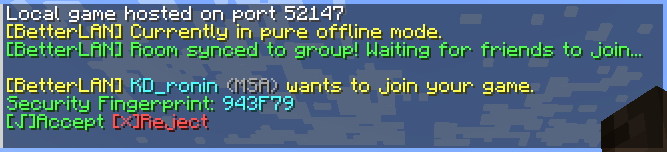 When the player tries to connect When a player tries to enter your world, you will be prompted with a set of options. Unless you explicitly approve the request (or if you ignore it), they cannot join via this mod's multiplayer function. Furthermore, a 6-digit security fingerprint is pro
 -
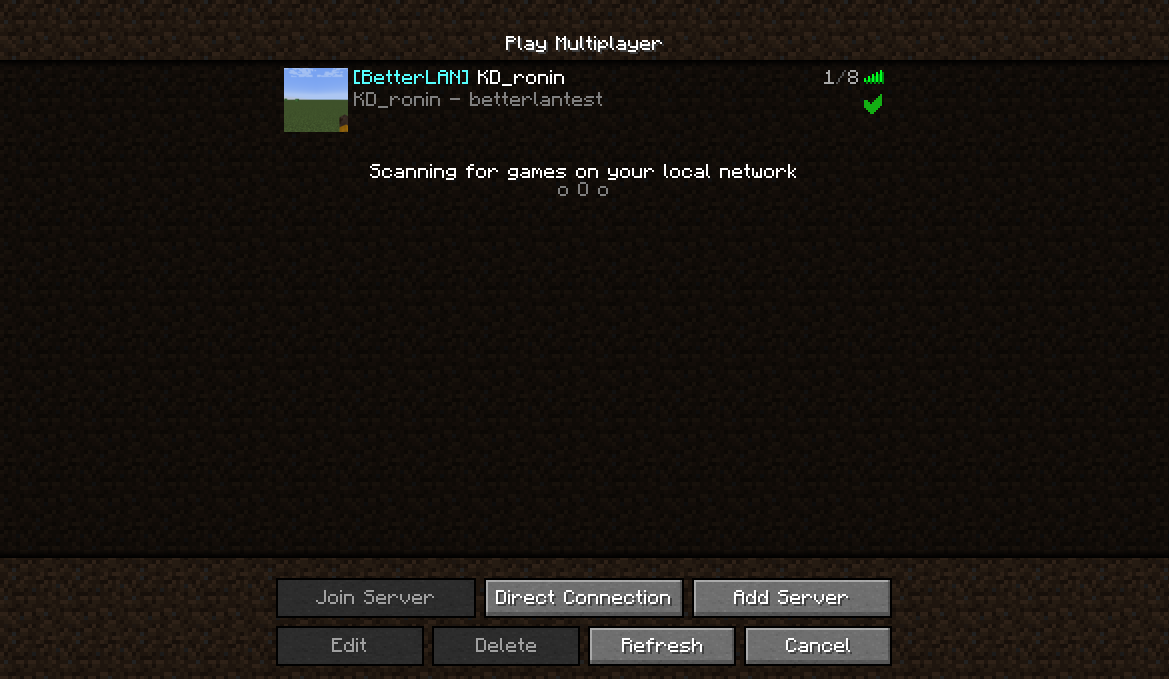 Multiplayer
 -
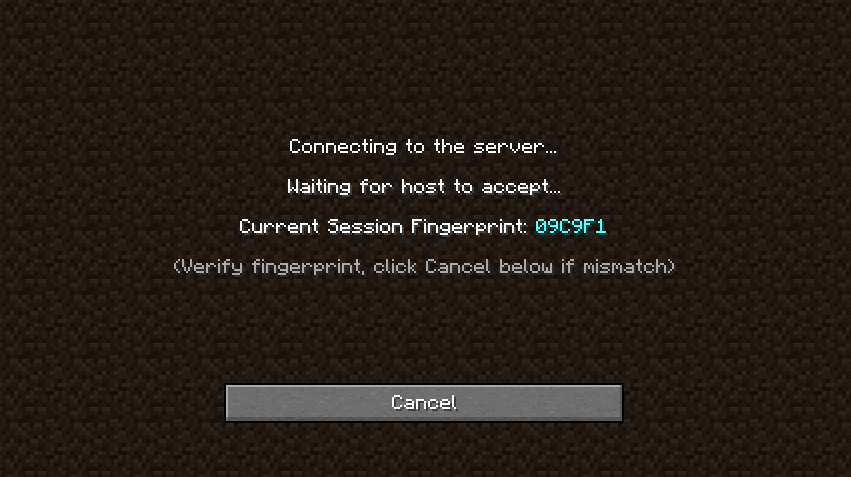 When attempting to join a world When you attempt to join a multiplayer game, this mod renders additional content on the "Connecting to the server..." screen. Its primary purpose is to display a six-digit fingerprint for you to verify with the host.
 -
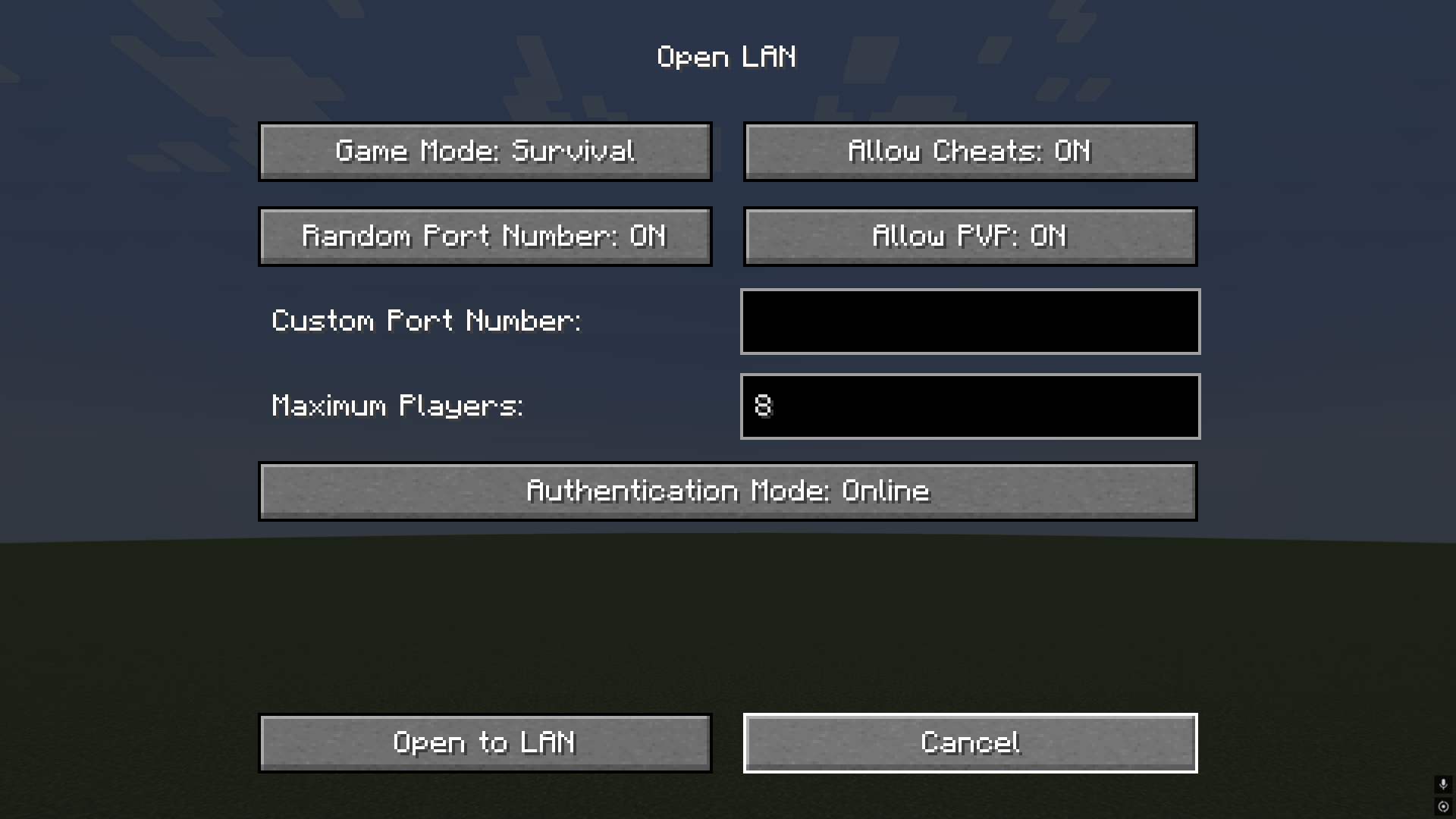 Open LAN This is the modified Open to LAN interface.
 -
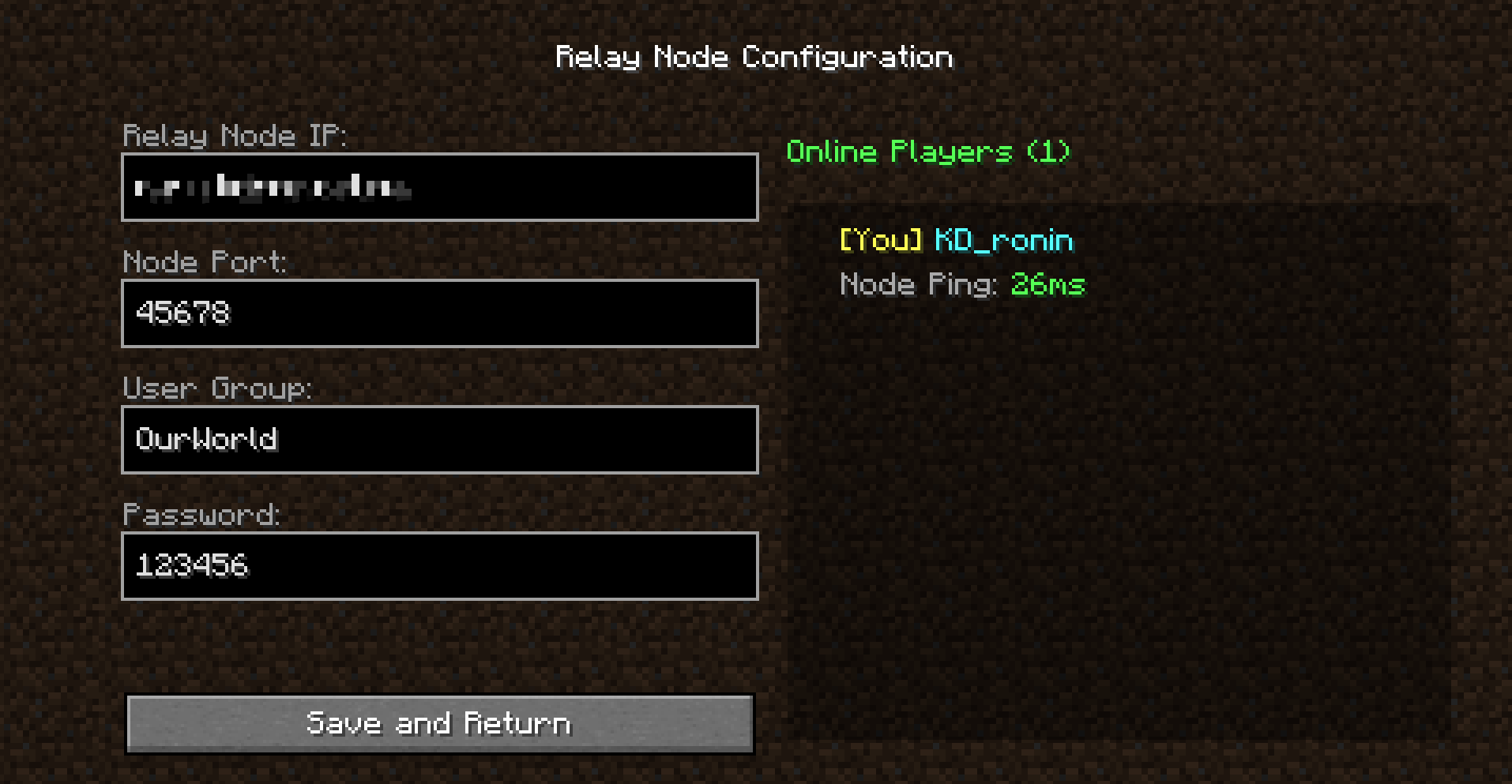 Relay Node Configuration Interface for configuring the relay server and group settings, accessed via the "BetterLAN" button on the main interface.
Versions
Files
Relations
Project Relations
More like this
Similar Mods
Suggestions use data such as tags, dependencies, dependents, descriptions, titles, and more to rank how much they overlap with this mod.
On ModDex
Community snapshot
By the numbers
Statistics
 (opens in a new tab)
Get it on
Available Platforms
On ModDex
Community snapshot
By the numbers