Big Salmon
No reviews yet
Highly customizable variable salmon spawning sizes with support for custom loot tables for big salmon.
Fabric is a mod loader for versions 1.14+ of Minecraft, particularly popular for client side and optimization mods.
Community voices
Reviews
Click once to include, again to exclude, again to clear
No reviews yet. Be the first to review this project!
Get it on
Available Platforms
 Modrinth
Compatibility
Supported Environments
About
Project Details
For authors
Embed Badge
If you're the author of this project, you can embed a live badge anywhere that supports HTML or Markdown. It updates automatically whenever ratings change.
Use HTML for any page that supports it, or Markdown for README files and Markdown-based descriptions.
Identifiers
Platform IDs
Resources
External Links
About
Description
Big Salmon
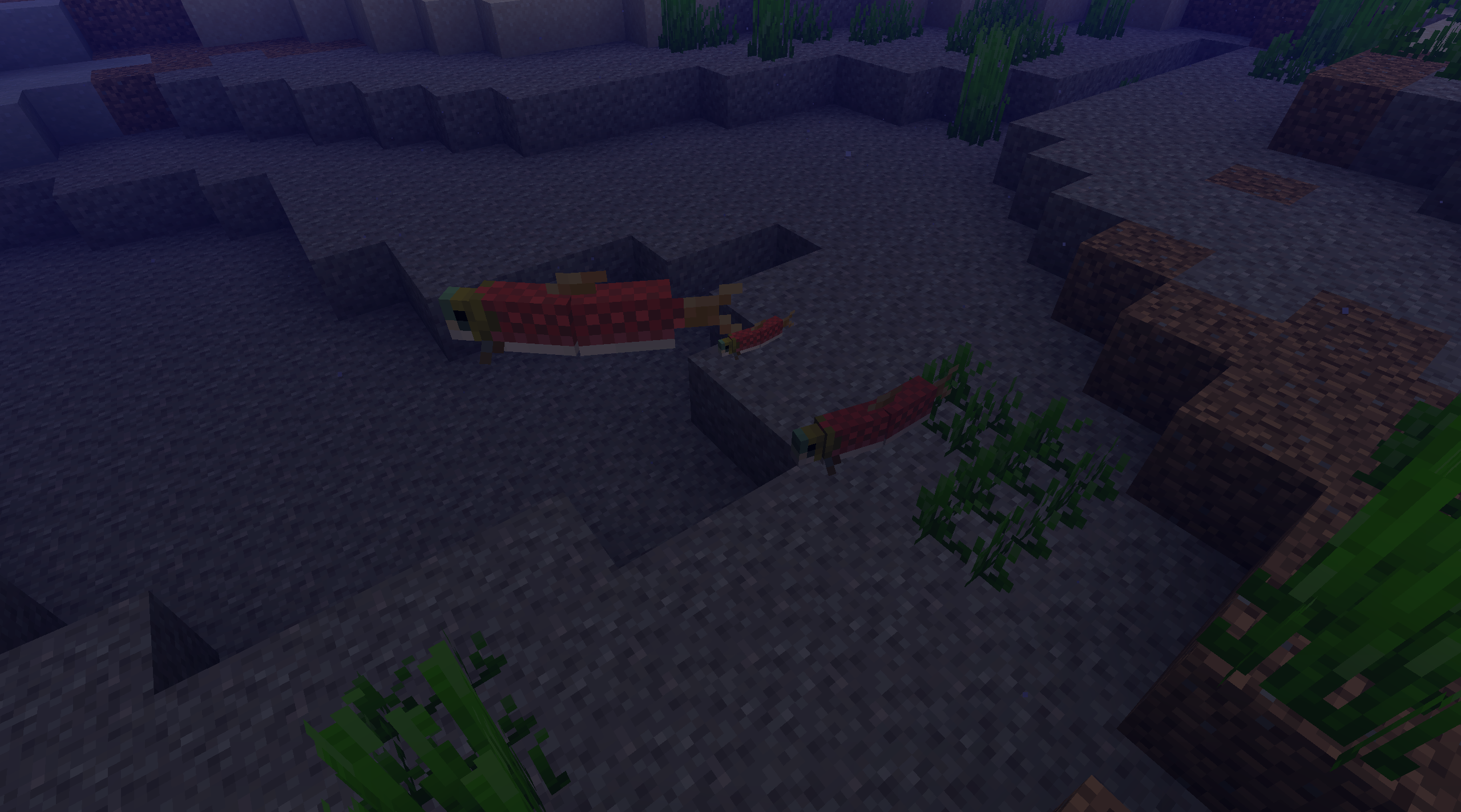
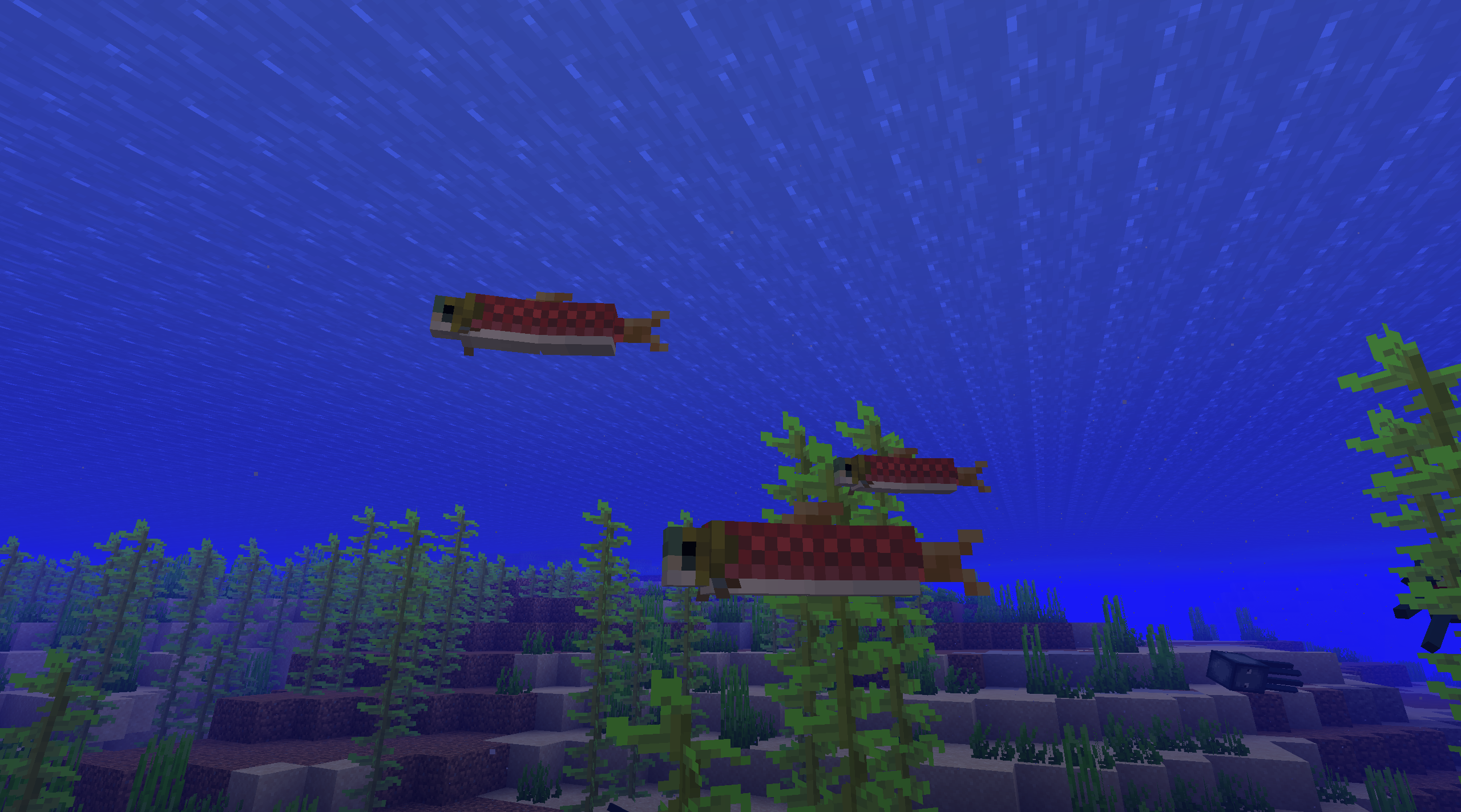
Big Salmon is a mod that provides highly customizable salmon spawning sizes with support for custom loot table for big salmon. The default settings and included datapack provide parity with Minecraft: Bedrock Edition salmon sizes and salmon loot table.
Features
- Salmon spawn with a weighted random size determined by the mod config.
- Adds the
Big:1bNBT tag to salmon of size greater than or equal to the big salmon size threshold defined in the mod config. Adds theBig:0bNBT tag to salmon of size smaller than the aforementioned threshold. - The default config provides parity with Minecraft: Bedrock Edition salmon sizes.
- The default salmon sizes and the sizes' probability weights are:
- Small salmon (size of 0.35714) (0.25 blocks wide) with a probability of 31.5% (weight of 315).
- Medium salmon (size of 0.71428) (0.5 blocks wide) with a probability of 52.6% (weight of 526).
- Big salmon (size of 1.07142) (0.75 blocks wide) with a probability of 15.7% (weight of 157).
- The included datapack provides parity with Minecraft: Bedrock Edition salmon loot table.
- Salmon have a 25% chance of dropping bones.
- Small and medium salmon drop at most 1 bone.
- Big salmon drop at most 2 bones.
- Salmon do not drop bonemeal.
- Salmon have a 25% chance of dropping bones.
- Salmon retain their sizes when picked up with a water bucket and when placed down with a bucket of salmon
- Mod config may be modified in realtime using the config GUI (requires Mod Menu).
- Server mod config may be modified by clients who meet permission requirements set in the server mod config.
- This mod may be run solely on the server (client-side installation of this mod is not required on servers with this mod installed).
- The default salmon sizes and the sizes' probability weights are:
Supported Platforms
Big Salmon is currently available for Fabric on Minecraft: Java Edition version 1.21 to 1.21.1.
Installation
Prerequisites
- JRE/JDK 21
- Minecraft: Java Edition version 1.21 to 1.21.1
- Fabric Loader
- Fabric API
- Mod Menu (optional)
Obtaining the Big Salmon mod file .jar
- Download the Big Salmon mod file
.jarfrom Modrinth.
Installing the Big Salmon mod file
Once you have the Big Salmon mod file .jar, move it into the mods folder in your Fabric Loader installation folder.
For more information on installing Fabric mods, check out these Fabric Player Guides.
Configuration
Config GUI (requires Mod Menu)
If the Mod Menu mod is installed, the config GUI may be accessed through Main Menu or Game Menu > Mods > Big Salmon > Configure.... If connected to a server (LAN or dedicated), permission to modify the config from the config GUI may be limited depending on the server config.
Changes are applied and saved to the config file immediately if the config is modified from the config GUI (the Minecraft client or server does not need to be restarted).
Config file
The config file should be stored with the filename bigsalmon.json in the folder config in the Minecraft installation or server folder. To reload the config from the config file, the Minecraft client or server needs to be restarted.
If the config file is not present, the mod will revert to the default config.
Default config
bigsalmon.json
{
  "enabled": false,
  "customizer_client": "op",
  "any_client_can_read_config": false,
  "big_salmon_size_threshold": 1.07142,
  "size_weights": [
    {
      "size": 0.35714,
      "weight": 315
    },
    {
      "size": 0.71428,
      "weight": 526
    },
    {
      "size": 1.07142,
      "weight": 157
    }
  ]
}
Config members
If any of these members (excluding size_weight elements) are missing, the mod will use the default value for that member.
enabled(trueorfalse): whether the mod is enabled (salmon spawn with random sizes and are given their respectiveBig:0borBig:1bNBT tags).customizer_client("none","op", or"none"): when the mod is running on a server (LAN or dedicated), whether anyone, only level 4 operators, or nobody respectively, may modify the config.any_client_can_read_config(trueorfalse): when the mod is running on a server (LAN or dedicated), whether anyone may view the config regardless of if they have permission to do so according tocustomizer_client.big_salmon_size_threshold(0.0625to16.0(inclusive) and greater than or equal to one of thesizevalues insize_weights): salmon of this size or greater are given theBig:1bNBT tag, otherwise they are given theBig:0bNBT tag.size_weights(array of elements with memberssize(0.0625to16.0) andweight(at least1)): an array of salmon sizes (scalar values indicating how much to scale the size of salmon from their default size of 0.4 blocks tall and 0.7 block wide) with their associated probability weights.
Modifying the salmon loot table
To modify the salmon loot table, another datapack with a custom salmon loot table must be loaded after the fabric datapack. To load a datapack after the fabric datapack, run /datapack enable <datapack name> after fabric. For information on creating datapacks and loot tables, see the Minecraft Wiki's Data pack and Loot table pages.
Using the Big NBT tag in a loot table
To use the custom Big NBT in a loot table, a minecraft:entity_properties condition with an nbt predicate of {Big:<big value>b} must be added to a loot table pool entry. For more information on loot tables, see the Minecraft Wiki's Loot table page. For an example implementation, see this mod's implementation of the Minecraft: Bedrock Edition salmon loot table.
Reverting the salmon loot table changes
To revert the salmon loot table changes to the vanilla Minecraft: Java Edition salmon loot table, run:
/datapack disable vanilla/datapack enable vanilla after fabric
WARNING: This will also revert any resource changes to vanilla content made by any other currently installed Fabric mods. If any other Fabric mods are installed, see how to modify the salmon loot table instead.
License
Big Salmon is licensed under GNU LGPLv3.
Disclaimer
NOT AN OFFICIAL MINECRAFT PRODUCT. NOT APPROVED BY OR ASSOCIATED WITH MOJANG OR MICROSOFT.
Screenshots
Gallery

Versions
Files
Relations
Project Relations
More like this
Similar Mods
Suggestions use data such as tags, dependencies, dependents, descriptions, titles, and more to rank how much they overlap with this mod.
On ModDex
Community snapshot
By the numbers
Statistics

Want to reach Minecraft players?
We're looking for a server hosting partner to feature here and other parts of the site. Interested? Send us a message!
Get in touchGet it on
Available Platforms
On ModDex
Community snapshot
By the numbers
Statistics
Resources