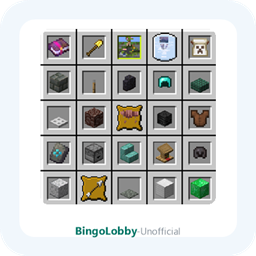

BingoLobby (Unofficial NeoForge Port)
A lobby dimension for the ReBongo (Bongo) Bingo minigame: respawn in a lobby and pick teams by standing on colored carpets. Unofficial Minecraft 26.2 / NeoForge port; requires ReBongo and LibX.
No ratings yet
Be the first to rate it.
Community listing page
Community listing page, reviews may not be monitored by the author.

Community voices
Reviews
No reviews yet. Be the first to review this project!
Get it on
Available Platforms
About
Project Details
For authors
Embed Badge
If you're the author of this project, you can embed a live badge anywhere that supports HTML or Markdown. It updates automatically whenever ratings change.
Use HTML for any page that supports it, or Markdown for README files and Markdown-based descriptions.
Identifiers
Platform IDs
About
Description
BingoLobby (Unofficial NeoForge Port)
A lobby dimension add-on for ReBongo — the unofficial Minecraft 26.2 / NeoForge port of the Bongo Bingo minigame.
- Source: https://github.com/Big-Jls/bingo-lobby
- Issue tracker: https://github.com/Big-Jls/bingo-lobby/issues
- ReBongo on CurseForge: https://www.curseforge.com/minecraft/mc-mods/rebongo
Unofficial project. This is a community-maintained port, not an official release. It is not affiliated with, endorsed by, or sponsored by the original author noeppi_noeppi. The original project is BingoLobby (https://github.com/noeppi-noeppi/BingoLobby).
What is this?
BingoLobby adds a dedicated lobby dimension to ReBongo. Instead of respawning in the overworld, players spawn at a fixed spot in the lobby (X=0, Y=65, Z=0). Team areas are marked with colored carpets — simply stand on a carpet to join that team. Only operators can interact inside the lobby dimension.
This is an add-on: it does nothing without ReBongo installed.
Requirements
| Dependency | Version |
|---|---|
| Minecraft | 26.2 |
| NeoForge | 26.2.0.93 or newer |
| Java | 25 |
ReBongo (modId = bongo) |
26.2-1.0.0-port.1 or newer |
| LibX | 26.2-8.0.0 (official release) |
Use the official LibX release (CurseForge file ID 9409485). LibX is not bundled or redistributed with this mod.
Installation
- Install NeoForge 26.2.0.93+.
- Put
LibX-26.2-8.0.0.jar,ReBongo-<version>.jarandBingoLobby-26.2-1.0.0-port.2.jarinto themodsfolder. - Install on both client and server — the lobby dimension, commands and overlay are required on both sides.
- Join the server: you will respawn in the lobby. On first start
bingolobby-preset.zipis copied intoconfig/.
How it works
- The server automatically creates a Bingo game when none is active (
auto_create). - Players spawn in the lobby and pick a team by standing on a colored carpet.
- A countdown starts automatically (
auto_start_seconds, default 30 s), then the match begins. - When a team wins, the match stays in its won state until an operator runs
/bingo stop.
join / leave are disabled in lobby mode; every other Bingo command keeps working as usual.
Commands
| Command | Description |
|---|---|
/bingo vip / /bingo unvip |
Grant / revoke VIP status for players |
/bingo vipteam / /bingo unvipteam |
Mark / unmark a team as VIP-only (yellow team by default) |
/bingo maxplayers <n> |
Limit players per team; -1 removes the limit |
All lobby commands require gamemaster (OP) permission level.
Configuration
config/bingolobby-common.toml:
| Option | Default | Description |
|---|---|---|
auto_create |
true |
Automatically create a game when none is active |
auto_start_seconds |
30 |
Countdown before the automatic start |
tasks |
bongo:hard |
Task set used for automatic creation |
settings |
bongo:default |
Game settings used for automatic creation |
Upgrading from older versions: if your config still uses bingo:hard / bingo:default, change them to bongo:hard / bongo:default, otherwise the lobby reports "game definition could not be found".
License and credits
- Original work BingoLobby: author noeppi_noeppi, Apache License 2.0
- Dependency ReBongo (originally Bongo, noeppi_noeppi), Apache License 2.0
- Dependency LibX: ModdingX (MelanX, noeppi_noeppi), Apache License 2.0
- Dependency NeoForge: NeoForged, LGPL-2.1 (not bundled)
- Minecraft: Mojang, all rights reserved (not bundled)
Maintained by Big_Jls; porting assistance by DeepSeek-v4.1-Flash-1017.
This project does not use the upstream icon or author avatar and does not imply any official relationship (Apache License 2.0, section 6, does not grant trademark rights).
Screenshots
Gallery
Versions
Files
Relations
Project Relations
More like this
Similar Mods
Suggestions use data such as tags, dependencies, dependents, descriptions, titles, and more to rank how much they overlap with this mod.
Stats
- Downloads
- <1,000
- Used in
- 0 modpacks
- Followers
- 0
- In stacks
- 0
- Created
- Last synced
-
Nov 19, 2026 2:20 PM UTC
New file updates sync automatically.
When ModDex last fully re-synced this project from CurseForge or Modrinth. A new file release triggers a resync usually within minutes, and every project is also re-synced on a schedule. Edits that don't ship a file, such as a new description or screenshots, are checked every few hours and can appear before this date changes.
How syncing works
External Links

Stats
- Downloads
- <1,000
- Used in
- 0 modpacks
- Followers
- 0
- In stacks
- 0
- Created
- Last synced
-
Nov 19, 2026 2:20 PM UTC
New file updates sync automatically.
When ModDex last fully re-synced this project from CurseForge or Modrinth. A new file release triggers a resync usually within minutes, and every project is also re-synced on a schedule. Edits that don't ship a file, such as a new description or screenshots, are checked every few hours and can appear before this date changes.
How syncing works